Enterprise: ContextMenu: Would like the ability to display Keyboard Shortcuts
Landmark has a feature enhancement to add Keyboard Shortcuts to allow application users quicker ways to navigate through record, save records. etc..
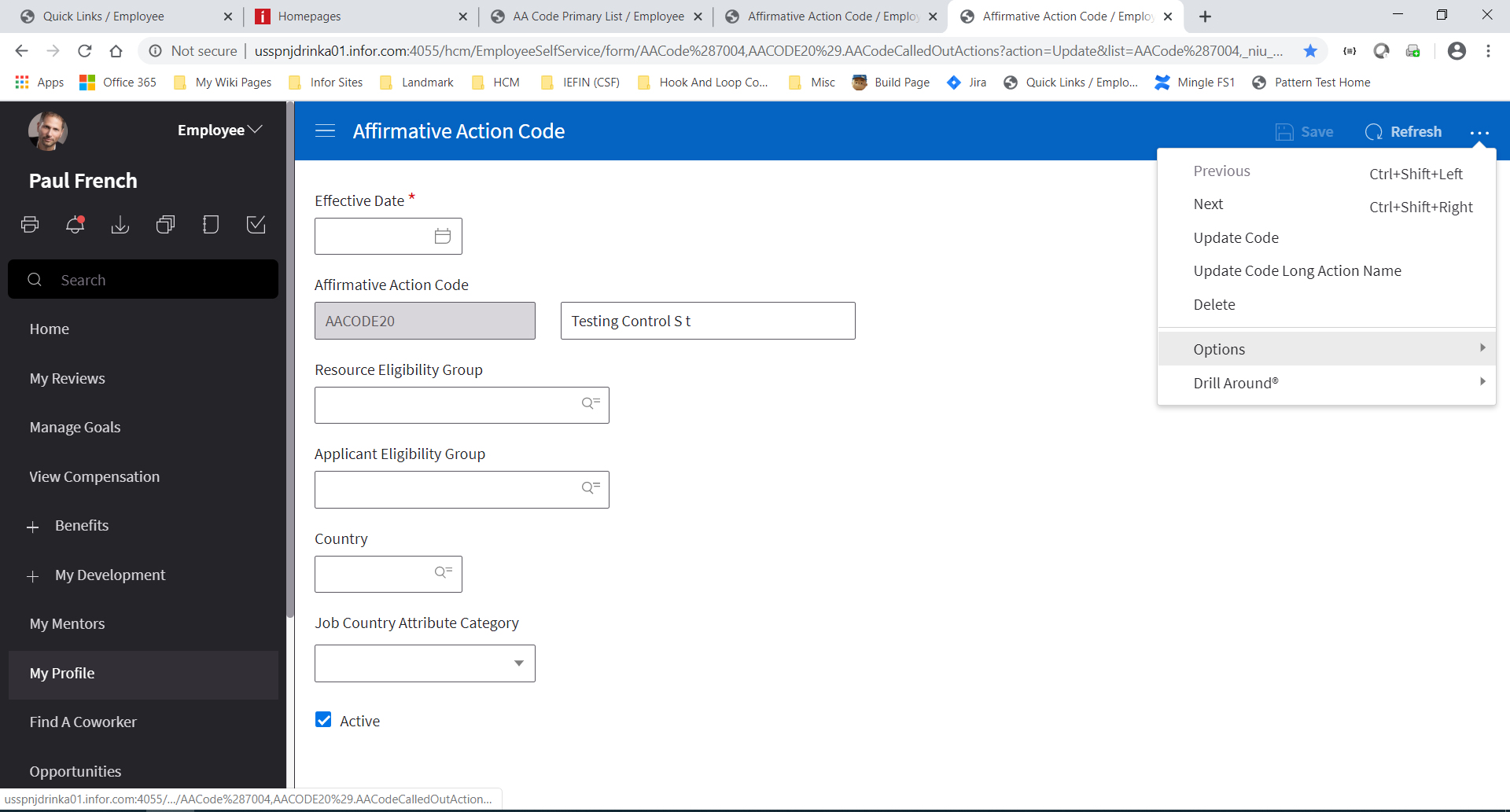
On Context Menus where some of the actions that can be performed like Save, Next Record, Previous Record. Would like the ability to display the keyboard shortcuts to the far right of the menu. See screen shot for an example.
 drinkaj
All 8 comments
We talked about doing an API where you would plugin the hotkeys and it would either do the mapping or not https://github.com/infor-design/enterprise/issues/643
But i think this is a bit easier. In just providing a UI facility to put the hot keys in the menu manually in the menu.
 tmcconechy
on 13 Feb 2020
tmcconechy
on 13 Feb 2020
This seem ok to you @kentonquatman or would you suggest some different treatment?
tmcconechy
on 13 Feb 2020
This works. It seems to be the standard treatment for this pattern.
My only comment would be: can we use keyboard icons instead of spelling things out whenever possible? I know there isn't a universal icon for ctrl, but cmd and shift could be kept short.
⌘⇧→ or instead of Cmd + Shift + Right
 kentonquatman
on 18 Feb 2020
kentonquatman
on 18 Feb 2020
The issue is now resolved. shortcut keys were displayed in contextmenu
v4.28.0-dev
https://master-enterprise.demo.design.infor.com/components/popupmenu/example-shortcut-text.html
 jbrcna
on 14 Apr 2020
jbrcna
on 14 Apr 2020
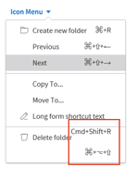
just some observation in IE 11
jbrcna
on 15 Apr 2020
That might be worth a fix @jmacaluso711 ?
tmcconechy
on 15 Apr 2020
Including BDD.
BDDStory_github#3490.docx
 CindyMercadoReyes
on 22 Apr 2020
CindyMercadoReyes
on 22 Apr 2020
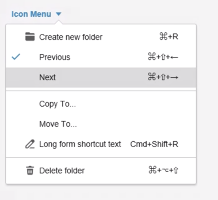
The issue is now resolved. Thank you.
v4.28.0-dev
https://master-enterprise.demo.design.infor.com/components/popupmenu/example-shortcut-text.html
_screenshot from IE11_
jbrcna
on 24 Apr 2020
Related issues
CindyMercadoReyes
·
3Comments
 dubde
·
4Comments
dubde
·
4Comments
 SasiPalanati
·
3Comments
SasiPalanati
·
3Comments
 sanx72
·
3Comments
sanx72
·
3Comments
 janahintal
·
3Comments
janahintal
·
3Comments