Enterprise: Soho Mask: No digits allowed in the field if the first digit is a zero
Describe the bug
A or field with a soho-mask on it doesn't allow any digits to be entered if the first digit entered is a 0.
To Reproduce
Steps to reproduce the behavior:
- Go to /components/mask/test-input-type-numeric.html
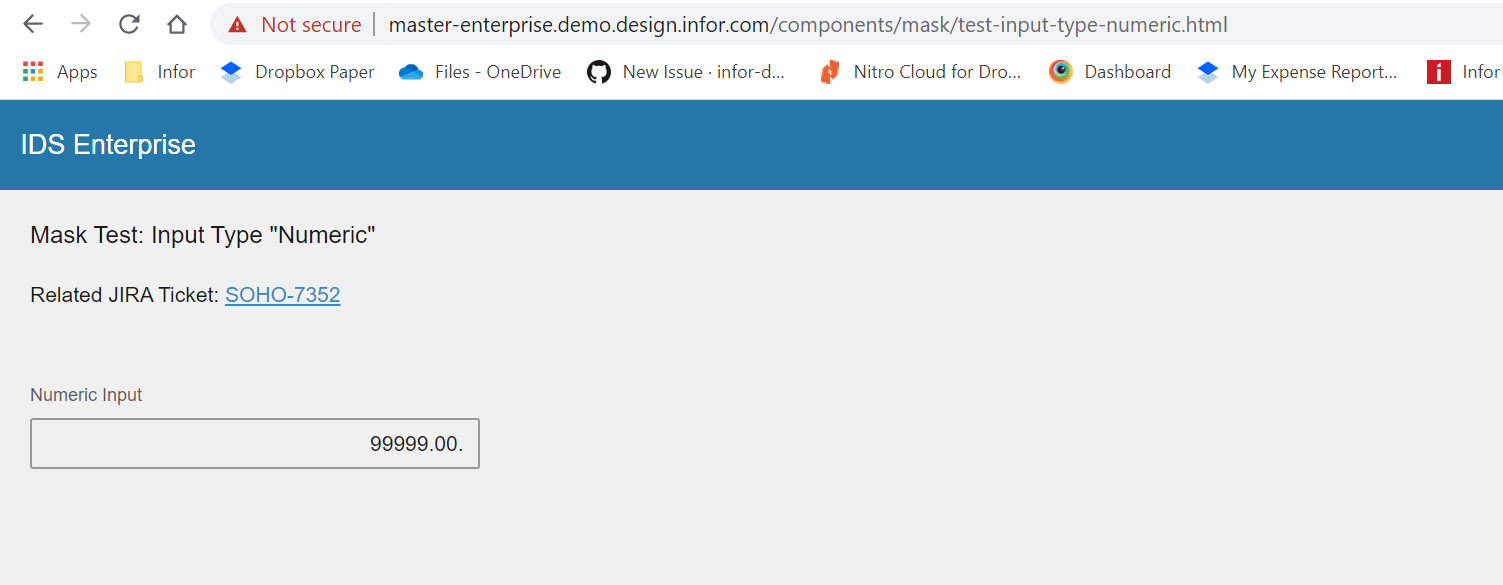
- Enter '0' in the Numeric Input field. This will cause an error in the console
- Attempt to continue entering digits in the field
- See error, no other digits are allowed
Expected behavior
The user is still allowed to enter digits after the 0, and when the field is blurred the mask should remove the leading zero (or whatever correct behavior the allowLeadingZeroes option is)
Version
- ids-enterprise: v4.25.0-dev
Screenshots
Error seen in the console after entering a 0 into a with a soho-mask on it:

Platform
- All
 Sovia
Sovia
All 9 comments
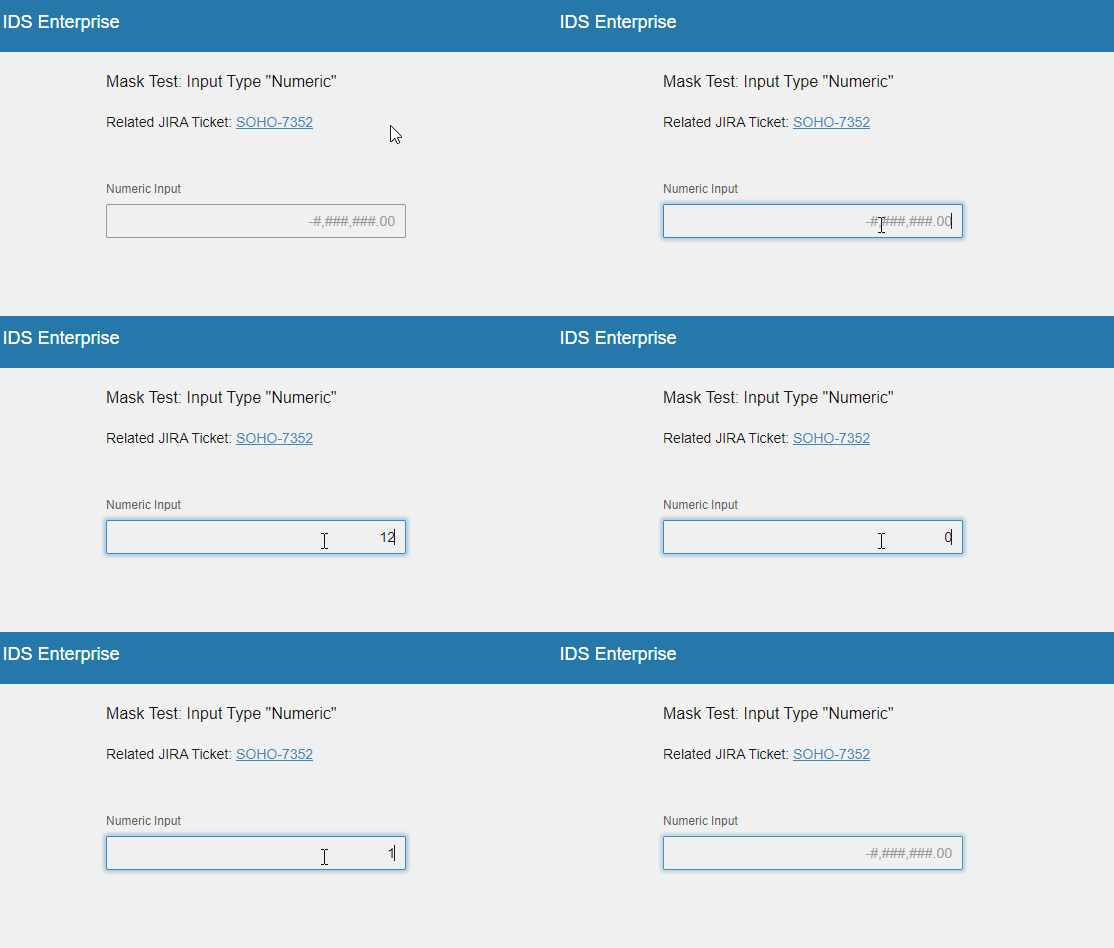
Hello @tmcconechy, there is no console error found. However, I can still add a character after filling in the mask. Please see below.
 janahintal
on 16 Jan 2020
janahintal
on 16 Jan 2020
It is valid to enter a character here. The bug was that you could not enter anything and now you can without an error. So moving back to done, nothing to change here
 tmcconechy
on 17 Jan 2020
tmcconechy
on 17 Jan 2020
@tmcconechy I'm actually working on a fix for this because it's still possible to enter a second decimal into the field when it's configured as a number mask. Trying to figure that out for a second Q/A round.
What we've discovered with this issue in general is that this should be considered an edge case, and it's not a great idea to mask a number-only input, since the input field's idea of what's "valid" might conflict with the mask's idea of what's valid.
 EdwardCoyle
on 17 Jan 2020
EdwardCoyle
on 17 Jan 2020
This issue is now resolved in http://4250-rc0-enterprise.demo.design.infor.com/components/mask/test-input-type-numeric?theme=uplift&variant=light. Thank you. Will now move to Done.
janahintal
on 23 Jan 2020
I'm still seeing an issue on some fields. For example, on /components/mask/test-negative-numeric-mask.html
If you enter a 0 as the first digit in the first input, you are not able to enter any more digits afterwards. If the first digit is something other than 0, then you can enter up to the mask of values.
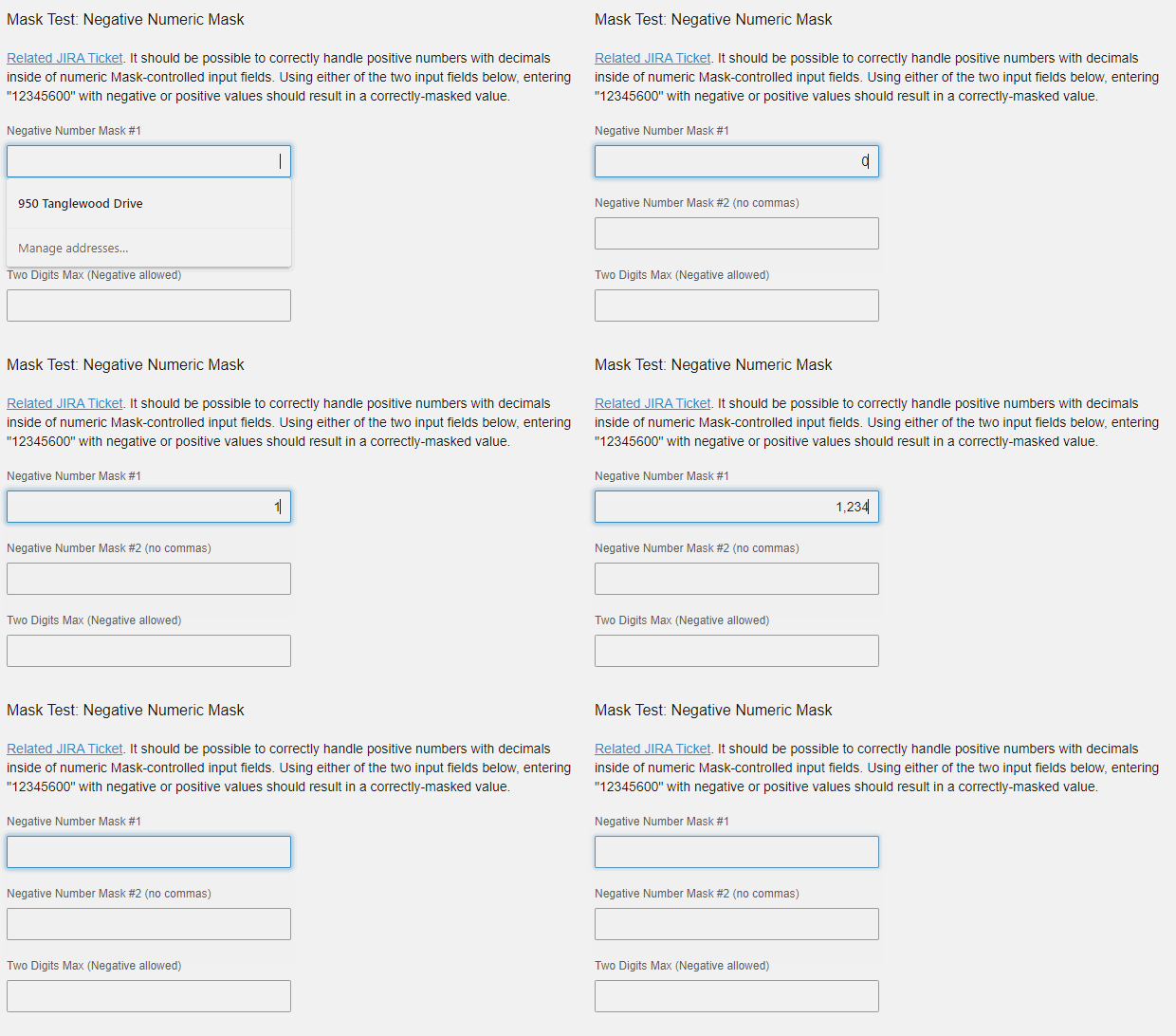
Sovia
on 28 Jan 2020
@Sovia @tmcconechy the configuration on that example wasn't set up to allow leading zeroes. However, I made a quick sample page up that includes the leading zeroes setting on similar samples and can confirm this is an issue on standard text fields. The fix we made for allowing the leading zero on a number input still works.
EdwardCoyle
on 28 Jan 2020
So there is a setting for it? Sorry, I missed that.
Sovia
on 28 Jan 2020
No worries! Yeah, you can set it directly on the API:
$('#my-masked-field').mask({
  process: 'number',
  patternOptions: {
    allowLeadingZeroes: true
  }
});
...or as a data-options entry:
<input type="number" id="test1" data-mask data-options="{ pattern: '-###,###.00', process: 'number', patternOptions: { allowLeadingZeroes: true }}" />
The case I need to fix is specifically using that setting on a Mask against a standard, text-based input field.
EdwardCoyle
on 28 Jan 2020
This should be closed now
tmcconechy
on 4 Feb 2020
Related issues
 dubde
·
4Comments
dubde
·
4Comments
 jbrcna
·
3Comments
jbrcna
·
3Comments
 sanx72
·
3Comments
janahintal
·
3Comments
janahintal
·
3Comments
sanx72
·
3Comments
janahintal
·
3Comments
janahintal
·
3Comments