Enterprise: Application Menu: Line under the Tab label is misaligned
Describe the bug
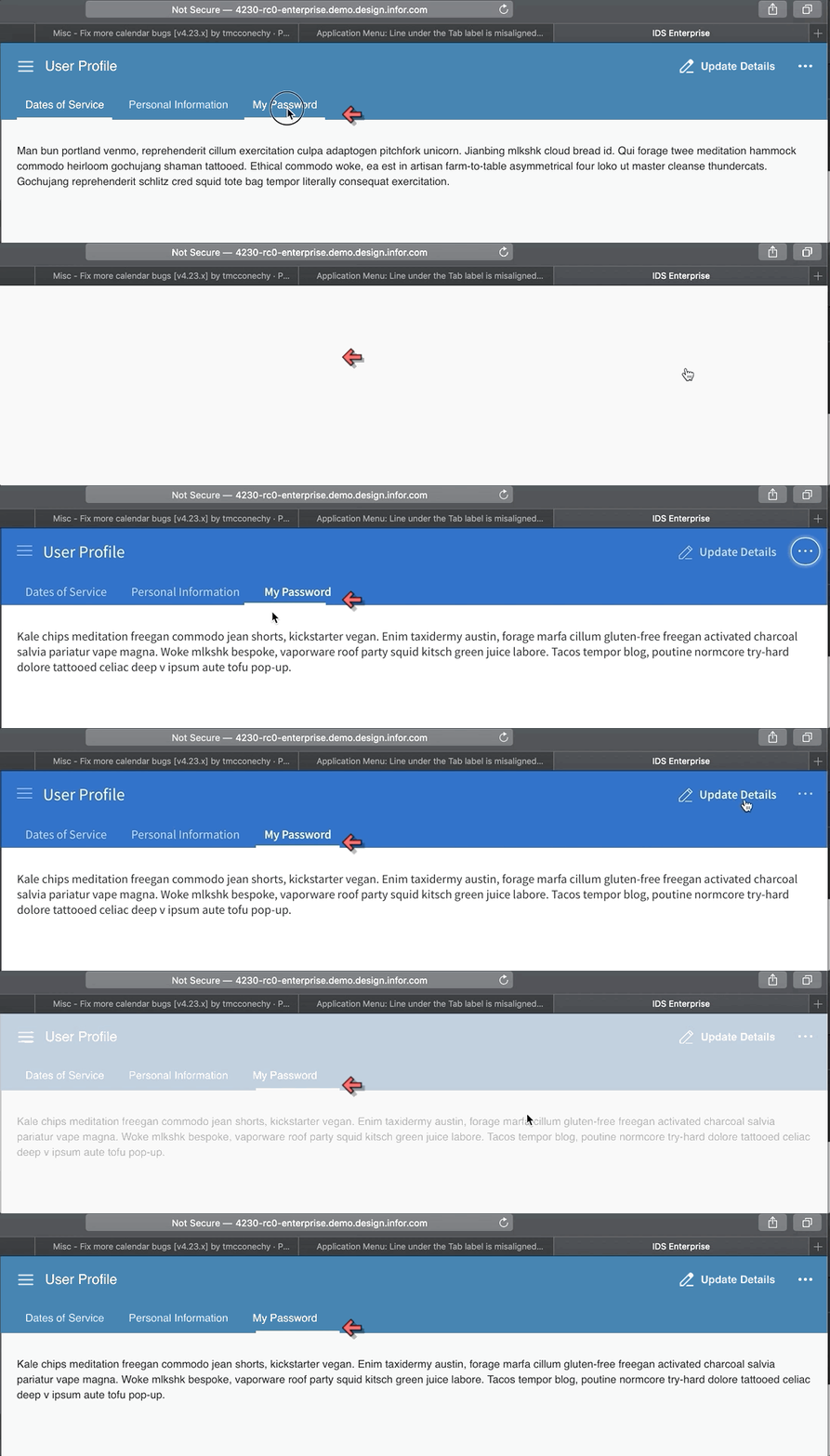
when switching themes, the Line under the Tab label is misaligned.
To Reproduce
Steps to reproduce the behavior:
- Go to 'http://4230-rc0-enterprise.demo.design.infor.com/components/applicationmenu/example-personalized-role-switcher.html'
or
http://4230-rc0-enterprise.demo.design.infor.com/components/applicationmenu/example-personalized-roles.html
or
http://4230-rc0-enterprise.demo.design.infor.com/components/applicationmenu/example-personalized.html
- Click on 'My Password' Tab
- Switch themes between Subtle and Vibrant
- Notice that the line under the TAB's label is misaligned
Expected behavior
The line under the 'Tab' label should be aligned
Version
4.23 rc0
Screenshots
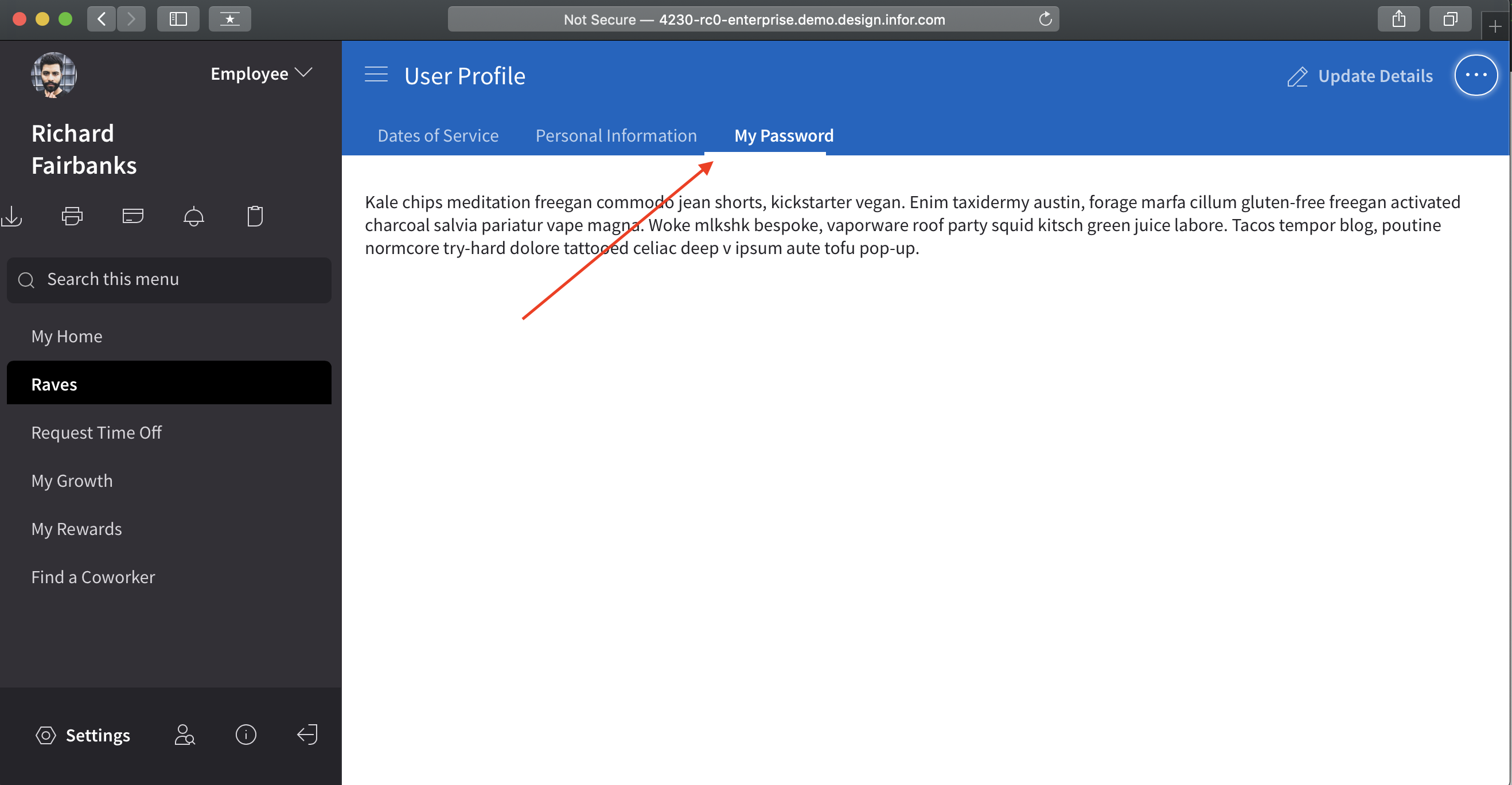
Platform
ALL
Additional context
Example pages affected
 jbrcna
All 15 comments
I cannot seem to reproduce this issue following the steps. I'm seeing the tab resize correctly still hen changing the theme.
 tmcconechy
on 18 Nov 2019
tmcconechy
on 18 Nov 2019
Please see GIF below for reference.
jbrcna
on 19 Nov 2019
Does the browser matter? Im not seeing this in chrome.
tmcconechy
on 19 Nov 2019
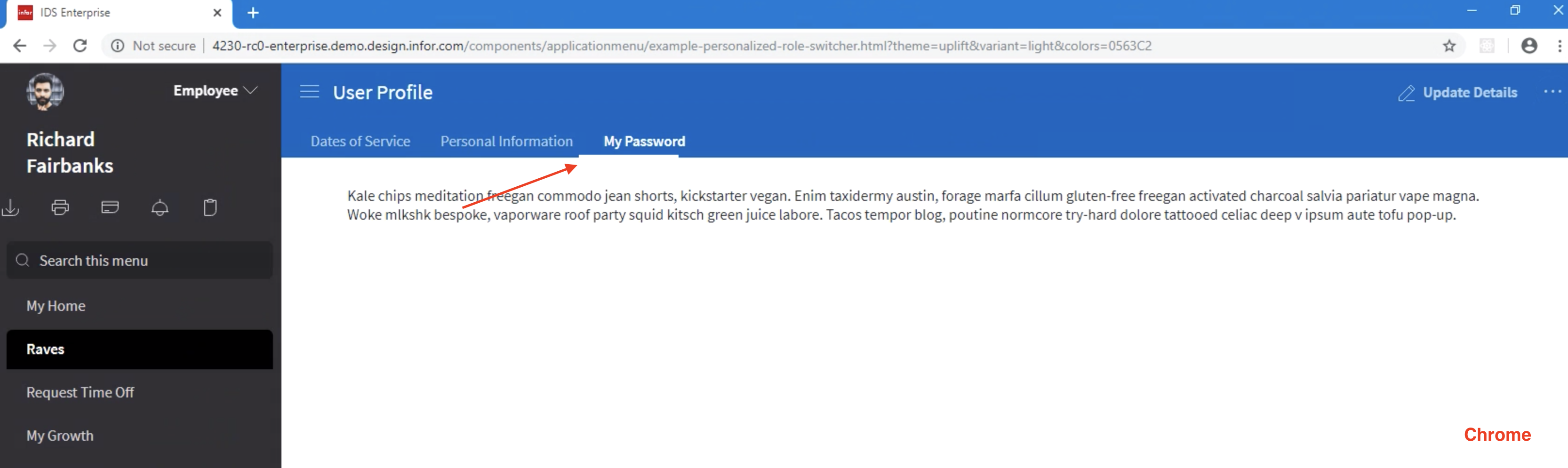
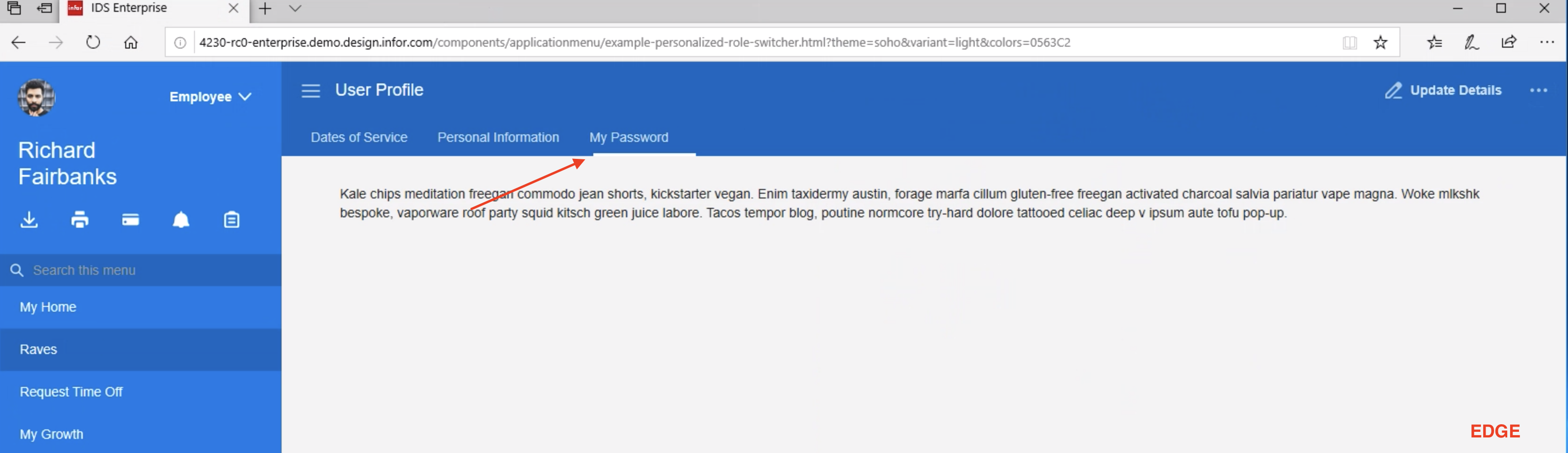
The issue exist across all browsers. My chrome version is
Version 78.0.3904.97 (Official Build) (64-bit)
I update my chrome browser to Version 78.0.3904.108 (Official Build) (64-bit) but still the issue persist
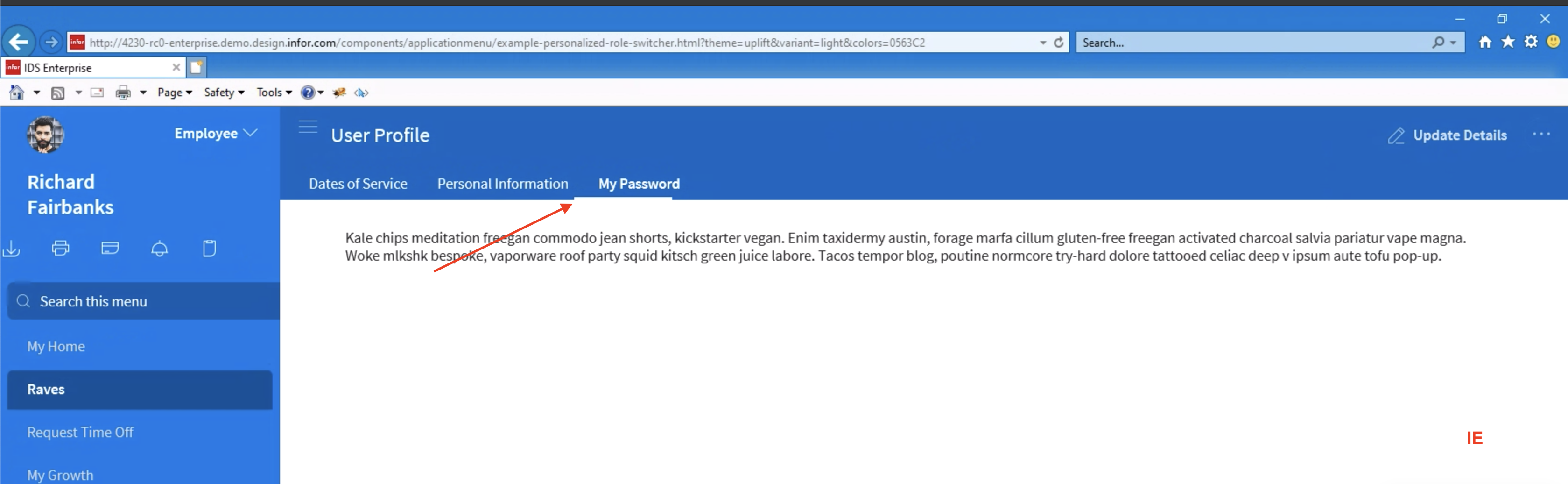
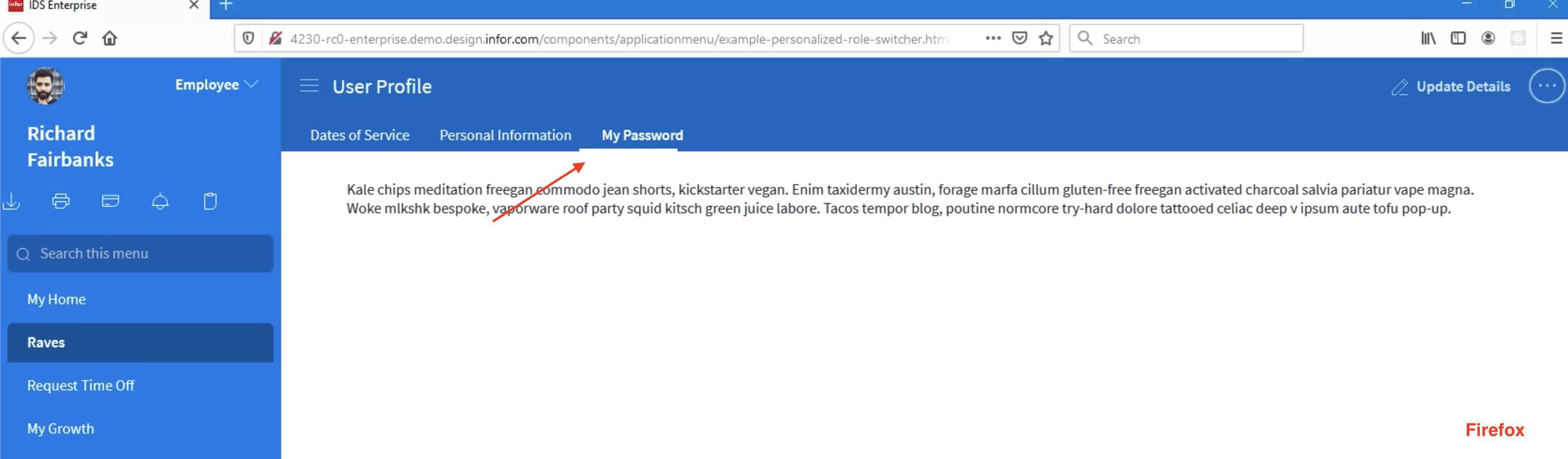
jbrcna
on 20 Nov 2019
The issue is also present in sink page 4.23 rc1
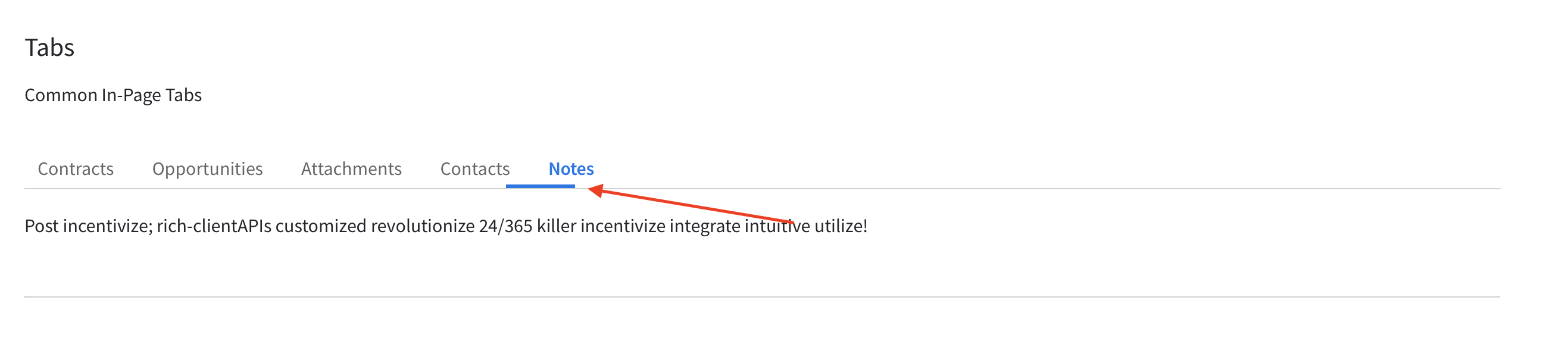
jbrcna
on 20 Nov 2019
This is really strange, i am totally not seeing this and also on chrome. You dont have any errors in the console do you? @EdwardCoyle @deep7102 can you reproduce?
I did add code in the theme switcher to handle this. So when i do change them i see the indicator slide over after a second when changing theme and then it looks fine. See it resizing on all tabs examples like http://4230-rc0-enterprise.demo.design.infor.com/components/tabs/example-index.html?theme=uplift&variant=light&colors=0563C2
tmcconechy
on 20 Nov 2019
I tested in a few local browsers, and IE11 on Browserstack. I'm not seeing this issue at all.
@jbrcna for reference, this is what it should be doing (and what we're seeing):
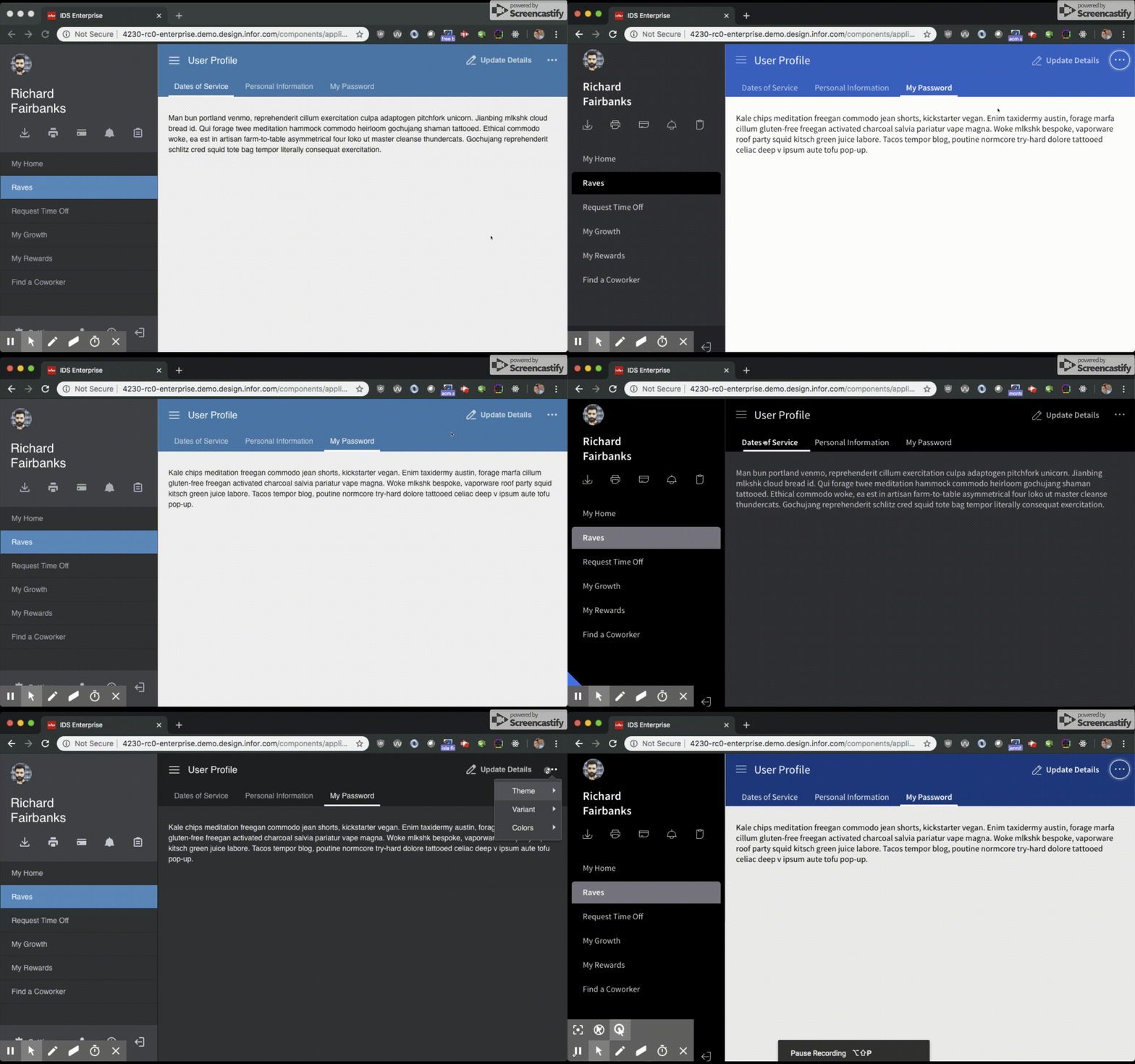
I can't understand what would be causing this in every browser you're looking at, unless maybe we had a bad build deploy? Not sure that would be the case either because I'm also not seeing it in the RC1 build.
 EdwardCoyle
on 20 Nov 2019
EdwardCoyle
on 20 Nov 2019
Maybe clear cache? Or something with a Slow connection? Thing is that it fires the resize after the style sheet is loading so wondering if some timing issue. But havent seen this NOT working on my end
tmcconechy
on 20 Nov 2019
Same, can not reproduce this on my end.
 deep7102
on 20 Nov 2019
deep7102
on 20 Nov 2019
Thank you for your responses. are you using windows pc? not sure if this is a factor but I'm using macOS Mojave Version 10.14.6 (18G1012)
jbrcna
on 21 Nov 2019
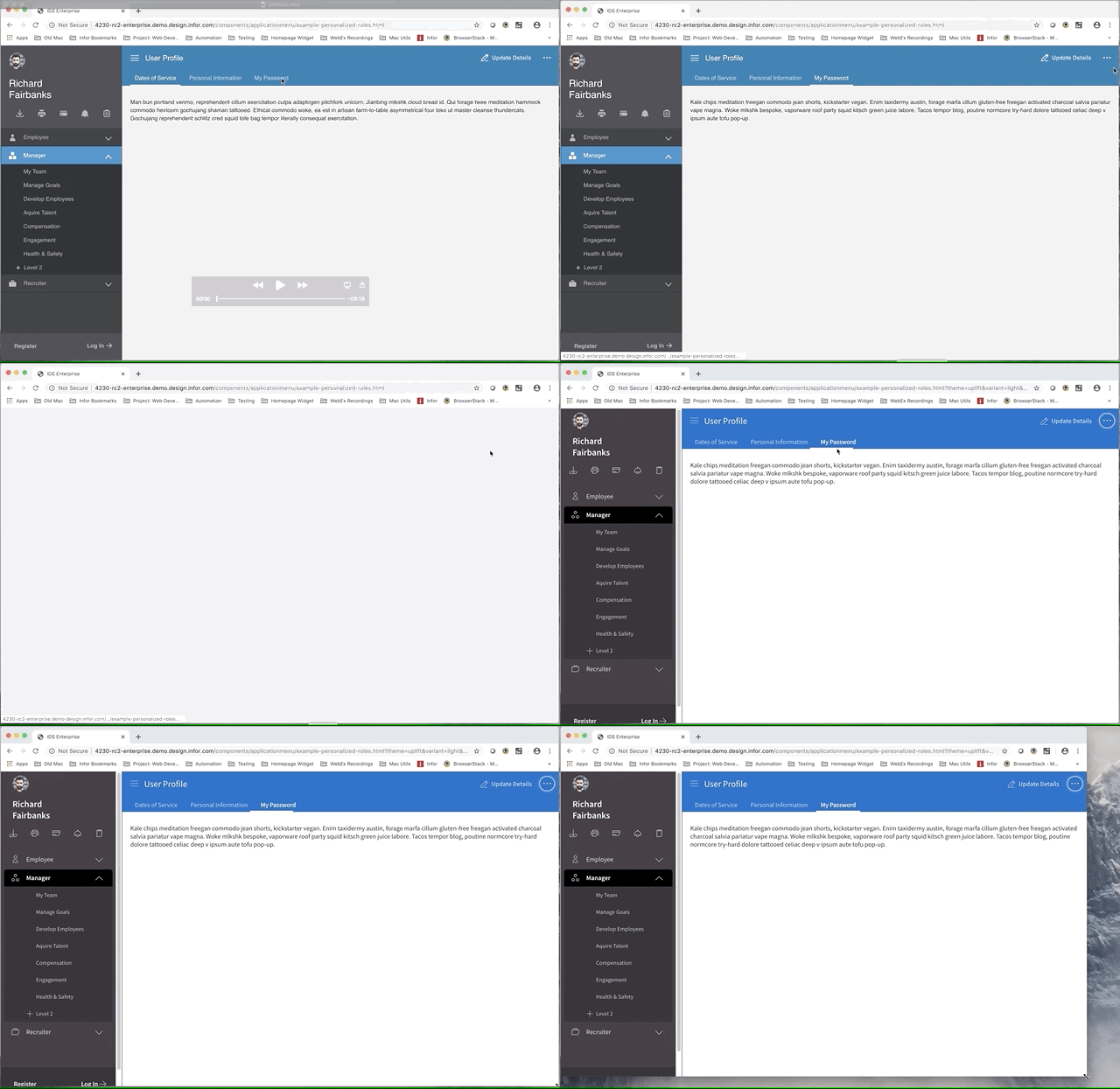
I can also replicate the issue in all of my browsers (Mac Chrome, Safari, Firefox) and Windows browsers using browserstack. I also noticed that the misalignment gets corrected after resizing the browsers. Please see GIF below. It's strange that you can't replicate it.
http://4230-rc2-enterprise.demo.design.infor.com/components/applicationmenu/example-personalized-roles.html
Mac Google Chrome:
 brianjuan
on 21 Nov 2019
brianjuan
on 21 Nov 2019
Wierd, i did see it once only on Windows 10 - Firefox 7.0
Tried a bunch of combinations but i do have one idea. I'm pushing a fix.
Has to be a timing issue.
tmcconechy
on 21 Nov 2019
Test PASSED
Verified in http://master-enterprise.demo.design.infor.com/components/tabs/example-index.html?theme=uplift&variant=light&colors=2578a9
across ALL browsers
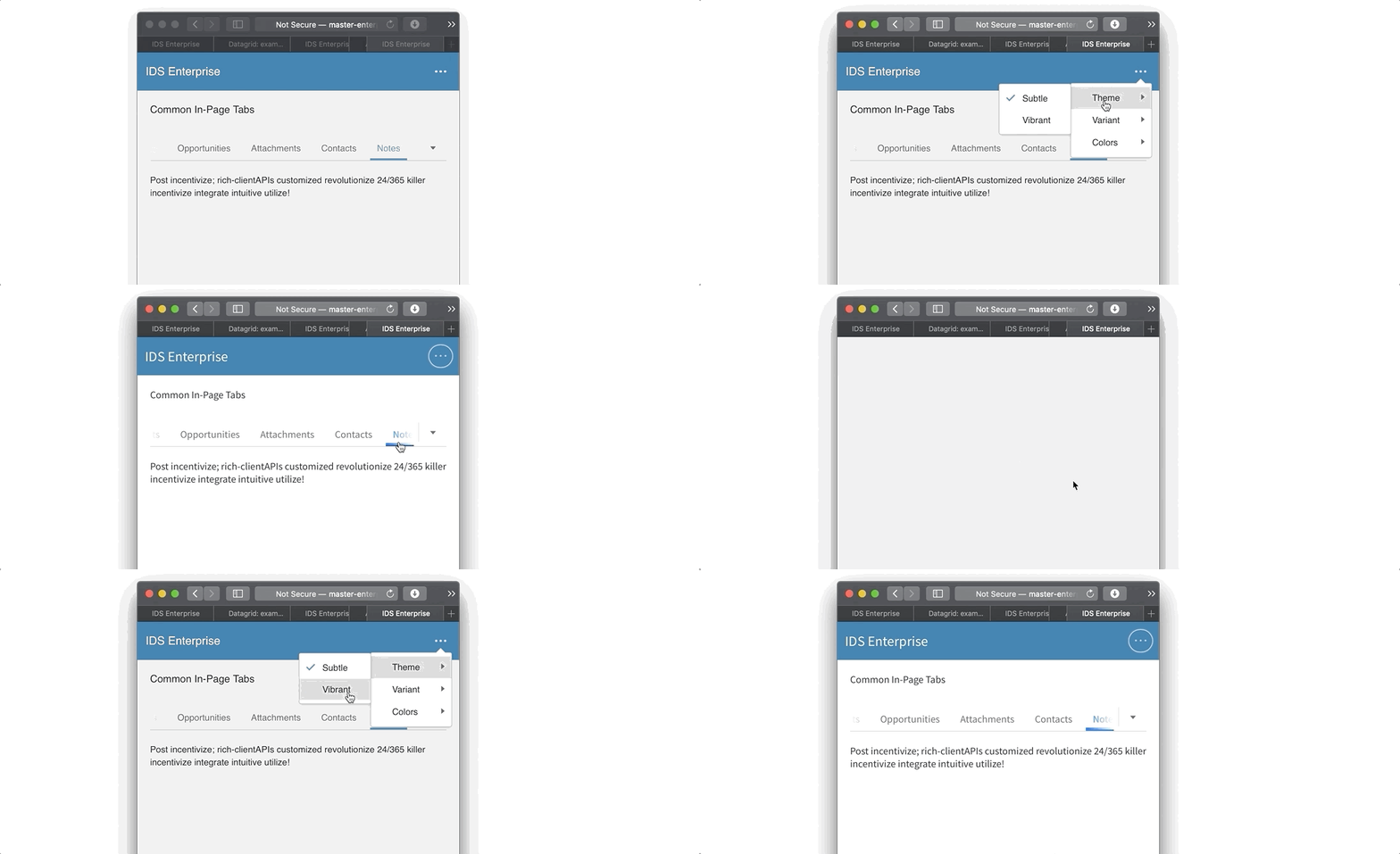
I just noticed that when you resize the browser to 320x568 then click Notesand from subtle switch to vibrant theme the Notes tab is kinda hidden ( just a little ) though you can just swipe to left to see it fully so im not sure if this is a bug.
jbrcna
on 22 Nov 2019
@jbrcna the behavior your noting with the overflow is by design. If the tabs all dont fit they overflow like this. Since the vibrant theme has a bigger font the tabs are not the same size so they may not all fit at low breakpoints.
tmcconechy
on 22 Nov 2019
Thanks @tmcconechy for clarifying. taking note of this.
jbrcna
on 25 Nov 2019
Related issues
 pwpatton
·
3Comments
pwpatton
·
3Comments
 swetteinfor
·
3Comments
swetteinfor
·
3Comments
 sanx72
·
3Comments
sanx72
·
3Comments
 SofiK
·
3Comments
EdwardCoyle
·
4Comments
SofiK
·
3Comments
EdwardCoyle
·
4Comments