Enterprise: Dropdown/Popover: Position is too low
Describe the bug
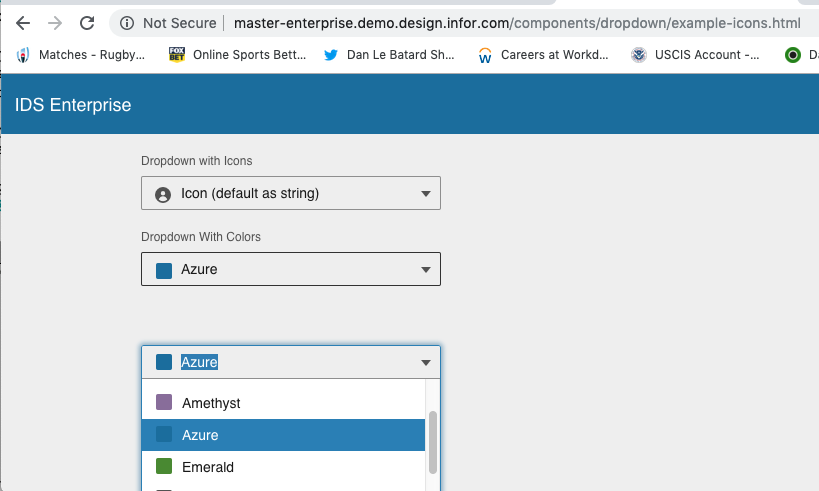
After recent changes to the popover logic found an additional issue.
To Reproduce
Steps to reproduce the behavior:
- Go to http://master-enterprise.demo.design.infor.com/components/dropdown/example-icons.html
- Resize the browser to approx 380 in height
- Open the swatch/color dropdown
- See that its positioned about the size of a header lower.
Expected behavior
Should position over the dropdown.
Version
- ids-enterprise: [v4.23-dev]
Screenshots
Platform
- Chrome
Additional context
This was ok on last version http://4220-enterprise.demo.design.infor.com/components/dropdown/example-icons.html
 tmcconechy
All 6 comments
QA Failed
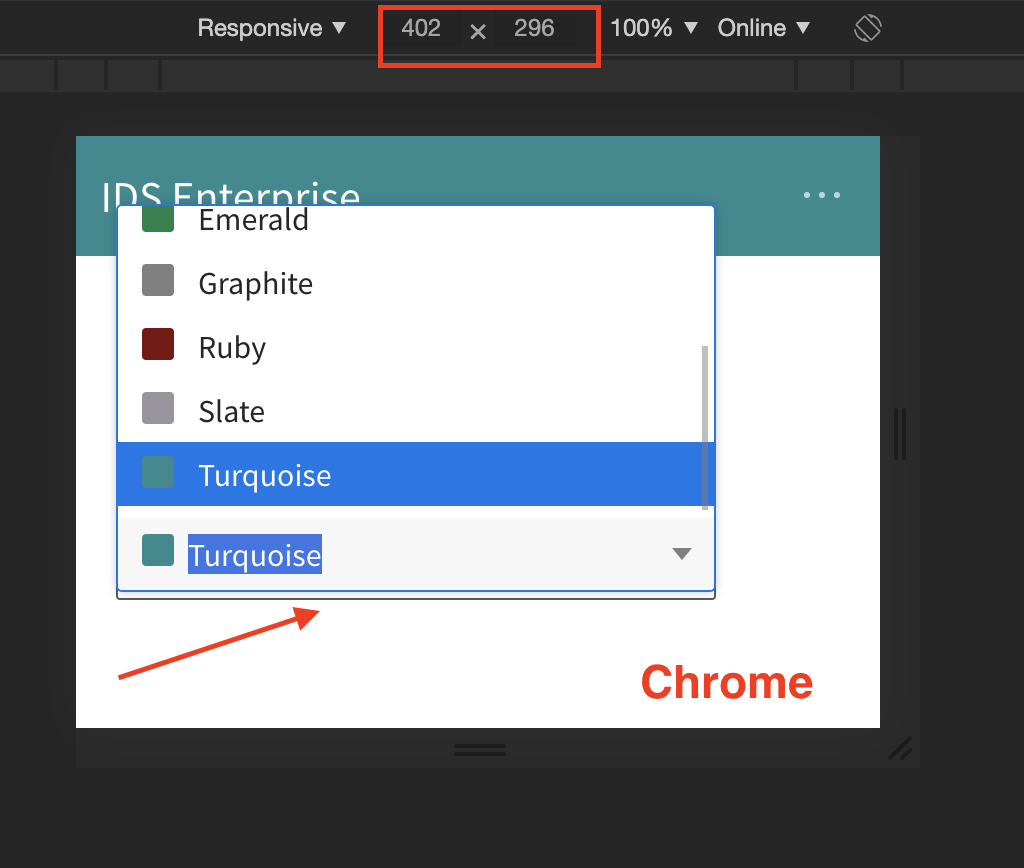
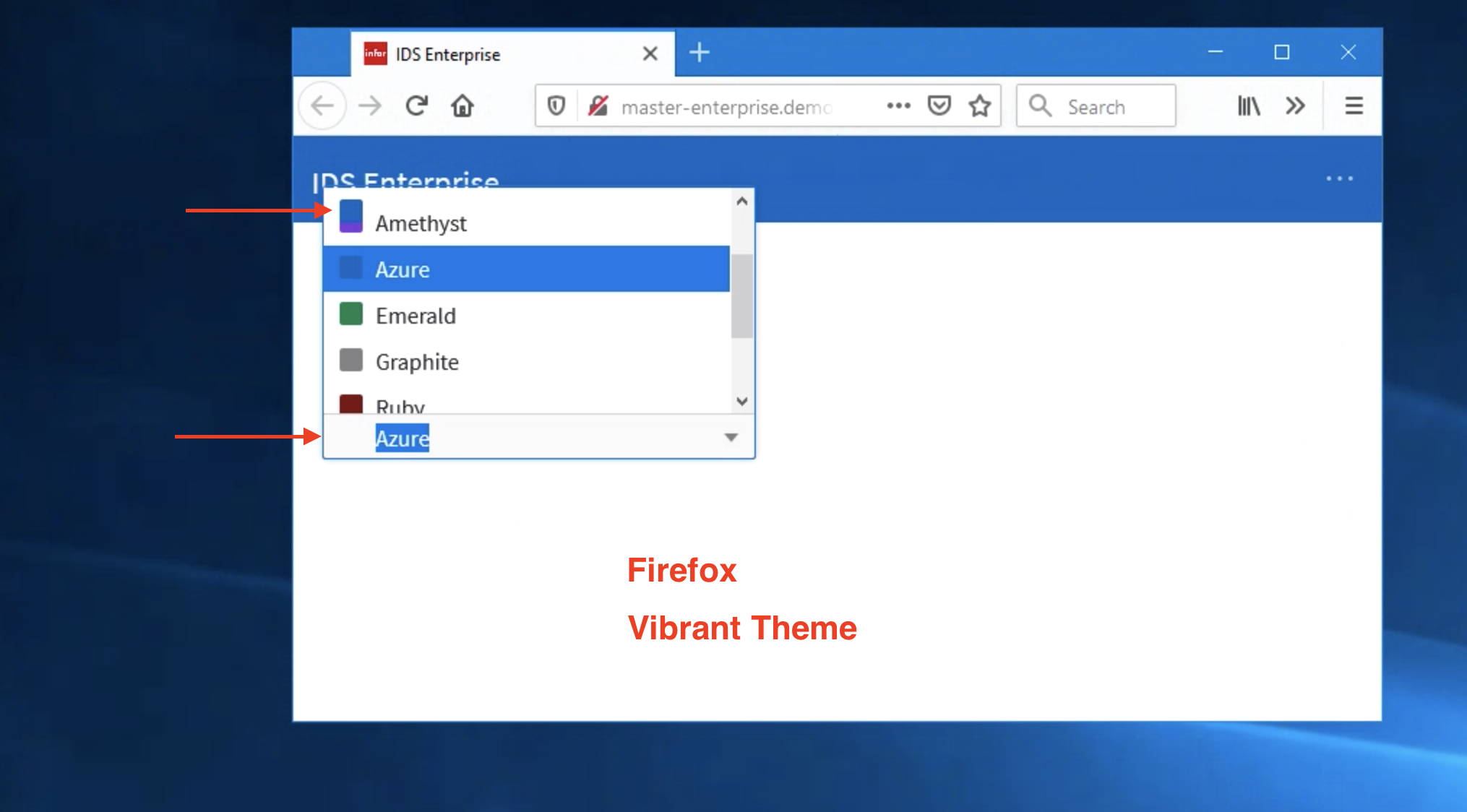
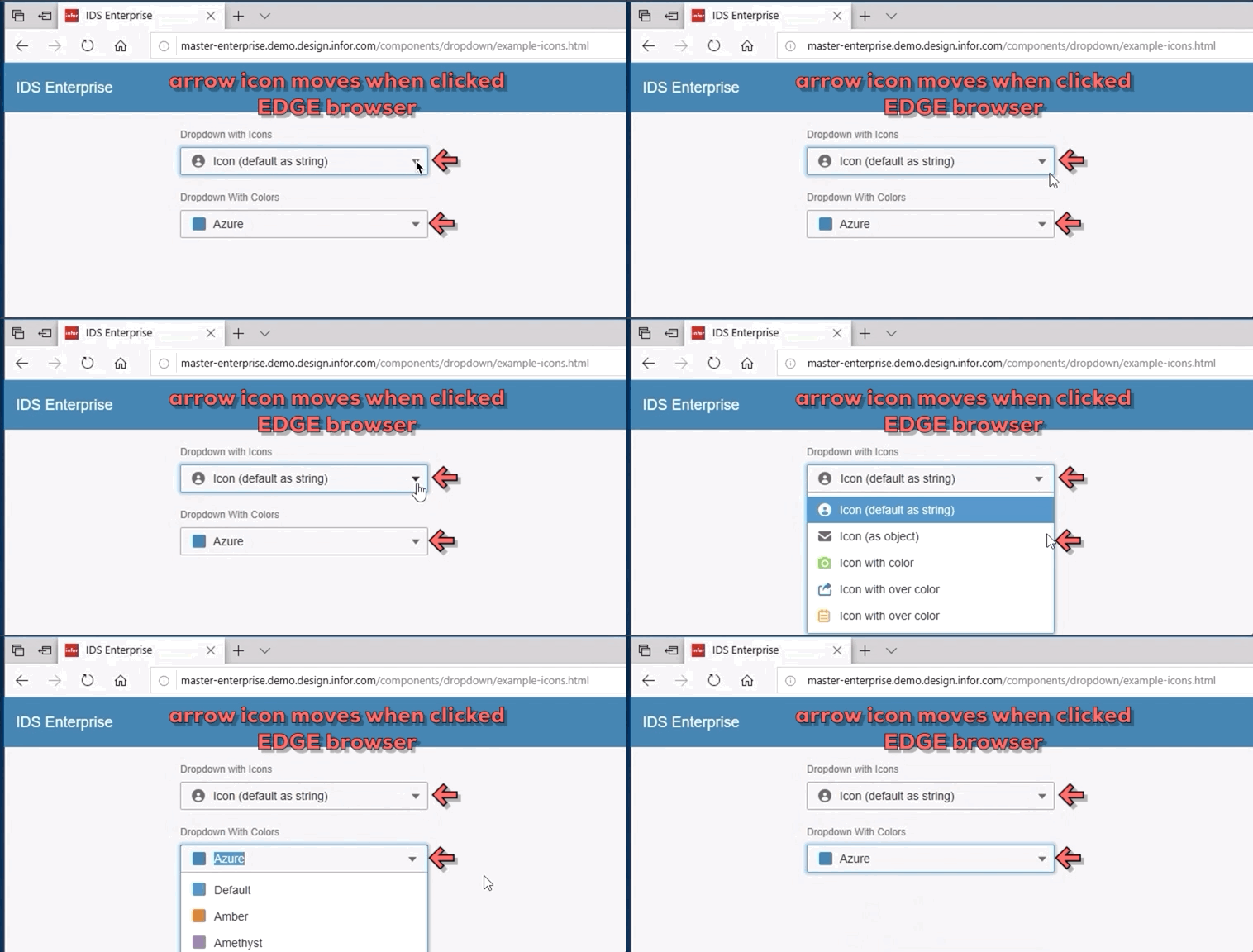
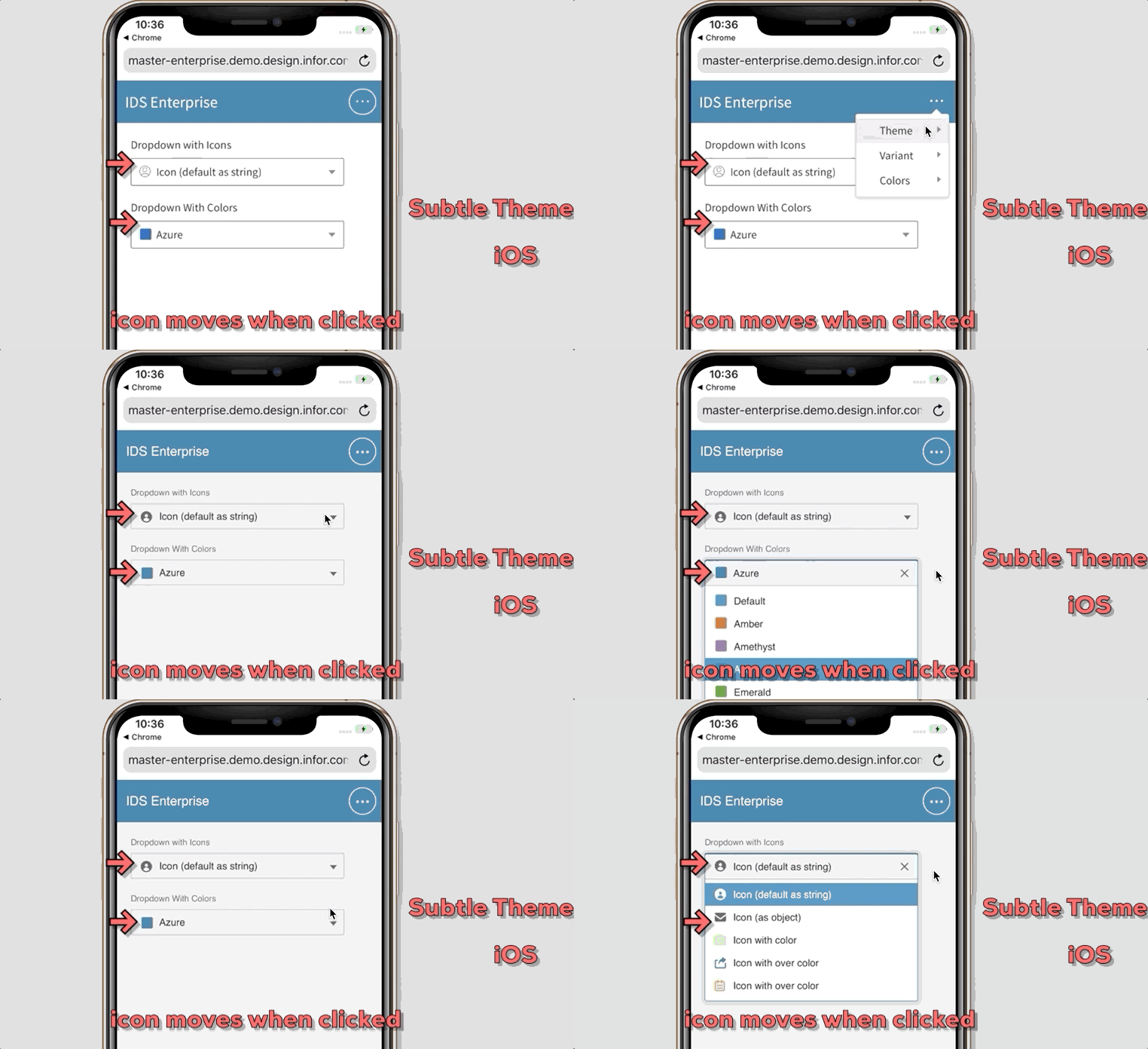
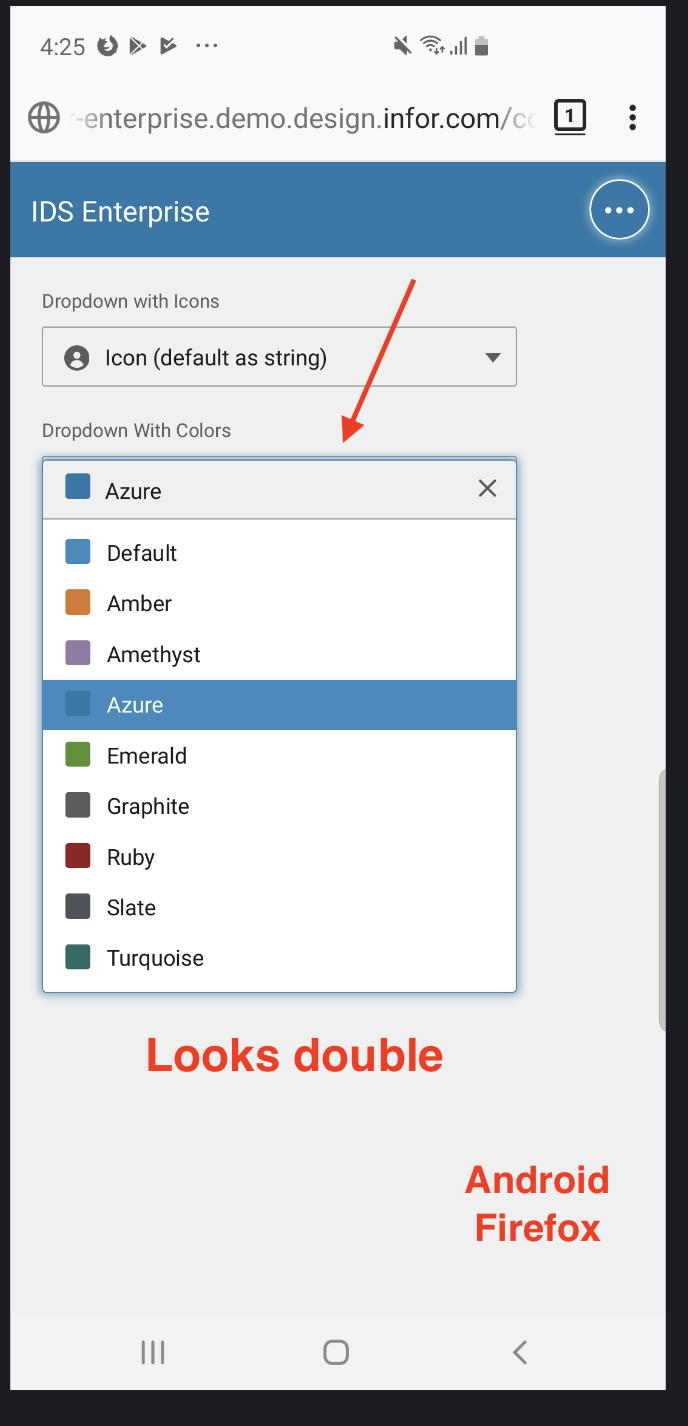
due to the following reasons. please see screenshot for reference.
Verified in http://master-enterprise.demo.design.infor.com/components/dropdown/example-icons.html

 jbrcna
on 11 Nov 2019
jbrcna
on 11 Nov 2019
@jbrcna I see most of these and will address. In your last screenshot:
Android Firefox: Looks double
... can you elaborate? Do you mean that top border?
 EdwardCoyle
on 11 Nov 2019
EdwardCoyle
on 11 Nov 2019
This issue is now resolved. Closing out this jira ticket.
 CindyMercadoReyes
on 11 Nov 2019
CindyMercadoReyes
on 11 Nov 2019
@EdwardCoyle to answer your question. Android Firefox issue is the same with Chrome ( the first screenshot )
jbrcna
on 12 Nov 2019
Is the double issue just because azure and default have the same color? If so thats just the way it happened to be as they use the same color.
tmcconechy
on 12 Nov 2019
I think it was an issue with placement specifically on that browser, where the list was coming up slightly below where it should have been. It's resolved now.
EdwardCoyle
on 12 Nov 2019
Related issues
 brianjuan
·
3Comments
jbrcna
·
3Comments
brianjuan
·
3Comments
jbrcna
·
3Comments
 pwpatton
·
3Comments
CindyMercadoReyes
·
3Comments
pwpatton
·
3Comments
CindyMercadoReyes
·
3Comments
 fitzorama
·
3Comments
fitzorama
·
3Comments
Most helpful comment
I think it was an issue with placement specifically on that browser, where the list was coming up slightly below where it should have been. It's resolved now.