Enterprise: Editor: example-flex-toolbar tooltip is not displayed
Describe the bug
upon opening the menu tooltip is not shown
To Reproduce
Steps to reproduce the behavior:
- Go to 'http://master-enterprise.demo.design.infor.com/components/editor/example-flex-toolbar.html?theme=uplift&variant=light&colors=0563C2'
- Resize browser window to 320 x 568 or at least '...' is shown
- Click '....'
- See error
Expected behavior
tooltip should be displayed
Version
master 4.23
Screenshots
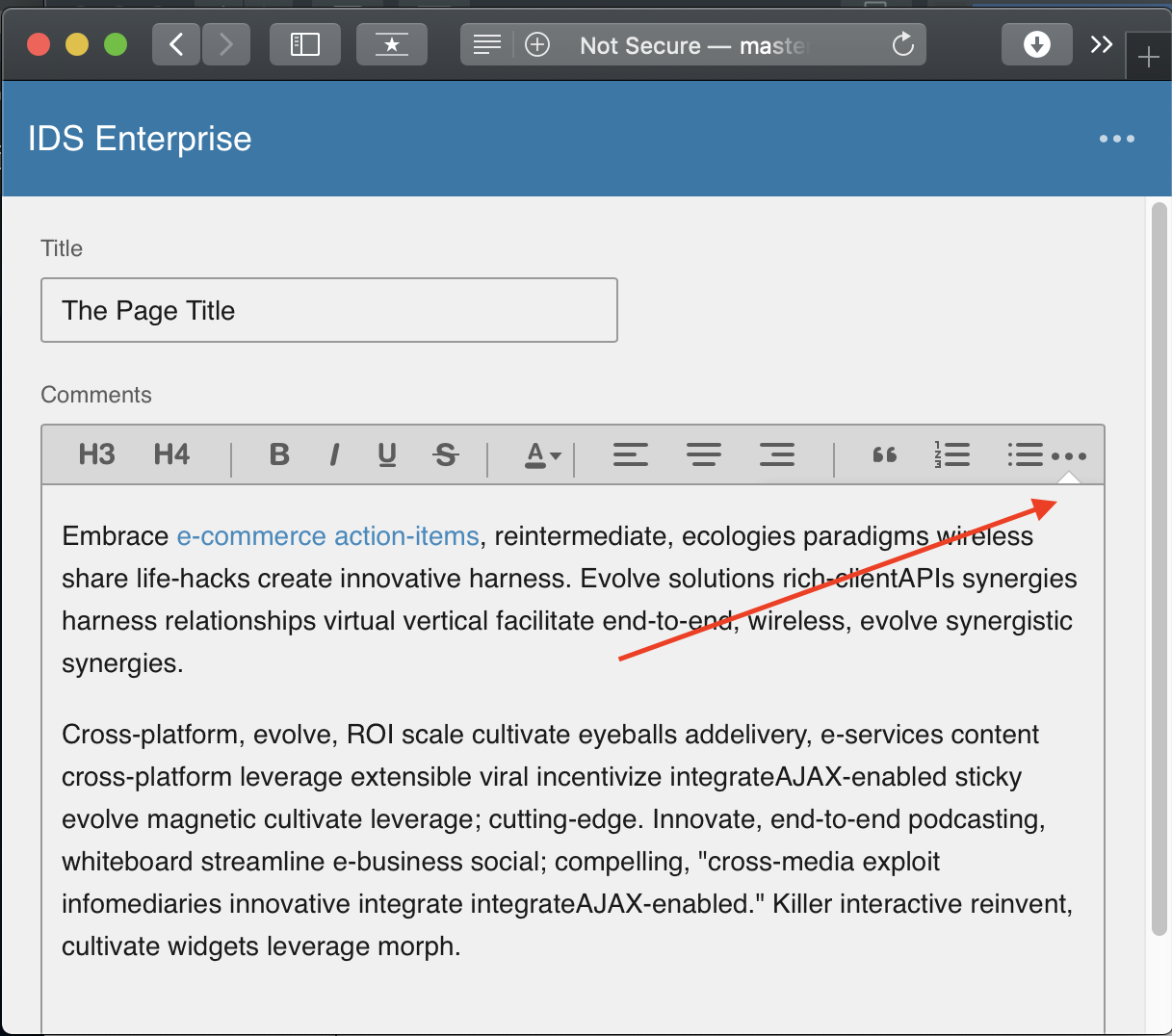
Platform
SAFARI
Additional context
 jbrcna
All 7 comments
Also when fixing.
a) seeing an extra scroll bar in safari on the toolbar
b) the actions button is out of alignment.
 tmcconechy
on 25 Oct 2019
tmcconechy
on 25 Oct 2019
@tmcconechy I'm going to move this to Q/A for 4.23.x. I think we fixed this issue with the changes in #2977, and I'm no longer seeing this in Safari when we test against the current beta.
 EdwardCoyle
on 13 Nov 2019
EdwardCoyle
on 13 Nov 2019
QA Failed
The menu/tooltip is now displayed. However, there is a scroll bar in the header of the editor. Also, the items on the menu are not working. (i.e. click on View Source, nothing happens)
when you maximize the browser or select the editor options that are not in the menu, it's working
(e.g. from 320 x 568 resize the width of the browser to remove 'Block Quote' on the menu then click 'Block Quote' from the header of the editor)
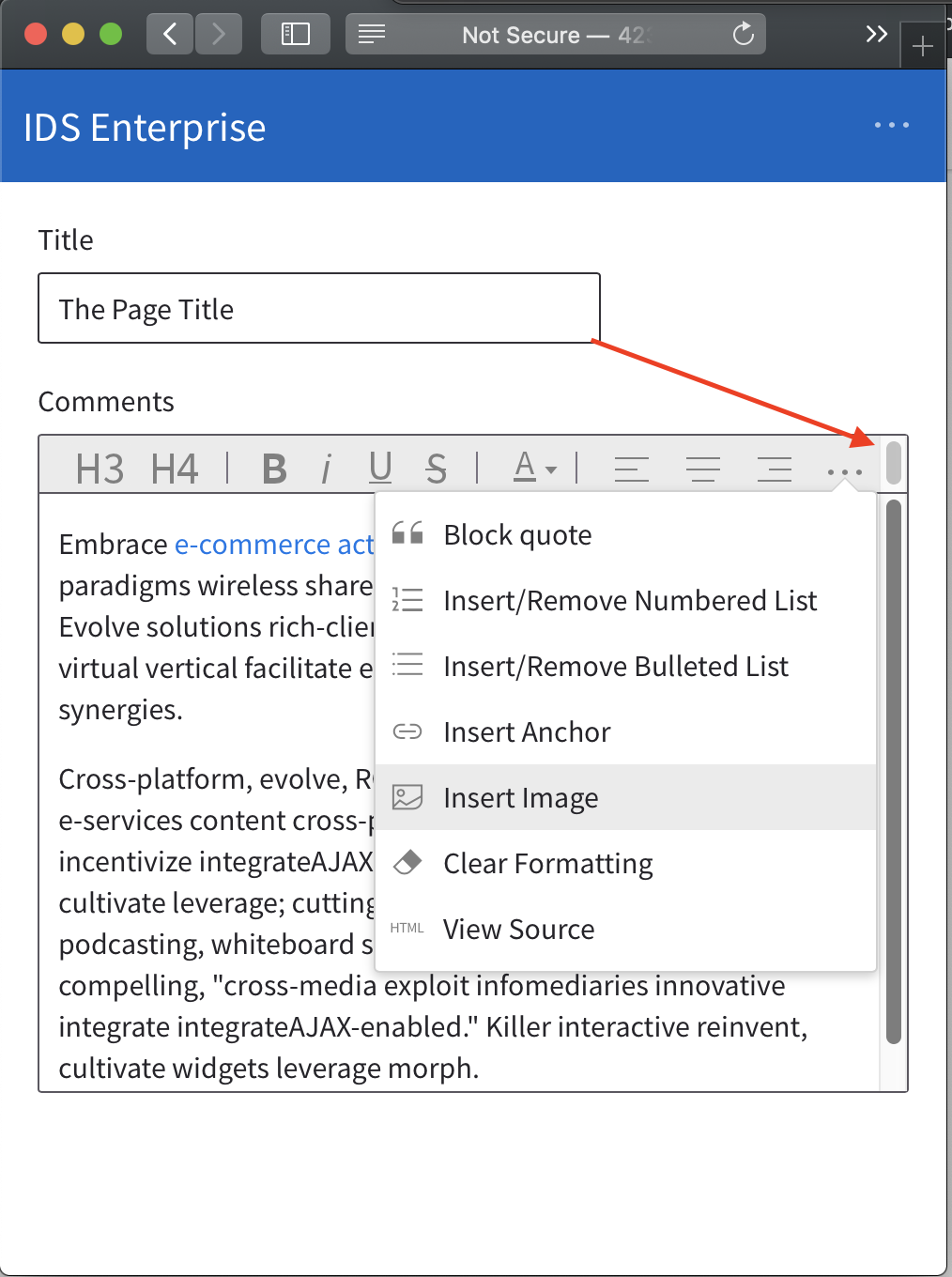
Verified in Safari Browser
http://master-enterprise.demo.design.infor.com/components/editor/example-flex-toolbar.html?theme=uplift&variant=light&colors=0563C2
jbrcna
on 15 Nov 2019
cc @EdwardCoyle maybe just fix it in your editor PR if its not already and close?
tmcconechy
on 15 Nov 2019
Yeah I'll add it to #3122
EdwardCoyle
on 15 Nov 2019
Ok moving to done, we expect this fix for the last point on #3122 @jbrcna
tmcconechy
on 15 Nov 2019
The issue is now resolved
- overflowed items are now triggering editor actions as expected.
- no more extra scroll bar
Verified in http://master-enterprise.demo.design.infor.com/components/editor/example-flex-toolbar.html
across all browser and devices
jbrcna
on 26 Nov 2019
Related issues
EdwardCoyle
·
4Comments
 fitzorama
·
3Comments
fitzorama
·
3Comments
 janahintal
·
3Comments
janahintal
·
3Comments
 CindyMercadoReyes
·
3Comments
jbrcna
·
3Comments
CindyMercadoReyes
·
3Comments
jbrcna
·
3Comments