Enterprise: Tabs Module: Missing ellipsis for long text in search field when in responsive view
Describe the bug
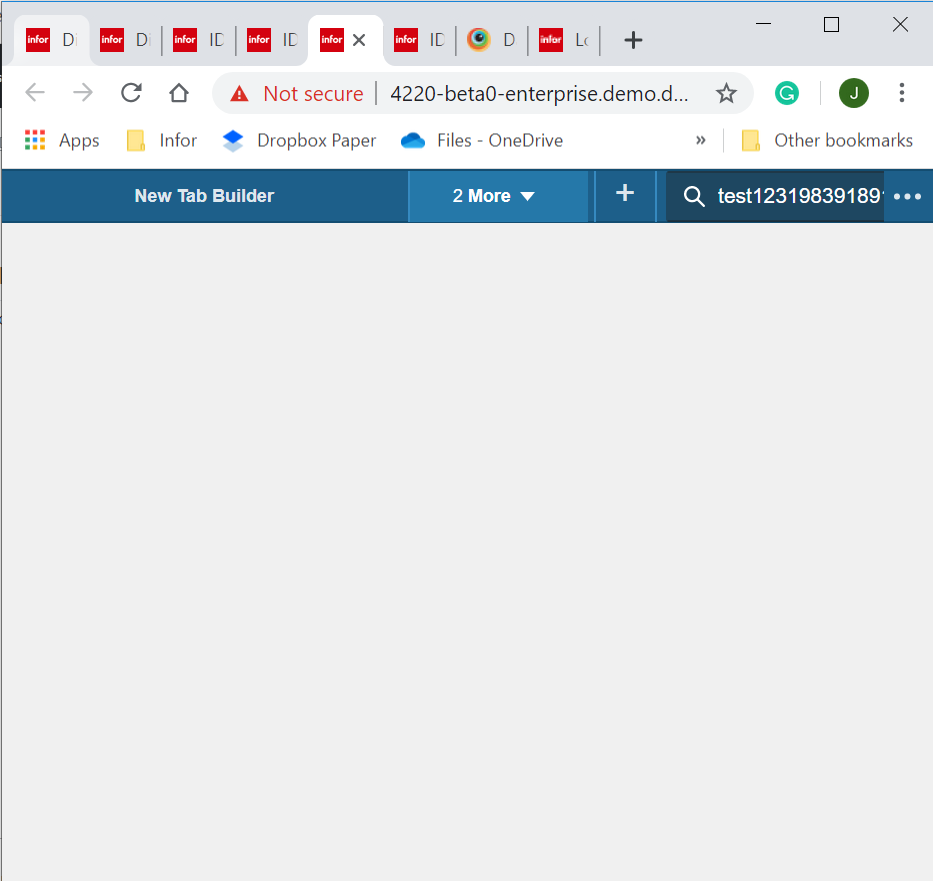
Tabs Module: Missing ellipsis for long text in search field when in responsive view
To Reproduce
Steps to reproduce the behavior:
- Go to http://4220-beta0-enterprise.demo.design.infor.com/components/tabs-module/example-toolbar-with-spillover.html
- Minimize the Browser
- Type a long text in the search field
Expected behavior
Field should have ellipsis and should not be cut off upon having a long text in the field
Version
Beta 4.22
Screenshots
If applicable, add screenshots to help explain your problem.
Platform
All Browser, OS and Devices
Additional context
N/a
 janahintal
All 7 comments
The x is also missing.
 tmcconechy
on 9 Oct 2019
tmcconechy
on 9 Oct 2019
Seems working when you load the web app on 767px below. I think it lack of resize event? Your thoughts, @tmcconechy ?
 ericangeles
on 24 Oct 2019
ericangeles
on 24 Oct 2019
I think we should be able to handle with css somehow? if i
- type something big in the search
- make browser smaller
- at some point the code will step ellipsisizing
It does look like the width on the search field needs to be changed on resize? Where is this handled @EdwardCoyle ? Toolbar?
tmcconechy
on 24 Oct 2019
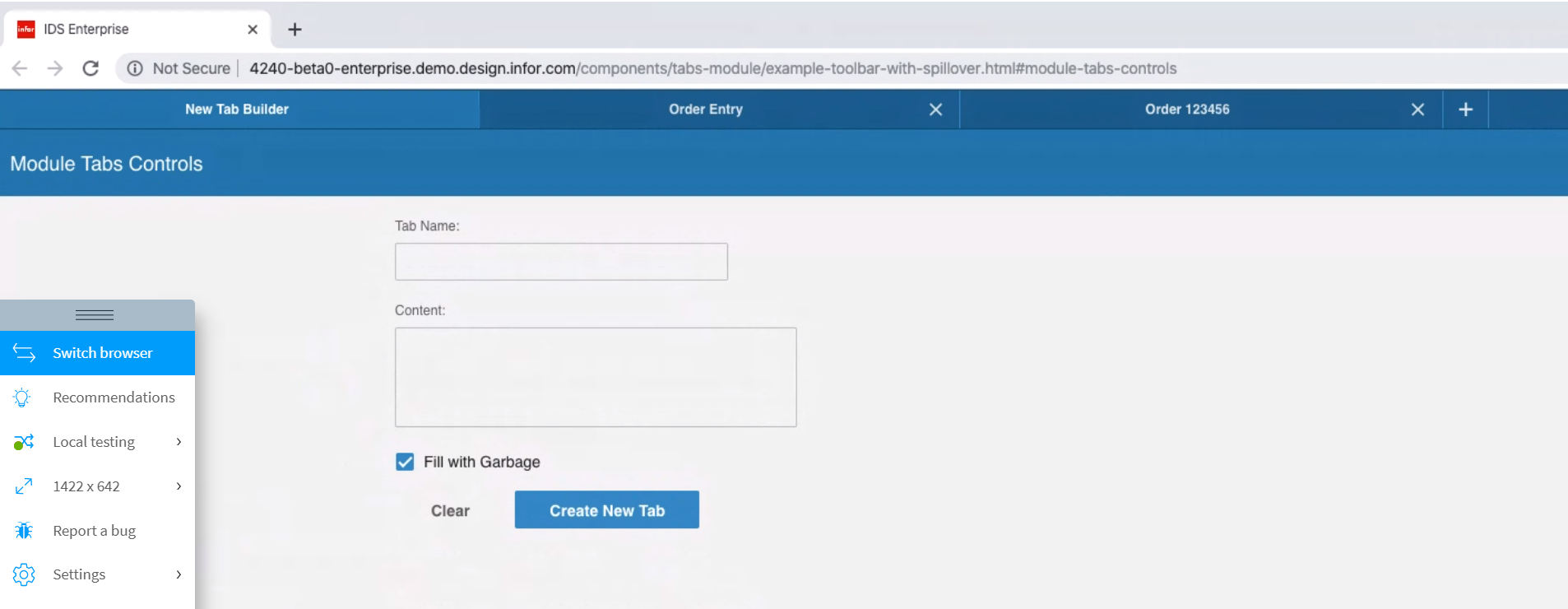
Hi @tmcconechy, the issue is now resolved in Windows Browsers. However, when I maximize the screen in MacOS, either Safari or Chrome browser, the search field disappears. Is this expected?
janahintal
on 12 Dec 2019
@janahintal not sure how you're getting that result. I'm not seeing the same in either browser on Mac OS X:
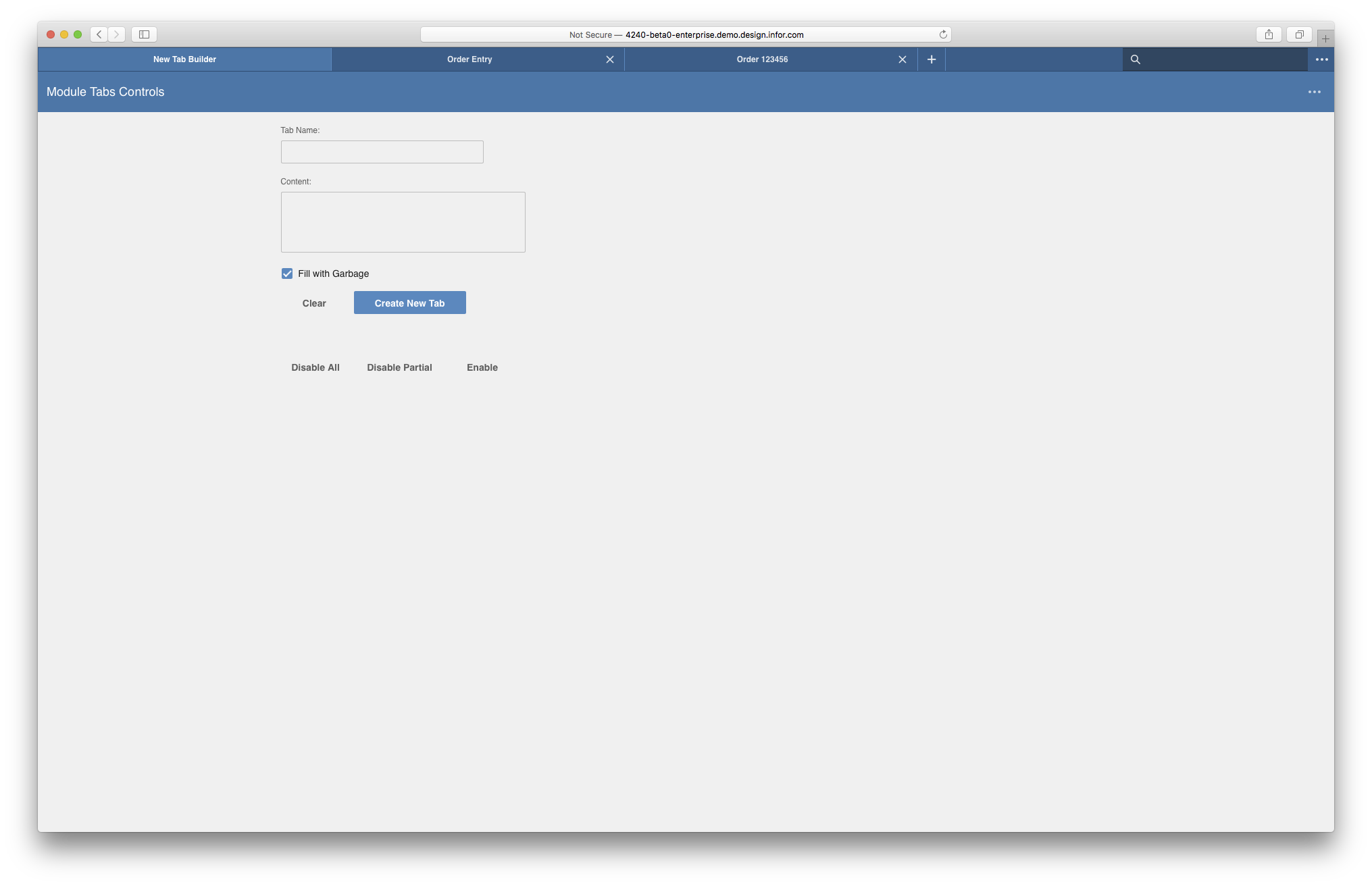
Is it possible that on your browserstack instance, the window is larger than your viewport?
 EdwardCoyle
on 12 Dec 2019
EdwardCoyle
on 12 Dec 2019
Same with @EdwardCoyle - tried some combinations of resize and maximize and minimize. Not getting that result either. So its probably not a problem worth pursuing.
tmcconechy
on 12 Dec 2019
Thanks guys, its now working on our end. Will move this to done.
janahintal
on 16 Dec 2019
Related issues
janahintal
·
3Comments
 jbrcna
·
3Comments
jbrcna
·
3Comments
 CindyMercadoReyes
·
3Comments
CindyMercadoReyes
·
3Comments
 SasiPalanati
·
3Comments
SasiPalanati
·
3Comments
 awbuboltz
·
3Comments
awbuboltz
·
3Comments