Enterprise: Application Menu: Uplift Menu | Design QA
Is your feature request related to a problem? Please describe.
Yes, related to issue https://github.com/infor-design/enterprise/pull/2861 needs continued design QA
Describe the solution you'd like
Basically @EdwardCoyle & I had a back and forth seen here:
https://github.com/infor-design/enterprise/pull/2861#issuecomment-538058493
https://github.com/infor-design/enterprise/pull/2861#issuecomment-538061769
https://github.com/infor-design/enterprise/pull/2861#issuecomment-538112804
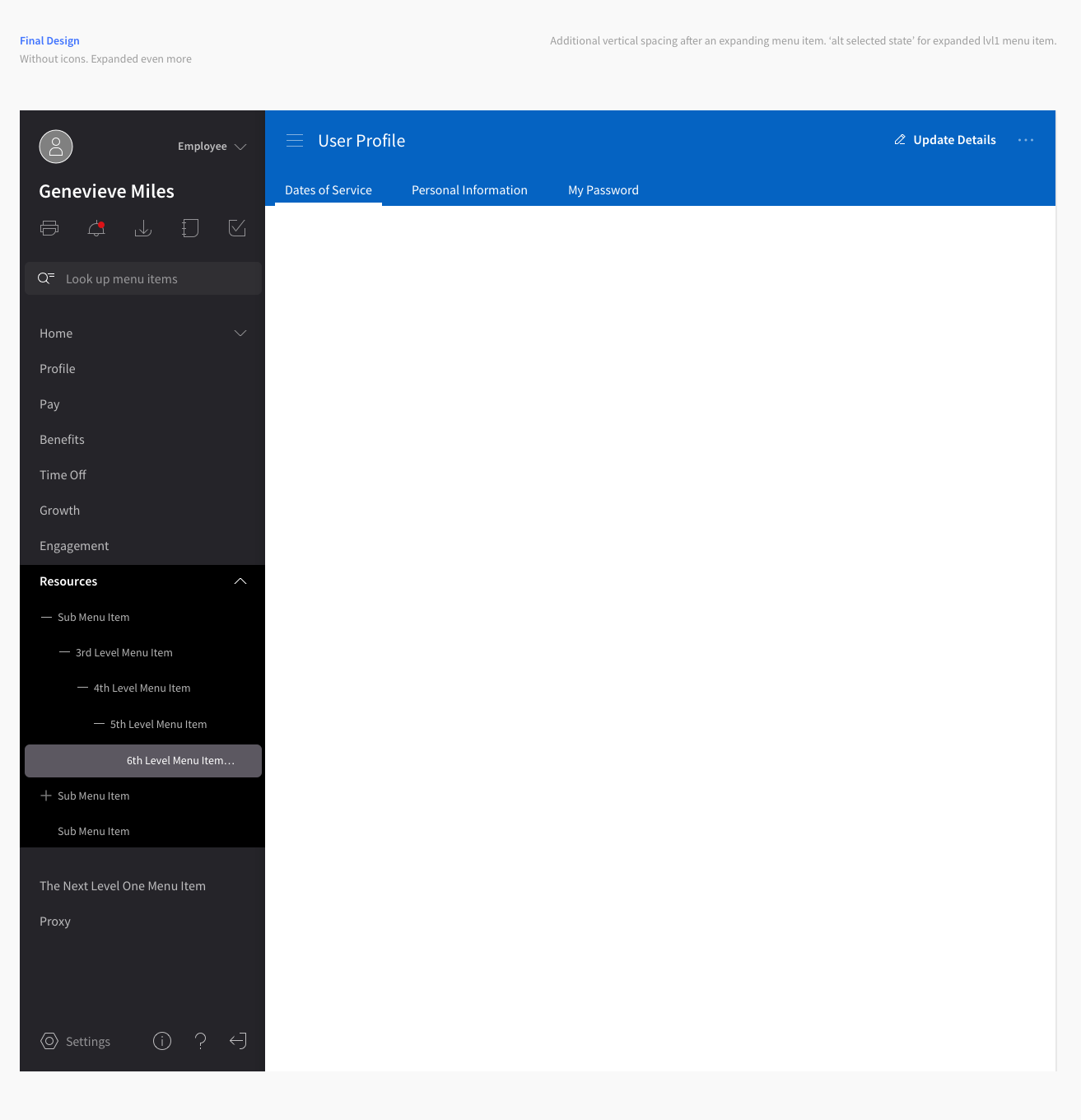
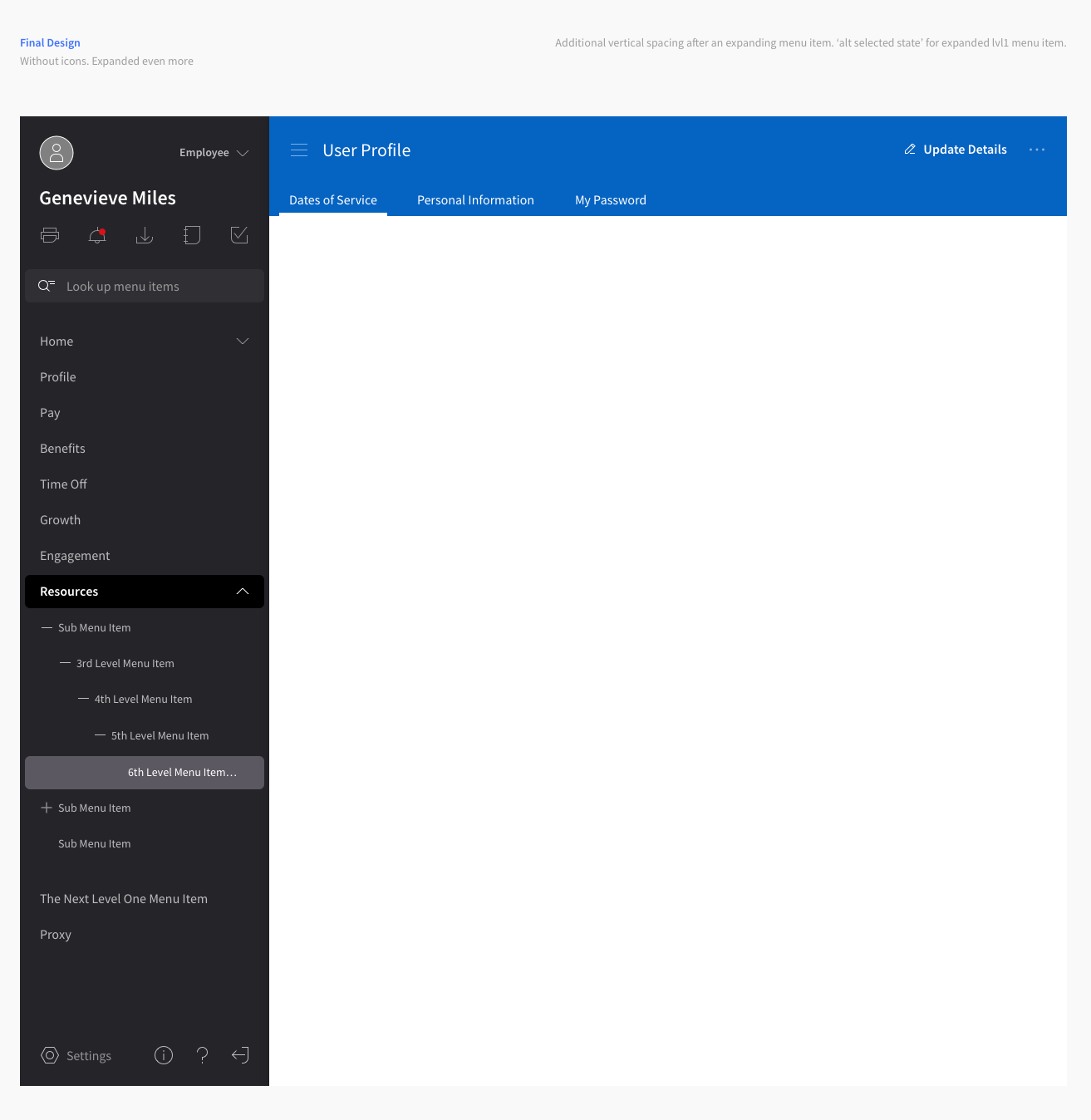
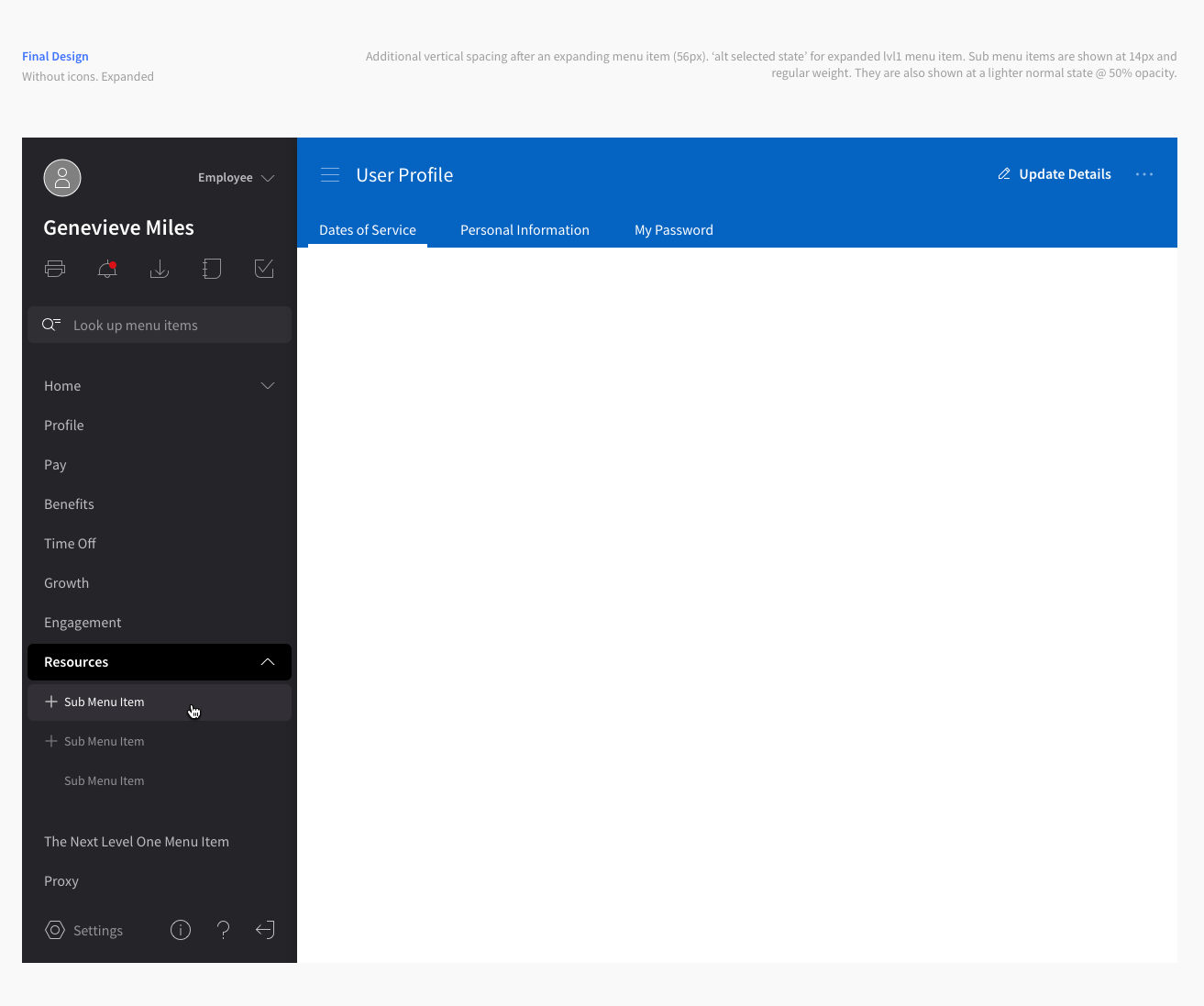
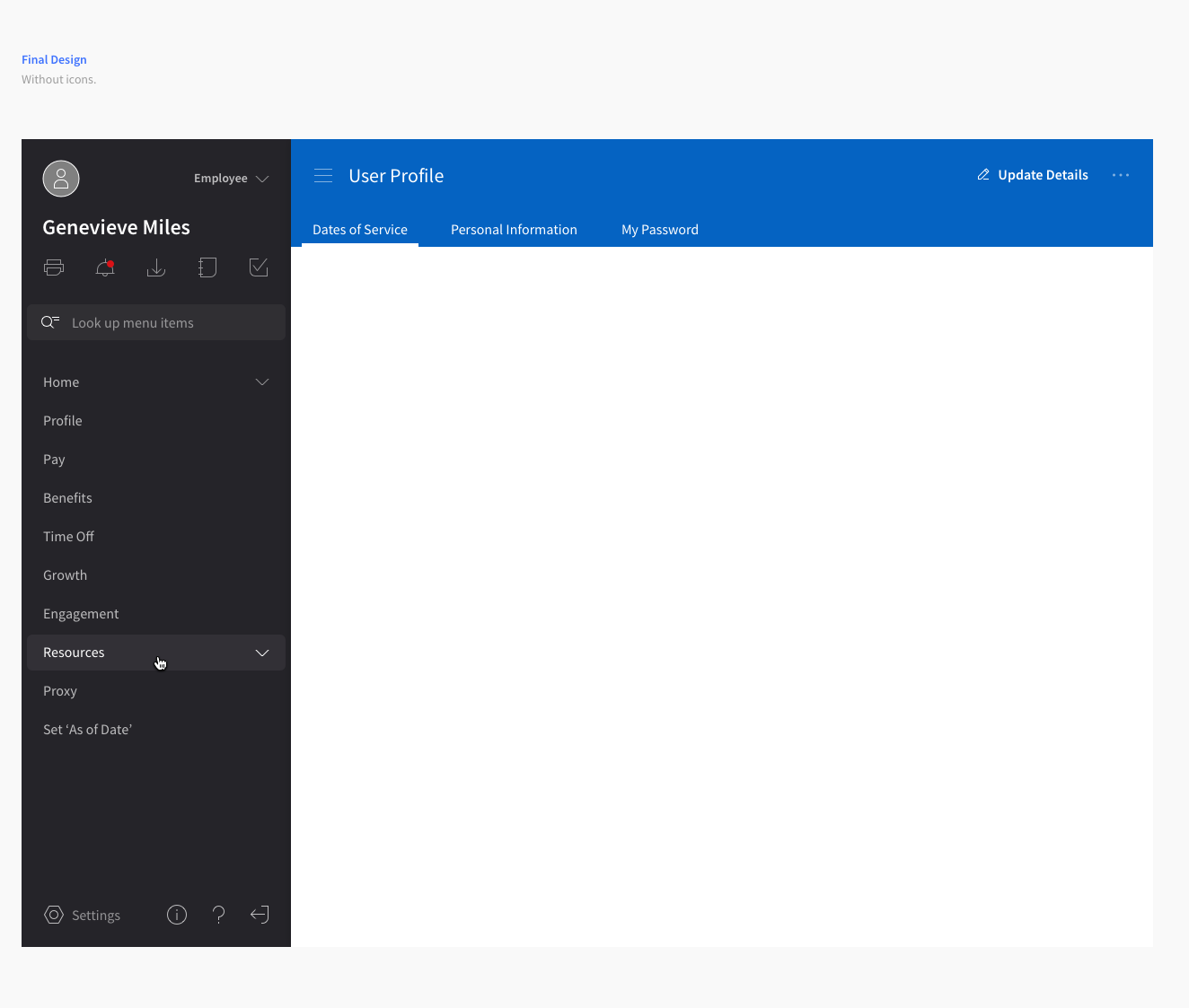
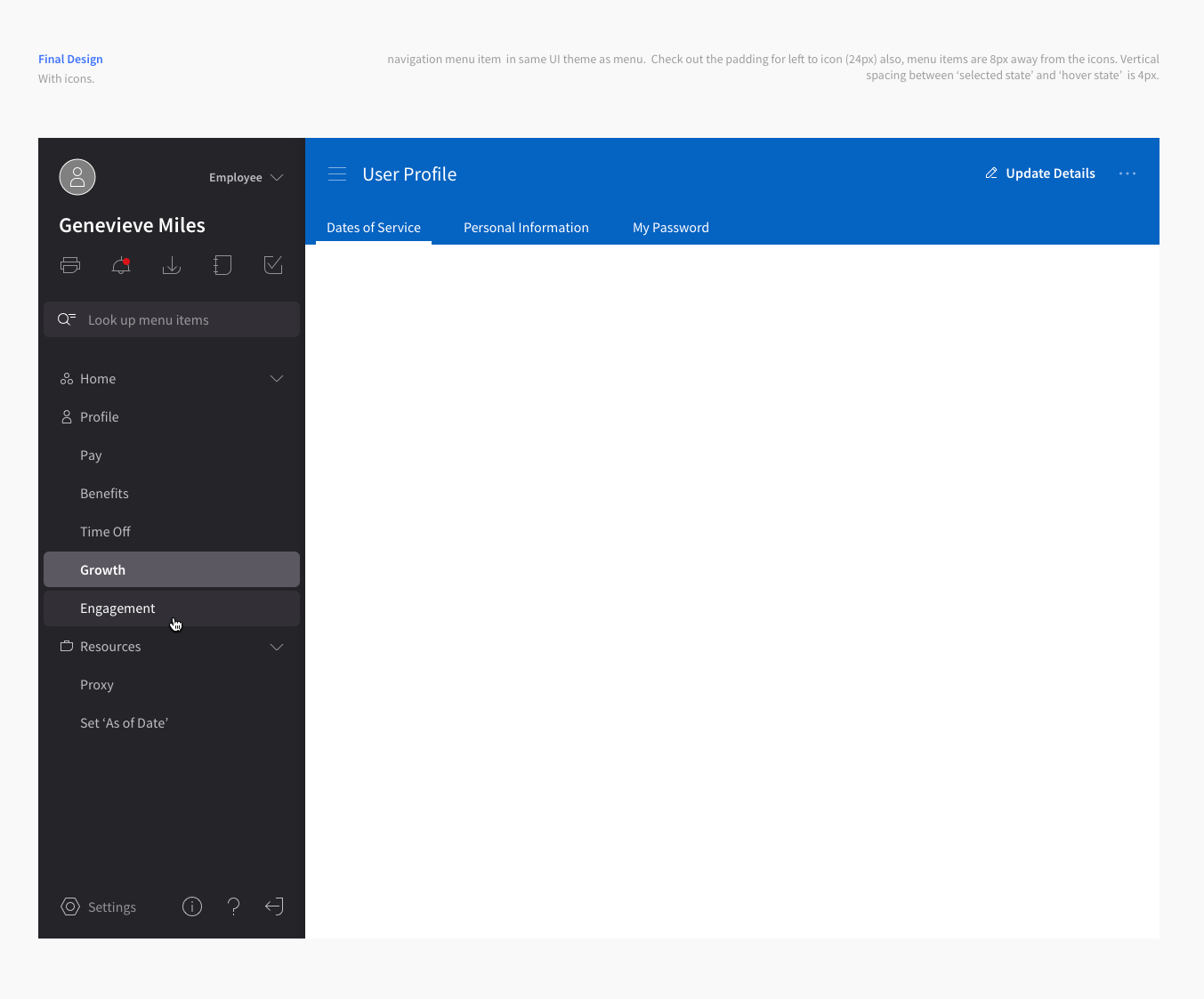
This is an addition upon that here are the design revisions:
[ ] The menu is looking at things from a background perspective that is light to dark (bg is light, a hover state is darker) this should be flipped. It should start dark to light because the other headers and page elements will be lighter.
[x] Menu background — background: #252429;
[x] Hover Menu Item — background #323036;
border-radius: 6px;
TYPE
font-family: SourceSansPro-Regular;
font-size: 16px;
color: #FFFFFF;2ND LVL & BEYOND <<<
font-family: SourceSansPro-Regular;
font-size: 14px;
color: #FFFFFF;[x] Selected Menu Item — background: #5C5861;
TYPE
font-family: SourceSansPro-SemiBold;
font-size: 16px;
color: #FFFFFF;2ND LVL & BEYOND <<<
font-family: SourceSansPro-Regular;
font-size: 14px;
color: #FFFFFF;[x] Expanded Menu Item (first level only) — background: #000000;
TYPE
font-family: SourceSansPro-SemiBold;
font-size: 16px;
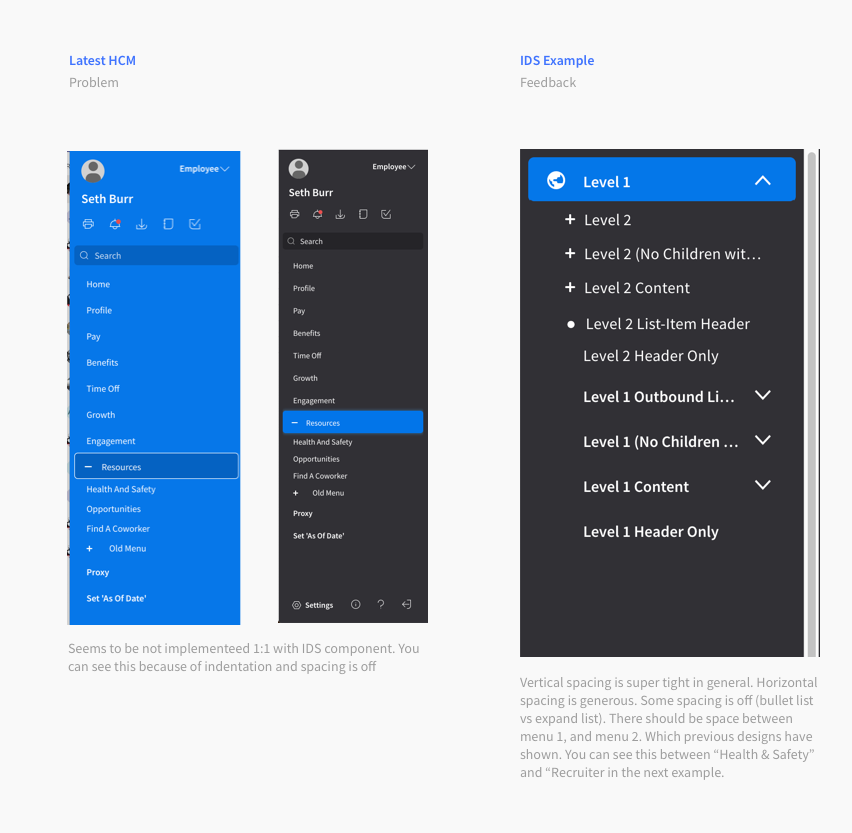
color: #FFFFFF;[ ] On the option with the 'expanded menu item level w/ background', lets make the shape edge to edge (and remove the rounded corners) https://www.dropbox.com/s/mqzwcthvnhlzikp/Screenshot%202019-10-08%2016.32.47.png?dl=0
[ ] The option 'expanded menu item level WITHOUT background should be developed: https://www.dropbox.com/s/v1wi6df2gvq2w10/Screenshot%202019-10-08%2016.35.31.png?dl=0
[ ]Focus state hiding should be double checked
[ ] I will need to provide the color states for other themes as well. So that the menu can be accessible across.
Describe alternatives you've considered
Opacity. I see it's value in that you can set it and forget it. In this case, we're working on a component that can be themed and opacity would work well across. Concerns around accessibility, but as long as we test against that it could still work. This could be promising.
Additional context
Updated designs:
 kevinwhitedesign
All 12 comments
CC @benfenton and @elizabethhartley
kevinwhitedesign
on 8 Oct 2019
@kevinwhitedesign per these:
On the option with the 'expanded menu item level w/ background', lets make the shape edge to edge (and remove the rounded corners)
https://www.dropbox.com/s/mqzwcthvnhlzikp/Screenshot%202019-10-08%2016.32.47.png?dl=0
The option 'expanded menu item level WITHOUT background should be developed: > https://www.dropbox.com/s/v1wi6df2gvq2w10/Screenshot%202019-10-08%2016.35.31.png?dl=0
Is there a use case for "not having a background" versus "having a background" in the nested navigation areas? We don't currently have two options for this -- the nested area in the original Soho theme has a distinct background color. Wondering what the purpose is, so I can label examples as such?
As I look through these (especially the last one), I would probably not base any design revisions on what's currently in HCM, since we already did a handful of revisions in #2681 that are not yet present in their product. We should probably be basing design revisions against what's in IDS Enterprise's master branch: http://master-enterprise.demo.design.infor.com/components/applicationmenu/test-hcm.html?theme=uplift
For a full list off application menu examples, check out http://master-enterprise.demo.design.infor.com/components/applicationmenu/list
 EdwardCoyle
on 9 Oct 2019
EdwardCoyle
on 9 Oct 2019
WOah! Apologies for the delay here. I'm a GitHub Noob lol
The use case for that was for separation between the 1st level menu and sub menus. This can be solved with the indentation and vertical spacing (at the bottom of an expanded section) alone rather than background color to my point.
To your second section, I hope I'm basing things of IDS! I think I just provided an old IDS vs HCM implementation example on accident. The link you shared is what I remembered looking at while compiling these updates.
kevinwhitedesign
on 29 Oct 2019
I think we need to step back on this for a sec as we QA the color palette — I'm also concerned about a full color palette vs. just base colors and tints and shades.
 elizabethhartley
on 29 Oct 2019
elizabethhartley
on 29 Oct 2019
We did apply the changes to the hierarchies already. But if we need to tweak something we can.
This pattern is a bit tricky when it comes to colors because its done with code / percentages of the base color as it can be any color.
 tmcconechy
on 30 Oct 2019
tmcconechy
on 30 Oct 2019
Specifically the personalization colors. The standard theme colors (light/dark/contrast) are all predefined based off of the color palette. When we use personalization, all the shading/tinting is done programmatically since we can't predict the base color that will be used.
Our current examples all show that system working against things like Azure/Emerald/Amethyst/etc, but the personalization system is intended to work with other branding schemes as well (I forget where this requirement came from off the top of my head)
EdwardCoyle
on 30 Oct 2019
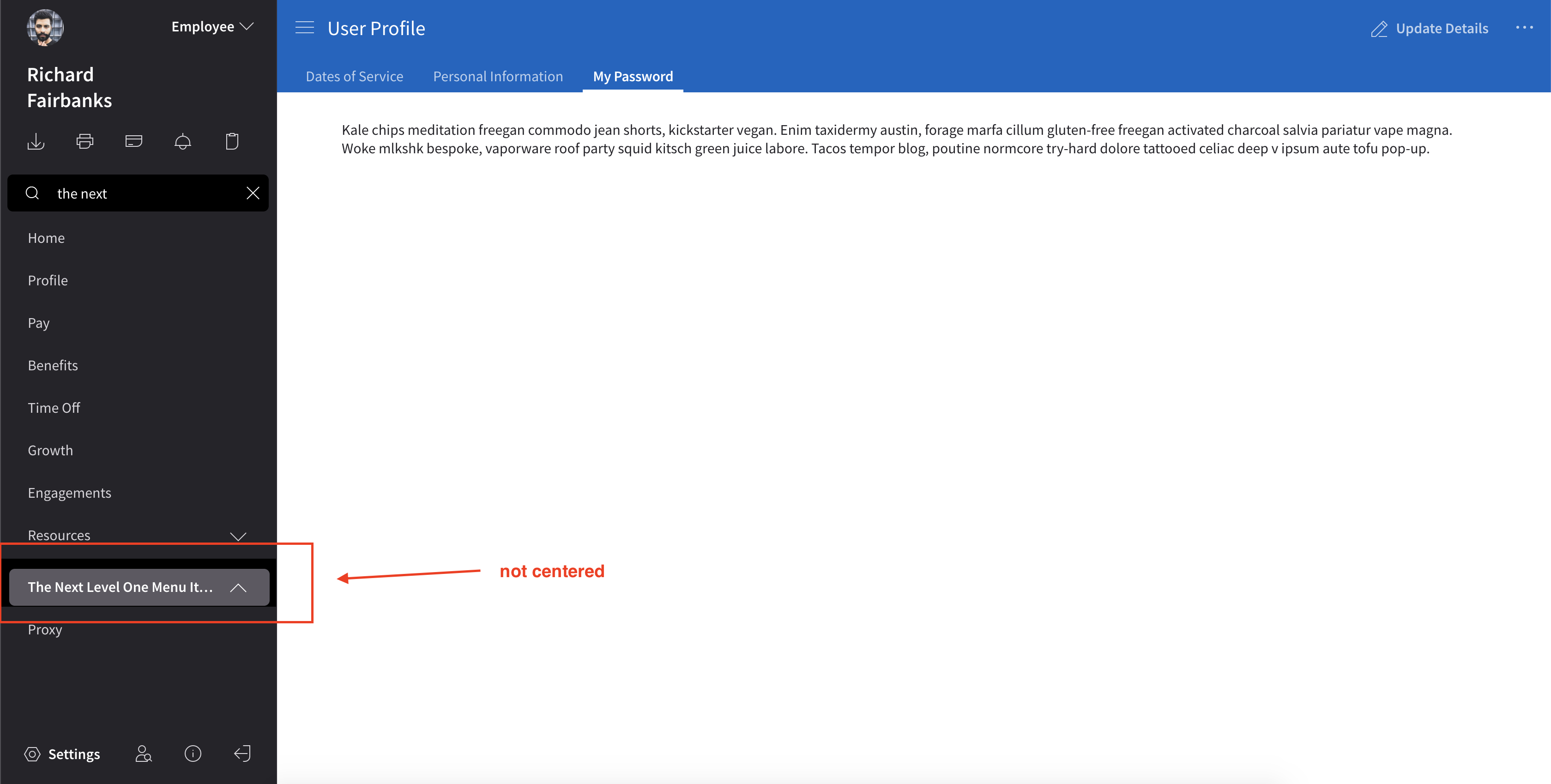
QA FAILED
the icons seem fine. However, I found some inconsistencies while using the search function. please see screenshot below
 jbrcna
on 13 Dec 2019
jbrcna
on 13 Dec 2019
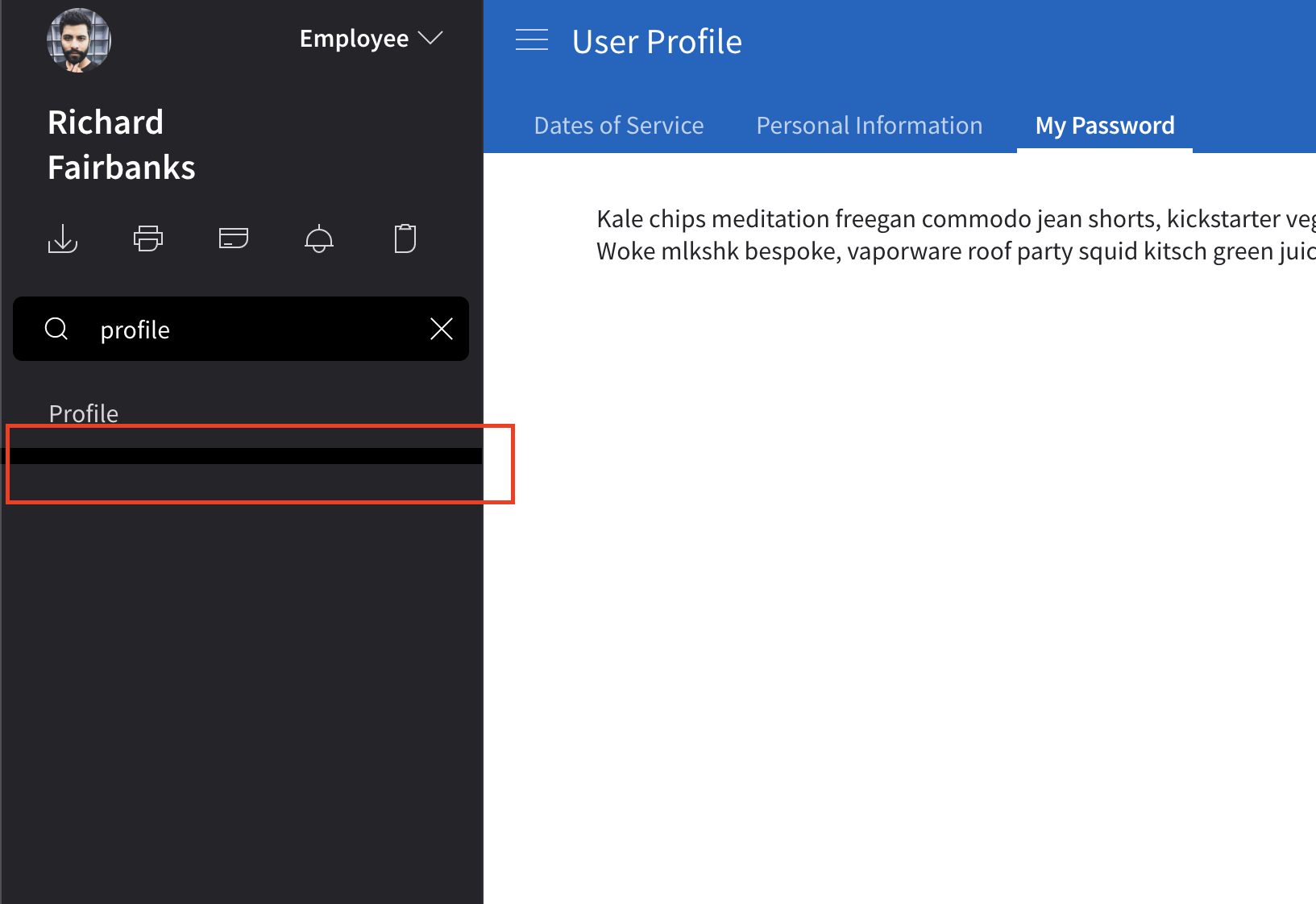
Hi @tmcconechy , notice that the search filter is not working as expected after filtering to Profile.
Steps:
- Go to http://4240-rc0-enterprise.demo.design.infor.com/components/applicationmenu/test-hcm.html?theme=uplift&variant=light
- In the search field, type 'Profile' then press Enter
- Notice that the Profile is not filtered
 janahintal
on 20 Dec 2019
janahintal
on 20 Dec 2019
QA Failed
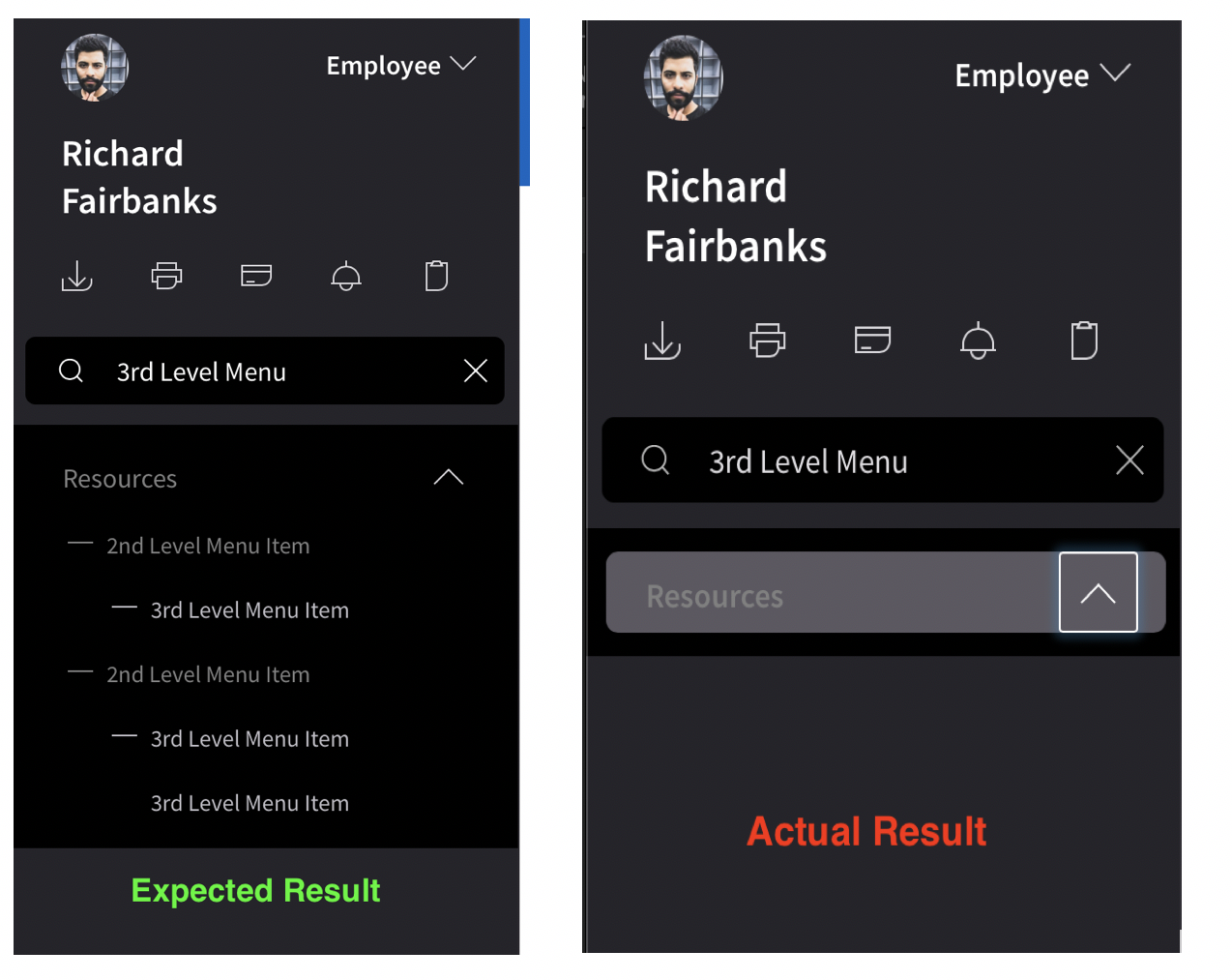
The layout issue indicated in the above screenshot (_not centered & extra line_)was now resolved. However, when you search for a sub-item it doesn't show.
 jbrcna
on 20 Dec 2019
jbrcna
on 20 Dec 2019
@deep7102 @EdwardCoyle Was this the issue you discussed that we said we would make a new issue for?
tmcconechy
on 20 Dec 2019
@tmcconechy yes, I will raise an issue to fix this in the next release. This isn't something we're going to be able to address by code cutoff.
EdwardCoyle
on 20 Dec 2019
Sounds good. Will just move this to done and we can address later.
tmcconechy
on 20 Dec 2019
Related issues
EdwardCoyle
·
4Comments
janahintal
·
3Comments
 fitzorama
·
3Comments
jbrcna
·
3Comments
fitzorama
·
3Comments
jbrcna
·
3Comments
 sanx72
·
3Comments
sanx72
·
3Comments