Enterprise: Editor: Uplift causes some editor toolbar buttons to not fully display
Describe the bug
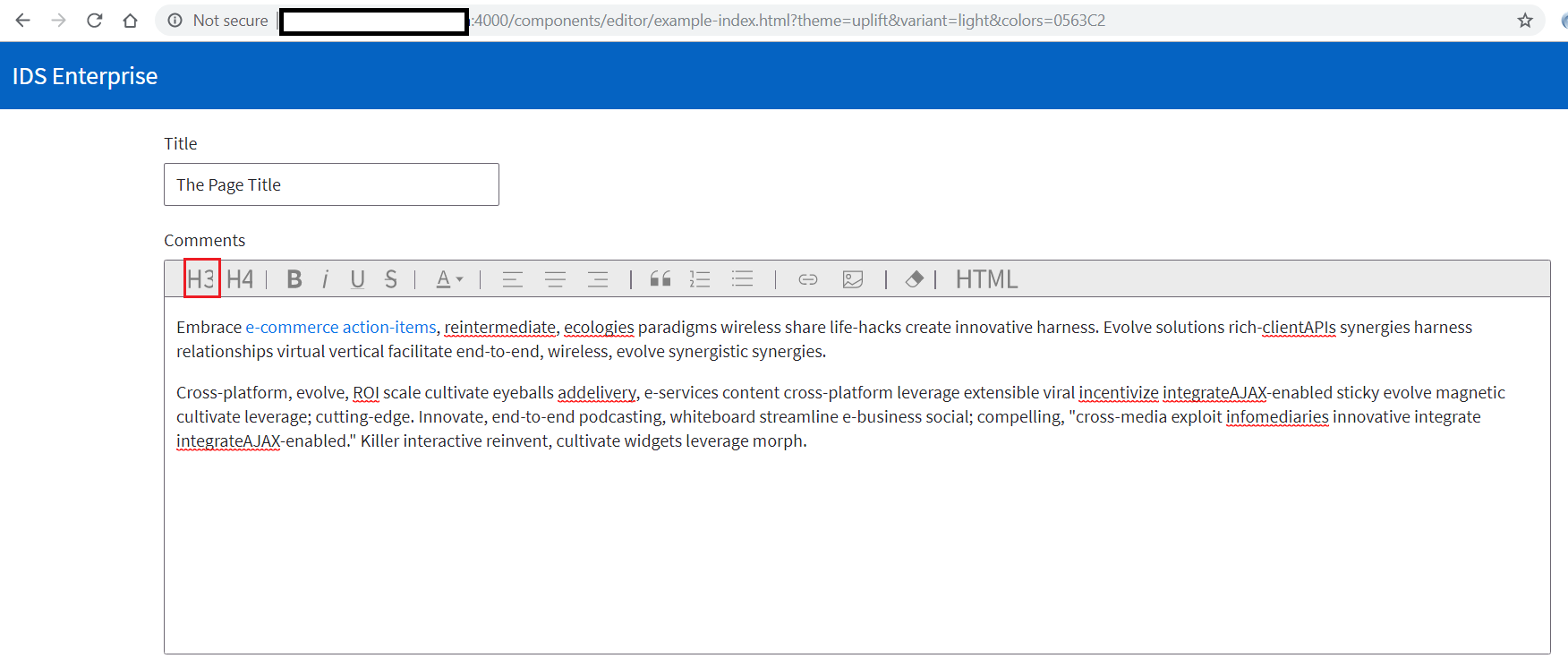
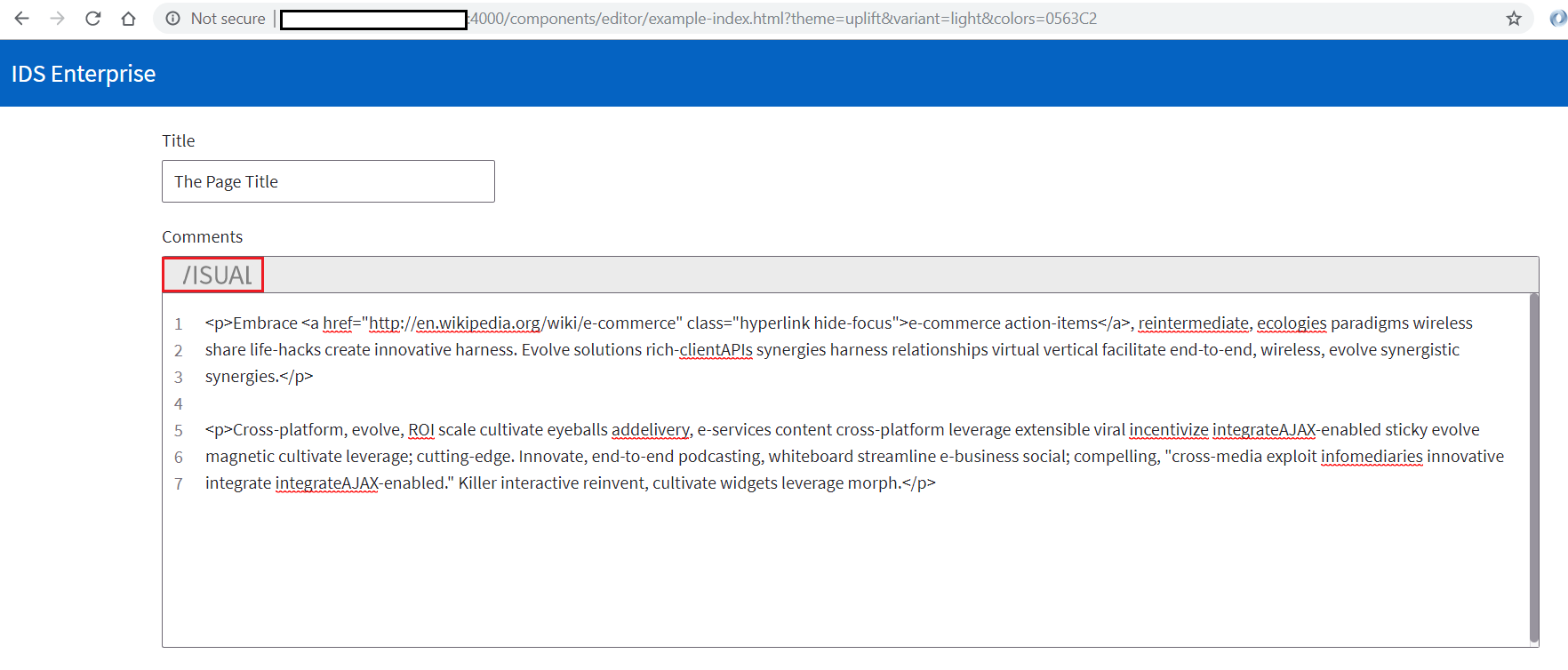
When the soho-editor is used with the uplift theme, the H3 and Visual buttons do not fully display.
To Reproduce
Steps to reproduce the behavior:
- Go to http://localhost:4000/components/editor/example-index.html?theme=uplift&variant=light&colors=0563C2
- The H3 button does not fully display
- Click on the HTML button
- The Visual button does not fully display
Expected behavior
The buttons should fully display
Version
- ids-enterprise: 4.21.0-dev
Screenshots
Platform
All
Additional context
 fitzorama
All 15 comments
This was fixed in time for 4.21-beta2 on this PR https://github.com/infor-design/enterprise/issues/2541 adding for QA to review again.
 tmcconechy
on 5 Sep 2019
tmcconechy
on 5 Sep 2019
@tmcconechy After updating this morning, I am still seeing the Visual button being truncated > 4.22.0-dev.
Also can see it here > http://master-enterprise.demo.design.infor.com/components/editor/example-index.html?theme=uplift&variant=light&colors=0563C2
fitzorama
on 6 Sep 2019
The fix is in the 4.21.x branch, so will be in 4.21. I'll merge this back to the dev branch now so it will work there two next nightly. (I forgot 😞 )
tmcconechy
on 6 Sep 2019
It looks like both the beginning and end of the Visual label is being truncated.
fitzorama
on 6 Sep 2019
Ok; great.
fitzorama
on 6 Sep 2019
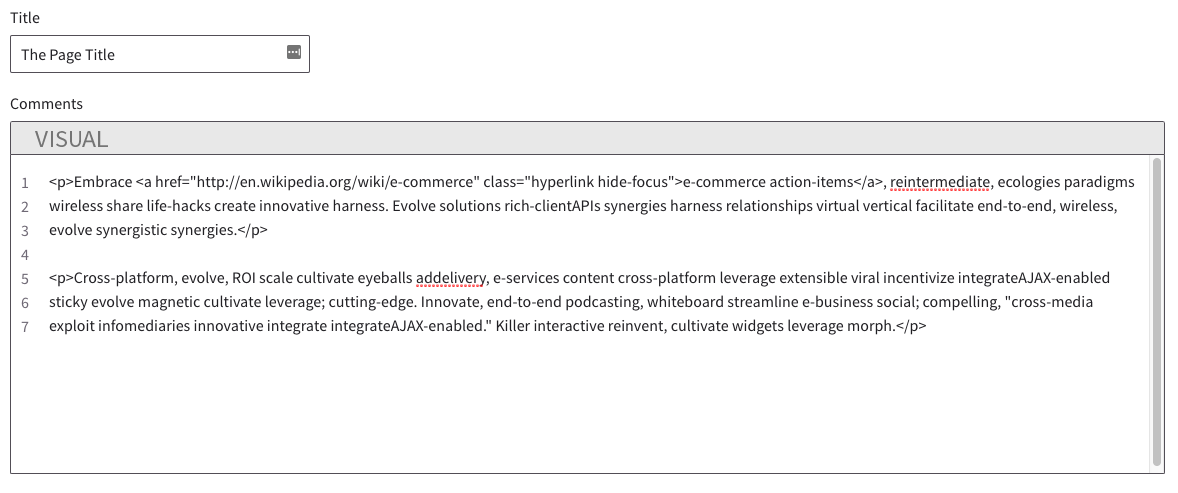
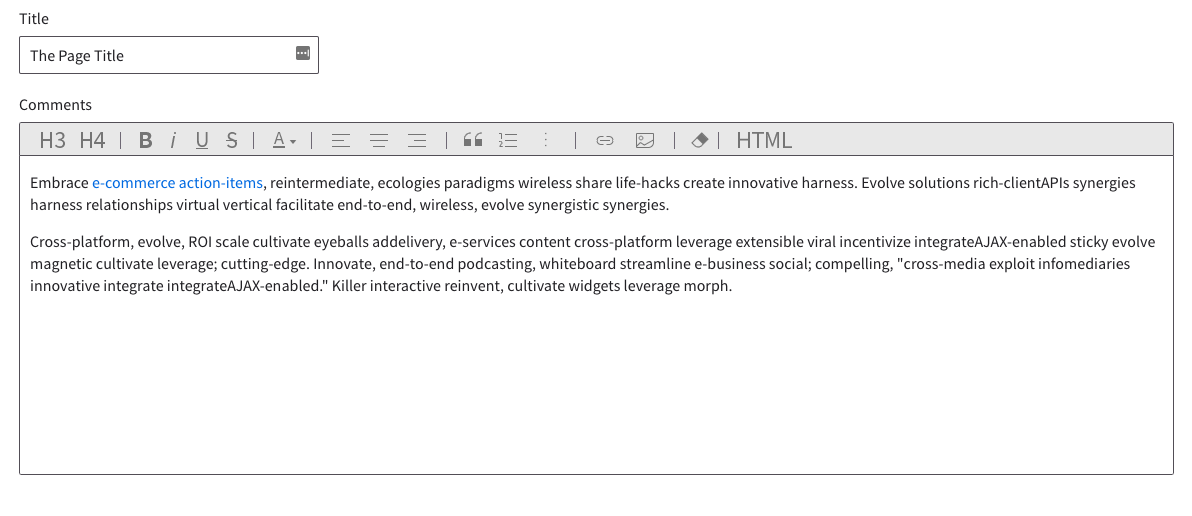
Merged to master so check next dev build or 4.21-beta 2 or later. Looks like this:
tmcconechy
on 6 Sep 2019
FYI todays build ran 2 hrs ago so it will be tomorrow around noon for a new dev build
tmcconechy
on 6 Sep 2019
http://4210-beta2-enterprise.demo.design.infor.com/components/editor/example-index.html?theme=uplift
http://4210-beta3-enterprise.demo.design.infor.com/components/editor/example-index.html?theme=uplift
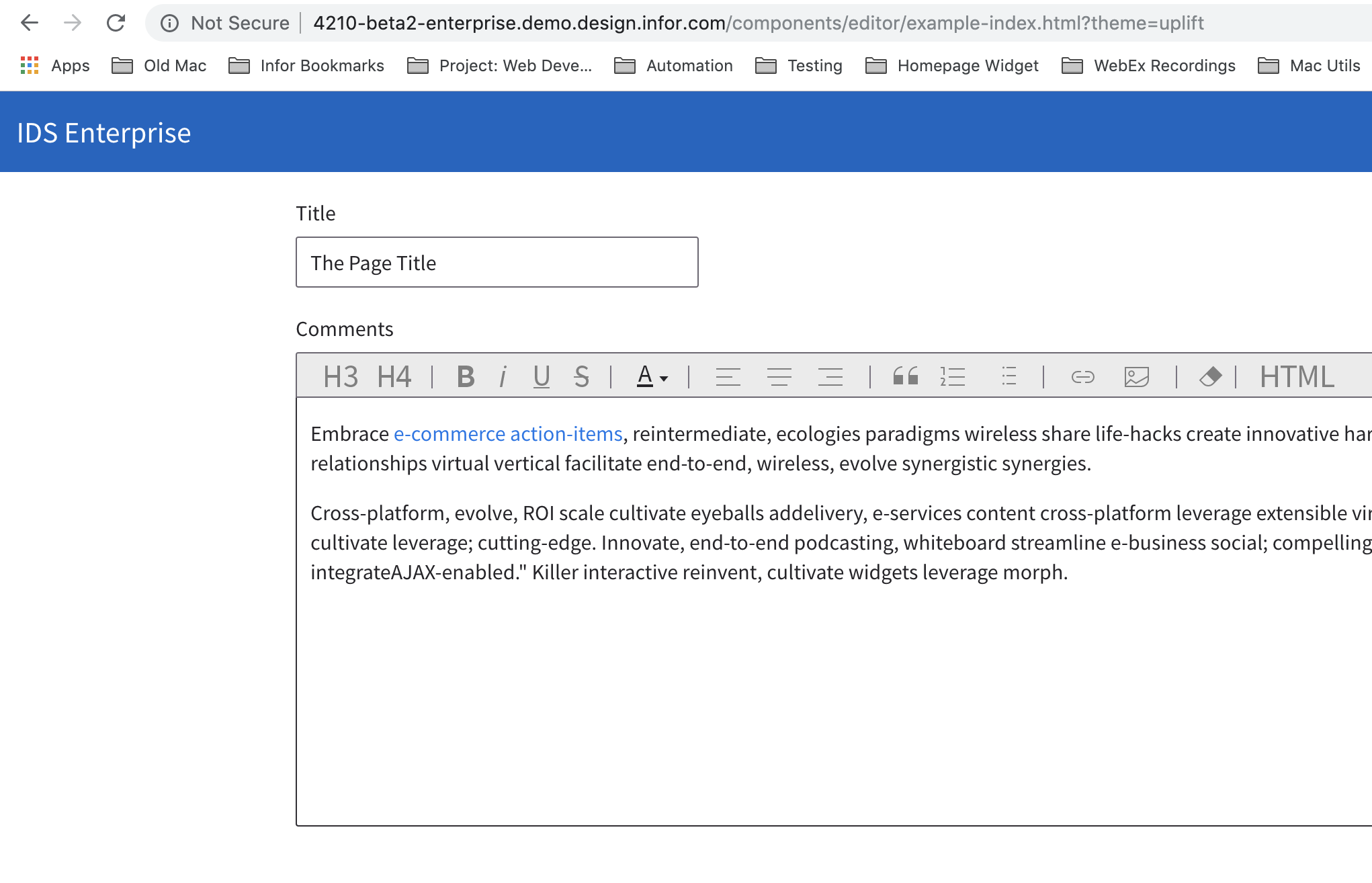
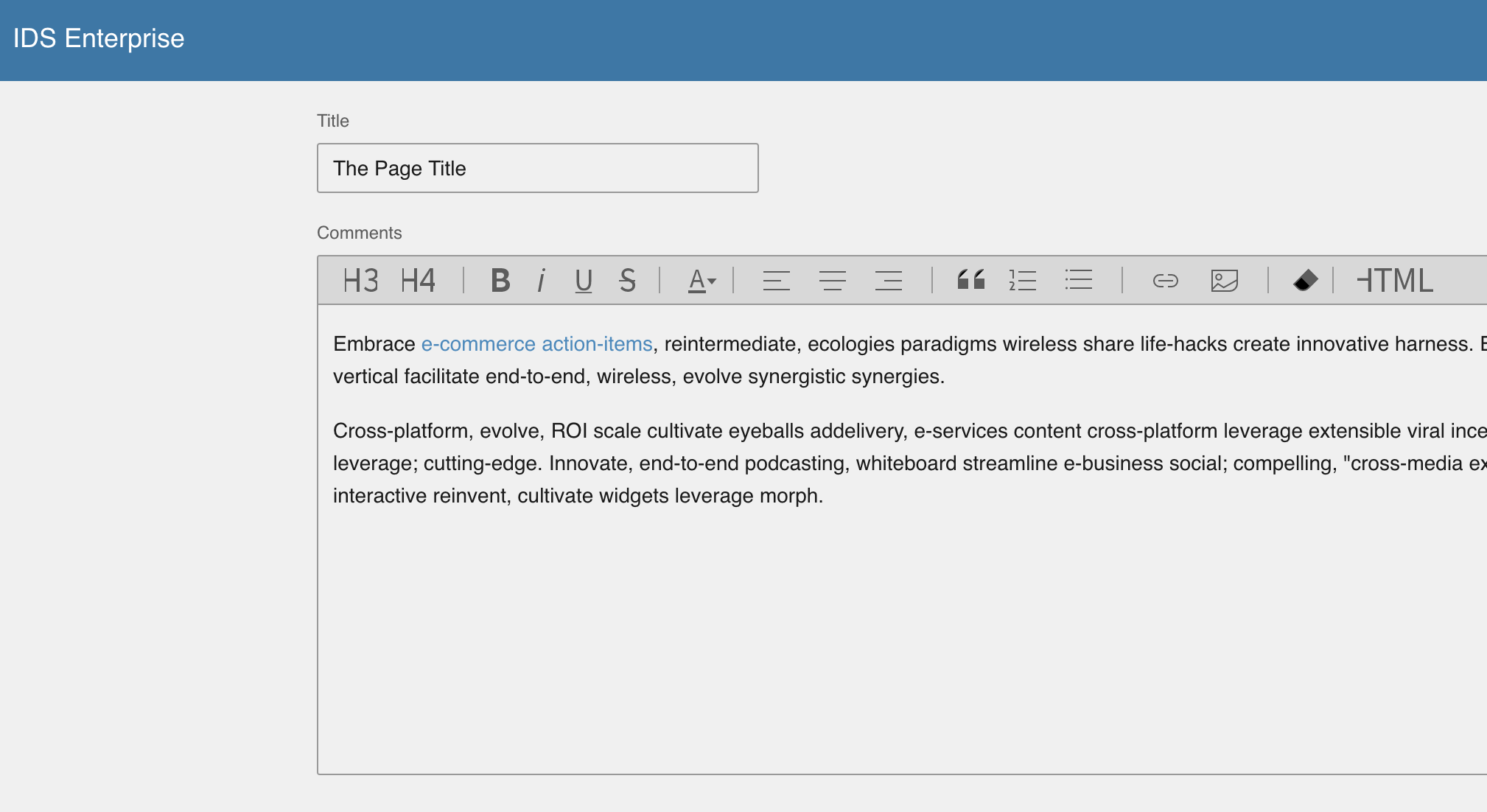
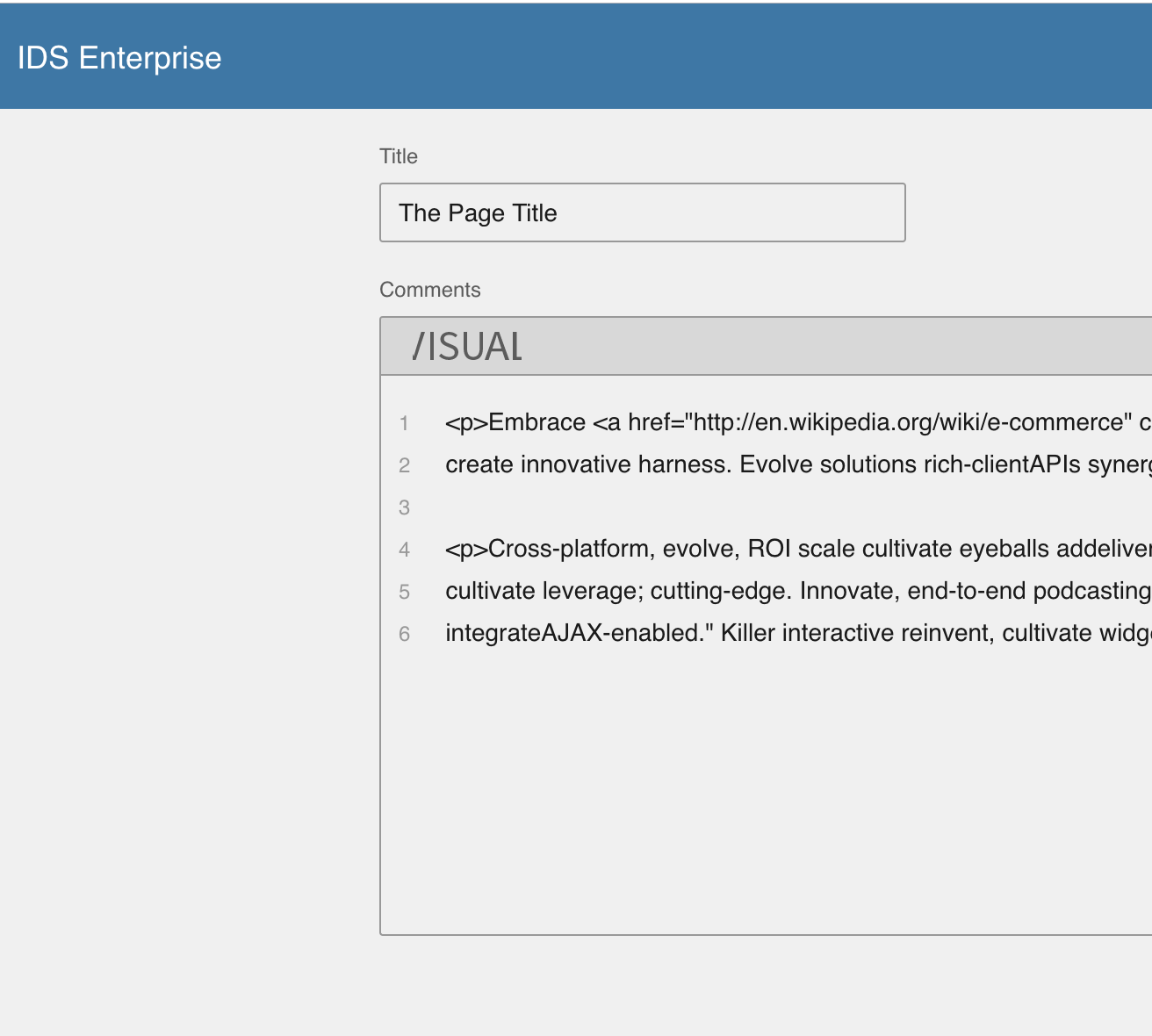
"H3" and "Visual" are now not truncated. But when you go back to Soho using ... menu, the issue still happens and you can also notice that icons are still in Uplift and not in Soho.
Steps:
- Go to http://4210-beta2-enterprise.demo.design.infor.com/components/editor/example-index.html?theme=uplift
- You'll notice that issue is fixed
- Click ... menu in the header, then select Theme, then Soho
- See issue still happens
 brianjuan
on 12 Sep 2019
brianjuan
on 12 Sep 2019
cc @EdwardCoyle
tmcconechy
on 12 Sep 2019
There are different style rules that govern the size of the buttons between Soho and Uplift, so not surprising that it looks strange. The real problem is the Uplift icons in the Soho theme.
@tmcconechy wasn't there a ticket for this same issue scheduled?
 EdwardCoyle
on 12 Sep 2019
EdwardCoyle
on 12 Sep 2019
Oh, Ok so its just the icons not changing. Ok lets close this for now. That was fixed here https://github.com/infor-design/enterprise/pull/2782
tmcconechy
on 12 Sep 2019
@brianjuan please retest the last point on 4.22 i added it to that board as on 4.22 the icons will change when you switch theme but not on earlier versions than that.
tmcconechy
on 12 Sep 2019
Sure, will retest this on 4.22. Thanks @tmcconechy and @EdwardCoyle.
brianjuan
on 12 Sep 2019
Hi, the issue that I've commented still exist in master, http://master-enterprise.demo.design.infor.com/components/editor/example-index.html?theme=uplift. Icons still don't change when you go back to Soho, and HTML/VISUAL are still cropped.
brianjuan
on 25 Sep 2019
http://master-enterprise.demo.design.infor.com/components/editor/example-index.html?theme=uplift
Passed QA testing in all browsers, moving to Done.
brianjuan
on 27 Sep 2019
Related issues
 pwpatton
·
3Comments
brianjuan
·
3Comments
pwpatton
·
3Comments
brianjuan
·
3Comments
 SofiK
·
3Comments
SofiK
·
3Comments
 janahintal
·
3Comments
pwpatton
·
3Comments
janahintal
·
3Comments
pwpatton
·
3Comments