Enterprise: Lookup: Listbox and Browser Autocomplete list appearing at the same time
Describe the bug
A clear and concise description of what the bug is.
To Reproduce
Steps to reproduce the behavior:
- Go to url: http://4190-rc0-enterprise.demo.design.infor.com/components/lookup/example-index.html
- Make the page responsive
- Place your cursor inside the "Product" field box and press down arrow key
- The dropdown list box will appear then quickly disappear and the Products list pop up window appears
- The Product list popup window should not appear when the user has place their cursor in the Products field box
Expected behavior
The Product list popup window should not appear when the user has place their cursor in the Products field box
Version
- ids-enterprise: [e.g. v4.9.0 or v4.19.0]
Screenshots
If applicable, add screenshots to help explain your problem.
None
Platform
- OS Version: [iOS 8]
- Browser Name [Chrome]
- Browser Version [ 74, (64-bit)]
Additional context
Add any other context about the problem here.
None
 CindyMercadoReyes
All 6 comments
This issue is not totally obvious but whats happening is the browser autocomplete is showing up and interfering. To fix this just make sure that lookup.js adds autocomplete = "off" to the input field and it should fix.
Might want to figure out how to make the autocomplete appear first and reproduce.
 tmcconechy
on 11 Jun 2019
tmcconechy
on 11 Jun 2019
Also #2364 can be fixed along with this. We worked out that adding :
autocomplete = "false"
autocomplete ="some-nonsense"
Will probably fix this. Also see:
https://teams.microsoft.com/l/message/19:[email protected]/1560268550992?tenantId=457d5685-0467-4d05-b23b-8f817adda47c&groupId=4f50ef7d-e88d-4ccb-98ca-65f26e57fe35&parentMessageId=1560268550992&teamName=IDS%20Enterprise%20Development%20(SoHo%20Xi)&channelName=Problems&createdTime=1560268550992
tmcconechy
on 11 Jun 2019
Should also add autocomplete="off" to the autocomplete popup on searchfield.
tmcconechy
on 11 Jun 2019
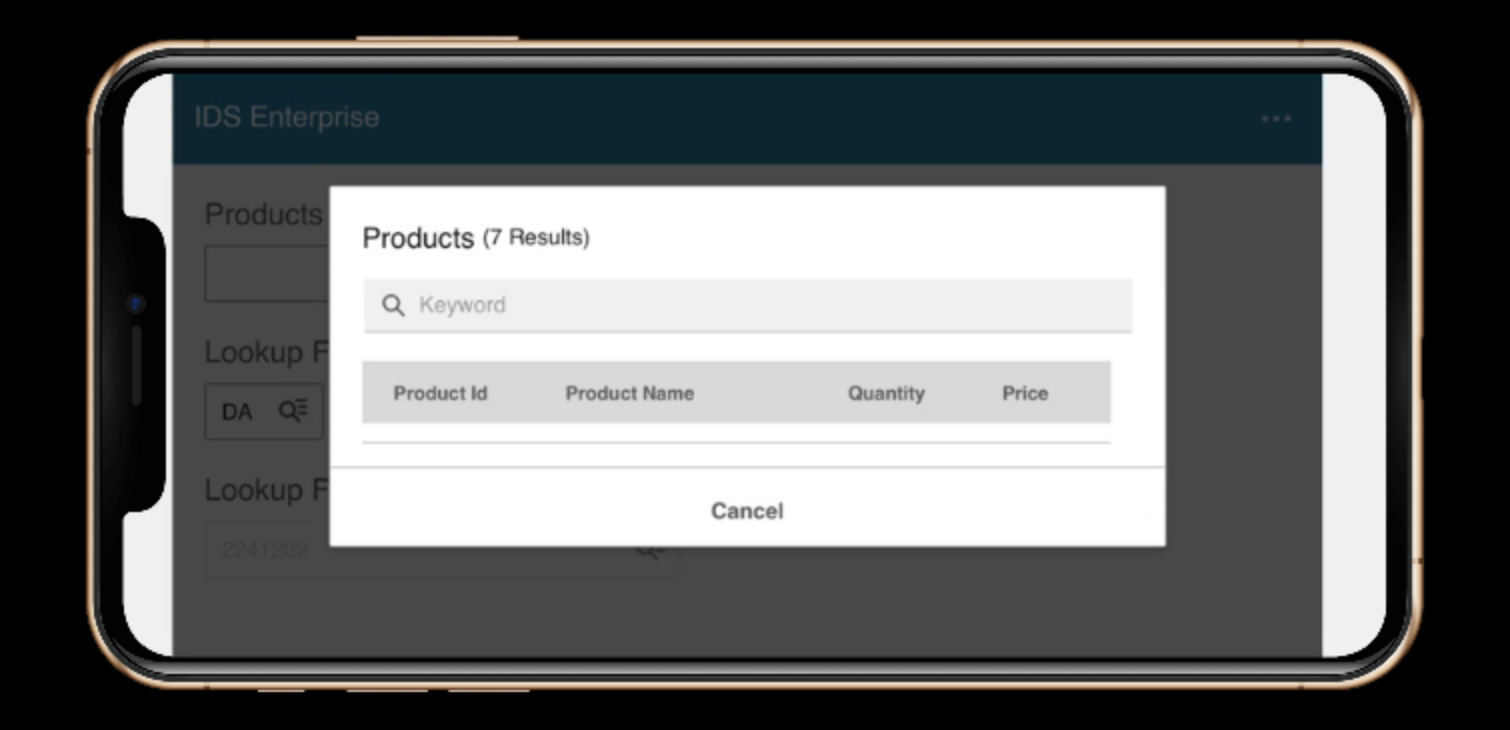
Move this ticket to QA failed on iOS device the user can't view the product list. Please see screen shot attached.
CindyMercadoReyes
on 16 Jul 2019
@CindyMercadoReyes That problem should be addressed by:
https://github.com/infor-design/enterprise/issues/2433
And is unrelated. So lets descope that one for now as its not related to the list autocomplete popup.
tmcconechy
on 16 Jul 2019
http://master-enterprise.demo.design.infor.com/components/lookup/example-index.html
http://localhost:4000/components/lookup/example-index.html
Passed QA testing on all browsers, will retest once beta is deployed.
 brianjuan
on 19 Jul 2019
brianjuan
on 19 Jul 2019
Related issues
 EdwardCoyle
·
4Comments
EdwardCoyle
·
4Comments
 jbrcna
·
3Comments
jbrcna
·
3Comments
 fitzorama
·
3Comments
fitzorama
·
3Comments
 pwpatton
·
3Comments
brianjuan
·
3Comments
pwpatton
·
3Comments
brianjuan
·
3Comments