Enterprise: Datagrid: grid display issues after performing hideColumn()
Describe the bug
A datagrid contained within a modal dialog has several display issues when several columns are hidden via hideColumn().
To Reproduce
I don't have a good example that illustrates exactly the issue being experienced in Landmark. If this isn't enough info to duplicate the issue we may need a webex meeting.
- Using the attached example-modal-dialog.html
- Click on the 'Add Context' button to open a datagrid within a modal dialog
- Several of the columns (Landmark example is 10 columns) are hidden via hideColumn() once data is retrieved (in Landmark's case we retrieve data from server)
- Modal window is to larger, a horizontal scrollbar is display, the column header for the last column doesn't span across the grid cell
Expected behavior
Modal dialog window would be sized correctly, horizontal scrollbar is not displayed, column header span across the entir
 claudenbach
All 7 comments
claudenbach
on 15 Mar 2019
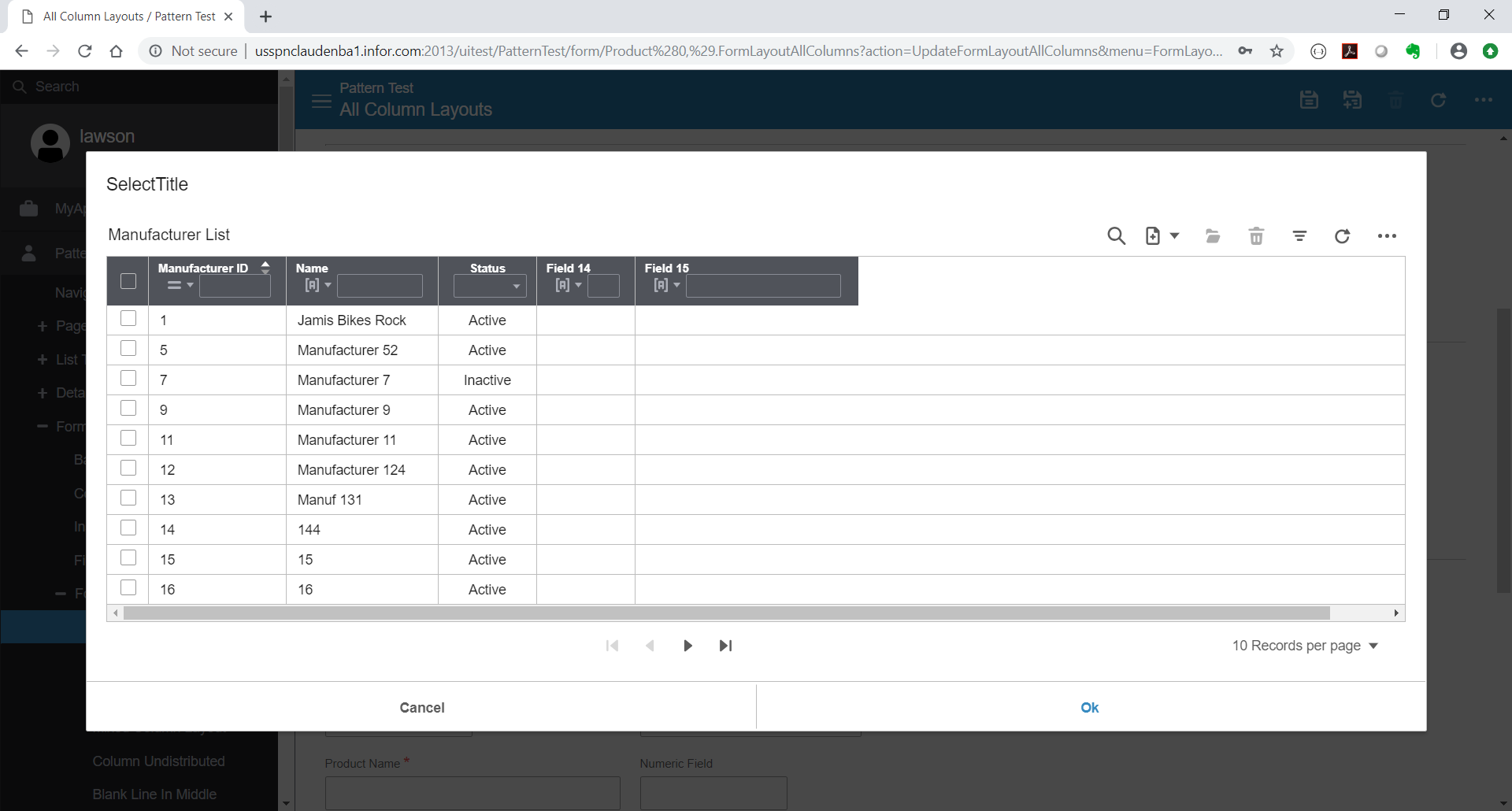
This is what Landmark is experiencing.
claudenbach
on 15 Mar 2019
I believe this is resolved alongside the solution for #1764. Either way I can't reproduce.

 davidcarlsonberg
on 18 Mar 2019
davidcarlsonberg
on 18 Mar 2019
I am seeing the issue part about the modal being too big. Maybe that can be fixed by setting a maxWidth on the modal. But could be addressed. Im not seeing the issue about the columns not aligning. But i think this is a good test case to include (lots of columns, datagrid on a modal)
 tmcconechy
on 18 Mar 2019
tmcconechy
on 18 Mar 2019
    <div id="modal-content" style="display: none; max-width: 800px">
      <div id="datagrid">
      </div>
    </div>
Does improve the behavior
tmcconechy
on 18 Mar 2019
QA Passed. Moving to Done.
Tested in: https://4170-beta0-enterprise.demo.design.infor.com/components/datagrid/example-modal-datagrid across all OS browsers and devices.
 janahintal
on 20 Mar 2019
janahintal
on 20 Mar 2019
Did this also fix the issue were the column header and data cells do not stay aligned when the horizontal scrollbar is used?
Play the Enterprise-1802.gif (it's contained within the attached Enterprise-1802.zip file) and you'll see the alignment issue.
claudenbach
on 9 Apr 2019
Related issues
 jbrcna
·
3Comments
jbrcna
·
3Comments
 dubde
·
4Comments
dubde
·
4Comments
 swetteinfor
·
3Comments
janahintal
·
3Comments
jbrcna
·
3Comments
swetteinfor
·
3Comments
janahintal
·
3Comments
jbrcna
·
3Comments