Enterprise: RTL: Text end up behind icon in Searchfield
Describe the bug
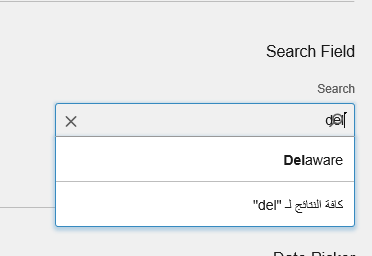
When running in RTL, The text in search field ends up behind the search icon.
To Reproduce
Steps to reproduce the behavior:
- Go to http://localhost:4000/?colors=800000&locale=ar-SA
- Scroll down to Search field
=> Issue here already for label - Start writing in the search field
- Notice that the text ends up behind the icon
Expected behavior
There should be space between the search icon and the text so that the text is readable.
Version
- ids-enterprise: 4.14.0
Screenshots
Platform
- OS Version: Windows 10
- Browser Name IE11
- Browser Version 11.253.17763.0
Additional context
 SofiK
SofiK
All 5 comments
Complete with https://github.com/infor-design/enterprise/issues/1515
 tmcconechy
on 22 Jan 2019
tmcconechy
on 22 Jan 2019
Retesting this issue we noticed this is fixed. To verify:
- go to http://localhost:4000/components/searchfield/example-index.html?locale=ar-SA
- type in the field
- text is no longer overlapping the icon
tmcconechy
on 9 Jul 2019
Possibly fixed by @EdwardCoyle on https://github.com/infor-design/enterprise/issues/1515
tmcconechy
on 9 Jul 2019
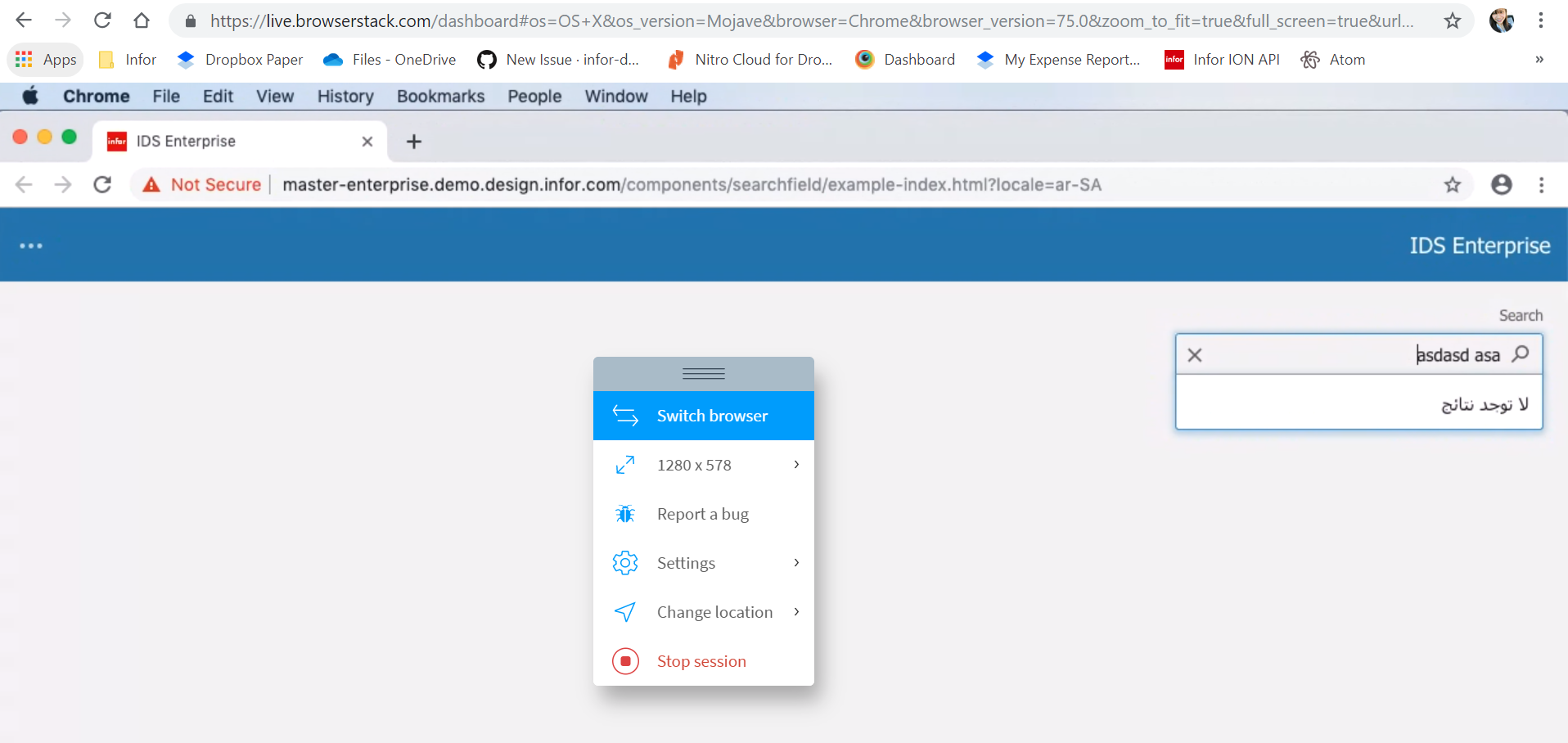
Hi @tmcconechy tested this ticket in http://master-enterprise.demo.design.infor.com/components/searchfield/example-index.html?locale=ar-SA and noticed that in Chrome & Safari, the cursor or focus stays in the left side. Should this be the right behavior? I only experince it in Chrome and Safari browser?
 janahintal
on 10 Jul 2019
janahintal
on 10 Jul 2019
I think this is probably just the way the browser handles rlt text. Ie it’s like having the cursor at the “end” of the text. I’d ignore this as it’s out of our control
tmcconechy
on 10 Jul 2019
Related issues
 pwpatton
·
3Comments
SofiK
·
3Comments
pwpatton
·
3Comments
SofiK
·
3Comments
 SasiPalanati
·
3Comments
SasiPalanati
·
3Comments
 guoliang
·
3Comments
guoliang
·
3Comments
 brianjuan
·
3Comments
brianjuan
·
3Comments
Most helpful comment
I think this is probably just the way the browser handles rlt text. Ie it’s like having the cursor at the “end” of the text. I’d ignore this as it’s out of our control