Enterprise: Circle Pager Tabs Component: Similar Products tab is not displayed correctly on responsive view
Describe the bug
Circle Pager Tabs Component: Similar Products tab is not displayed correctly on responsive view
To Reproduce
Steps to reproduce the behavior:
- Go to url: http://4130-beta0-enterprise.demo.design.infor.com/components/circlepager/example-tabs.html
- Make the page responsive
- Click the down arrow key and select "Similar Products
- The circle images are not being displayed properly. Please see screen shot attached.
Expected behavior
The images should not overlap each other.
Version
- ids-enterprise: [e.g. v4.9.0 or v4.10.0]
Screenshots
If applicable, add screenshots to help explain your problem.
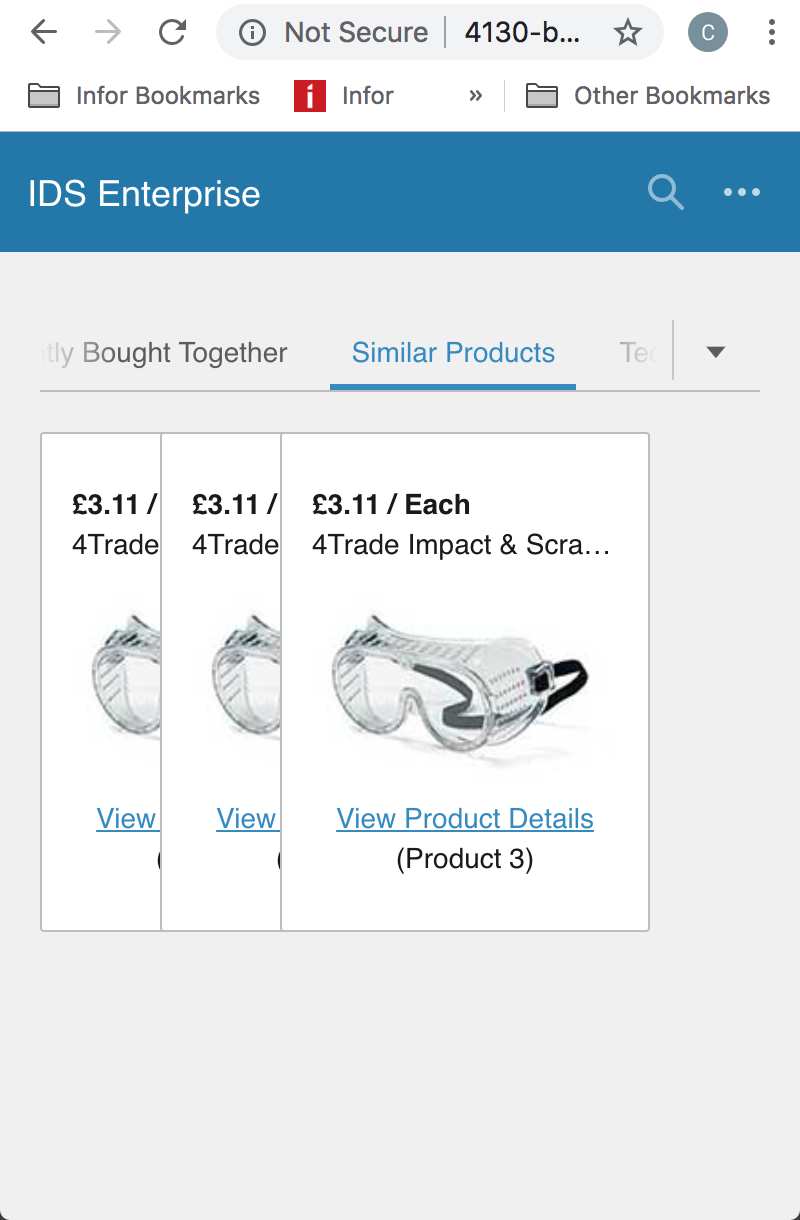
Platform
- OS Version: [iOS 8]
- Browser Name [Chrome]
Additional context
Add any other context about the problem here.
None
 CindyMercadoReyes
All 7 comments
Im not quite able to make it stay like the screen shot. Are you maybe missing a step?
One thing i do see is that if there is one image showing it is not centered. Maybe the solution is just make it go to one image in the center at that breakpoint. That might just make this an example issue
 tmcconechy
on 27 Nov 2018
tmcconechy
on 27 Nov 2018
QA Failed. Issue still exist.
Tested in : http://master-enterprise.demo.design.infor.com/components/circlepager/example-tabs.html & http://localhost:4000/components/circlepager/example-tabs.html
Failing on all PC Browsers. Working well in Mobile devices os and browsers.
Steps to replicate:
- Open PC Browser
- Goto : http://master-enterprise.demo.design.infor.com/components/circlepager/example-tabs.html & http://localhost:4000/components/circlepager/example-tabs.html
- Click on > Technical Specifications Tabs
- Minimize the screen
- Using the arrow key drop down button, click on > Similar Products
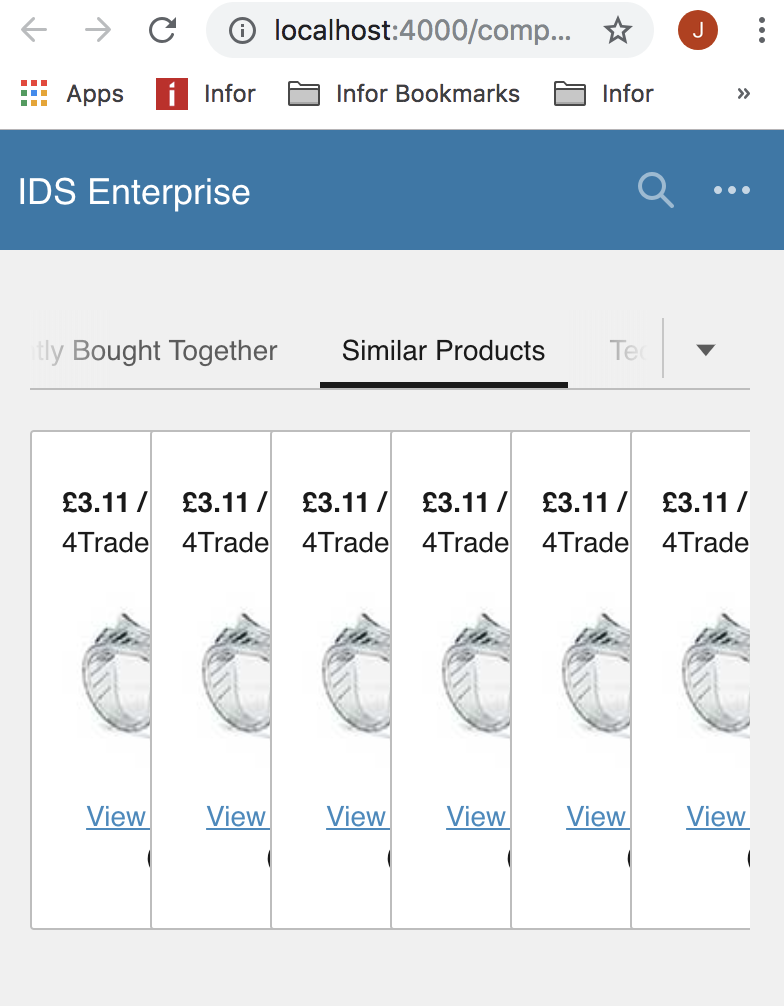
 janahintal
on 17 Jan 2019
janahintal
on 17 Jan 2019
@tjamesallen15 can you please take a quick look?
tmcconechy
on 17 Jan 2019
Sure, tim
 tjamesallen15
on 21 Jan 2019
tjamesallen15
on 21 Jan 2019
Hi, @tmcconechy,
I tried testing it on safari and chrome and it is working well. I'll talk with @janahintal later since she just sits besides me to ask with this matter.
Thanks!
tjamesallen15
on 21 Jan 2019
Ok Sounds good. For your information i just followed the steps exactly as above and i was able to see the issue as well.
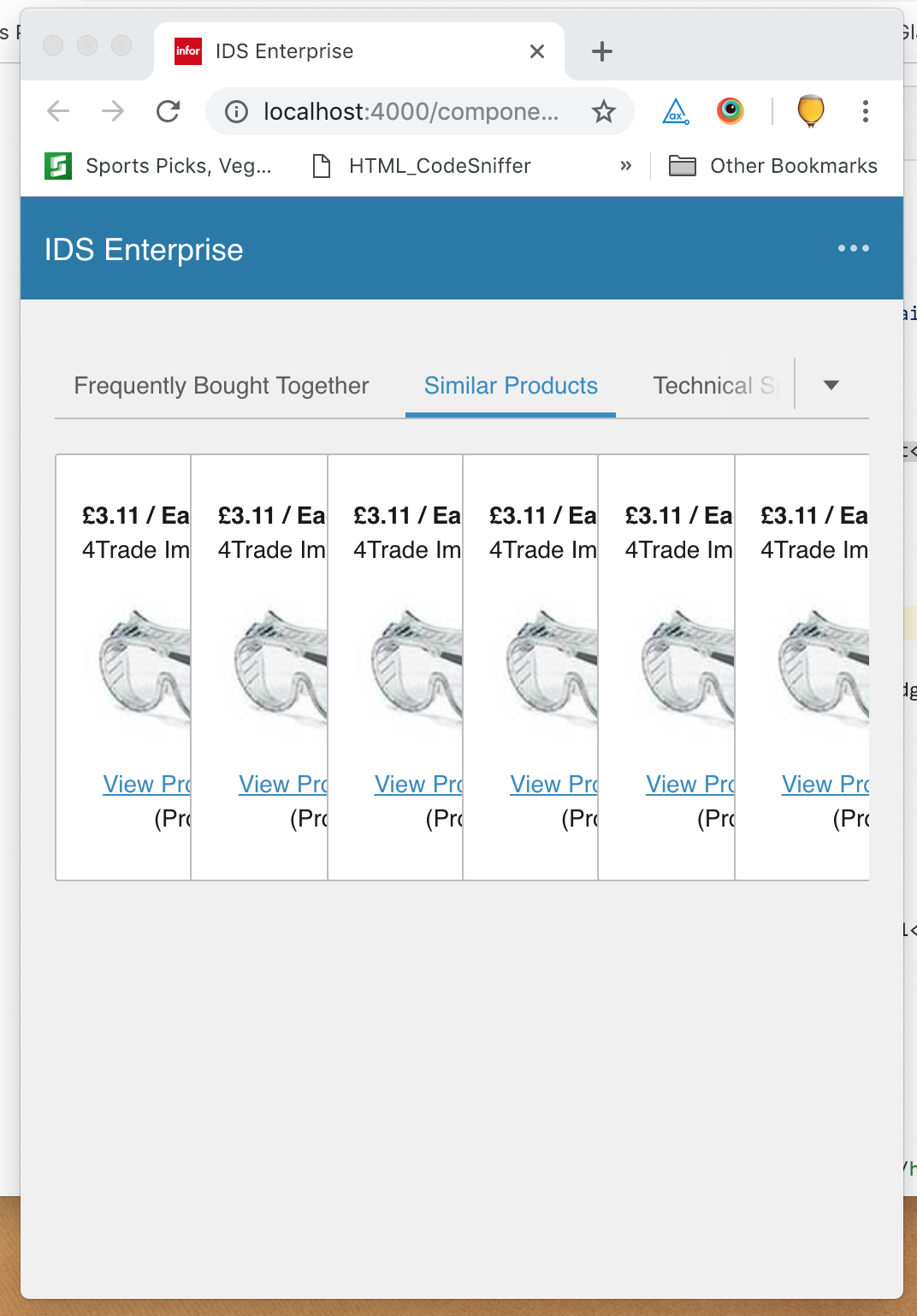
tmcconechy
on 22 Jan 2019
This issue is now resolved. Moving this ticket to Done.
CindyMercadoReyes
on 24 Jan 2019
Related issues
 swetteinfor
·
3Comments
swetteinfor
·
3Comments
 sanx72
·
3Comments
CindyMercadoReyes
·
3Comments
sanx72
·
3Comments
CindyMercadoReyes
·
3Comments
 jbrcna
·
3Comments
CindyMercadoReyes
·
3Comments
jbrcna
·
3Comments
CindyMercadoReyes
·
3Comments