Enterprise: Indeterminate paging - Previous page button fails to message source fn when initially loading last page [v4.12.x]
Describe the bug
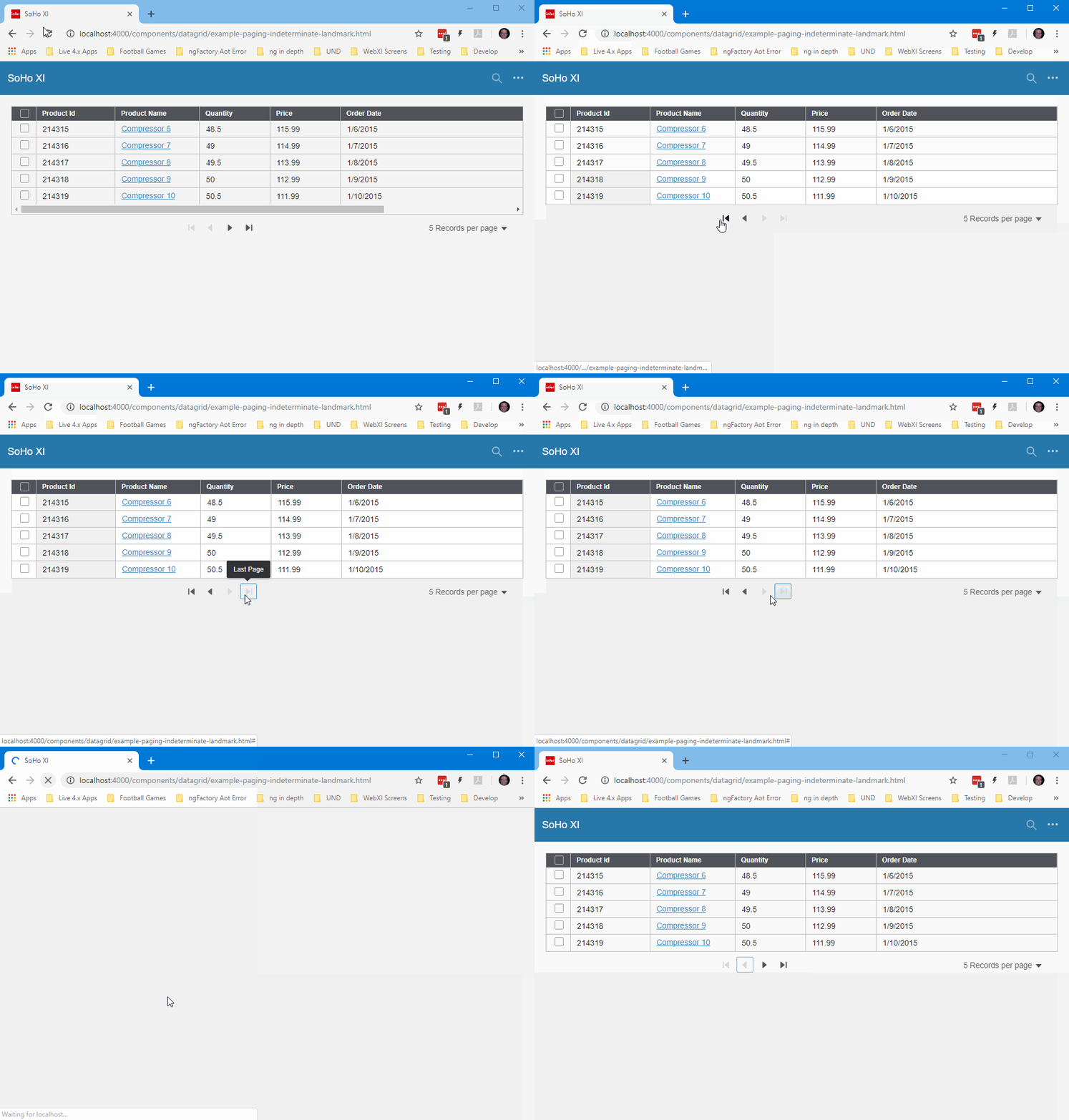
indeterminate paging - previous page button fails to message source function when initially loading last paging
To Reproduce
Steps to reproduce the behavior:
- In the
example-paging-indeterminate-landmark.htmlin getDataPage change 'initial' req.type case to fall through to the 'last' req.type case.
       switch (request.type) {
          case 'first':   beginIndex = 0; break;
          case 'initial':   // <--- *NOTE*: Move 'initial' req.type to appear here and fall through to the last  req.type case.
          case 'last':    beginIndex = getData().length - request.pagesize; break;
          case 'next':    beginIndex = beginIndex + request.pagesize; break;
          case 'prev':    beginIndex = beginIndex - request.pagesize; break;

          case 'sorted':   console.log('sorted stub called - implement me'); break;
          case 'filtered': console.log('filtered stub called - implement me'); break;
        }
- Go to http://localhost:4000/components/datagrid/example-paging-indeterminate-landmark.html
- Click on previous page button
- Notice no data changes and first and prev paging buttons become disabled.
Expected behavior
Previous button should message the source(reqType === 'previous') callback function.
Screenshots
If applicable, add screenshots to help explain your problem.
Platform
- PC
- Windows 10
- chrome
Additional context
Add any other context about the problem here.
 pwpatton
All 4 comments
Note, this all works fine unless you initially load the datagrid with the last page of records.
pwpatton
on 5 Nov 2018
Landmark requested this be patched back to 4.12.x
 tmcconechy
on 5 Nov 2018
tmcconechy
on 5 Nov 2018
👍1
✅ Confirming to patch into 4.12.x
 clepore
on 6 Nov 2018
clepore
on 6 Nov 2018
👍1
This was patched and can be closed
tmcconechy
on 15 Nov 2018
Was this page helpful?
0 / 5 - 0 ratings
Related issues
 janahintal
·
3Comments
janahintal
·
3Comments
 CindyMercadoReyes
·
3Comments
CindyMercadoReyes
·
3Comments
 EdwardCoyle
·
4Comments
EdwardCoyle
·
4Comments
 jbrcna
·
3Comments
pwpatton
·
3Comments
jbrcna
·
3Comments
pwpatton
·
3Comments