Enterprise: Searchfield Category Component: Alignment issues and keyboard overlaps the page on landscape view
Describe the bug
Searchfield Category Component: Alignment issues and keyboard overlaps the page on landscape view
To Reproduce
Steps to reproduce the behavior:
- Go to URL: http://4120-beta0-enterprise.demo.design.infor.com/components/searchfield/example-categories-full.html#
- On portrait view the field box is misaligned
- On landscape view the user is unable to click on the drop down list box because the keyboard overlaps onto the UI of the page
- Please see screens shot attached.
Also the same issue on http://4120-beta0-enterprise.demo.design.infor.com/components/autocomplete/test-longpage-modal.html as it uses autocomplete.
Expected behavior
- The list box and the searchfield box should be aligned
- The keyboard should not overlap the search drop down list box or the searc field box.
Screenshots
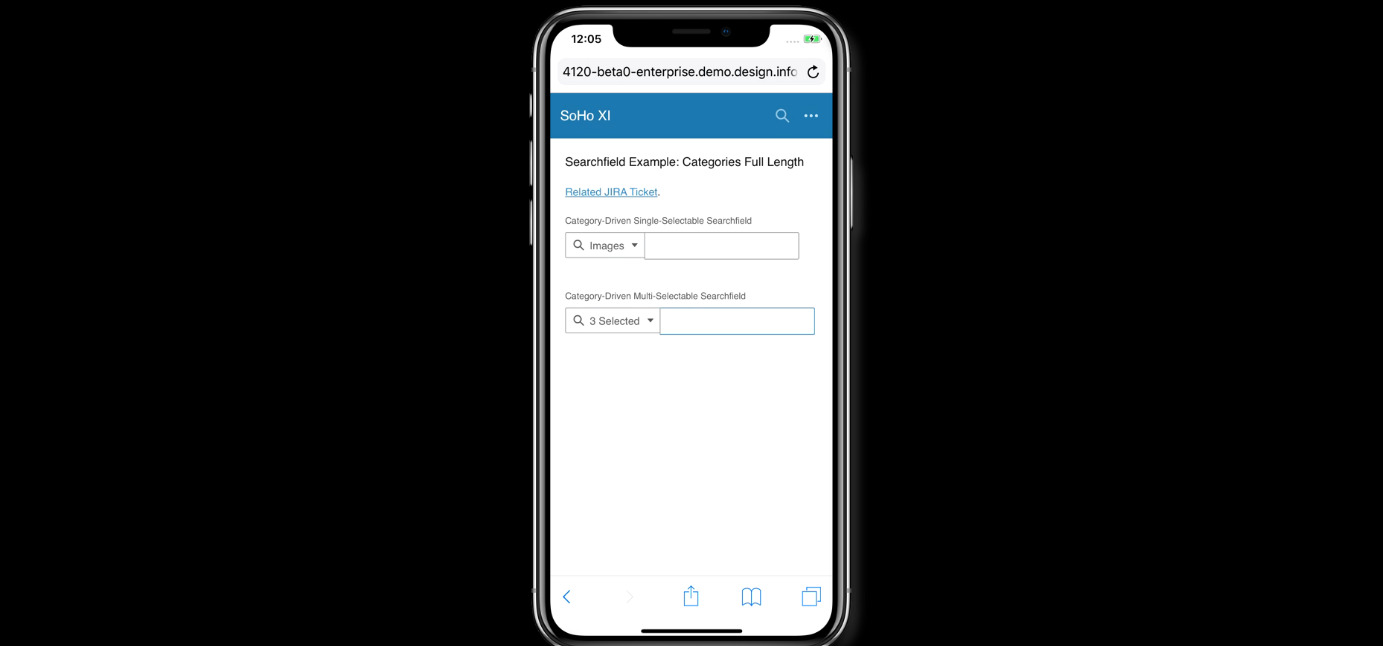
Platform
- iOS iPhone X
Additional context
Add any other context about the problem here.
None
 CindyMercadoReyes
All 6 comments
For this issue, just test and fix the alignment of the boxes. No need to change the behavior.
 tmcconechy
on 20 Nov 2018
tmcconechy
on 20 Nov 2018
Hi @tmcconechy and @clepore ,
May I ask how can I run localhost on browserstack for IPhone X? The emulator itself can't access or find the localhost.
Thanks!
 tjamesallen15
on 22 Nov 2018
tjamesallen15
on 22 Nov 2018
@tjamesallen15, you should probably check your IP address that you're using, then change the localhost to that IP address.
e.g 10.88.54.53:4000/components/searchfield/example-categories-full.html
 ericangeles
on 23 Nov 2018
ericangeles
on 23 Nov 2018
@tjamesallen15
Try to install the browser stack chrome plugin and then launch the VM from the icon on the toolbar.
https://chrome.google.com/webstore/detail/browserstack/nkihdmlheodkdfojglpcjjmioefjahjb?hl=en
This way local host works for me.
tmcconechy
on 26 Nov 2018
Thank you @ericangeles and @tmcconechy
tjamesallen15
on 27 Nov 2018
This issue is now resolved.
CindyMercadoReyes
on 10 Dec 2018
Related issues
 jbrcna
·
3Comments
jbrcna
·
3Comments
 guoliang
·
3Comments
guoliang
·
3Comments
 pwpatton
·
3Comments
pwpatton
·
3Comments
 SofiK
·
3Comments
SofiK
·
3Comments
 EdwardCoyle
·
4Comments
EdwardCoyle
·
4Comments