Enterprise: Provide a configuration option to hide drop-down arrow icon on a menu-button
Describe the bug
Using a menu-button for the "User" control on the masthead but don't want to see the drop-down arrow next to the User icon
Setting the showArrow to false did not have the desired affect.
To Reproduce
Add a menu button with the showArrow option set to false, and then display the page.
Expected behavior
The icon should be displayed without the arrow.
Screenshots
Platform
Additional context
I discussed this with @tmcconechy , and agreed that showArrow is the correct way to achieve this, however this does not currently work..
A corresponding change has been made in the enterprise-ng control to support showArrow.
 bthharper
All 7 comments
I later found out showArrow is for the arrow on the popup dialog. We need a new option for not showing / adding the arrow icon to the button
 tmcconechy
on 24 Oct 2018
tmcconechy
on 24 Oct 2018
This failed QA testing. On high contrast them you can barely see the text or the buttons. Please see screen shot attached.
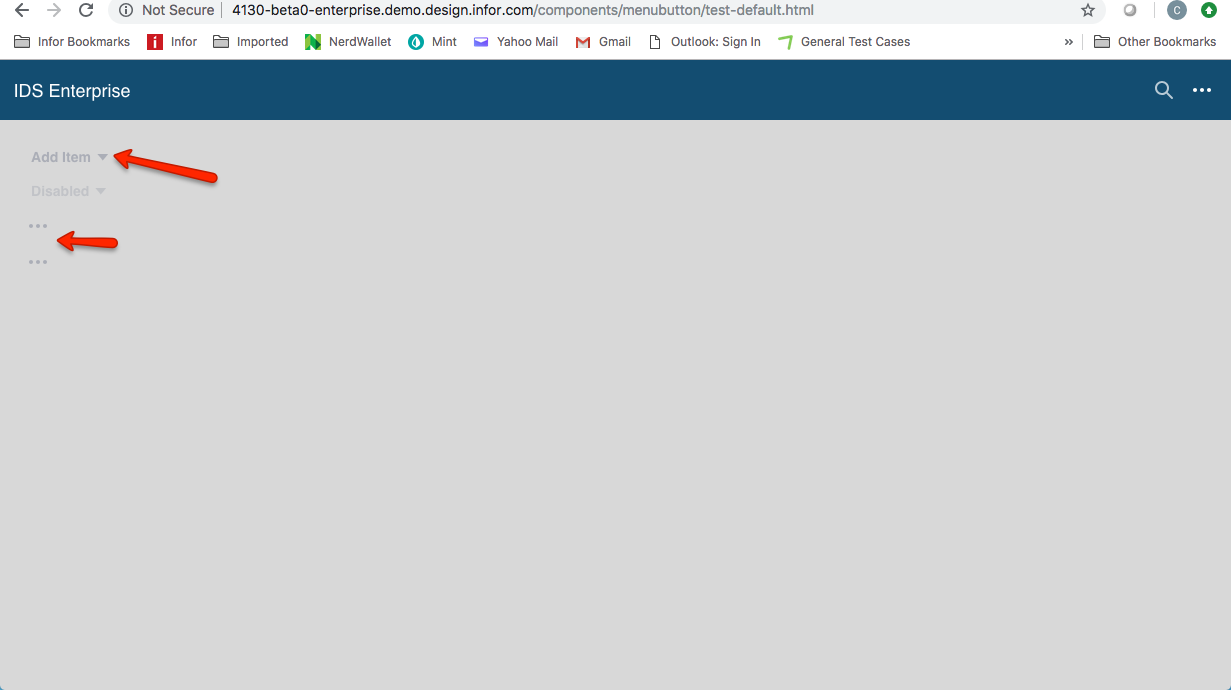
 CindyMercadoReyes
on 20 Nov 2018
CindyMercadoReyes
on 20 Nov 2018
@clepore @jmacaluso711 maybe something is wrong with the tokens here? http://master-enterprise.demo.design.infor.com/components/menubutton/example-index.html
Un related to this but a good catch and should be addressed.
tmcconechy
on 20 Nov 2018
This also effects all the icons buttons http://localhost:4000/components/icons/example-index.html if you change to high contrast mode
tmcconechy
on 20 Nov 2018
Hmm, okay. I'll investigate.
 clepore
on 20 Nov 2018
clepore
on 20 Nov 2018
This is mainly a seperate issue so i created https://github.com/infor-design/enterprise/issues/1249
tmcconechy
on 20 Nov 2018
https://4130-beta0-enterprise.demo.design.infor.com/components/menubutton/test-no-arrow-icon.html
Passed QA testing on all browsers, example menu button doesn't have arrow icon. Moving to Done.
 brianjuan
on 23 Nov 2018
brianjuan
on 23 Nov 2018
Related issues
 sanx72
·
3Comments
sanx72
·
3Comments
 awbuboltz
·
3Comments
awbuboltz
·
3Comments
 EdwardCoyle
·
4Comments
EdwardCoyle
·
4Comments
 SofiK
·
3Comments
SofiK
·
3Comments
 janahintal
·
3Comments
janahintal
·
3Comments