Enterprise-ng: Context Menu: Issues when multiple triggers use a shared menu
Describe the bug
This is a tricky issue to explain in a good way, but I'll do my best. We're using a shared soho-popupmenu for multiple soho-context-menu triggers. E.g:
<some-trigger soho-context-menu menu="action-popupmenu"/>
<some-other-trigger soho-context-menu menu="action-popupmenu"/>

<ul soho-popupmenu id="action-popupmenu">
   <li soho-popupmenu-item (click)="onMenuItemClicked()">
      <a soho-popupmenu-label>Hello</a>
   </li>
</ul>
A trigger might be deleted in runtime, and when that happens, the shared popupmenu is oddly positioned when opened again from one of the remaining triggers. Noticeable in this GIF
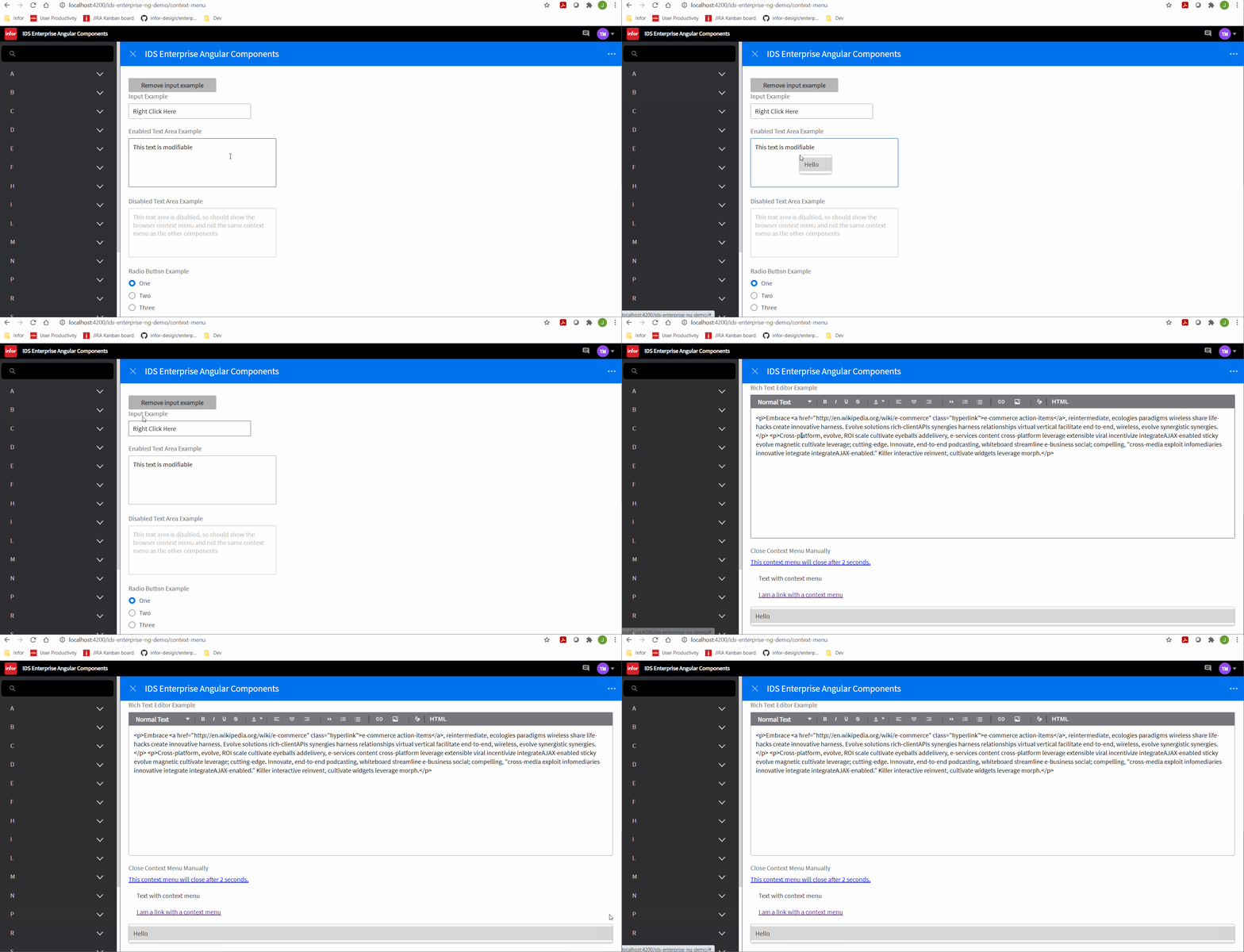
To Reproduce
- Add a button to top of
context-menu.demo.htmlto delete one of the trigger elements, in this example the first input field
<button soho-button (click)="showInput = false">Remove input example</button> - Add corresponding boolean to component
- Set condition on the input field
  <div class="field" *ngIf="showInput">
    <label id="label1" name="label1" soho-label for="field1" >{{normalText}}</label>
    <input id="field1" name="field1" soho-context-menu menu="action-popupmenu" value="Right Click Here"
           (selected)="onSelected()"
           (beforeopen)="onBeforeOpen()"
           (close)="onClose()"
           (open)="onOpen()" />
  </div>
- Change the action-popupmenu to something simpler with a click handler
  <!-- Context menu used in all examples (except the menu button)-->
  <ul soho-popupmenu id="action-popupmenu">
    <li soho-popupmenu-item (click)="onMenuItemClicked()">
      <a soho-popupmenu-label>Hello</a>
    </li>
  </ul>
- Remove/change id of the popupmenu in
masthead.demo.html, since the id is conflicting (causing masthead menu to appear instead) - Run example -> click button -> right click text area and notice the menu position
Note: We're _not_ using the duplicateMenu option in this example (which I think was added to support this behavior?). If we were to use the duplicateMenu option, there are other issues. It's not available as an Input to SohoContextMenuDirective, so to even test it, had to set the option the "old way". Use same code as above, just add the following to the input + textarea triggers
data-options="{ duplicateMenu: true}"
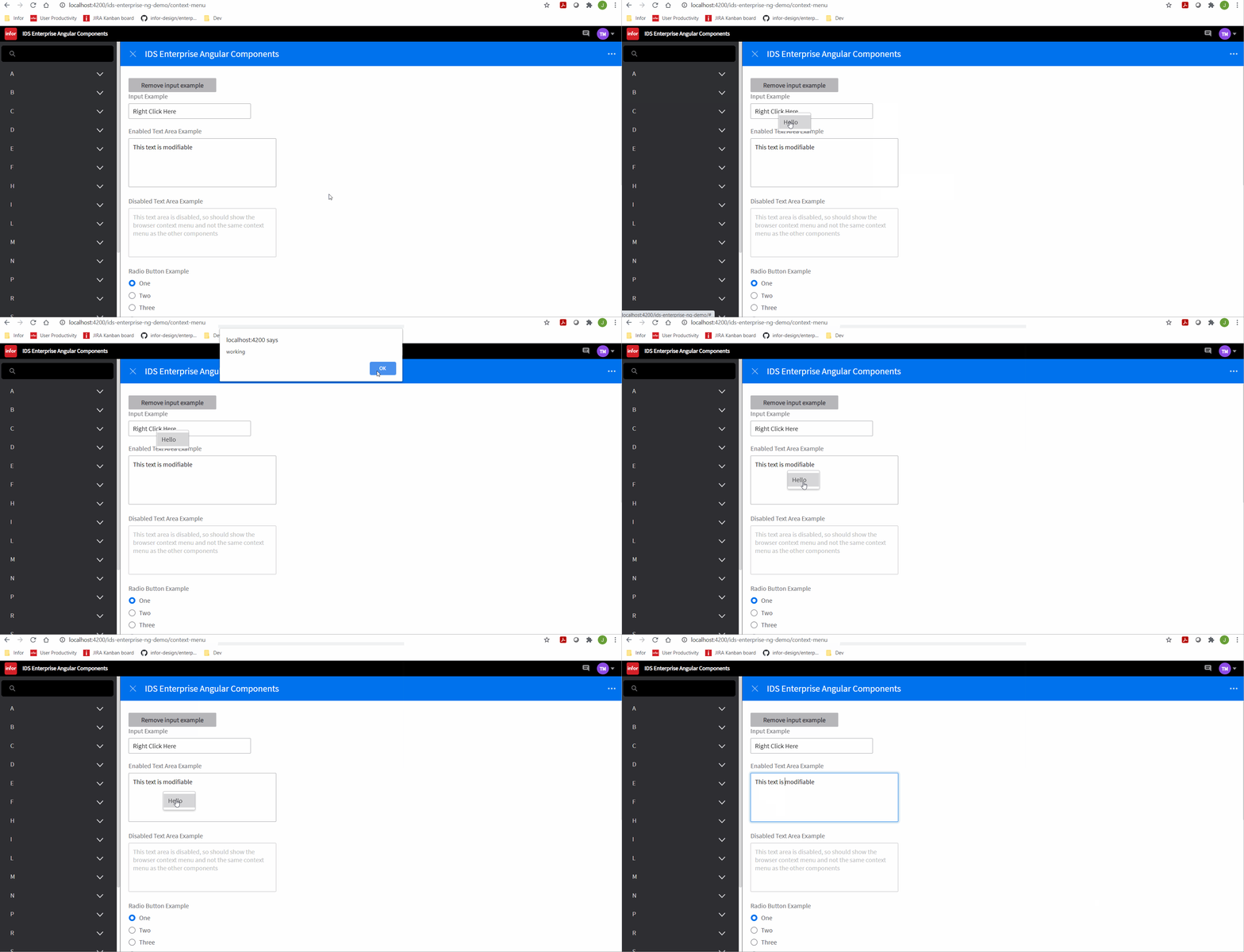
But with this, the menu for the second trigger does not work at all. Its click event isn't fired, I suspect it's some issue with the clone being created. Seen in this GIF
In short
- Shared popupmenu is not positioned correctly after one of its triggers has been deleted/destroyed
- The
duplicateMenuoption does not work at all (For NG components at least)
Additional context
We don't want to create individual menus for each item in an 1-N list, sharing a menu is very useful.
There is an example that uses a shared menu + the duplicateMenu option among the core enterprise samples:
https://design.infor.com/code/ids-enterprise/latest/demo/components/popupmenu/test-multiple-context-menu-destroy.html
I can't really tell if it's actually working there or not though (the menu options have no click events etc.)?
 volante007
All 10 comments
Sounds tricky. I wonder if we need to rework "everything" with them. For 5.0 for the popupmenu and tooltip i was considering delegating events at the root but lets take a look at this and see if any easy solutions. Seems like we will need to set some time for this one.
 tmcconechy
on 9 Feb 2021
tmcconechy
on 9 Feb 2021
Maybe be partly related https://github.com/infor-design/enterprise-ng/issues/969
tmcconechy
on 9 Feb 2021
Yeah, this issue has been brought up before, and I think the duplicateMenu option actually was the resulting solution for previous issues? But it doesn't work, at least not in Angular. It has been working without the option as well, so I'm not sure what's happened recently to break it (e.g. the faulty position of the menu).
Some old context from two years ago:
https://github.com/infor-design/enterprise-ng/issues/84
https://github.com/infor-design/enterprise/issues/1025
volante007
on 9 Feb 2021
So this worked in the past? Any idea from when to when it broke? https://design.infor.com/code/ids-enterprise/latest/demo/components/popupmenu/test-multiple-context-menu-destroy.html seems to be working...
tmcconechy
on 9 Feb 2021
Yes that's the sample I linked to as well, but I'm not sure it actually works? E.g. events of the menu items. The menus themselves can be opened fine in my repro as well, but the click event isn't fired as shown in the second GIF
Yes the first example has worked, e.g. just reusing the menu without specifying the duplicateMenu option. The incorrect positioning is quite recent I think, last 2-3 months maybe?
volante007
on 9 Feb 2021
Ok we found an easier way to reproduce this thanks to @EdwardCoyle .
- Go to https://master-enterprise.demo.design.infor.com/components/popupmenu/test-multiple.html
- right click the first one
- close it
- right click the second one, close it
- click destroy
- right click the one that's left -> its now weirdly 100%
Also with this example we should test the selection events work. But this might make it easier to debug.
tmcconechy
on 9 Feb 2021
Nice! It's enough to click destroy immediately and open second one. What happens is that the menu is no longer attached to body, it's placed in context.
But note that that sample doesn't use the duplicateMenu option, so the events will work properly in that one (it's corresponding to my example #1). Events issue is when doing it "by the book" using the option, example #2.
Two different strategies for same thing, two different issues.
volante007
on 9 Feb 2021
I think we should focus on the problem in https://master-enterprise.demo.design.infor.com/components/popupmenu/test-multiple.html as it seems better than cloning menus as done in the duplicateMenu option (we hadnt really noticed that feature snuck in and had to do a bit of research on it). But it seems better to not clone it when using it in more than one place
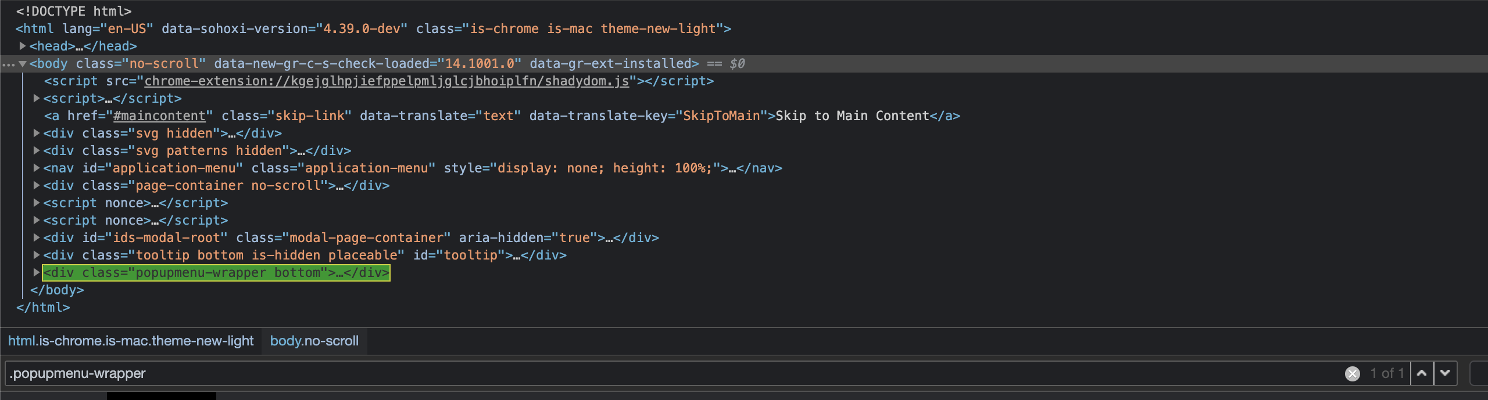
It looks like the menu is being unwrapped on destroy and so the one that 100% is missing the outer popupmenu-wrapper. So maybe a check that "still used"on destroy and then dont unwrap the outer part of the menu
tmcconechy
on 9 Feb 2021
Sounds good! We aren't using the duplicateMenu option, I just tried it out to see if it helped solve the original placement issue
volante007
on 9 Feb 2021
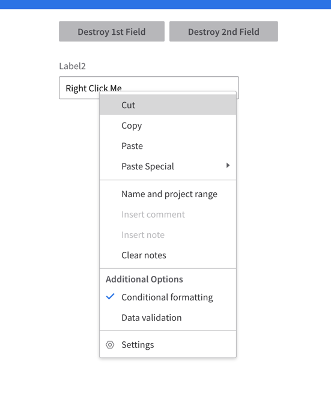
this is now working as expected.
v4.39.0-dev
 jbrcna
on 26 Mar 2021
jbrcna
on 26 Mar 2021
Related issues
 ahnpnl
·
7Comments
ahnpnl
·
7Comments
 ayoayco
·
3Comments
ayoayco
·
3Comments
 Fruko
·
4Comments
Fruko
·
4Comments
 gushanson
·
5Comments
gushanson
·
5Comments
 bthharper
·
4Comments
bthharper
·
4Comments
Most helpful comment
Ok we found an easier way to reproduce this thanks to @EdwardCoyle .
Also with this example we should test the selection events work. But this might make it easier to debug.