Enterprise-ng: soho-toolbar component doesn't behave well with search field when the screen width is 360px
Describe the bug
For homepage widgets, the normal size of widget SDK frame is 360px and when the app inside widget SDK frame uses soho-toolbar component, the toolbar component doesn't behave well.
To Reproduce
Steps to reproduce the behavior:
- Open the example app in enterprise-ng project
- Go to
toolbar-basic.demo.html - Modify the html to be like
<soho-toolbar
        [maxVisibleButtons]="2"
        [resizeContainers]="true"
        [favorButtonset]="true"
        (selected)="onSelected($event)">

      <soho-toolbar-title>
        <input soho-toolbar-searchfield id="my-search-field" placeholder="Search" title="Search" name="Search"/>
      </soho-toolbar-title>

      <soho-toolbar-button-set>
        <!-- buttons -->
        <button soho-button="icon" icon="filter" title="Filter" isToggle=true data-action="{'button':'filter'}">
          <span class="audible">Filter</span>
        </button>

        <button soho-button="icon" icon="add" title="Add" data-action="{'button':'add'}">
          <span class="audible">Add</span>
        </button>
      </soho-toolbar-button-set>
    </soho-toolbar>
- Run the example app, resize the screen to be at 360px.
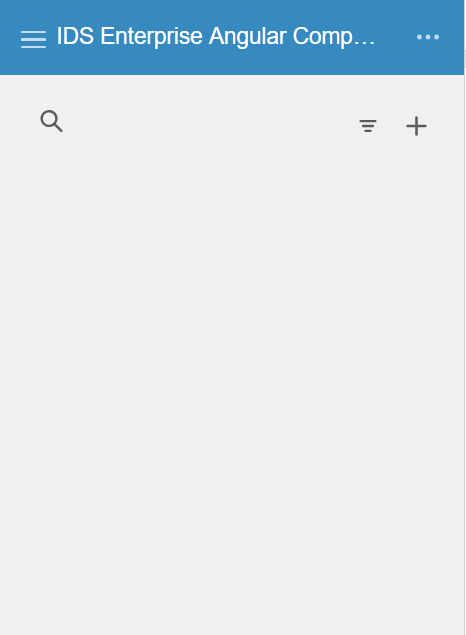
- Observe that, the search field is on the left and the 2 buttons are on the right.
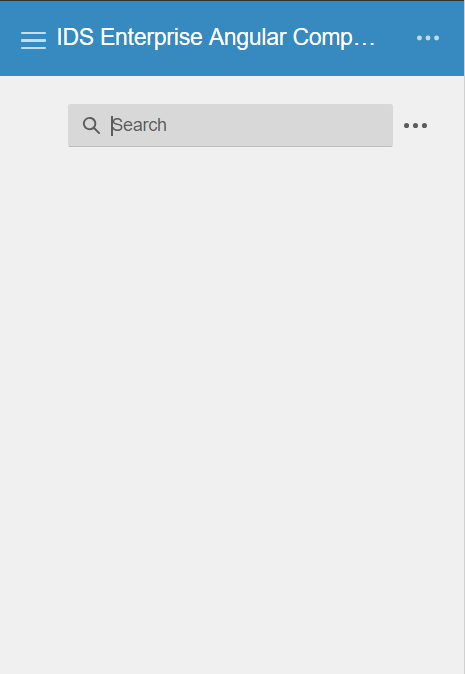
- Click on search field, observe that the 2 buttons are grouped into more button and search field jumps from left to right.
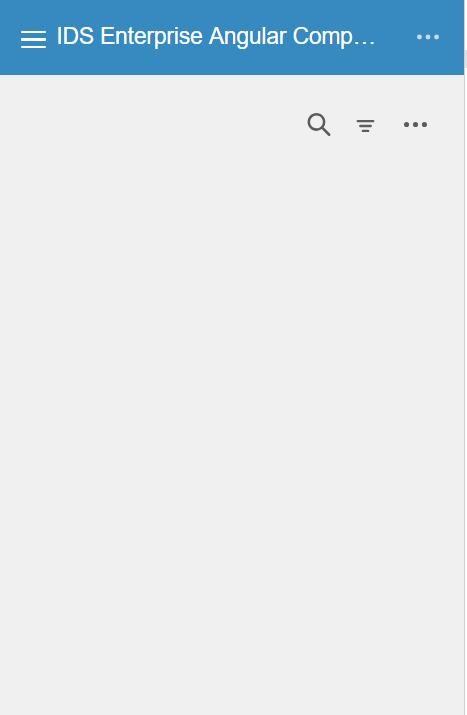
- Click outside to close search field, the 2 buttons are not back to original position.
Expected behavior
The search field should stay on the left side and the 2 buttons shouldn't be grouped into more button because there are enough space to display for all of them.
Version
- ids-enterprise-ng: master branch
Screenshots
When first time loading the page
After clicking on search field
After clicking outside to close search field
Platform
- Device N.A.
- OS Version: Windows 10
- Browser Name: Chrome
- Browser Version: Version 73.0.3683.103 (Official Build) (64-bit)
Additional context
N.A.
 ahnpnl
All 7 comments
We arent totally fixing toolbar issues anymore. Can you try to look at its eventual replacement (flex toolbar) and see if it works better there? Can this be reproduced in the the enterprise project as well.
 tmcconechy
on 11 Apr 2019
tmcconechy
on 11 Apr 2019
Hi Tim, does flex toolbar use flexbox ? I haven't checked flex toolbar yet but this issue can be easily solved with flexbox if flex toolbar uses it.
ahnpnl
on 11 Apr 2019
yes it does, thats the new version of the toolbar but we couldnt remove the older one yet. give it a try
tmcconechy
on 11 Apr 2019
I made an attempt with soho-toolbar-flex, it works better than the old one soho-toolbar. Perhaps this issue can resolve in a PR like adding deprecated warning to soho-toolbar and suggest users to switch to soho-toolbar-flex instead of fixing the issue ?
ahnpnl
on 16 Apr 2019
I think thats being covered by https://github.com/infor-design/enterprise/issues/1120 once we get everything working that worked in the old one. So will close this as working for now. 👍
tmcconechy
on 16 Apr 2019
@ahnpnl, we merged #1917 into IDS Enterprise's master today (which will eventually be 4.18.0). As of that merge, it's now possible to use the Flex Toolbar with correct styling in Headers, Mastheads, and Editor components. This may not immediately be reflected in the Angular component just yet, but it should be possible now.
 EdwardCoyle
on 18 Apr 2019
EdwardCoyle
on 18 Apr 2019
We can also make a nightly ng build once 1917 makes it into an ep nightly.
 pwpatton
on 18 Apr 2019
pwpatton
on 18 Apr 2019
Related issues
 Fruko
·
4Comments
Fruko
·
8Comments
Fruko
·
4Comments
Fruko
·
8Comments
 ayoayco
·
3Comments
ayoayco
·
3Comments
 anhallbe
·
5Comments
anhallbe
·
5Comments
 JestoniFajardo
·
5Comments
JestoniFajardo
·
5Comments