Enterprise-ng: Lookup multiselect - multi page selections with server side paging
Describe the bug
We found one issue in ids-enterprise-ng-demo/lookup . Please follow below steps to reproduce issue.
To Reproduce
Steps to reproduce the behavior:
1 . Go to http://localhost:4200/ids-enterprise-ng-demo/lookup
- In "Products (Async Results) Multi Select" open the lookup and pick a record on page two
- hit apply
- reopen and select a record on page one
- hit apply
Expected behavior
Expected two selected records.
Version
Screenshots
If applicable, add screenshots to help explain y
MultiselectLookup.zip
our problem.
Platform
- Device (if applicable) [e.g. iPhone 6 or Samsung Galaxy S6]
- OS Version: [e.g. Windows 10 or iOS 8]
- Browser Name [e.g. chrome, safari, stock browser]
- Browser Version [e.g. 22, 66.0.3359.181 (Official Build) (64-bit)]
Additional context
Add any other context about the problem here.
 dhumalkishor
All 17 comments
Can you check the steps against master branch (latest). When i tried this out and follow the video i dont see this issue.
Maybe partly because on the example im trying i see nothing selected already on "Products (Async Results) Multi Select" so step 2 is invalid. And then the whole video cant be reproduced.
 tmcconechy
on 14 Dec 2020
tmcconechy
on 14 Dec 2020
We can reproduce this issue by using below steps.
1 . Go to ids-enterprise-ng-demo/lookup
- go to "Products (Async Results) Multi Select" lookup
Now there is no record selected in lookup. - Now click on browse button and open lookup pop up.
- In this pop up go to page number 2 and select only one record and click on apply button.
- Now again open that popup and select one record from page 1.
Check previous record get replaced by new one.
Please refer attached video for more details.
MultiselectLookup.zip
dhumalkishor
on 15 Dec 2020
ok i see this now. Updated the steps. What is interesting is this works ok on this example https://master-enterprise.demo.design.infor.com/components/lookup/example-multiselect-paging-serverside.html
So assuming something is wrong in the setup of this example. Will try and find some time for this.
tmcconechy
on 15 Dec 2020
Hi Tim,
We have added below code in "sohoxi.js" and it looks working fine. Please review the below code and test the functionality.
selectGridRows: function selectGridRows(val) {
      var selectedId = val;
      var adjust = false;

      if (!val) {
        return;
      }

      if (this.grid && this.settings.options.source) {
        for (var i = this.grid._selectedRows.length - 1; i > -1; i--) {
          if (isNaN(this.grid._selectedRows[i].idx)) {
            this.grid._selectedRows.splice(i, 1);
          }
        }
      } // Multi Select


      if (selectedId.indexOf(this.settings.delimiter) > 1) {
        var selectedIds = selectedId.split(this.settings.delimiter);
        var isFound = false;

        for (var _i = 0; _i < selectedIds.length; _i++) {
          isFound = this.selectRowByValue(this.settings.field, selectedIds[_i]);

          if (this.grid && this.settings.options.source && !isFound) {
            var data = {};
            var foundInData = false;

            for (var j = 0; j < this.grid._selectedRows.length; j++) {
              if (this.grid._selectedRows[j].data[this.settings.field].toString() === selectedIds[_i].toString()) {
                foundInData = true;
              }
            }

            if (!foundInData) {
              data[this.settings.field] = selectedIds[_i];

              this.grid._selectedRows.push({
                data: data
              });
            }

            adjust = true;
          }
        } // There are rows selected off page. Update the count.


        if (adjust) {
          this.modal.element.find('.contextual-toolbar .selection-count').text("".concat(selectedIds.length, " ").concat(Locale.translate('Selected')));
        }

        return;
      }
      else {
        var selectedIds = [];
        selectedIds[0] = selectedId;
        var isFound = false;

        for (var _i = 0; _i < selectedIds.length; _i++) {
          isFound = this.selectRowByValue(this.settings.field, selectedIds[_i]);

          if (this.grid && this.settings.options.source && !isFound) {
            var data = {};
            var foundInData = false;

            for (var j = 0; j < this.grid._selectedRows.length; j++) {
              if (this.grid._selectedRows[j].data[this.settings.field].toString() === selectedIds[_i].toString()) {
                foundInData = true;
              }
            }

            if (!foundInData) {
              data[this.settings.field] = selectedIds[_i];

              this.grid._selectedRows.push({
                data: data
              });
            }

            adjust = true;
          }
        } // There are rows selected off page. Update the count.


        if (adjust) {
          this.modal.element.find('.contextual-toolbar .selection-count').text("".concat(selectedIds.length, " ").concat(Locale.translate('Selected')));
        }

        return;
      }
      this.selectRowByValue(this.settings.field, selectedId);
    },
 kvchaudhari
on 18 Dec 2020
kvchaudhari
on 18 Dec 2020
Can you highlight what you changed here? Im having difficulty merging this because it looks like you edited the processed Javascript.
The real code looks like this https://github.com/infor-design/enterprise/blob/master/src/components/lookup/lookup.js#L709 (for example var replaced for const ect). Would you like to do a pull request with this change?
https://github.com/infor-design/enterprise/blob/master/docs/CONTRIBUTING.md#submitting-pull-requests
tmcconechy
on 18 Dec 2020
Hi Tim,
Please see the attached image. Highlighted lines are the changes.
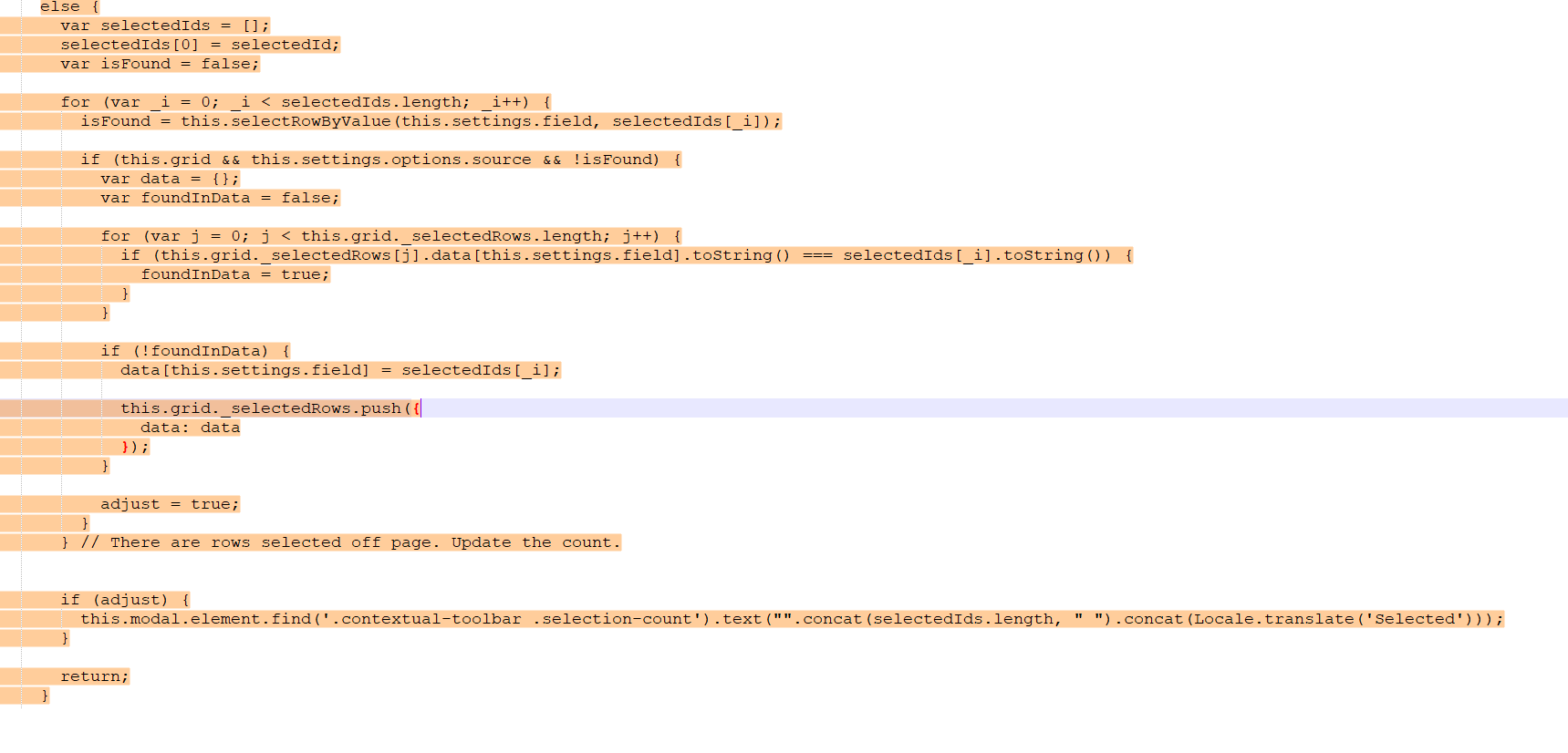
We have added the "Else" condition for line no :- https://github.com/infor-design/enterprise/blob/master/src/components/lookup/lookup.js#L726
kvchaudhari
on 18 Dec 2020
Ok, still confused. https://github.com/infor-design/enterprise/blob/master/src/components/lookup/lookup.js#L726 oesnt even have an else. Its like comparing two different code bases....Can you take this actual latest code and add the changes (as test not a screen shot) and paste it in a comment here. Then i can test this out and PR for you
  selectGridRows(val) {
    const selectedId = val;
    let adjust = false;

    if (!val) {
      return;
    }

    if (this.grid && this.settings.options.source) {
      for (let i = (this.grid._selectedRows.length - 1); i > -1; i--) {
        if (isNaN(this.grid._selectedRows[i].idx)) {
          this.grid._selectedRows.splice(i, 1);
        }
      }
    }

    // Multi Select
    if (selectedId.indexOf(this.settings.delimiter) > 1) {
      const selectedIds = selectedId.split(this.settings.delimiter);
      let isFound = false;

      for (let i = 0; i < selectedIds.length; i++) {
        isFound = this.selectRowByValue(this.settings.field, selectedIds[i]);

        if (this.grid && this.settings.options.source && !isFound) {
          const data = {};
          let foundInData = false;
          for (let j = 0; j < this.grid._selectedRows.length; j++) {
            if (this.grid._selectedRows[j].data[this.settings.field].toString() ===
              selectedIds[i].toString()) {
              foundInData = true;
            }
          }

          if (!foundInData) {
            data[this.settings.field] = selectedIds[i];
            this.grid._selectedRows.push({ data });
          }
          adjust = true;
        }
      }

      // There are rows selected off page. Update the count.
      if (adjust) {
        const self = this;
        self.modal.element.find('.contextual-toolbar .selection-count').text(`${selectedIds.length} ${Locale.translate('Selected')}`);
      }
      return;
    }

    this.selectRowByValue(this.settings.field, selectedId);
  },
HI,
Please see below code difference image.
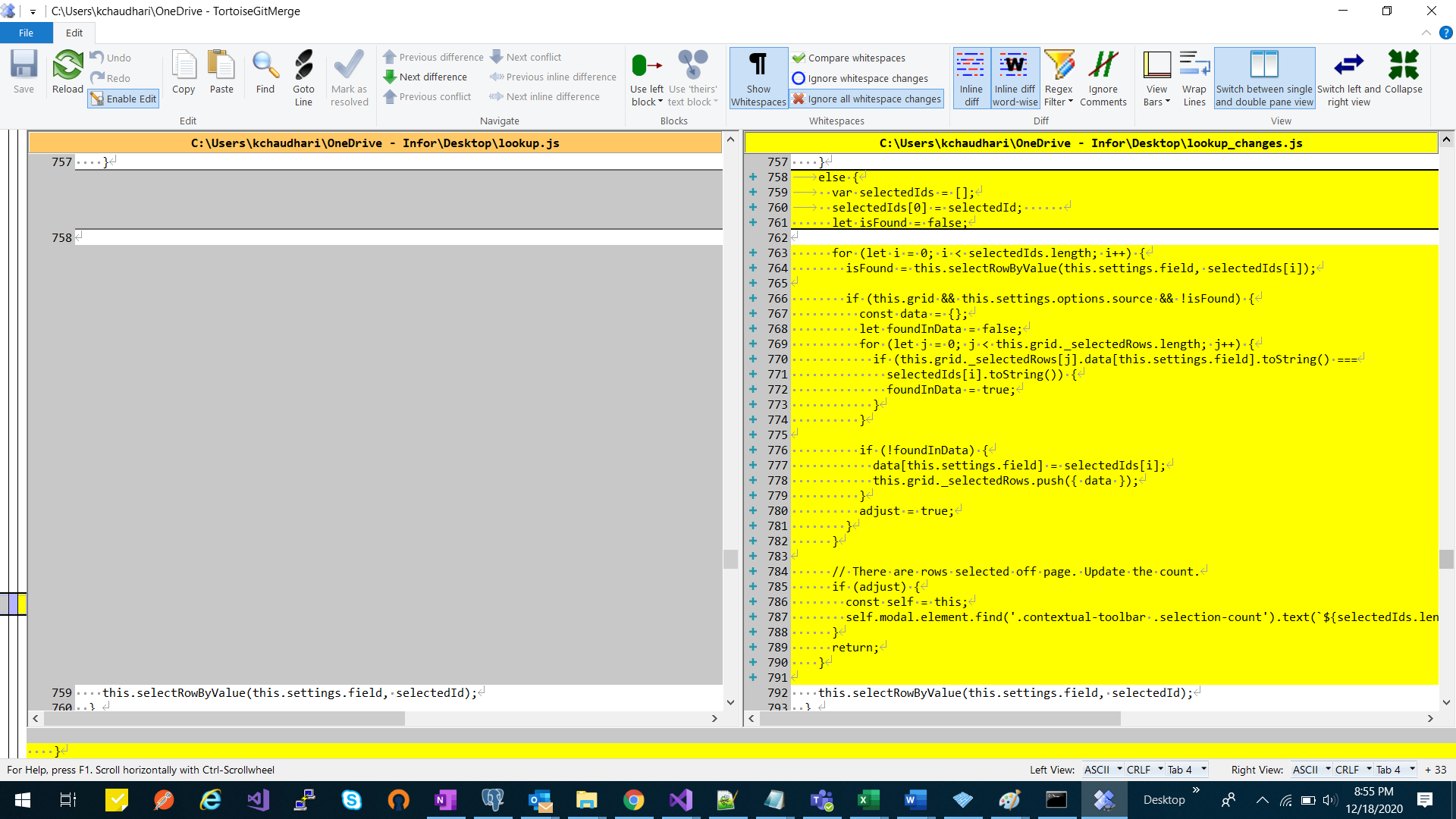
Attached the code changes file js (Changes Line No :- 758 to 790).
kvchaudhari
on 18 Dec 2020
This code in the zip is not valid...
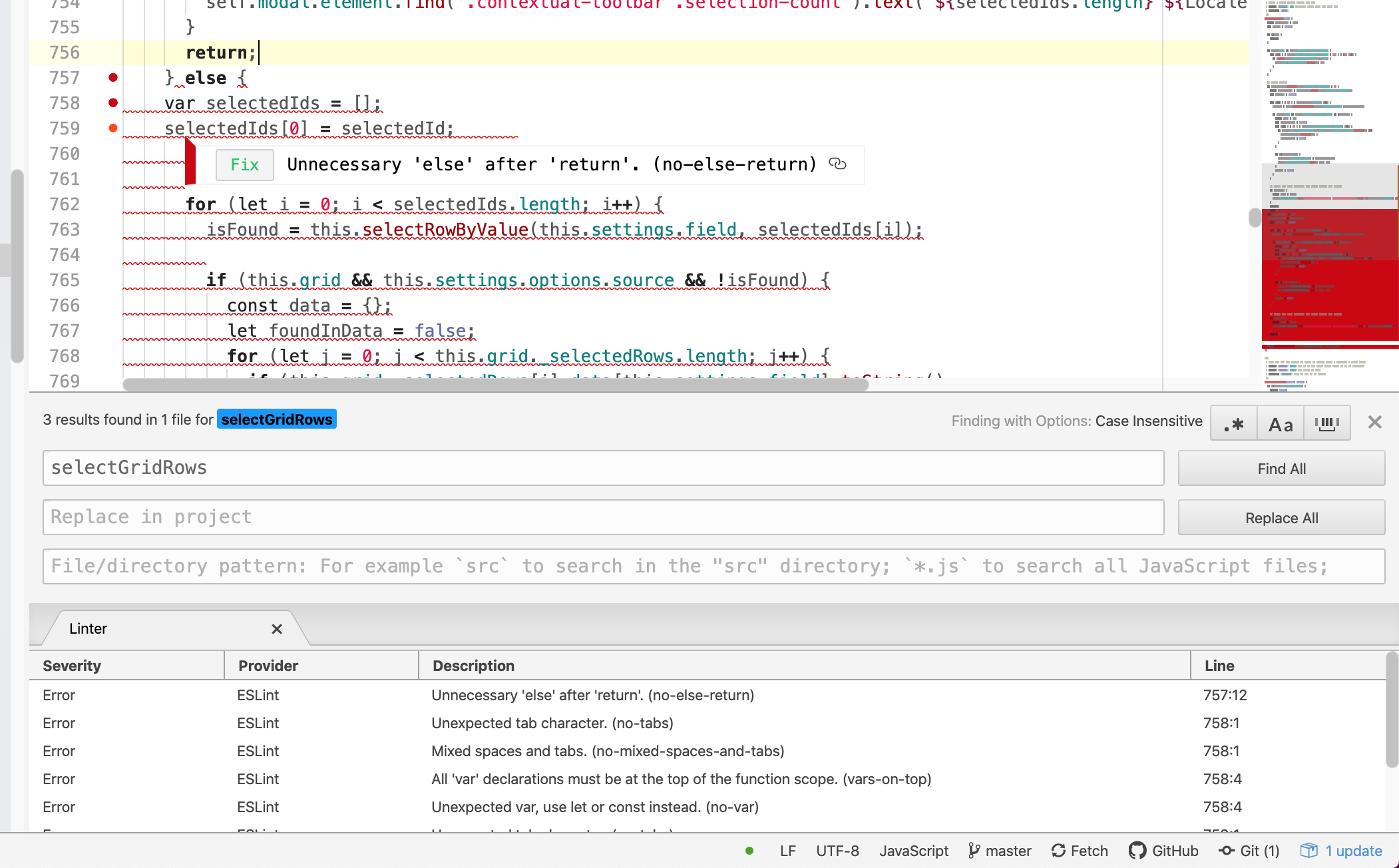
Might be easier if you just do a pull request.
tmcconechy
on 18 Dec 2020
HI Tim,
I have done the pull request - https://github.com/kvchaudhari/enterprise_latest
Changes in :- https://github.com/kvchaudhari/enterprise_latest/blob/master/src/components/lookup/lookup.js
kvchaudhari
on 21 Dec 2020
OK great! All you have to do now is make a pull request to move it over to our repo. Although with this i can probably do the diff if your having issues (i cant do that step for you since its in your repo but there should be a button)
tmcconechy
on 21 Dec 2020
Pushed this https://github.com/infor-design/enterprise/pull/4703 and tested and it looks good. Waiting for more reviews
tmcconechy
on 21 Dec 2020
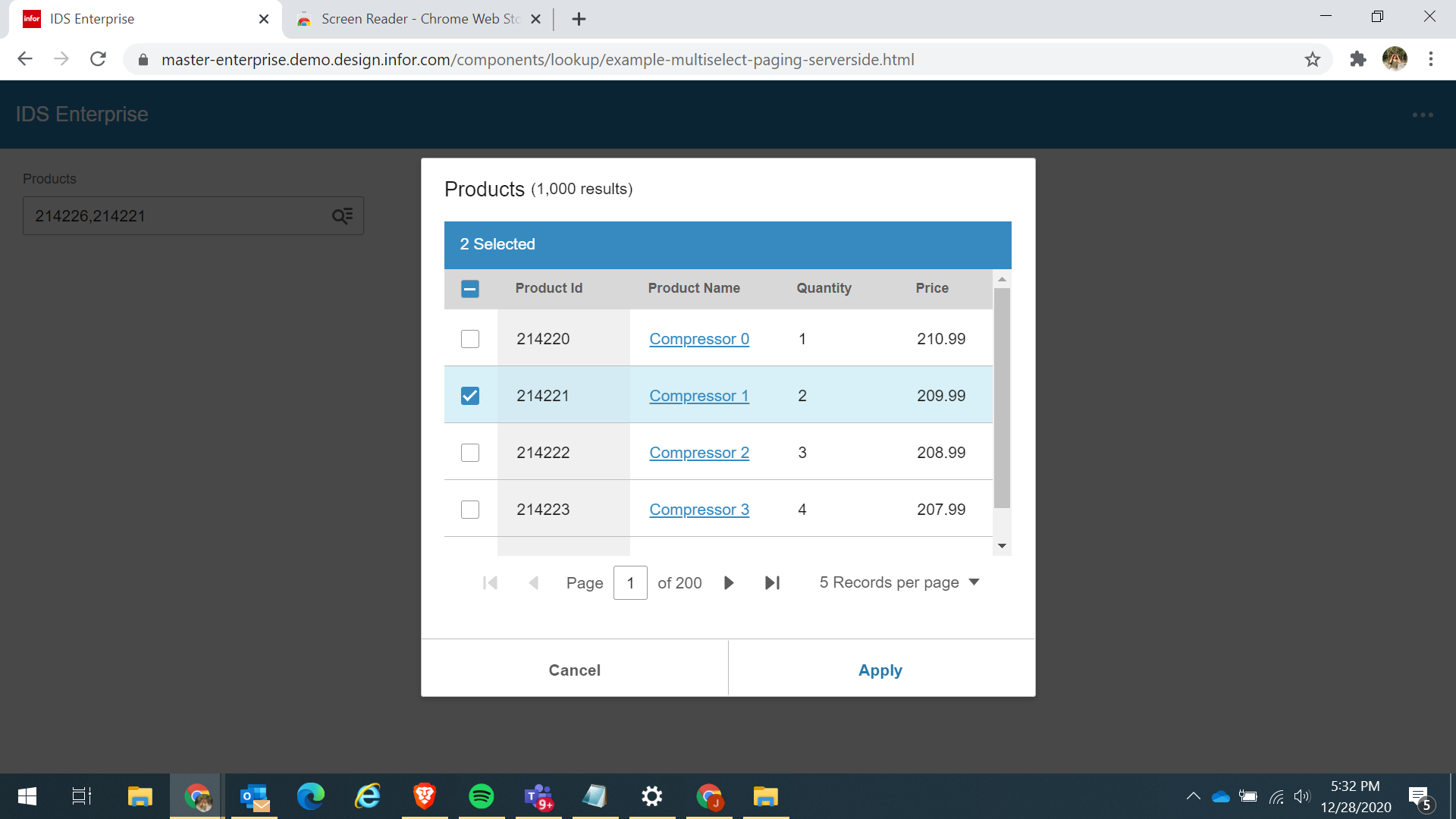
QA Passed.
 janahintal
on 28 Dec 2020
janahintal
on 28 Dec 2020
Hi Tim,
We observed same issue with 4.36.1 SoHo library. Do I need to report separate issue or can we reopen this issue?
To reproduce this issue in 4.36.1 you can use same steps mentioned above.
Regards,
Kishor
dhumalkishor
on 25 Jan 2021
@kvchaudhari had provided the fix - do you have any suggestions here? I tested the first steps on the issue and your right this isnt fixed. Did we missing something merging the fix?
We should reopen i guess.
tmcconechy
on 25 Jan 2021
HI @tmcconechy ,
I have verified, fixed is available in the 4.36.1 SoHo library and the functionality for lookup is working fine.
Only getting issue with - "Products (Multi Select Stored as Object) with existing value" -
As "2142204" this value is default selected in lookup, but this product id is not available in the grid data.
Note :- For multiselect lookup, if any id is default selected and which is not present in the grid data then after selection new id, this id got replaced.
Regards,
Kalpesh
kvchaudhari
on 27 Jan 2021
I'm a but confused about this issue at this stage. Also the fact that @kvchaudhari says its working. But as far as i can see on master and 4.37. Its working with these steps. But i do recall seeing it not work in the past and see it working now.
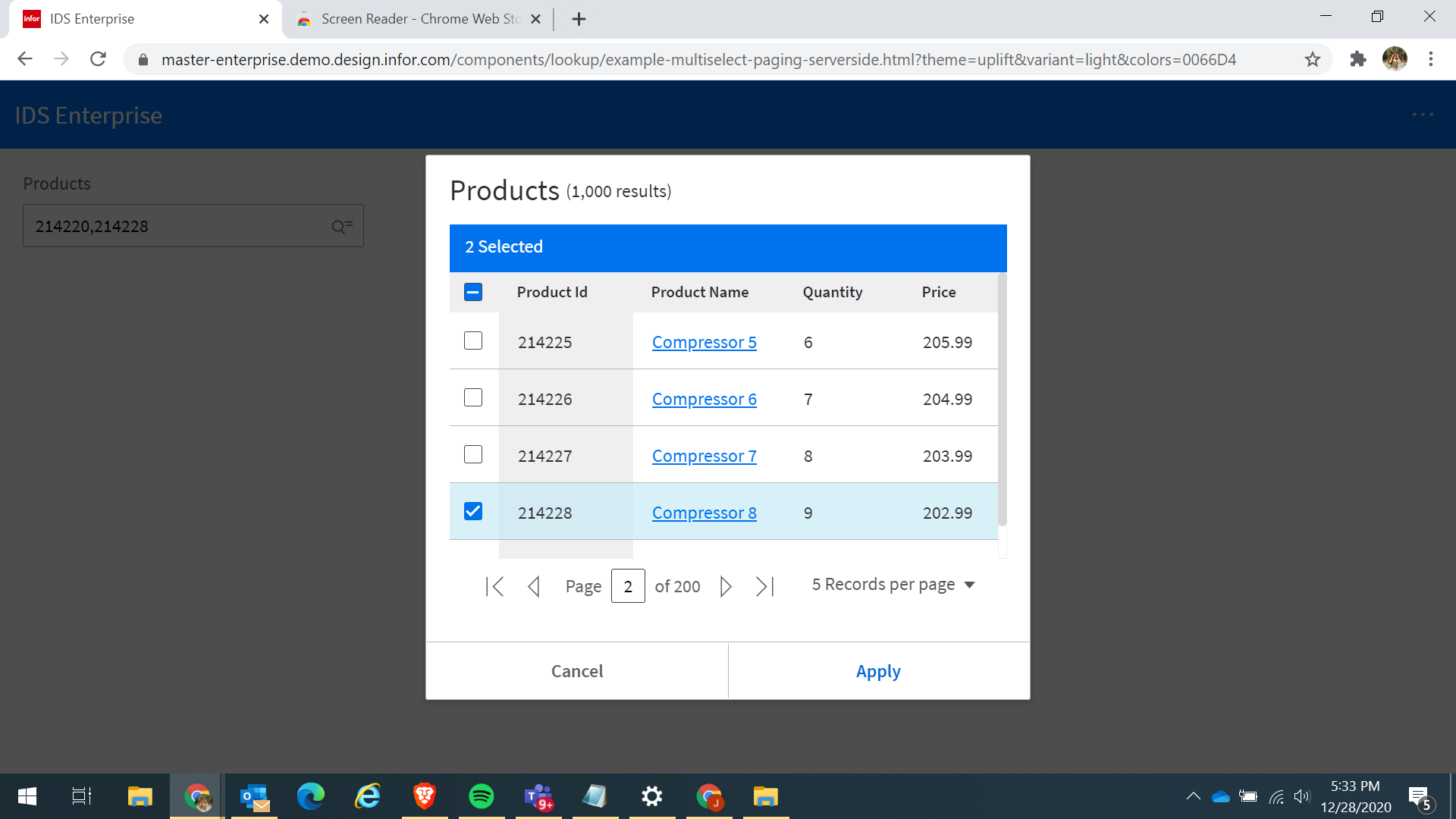
These are the steps im using to verify:
- load page on master http://localhost:4200/ids-enterprise-ng-demo/lookup
- click Products (Async Results) Multi Select
- go to page 2 and select one
- open again and do not change page - select one one page 1
- both should be selected
I looked at what you said on "Products (Multi Select Stored as Object) with existing value" but this one will not work because allowSelectAcrossPages is not set.
My suggestion is we close this. If further issues please make a new issue with the more precise steps / expected results ect. As this one has too much history now to follow. Sorry to do that but having a really hard time with this one to follow and it looks ok as i expect; so i think we need to make a new issue.
tmcconechy
on 9 Feb 2021
Related issues
 Fruko
·
4Comments
Fruko
·
4Comments
 anhallbe
·
5Comments
anhallbe
·
5Comments
 edgarinfor
·
5Comments
edgarinfor
·
5Comments
 gushanson
·
5Comments
gushanson
·
5Comments
 volante007
·
3Comments
volante007
·
3Comments