Enterprise-ng: Masthead: Support `toolbar-flex` and `img` inside masthead / soho-menu-button
Is your feature request related to a problem? Please describe.
We have a requirement to display a profile picture on the masthead, similar to the user profile picture in MS Teams.
There are a number of useful photo styles defined which work on forms, however they are not suitable for the toolbars (specifically the masthead) or drop down menus.
https://master-enterprise.demo.design.infor.com/components/images/example-photos.html.
We have been unable to get the image to display correct, and have resorted to using:
<div class="buttonset">
    <img class="masthead-profile-picture" [src]="photoString$ | async">
    <button soho-menu-button menu="action-popupmenu" id="user-signout" (selected)="onSelected($event)"></button>
    <ul soho-popupmenu id="action-popupmenu">
      <li>
        <a soho-popupmenu-label>
          <img id="picture" class="drop-down-profile-picture" [src]="photoString$ | async">
          {{getLoginUserName()}}
        </a>
      </li>
      <li soho-popupmenu-separator></li>
      <li soho-popupmenu-item><a id="signout">Sign out</a></li>
    </ul>
  </div>
}
Describe the solution you'd like
We'd like to be able to add an image inside the button and for it to be handled correctly.
Describe alternatives you've considered
We tried to move the image as above, but there is now a noticeable gap and other layout issues.
 bthharper
All 12 comments

bthharper
on 22 Apr 2020
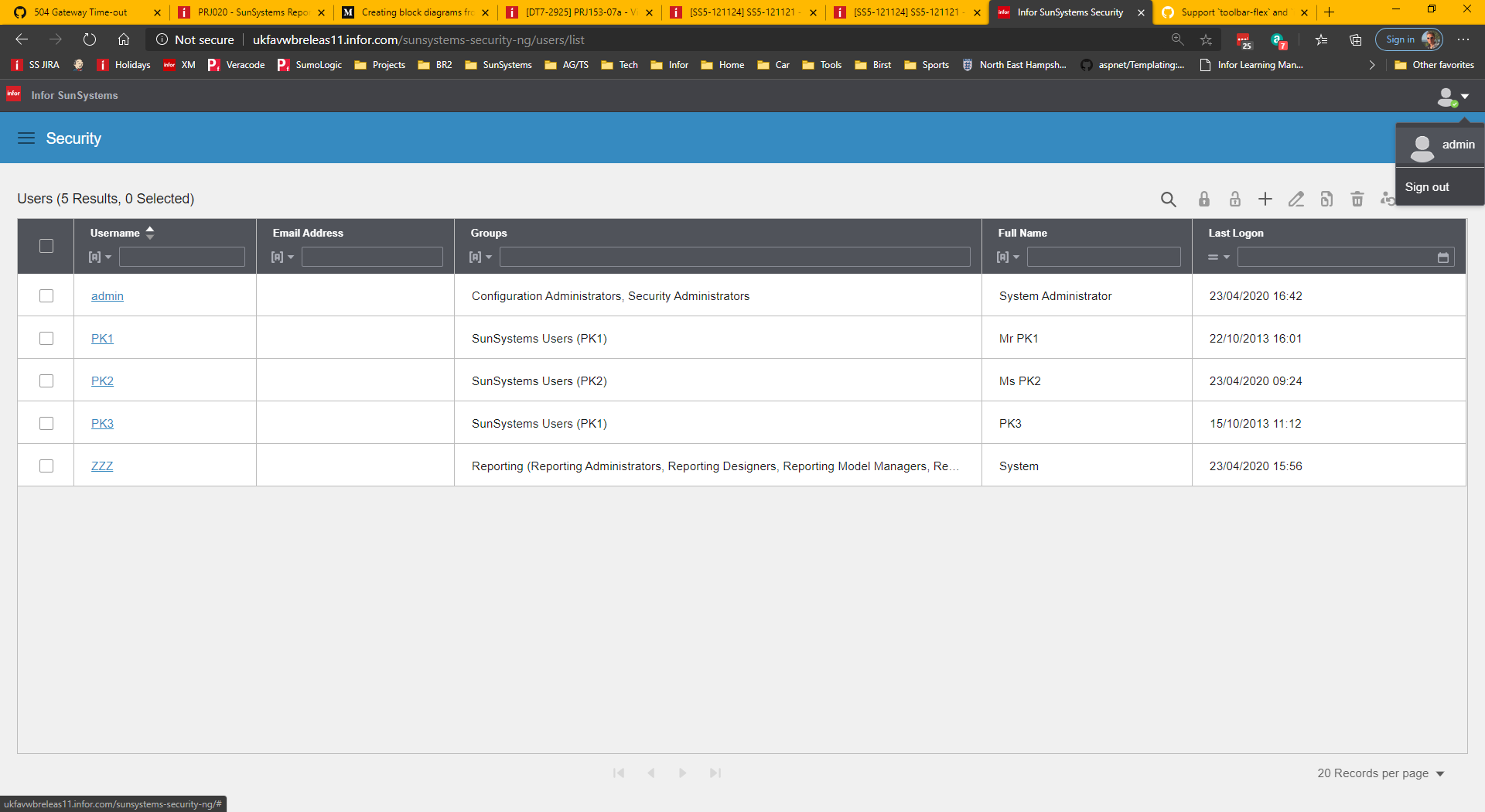
The above image shows how using a soho-toolbar-flex in the masthead results in misalignment when displayed.
<div soho-toolbar-flex role="toolbar">
  <soho-toolbar-flex-section [isTitle]="true">
    <button soho-button="icon" id="logo-homepage" icon="logo" tabindex="0">
      <span class="audible">Go To Home</span>
    </button>
    <h1 class="masthead-appname">{{'AppMastheadAppName' | sohoTranslate}}</h1>
  </soho-toolbar-flex-section>

  <soho-toolbar-flex-section [isButtonSet]="true">
    <img class="masthead-profile-picture" [src]="photoString$ | async">
    <button soho-menu-button menu="action-popupmenu" id="user-signout" (selected)="onSelected($event)"></button>
    <ul soho-popupmenu id="action-popupmenu">
      <li>
        <a soho-popupmenu-label>
          <img id="picture" class="drop-down-profile-picture" [src]="photoString$ | async" alt="image">
          {{getLoginUserName()}}
        </a>
      </li>
      <li soho-popupmenu-separator></li>
      <li soho-popupmenu-item><a id="signout">Sign out</a></li>
    </ul>
  </soho-toolbar-flex-section>
</div>
One of the main issue have have here is the location of the drop down menu, for the popup-menu.
bthharper
on 23 Apr 2020
bthharper
on 23 Apr 2020
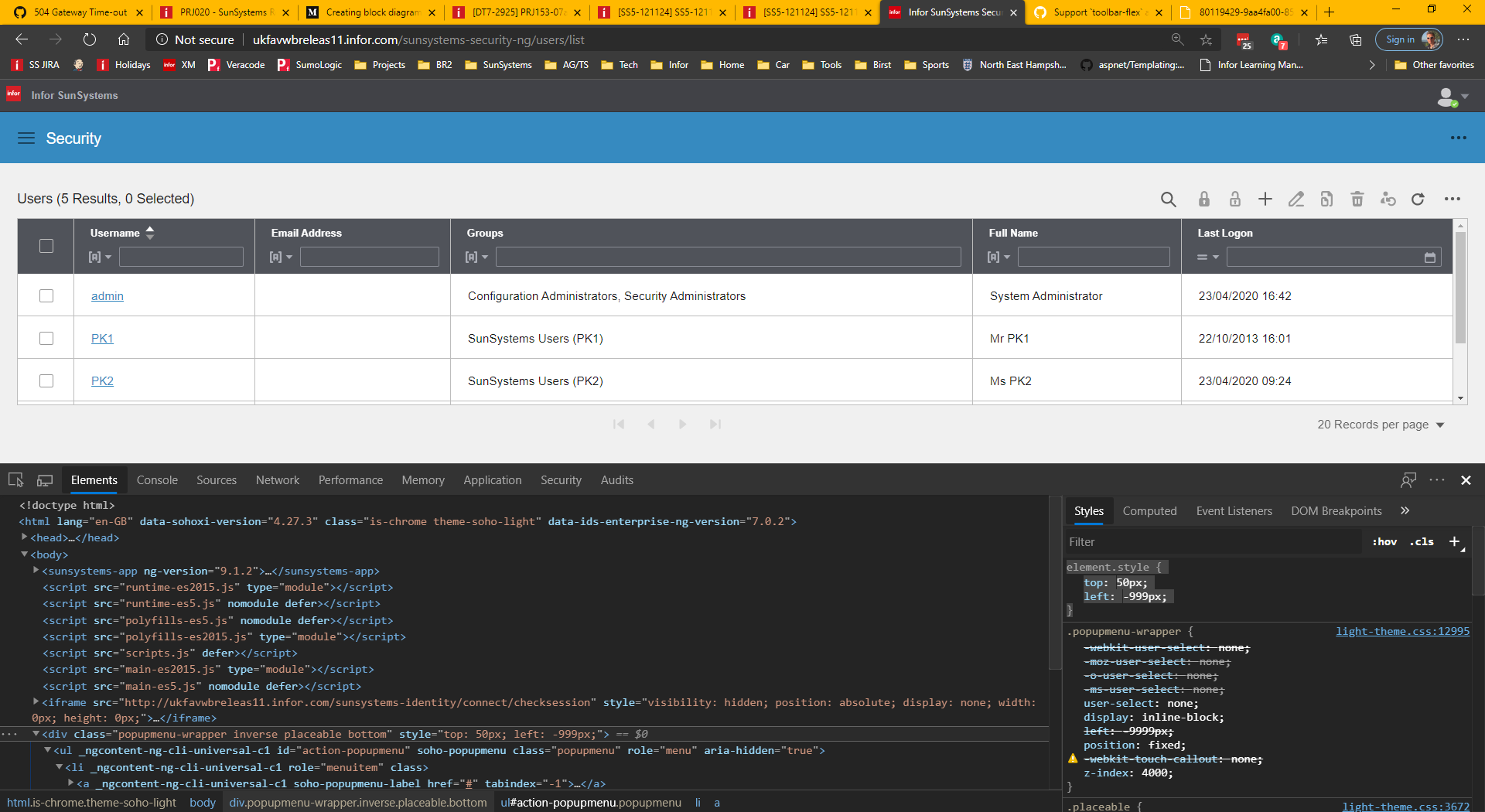
element.style {
    top: 50px;
    left: -999px;
}
The left is not calculated quite right.
bthharper
on 23 Apr 2020
@tmcconechy we may want to raise an EP issue for building some samples/testing Masthead/Toolbar Flex integration. Not sure I've fully explored that.
 EdwardCoyle
on 23 Apr 2020
EdwardCoyle
on 23 Apr 2020
Yeah i think the flex integration is not there. I just said add it on this issue. Wherever this issue sits in either repo the flex toolbar dosnt quite work on masthead. Thats this issue to solve here I think.
 tmcconechy
on 23 Apr 2020
tmcconechy
on 23 Apr 2020
cc @inforandy i think this needs design feedback right?
tmcconechy
on 3 Jun 2020
@tmcconechy yup, got it here https://jira.infor.com/browse/HLPE-451
thanks @tmcconechy
 inforandy
on 4 Jun 2020
inforandy
on 4 Jun 2020
I added more context, and comments about this here https://jira.infor.com/browse/HLPE-453
 lucacolumbu
on 4 Jun 2020
lucacolumbu
on 4 Jun 2020
Updated design is on https://jira.infor.com/browse/HLPE-419?focusedCommentId=6640039&page=com.atlassian.jira.plugin.system.issuetabpanels%3Acomment-tabpanel#comment-6640039 and in https://www.figma.com/file/NxW02D7lFiACMTtTPV0eWW/InforOS-Revised-Ming.le?node-id=1%3A2
tmcconechy
on 17 Jul 2020
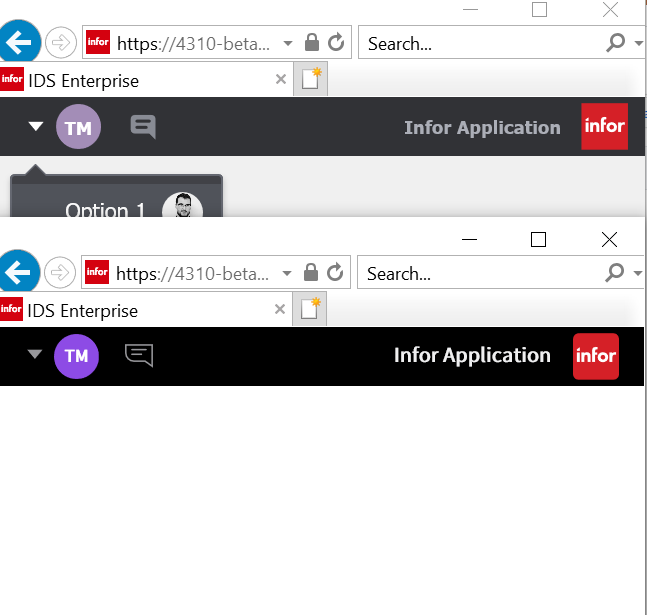
This issue is now resolved.
Verified in
https://4310-beta1-enterprise.demo.design.infor.com/components/masthead/example-photos.html?locale=ar-EG
https://4310-beta1-enterprise.demo.design.infor.com/components/masthead/example-index.html
https://4310-beta1-enterprise.demo.design.infor.com/components/images/example-photos.html
https://4310-beta1-enterprise.demo.design.infor.com/components/images/example-photos.html
 janahintal
on 30 Jul 2020
janahintal
on 30 Jul 2020
Related issues
 ahnpnl
·
7Comments
ahnpnl
·
7Comments
 clepore
·
3Comments
clepore
·
3Comments
 JestoniFajardo
·
5Comments
JestoniFajardo
·
5Comments
 volante007
·
3Comments
volante007
·
5Comments
volante007
·
3Comments
volante007
·
5Comments
Most helpful comment
Yeah i think the flex integration is not there. I just said add it on this issue. Wherever this issue sits in either repo the flex toolbar dosnt quite work on masthead. Thats this issue to solve here I think.