I change this file's codes.
https://github.com/Studio-42/elFinder/blob/master/css/cwd.css
.elfinder-cwd-icon-image:after,
.elfinder-cwd-icon-vnd-adobe-photoshop:after,
.elfinder-cwd-icon-postscript:after,
.elfinder-cwd-icon-image,
.elfinder-cwd-icon-vnd-adobe-photoshop,
.elfinder-cwd-icon-postscript        { background-position:0 -250px;  }
to
.elfinder-cwd-icon-vnd-adobe-photoshop:after,
.elfinder-cwd-icon-vnd-adobe-photoshop { background-position:0 -xxxxpx;  }

.elfinder-cwd-icon-image:after,
.elfinder-cwd-icon-postscript:after,
.elfinder-cwd-icon-image,
.elfinder-cwd-icon-postscript        { background-position:0 -250px;  }
But psd icon not change.
after it remove this code
.elfinder-cwd-icon-image:after,
.elfinder-cwd-icon-postscript:after,
.elfinder-cwd-icon-image,
.elfinder-cwd-icon-postscript        { background-position:0 -250px;  }
Psd icon is gone to unknown file type icon.(I know remove this code will disappear images icon. also remove 'vnd-adobe-photoshop' .psd unknown icon disappeared.)
some file types icon can change.
.rar .zip .7z .php .doc .xlsx etc.
So How I change psd icon?
Also image editor available to psd. But select it & try to edit it.Its say unable to load image.
 CodeLyokoXtEAM
All 3 comments
Currently, only "elfinder-cwd-icon-image" is given as the class name for files with MIME type "image/*". Since thumbnails may not be created even for image type files, so I'll make that "elfinder-cwd-icon-vnd-adobe-photoshop" is also given.
Please be careful about the priority of CSS.
.elfinder-cwd-icon-image:after,
.elfinder-cwd-icon-postscript:after,
.elfinder-cwd-icon-image,
.elfinder-cwd-icon-postscript        { background-position:0 -250px;  }
/* It must be defined after "elfinder-cwd-icon-image" */
.elfinder-cwd-icon-vnd-adobe-photoshop:after,
.elfinder-cwd-icon-vnd-adobe-photoshop { background-position:0 -xxxxpx;  }
 nao-pon
on 18 Aug 2017
nao-pon
on 18 Aug 2017
@CodeLyokoXtEAM Thanks! 👍
nao-pon
on 18 Aug 2017
@nao-pon
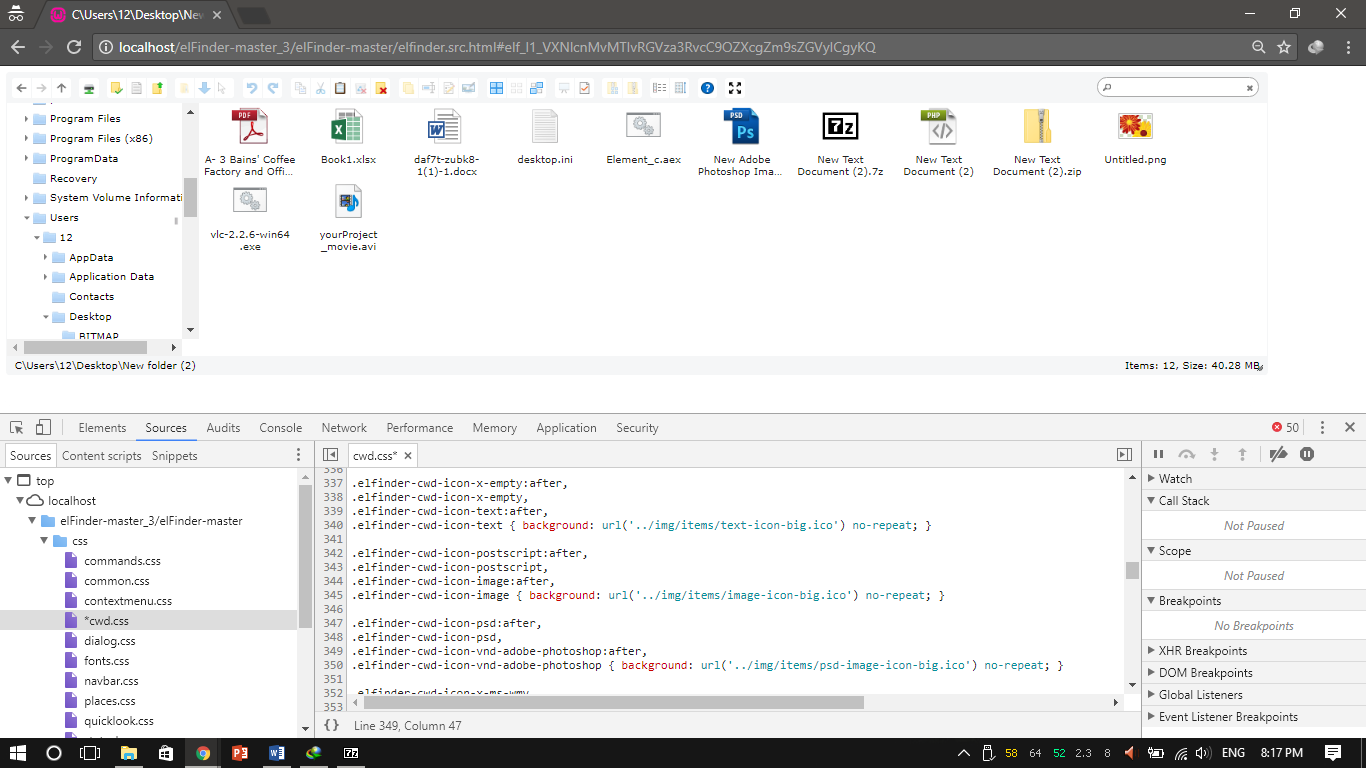
Ffinally its work.
Thank You.👍
CodeLyokoXtEAM
on 18 Aug 2017
Related issues
 ioaoue
·
11Comments
ioaoue
·
11Comments
 ghigio2000
·
12Comments
ghigio2000
·
12Comments
 dleffler
·
11Comments
dleffler
·
11Comments
 toastbrotch
·
13Comments
toastbrotch
·
13Comments
 isreehari
·
12Comments
isreehari
·
12Comments
Most helpful comment
@CodeLyokoXtEAM Thanks! 👍