Electron-cash: Multisig wallet broadcast error with "An error occurred broadcasting the transaction"
OS: Mac 10.15.3
Version: 4.0.12
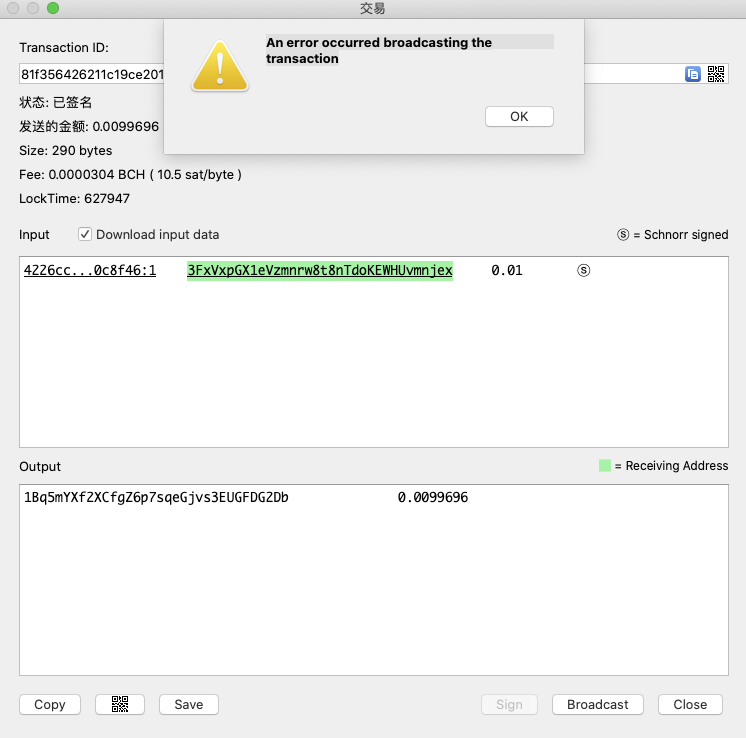
1.Signed the transaction by wallet1 and wallet2,
- Broadcast the signed transaction
result:
Broadcast fail with error message "An error occurred broadcasting the transaction".
And there is no other details.
 devilrayzl
All 6 comments
Ok, can you do the following:
- Open a terminal (-Space, Terminal.app)
- Tell it to run electron-cash with
-voption:/Applications/Electron-Cash.app/Contents/MacOS/Electron-Cash -v - Note: You may have to replace
/Applications/Electron-Cash.app/Contents/MacOS/Electron-Cashabove with the path to yourElectron-Cash.appbundle -- but only if you didn't put it in/Applications. If you did put it inApplications, just do step (2) above. - You should see a bunch of debug output. In the terminal window.
- Try broadcasting the tx again and look to see what the error message about broadcast is and send it there.
 cculianu
on 25 Mar 2020
cculianu
on 25 Mar 2020
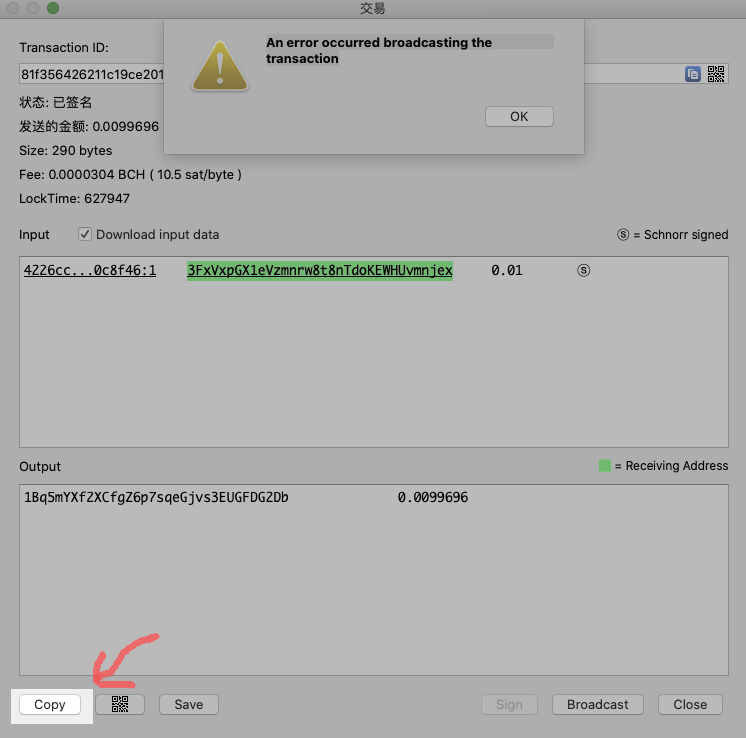
If the above instructions are too complicated -- I just thought of something easier. After you sign the transaction -- click on this in the Transaction dialog to copy the transaction data to clipboard. And paste the text here. I can try broadcasting it to see what the error message is:
cculianu
on 25 Mar 2020
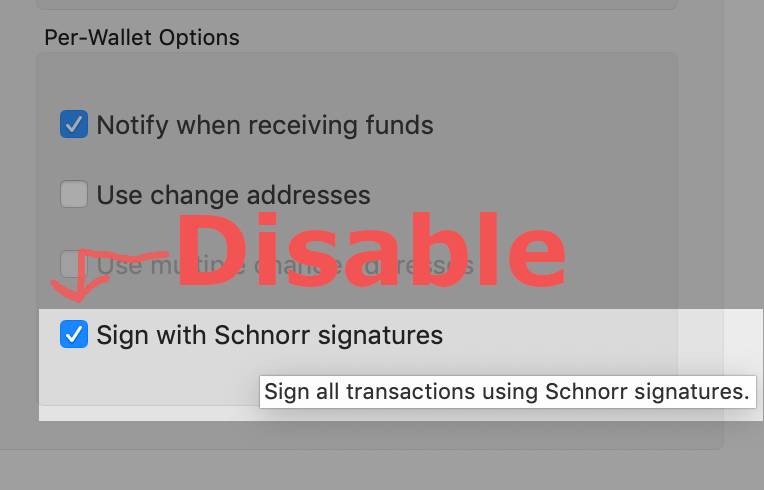
Oh wait. I just realized what the problem is!!! For some reason Electron Cash is signing this transaction with schnorr -- but we never implemented multisig schorr!!
Can you go to preferences and disable Schnorr for this wallet?
This must be a bug -- that shouldn't be allowed to happen in the UI.
cculianu
on 25 Mar 2020
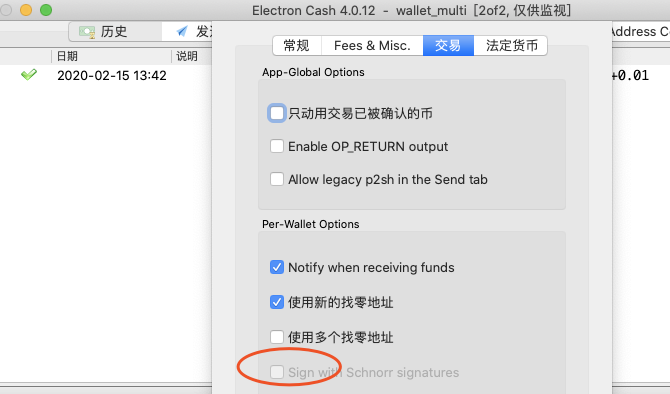
It seemed the multisig wallet does not got this option.
But I disable it in the cosigner wallet. I will try it again.
devilrayzl
on 25 Mar 2020
Yes, broadcast successfully.You are right.Thanks a lot.
devilrayzl
on 25 Mar 2020
Yay! Glad it worked out.
cculianu
on 25 Mar 2020
Related issues
 markblundeberg
·
4Comments
markblundeberg
·
4Comments
 emergent-reasons
·
7Comments
emergent-reasons
·
7Comments
 Drac42
·
6Comments
Drac42
·
6Comments
 uncleschaeflit
·
6Comments
uncleschaeflit
·
6Comments
 molecular
·
5Comments
molecular
·
5Comments