Electron-cash: 'Clear' option fails to properly clear "Pay to' field
MacOS Mojave 10.14.4
Electron Cash 4.0.5
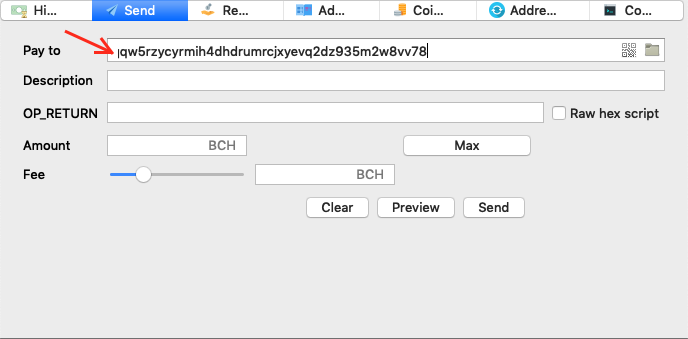
'Clear' option fails to properly clear text from "Pay to' field.
LMB out of Electron Cash user interface clears "Pay to" field after using 'Clear' option.
Despite 'Pay to' field still showing text it seems not to be considered as valid information.
The issue does not represent a major problem and it is easily solved by the user but does not work in the direction of appealing user experience.
To reproduce:
- Enter receiving address.
- Click on 'Clear' button.
- Check field 'Pay to'.
- LMB out of Electron Cash user interface.
 Leandrodimarco
All 10 comments
I can't reproduce this. "Clear" does what you expect. I am on macOS High Sierra. I tried it on Mojave too and same behavior. No matter what's in the Pay-to field, it always clears.
Please elaborate on how to reproduce it?
 cculianu
on 1 Jun 2019
cculianu
on 1 Jun 2019
Sure. First, let me add:
Tested in Windows 10 Pro:
Electron Cash 3.3.2: No issue detected.
Electron Cash 4.0.5: No issue detected.
Electron Cash 4.0.6 Dev1: No issue detected.
Tested in MacOS Mojave 10.14.4:
Electron Cash 3.3.2: No issue detected.
Electron Cash 4.0.5: Issue detected.
Electron Cash 4.0.6 Dev1: Issue detected
To reproduce:
Enter the receiving address.
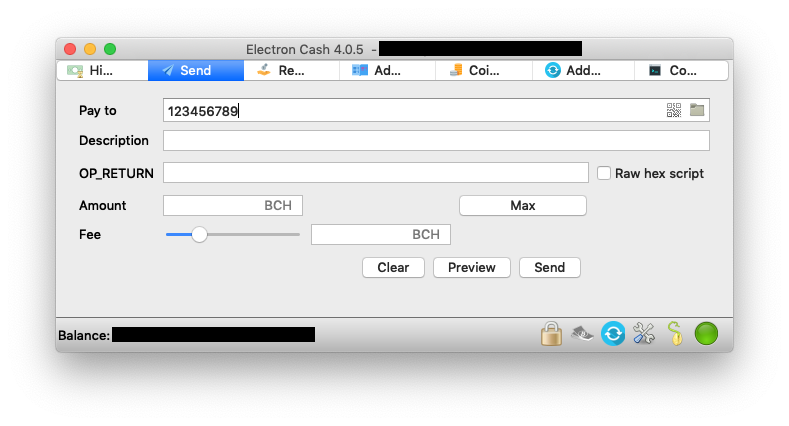
Click on 'Clear' button and check 'Pay to' field. Cursor goes back to the left margin covering the first character (in this case "1') but the rest of the string is still on display.
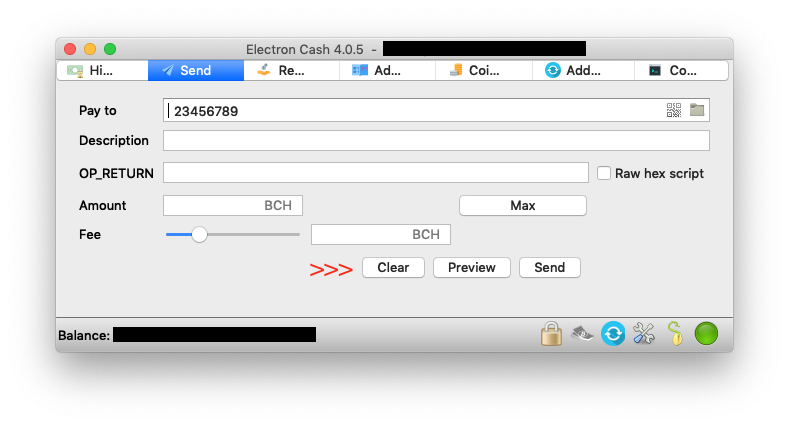
I guess that if you can't reproduce it in Mojave the issue is dependant on my environment/installation.
Leandrodimarco
on 2 Jun 2019
Hmm. I believe you that it's happening. What worries me is it may happen to others too.
Here is a small GIF movie I made illustrating that it works on my system.
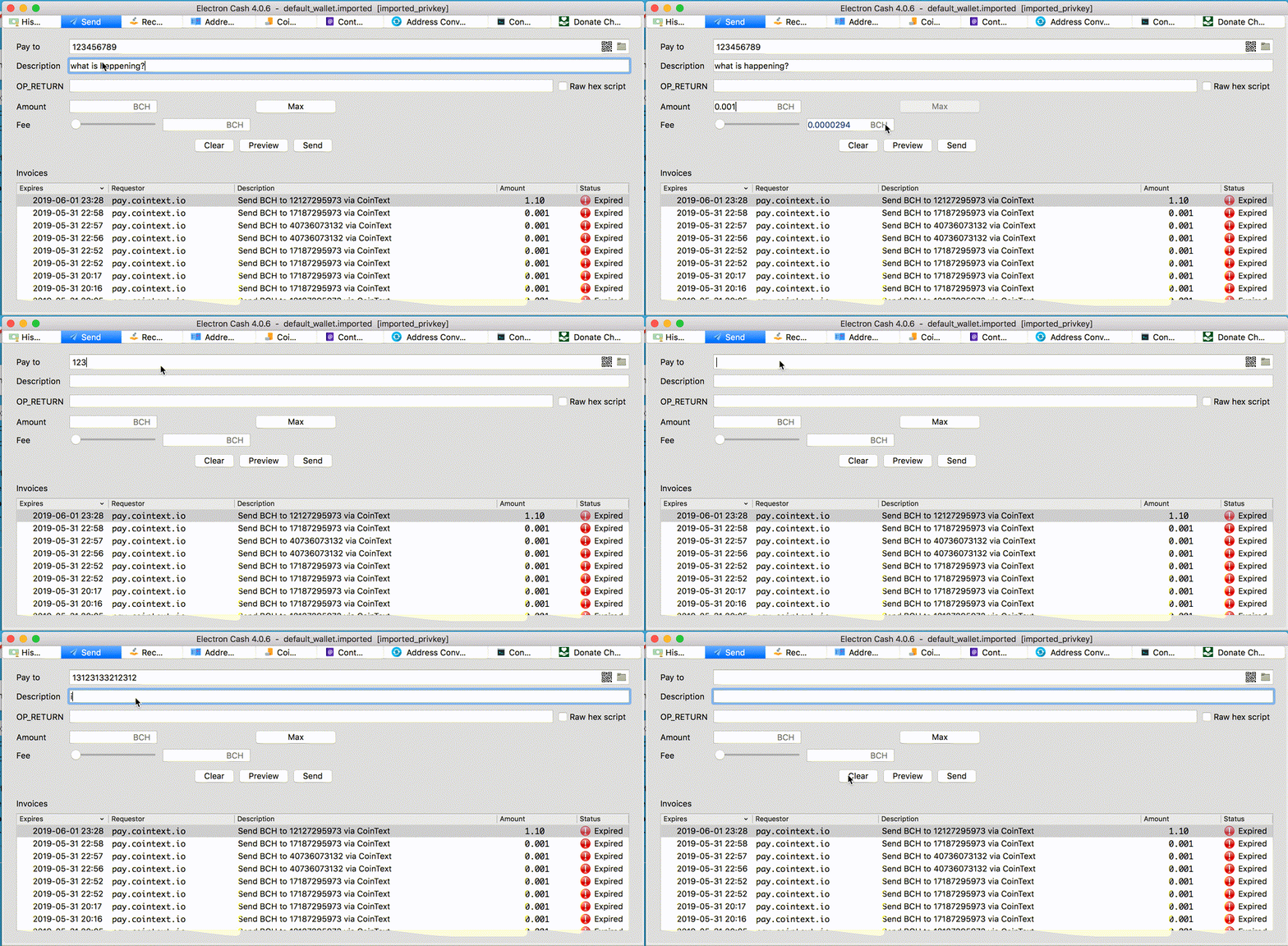
I would REALLY love to know why it's not working. Maybe you are getting an exception raised silently somewhere... hmm.
Can you try the following:
- Open up Terminal.app (⌘ + Space, "Terminal", ENTER)
- At the terminal, enter the following (assuming Electron-Cash is installed in /Applications):
/Applications/Electron-Cash.app/Contents/MacOS/Electron-Cash -v
This will run Electron-Cash is verbose mode. You should see a bunch of stuff printed on the console (debug info, etc).
- Try and reproduce the problem and check the terminal for things that look like an Exception stacktrace. This is a sample stacktrace:
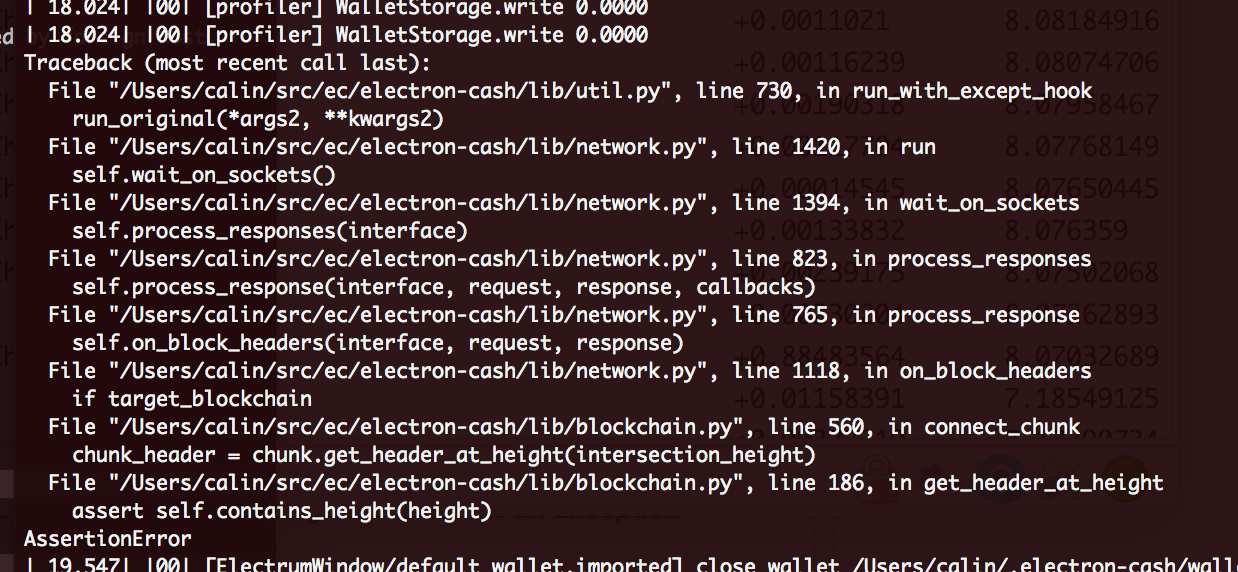
If you see something like the above, please paste in the text of the log around that area, including that area.
cculianu
on 2 Jun 2019
I tried the requested workflow.
No errors or exceptions detected at Terminal.
:(
Leandrodimarco
on 3 Jun 2019
Could you please test if you have this issue with 4.0.2? If you don't have the issue with 4.0.2, please also test 4.0.3 and 4.0.4 so we know which version the issue was introduced in.
 EchterAgo
on 3 Jun 2019
EchterAgo
on 3 Jun 2019
Test results using MacOS Mojave 10.14.4:
4.0.4: Issue detected
4.0.3: Issue detected
4.0.2: Issue detected
4.0.1: Issue detected
4.0.0: Issue detected
3.3.6: Issue detected
3.3.5: Issue detected
3.3.4.1: Issue detected
3.3.4: Electron-Cash quit unexpectedly
3.3.3: Electron-Cash quit unexpectedly
3.3.2: Issue _NOT_ detected
The issue I see affects just 'Pay to' field.
'Clears' works perfectly with other fields.
Leandrodimarco
on 3 Jun 2019
Ok, thanks for the thorough data points. I will try and see what changed since then. Of course we are missing some data points since 3.3.2... :)
I'll do a diff and see if anything pops out at me...
cculianu
on 3 Jun 2019
I looked at the diffs between working vs not working versions and nothing is obvious -- although the diffs are quite large.
Can you do me a favor: disable all plugins (external and internal)? It's possible some plugin is interfering (not likely, but possible).
Let me know if that helps... :/
cculianu
on 3 Jun 2019
GOOD NEWS!
I was able to reproduce this with Electron Cash 4.0.0 release (but not 4.0.5) on my girlfriend's mac. It behaves exactly as you describe and it looks like a repaint glitch.
I even found a workaround to get it to work -- (force a repaint). I'm committing something to the repo now and will put together an extra special dev build just for you so you can download and test and let me know if the problem went away for you.
Will post the URL here privately when the dev build is ready.
cculianu
on 3 Jun 2019
Tested in 'extra special dev build'.
No issue detected.
'Clear' properly clears 'Pay to' field.
Thanks!
Leandrodimarco
on 3 Jun 2019
Related issues
 tracyspacy
·
6Comments
tracyspacy
·
6Comments
 devilrayzl
·
6Comments
devilrayzl
·
6Comments
 Subzerocold
·
4Comments
Subzerocold
·
4Comments
 molecular
·
5Comments
molecular
·
5Comments
 ProfessorVenkman
·
4Comments
ProfessorVenkman
·
4Comments
Most helpful comment
Tested in 'extra special dev build'.
No issue detected.
'Clear' properly clears 'Pay to' field.
Thanks!