第一次提问,格式不是特别清楚,请见谅。我现在的问题是,在使用egg-grpc的时候,一次调用的时间最少一秒以上,我自己写的测试一次请求只有几毫秒。
 liuxuech
All 12 comments
提供最小可复现案例。
 atian25
on 4 Dec 2017
atian25
on 4 Dec 2017
下面是我的proto文件定义的一些格式:
syntax = "proto3";

package common;

service hello {
    rpc sayHello (pingRequest) returns (pingRequest) {};
}

message pingRequest {
    string name = 1;
    float age = 2;
    repeated int32 lang = 3;
    repeated group  Test = 4 {
        int32 pid = 1;
        string alias = 2;
    };
    group Books = 5 {
         string name = 1;
         int32 pages = 2;
    }
}
下面是我自己写的一个简单的server:
'use strict';

const PROTO_PATH = './common.proto';
const grpc = require('grpc');
const service = grpc.load(PROTO_PATH).common.hello.service;

function sayHello(call, callback) {
    callback(null, call.request);
}

// 启动服务
const server = new grpc.Server();
// 注册SayHello方法
server.addService(service, {sayHello});
server.bind('127.0.0.1:50051', grpc.ServerCredentials.createInsecure());
server.start();
console.log('server is listening');
这里是我在controller里面写的测试代码
async rpc(ctx) {
      const start = Date.now();
      const client = ctx.grpc.common.hello;
      const result = await client.sayHello({
        age: 2.1,
        name: 'lxc',
        lang: [ 1, 2, 3, 4 ],
        test: [{ alias: 'liuxuech', pid: 20 }, { alias: 'liuxuech', pid: 20 }, { alias: 'liuxuech', pid: 20 }],
        books: { name: 'java', pages: 100 },
      });
      const end = Date.now();
      console.log((end - start) / 1000);
      this.success(result);
    }
每次请求都是 1.x秒 。 不知道清楚不。
liuxuech
on 4 Dec 2017
对了,这是我在config.default.js里面的配置:
config.grpc = {
        endpoint: 'localhost:50051',
        dir: 'app/proto', // proto files dir, relative path
        property: 'grpc', // default attach to `ctx.grpc.**`
    };
版本:node(8.x),egg(2.0),grpc(1.0.3)。
liuxuech
on 4 Dec 2017
@liuxuech 我使用你的代码,写了个 demo,发现没有复现你所描述的这种情况,响应均是很快,是不是你的 success 方法中做了 timeout ?
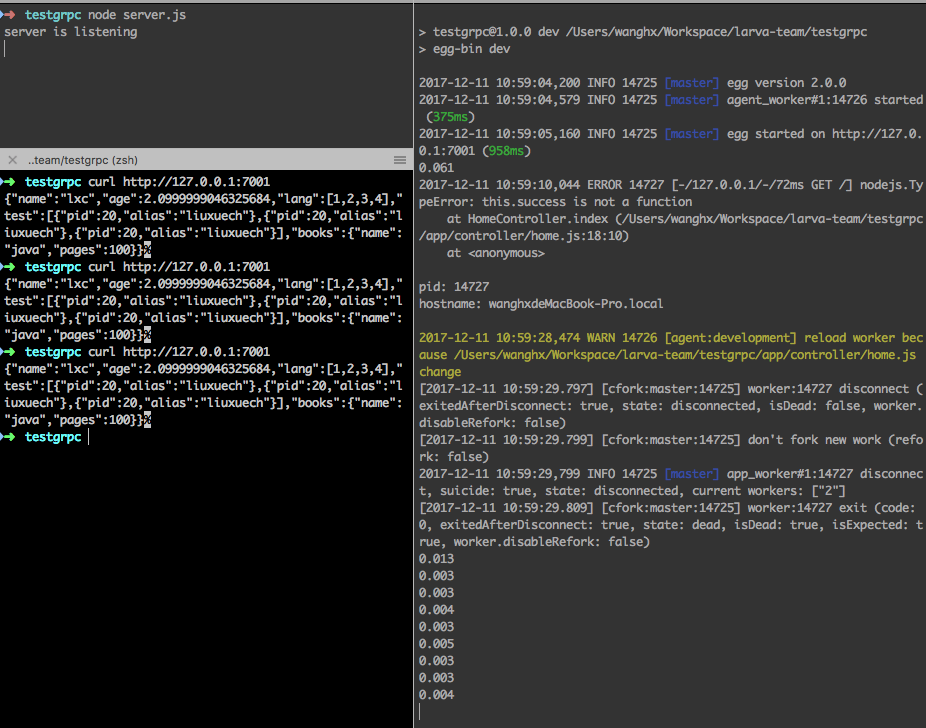
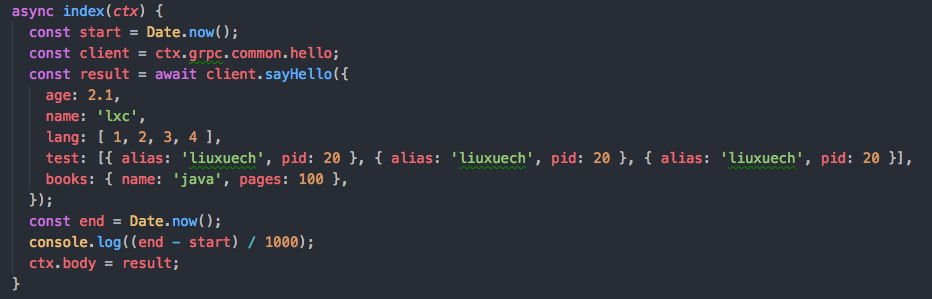
要不你提供一个能稳定复现的案例?
 whxaxes
on 11 Dec 2017
whxaxes
on 11 Dec 2017
ti_server.zip
1、npm i
2、npm run dev
3、启动plugins/grpc/server.js
4、http://127.0.0.01:7001
@whxaxes 辛苦了
liuxuech
on 11 Dec 2017
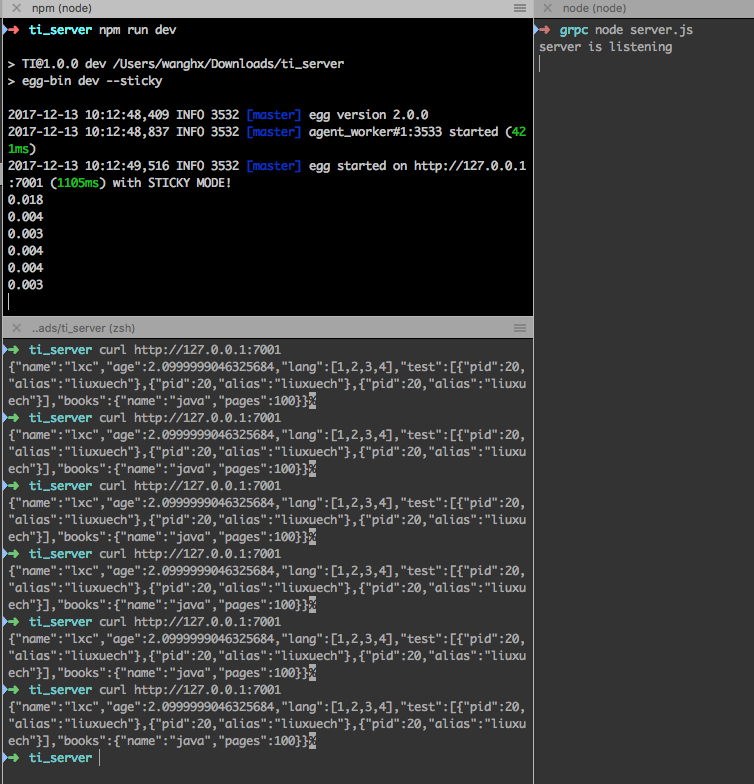
@liuxuech 试了你的 demo,发现还是无法复现哦
whxaxes
on 13 Dec 2017
@liuxuech 是什么系统?windows ?
whxaxes
on 13 Dec 2017
嗯 是的 win10企业长期支持版 64位
我试试Linux
liuxuech
on 13 Dec 2017
我测试过了,Linux请求时间没有问题。 只有在系统为(win10企业长期支持版 64位)时,请求时间都为1秒以上。
liuxuech
on 13 Dec 2017
我晚点在虚拟机里试试 windows
whxaxes
on 13 Dec 2017
@liuxuech
你把 config.default.js 中的 endpoint 改成 127.0.0.1:50051 应该就可以了。经过我测试发现:
- config.default.js 和 server.bind 的 host 配置成相同的,速度正常。
- config.default.js 的 endpoint 配置成 127.0.0.1 ,server.bind 的 host 配置成 localhost,速度正常。
- config.default.js 的 endpoint 配置成 localhost,server.bind 的 host 配置成 127.0.0.1,速度会稳定慢在 1s。
猜测:可能跟 grpc 的 client 在 windows 下对非 ip 的解析有关。具体原因可能就得研究一下 grpc 的源码了。
所以,应该跟 egg-grpc 的封装无关,将配置统一成 ip 就可以了
whxaxes
on 13 Dec 2017
嗯 谢谢 我测试了 确实是这样的 辛苦了
liuxuech
on 13 Dec 2017
Related issues
 popomore
·
3Comments
popomore
·
3Comments
 kylezhang
·
3Comments
kylezhang
·
3Comments
 zhaofinger
·
3Comments
zhaofinger
·
3Comments
 dizhifeng
·
3Comments
dizhifeng
·
3Comments
 wujianling
·
3Comments
wujianling
·
3Comments
Most helpful comment
@liuxuech
你把
config.default.js中的 endpoint 改成127.0.0.1:50051应该就可以了。经过我测试发现:猜测:可能跟 grpc 的 client 在 windows 下对非 ip 的解析有关。具体原因可能就得研究一下 grpc 的源码了。
所以,应该跟 egg-grpc 的封装无关,将配置统一成 ip 就可以了