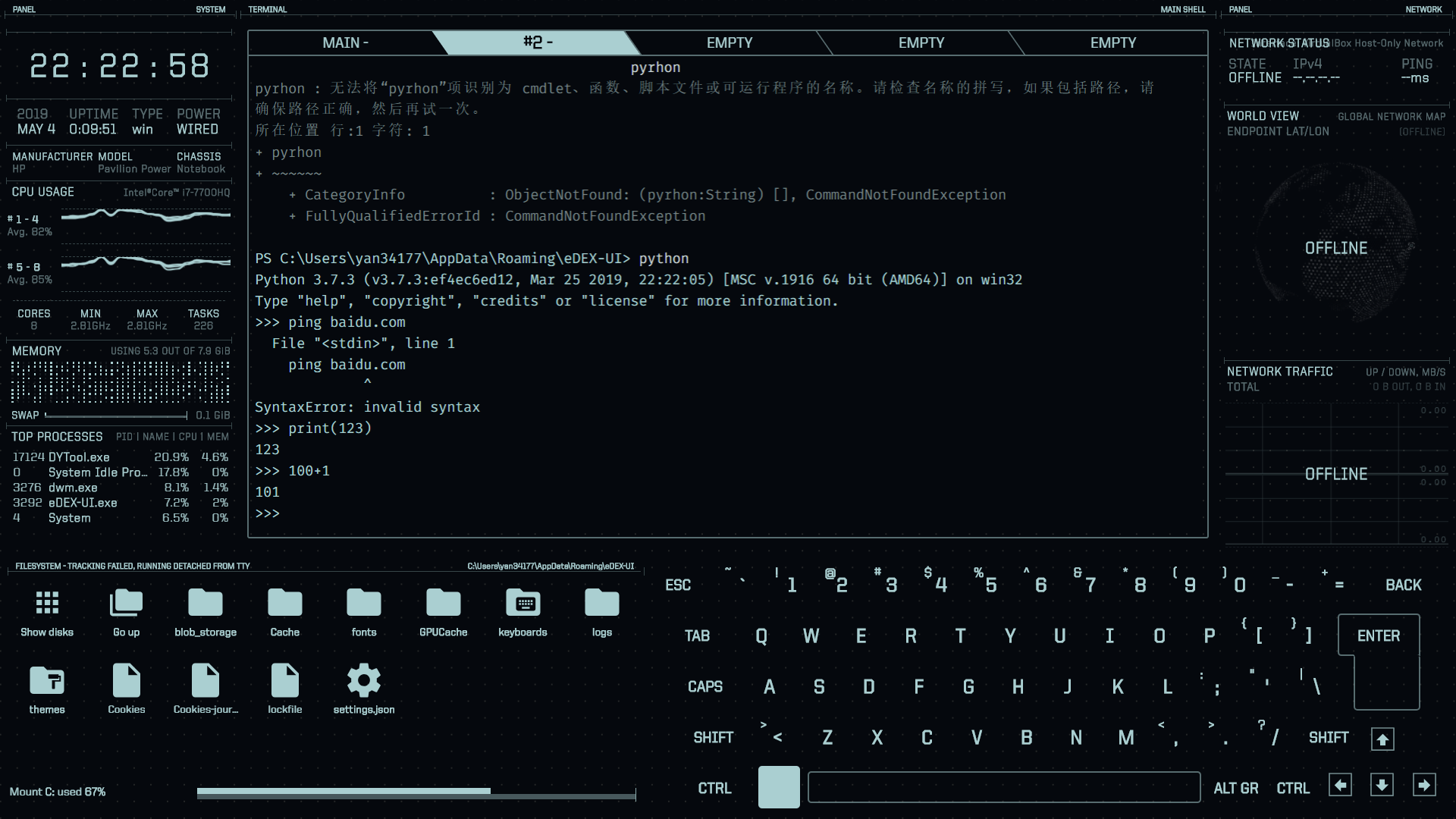
Edex-ui: On Win10, the network has been in the offline state, how to solve it?
On Win10, the network has been in the offline state, how to solve it?
 yanzhao77
All 2 comments
Open Settings (Ctrl+Shift+S) and change iface to the correct interface with the dropdown menu.
Should be something like Wi-Fi or Ethernet, currently you have a VirtualBox "fake" network selected - this happens sometimes when VB is installed.
When you're done hit "Save to Disk" and "Reload UI".
 GitSquared
on 4 May 2019
GitSquared
on 4 May 2019
👍2
Thank you. That's the problem. I have an idea to put this UI into software so that it can really implement scientific and technological software. I hope I can get your authorization. My email is [email protected]. I hope to discuss this matter with you in detail.
yanzhao77
on 5 May 2019
Was this page helpful?
0 / 5 - 0 ratings
Related issues
 mkbcaptain
·
3Comments
mkbcaptain
·
3Comments
 maggot99999
·
5Comments
maggot99999
·
5Comments
 jakewilliami
·
4Comments
jakewilliami
·
4Comments
 tztl0
·
4Comments
tztl0
·
4Comments
 Vhenrique05
·
3Comments
Vhenrique05
·
3Comments
Most helpful comment
Open Settings (
Ctrl+Shift+S) and changeifaceto the correct interface with the dropdown menu.Should be something like
Wi-FiorEthernet, currently you have a VirtualBox "fake" network selected - this happens sometimes when VB is installed.When you're done hit "Save to Disk" and "Reload UI".