Edex-ui: Hide keyboard and show Current working directory
Hi, How to hide keyboard and show current working directory instead?
Thanks
 vzool
vzool
All 15 comments
Use the tron-notype theme (remember you can access the settings with Ctrl+Shift+S) :)
 GitSquared
on 7 Apr 2019
GitSquared
on 7 Apr 2019
Yes, I tried that. But, current working directory still never shown:

My screen is 19" with resolution 1280x1024 (5:4)
Thanks
vzool
on 7 Apr 2019
Oh, right. The filesystem display is disabled on 5:4 monitors by default. Try using this theme: tron-notype-responsive.json
GitSquared
on 7 Apr 2019
Great, directory view appears now. Cool
But, Copy and Paste does not work? :(
vzool
on 7 Apr 2019
How are you trying to copy/paste? You should use the Ctrl+Shift+C/Ctrl+Shift+V keyboard shortcuts.
GitSquared
on 7 Apr 2019
Yes, I can copy from the terminal but I can't paste anything to it.
vzool
on 7 Apr 2019
Do you get any error messages in the console (Ctrl+Shift+I)? It's weird that copying works but pasting doesn't.
GitSquared
on 7 Apr 2019
Yes, actually I catch two errors while I'm testing.
Error no 1:
(node:18768) MaxListenersExceededWarning: Possible EventEmitter memory leak detected. 11 clipboard-reply listeners added. Use emitter.setMaxListeners() to increase limit
/tmp/.mount_eDEX-U8ROrmS/resources/app.asar/node_modules/howler/dist/howler.js:2410 The Web Audio autoplay policy will be re-enabled in Chrome 70 (October 2018). Please check that your website is compatible with it. https://goo.gl/7K7WLu
setupAudioContext @ /tmp/.mount_eDEX-U8ROrmS/resources/app.asar/node_modules/howler/dist/howler.js:2410
/tmp/.mount_eDEX-U8ROrmS/resources/app.asar/assets/vendor/encom-globe.js:1 THREE.WebGLRenderer 66
internal/process/warning.js:18 (node:18768) MaxListenersExceededWarning: Possible EventEmitter memory leak detected. 11 clipboard-reply listeners added. Use emitter.setMaxListeners() to increase limit
writeOut @ internal/process/warning.js:18
output @ internal/process/warning.js:69
process.on @ internal/process/warning.js:100
emit @ events.js:182
(anonymous) @ internal/process/warning.js:74
_tickCallback @ internal/process/next_tick.js:61
Error no 2:
BTW, application's view turns into a complete black screen from end to end after sometime. So, I made another screenshot for that:
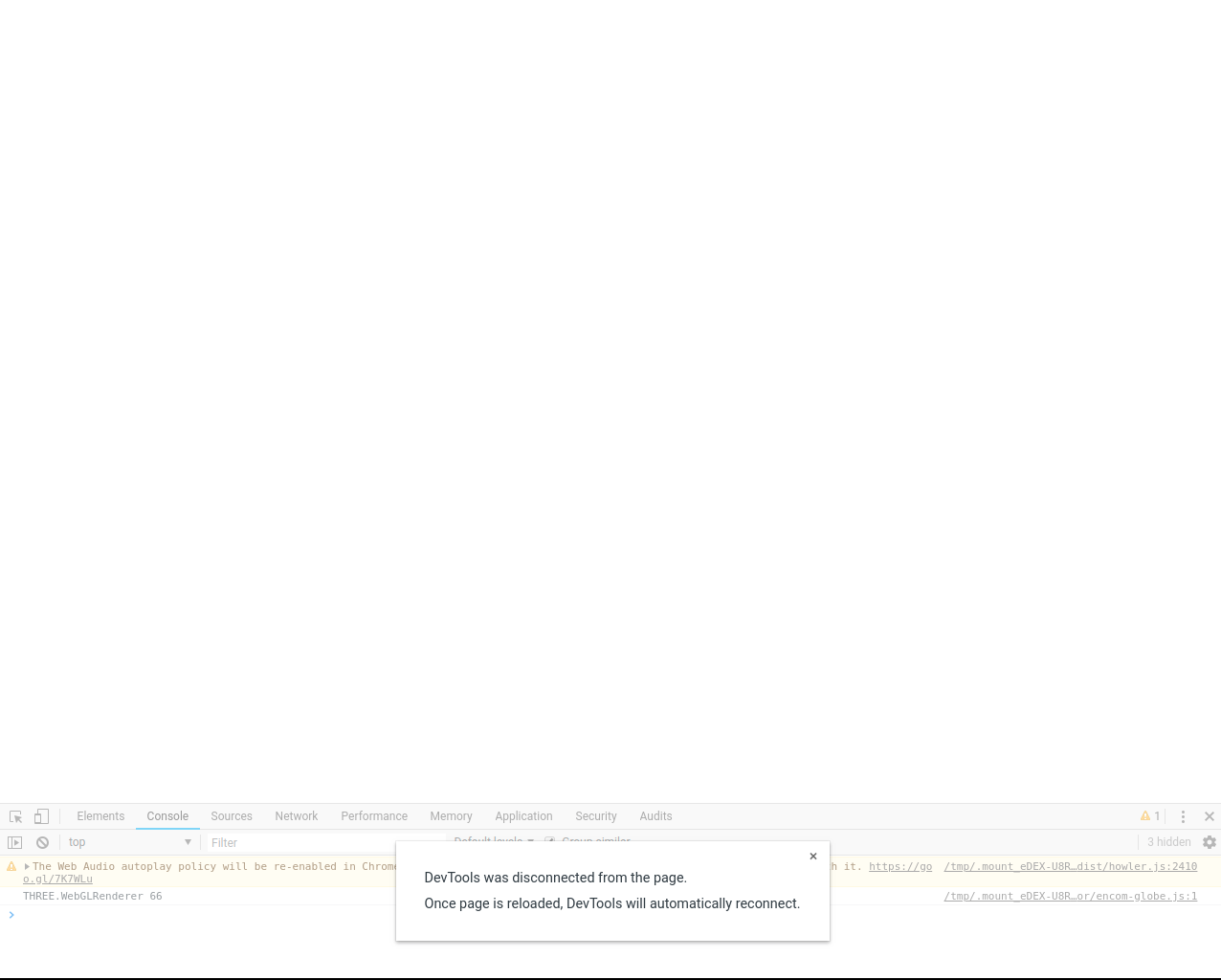
I'm not sure why it always disconnected from the server! :(
vzool
on 7 Apr 2019
Woa, this is kind of messy. What OS are you running on? Would you be able to try the app directly from the source code?
GitSquared
on 7 Apr 2019
Woa, this is kind of messy.
Yes, it looks like that
What OS are you running on?
I'm using OpenSUSE Tumbleweed:
Linux linux-comc 5.0.5-1-default #1 SMP Wed Mar 27 11:22:35 UTC 2019 (0fb0b14) x86_64 x86_64 x86_64 GNU/Linux
Would you be able to try the app directly from the source code?
Yes, I can. From the source code I can copy and paste just fine. I guess all that errors was resolved from source code and the application looks more stable.
vzool
on 7 Apr 2019
Yes, I can. From the source code I can copy and paste just fine. I guess all that errors was resolved from source code and the application looks more stable.
That's good news. I'm not going to release a new version just yet, so I'll suggest you build the latest source and use that instead of the v2.1 package.
If you're having trouble building it yourself, I can send you a pre-made AppImage package, just tell me.
GitSquared
on 7 Apr 2019
I can't build it
npm ERR! code ELIFECYCLE
npm ERR! errno 1
npm ERR! [email protected] build-linux: `electron-builder build -l -p never`
npm ERR! Exit status 1
npm ERR!
npm ERR! Failed at the [email protected] build-linux script.
npm ERR! This is probably not a problem with npm. There is likely additional logging output above.

npm ERR! A complete log of this run can be found in:
npm ERR!     /home/vzool/.npm/_logs/2019-04-07T13_54_55_109Z-debug.log
Here is the log file:
➜  edex-ui git:(master) ✗ cat /home/vzool/.npm/_logs/2019-04-07T13_54_35_510Z-debug.log

0 info it worked if it ends with ok
1 verbose cli [ '/usr/bin/node10',
1 verbose cli   '/usr/lib64/node_modules/npm10/bin/npm-cli.js',
1 verbose cli   'rebuild',
1 verbose cli   '[email protected]' ]
2 info using [email protected]
3 info using [email protected]
4 info readInstalled object
5 verbose rebuild path, id [ '/home/vzool/Workspace/edex-ui/prebuild-src/node_modules/node-pty',
5 verbose rebuild   '[email protected]' ]
6 silly rebuild set [ '/home/vzool/Workspace/edex-ui/prebuild-src/node_modules/node-pty' ]
7 info build /home/vzool/Workspace/edex-ui/prebuild-src/node_modules/node-pty
8 info lifecycle [email protected]~preinstall: [email protected]
9 info linkStuff [email protected]
10 silly linkStuff [email protected] has /home/vzool/Workspace/edex-ui/prebuild-src/node_modules as its parent node_modules
11 info lifecycle [email protected]~install: [email protected]
12 verbose lifecycle [email protected]~install: unsafe-perm in lifecycle true
13 verbose lifecycle [email protected]~install: PATH: /usr/lib64/node_modules/npm10/node_modules/npm-lifecycle/node-gyp-bin:/home/vzool/Workspace/edex-ui/prebuild-src/node_modules/node-pty/node_modules/.bin:/home/vzool/Workspace/edex-ui/prebuild-src/node_modules/.bin:/usr/lib64/node_modules/npm10/node_modules/npm-lifecycle/node-gyp-bin:/home/vzool/Workspace/edex-ui/node_modules/.bin:/home/vzool/bin:/usr/local/bin:/usr/bin:/bin
14 verbose lifecycle [email protected]~install: CWD: /home/vzool/Workspace/edex-ui/prebuild-src/node_modules/node-pty
15 silly lifecycle [email protected]~install: Args: [ '-c', 'node scripts/install.js' ]
16 silly lifecycle [email protected]~install: Returned: code: 1  signal: null
17 info lifecycle [email protected]~install: Failed to exec install script
18 verbose stack Error: [email protected] install: `node scripts/install.js`
18 verbose stack Exit status 1
18 verbose stack     at EventEmitter.<anonymous> (/usr/lib64/node_modules/npm10/node_modules/npm-lifecycle/index.js:301:16)
18 verbose stack     at EventEmitter.emit (events.js:189:13)
18 verbose stack     at ChildProcess.<anonymous> (/usr/lib64/node_modules/npm10/node_modules/npm-lifecycle/lib/spawn.js:55:14)
18 verbose stack     at ChildProcess.emit (events.js:189:13)
18 verbose stack     at maybeClose (internal/child_process.js:970:16)
18 verbose stack     at Process.ChildProcess._handle.onexit (internal/child_process.js:259:5)
19 verbose pkgid [email protected]
20 verbose cwd /home/vzool/Workspace/edex-ui/prebuild-src
21 verbose Linux 5.0.5-1-default
22 verbose argv "/usr/bin/node10" "/usr/lib64/node_modules/npm10/bin/npm-cli.js" "rebuild" "[email protected]"
23 verbose node v10.15.2
24 verbose npm  v6.4.1
25 error code ELIFECYCLE
26 error errno 1
27 error [email protected] install: `node scripts/install.js`
27 error Exit status 1
28 error Failed at the [email protected] install script.
28 error This is probably not a problem with npm. There is likely additional logging output above.
29 verbose exit [ 1, true ]
No worries, use this one :)
GitSquared
on 7 Apr 2019
Great, Thanks. :)
But keys like "Home" and "End" not working as they should be in other terminals. I thought that I could move text cursor from start to end. Is there a config to do that ?
vzool
on 8 Apr 2019
This is not implemented in the terminal emulator eDEX uses. I'll look into it.
GitSquared
on 8 Apr 2019
Related issues
 jwulf
·
5Comments
jwulf
·
5Comments
 bdgza
·
3Comments
bdgza
·
3Comments
 kingfengji
·
4Comments
kingfengji
·
4Comments
 clragon
·
6Comments
clragon
·
6Comments
clragon
·
6Comments
clragon
·
6Comments
Most helpful comment
This is not implemented in the terminal emulator eDEX uses. I'll look into it.