Edex-ui: [Feature Request] Add tabs to main shell
I love this application, it has quickly become my main terminal as this kind of personalization. The only problem I find with it is that sometime I find I would need multiple terminal open at the same time and as this application does take quite a lot of ressources to load, I don't want to run multiple instances of the whole thing. It would be nice to implement a way to create new tabs like you can in Hyper.js or other terminals.
 Morialkar
All 11 comments
As a long time user of Hyper myself, i agree. Will look into it.
 GitSquared
on 23 Nov 2018
GitSquared
on 23 Nov 2018
If you are using linux/macos you can use tmux or screen to handle multiple Windows/sessions in one terminal. The learning curve is a little steep but they are very useful general purpose tools that youcll find other uses for.
 arscan
on 23 Nov 2018
arscan
on 23 Nov 2018
Main problem with tmux in this case is that you lose both the file browser and the possibility to scroll back up in the terminal. As both of these are pretty useful in multiple cases, I'd prefer to keep those features...
Morialkar
on 23 Nov 2018
Main problem I find with tmux on eDEX is that the main shell "window" gets too small real fast.
GitSquared
on 23 Nov 2018
+1 to this feature. Your project is really really great! Big thanks
 dmknght
on 24 Nov 2018
dmknght
on 24 Nov 2018
I'm tired of trying to fix windows-specific bugs, i might try to implement this this afternoon.
GitSquared
on 24 Nov 2018
Small teaser/proof of concept:
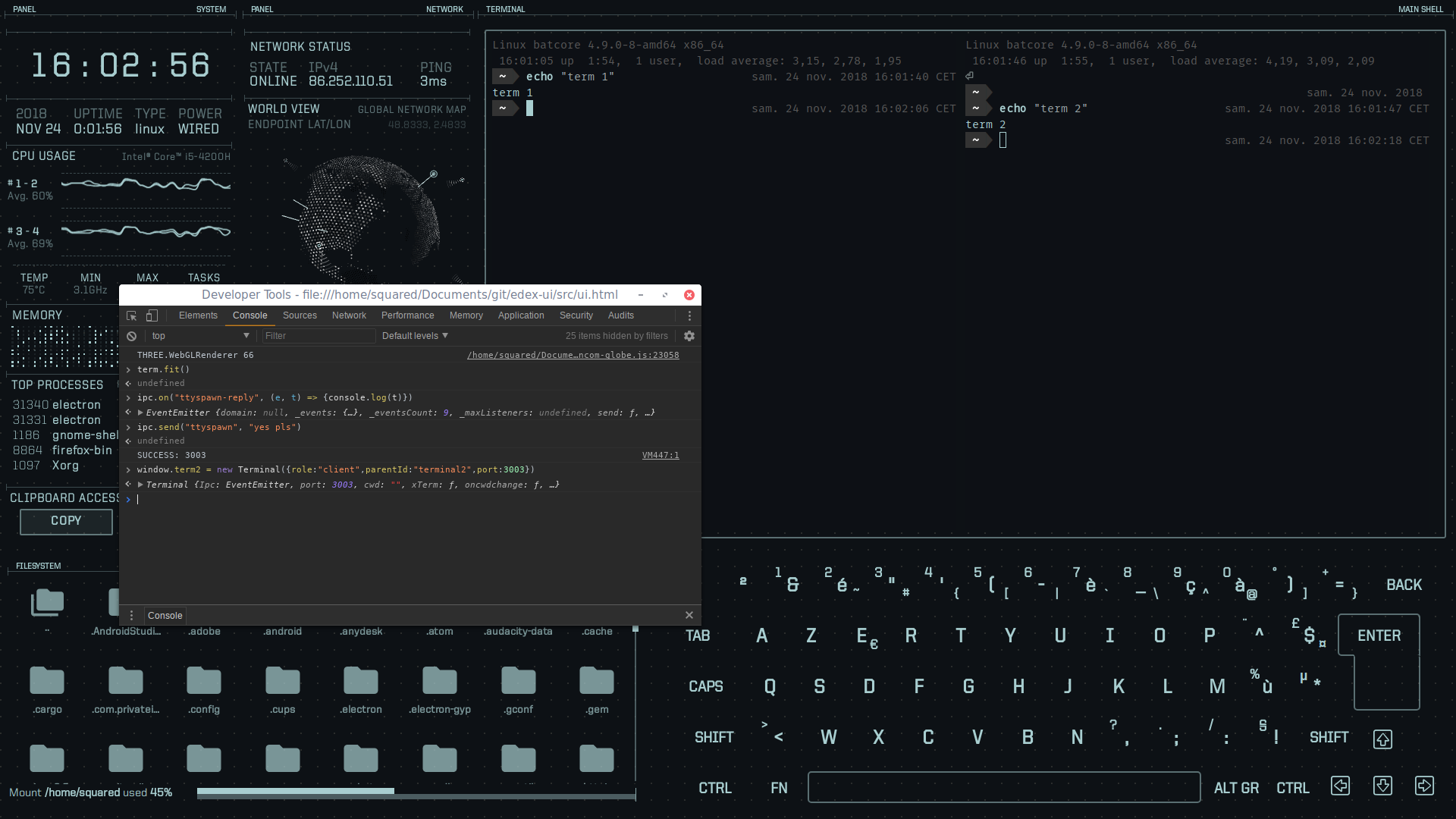
I think i'll make a tabs menu just above the terminal output, and each tab when focused will span across the entire terminal area and the filesystem display will be updated accordingly.
Currently i'm limiting support to 5 tabs (1 main terminal + 4 extras). When spawning a new tab, the new terminal process takes the current working directory of the main terminal. Tabs can be individually closed by exiting them, but if the main terminal is closed eDEX will kill any extras left and exit.
Any comments/suggestions on this behavior before i do the frontend implementation?
GitSquared
on 24 Nov 2018
I think split tab to windows likes this screenshot (default gnome / mate terminal) or splits like your screenshot (similar byobu) is great. Maybe combine both together? Splits to multiple windows will helpful for small screen users.
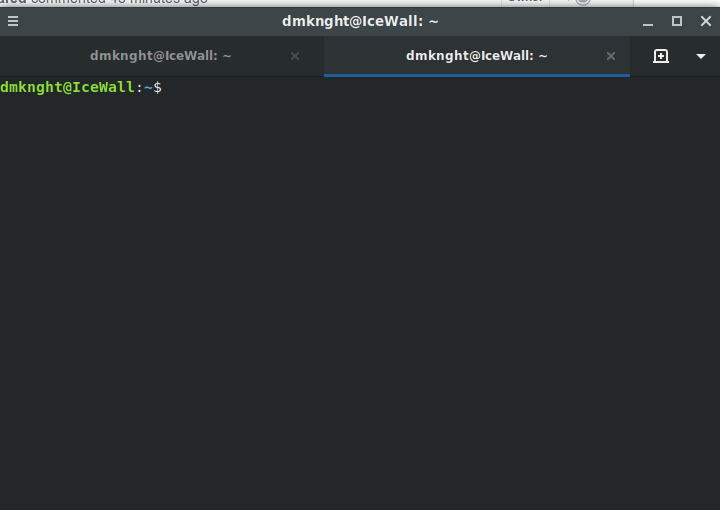
dmknght
on 24 Nov 2018
@dmknght Yeah, that screenshot is exactly how i plan to implement it, mine was just to show off the fact that 2 different terminals can successfully run at the same time. Thanks for the feedback.
GitSquared
on 24 Nov 2018
Here is my byobu layout if i have to work with multiple tasks with their output :p It is hard for currnet eDex windows because terminal size is limited. But i am thinking about replacing Keyboard layout by Terminal output. But it is not very useful.
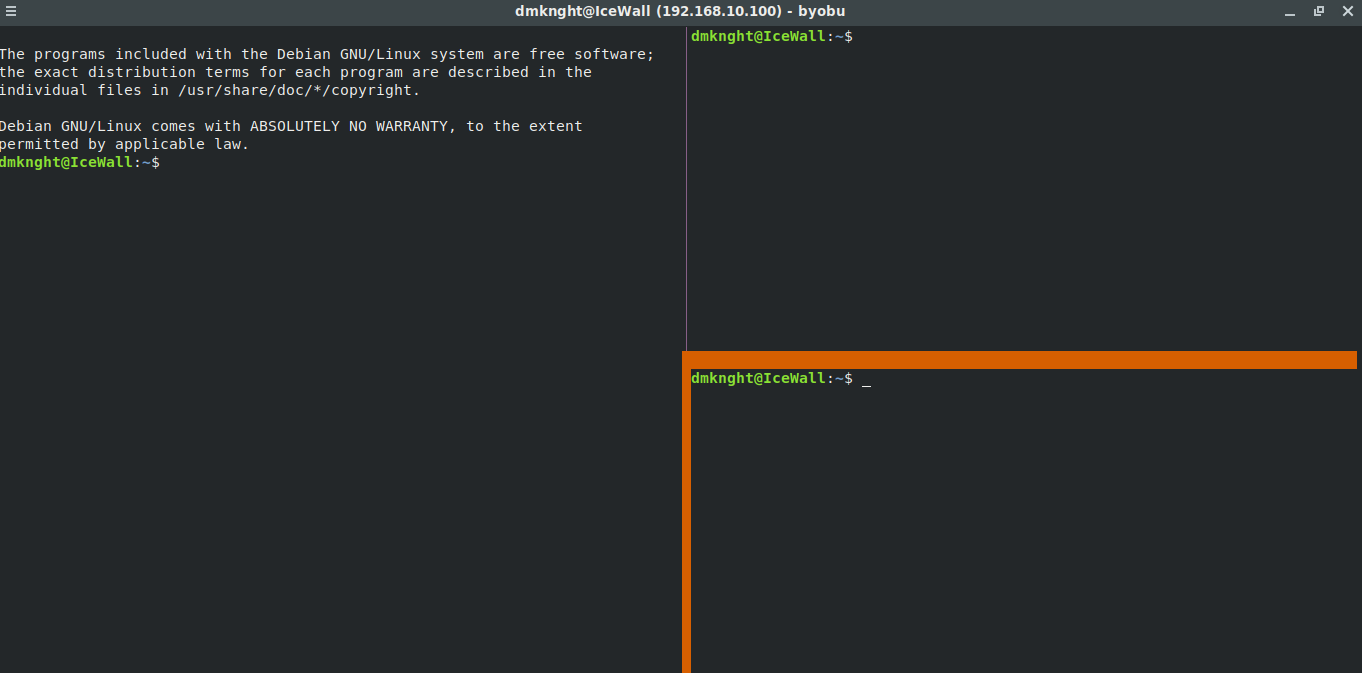
dmknght
on 24 Nov 2018

:tada: Tabs are here! Up to 4 extra terminals + the "main shell" you already know & love.
There is still room for improvement - like having a dynamic number of tabs and showing what's running in them instead of a websocket port number - but i think it turned out great for a first iteration.
If you have a physical keyboard wired in, you can use the Ctrl+Tab global keyboard shortcut to switch tabs. This is the first eDEX feature that isn't targeting touchscreen usage; this is part of a new plan to expand eDEX's primary targets to both touch and desktop, keeping it usable & productive on both ends.
Regarding performance/memory usage, eDEX starts with only the main shell and 4 "empty" tabs. When an empty tab is focused a terminal process is spawned and hooked up with a new xterm.js frontend. When the process is exited, the tab becomes empty again, and both the frontend and the backend are cleaned from memory.
Also note that this uses 1 port per extra terminal, so the full local port range used by eDEX is now 3000-3005 (or whichever port you defined in the settings file + the 5 following ports).
I think i might release this (v1.1.0) tonight. I'll see if i can find a way to display useful titles in the tabs first.
Edit: tab titles now display the running process, unfortunately that doesn't update due to node-pty limitation so its basically limited to showing which shell it's running (bash fish etc).
GitSquared
on 25 Nov 2018
Related issues
GitSquared
·
6Comments
 jakewilliami
·
4Comments
jakewilliami
·
4Comments
 bennettyuan18
·
5Comments
bennettyuan18
·
5Comments
 mkbcaptain
·
3Comments
mkbcaptain
·
3Comments
 clragon
·
6Comments
clragon
·
6Comments
Most helpful comment
:tada: Tabs are here! Up to 4 extra terminals + the "main shell" you already know & love.
There is still room for improvement - like having a dynamic number of tabs and showing what's running in them instead of a websocket port number - but i think it turned out great for a first iteration.
If you have a physical keyboard wired in, you can use the
Ctrl+Tabglobal keyboard shortcut to switch tabs. This is the first eDEX feature that isn't targeting touchscreen usage; this is part of a new plan to expand eDEX's primary targets to both touch and desktop, keeping it usable & productive on both ends.Regarding performance/memory usage, eDEX starts with only the main shell and 4 "empty" tabs. When an empty tab is focused a terminal process is spawned and hooked up with a new xterm.js frontend. When the process is exited, the tab becomes empty again, and both the frontend and the backend are cleaned from memory.
Also note that this uses 1 port per extra terminal, so the full local port range used by eDEX is now 3000-3005 (or whichever port you defined in the settings file + the 5 following ports).
I think i might release this (v1.1.0) tonight. I'll see if i can find a way to display useful titles in the tabs first.
Edit: tab titles now display the running process, unfortunately that doesn't update due to node-pty limitation so its basically limited to showing which shell it's running (bash fish etc).