Easy-digital-downloads: 3.0 - Dashboard widget recent purchases are missing the order ID
Bug Report
Expected behavior
The "Recent Purchases" on the dashboard widget should show complete information, such as:
93 — Synthia.[email protected]
Actual behavior
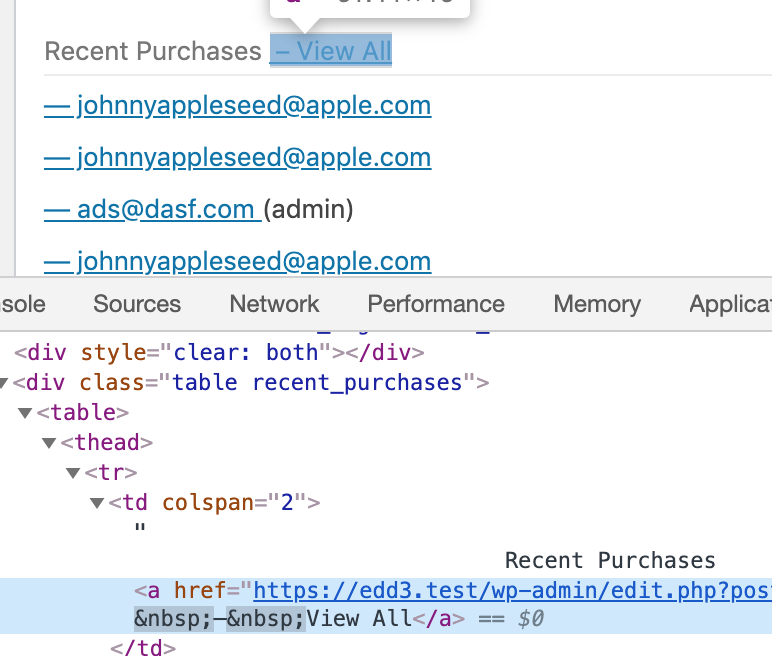
Currently, the dashboard widget is not showing the order number, only the dash and customer email address:
— Synthia.[email protected]
Steps to reproduce the behavior
1) Make sure you have some recent orders in an EDD 3.0 store.
2) Visit the Dashboard
Information (if a specific version is affected):
PHP Version: 7.3.5
EDD Version (or branch): release/3.0
WordPress Version: 5.4
Any other relevant information:
It looks like the output here uses get_the_title on the payment ID, and it should maybe just output it as esc_attr( $payment->ID ); instead.
 robincornett
All 6 comments
This can be updated to use 3.0's edd_get_orders() similar to how "Recent Orders" are output when editing a customer in the dashboard. This will give us access to the true order number (including custom prefixes, sequential, etc).
Lets also remove the space and dash from the "View All" link while we are at it:
 spencerfinnell
on 6 Apr 2020
spencerfinnell
on 6 Apr 2020
+1 on the "View All" link; thank you!
So the order_number property is only set, it looks like, if sequential order numbering is enabled--so the order number needs to either display the order_number if it has a value, or fall back to the ID if not?
robincornett
on 6 Apr 2020
@robincornett The Order history table uses $order->get_number(), which should use sequential if enabled or fallback to the ID.
spencerfinnell
on 6 Apr 2020
@robincornett Those changes look good, but I'm wondering if we should take this a step further. It might be a good time to use a little more natural language and create more of an "activity panel" or "notifications feed" feel:
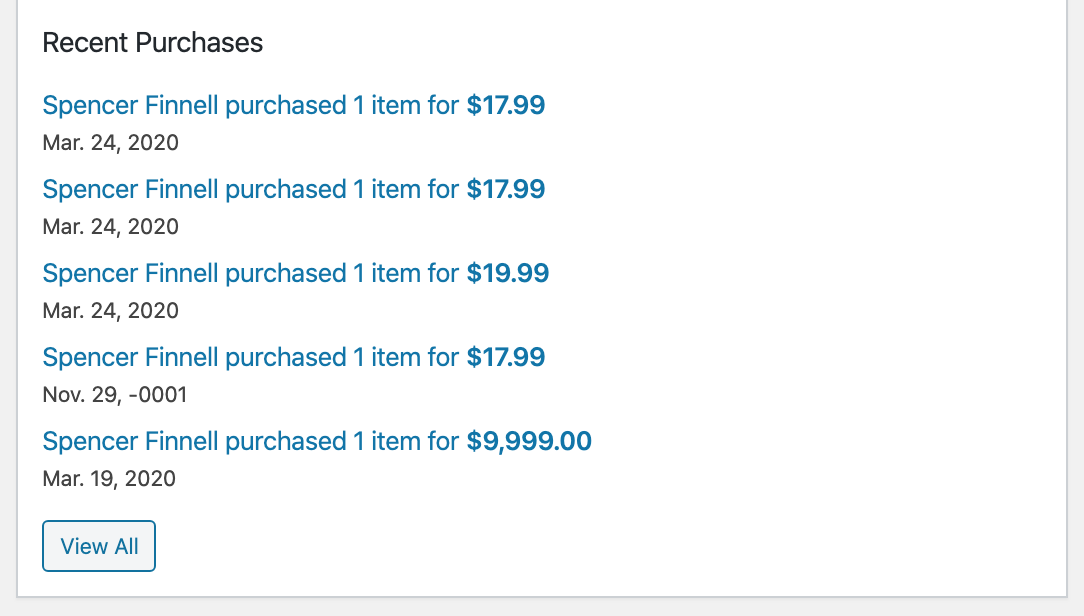
Thoughts?
spencerfinnell
on 8 Apr 2020
I would be open to something like that--as I was finishing the last commit, I confess I was dissatisfied that the current output for recent purchases now creates two cells for each purchase with identical links (outside of the link text). If we went with this, would it be okay to remove the table markup as it would no longer be needed?
robincornett
on 8 Apr 2020
@robincornett Yes, I think we can switch away from the table markup. That mockup was using a <ul> which WordPress already removes the list styling from on dashboard widgets.
If you want to move forward with this, check out edd_get_order_item_counts() to get the the amount of items in each Order.
spencerfinnell
on 8 Apr 2020
Related issues
 davidsherlock
·
4Comments
davidsherlock
·
4Comments
 colomet
·
4Comments
colomet
·
4Comments
 SDavisMedia
·
3Comments
SDavisMedia
·
3Comments
 julien731
·
5Comments
julien731
·
5Comments
 mindctrl
·
4Comments
mindctrl
·
4Comments