Easy-digital-downloads: 3.0 - Orders - Reduce Steps for Assigning Customers
Enhancement Request
Some previously: https://github.com/easydigitaldownloads/easy-digital-downloads/issues/7052#issuecomment-458265857
Explain your enhancement (please be detailed)
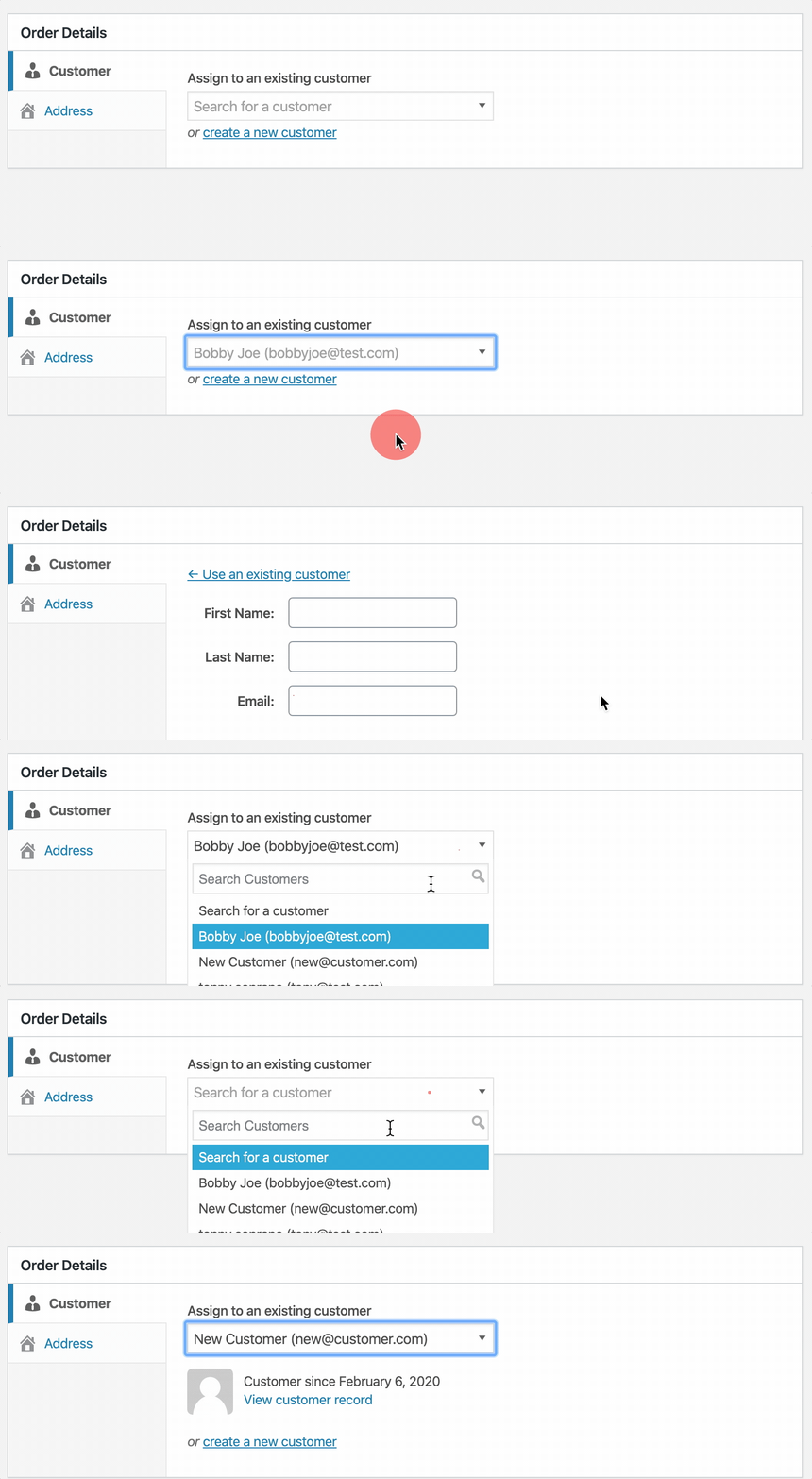
Show a searchable dropdown of Customers by default when creating or editing an order.
Justification or use case
When manually creating a new Order a Customer is required to be associated with it before it can be saved. Currently you can either assign an existing customer or create a new customer.
Since we know one of these actions has to be taken we can help users realize a Customer is required and reduce the number of clicks it takes to attach a Customer by showing the searchable dropdown automatically. This will likely cover the majority of use cases and hides the (I think) less used option under a toggle.
This also allows more validation to focus the dropdown if attempting to save the order without assigning a Customer.
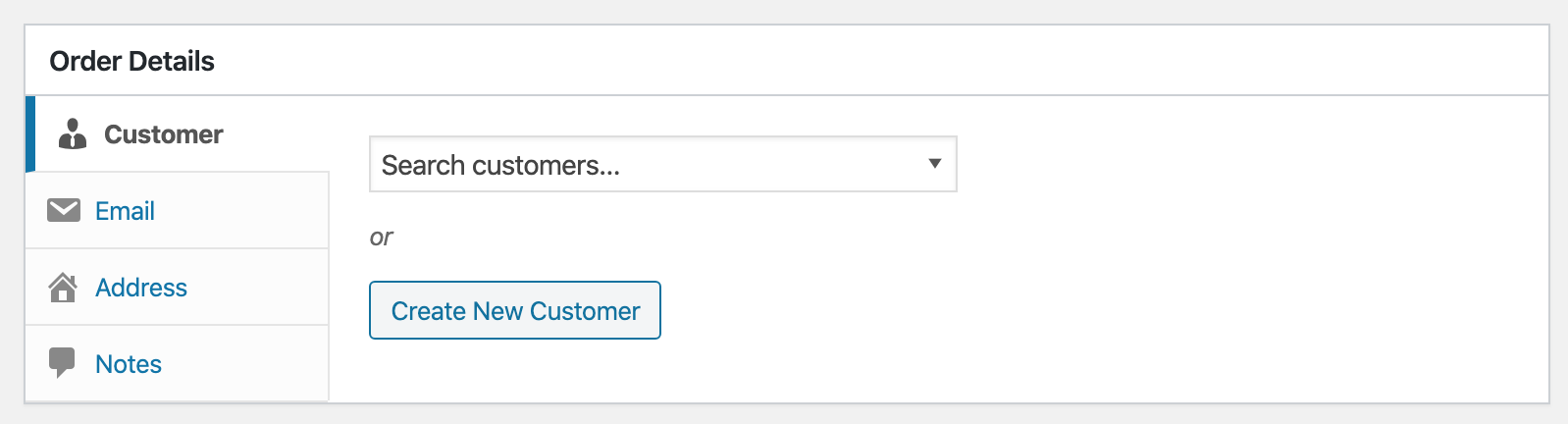
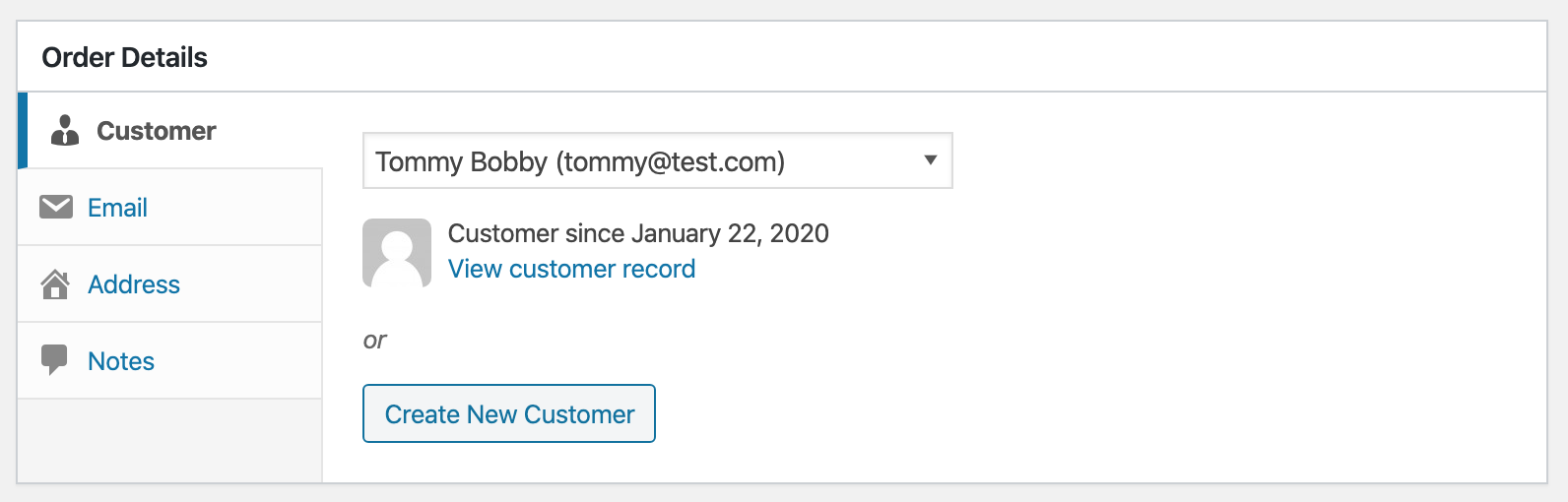
When selecting a Customer the information below the dropdown will automatically be updated.
The only thing I'm not 100% on is the or, but I think there needs to be some separation from the existing Customer search.
 spencerfinnell
All 7 comments
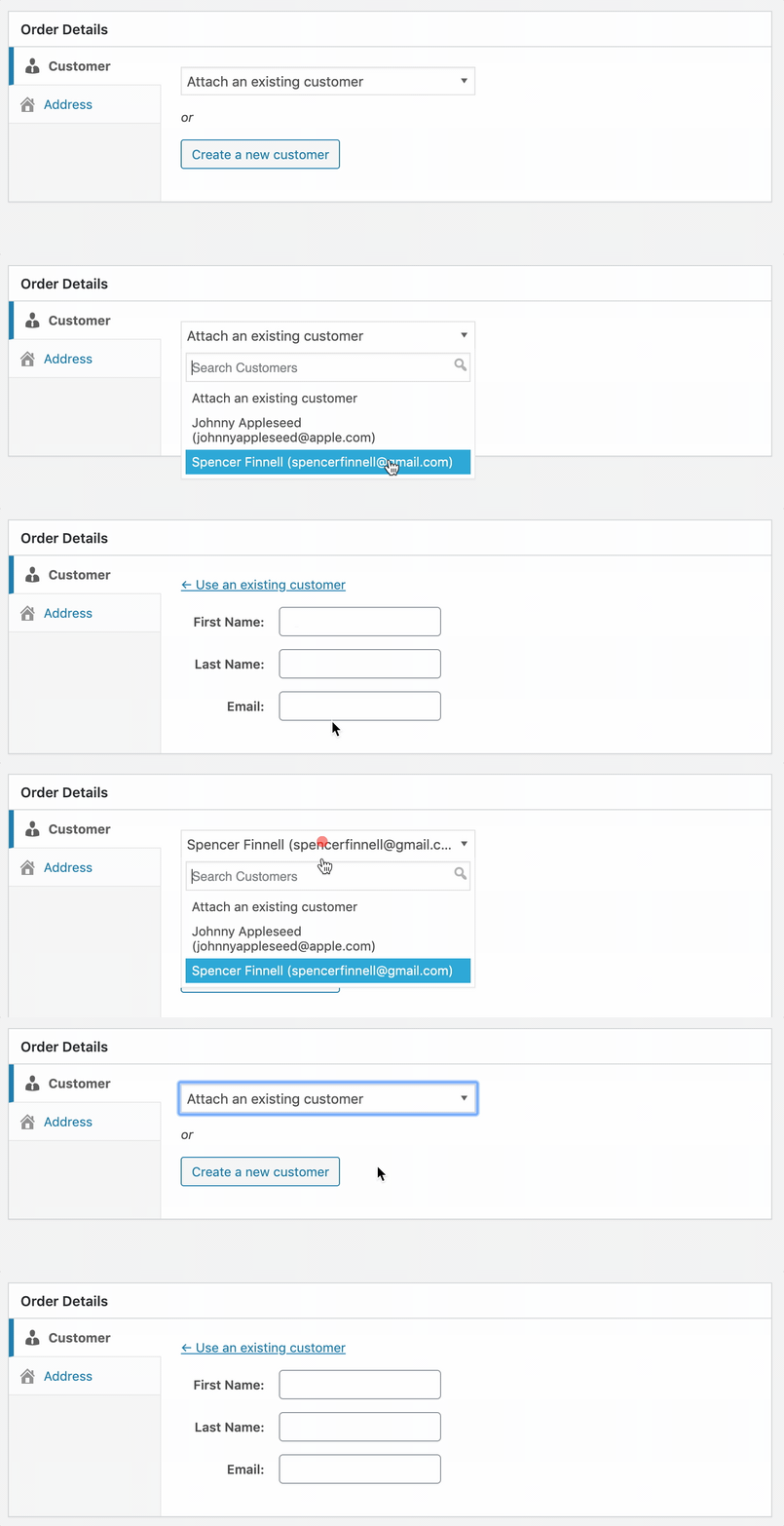
A few things left to wire up, but this feels nice:
spencerfinnell
on 4 Feb 2020
PR #7557
spencerfinnell
on 5 Feb 2020
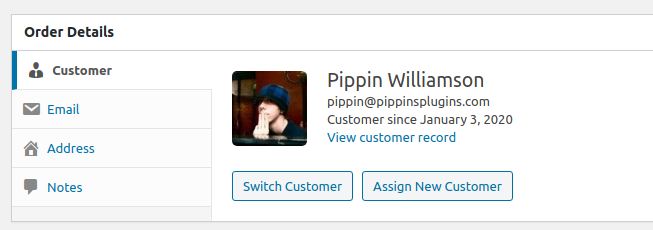
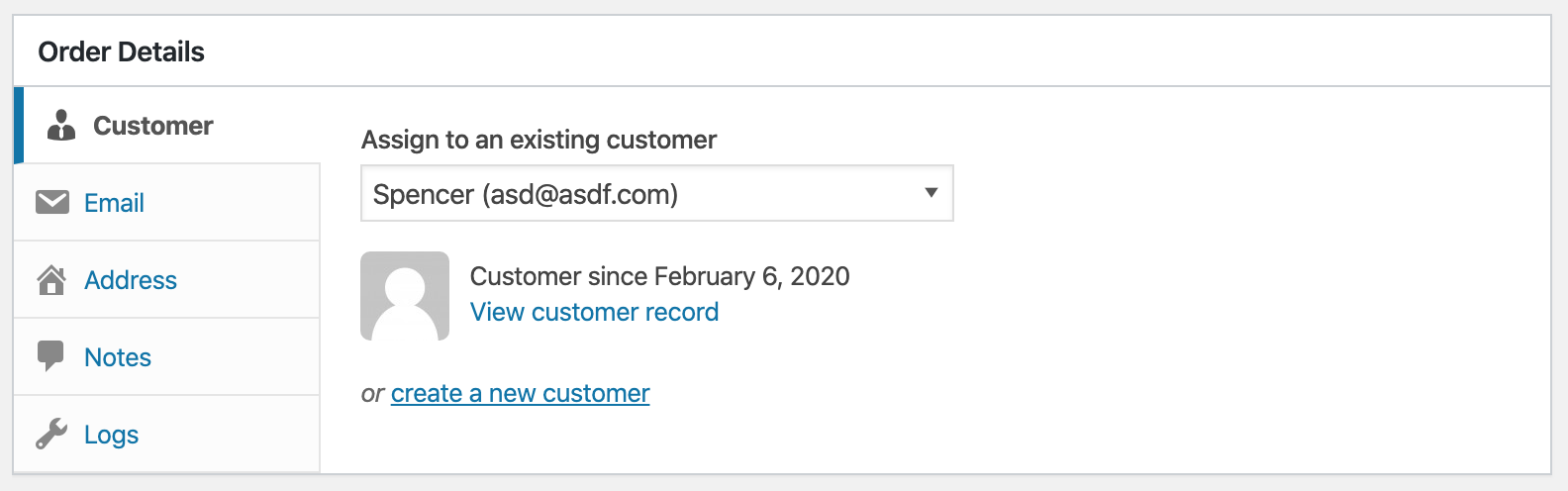
I really like this flow when creating a new order, but I'm not sure it works as well when viewing an existing order.
It feels a bit weird for the customer's name to be shown exclusively in a drop down menu when viewing an existing order. The existing UI in release/3.0 feels more natural when viewing existing orders:
 pippinsplugins
on 7 Feb 2020
pippinsplugins
on 7 Feb 2020
@pippinsplugins I was thinking yesterday that the larger name should be restored at least. I'll play with making sure it's clear switching a Customer is still possible when editing an Order.
spencerfinnell
on 7 Feb 2020
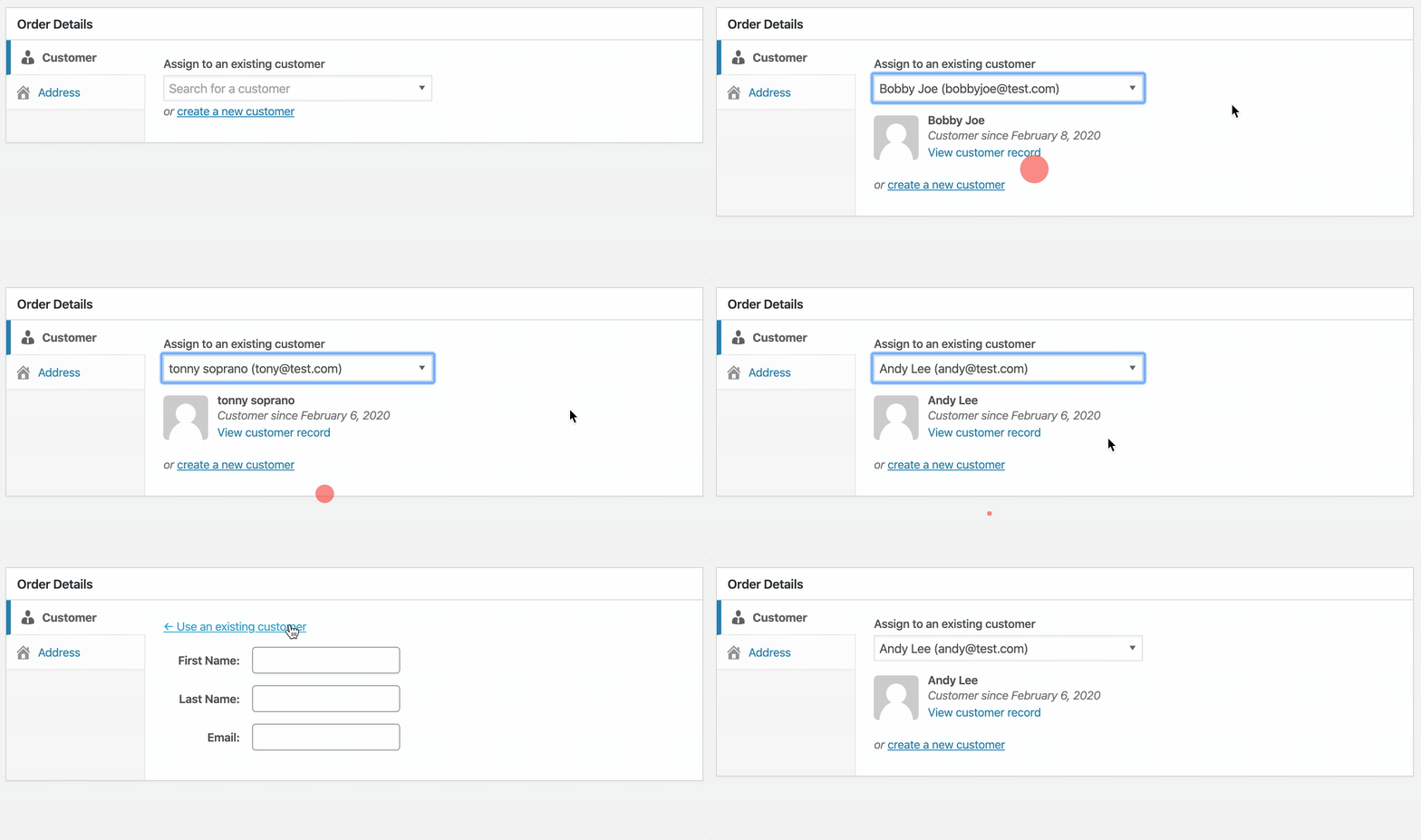
@pippinsplugins What about a more clear label above the Customer search?
Edit:
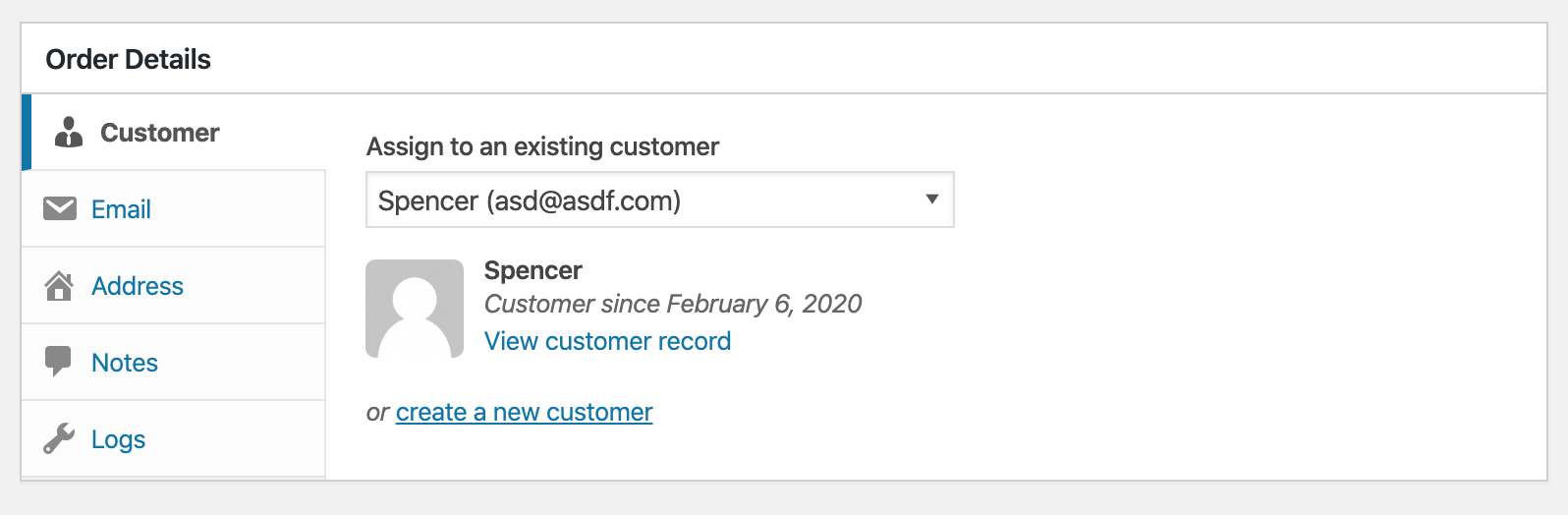
With the Customer name added as well:
spencerfinnell
on 10 Feb 2020
@spencerfinnell That's much better. Let's proceed with that.
pippinsplugins
on 10 Feb 2020
7557 updated to match above screenshots.
spencerfinnell
on 10 Feb 2020
Related issues
 davidsherlock
·
5Comments
davidsherlock
·
5Comments
 michaelbeil
·
5Comments
michaelbeil
·
5Comments
 DevinWalker
·
6Comments
DevinWalker
·
6Comments
 mikeyhoward1977
·
5Comments
mikeyhoward1977
·
5Comments
 JJJ
·
5Comments
JJJ
·
5Comments
Most helpful comment
A few things left to wire up, but this feels nice: