Easy-digital-downloads: Revert Hide Tax Rates Until Enabled, and add notice to tax rates when taxes are disabled
Bug Report
Expected behavior
I should not be able to add tax rates when taxes are not enabled.
Actual behavior
I can add a rate without enabling global taxes.
Steps to reproduce the behavior
1) Visit "Settings > Taxes"
2) Visit "Rates"
3) Add a rate.
4) Use edd_use_taxes() function and it returns false even though other functions check directly for rates (vs global usage).
Another option would be to force-enable this to be true if any active rates are detected.
 spencerfinnell
All 16 comments
Ok this is looking better @spencerfinnell works as I expected it now.
We'll need to get a docs update so that we inform people that the tax rates sub section won't appear until they Enable taxes and save.
 cklosowski
on 10 Jan 2019
cklosowski
on 10 Jan 2019
I have a bit of a different opinion on this, and found it confusing (hence why I'm here).
Is it/has it been a problem to set up tax rates despite them not being enabled? EDD used to allow this in pre3DD and it's not something I've ever seen a support ticket about.
Just because I have taxes disabled does not mean I don't want to have tax rates set up and ready to turn on at any time. Right now, I have to enable taxes before I can set them up. To me, that feels like shooting the gun before loading it. I would prefer to set them up, _then_ turn them on.
Also, because the interface doesn't update until the page refreshes, I didn't know the tax rates tab existed until I updated the page, and the first time I didn't see it because I had assumed I'd already analyzed the sub tabs.
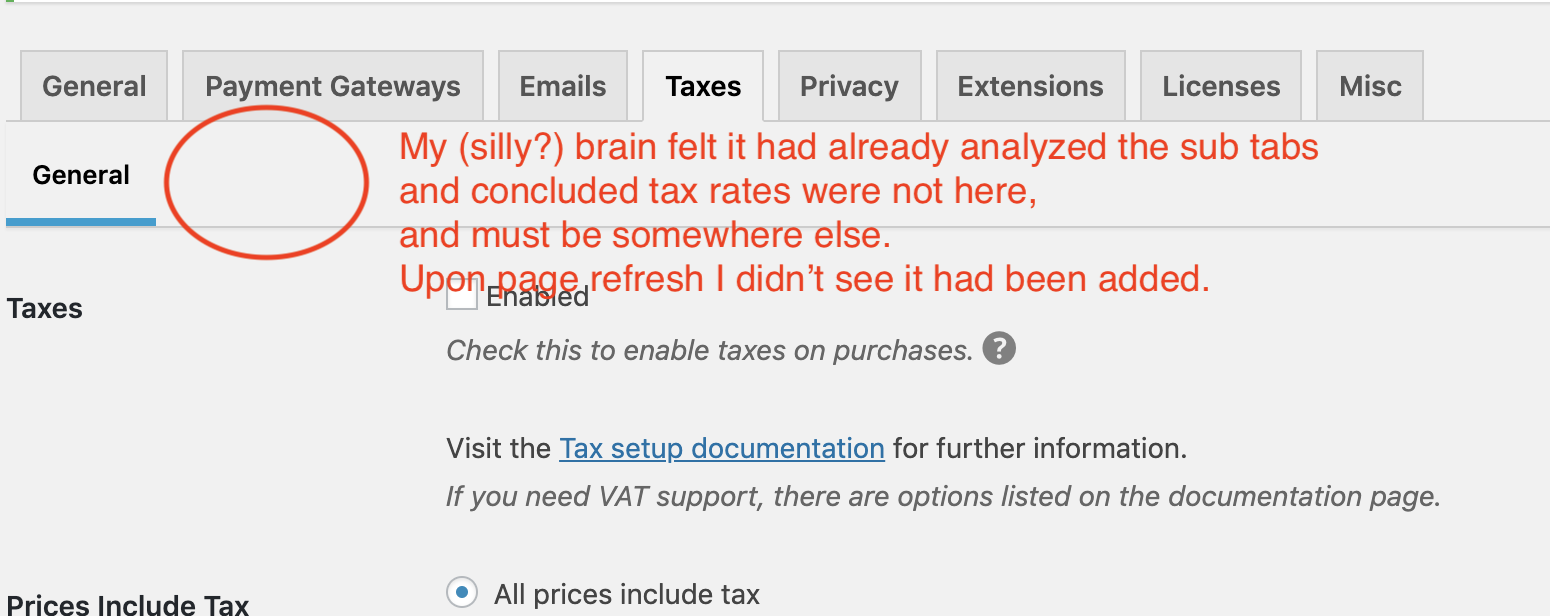
If checking "enable taxes" made that tab visible immediately when I clicked on it (javascript), it would be more obvious that that action is linked to the subtab existing. Without that being immediately shown, they don't feel connected to me.
Regardless, I feel the tab should be there even with taxes disabled so they can be set up prior to being turned on.
 mintplugins
on 17 Apr 2019
mintplugins
on 17 Apr 2019
@mintplugins I can definitely get on board with that, but there should be some sort of (obvious) indication on the Rates tab that no rates are currently being applied, regardless of their status in the UI.
spencerfinnell
on 17 Apr 2019
I agree there. Maybe we could have a notifier near the top while viewing the rates tab?
mintplugins
on 17 Apr 2019
Yes, i can get behind that @mintplugins thanks for the feedback. Let's move forward with always showing the tab (as stated it can cause people to assume tax rates are no where to be found, if they aren't watching for that tab to show up).
Let's do 2 things:
1) Always show the Rates tab
2) If taxes are disabled, show a notice on the Rates tab.
cklosowski
on 22 Apr 2019
How do we feel about this @mintplugins @spencerfinnell @pippinsplugins
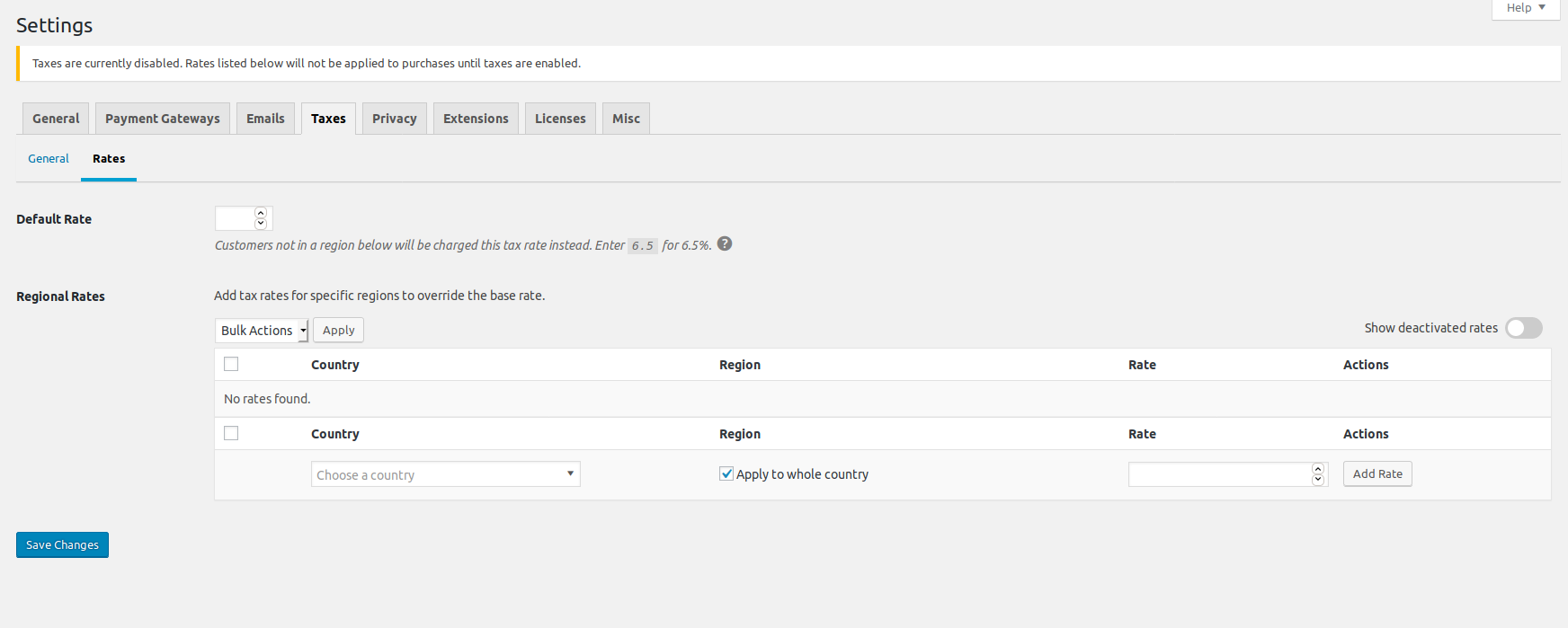
cklosowski
on 30 Apr 2019
The notice should go below the General and Rates sub tabs to help put the notice into the right context.
 pippinsplugins
on 30 Apr 2019
pippinsplugins
on 30 Apr 2019
Beyond that, I like the message.
pippinsplugins
on 30 Apr 2019
We'll have to figure out a way to bypass WordPress...I am outputting it
below, but WP keeps moving it.
cklosowski
on 30 Apr 2019
We already use a custom callback to display the tax rates table. We could just append it there.
pippinsplugins
on 30 Apr 2019
@pippinsplugins but that would put it _after_ the global tax rate, which makes it only seem like it applies to the rates list.
Also it's the style that keeps moving it, so we'd have to come up with a styleing that avoids WP Moving any notice markup, to the top.
cklosowski
on 30 Apr 2019
The global tax rate could be changed to a custom callback too. That'd put it right at the top.
pippinsplugins
on 30 Apr 2019
@cklosowski if the class is added after page load with JS it won’t get moved around.
I agree it should be closer to the table so I can set something up for that if needed.
spencerfinnell
on 30 Apr 2019
@pippinsplugins yeah that doesn't solve the styling issues. I'll look into that @spencerfinnell
cklosowski
on 30 Apr 2019
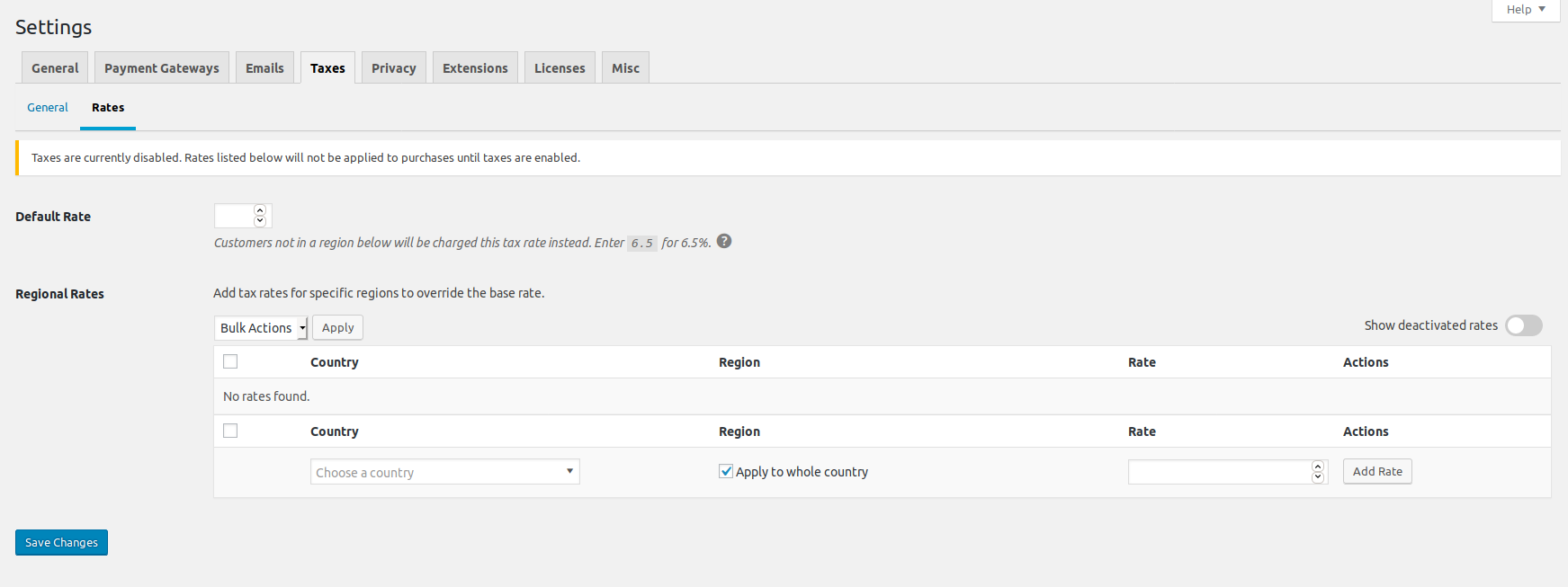
How's this?
cklosowski
on 30 Apr 2019
There we go! I like that.
pippinsplugins
on 30 Apr 2019
Related issues
 julien731
·
5Comments
julien731
·
5Comments
 JeroenSormani
·
5Comments
JeroenSormani
·
5Comments
 mihaijoldis
·
5Comments
mihaijoldis
·
5Comments
 JJJ
·
5Comments
JJJ
·
5Comments
 nabeghe
·
5Comments
nabeghe
·
5Comments
Most helpful comment
I agree there. Maybe we could have a notifier near the top while viewing the rates tab?