E107: still problem with installation latest github
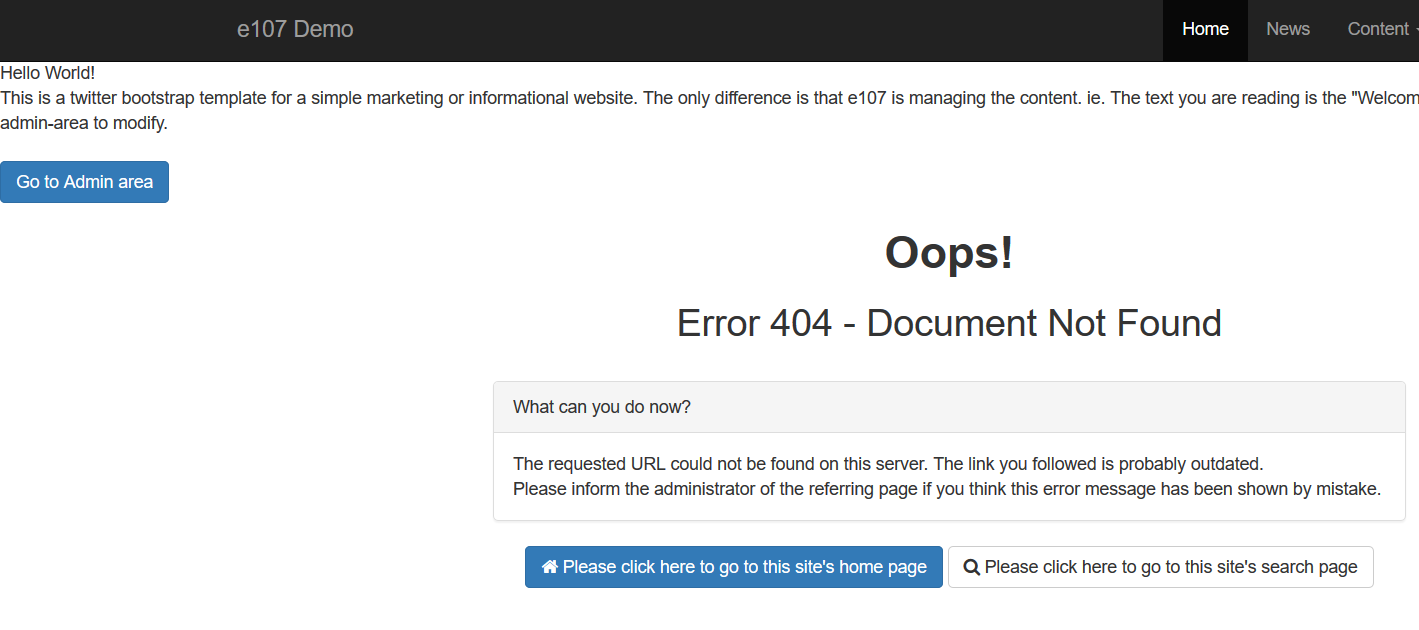
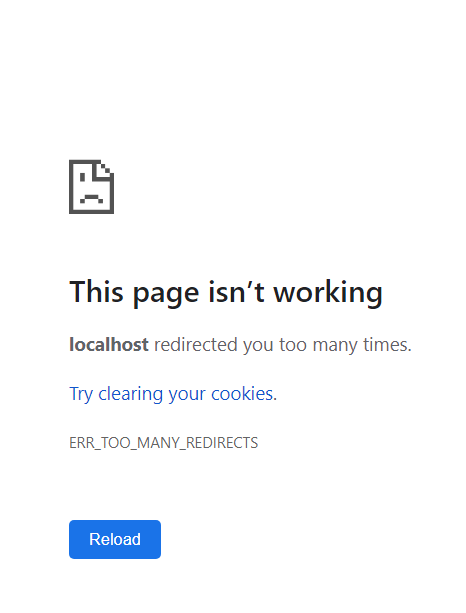
Fresh installation on localhost, different browser that normally I use
index.php
PHP version 7.2.13
admin
 Jimmi08
All 12 comments
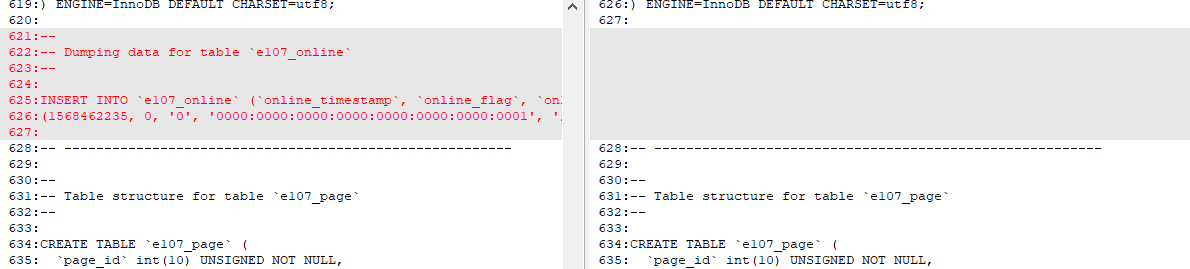
Database compared:
on the left 2.2.1 working

this is probably correct, because git version is not working, online t
Jimmi08
on 14 Sep 2019
Tested on existing xampp 7.1.1 Chrome : no issues
Tested on xampp 64X php 7.3.9 apa 2.4.41 mariadb 10.4.6 (newest,fresh)
For test used Opera (normally also not my standard browser for installments : No issues
Both cases latest github files.... Just to inform (install mentions 2.2.2)
 tgtje
on 14 Sep 2019
tgtje
on 14 Sep 2019
Hi Had the same problem today, called my website 'Demo 05' and that was the problem, 'Demo05' did the trick...
 Alex-e107nl
on 14 Sep 2019
Alex-e107nl
on 14 Sep 2019
@Alex-e107nl Nope, I tried e107demo, demo05, demo... still the same result. But thanks for the confirmation that there is a problem.
Jimmi08
on 14 Sep 2019
@Jimmi08 sorry that it did not help, i should mention that i started all over again, so no files left on the server. Complete clean new install and then it worked here with php 7.1, I had exacly the same problems like your first screenshot and server is not locally..
Will try it again..
Alex-e107nl
on 15 Sep 2019
@Jimmi08 maybe you know it, just use it..who knows : http://www.redirect-checker.org/index.php
tgtje
on 15 Sep 2019
Or use define('e_DEBUG', 'redirect'); in e107_config.php. it will show more info about the redirect.
I'll do some testing Monday to see if I can reproduce this issue.
 Moc
on 15 Sep 2019
Moc
on 15 Sep 2019
It's not about redirect, database core table is not created correct way in some cases.. And of course, 2.2.1 + sync works, so it's not in files.
Jimmi08
on 15 Sep 2019
Yeah, that's the issue that should have been fixed with the latest files
Moc
on 15 Sep 2019
I did numerous tests on this with PHP version 5.6 up to 7.3.
Website name with and without spaces
I cannot reproduce this. I did have the exact same problem before the fix was committed but not anymore now. Please verify that this fix is present before you install (or verify on your broken install): https://github.com/e107inc/e107/commit/2a1b4d75dfc5e1a8da477e65d0336193a6c4dcf6
Moc
on 16 Sep 2019
Still an issue?
Moc
on 24 Oct 2019
Not here, i am going to work with PHP 7.3 will open new one when there are problems :-)
Alex-e107nl
on 24 Oct 2019
Related issues
 chimcen
·
3Comments
chimcen
·
3Comments
 CaMer0n
·
4Comments
CaMer0n
·
4Comments
Jimmi08
·
3Comments
CaMer0n
·
4Comments
CaMer0n
·
4Comments
Jimmi08
·
3Comments
 BillyBoy0823
·
4Comments
BillyBoy0823
·
4Comments
Most helpful comment
Not here, i am going to work with PHP 7.3 will open new one when there are problems :-)