Dynamo: Ability to Turn off the "Renamed" label
Dynamo version
2.6.0
Operating system
Windows 10
What did you do?
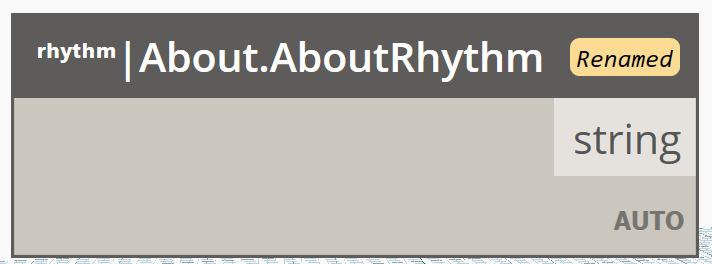
Testing out the new releases I found that there is absolutely no way to (reliably) control this freaking label.
What did you expect to see?
Some way to control this nonsense.. I mean, come on, you guys gave us a method to show/hide the line numbers.
What did you see instead?
This label is troubling for a number of reasons.
- it is alarming. For a new user, this can most definitely seem like an error, ( i have asked around and that is in fact how folks feel).
- We have been coaching people to rename nodes for quite some time for Dynamo Player and Refinery. Now that people have a ton of historic graphs with that strategy, they are going to see a lot of rename labels.
- For my specific case: I rename nodes in Rhythm with a view extension on placement to auto-document. This sucks for me to have to undo now.
- Is the hover tooltip really not enough to know the original node name?!
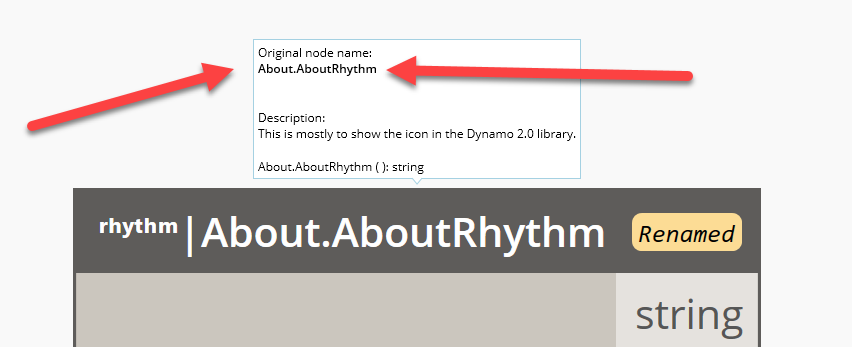
FWIW, I really really appreciate all the UI love going on in Dynamo, but changes like this feel a bit reckless and can definitely lead to cluttering of the UI.
With no way to reliably control stuff like this as a package developer, it worries me.
FYI: @Amoursol , @SHKnudsen , @radumg
 johnpierson
All 13 comments
Agree that having a toggle for this makes sense, I can give that a go unless you have other plans @mjkkirschner, should be an easy fix.
Out if curiosity, why do you think there's no reliable way of controlling it? It should only ever be there if a node is renamed, if that's not the case there might be a bug.
 SHKnudsen
on 22 Jun 2020
SHKnudsen
on 22 Jun 2020
Well. As a view extension author I’m renaming my nodes on placement to have my
package name in front. At this time I have no way of controlling the
“IsRenamed” flag via the API.
johnpierson
on 22 Jun 2020
Hey @johnpierson,
The problem with having the information present only under the hover help-tip is that isn't not immediately visible to new users who run into a lot of confusion with renamed nodes. Letting this be turned off by default will allow your use case to be fixed, but at the expense of the clarity sought for true renamed nodes.
If you are going to look at this @SHKnudsen could you have a look at adding an API that allows a ZeroTouch author to turn off the UI for specific nodes?
 Amoursol
on 22 Jun 2020
Amoursol
on 22 Jun 2020
I concur with @Amoursol - I am thinking that zeroTouch (probably an attribute) is likely not the right level for this control.
If we made it a method or property on NodeViewModel or NodeView that seems appropriate, but accessing it from a viewExtension is not really recommended at this point
(access to the DynamoViewModel from extensions is not a designed API),
and we have no plan on the roadmap to improve those APIs in the near term.
NodeModel also could work - but it doesn't seem as appropriate, as we try to use the NodeModel for properties that effect execution.
something like Bool OverrideRenamedCheck ...
Another option could be to add a method to the ViewExtension API - something like NodeViewUtilities.HideRenamedLabel(nodeView) which could be called on nodes.
 mjkkirschner
on 22 Jun 2020
mjkkirschner
on 22 Jun 2020
Whatever options are fine for me. But having the ability to control as a user or as a ~package~ view extension developer seems key here.
I have ways of hiding it now, but they are not great and could be unstable in the future.
johnpierson
on 22 Jun 2020
@johnpierson do you need that access as a package author, or as a viewExtension author? IMO - only ViewExtensions should have the level of access required to modify the UI of the application outside the boundaries of that package's nodes.
mjkkirschner
on 22 Jun 2020
Rhythm has a view extension that prepends ʳʰʸᵗʰᵐ| to all of my nodes from Rhythm on placement. (NodePlaced event)
So, I guess it would technically be as a View Extension Author 😅. So not in ZeroTouch.
Apologies for the confusion.
johnpierson
on 22 Jun 2020
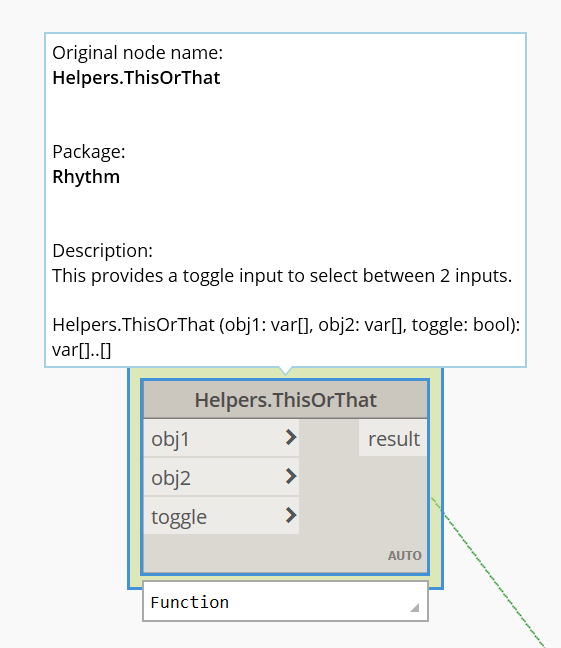
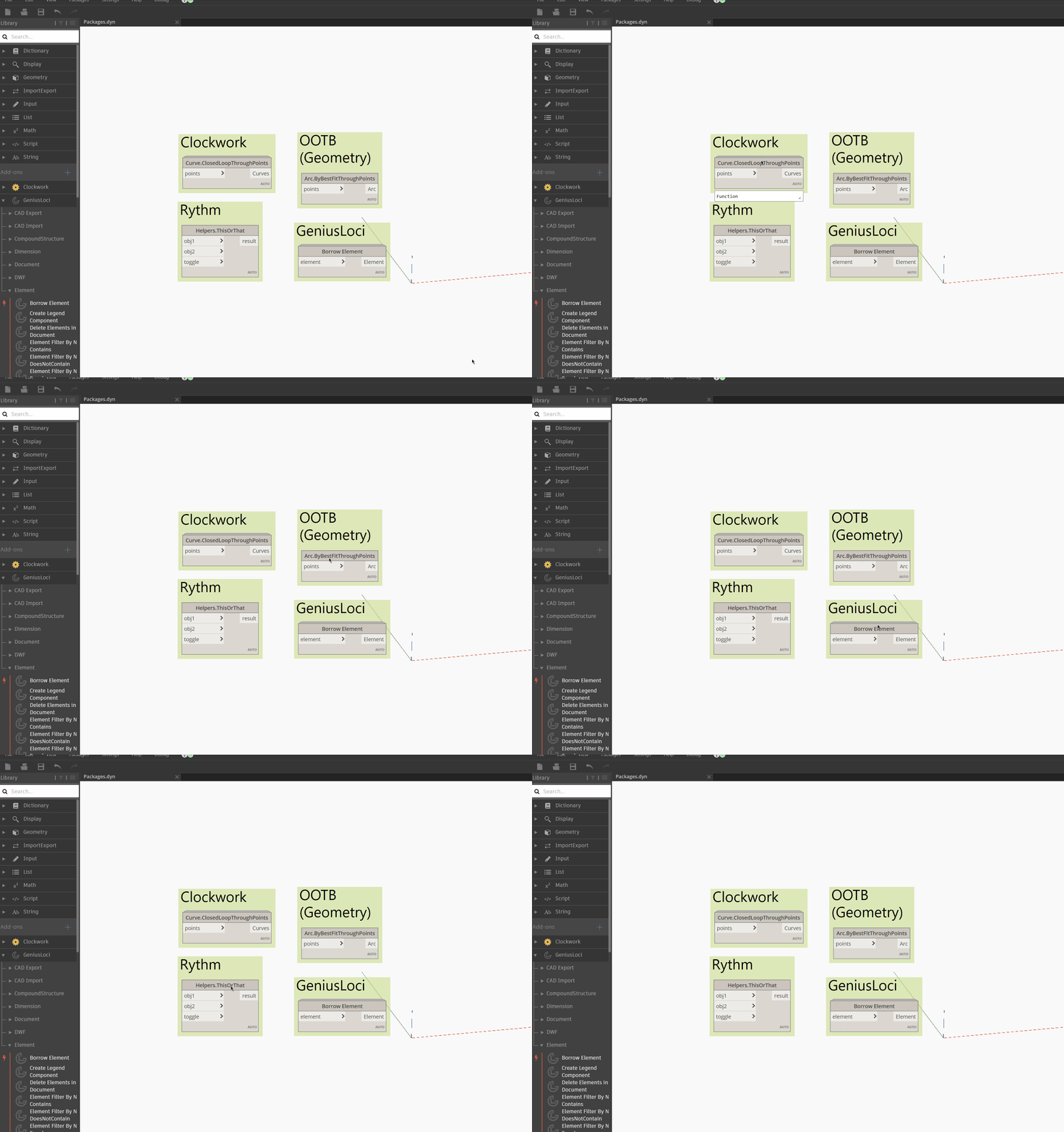
Just a thought here, would it make sense to have the package name in the node tool tip?
Needing an extra viewExtension just to rename nodes props isn't ideal in the first place. Just did a quick test extracting the package name from the NodeModels Category and adding that to the NodeView, seems to work well but haven't tested more than these few examples.
SHKnudsen
on 22 Jun 2020
That's not _too_ bad. I do like having the name how I had it from a "branding" standpoint though. People really seem to dig the look and feel of knowing what package it was from.
My only question would be if that tooltip would serialize into the DYN?
johnpierson
on 22 Jun 2020
Needing an extra viewExtension just to rename nodes props isn't ideal in the first place
Well, Rhythm is a ZeroTouch package that also comes with a view extension that fixes things that I do not have time to wait to happen to core. . 🙂
Right now the view extension does the following:
- Prepending
ʳʰʸᵗʰᵐ|to the node name on placement (for Rhythm only)
- It gets old pretty fast when day to day on the dynamo forum you see the same question, "Where does this node come from?". So I fixed that for my Dynamo package when 2.0.x came out.
- Toggles the Dynamo Run mode to manual when
Background Document Nodesare placed.
- since there are still no Document wrappers at this point to manage the lifecycle of a Revit Document.. There was no way for me to guarantee someone's dynamo not to crash with background nodes, so I toggle to manual for them, which _seems_ to help.
johnpierson
on 22 Jun 2020
At the very least make the "Renamed" tag less pronounced - remove the yellow background and make the font colour light gray. Right now the background is the exact same colour as the warning window, as if the message here is that renaming is now bad...
 dimven
on 25 Jun 2020
dimven
on 25 Jun 2020
That's a very fair point @dimven - Intention originally was to have a clear indicator that objects are renamed, even when zoomed out (Hence the tag with a coloured background). Agree 💯 that we do not want to associate renaming with being bad behavior as the entire intention here was to better support that and not lose the underlying information.
Amoursol
on 25 Jun 2020
@dimven @johnpierson Appreciate your opinions on this. I am always supportive of changes to something our team introduced but could be better. In the past, our team have deprecated Dynamo features which are not too useful, for example, preset. We also have been constantly adjusting out of dated UI stuff. We will adjust according to your feedback and our UX research. Thanks again!
 QilongTang
on 25 Jun 2020
QilongTang
on 25 Jun 2020
Related issues
 mccrone
·
8Comments
mccrone
·
8Comments
 DrLicor
·
4Comments
DrLicor
·
4Comments
 AndersDeleuran
·
6Comments
AndersDeleuran
·
6Comments
 aliasguru
·
10Comments
aliasguru
·
10Comments
 ThomasMahon
·
9Comments
ThomasMahon
·
9Comments