Dxvk: [Resident evil 2 Remake Demo] invisible object
Software information
Name of the game, settings used etc.
System information
- GPU: RX590
- Driver: mesa-git
- Wine version: wine-git
- DXVK version: latest dev-branch
Log files
- d3d11.log: re2_d3d11.log
- dxgi.log: re2_dxgi.log

 nickfaces
All 110 comments
I already did some debugging on this. It's a game bug, a compute shader that relies on undefined behaviour. This can probably not be fixed in DXVK and may require a driver hack.
The Vulkan driver from the AMDGPU-PRO package renders this game correctly.
 doitsujin
on 12 Jan 2019
doitsujin
on 12 Jan 2019
So, maybe I have to issue a bug report on mesa bugtracker ?
nickfaces
on 12 Jan 2019
Not necessary.
doitsujin
on 12 Jan 2019
how you even get the demo to start? I try to launch and black screen comes for a minute and quits. Using steam and latest nvidia drivers.
 mixalis1987
on 13 Jan 2019
mixalis1987
on 13 Jan 2019
Its just working
nickfaces
on 13 Jan 2019
@mixalis1987 You need DXVK 0.95 ^^
 Arias800
on 13 Jan 2019
Arias800
on 13 Jan 2019
@Arias800 How to run the game with DXVK 0.95 in Steam Play or Wine?
 laichiaheng
on 13 Jan 2019
laichiaheng
on 13 Jan 2019
Not necessary.
Why not?
laichiaheng
on 13 Jan 2019
I don't know . I use dxvk-docker for automatically compile and setup dxvk on lutris https://github.com/cheald/dxvk-docker
Arias800
on 13 Jan 2019
@laichiaheng it's not helpful when multiple people report the same thing on different channels. I already did inform a RADV developer about the issue, although not on the public bug tracker.
doitsujin
on 13 Jan 2019
@doitsujin I see, thank you.
laichiaheng
on 13 Jan 2019
@laichiaheng At least two amd developers(Samuel and Marek) are monitoring dxvk bug reports. :)
just install steam in wine prefix with latest dxvk and install the game, must working
nickfaces
on 13 Jan 2019
to fix any graphic issue on Resident Evil 2 Remake you need to change that line in the game config file (is on the .exe path)
"UseOptimizeShader=Disable"
the default value is enabled and seems like it causes the issues, please test and let me now if this fix everything for you guys.

 kassindornelles
on 13 Jan 2019
kassindornelles
on 13 Jan 2019
to fix any graphic issue on Resident Evil 2 Remake you need to change that line in the game config file (is on the .exe path)
"UseOptimizeShader=Disable"
the default value is enabled and seems like it causes the issues, please test and let me now if this fix everything for you guys.
My default is disable.
Proton 3.16-beta
laichiaheng
on 13 Jan 2019
to fix any graphic issue on Resident Evil 2 Remake you need to change that line in the game config file (is on the .exe path)
"UseOptimizeShader=Disable"
the default value is enabled and seems like it causes the issues, please test and let me now if this fix everything for you guys.
My default is disable.
it was enabled by default with my GTX 750, i had weird graphic issues with that on.
kassindornelles
on 13 Jan 2019
yea using dxvk 0.95 works, game wont crash now when launched. But when you go to start the video on the laptop in the police station nothing happens and then you cant interface with anything, cant even pick up bullets etc but you can still move around and run but you also cant access your inventory. This only happens when trying to start the video on the laptop. If you don't do that everything works fine. So my guess is something to do with video. Also HUD disappears, can't see bullets left or anything once you activate the laptop.
mixalis1987
on 13 Jan 2019
That's some sort of wine bug (you might be right about it being related to the video). It does work with DXVK on Windows.
doitsujin
on 13 Jan 2019
hmm ill try other wine versions and see, i only tried wine 4.0-rc4 staging
Edit: No other WINE versions didn't work.
mixalis1987
on 13 Jan 2019
Why does the AMDGPU-PRO driver render the game correctly if there is a game bug?
laichiaheng
on 14 Jan 2019
I already did some debugging on this. It's a game bug, a compute shader that relies on undefined behaviour. This can probably not be fixed in DXVK and may require a driver hack.
The Vulkan driver from the AMDGPU-PRO package renders this game correctly.
I still get the incorrect result with AMDGPU-PRO driver, the objects are still invisible.
laichiaheng
on 14 Jan 2019
Why does the AMDGPU-PRO driver render the game correctly if there is a game bug?
Because it is undefined behaviour. The driver is allowed to do whatever it wants to, that includes rendering the game correctly.
I still get the incorrect result with AMDGPU-PRO driver, the objects are still invisible.
Did you set VK_ICD_FILENAMES to point to the correct json file? It definitely does work with the 18.50 version on Polaris.
doitsujin
on 14 Jan 2019
Where do you add this property?
This one? VK_ICD_FILENAMES="/etc/vulkan/icd.d/amd_icd/amd_icd64.json"
Or this one? VK_ICD_FILENAMES="/usr/share/vulkan/icd.d/radeon_icd.x86_64.json"
I added each of them to the Launch Option in Steam properties, but they didn't work. (RX460)
Can I only install AMDVLK instead of the AMDGPU-PRO on Ubuntu?
(I've found the repo of it)
By the way, should I remove mesa-vulkan-drivers first?
laichiaheng
on 14 Jan 2019
@nickfaces
@laichiaheng At least two amd developers(Samuel and Marek) are monitoring dxvk bug reports. :)
just install steam in wine prefix with latest dxvk and install the game, must working
How do you install the 1 shot demo via Wine version of Steam? I can't browse the website in it.
I can't see 0.95 in Lutris, either. There is only 0.90 in it.
laichiaheng
on 14 Jan 2019
@laichiaheng make sure to set your launch options to VK_ICD_FILENAMES=/etc/vulkan/icd.d/amd_icd/amd_icd64.json %command% (notice the %command%), otherwise it'll just append it to the command which has no effect. If you turn on the DXVK HUD you should should see the device being named AMD Radeon(TM) RX 460 Graphics or something like that, instead of AMD RADV POLARIS11.
radeon_icd.x86_64.json is the JSON file for RADV.
I can't see 0.95 in Lutris, either. There is only 0.90 in it.
You can just type the desired version number (0.95).
doitsujin
on 14 Jan 2019
@doitsujin
It was the result that I didn't add the %command% behind it in Steam Properties, I didn't use Lutris, either.
I didn't test it with AMDGPU-PRO driver, but installed amdvlk only.
There are lots of blocks in the image.
(I couldn't capture it in the first screenshot)

(I can see the blocks clearly in this screenshot)

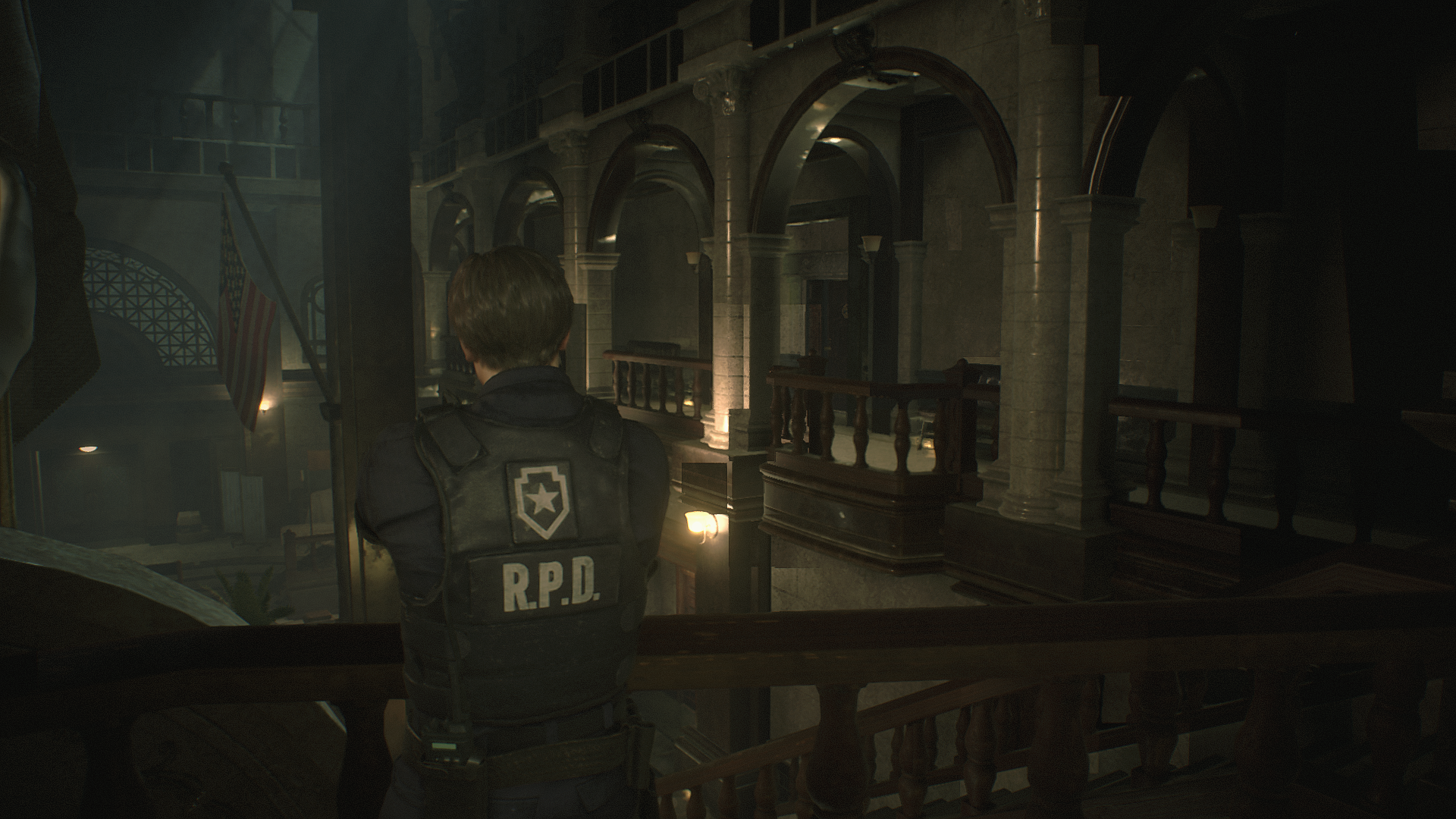
If I add the %command% at behind, it crashes.


laichiaheng
on 14 Jan 2019
If it crashes than the file path you entered is simply wrong.
AMDVLK does indeed produce artifacts, which is why I pointed you towards PRO and not AMDVLK.
doitsujin
on 14 Jan 2019
@doitsujin It looks really better on the AMDGPU-PRO driver.
I still get the error message if I add the %command% behind it.
Do you play it by Lutris? Or Steam Native?
laichiaheng
on 14 Jan 2019
Well about that video error when activating the laptop. I'm pretty convinced now that its some type of video bug because when I try to start demo trailers in-game from the menu I just get a black screen but I can still hear the menu sound (Rain I think) but video wont start, so I have to force quit. Terminal doesn't really show anything of interest.
mixalis1987
on 14 Jan 2019
@laichiaheng that rendering error you see, I had that when I tried to start the game with windows steam version through steam if however when I used Lutris and Lutris launched steam for me and the game I didn't see the error and game started. Just something to try.
mixalis1987
on 14 Jan 2019
The invisible object issue on RADV is fixed in Mesa as of this commit.
doitsujin
on 18 Jan 2019
@doitsujin Do we still need to add VK_ICD_FILENAMES=/etc/vulkan/icd.d/amd_icd/amd_icd64.json %command% to the property if it is fixed?
laichiaheng
on 18 Jan 2019
@laichiaheng with that environment variable you force it to use the -PRO driver, so the answer should be obviously "no"?
doitsujin
on 18 Jan 2019
There seem to be judders with RADV in this game, but my RX580 8G can stay at 60fps in most of the time.
laichiaheng
on 19 Jan 2019
There is another bug related to Wine!
 Ahmed-E-86
on 19 Jan 2019
Ahmed-E-86
on 19 Jan 2019
@laichiaheng not sure what exactly you mean by judder, but mouse input is a bit messed up (and as @ahmed-elsayed2017 pointed out, there are game-breaking issues elsewhere).
doitsujin
on 19 Jan 2019
It is a bug related to missing mfplat implementation. It is a duplicate bug of RE7.
Ahmed-E-86
on 19 Jan 2019
@ahmed-elsayed2017 Any way we can fix it temporarily till they add the fix in master WINE?
mixalis1987
on 21 Jan 2019
Short answer: No.
Long answer: It's possible to get the Windows 7 mfplat DLLs to work with wine, but it's rather complicated and should better be discussed elsewhere.
doitsujin
on 21 Jan 2019
I have a WINE prefix with mfplat dlls on it I remembered I was using it for Gris the game. I will add DXVK to it when the game comes out and I'll see if it works. It's already configured with WMF
mixalis1987
on 21 Jan 2019
@mixalis1987 Would you share it with me if it works?
laichiaheng
on 22 Jan 2019
@laichiaheng Sure I can give it to you now if you like. Just add DXVK I think it has an old version of DXVK on it. You just got to replace the DXVK dlls I think. When the game comes out just install it in the "game" folder you will see a folder Called RE2 in it. Oh and you start the game by running the "start" script.
mixalis1987
on 22 Jan 2019
@mixalis1987 I usually get 4Xfps in the game with my RX580, no matter how low the setting is. Do you get the same result?
laichiaheng
on 22 Jan 2019
@laichiaheng No I get good FPS with my nvidia 1080ti. Do you set your CPU to performance mode? That always helps for me.
mixalis1987
on 22 Jan 2019
I cant test it now again because my minutes ran out.
mixalis1987
on 22 Jan 2019
@laichiaheng No I get good FPS with my nvidia 1080ti. Do you set your CPU to performance mode? That always helps for me.
It doesn't work, still 4Xfps.
laichiaheng
on 22 Jan 2019
65-80 fps on my RX590 (even with OBS+ffmpeg patch)
nickfaces
on 22 Jan 2019
@nickfaces 65-80 is still pretty good. You shouldn't see any lag with that.
mixalis1987
on 22 Jan 2019
65-80 fps on my RX590 (even with OBS+ffmpeg patch)
How? I run RE2 with proton-3.16-6BETA+DXVK0.95 with linux4.20.3+mesa 19.0.0(padoka PPA)
Do RX580 and RX590 have huge difference in performance? Are you also using the RADV driver?
laichiaheng
on 22 Jan 2019
@laichiaheng Unfortunately I wouldn't know because I always used nvidia. I didn't use proton for RE2 I used WINE-staging-rc4 at the time.
mixalis1987
on 22 Jan 2019
@ahmed-elsayed2017 Any way we can fix it temporarily till they add the fix in master WINE?
I tried the fix that people used with some games that use WMF, but it didn't work with RE7 and will not work with RE2 Remake, because it is the same old bug. You could try deleting all videos of the game if you can identify their location. Otherwise you have to use Windows to run these games.
Ahmed-E-86
on 22 Jan 2019
@ahmed-elsayed2017 Any way we can fix it temporarily till they add the fix in master WINE?
I tried the fix that people used with some games that use WMF, but it didn't work with RE7 and will not work with RE2 Remake, because it is the same old bug.
It is good to see Wine developers fixing old bugs, but I don't think that this bug will be fixed any time soon, so if you need to play any of these games, use Windows.
RE7 will be more stable on Windows if you use DXVK, and to use DXVK on Windows you need to copy d3d11.dll and dxgi.dll from x64 folder of DXVK to the game folder.
@doitsujin I am sorry to go off topic, but I had to point that out.
Why do we need DXVK on Windows?
laichiaheng
on 22 Jan 2019
@ahmed-elsayed2017 Any way we can fix it temporarily till they add the fix in master WINE?
I tried the fix that people used with some games that use WMF, but it didn't work with RE7 and will not work with RE2 Remake, because it is the same old bug.
It is good to see Wine developers fixing old bugs, but I don't think that this bug will be fixed any time soon, so if you need to play any of these games, use Windows.
RE7 will be more stable on Windows if you use DXVK, and to use DXVK on Windows you need to copy d3d11.dll and dxgi.dll from x64 folder of DXVK to the game folder.
@doitsujin I am sorry to go off topic, but I had to point that out.Why do we need DXVK on Windows?
I deleted this reply after posting it. Anyway, RE7 gives good performance without using DXVK, but it shutters a lot, and DXVK stabilizes the game for me. I don't know if it does the same for anyone else!
Ahmed-E-86
on 22 Jan 2019
@mixalis1987 Are you success to play the game? I was stuck when Leon and Claire left the gas station.
laichiaheng
on 25 Jan 2019
@laichiaheng No I had the same problem constant loading after the gas station. I also borked my linux instalation so I will be using windows for a bit.
mixalis1987
on 25 Jan 2019
@mixalis1987
use fsarchive and make a backup on a tuned installation. When needed you can back in game literally for 1-2 minutes with brand new and operational installation with all the needed settings and apps. There are no excuses for using Windows.
 mozo78
on 25 Jan 2019
mozo78
on 25 Jan 2019
https://github.com/jzengc/wine/tree/proton_3.16_mf
https://github.com/ValveSoftware/Proton/files/2705555/WMF_workaround.zip for people looking for the dlls
 f0rmatme
on 25 Jan 2019
f0rmatme
on 25 Jan 2019
@mozo78 Trust me I dont want to use windows but I want to dual boot but for some reason I cant get linux to detect windows so it will ask me to dual-boot (take care of the partitioning for me) as im not that good with partitioning I hate to say. The only options it gives me is erase disk or manually parition. If Lutris implemented the proton with MF on it I would erase the hard drive and install just linux lol
mixalis1987
on 26 Jan 2019
Ok fixed my Linux installation dual-booting working so i can continue testing, just got to set up the linux install again how I like.
mixalis1987
on 26 Jan 2019
https://github.com/jzengc/wine/tree/proton_3.16_mf
https://github.com/ValveSoftware/Proton/files/2705555/WMF_workaround.zip for people looking for the dlls
It crashed after I tried the WMF_workaround.zip, I have followed the tutorial command in readme.txt.
How to use the Proton_3.16_mf stuff? If I follow the instruction below, there is no xlib6g-dev in Ubuntu.
configure: error: Cannot build a 32-bit program, you need to install 32-bit development libraries.
I just don't know what 32-bit libraries should be installed.
Will it replace my original WINE?
I think it's the time to buy a new hard drive and embrace Windows 10, although it willl cost me lots of money.
laichiaheng
on 26 Jan 2019
I get this error when I try to make proton_3.16_mf.
fatal error: gnutls26/gnutls.h: No such file or directory
Anyone know how to fix this? Need it for arch (manjaro)
mixalis1987
on 26 Jan 2019
@mixalis1987 I get the same error. The file gnutls.h can be found in the package libgnutls28-dev, so I think that it needs an older version not the version already on the system!!
And as I said before, that fix is not working with RE7 or RE2 Remake, so you don't have to waste your time.
Ahmed-E-86
on 26 Jan 2019
@ahmed-elsayed2017 Oh so that's the same fix. Damn. I guess we gotta leave it in the hands of the WINE developers and hope they come up with a fix at least a temporary work around.
mixalis1987
on 26 Jan 2019
https://github.com/ValveSoftware/Proton/issues/2266
talk here, try the other fix i posted there,
f0rmatme
on 26 Jan 2019
@mozo78 Trust me I dont want to use windows but I want to dual boot but for some reason I cant get linux to detect windows so it will ask me to dual-boot (take care of the partitioning for me) as im not that good with partitioning I hate to say. The only options it gives me is erase disk or manually parition. If Lutris implemented the proton with MF on it I would erase the hard drive and install just linux lol
All you need to do is just update GRUB for 5 seconds, not whole new installation :)
mozo78
on 26 Jan 2019
@ahmed-elsayed2017 Oh so that's the same fix. Damn. I guess we gotta leave it in the hands of the WINE developers and hope they come up with a fix at least a temporary work around.
Don't hold your breath :smile:
Ahmed-E-86
on 26 Jan 2019
@ahmed-elsayed2017 I'm not lol
mixalis1987
on 26 Jan 2019
@ahmed-elsayed2017 Real shame. The game runs great if it wasn't for that damn mf. I had a save from windows that bypassed some videos so now im playing the game on linux I'm at the underground facility sewers with ada. Who knows when a video file will come up again till then just gotta keep saving often.
mixalis1987
on 26 Jan 2019
Some people managed to run Resident Evil 2 Remake, but they didn't mention what they did exactly
Ahmed-E-86
on 28 Jan 2019
@ahmed-elsayed2017 Looks interesting but the instructions are not very clear maybe if some one more skilled can make a video?
mixalis1987
on 28 Jan 2019
@mixalis1987 SergeyLatyshev did it: #886
laichiaheng
on 29 Jan 2019
@laichiaheng Got the game to work! FPS is good.
mixalis1987
on 29 Jan 2019
Nice! Resident Evil 7 Biohazard works as well
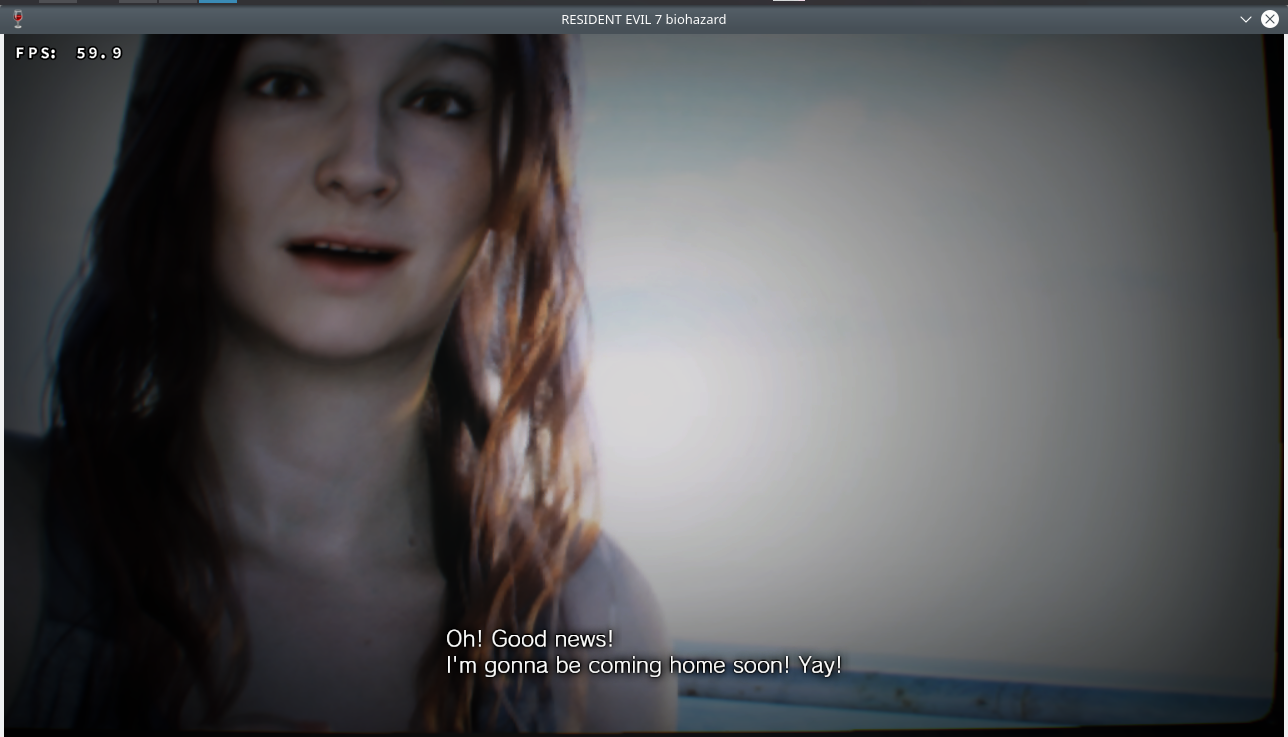
The modified script to be used directly:
python-installcab-master.zip
You need to write:
winetricks mf
export WINEPREFIX=/where the prefix of the game is
./install-mf-64.sh
You need to copy mfplat.dll version 12.0.7601.23471 (64bit) to the game folder
Ahmed-E-86
on 30 Jan 2019
@ahmed-elsayed2017 Yes can confirm RE7 is also working fully and on high settings. Good FPS.
mixalis1987
on 30 Jan 2019
@mixalis1987
How good is it in RE2? No stutter in game and audio desync in cut scene?
What CPU and GPU are you using? Is anyone also in Gnome3 on Ubuntu18.04.1?
laichiaheng
on 30 Jan 2019
No no stutter not that I can see. Max settings also.
CPU: Intel Core i7-6700 @ 8x 4GHz
GPU: GeForce GTX 1080 Ti Drivers: NVIDIA 415.27
DXVK Version: 0.96
Linux: Manjaro 18.0.2 Illyria
Desktop: xfce4
Quick video of me playing: https://www.youtube.com/watch?v=JCPgIyZTHA0
I didn't set the DXVK_HUD in the video because I wasnt sure how to do that on proton. But the video should show no stutter.
Note: When playing games I always set my CPU to performance mode. It always helped for me for a lot of games. Even native ones like Rise of the Tomb Raider, if I don't set it, it says my CPU is not compatible and may get performance issues haha.
mixalis1987
on 30 Jan 2019
Adding 'DXVK_HUD=1 %command%' in the game properties if you need DXVK_HUD.
Is my CPU (i5-4460) too weak for proton? Or is it the Gnome3 problem?
laichiaheng
on 30 Jan 2019
@laichiaheng oh right lol forgot the %command% at the end.
mixalis1987
on 30 Jan 2019
@ahmed-elsayed2017 Yes can confirm RE7 is also working fully and on high settings. Good FPS.
It is working great. I changed Display Mode to borderless window to force Vsync, and Rendering Method to Normal to be able to read the text well.
Ahmed-E-86
on 30 Jan 2019
@laichiaheng I think the issue is both (CPU and DE) that's why I always use xfce4 for Linux so it doesn't use up too much CPU power when playing in the background so WINE can have most of it.
I also disable stuff like CONKY when playing games as it crashes some games randomly.
mixalis1987
on 30 Jan 2019
@mixalis1987 There is no more stuttering problem in XFCE4, thanks. But still low frame rates.
laichiaheng
on 30 Jan 2019
@laichiaheng That might be the CPU then. Also if you haven't try lower graphics.
mixalis1987
on 30 Jan 2019
@mixalis1987
How good is it in RE2? No stutter in game and audio desync in cut scene?What CPU and GPU are you using? Is anyone also in Gnome3 on Ubuntu18.04.1?
XFCE and KDE are lighter than Gnome and Cinnamon.
Look at this guide to know how to update your Nvidia or AMD card to the latest version if you haven't done it yet
Ubuntu 18.10 uses kernel 4.18, and Ubuntu 18.04 uses kernel 4.15. You might need to upgrade your system. Here is a guild to how to upgrade your system to 18.10 >>> https://www.omgubuntu.co.uk/2018/10/how-to-upgrade-to-ubuntu-18-10
Ahmed-E-86
on 30 Jan 2019
Yea always update GPU drivers that helped a lot with Nier: Automata FPS jumped straight up after updating for that game.
mixalis1987
on 30 Jan 2019
I've already run on the latest mainline kernel (4.20.5) and latest mesa-git (19.0.0-devel) driver
laichiaheng
on 30 Jan 2019
@laichiaheng Mesa are opensource drivers right? I read everywhere that the native ones from the companies are always better to use for gaming on linux. I always use the non-free drivers.
mixalis1987
on 30 Jan 2019
@mixalis1987 Isn't Mesa RADV better than the proprietary AMDGPU-PRO driver on Linux now?
https://www.phoronix.com/scan.php?page=article&item=amdvlk-2019q12-mesa19&num=2
The Nvidia opensource Nouveau driver on Linux is horrible indeed.
laichiaheng
on 30 Jan 2019
@laichiaheng Sorry can't say much about the drivers, never owned AMD.
mixalis1987
on 30 Jan 2019
@laichiaheng This guide might help you https://frondtech.com/resident-evil-2-remake-2019-performance-guide-fix-lag-fps-drops-bugs-and-stuttering/
Ahmed-E-86
on 30 Jan 2019
Side note. Also got game trainer working with this game. I can make video if there is an interest.
mixalis1987
on 30 Jan 2019
Nice! Resident Evil 7 Biohazard works as well
The modified script to be used directly:
python-installcab-master.zipYou need to write:
winetricks mf
export WINEPREFIX=/where the prefix of the game is
./install-mf-64.sh
You need to copy mfplat.dll version 12.0.7601.23471 (64bit) to the game folder
Is it the latest Gold version or the old one?
mozo78
on 30 Jan 2019
Is it the latest Gold version or the old one?
The old one.
Ahmed-E-86
on 30 Jan 2019
Thank you :)
Did you try the newest Gold version? I tried it but it crashes at Start game selection.
mozo78
on 30 Jan 2019
Thank you :)
Did you try the newest Gold version? I tried it but it crashes at Start game selection.
Did you copy mfplat.dll to the game folder?
You need mfplat.dll version 12.0.7601.23471 (Windows7 - 64bit).
IF you don't have the file, send me a private message and I will send it to you.
Ahmed-E-86
on 30 Jan 2019
Yes I copied the mfplat.dll version 12.0.7601.23471 to the game folder but no go :(
mozo78
on 30 Jan 2019
@mozo78 I think i'm using the gold edition as it has extra content in it banned footage etc
mixalis1987
on 30 Jan 2019
and ran the mfplat install script?
mixalis1987
on 30 Jan 2019
Yes I copied the mfplat.dll version 12.0.7601.23471 to the game folder but no go :(
Did you get any errors while executing the script?
Ahmed-E-86
on 30 Jan 2019
@mozo78 whats your distro?
mixalis1987
on 30 Jan 2019
Yes I copied the mfplat.dll version 12.0.7601.23471 to the game folder but no go :(
Did you get any errors while executing the script?
Nope, everything is allright with no errors at all:
https://pastebin.com/d2Mf7dxm
@mozo78 whats your distro?
Arch Linux.
mozo78
on 30 Jan 2019
@mozo78 hmm yea and the install looks good. Only other thing I can think of is are you getting the mfplat from a reliable source?
mixalis1987
on 30 Jan 2019
Yes, I downloaded it from the net and I installed Windows 7 on a Virtualbox VM. The game doesn't work with both dlls...
mozo78
on 30 Jan 2019
@mozo78 And you sure of the version? did you right click mfplat in windows and go to the details tab to see if its the correct one?
mixalis1987
on 30 Jan 2019
Yes ahmed-elsayed2 gave me one on email but the game keeps crashing at the new game selection...
mozo78
on 30 Jan 2019
latest WINE version?
mixalis1987
on 30 Jan 2019
Yeah - Wine-Staging 4.0. I tried it with wine-3.16-6-proton also.
mozo78
on 30 Jan 2019
Am I right? Do I have the gold version if I have banned content included?
mixalis1987
on 30 Jan 2019
I don't know. I'll try 2017 Deluxe version :)
mozo78
on 30 Jan 2019
Now I tried the oldest version and it actually runs without problems. The problem is in the Gold version :)
mozo78
on 31 Jan 2019
@mozo78 Do you have banned content?
mixalis1987
on 31 Jan 2019
How can I check it? I actually don't play this game. It's a hobby to set games in Wine and just wish to try that too :)
mozo78
on 31 Jan 2019
Related issues
 jekstrand
·
5Comments
jekstrand
·
5Comments
 ThePiggyBanks
·
5Comments
ThePiggyBanks
·
5Comments
 AuroransSolis
·
3Comments
AuroransSolis
·
3Comments
 artivision
·
4Comments
artivision
·
4Comments
 SzDavidHUN
·
3Comments
SzDavidHUN
·
3Comments
Most helpful comment
The invisible object issue on RADV is fixed in Mesa as of this commit.