Dxvk: Add option to change default mipmapLodBias
Some old titles looks more natural when this option set to e.g. -1.
Tested on SaintsRow3: by default textures are blurry, even with all graphic options set to its maximum values. Setting info.mipmapLodBias to -1 noticeable improve textures. No performance drops noticed for SR3 (looks like it even improved a bit, but not sure).
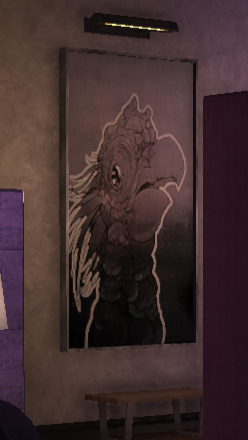
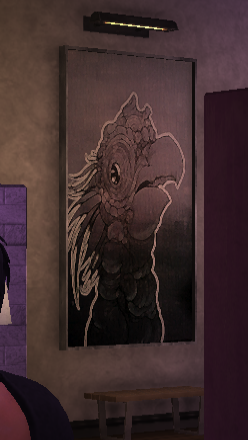
If performance can improved when using higher positive values for info.mipmapLodBias, this can help some new titles to be played on weaker hardware, e.g. Batman: AK.
Inspired by libstrangle PICMIP env var (tested on GTA IV: EFLC):
You can adjust the mipmap lod bias in both opengl and vulkan with the environment variable PICMIP.
A higher value means blurrier textures. A negative value could make textures crisper.
Changes used:
https://gist.github.com/pchome/74707d21f750d25cdf6fe050cc2c8a8f
P.S. not a PR because I'm actually don't know what I'm doing ;)
 pchome
All 8 comments
Tested this with The Witcher 3.
Default TextureMipBias value may depend on game's graphics preset, and forcing it to -1 (along with disabling Sharpening, Blur and Anti-aliasing post-processing options) can improve overall image quality.
TextureMipBias can be found/tuned in bin/config/base/rendering.ini
or 292030/pfx/drive_c/users/steamuser/My Documents/The Witcher 3/user.settings
Default: 0
[Rendering]
TextureMipBias=0
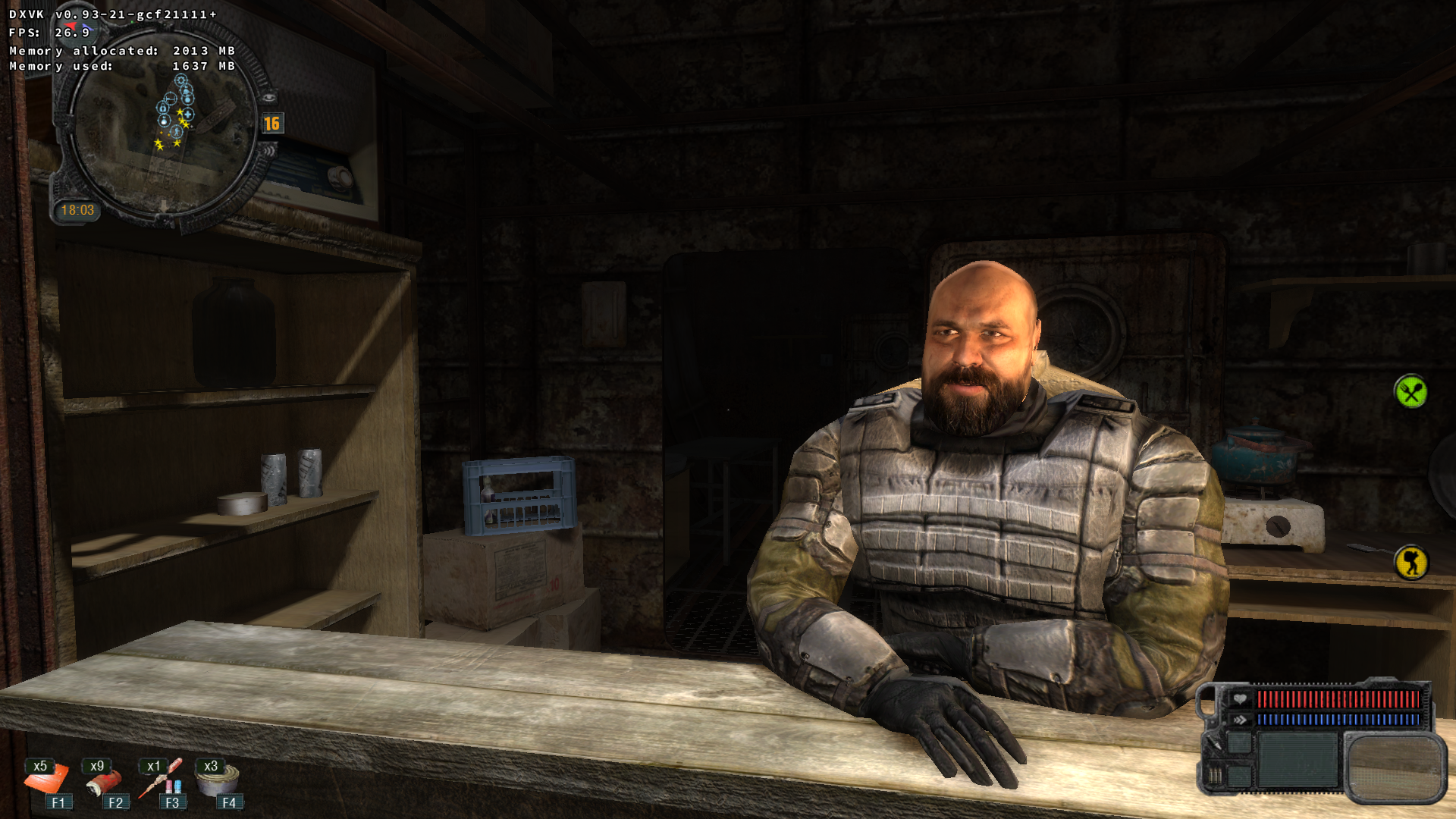
Stalker: CoP (DX10)
_Max Textures/Objects (default)_
_Max Textures/Objects (LOD Bias hack)_
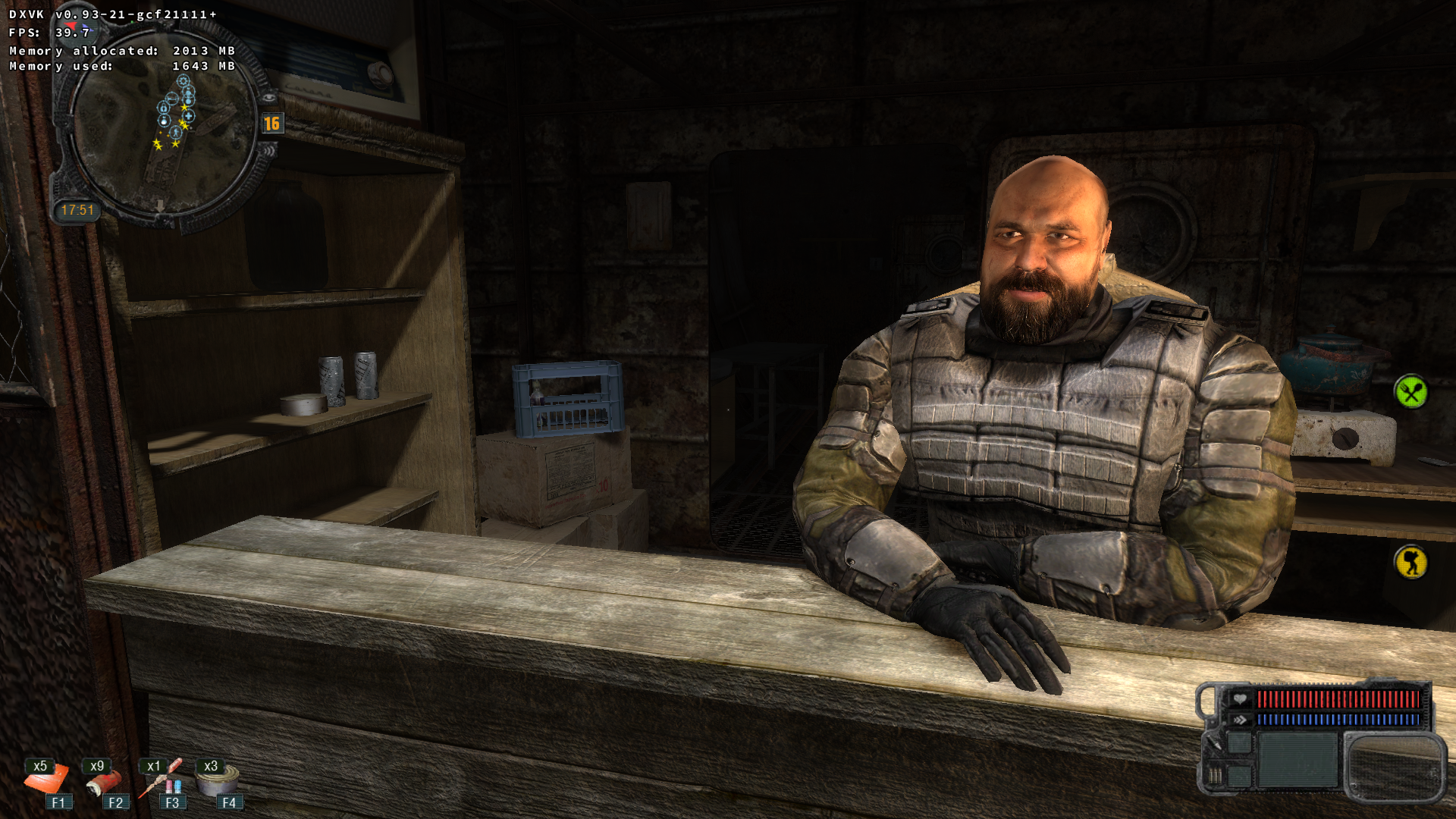
Updated hack: https://gist.github.com/pchome/cc45ccf9c749c0434645f812036ddc42
pchome
on 1 Dec 2018
@pchome
Nice knob to tweak tbh. Sometimes ingame settings dont really change that much, but this override atleast let you customize a bit more :)
And incase ppl wanting to test, the override "key" in the dxvk.conf file is d3d11.samplerMipLODBias =
-1 = crisper/higher quality (Level Of Detail). Not sure what is the max, but i would say 2 is pretty horribly blurry and crappy.
I would recommend you make a PR @pchome , so can @doitsujin do any changes he likes... and that is cos i just like options :+1:
 SveSop
on 2 Dec 2018
SveSop
on 2 Dec 2018
Not sure what is the max, but i would say 2 is pretty horribly blurry and crappy.
You can check libstrangle README page, where PICMIP=1337 turns vkQuake into the "modern" (texture-less ?) game.
The result can vary, depend on game, settings, hardware(?) and your own opinion/vision.
I read something like: for 4k you can set -2 or -1, for 1080 -- -0.7 or -0.4, ...
With this hack you can't set less then -1, because I don't know what the reasonable minimum should be. And I don't use values other than -1.
As for my own observation: this mostly affects signs, posters, foliage etc. Especially foliage are noticeable changes environment: it became thinner, light can path through, better shadows, ... -- which creates more alive scene (not a solid green piece of ... tree, and not a dark/light zone around).
This is for minimal AA/AF, probably maximized AA/AF can produce similar effect, but I have no such powerful hardware to check/play ;)
pchome
on 2 Dec 2018
I read something like: for 4k you can set -2
Texture filtering automatically selects the closest mip levels, no matter what your screen resolution is. A mip LOD bias of -2 would mean that in order to fill a 1024x1024 quad, you'd need a 4096x4096 texture, and the result would be of low quality because it can introduce high-frequency noise that mip mapping is designed to eliminate. Not a particularly good idea.
Like everything else, overriding the LOD bias can also quite easily break stuff, it's additional code to maintain, and not terribly useful in general. Not sure if DXVK really needs this.
 doitsujin
on 2 Dec 2018
doitsujin
on 2 Dec 2018
Ah well, another patch to put into my fixes-folder i guess. Thx anyway tho @pchome :)
SveSop
on 2 Dec 2018
@doitsujin
Like everything else, overriding the LOD bias can also quite easily break stuff
Sure. But, in both directions, sometimes. In particular, it fixes the light's glitches in GTA: EFLC (wined3d) for me.

Anyway, that's why I left this patch as is (not as PR). And if you don't like it as DXVK builtin option -- feel free to close this issue.
pchome
on 2 Dec 2018
Closing. There is https://gitlab.com/torkel104/libstrangle (or https://github.com/pchome/VkGHL) for this hack.
pchome
on 14 May 2019
Related issues
 fls2018
·
4Comments
fls2018
·
4Comments
 AuroransSolis
·
3Comments
AuroransSolis
·
3Comments
 7oxicshadow
·
3Comments
7oxicshadow
·
3Comments
 t14462
·
4Comments
t14462
·
4Comments
 ThePiggyBanks
·
5Comments
ThePiggyBanks
·
5Comments
Most helpful comment
Stalker: CoP (DX10)
_Max Textures/Objects (default)_

_Max Textures/Objects (LOD Bias hack)_

Updated hack: https://gist.github.com/pchome/cc45ccf9c749c0434645f812036ddc42