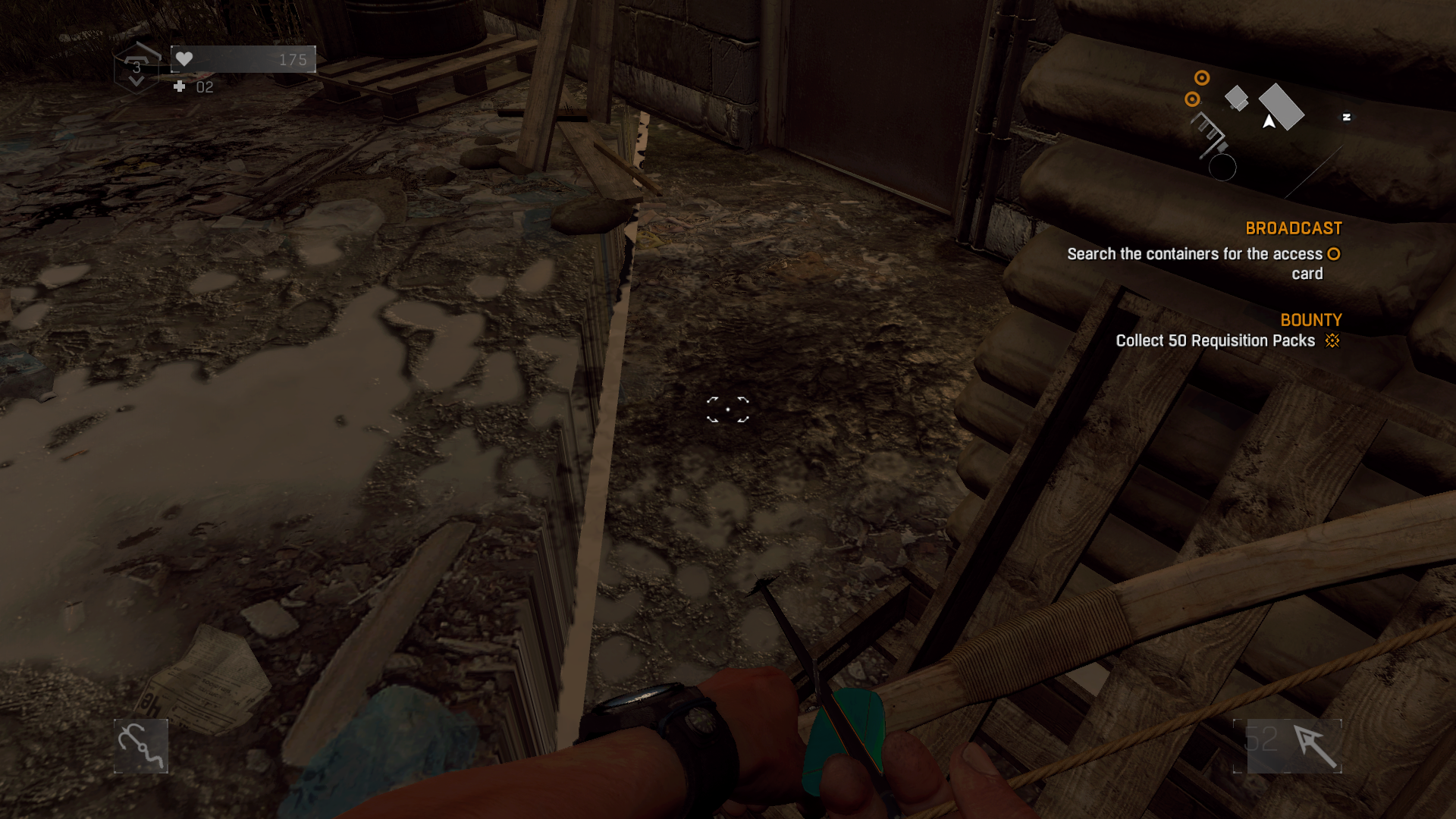
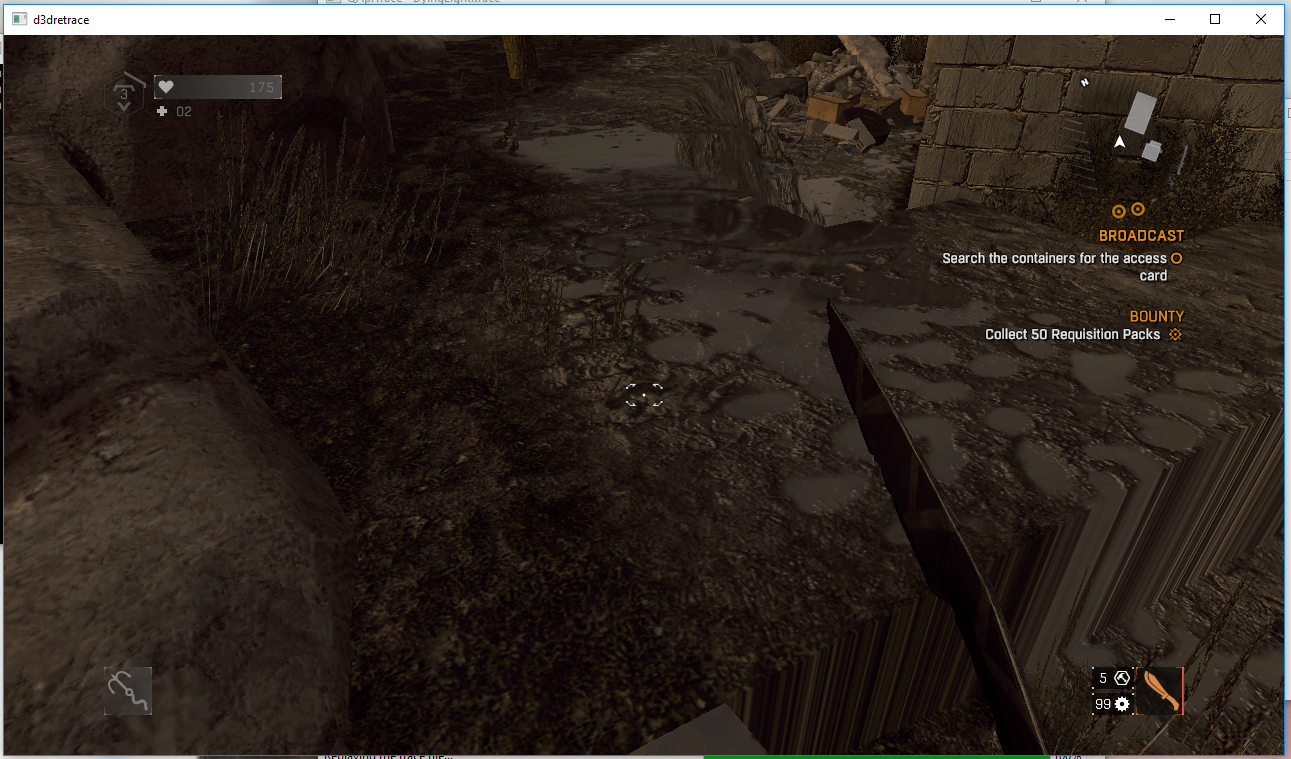
I have several times encountered small patches of terrain which is randomly placed too high or too low. The problem should be clear by the following screenshots of a more extreme case:

Software information
Dying Light (latest GOG Version). The problem is present on both lowest and highest settings.
System information
- GPU: AMD RX 580 8 GB
- Driver: 19.0.0-devel (git-896c59d 2018-11-22 xenial-oibaf-ppa)
- Wine version: wine-3.20 (Staging)
- DXVK version: 0.93 (but also happens with version 0.91).
Apitrace file(s)
Log files
- d3d11.log: DyingLightGame_d3d11.log
- dxgi.log: DyingLightGame_dxgi.log
 ThePiggyBanks
All 5 comments
Are you sure that this isn't just a game bug? Same thing happens when replaying your trace with wined3d.
 doitsujin
on 24 Nov 2018
doitsujin
on 24 Nov 2018
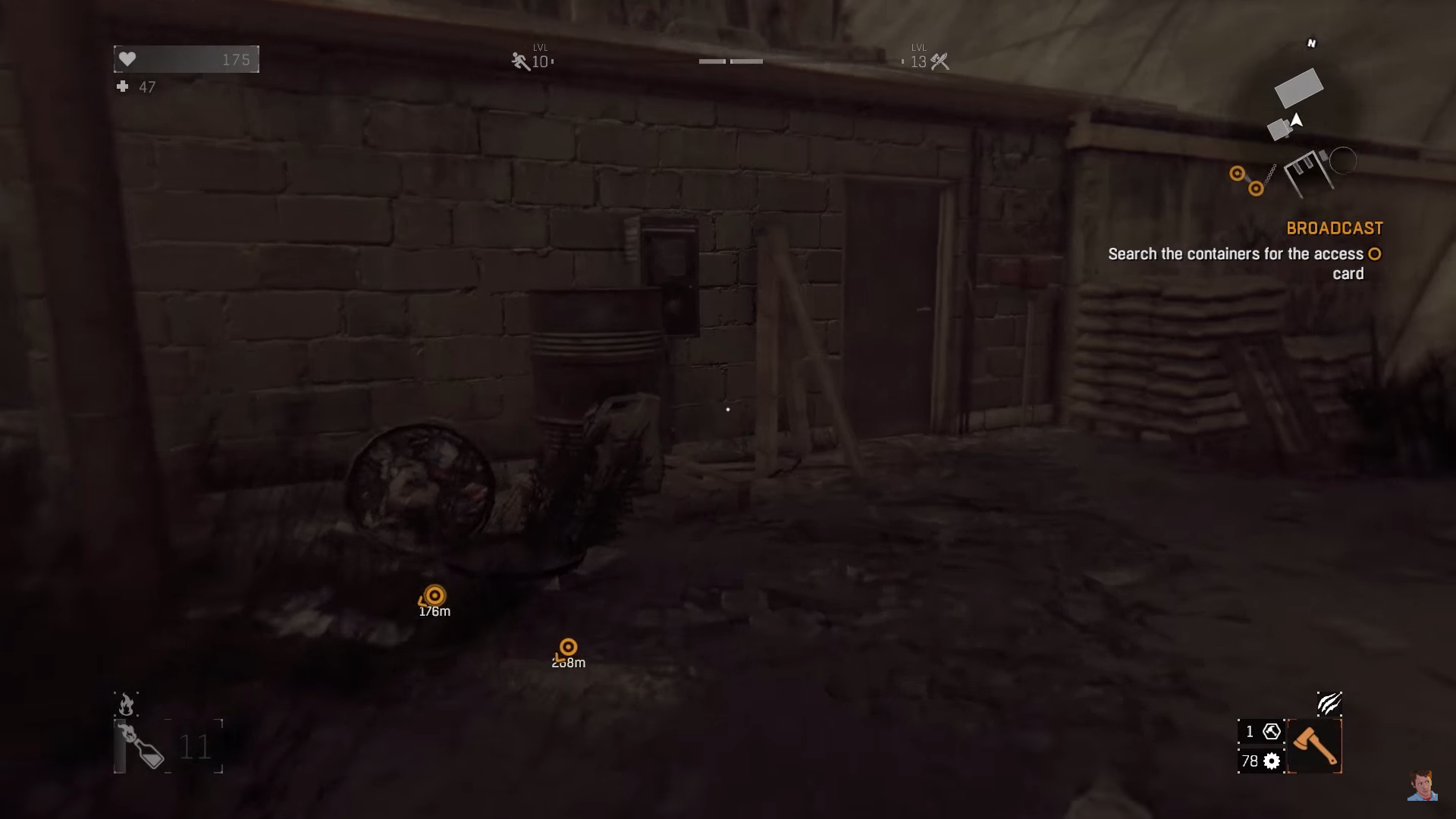
I do not currently have a Windows computer to test this on. However, I have found some videos on Youtube where people didn't have the same problem - as an example (I apologise for the blurriness; these were the best screenshots I could get):
Source
And for comparison (DXVK screenshot first):
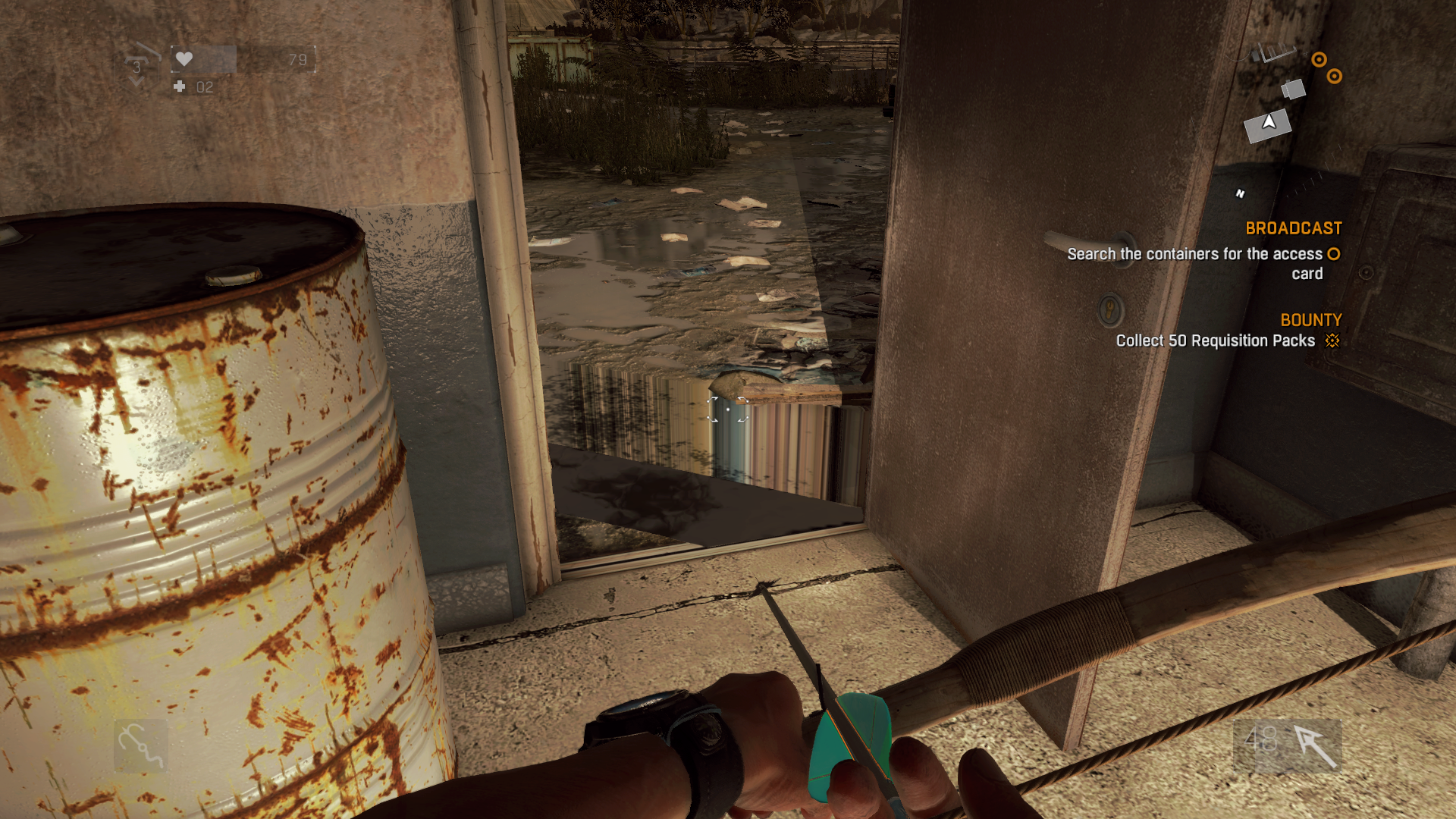
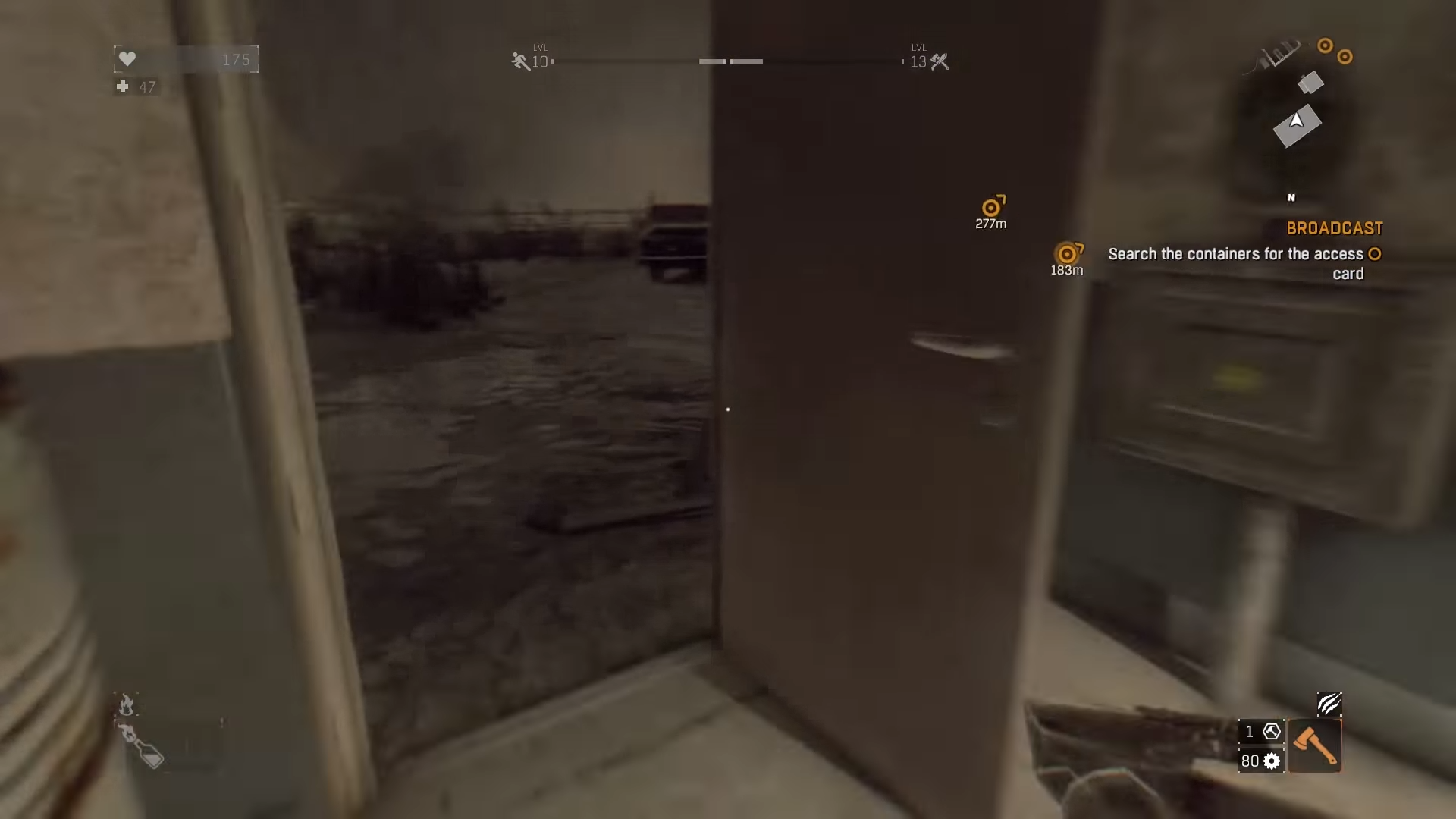
Source
Furthermore I am fairly certain that this is a bug in DXVK, since I sometimes experience the same in other games run through DXVK (e.g. The Witcher 3 where the water sometimes has a wrong height offset) but I haven't seen this in a native game.
ThePiggyBanks
on 25 Nov 2018
Same thing happens on Windows when replaying your trace. This is not a rendering issue.
Can you test the game without DXVK?
doitsujin
on 25 Nov 2018
I have now gotten access to a Windows computer and it appears, that the bug does indeed happen there as well, so I guess it is not a DXVK bug after all. Sorry for the inconvenience.
ThePiggyBanks
on 28 Nov 2018
Alright, thanks for testing. I guess this can be closed then.
doitsujin
on 28 Nov 2018
Related issues
 EnigmaRaptor
·
5Comments
EnigmaRaptor
·
5Comments
 index-0
·
3Comments
index-0
·
3Comments
 DarknessStorm
·
5Comments
DarknessStorm
·
5Comments
 t14462
·
4Comments
t14462
·
4Comments
 HunterCZ122
·
4Comments
HunterCZ122
·
4Comments
Most helpful comment
Alright, thanks for testing. I guess this can be closed then.