Dxvk: [via PROTON Beta][NVAPI/64][Unreal Engine 4] Dragon Quest XI performance issues
Average Framerate drops from 35-40 fps to 8-9 fps when entering certain area in the game.
I could not use apitrace together with PROTON as it hangs shortly after the game starts. DXVK was disabled as well as ESYNC. The game freezes right before the intro CGI, generally around the time I can see DXVK metrics so I guess that's when the graphics pipeline gets initialized or something like that.
Software information
Dragon Quest XI, Fullscreen mode, High or Low profile makes negligible to no difference in performance in that area of the game or at least very inconsistently so.
The shadows seem to be killing DXVK performance in this game somewhat
System information
- GPU: GTX 1060
- Driver: 396.54
- Wine version: Proton 3.7-5 Beta
- DXVK version: 0.70
- Additional info: Unreal Engine 4
Apitrace file(s)
- I do not know if this file is actually exploitable but I'll put it here anyway:
http://dl.free.fr/getfile.pl?file=/2hGUUdJv
I'll try to generate one on Windows if I can.
Log files
d3d11.log: DRAGON QUEST XI_d3d11.log
dxgi.log: DRAGON QUEST XI_dxgi.log
steam-742120.log (crashed apitrace):
steam-742120.logUE4 CrashContext.runtime-xml :
CrashContext.runtime-xml.gzUE4 Minidump:
UE4Minidump.dmp.tar.gz
 DistantThunder
All 30 comments
I already got a working apitrace from someone else yesterday, but as far as I can tell there is no specific reason for the game to run that bad, and there is just nothing that I can improve.
The only thing I can do is recommend you to run the game with lowest settings if that improves things.
 doitsujin
on 6 Sep 2018
doitsujin
on 6 Sep 2018
One more thing - does this game run with wined3d, and if it does, do you get better performance?
doitsujin
on 6 Sep 2018
@doitsujin, Yes, by a good margin (I'd say ~25%) but it's missing a lot of effetcs and makes the game quite ugly.
I guess this is Windows only for the moment then. Though I think we may meet this kind of case more frequently as more UE4 games come around.
DistantThunder
on 6 Sep 2018
There's nothing wrong with UE4 per se, this is game-specific.
Have you tried the latest Nvidia beta driver (396.54.02)?
doitsujin
on 6 Sep 2018
OP: I can't say if it's the same issue as you didn't specify which area there is a FPS drop, but I can say that Proton 3.7-5 beta is a lot slower than running it with regular Wine-staging 3.15 + Esync + DXVK git for me. In the very first church, FPS when looking at a wall to the left is around 40-55 FPS (and GPU limited) when using the above configuration, whereas it's around 15 fps, and CPU limited, when using Proton, regardless of GPU settings.
I can't say if this is due to newer Wine, newer DXVK, or some issue with Proton itself, though.
 aqxa1
on 6 Sep 2018
aqxa1
on 6 Sep 2018
@thirdeyefunction not sure it shows something useful, but can you check sudo perf top (package linux-tools-common). May be it shows something to identify source of CPU usage.
 lieff
on 6 Sep 2018
lieff
on 6 Sep 2018
After more tests, it seems that if I replace the DXVK included with proton in DQXI's prefix, the performance issue is gone (although for some reason, the version is still detected as 0.70-git commit). Weirdly, if I compile my own version of 0.70, and run that with Wine, the issue isn't there either.
I have somehow since corrupted my Proton installation in the process so I can't test it further at the moment, but will cleanup it up and have another look to confirm tomorrow.
@lieff I'll have a look at that later as well.
aqxa1
on 6 Sep 2018
Hi guys ... for me the following helped a little with the performance (the game is still gpu bound) but somehow it runs better.
On steam open properties -> set launch options and enter -> -USEALLAVAILABLECORES
Feedback would be nice
 Glog78
on 6 Sep 2018
Glog78
on 6 Sep 2018
Update from my end, looks like there is actually a general issue with recent Unreal Engine 4 games eating up one core for no apparent reason when running with dxvk, but not inside dxvk code. Can't do much about that.
doitsujin
on 6 Sep 2018
UE4 is opensource and can be compiled with debug info for profiling with dxvk. But this is not a short way, win dev env setup and building can consume long time.
lieff
on 6 Sep 2018
I have used both workaround (latest 0.71 DXVK and USEALLAVAILABLESCORES) to no avail.
Performance does seem a bit smoother with those settings outside of incriminated area but it seems the game is still limited to one thread somehow:

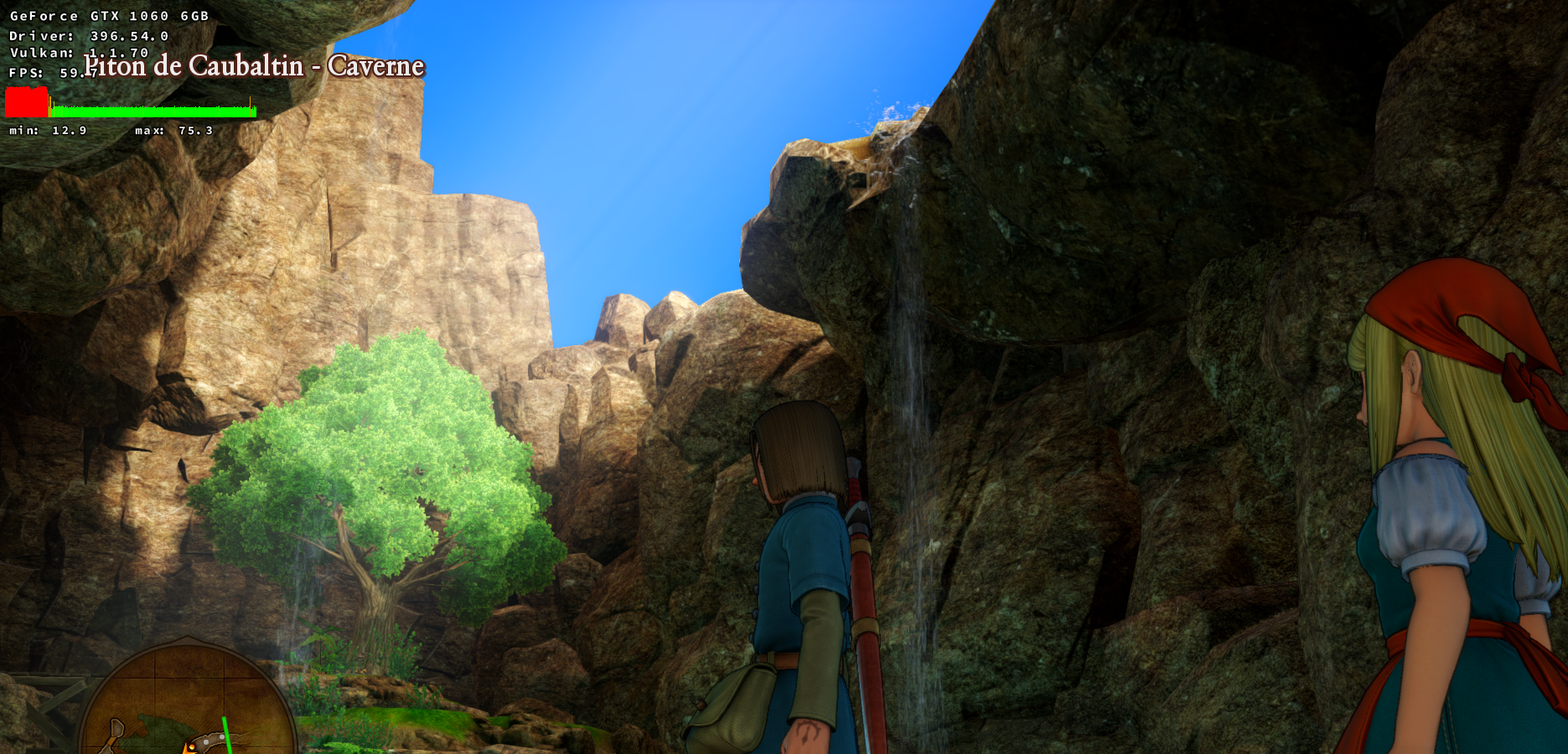
For reference, the problematic area I'm always talking about:
As long as I look at the sky, perf is fine:
The moment I start to look at the cavern area:
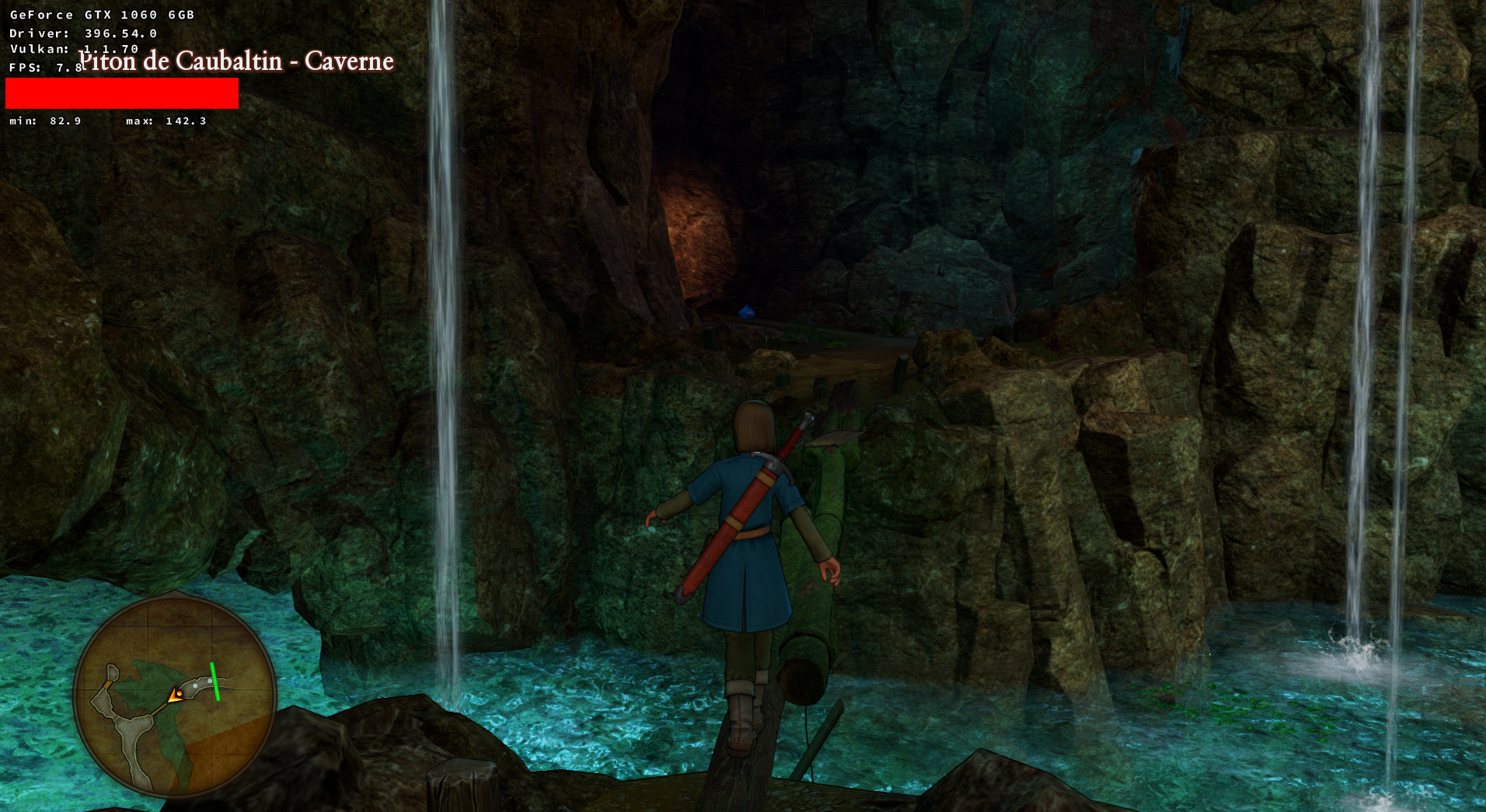
I suspected the water and still haven't completely ruled it out but the perf is also hogged in further areas of the cavern.
DistantThunder
on 6 Sep 2018
Is htop configured to show threads?
Is CPU governor in performance mode?
It seems all threads eats only 89% of one core (htop must show >100% per process if more than one core utilized). If it's 4 worker threads via USEALLAVAILABLESCORES it seems very low CPU usage (22% per core) thanks to Vulkan and CPU stays at low frequency.
lieff
on 6 Sep 2018
https://www.dsogaming.com/pc-performance-analyses/dragon-quest-xi-echoes-of-an-elusive-age-pc-performance-analysis/ > so performance is not really "great" overall for this game (even on windows)
Also it seems the game might not always do a clean depth check so it might render at times more than you see on the screen. Currently i suspect this is responsible for the huge framedrops. I have made a forum post about it on the DQ11 forum and pray that the devs check for this.
So while i wish we could already have a better experience i don't think dxvk can change anything. There needs to be stuff changed in the game (as of todays knowledge we have about the game).
Glog78
on 6 Sep 2018
@Glog78 I suspect that kind of scenario:
I have no technical data to backup my claims but there's _something_ about rock/walls in this game.
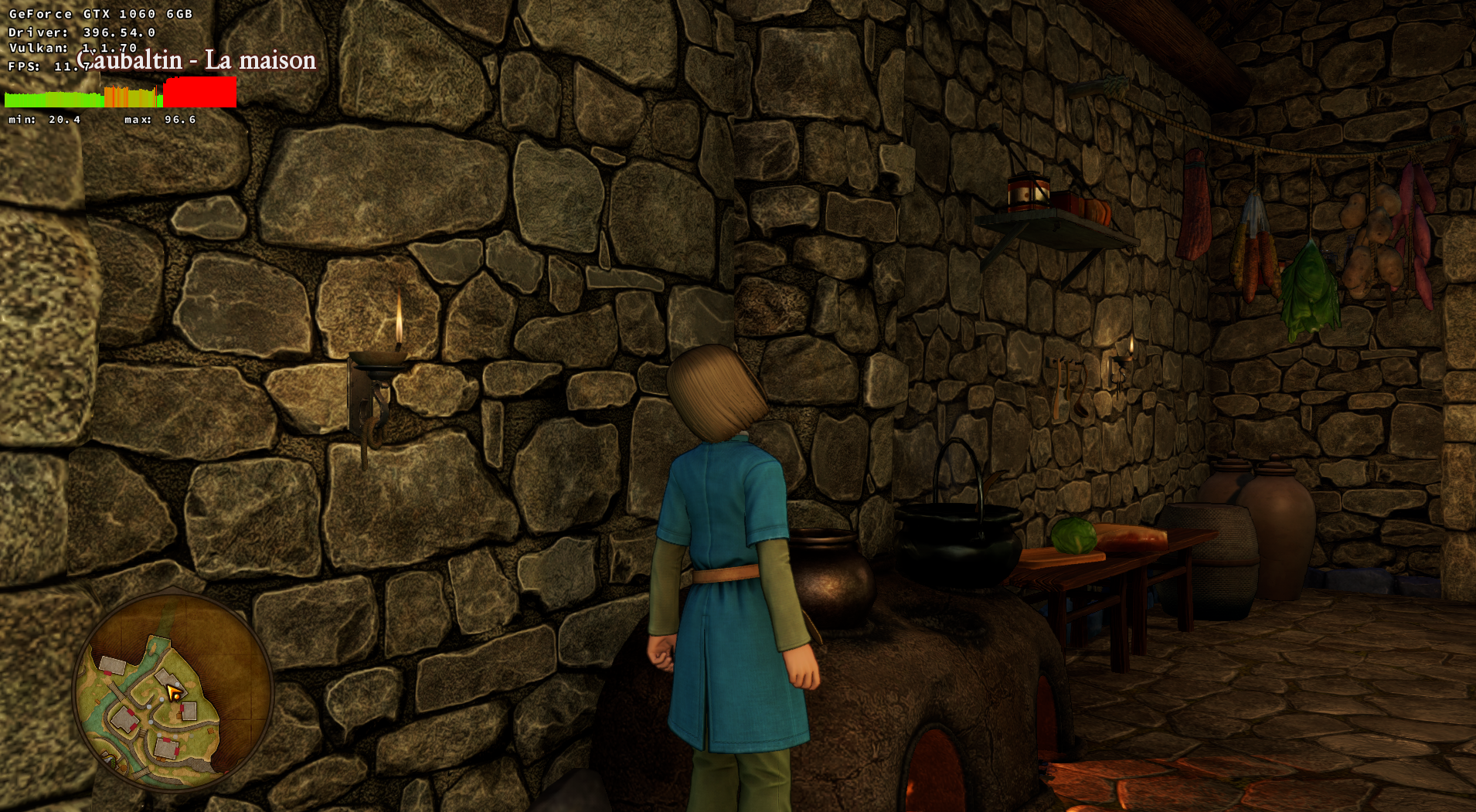
Water doesn't seem to be the culprit, or at least, not in most situations:
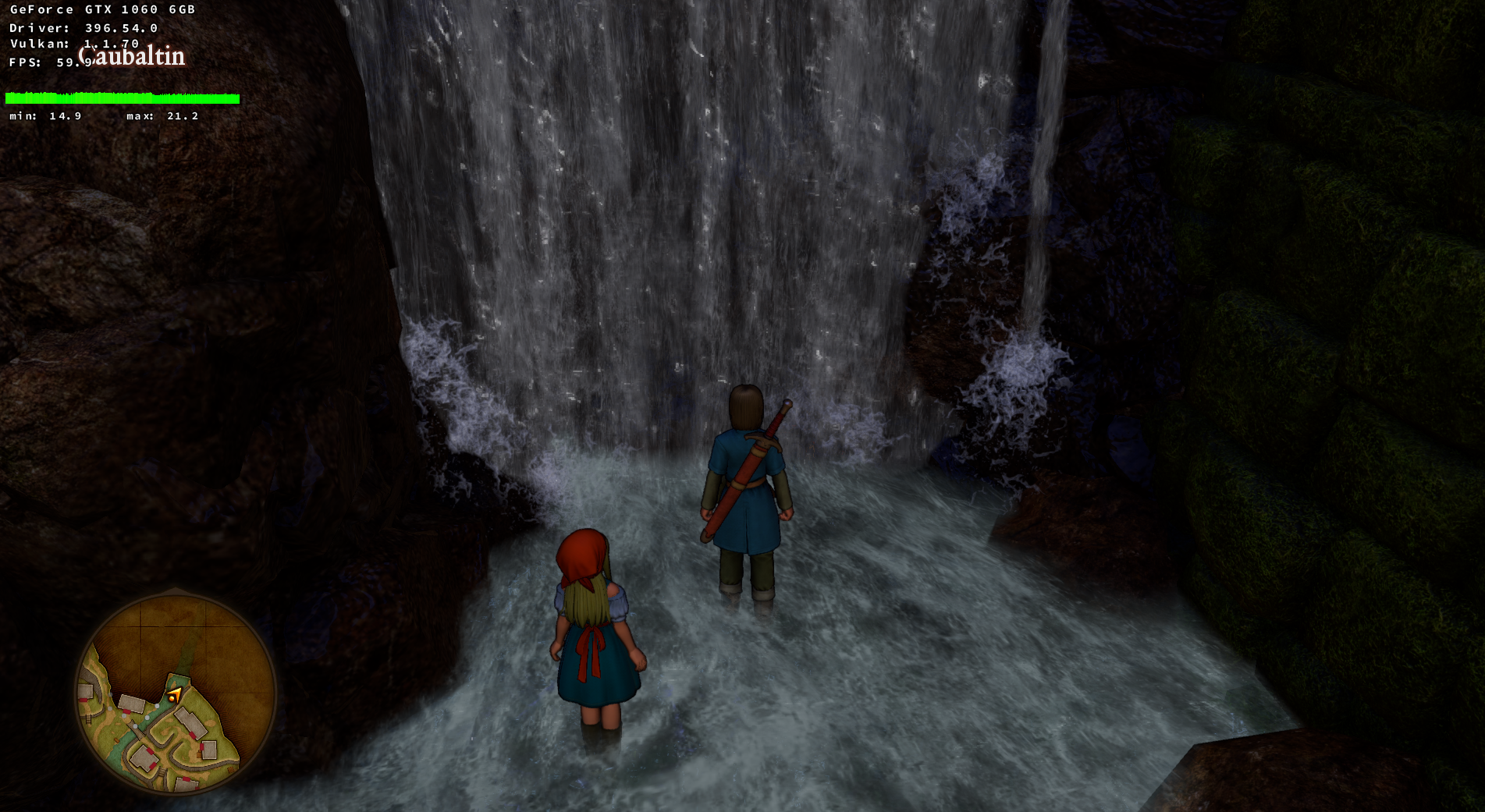
I was wondering if some kind of POM wasn't happening or at least some kind of tesselation effect that seem to be applied to ALL wall/rock textures in the game that when combined together massively impact performance... and if it wasn't that killing the performance somehow...
About your last remark, I've always found UE4 programs to be performing poorly at its lowest graphic preset.
@lieff
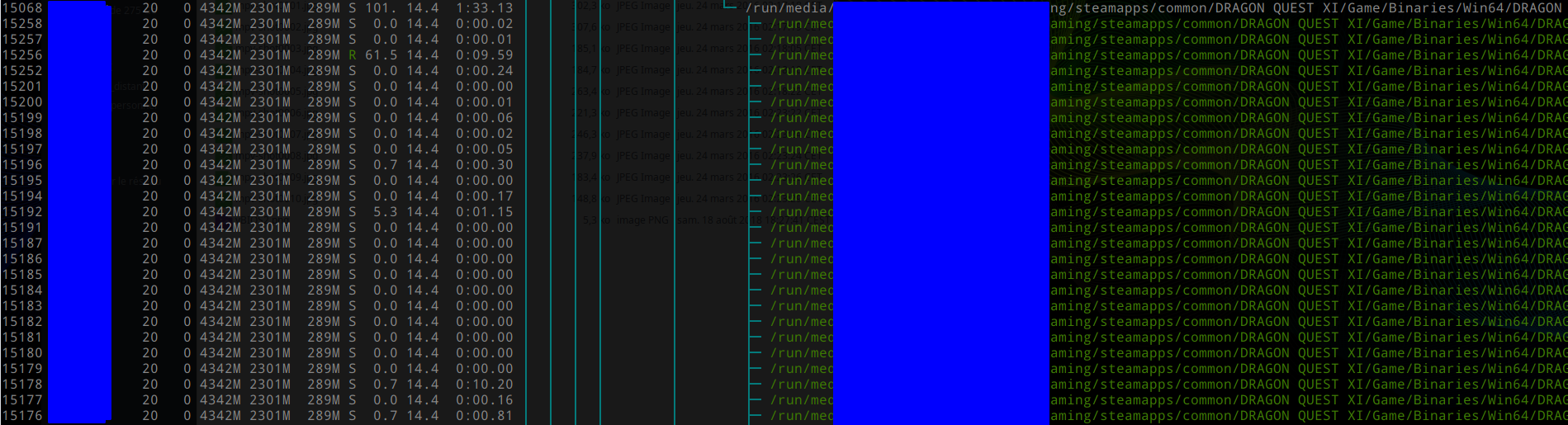
Yes, it does appears to be able to spawn multiple threads:
DistantThunder
on 6 Sep 2018
So it's really one thread bound, not CPU governor problem. Can you run sudo htop and press "s" on 60% thread?
lieff
on 6 Sep 2018
I've look at another UE4 game - Hellblade: Senua's Sacrifice and see same thread with high CPU usage.
And that thread seem constantly searches for nvapi64.dll/nvapi64.dll.so o__O
write(4528, "\1\0\0\0\0\0\0\0", 8)      = 8  << wine esync
write(58, "\1\0\0\0\0\0\0\0", 8)        = 8
write(176, "\1\0\0\0\0\0\0\0", 8)       = 8
write(58, "\1\0\0\0\0\0\0\0", 8)        = 8
write(60, "\1\0\0\0\0\0\0\0", 8)        = 8
write(60, "\1\0\0\0\0\0\0\0", 8)        = 8
write(176, "\1\0\0\0\0\0\0\0", 8)       = 8
write(60, "\1\0\0\0\0\0\0\0", 8)        = 8
write(60, "\1\0\0\0\0\0\0\0", 8)        = 8
write(60, "\1\0\0\0\0\0\0\0", 8)        = 8
write(60, "\1\0\0\0\0\0\0\0", 8)        = 8
write(58, "\1\0\0\0\0\0\0\0", 8)        = 8
write(58, "\1\0\0\0\0\0\0\0", 8)        = 8
write(59, "\1\0\0\0\0\0\0\0", 8)        = 8
write(176, "\1\0\0\0\0\0\0\0", 8)       = 8
stat(".../SteamLibrary/steamapps/compatdata/414340/pfx/dosdevices/c:/windows/system32/nvapi64.dll", 0x171be330) = -1 ENOENT (No such file or directory)
stat(".../SteamLibrary/steamapps/compatdata/414340/pfx/dosdevices/c:/windows", {st_mode=S_IFDIR|0775, st_size=4096, ...}) = 0
stat(".../SteamLibrary/steamapps/compatdata/414340/pfx/dosdevices/c:/windows/system32", {st_mode=S_IFDIR|0775, st_size=49152, ...}) = 0
stat(".../SteamLibrary/steamapps/compatdata/414340/pfx/dosdevices/c:/windows/system32/nvapi64.dll", 0x171be3c0) = -1 ENOENT (No such file or directory)
openat(AT_FDCWD, ".../SteamLibrary/steamapps/compatdata/414340/pfx/dosdevices/c:/windows/system32", O_RDONLY|O_DIRECTORY) = 4529
ioctl(4529, VFAT_IOCTL_READDIR_BOTH, 0x121000) = -1 ENOTTY (Inappropriate ioctl for device)
close(4529)                             = 0
openat(AT_FDCWD, ".../SteamLibrary/steamapps/compatdata/414340/pfx/dosdevices/c:/windows/system32", O_RDONLY|O_NONBLOCK|O_CLOEXEC|O_DIRECTORY) = 4529
fstat(4529, {st_mode=S_IFDIR|0775, st_size=49152, ...}) = 0
getdents(4529, /* 799 entries */, 32768) = 32752 << directory scan in inner loop!
getdents(4529, /* 86 entries */, 32768) = 3632
getdents(4529, /* 0 entries */, 32768)  = 0
close(4529)                             = 0
rt_sigprocmask(SIG_BLOCK, [HUP INT USR1 USR2 ALRM CHLD IO], [PIPE], 8) = 0
writev(258, [{iov_base="m\0\0\0\16\0\0\0D\0\0\0,\0\0\0\0\0\0\0\0\0\0\0\0\0\0\0\0\0\0\0"..., iov_len=64}, {iov_base="n\0v\0a\0p\0i\0006\0004\0", iov_len=14}], 2) = 78
readv(255, [{iov_base="4\0\0\300\0\0\0\0\377\377\377\377\0\0\0\0\0\0\0\0\0\0\0\0\0\0\0\0\0\0\0\0"..., iov_len=64}], 1) = 64
rt_sigprocmask(SIG_SETMASK, [PIPE], NULL, 8) = 0
rt_sigprocmask(SIG_BLOCK, [HUP INT USR1 USR2 ALRM CHLD IO], [PIPE], 8) = 0
writev(258, [{iov_base="m\0\0\0\20\0\0\0D\0\0\0,\0\0\0\0\0\0\0\0\0\0\0\0\0\0\0\0\0\0\0"..., iov_len=64}, {iov_base="*\0n\0v\0a\0p\0i\0006\0004\0", iov_len=16}], 2) = 80
readv(255, [{iov_base="4\0\0\300\0\0\0\0\377\377\377\377\0\0\0\0\0\0\0\0\0\0\0\0\0\0\0\0\0\0\0\0"..., iov_len=64}], 1) = 64
rt_sigprocmask(SIG_SETMASK, [PIPE], NULL, 8) = 0
openat(AT_FDCWD, ".../SteamLibrary/steamapps/common/Proton 3.7 Beta/dist/bin/../lib64/wine/nvapi64.dll.so", O_RDONLY|O_CLOEXEC) = -1 ENOENT (No such file or directory)
openat(AT_FDCWD, ".../SteamLibrary/steamapps/common/Proton 3.7 Beta/dist/bin/../lib64/wine/nvapi64.dll.so", O_RDONLY) = -1 ENOENT (No such file or directory)
openat(AT_FDCWD, ".../SteamLibrary/steamapps/common/Proton 3.7 Beta/dist/lib64/wine/nvapi64.dll.so", O_RDONLY|O_CLOEXEC) = -1 ENOENT (No such file or directory)
openat(AT_FDCWD, ".../SteamLibrary/steamapps/common/Proton 3.7 Beta/dist/lib64/wine/nvapi64.dll.so", O_RDONLY) = -1 ENOENT (No such file or directory)
openat(AT_FDCWD, ".../SteamLibrary/steamapps/common/Proton 3.7 Beta/dist/lib/wine/nvapi64.dll.so", O_RDONLY|O_CLOEXEC) = -1 ENOENT (No such file or directory)
openat(AT_FDCWD, ".../SteamLibrary/steamapps/common/Proton 3.7 Beta/dist/lib/wine/nvapi64.dll.so", O_RDONLY) = -1 ENOENT (No such file or directory)
stat(".../SteamLibrary/steamapps/compatdata/414340/pfx/dosdevices/c:/windows/system32/nvapi64.dll", 0x171be330) = -1 ENOENT (No such file or directory)
stat(".../SteamLibrary/steamapps/compatdata/414340/pfx/dosdevices/c:/windows", {st_mode=S_IFDIR|0775, st_size=4096, ...}) = 0
stat(".../SteamLibrary/steamapps/compatdata/414340/pfx/dosdevices/c:/windows/system32", {st_mode=S_IFDIR|0775, st_size=49152, ...}) = 0
stat(".../SteamLibrary/steamapps/compatdata/414340/pfx/dosdevices/c:/windows/system32/nvapi64.dll", 0x171be3c0) = -1 ENOENT (No such file or directory)
openat(AT_FDCWD, ".../SteamLibrary/steamapps/compatdata/414340/pfx/dosdevices/c:/windows/system32", O_RDONLY|O_DIRECTORY) = 4529
ioctl(4529, VFAT_IOCTL_READDIR_BOTH, 0x121000) = -1 ENOTTY (Inappropriate ioctl for device)
close(4529)                             = 0
openat(AT_FDCWD, ".../SteamLibrary/steamapps/compatdata/414340/pfx/dosdevices/c:/windows/system32", O_RDONLY|O_NONBLOCK|O_CLOEXEC|O_DIRECTORY) = 4529
fstat(4529, {st_mode=S_IFDIR|0775, st_size=49152, ...}) = 0
getdents(4529, /* 799 entries */, 32768) = 32752  << directory scan in inner loop!
getdents(4529, /* 86 entries */, 32768) = 3632
getdents(4529, /* 0 entries */, 32768)  = 0
close(4529)                             = 0
And according to this https://github.com/ValveSoftware/Proton/issues/1178 , copy nvapi64.dll can improve UE4 performance!
lieff
on 7 Sep 2018
Seems it's already known issue.
@DistantThunder Can you try disable nvapi?
lieff
on 7 Sep 2018
@DistantThunder or try this workarround: https://github.com/ValveSoftware/Proton/issues/37#issuecomment-415833819
 jp7677
on 7 Sep 2018
jp7677
on 7 Sep 2018
@lieff
Tried that:

Stiff terrible perf in the church.
DistantThunder
on 7 Sep 2018
@jp7677
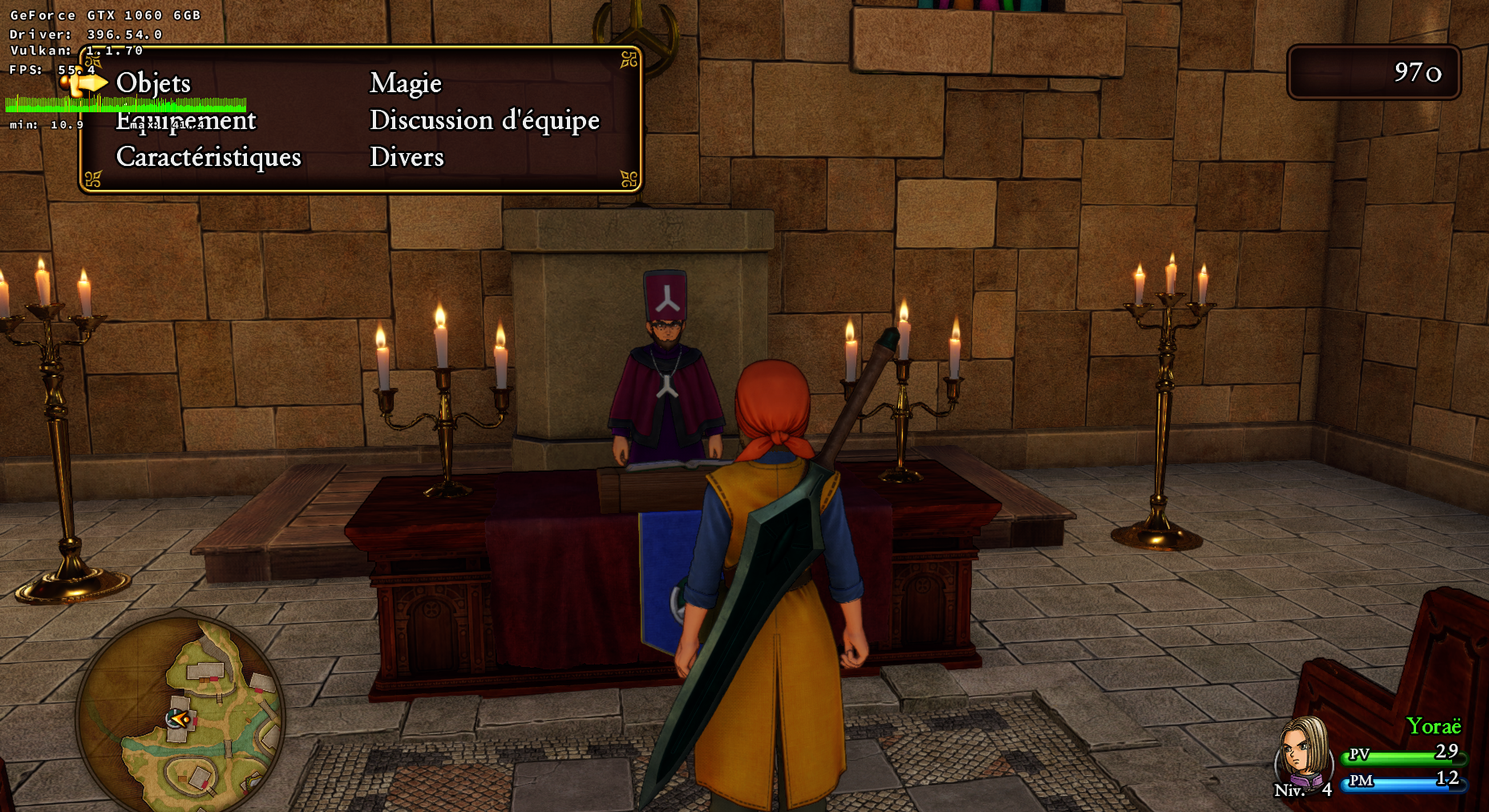
That did the trick! Thanks a lot to everyone!
I'll wander around and check things, but the performance is now more or less level with the rest of the game.
DistantThunder
on 7 Sep 2018
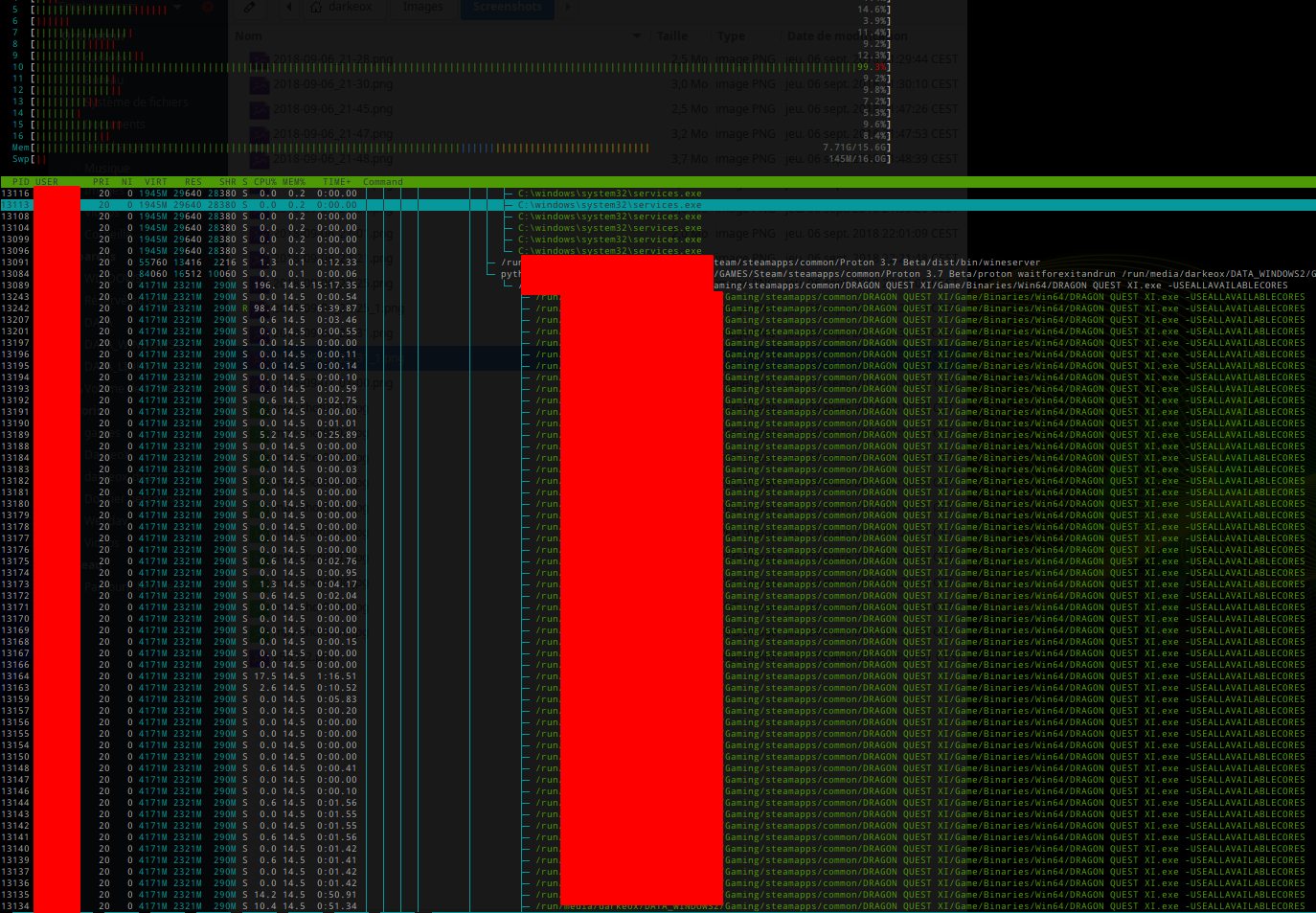
lieff and jp7677 thank you so much ... awesome finding and the fix with the config file works.
Glog78
on 7 Sep 2018
 DistantThunder
on 7 Sep 2018
DistantThunder
on 7 Sep 2018
Great :) So fake to AMD card helps, seems it's still do something time-loosing on NVIDIA path even with disabled nvapi.
Now I see this thread close to 100%, same on my side with Hellblade and disabled nvapi/fake AMD, because of less locking on directory scan. Not big difference between disable nvapi and fake AMD though, but it can be game specific.
lieff
on 7 Sep 2018
@DistantThunder
FYI: *.tar.gz archives contains user:group info, so you don't have to paint off this on your screenshots. ;)
 pchome
on 7 Sep 2018
pchome
on 7 Sep 2018
As for the problem, maybe implementing an DXVK-specific nvapi.dll filled with stubs can solve this?
wine-staging implementation mostly contains
- debug info collecting and checks
- wined3d calls (mostly device info)
return NVAPI_OK;
static NvAPI_Status CDECL NvAPI_GPU_GetPhysicalFrameBufferSize(NvPhysicalGpuHandle hPhysicalGpu, NvU32 *pSize)
{
...
    *pSize = get_video_memory();
    return NVAPI_OK;
}

static NvAPI_Status CDECL NvAPI_GPU_GetVirtualFrameBufferSize(NvPhysicalGpuHandle hPhysicalGpu, NvU32 *pSize)
{
...
    *pSize = get_video_memory();
    return NVAPI_OK;
}
static NvAPI_Status CDECL NvAPI_GPU_GetFullName(NvPhysicalGpuHandle hPhysicalGpu, NvAPI_ShortString szName)
{
    NvAPI_ShortString adapter = {'G','e','F','o','r','c','e',' ','9','9','9',' ','G','T','X', 0};
...
    memcpy(szName, adapter, sizeof(adapter));
    return NVAPI_OK;
}
In such cases returning correct device info to the application will be even better.
pchome
on 7 Sep 2018
I can confirm that the fake card workaround fixes the problem. I'm not sure how I managed to workaround it by replacing the dlls earlier, though. Perhaps I managed to make Proton call my system Wine by accident (which would be wine-staging), which would have had the stubbed nvapi.
aqxa1
on 7 Sep 2018
Thanks for finding that workaround. It is now enabled by default for this game.
doitsujin
on 7 Sep 2018
@doitsujin What do you think about spoofing an AMD card as a default? My impression is that quite a lot of games try do to something with nvapi which results in all kind of troubles. E.g. I need that workaround for GTA5 (Proton version) and Batman Arkham Knight too.
jp7677
on 7 Sep 2018
Yea, or just at least add same trick to GTA process. Working out of box = FeelsGoodMan
 MartinPL
on 7 Sep 2018
MartinPL
on 7 Sep 2018
Fake AMD card worked also for redout, not for Tekken 7.
 dragonfly-lover
on 28 Sep 2018
dragonfly-lover
on 28 Sep 2018
Related issues
 AuroransSolis
·
3Comments
AuroransSolis
·
3Comments
 linuxwrper
·
4Comments
linuxwrper
·
4Comments
 jekstrand
·
4Comments
jekstrand
·
4Comments
 EnigmaRaptor
·
5Comments
EnigmaRaptor
·
5Comments
 ghost
·
5Comments
ghost
·
5Comments