Nvidia introduced new Vulkan SPIR-V compiler. Games using DXVK runs very slow with it (it can be disabled by using __GL_NextGenCompiler envvar).
Comparision [3840x2160, new vs old, disabled by envvar]:
- Tomb Raider 2013 main menu (ultra, but without tesselation): [7 FPS vs 40 FPS]
- NieR:Automata (some scene, full details, anti-aliasing off): [14.5 FPS vs 24 FPS]
- Sword Art Online Hollow Realization (Teleport Gate Plaza, full details, anti-aliasing off): [13 FPS vs 45 FPS]
Moreover:
- Tomb Raider 2013 scene with tesselation enabled is black (on old nvidia shader compiler graphics is corrupted, but visible)
- Sword Art Online Fatal Bullet scene is also black
- No performance difference on Unigine Heaven (DXVK) and Vulkan Examples (native Linux)
System information
- GPU: GeForce GTX 1080
- Driver: 396.18
- Wine version: 3.5
- DXVK version: 41132b8
- X11 Compositor: none/disabled
- Nvidia Force Composition Pipeline: enabled
- UseNvKmsCompositionPipeline: false
 zaps166
All 436 comments
Well, the new compiler doesn't seem to be mature yet, don't use it for gaming with DXVK. Gathering some feedback might help them improve it though, and maybe uncover some new bugs in DXVK.
As for Tessellation in Tomb Raider 2013 not working properly, that is a DXVK bug I think.
@pdaniell-nv Could you keep an eye on this thread as well?
 doitsujin
on 10 Apr 2018
doitsujin
on 10 Apr 2018
Thanks for the heads up. I'll report back when I know more.
 pdaniell-nv
on 10 Apr 2018
pdaniell-nv
on 10 Apr 2018
Confirming its slow. GTA V usual 60-90FPS went to 20-35 FPS
Fixes GTA V sun issue though
396.18 with __GL_NextGenCompiler=1

396.18 with __GL_NextGenCompiler=0

Crysis 2 Tesselation got broken and performance went down
396.18 with __GL_NextGenCompiler=1

396.18 with __GL_NextGenCompiler=0

 xpander69
on 10 Apr 2018
xpander69
on 10 Apr 2018
@pdaniell-nv
There is example from The Witcher 3: https://streamable.com/0zgjl it is approximately 1/3 of performance of the old compiler.
Disabling Hull and Domain Shaders bumps up performance twice.

 vesim987
on 10 Apr 2018
vesim987
on 10 Apr 2018
Hi,
here are the issues i noticed so far:
My Card: GTX 970
Driver: 396.18
Crysis2:
- Tesselation is broken, see pictures of XPander
- Performance is minimum cut into half (gpu is fully loaded all the time)
Crysis3:
- Performance is minimum cut into half (gpu is fully loaded all the time)
- Didn't notice huge display issues yet, need to check
Battlefield Bad Company 2:
- I can enable MSAA now which crashes the game before
- Performance is 30% of the old driver and gpu load increased from ~60% to 100%
- Graphical issue, file attached:
- Enabling MSAA fixes those graphical issues

Battlefield 3:
- I can enable MSAA now which crashed the driver before
- Without MSAA the performance is unaffacted with the new driver. With MSAA 2x enabled the per is cut down to 30%, from ~ 100fps to ~30fps.
Far Cry 3:
- I can enable MSAA now which crashed the driver before
- Without MSAA the performance is unaffacted with the new driver. With MSAA 2x enabled the perf is cut down to ~36fps, from ~ 56fps.
Diablo 3:
- I can enable MSAA now which crashed the driver instntly before. But it is still not usable due to game freezes
- Performance is ~ 30 fps in the menu, was >100 fps before with MSAA disabled
Unigine Heaven.
- Doesn't launch for me anymore with Tesselation on, works with tesselation off
- No graphical issues detected so far, but was a super quick test
Many thanks !
Christian
 pingubot
on 10 Apr 2018
pingubot
on 10 Apr 2018
It should be noted that not all of the games @pingubot mentioned are well-tested and some of them have known issues. I think only Crysis 2 and Unigine Heaven are expected to work properly.
doitsujin
on 10 Apr 2018
I haven't played all the games from beginning to the end (i did that for crysis 2, also a few hours into crysis 3, for the rest it is really less than 1 hour per game), but the things i mentioned are the things that have changed between the new and the old nvidia driver spirv compiler. So it is just to show the differences.
pingubot
on 10 Apr 2018
@doitsujin Are there any SPIR-V work arounds in place for our old compiler? If so, they probably need to be removed for the new compiler in 396.18 and beyond.
pdaniell-nv
on 10 Apr 2018
@pdaniell-nv the only Nvidia-specific workaround in my compiler is adding an extra component to the coordinate vector for the OpImageSampleDref* instructions, which is legal in SPIR-V and doesn't actually seem to cause any issues with the new compiler.
With the exception of the aforementioned workaround, as well as GPUs which do not support the ShaderImageReadWithoutFormat capability, it generates the same code for all GPUs.
@pingubot What I'm trying to say is that you might simply be hitting undefined behaviour in some cases, which just happened to work for some reason with the old compiler.
doitsujin
on 11 Apr 2018
Ok, thanks. We're looking into the functionality and performance regressions described above.
pdaniell-nv
on 11 Apr 2018
Using __GL_NextGenCompiler=1 (default) causes some sort of "black/green'ish" picture in Unigine benchmarks. This is with commit: 140dc27ea3987d79f5c37fa6f7066203efd02b15
On the other hand, there was a change vs. previous in Unigine Superposition with the setting __GL_NextGenCompiler=0 when it comes to lightreflections.. (Did not start with default =1 setting)

 SveSop
on 11 Apr 2018
SveSop
on 11 Apr 2018
TW3:
- CPU usage: ~18%
- GPU usage: 100%
- Inverted colors (yellow == green)
- Texture glitches
- low fps (1/3, due to low cpu usage ?)
- log diff:
old :warn: D3D11Device: No matching border color found for (1e+10,1e+10,1e+10,1e+10)
new:warn: D3D11Device: No matching border color found for (1e+010,1e+010,1e+010,1e+010)
 pchome
on 12 Apr 2018
pchome
on 12 Apr 2018
As an opposite effect to bugs in other games/applications I can report Just Cause 3 runs without issues (except green color dominated) now.
_This is for wine-staging, game was launched from steam menu, no other settings touched._
_Without DXVK it fully unplayable, a lot of glitches and missing textures._
pchome
on 12 Apr 2018
Tested Dark Souls 2 and Dark Souls 3 on this commit: adb1789571354141b4046882d88f654763ad3638.
Both games now have inverted colors (yellow is now green) with __GL_NextGenCompiler=1. With old compiler colors are normal.
UPDATE: On the latest commit 8dfe7088fd7102f3b180868b92c53ab3680e37f0 color issues are gone (with new compiler). Or maybe it was just a glitch.
On my GTX 970 with 396.18 driver, with 1440p resolution, wine 3.5, on low settings Dark Souls 3 is playable at 40-55 FPS. If i enable shadows in graphics settings (Off->Low) performance drops to 1-2 FPS.
 dmitry64
on 12 Apr 2018
dmitry64
on 12 Apr 2018
With new compiler Path of Exile crash while loading with:
NVRM: Xid (PCI:0000:01:00): 8, Channel 0000006a
Setting __GL_NextGenCompiler=0 makes the game work
Using DXVK: 8dfe7088fd7102f3b180868b92c53ab3680e37f0
PathOfExile_x64_d3d11.log
PathOfExile_x64_dxgi.log
shaders.zip
 nairaner
on 14 Apr 2018
nairaner
on 14 Apr 2018
Want to add FEAR 3 to the list of affected games:
All game settings at max, 1920x1080, MSAAx 4. GPU load is 100% with the new and with the old compiler:
Driver 396.18:
New Compiler: 9 fps
Old Compiler: 63 fps
Disabling MSAA leads to:
New Compiler: ~ 35fps
Old Compiler: ~ 150fps
Many thanks !
Christian
pingubot
on 15 Apr 2018
Want to add Skyrim SE to the list of affected games:
New Compiler = 3.5 to 5 fps
Old Compiler = 60+ fps (vsync on)
Settings have no influence at all on the bad performance of the New Compiler.
 Glog78
on 15 Apr 2018
Glog78
on 15 Apr 2018
I suggest using __GL_NextGenCompiler=0 until this gets resolved (presumably upstream problem).
 tpruzina
on 16 Apr 2018
tpruzina
on 16 Apr 2018
Want to add Dirt 2 demo to the list:
Old Compiler: No graphical issues, ca. 100fps in menu outside
New Comppiler: ~ 15fps in menu outisde and those funky pictures:

pingubot
on 17 Apr 2018
Thanks for all the reports posted here on our 396.18 driver. We have just released a new 396.18.02 beta driver on our Vulkan driver page here: https://developer.nvidia.com/vulkan-driver
This should resolve some of the performance and corruption issues reported. As an added bonus this driver also increases the number of UBOs allowed per shader stage from 12 to 15 as discussed in issue https://github.com/doitsujin/dxvk/issues/90.
We look forward to hearing feedback on the new 396.18.02 driver. Thanks!
pdaniell-nv
on 17 Apr 2018
Driver version: 396.18.02
DXVK: b82ae16
Card: GTX 970
This is what Overwatch via DXVK (b82ae16) looks like with:
__GL_NextGenCompiler=1
https://imgur.com/a/eNRnK
__GL_NextGenCompiler=0
https://imgur.com/a/9Knko
So it seems like there is still some corruption going on.
EDIT: fixed with commit 5eaacf7
 varris1
on 17 Apr 2018
varris1
on 17 Apr 2018
Driver version: 396.18.02
DXVK: 05a96e9
Card: GTX 970
This Unity engine demo seems to have issues with corruption as well:
https://blogs.unity3d.com/en/2015/06/24/releasing-the-blacksmith/
__GL_NextGenCompiler=1:
https://imgur.com/a/9xfhs
__GL_NextGenCompiler=0:
https://imgur.com/a/mZKTi
EDIT: fixed with commit 5eaacf7
varris1
on 18 Apr 2018
Driver: 396.18.02
DXVK: 05a96e9
GPU: GTX 1060 6GB
The performance issues on GTAV with __GL_NextGenCompiler=1 are fixed, but with the maximum settings, this line exists onscreen

This does not happen with __GL_NextGenCompiler=0
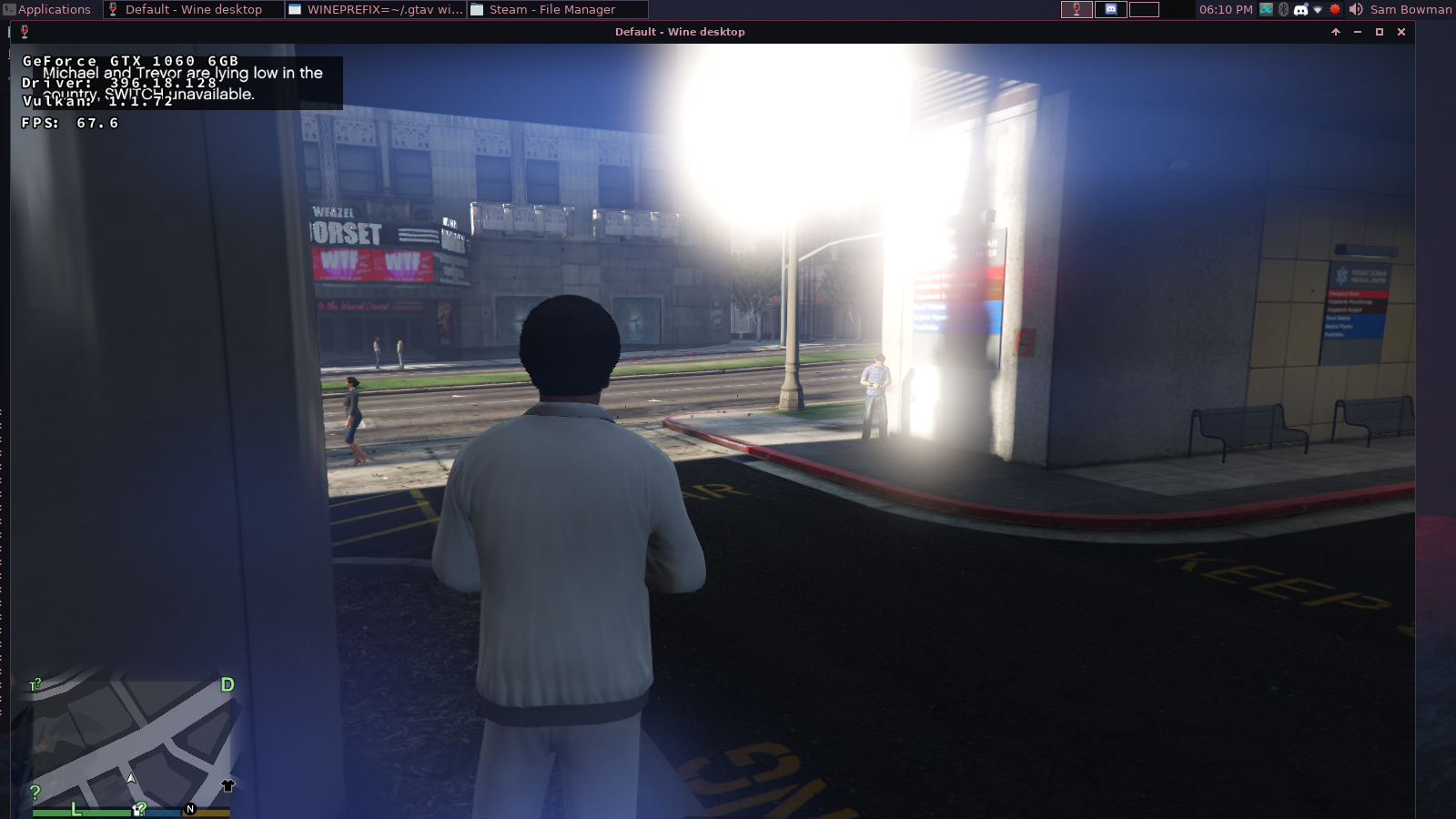
 sambow23
on 18 Apr 2018
sambow23
on 18 Apr 2018
For the issue with the Unity engine demo that @varris1 reported, it appears the SPIR-V is invalid in at least one of the shaders. In one of them there is this:
        %84 = OpFAdd %v3float %79 %83
        %85 = OpLoad %float %o0
        %86 = OpVectorShuffle %float %85 %84
              OpStore %o0 %86
In this example %o0 is actually a pointer to v4float and the OpVectorShuffle should have be used with vector types. So some kind of scalar/vector mixup going on. Actually the spir-v validator catches the OpLoad type mismatch above, but not the OpVectorShuffle issue.
pdaniell-nv
on 18 Apr 2018
@pdaniell-nv what are the settings that generate the invalid shader? Just tested with Higher and I'm not getting spirv-val errors on any of the spir-v shaders.
Edit: Not getting any errors with the other presets either.
doitsujin
on 18 Apr 2018
This was with "High" the default. Not sure why we're seeing different results. Are you setting anything like DXVK_SHADER_OPTIMIZE=1?
pdaniell-nv
on 18 Apr 2018
No. I removed that knob a while ago as well.
That said, I do remember fixing a similar issue before tagging dxvk v0.42. Any chance you're running an old dxvk build?
doitsujin
on 18 Apr 2018
I used the "higher" preset as well. Sorry for not mentioning that.
varris1
on 18 Apr 2018
We're not sure why we're getting different results. We're using https://haagch.frickel.club/files/dxvk/r994.05a96e9/64/bin/ and http://democontent.unity3d.com/BlacksmithStandalone_2015-06-24_0-00-06.05%202.7z and reproducing on Windows.
pdaniell-nv
on 18 Apr 2018
Here is our dump of the SPIR-V of the problematic shader.
dump.4451.zip
pdaniell-nv
on 18 Apr 2018
@ZeroFault just reported a similar issue and sent me the faulty shaders. It looks like the demo itself generates different shaders depending on which GPU is being used, because I definitely don't see those shaders in my shader dump.
I'll look into that bug in my compiler.
doitsujin
on 18 Apr 2018
Hi,
thanks for the quick driver update, here is an update with the new beta driver:
My Card: GTX 970
Driver: 396.18.02
Crysis2->still the same issues:
- Tesselation is broken, see pictures of XPander
- Performance is a little bit better, but still much worse than the old compiler(gpu is fully loaded all the time)
Crysis3->Edit: Not fixed
- Performance now seems similar to the old compiler
- Noticed display issues now:

Battlefield Bad Company 2->seems fixed:
- I can enable MSAA now which crashes the game before
- Performance is equal now to the old compiler
- Graphical issues when reloading a map(similar issue with the older driver an bf3, so this could be a dxvk issue as well), file attached:

Diablo 3->seems fixed:
- I can enable MSAA now which crashed the driver instntly before. Game works fine now with MSAA on.
- Performance is similar to the old compiler
Fear 3 -> seems fixed
- Perf is equal and partly a little bit faster than with the old compiler, no visual issues noticed.
Many thanks for fixing many of the issues already !
Many thanks !
Christian
pingubot
on 18 Apr 2018
Card: GTX 750 Ti
Driver: 396.18.02
Superposition: still have rough shadows (https://github.com/doitsujin/dxvk/issues/267#issuecomment-380541358)
The Witcher 3: performance fixed; ground near the character became transparent (not fixed)
pchome
on 18 Apr 2018
@pdaniell-nv The Blacksmith shader issue should be fixed as of 8eb78591a0657e711d6a7cdcdf90382681b69036. There's something weird about the DXBC shaders that it generates on some systems, not sure if it does the right thing - but the SPIR-V should be valid.
doitsujin
on 18 Apr 2018
@pdaniell-nv
Could we also get some help on the buffer creation issue with Nvidia drivers here, please? It seems to affect the Windows/Linux drivers including the beta drivers as well.
 ZeroFault
on 18 Apr 2018
ZeroFault
on 18 Apr 2018
I tried the blacksmith demo again with DXVK commit 8eb7859 and the same kind of artifacts are still there,
so it doesn't look like it's entirely fixed yet.
varris1
on 18 Apr 2018
Hi @doitsujin,
unity.1.spv.zip
I'm the NVIDIA driver/compiler engineer that has been looking at some of these issues. I debugged the Unity Blacksmith demo again, and found another instance of invalid SPIR-V. In this case, the shader uses the gs_vertex_in variable which is not listed in the entry point's interface, and this leads to the geometry corruption in https://github.com/doitsujin/dxvk/issues/267#issuecomment-382181673.
I've also poked spirv-tools issue https://github.com/KhronosGroup/SPIRV-Tools/issues/1120 which would have caught this.
 jeffbolznv
on 23 Apr 2018
jeffbolznv
on 23 Apr 2018
@jeffbolznv Thanks for letting me know, 5eaacf74594f4558483917f6f0ecc1c5fd713dff should fix this. Sorry for the inconvenience.
doitsujin
on 23 Apr 2018
Confirming that 5eaacf7 fixed both the corrupted Overwatch fonts and the Blacksmith demo.
Good job to everyone involved.
EDIT: on unrelated note: Please let us increase the shader cache in the driver via an env variable. Overwatch has tons and tons of shaders and the limit of 128 MB is way too low.
varris1
on 24 Apr 2018
Does this commit 5eaacf7 also fixes the bad ground in witcher3 ?
 daschaffert
on 24 Apr 2018
daschaffert
on 24 Apr 2018
Did some additional tests with Driver: 396.18.02:
DXVK: 5eaacf7
Dirt 2 Demo:
Same isse like before with 396.18 :

Unigine Heaven, Unigine Valley, Unigine Superposition:
- Work all fine here, Superpos is working correctly now, thanks to raising the ubo limit !
Looking forward to the next beta driver with new fixes :)
pingubot
on 24 Apr 2018
It's looks like all reported resource limits are changed only for some certain GPUs in 396.18.02 :
http://vulkan.gpuinfo.org/compare.php?compare=compare&id[3072]=on&id[3040]=on&id[3035]=on&id[2935]=on
That's explains why shadow artefacts still there in superposition for me (750 Ti) while others reported them as fixed.
pchome
on 25 Apr 2018
Hmm, that's not expected. Any chance that vulkaninfo was captured with __GL_NextGenCompiler=0?
pdaniell-nv
on 25 Apr 2018
@pdaniell-nv
Oh, yes, I forgot about __GL_NextGenCompiler=0 was set as global env variable. But __GL_NextGenCompiler=1 for separate WINE prefixes, so artefacts in superposition detected with new compiler.
Now my device in database and I cant resend correct data, but here are reported limits for __GL_NextGenCompiler=1 from json file:
"limits": {
            "bufferImageGranularity": "0x10000",
            "discreteQueuePriorities": 2,
            "framebufferColorSampleCounts": 15,
            "framebufferDepthSampleCounts": 15,
            "framebufferNoAttachmentsSampleCounts": 15,
            "framebufferStencilSampleCounts": 15,
            "lineWidthGranularity": 0.125,
            "lineWidthRange": [ 0.5, 10 ],
            "maxBoundDescriptorSets": 8,
            "maxClipDistances": 8,
            "maxColorAttachments": 8,
            "maxCombinedClipAndCullDistances": 8,
            "maxComputeSharedMemorySize": 49152,
            "maxComputeWorkGroupCount": [ 2147483647, 65535, 65535 ],
            "maxComputeWorkGroupInvocations": 1536,
            "maxComputeWorkGroupSize": [ 1536, 1024, 64 ],
            "maxCullDistances": 8,
            "maxDescriptorSetInputAttachments": 1048576,
            "maxDescriptorSetSampledImages": 1048576,
            "maxDescriptorSetSamplers": 1048576,
            "maxDescriptorSetStorageBuffers": 1048576,
            "maxDescriptorSetStorageBuffersDynamic": 16,
            "maxDescriptorSetStorageImages": 1048576,
            "maxDescriptorSetUniformBuffers": 90,
            "maxDescriptorSetUniformBuffersDynamic": 15,
            "maxDrawIndexedIndexValue": 4294967295,
            "maxDrawIndirectCount": 4294967295,
            "maxFragmentCombinedOutputResources": 16,
            "maxFragmentDualSrcAttachments": 1,
            "maxFragmentInputComponents": 128,
            "maxFragmentOutputAttachments": 8,
            "maxFramebufferHeight": 16384,
            "maxFramebufferLayers": 2048,
            "maxFramebufferWidth": 16384,
            "maxGeometryInputComponents": 128,
            "maxGeometryOutputComponents": 128,
            "maxGeometryOutputVertices": 1024,
            "maxGeometryShaderInvocations": 32,
            "maxGeometryTotalOutputComponents": 1024,
            "maxImageArrayLayers": 2048,
            "maxImageDimension1D": 16384,
            "maxImageDimension2D": 16384,
            "maxImageDimension3D": 2048,
            "maxImageDimensionCube": 16384,
            "maxInterpolationOffset": 0.4375,
            "maxMemoryAllocationCount": 4294967295,
            "maxPerStageDescriptorInputAttachments": 1048576,
            "maxPerStageDescriptorSampledImages": 1048576,
            "maxPerStageDescriptorSamplers": 1048576,
            "maxPerStageDescriptorStorageBuffers": 1048576,
            "maxPerStageDescriptorStorageImages": 1048576,
            "maxPerStageDescriptorUniformBuffers": 15,
            "maxPerStageResources": 4294967295,
            "maxPushConstantsSize": 256,
            "maxSampleMaskWords": 1,
            "maxSamplerAllocationCount": 4000,
            "maxSamplerAnisotropy": 16,
            "maxSamplerLodBias": 15,
            "maxStorageBufferRange": 4294967295,
            "maxTessellationControlPerPatchOutputComponents": 120,
            "maxTessellationControlPerVertexInputComponents": 128,
            "maxTessellationControlPerVertexOutputComponents": 128,
            "maxTessellationControlTotalOutputComponents": 4216,
            "maxTessellationEvaluationInputComponents": 128,
            "maxTessellationEvaluationOutputComponents": 128,
            "maxTessellationGenerationLevel": 64,
            "maxTessellationPatchSize": 32,
            "maxTexelBufferElements": 134217728,
            "maxTexelGatherOffset": 31,
            "maxTexelOffset": 7,
            "maxUniformBufferRange": 65536,
            "maxVertexInputAttributeOffset": 2047,
            "maxVertexInputAttributes": 32,
            "maxVertexInputBindingStride": 2048,
            "maxVertexInputBindings": 32,
            "maxVertexOutputComponents": 128,
            "maxViewportDimensions": [ 16384, 16384 ],
            "maxViewports": 16,
            "minInterpolationOffset": -0.5,
            "minMemoryMapAlignment": "0x40",
            "minStorageBufferOffsetAlignment": "0x20",
            "minTexelBufferOffsetAlignment": "0x10",
            "minTexelGatherOffset": -32,
            "minTexelOffset": -8,
            "minUniformBufferOffsetAlignment": "0x100",
            "mipmapPrecisionBits": 8,
            "nonCoherentAtomSize": "0x40",
            "optimalBufferCopyOffsetAlignment": "0x1",
            "optimalBufferCopyRowPitchAlignment": "0x1",
            "pointSizeGranularity": 0.125,
            "pointSizeRange": [ 1, 189.875 ],
            "sampledImageColorSampleCounts": 15,
            "sampledImageDepthSampleCounts": 15,
            "sampledImageIntegerSampleCounts": 15,
            "sampledImageStencilSampleCounts": 15,
            "sparseAddressSpaceSize": "0xffffffffffffffff",
            "standardSampleLocations": 1,
            "storageImageSampleCounts": 15,
            "strictLines": 1,
            "subPixelInterpolationOffsetBits": 4,
            "subPixelPrecisionBits": 8,
            "subTexelPrecisionBits": 8,
            "timestampComputeAndGraphics": 1,
            "timestampPeriod": 1,
            "viewportBoundsRange": [ -32768, 32768 ],
            "viewportSubPixelBits": 8
        },
Correct data posted from WINE prefix:
http://vulkan.gpuinfo.org/compare.php?compare=compare&id[3074]=on&id[3040]=on&id[3035]=on&id[2935]=on
pchome
on 25 Apr 2018
Witcher 3 crashes at startup (Wine 3.6, NVIDIA drivers 396.18.02), Steam Overlay disabled. Other games works OK.
Backtrace:
=>0 0x00007fee81c53f82 in libglx_nvidia.so.0 (+0xadf82) (0x000000000000000c)
  1 0x00007fee81c54932 in libglx_nvidia.so.0 (+0xae931) (0x0000000000000008)
  2 0x00007fee81c5fa5b in libglx_nvidia.so.0 (+0xb9a5a) (0x00007fee81c5df60)
  3 0x00007fee81bf47a8 in libglx_nvidia.so.0 (+0x4e7a7) (0x00007fee818df060)
  4 0x00007ff889b1043a call_init.part+0x59() in ld-linux-x86-64.so.2 (0x0000000000000002)
  5 0x00007ff889b10586 _dl_init+0x75() in ld-linux-x86-64.so.2 (0x0000000000000002)
  6 0x00007ff889b14a5e dl_open_worker+0x38d() in ld-linux-x86-64.so.2 (0x000000000213e170)
  7 0x00007ff8892b6b64 _dl_catch_error+0x83() in libc.so.6 (0x000000000213e370)
  8 0x00007ff889b1427a _dl_open+0xc9() in ld-linux-x86-64.so.2 (0x000000000213e370)
  9 0x00007ff888f24e86 GLIBC_2.3+0xe85() in libdl.so.2 (0x00007ff888f24e30)
  10 0x00007ff8892b6b64 _dl_catch_error+0x83() in libc.so.6 (0x00007ff888f24e30)
  11 0x00007ff888f25587 in libdl.so.2 (+0x1586) (0x00007ff888f24e30)
  12 0x00007ff888f24f22 GLIBC_2.3+0xf21() in libdl.so.2 (0x000000000213ea20)
  13 0x00007ff882994eb0 in libvulkan.so.1 (+0x26eaf) (0x000000000213ea20)
  14 0x00007ff882999138 in libvulkan.so.1 (+0x2b137) (0x000000000213ec24)
  15 0x00007ff88299aebf vkEnumerateInstanceExtensionProperties+0x19e() in libvulkan.so.1 (0x0000000000000002)
  16 0x00007ff8848362f2 in winex11 (+0x362f1) (0x000000000213ed10)
  17 0x00007ff88748faa4 wine_vkEnumerateInstanceExtensionProperties+0x183() in winevulkan (0x000000000213ed10)
  18 0x00007ff8891639b2 vkEnumerateInstanceExtensionProperties+0x81() in vulkan-1 (0x000000000213ee10)
  19 0x000000006f2464ba dxvk::vk::NameSet::addInstanceLayerExtensions+0x39(this=0x213f0e0, vkl=0x24aae40, layer=0x0(nil)) [/home/tomo/Desktop/dxvk/build.w64/../src/dxvk/vulkan/dxvk_vulkan_loader_fn.h:39] in dxgi (0x00000000024aae40)
  20 0x000000006f24681f dxvk::vk::NameSet::enumerateInstanceExtensions+0x4e(vkl=0x24aae40, layers=0x213f330) [/home/tomo/Desktop/dxvk/build.w64/../src/dxvk/vulkan/dxvk_vulkan_extensions.cpp:30] in dxgi (0x00000000024aae40)
  21 0x000000006f22dc3a dxvk::DxvkInstance::getExtensions+0x59(this=0x24a8a60, layers=0x213f330) [/home/tomo/Desktop/dxvk/build.w64/../src/dxvk/dxvk_instance.cpp:97] in dxgi (0x00000000024aae70)
  22 0x000000006f22e7a1 dxvk::DxvkInstance::createInstance+0x30(this=0x24a8a60) [/home/tomo/Desktop/dxvk/build.w64/../src/dxvk/dxvk_instance.cpp:35] in dxgi (0x000000000213f350)
  23 0x000000006f22eaf5 DxvkInstance+0x34(this=0x24a8a60) [/home/tomo/Desktop/dxvk/build.w64/../src/dxvk/dxvk_instance.cpp:7] in dxgi (0x000000000213f8e0)
  24 0x000000006f20635b DxgiFactory+0x4a(this=0x24aade0) [/home/tomo/Desktop/dxvk/build.w64/../src/dxgi/dxgi_factory.cpp:7] in dxgi (0x000000000213f8e0)
  25 0x000000006f2066c1 dxvk::createDxgiFactory+0x60(riid=<internal error>, ppFactory=0x213f7f0) [/home/tomo/Desktop/dxvk/build.w64/../src/dxgi/dxgi_main.cpp:18] in dxgi (0x000000000213f8e0)
  26 0x0000000002a7b678 in gameoverlayrenderer64 (+0x8b677) (0x000000000213f8e0)
  27 0x0000000140006608 in witcher3 (+0x6607) (0x000000000213f8e0)
  28 0x00000001400010e4 in witcher3 (+0x10e3) (0x000000000213f8e0)
  29 0x000000014004436d in witcher3 (+0x4436c) (0x000000000213ffd0)
  30 0x00000001400034bf in witcher3 (+0x34be) (0x000000000213ffd0)
  31 0x000000014000378c in witcher3 (+0x378b) (0x000000000213ffd0)
  32 0x0000000140e7c368 in witcher3 (+0xe7c367) (0x000000000213ffd0)
  33 0x000000007b47c06a in kernel32 (+0x5c069) (0x000000000213ffd0)
Hi @zaps166, does the issue go away if you set this envvar?
$ __GL_CONSTANT_FRAME_RATE_HINT=3
 damienleone
on 25 Apr 2018
damienleone
on 25 Apr 2018
Hi @damienleone, Yes, the game runs properly with __GL_CONSTANT_FRAME_RATE_HINT=3, thanks!
Btw. is it possible to fix two "Allow Flipping" issues with Vulkan applications?
zaps166
on 26 Apr 2018
Thanks for confirming. This issue will be resolved in a later release (not from 396). You can keep using that envvar in the meantime. I'll take a look at the flipping issues you mentioned.
damienleone
on 26 Apr 2018
I'll take a look at the flipping issues you mentioned.
Ok, thanks!
zaps166
on 26 Apr 2018
Card: GTX 750 Ti
Driver: 396.18.02
@pchome - I also have the same witcher 3 issue ... is it fixed with the new beta-driver 396.18.05 ?
daschaffert
on 26 Apr 2018
@daschaffert
I'm waiting now for gentoo-source update, to update both kernel and driver at once. I'll check in a few hours.
pchome
on 26 Apr 2018
@daschaffert
I also have the same witcher 3 issue ... is it fixed with the new beta-driver 396.18.05 ?
No.
Same for Superposition - black rough shadows.
pchome
on 26 Apr 2018
@pchome Is this something that only happens with NVIDIA GPUs?
pdaniell-nv
on 26 Apr 2018
@pdaniell-nv
I'm not sure about other vendors GPUs, but this bugs was introduced in new 396.18 drivers.
For The Witcher 3 : https://github.com/doitsujin/dxvk/issues/267#issuecomment-380243959
For Superposition : https://github.com/doitsujin/dxvk/issues/267#issuecomment-380541358
While other users reporting it was fixed for them in 396.18.02 (Superposition https://github.com/doitsujin/dxvk/issues/90#issuecomment-382499836) I can still see this bugs with 750 Ti and 396.18.05.
Edit: AMD user's screenshot for TW3 with clear ground (but another bug):
https://camo.githubusercontent.com/3cd7a33787a242ac1755f0a27669293006dc1a3f/68747470733a2f2f692e696d6775722e636f6d2f73345a385747492e6a7067 (@shmerl (?))
pchome
on 26 Apr 2018
@pchome @pdaniell-nv I think there must be some differences between 750Ti and 970 perhaps?
Tested with 396.18.05, and cant say i got any degradation in picture vs. 396.18.02.
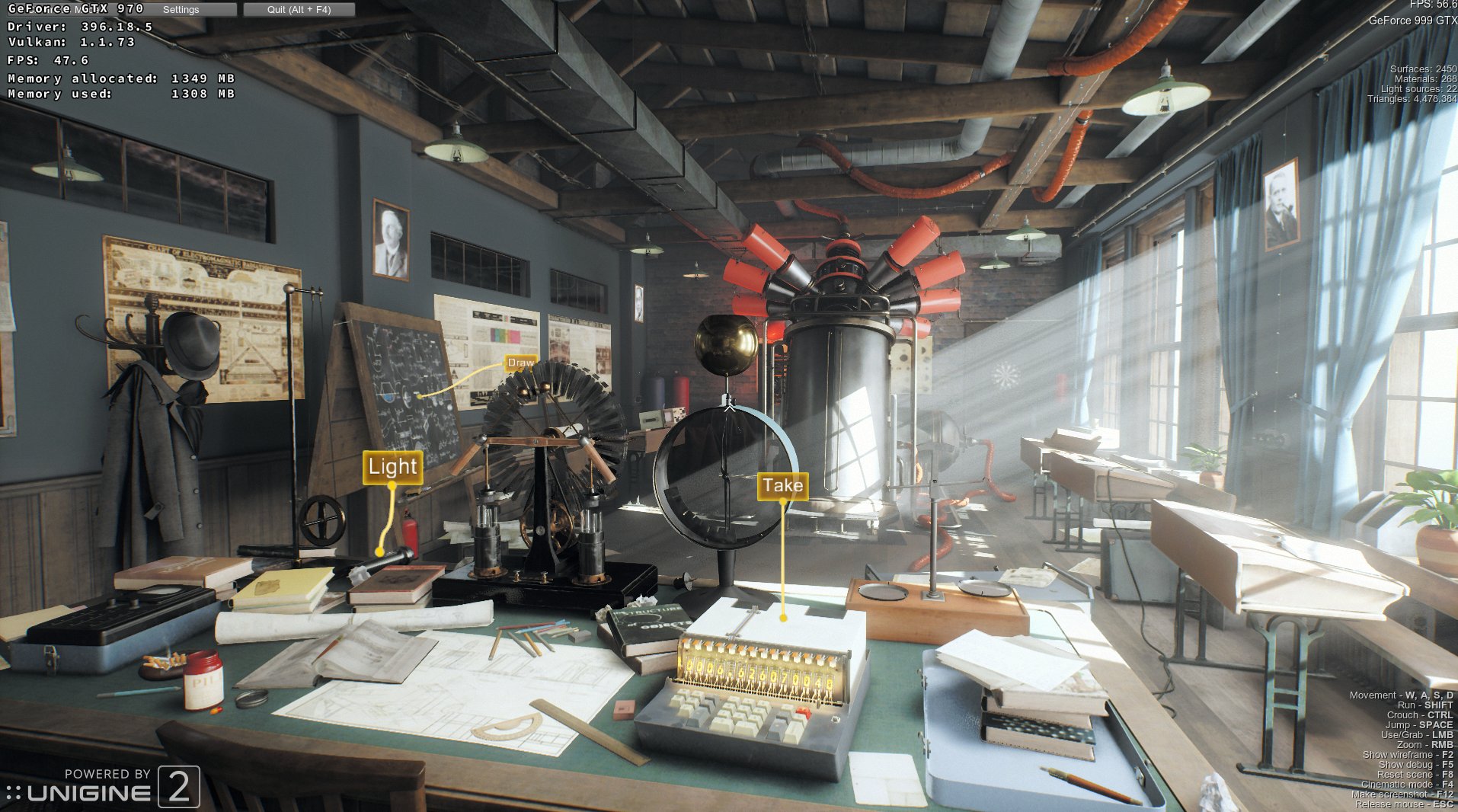
SveSop
on 26 Apr 2018
970 (390.42->396.18.2) vs 750 Ti (396.18.5) for quick check:
http://vulkan.gpuinfo.org/compare.php?compare=compare&id[2999]=on&id[3035]=on&id[3094]=on&id[2826]=on
pchome
on 26 Apr 2018
A few extensions not present on the 750Ti tho.. But not sure what is relevant.
VK_NV_geometry_shader_passthrough perhaps? VK_EXT_post_depth_coverage?
Dunno. Was it so that you did NOT have the same issues i had with the 390 driver, and with 396.18.02 it got fixed for me (970), and broken for you(750Ti)?
SveSop
on 26 Apr 2018
@damienleone @doitsujin Another, third "Flipping" issue (see https://github.com/doitsujin/dxvk/issues/267#issuecomment-384449983): full screen (compositor disabled) DXVK apps freezes after a few seconds when vsync is disabled. Killing freezed app freezes X11 and sometimes even mouse cursor for a fez seconds. Maybe it is related to #269 and #325 ?
Other tested by me (native Linux) Vulkan apps (ROTR, etc.) doesn't freeze without vsync (of course freeze happens on alt+tab).
zaps166
on 26 Apr 2018
the Beta 396.18.05 drivers seem to reduce the framerate in Far Cry 5
https://i.imgur.com/NmfoFFZ.jpg
(Apologies for the bad quality screenshot)
With 396.18.02, I would get around 72FPS avg on the Ultra preset
sambow23
on 26 Apr 2018
@zaps166 Does this freeze happen in any of the Unigine benchmarks with DXVK?
SveSop
on 26 Apr 2018
@zaps166 Yeah I have had the alt-tab freeze issue as well, the only way to work around it is to set a virtual desktop with a resolution lower than your native.
EDIT: I've had the alt-tab freeze issue ever since I've used DXVK (since February)
sambow23
on 26 Apr 2018
@sambow23 I have virtual desktop set to 1920x1080 on my 1080p monitor, and run Unigine benchmarks without this issue so far.. Hmm.. Wine issue?
What version of wine?
SveSop
on 26 Apr 2018
@SveSop Just tried 4 apps, freeze with disabled vsync and "Allow Flipping" happens on: Unigine Heaven, Unigine Valley, Tomb Raider 2013, but doesn't happen on Witcher 3.
Edit: Witcher 3 also freezes in menu when frame limiter is disabled (freezes e.g. in changing menu to game loading).
@sambow23 Have you also tried to disable "Allow Flipping" as a workaround for alt-tab issues?
zaps166
on 26 Apr 2018
@zaps166 : If you reported the allow flipping thingie crash already at the nvidia forum and mentioned that it happens even on native vulkan apps, imho there is no need to additionally flood that issue here.
That issue here is to report regressions which happen in dxvk in the beta driver
pingubot
on 26 Apr 2018
@zaps166 @sambow23 I was able to reproduce the "freeze" when alt-tab'ing.. when i had not set wine emulate virtual desktop. Not entirely sure what happens tho, as this does also happen in wined3d apps for me. It could be a wine issue, or a driver issue.
Setting Emulate Virtual Desktop to the fullscreen resolution (1080p for me), i have no problems with this. This is with vsync disabled, and allow flipping enabled.
SveSop
on 26 Apr 2018
@SveSop : If that alt-tab issues also happen for you with wined3d, then this issue should NOT be put into the issue here. Use the wine mbugzilla or the nvidia forum.
Something On-Topic:
As an Update from my side, the issues which i mentioned for 396.18.02 in Crysis 2 and Crysis 3 and also the Dirt 2 demo are still there in 396.18.05
pingubot
on 26 Apr 2018
with flipping on or off I have it, when running games on wined3d, I dont crash.
@SveSop wine-staging 3.6 (I highly doubt wine has to do with the alt-tab issues)
sambow23
on 26 Apr 2018
@sambow23 Do you have the alt-tab issue when running native OpenGL or Vulkan games/apps?
I am getting slightly less performance with 396.18.05 vs 396.18.02 in Unigine Valley w/DXVK, but it is so slight that i would not immediately say its a driver issue. I still have lower performance with 32bit depth buffers, and earn 4-5 fps by switching to 24bit. (84.1 -> 88.5 fps)
SveSop
on 26 Apr 2018
@SveSop It seems to happen only with DXVK (idk about native vulkan games), but OpenGL is fine.
sambow23
on 26 Apr 2018
Some updates...
The bad shadows in Superposition are a result of the compiler doing a floating point transform that is valid in Vulkan, but that results in an epsilon change that leads to NaNs (I think it is doing log(zero or -epsilon)). We're still working out how to deal with this.
The zingers in Dirt2 are a compiler bug in tessellation control shaders, which has a pretty good chance of affecting tessellation in other apps as well. We will push a driver fix soon.
jeffbolznv
on 2 May 2018
@jeffbolznv ; thanks for the update. I just wanted to post that i tried 396.26 and still see the issues in crysis 2. And i guess Crysis 3 (similar zinger like dirt2) and dirt 2 also don't work atm. Will try again with the next driver, looking forward to a fix, Many thanks !! Btw, superposition looks fine here on my gtx 970
pingubot
on 2 May 2018
@jeffbolznv is the NaN issue something that I can fix in the DXBC->SPIR-V translation?
doitsujin
on 2 May 2018
There's nothing wrong with how the shader code is being translated, the issue is there in the original bytecode.
Let me get back to you in a couple days with a more concrete plan.
jeffbolznv
on 3 May 2018
The fix for the shader compiler bug with tessellation control shaders is now available with the 396.18.07 driver that can be found here: https://developer.nvidia.com/vulkan-driver.
pdaniell-nv
on 4 May 2018
Card: GTX 750 Ti
Driver: 396.18.07
The Witcher 3: fixed
Superposition: not fixed, even not start w/o validation layers enabled, but produce no errors to vulkanlog.txt (not sure it's not setup problem though)
GeeXLab: vulkan _shadertoy_ demo (01): this one not related to DXVK but produces those "NaN"s (or so), shader sources and script(scene file) are in GeeXLab_FREE_win64/demos/vk/shadertoy. Tested from WINE. BTW with 396.24 this glitches happens rarely or "dots" are smaller.
http://www.geeks3d.com/geexlab/downloads/
pchome
on 4 May 2018
Card GT970:
Driver: 396.18.07
Crysis2: Graphical issues and performance are fixed now
Dirt 2: Graphical issues and performance are fixed now
Will try Crysis 3 tomorrow.
Again, a very nice job @pdaniell-nv , @jeffbolznv ! Many thanks to both of you and your driver team !!!
pingubot
on 4 May 2018
With the 396.18.07 driver sun and shadows in GTA V look normal and the performance is fine. Awesome!
 miegl
on 5 May 2018
miegl
on 5 May 2018
We just released a new Linux driver 396.18.08 which has a fix for the alt-tab issue that was mentioned several times in this issue. The new driver can be found here: https://developer.nvidia.com/vulkan-driver
pdaniell-nv
on 7 May 2018
@pdaniell-nv Thanks! Now works much better, but some issues still exist.
Vulkan test results (Flipping ON, 396.18.08):
- ROTR (native Linux app): Stable, Alt-Tab works OK
- Vulkan examples (native Linux app): Freezes immediately on Alt-Tab with entire X11 session (only SysRq or SSH can kill application),
- One of UE4 app (native Linux app): App crash after Alt-Tab when returning to game,
- Witcher 3 (DXVK): Can freeze when Flipping ON, VSync OFF, and in-game frame limiter OFF, Alt-Tab works OK
- Tomb Raider 2013 (DXVK): Freeze when Flipping On, VSync OFF, Alt-Tab works OK
- SAO Fatal Bullet (DXVK): Almost stable, Alt-Tab works OK, but Alt-Enter (toggle from/to full screen) freezes app when window has the same size as screen (happens to me at 1920x1080 only when Flipping is ON).
- Unigine Valley (DXVK): Freeze when Flipping On, VSync OFF, Alt-Tab works OK
When "Allow Flipping" is enabled and frame rate is below monitor refresh rate (e.g. 60 Hz), game stucks with 30 FPS. Maybe:
- Option "TripleBuffer" "1" in xorg.conf is ignored for Vulkan apps?
- swapchain "presentMode" is ignored?
When "Allow Flipping" is disabled, none of above issues happens.
When Vulkan application is freezed and X11 still works, killing the not-responding Vulkan app freezes X11 for a few seconds (also mouse cursor is sometimes freezed).
Thanks!
zaps166
on 8 May 2018
Thanks for the detailed feedback @zaps166
- What desktop environment are you using and do you have X's composite extension enabled?
- In the native apps you tested, are you sure they properly respond to VK_ERROR_OUT_OF_DATE_KHR?
- For Tomb Raider 2013 and others, are you saying that just enabling flipping with vsync off causes an immediate freeze or do you have to do something in game to trigger it?
Otherwise:
- TripleBuffer is ignored for Vulkan
- The swapchain's present mode should be honored
- It is expected to drop (e.g. to 30 FPS) when the frame rate goes below the monitor refresh rate (e.g. at 60 Hz) if vsync is enabled
damienleone
on 8 May 2018
I have NVidia GTX 770 and tested GTA 5 with drivers 396.18 and then with 396.24. Very low FPS, average is ~15 FPS (see the screenshot). When the game loads, FPS is ~60, but when the character appears, FPS drops to 15. I use __GL_NextGenCompiler=0. Is possible to make FPS higher or I have old videocard (however it runs GTA perfectly in Windows)?
 rinaldus
on 8 May 2018
rinaldus
on 8 May 2018
@damienleone
The swapchain's present mode should be honored
Sorry, my mistake, looks like minImageCount is ignored (driver reports that we can use up to 8 image count). presentMode works properly.
Let's assume that I have 60 Hz refresh rate and game has ~50 FPS:
- Full screen, VSync ON,
minImageCount== 2:
- fllipping ON: 30 FPS,
- fllipping OFF: ~50 FPS (tearing visible),
- Full screen, VSync ON,
minImageCount== 3:
- fllipping ON: 30 FPS,
- fllipping OFF: ~50 FPS (tearing visible),
IIRC on Windows minImageCount works properly (tested a long time ago, I must check results later):
- Full screen, VSync ON,
minImageCount== 2:
- 30 FPS,
- Full screen, VSync ON,
minImageCount== 3:
- ~50 FPS,
What desktop environment are you using and do you have X's composite extension enabled?
X composite extension - extension is enabled, but no X11 compositor is running.
I use Xfwm4 or Openbox WMs.
In the native apps you tested, are you sure they properly respond to VK_ERROR_OUT_OF_DATE_KHR?
I don't know / I must check the code, maybe now there is a problem in application.
For Tomb Raider 2013 and others, are you saying that just enabling flipping with vsync off causes an immediate freeze or do you have to do something in game to trigger it?
Unigine Valley (DXVK) as example:
- Start full screen with VSync OFF and Flipping ON - freeze after loading, before scene is visible.
- Start full screen with VSync OFF and Flipping OFF - works stable. Now enable VSync in app settings, Alt-Tab, enable Flipping, Atl-Tab - still works stable. Now disable VSync in app settings - after apply benchmark runs for 1 - 2 seconds and then freeze.
@rinaldus
You can try GTA 5 on Windows using DXVK for curiosity. I also have lower performance on Linux with some apps (native and DXVK comparing to Windows).
zaps166
on 8 May 2018
In the native apps you tested, are you sure they properly respond to VK_ERROR_OUT_OF_DATE_KHR?
I've made a patch for Vulkan examples: https://github.com/SaschaWillems/Vulkan/pull/480/files, so it is not a driver bug :)
SAO Fatal Bullet (DXVK) - this is UE4 game; freeze with Alt-Enter can be reproduced also on other UE4 software (doesn't happen when Flipping OFF), but I don't know what game is really doing in this case (I can't see anything valuable in DXVK logs). Freeze happens only when window mode has the same size as full screen (kwin5, openbox, xfwm4; compositor off).
zaps166
on 8 May 2018
@zaps166
It seems like there is a little bit of confusion on minImageCount. minImageCount = 3 is not equivalent to the "triple buffering" technique. The only way to control tearing in Vulkan is by the selection of the present mode.
Our Windows driver exposes the mailbox present mode, which would explain the behavior you described. Our Linux driver does not expose mailbox mode at the moment, therefore with vsync ON it should default to FIFO mode, which will queue each rendered frame for present.
I am still looking into the other issues you reported.
damienleone
on 10 May 2018
We just released a new driver here: https://developer.nvidia.com/vulkan-driver. Windows 397.76 and Linux 396.18.11. On Windows the rough shadows with Superposition should be fixed. With Linux we weren't actually able to reproduce the issue with Superposition. Let us know if you still see a problem there. Thanks.
pdaniell-nv
on 12 May 2018
@pdaniell-nv quick question, does the Nvidia Vulkan driver implement VK_PIPELINE_CREATE_DISABLE_OPTIMIZATION_BIT to reduce compile times, or do you plan to support it?
It's being implemented in RADV [1], and I'm using it in the disable-opt-bit branch in an attempt to reduce the stuttering caused by pipeline compilation. DXVK compiles optimized versions of the pipelines asynchronously and swaps them in when ready.
doitsujin
on 12 May 2018
@doitsujin We don't make use of that bit currently, but what you propose is an interesting idea. I'm not sure how much difference it could make for us. I'll discuss this internally.
pdaniell-nv
on 12 May 2018
Switched today from 396.24 to 396.18.11 and Unigine Heaven/Superposition/Valley crash at launch now with wine-staging 3.6 + dxvk 0.50. Native Unigine benchmarks runs without errors. Lady bug demo and Deus Ex HR works fine with this driver version.
 Yar4e
on 12 May 2018
Yar4e
on 12 May 2018
@yar4e, does it work when using the old compiler of the driver? If not,
does it work with the. 08 driver 4 you?
Yar4e notifications@github.com schrieb am Sa., 12. Mai 2018, 15:51:
Switched today from 396.24 to 396.18.11 and Unigine
Heaven/Superposition/Valley crash at launch now with wine-staging 3.6 +
dxvk 0.50. Native Unigine benchmarks runs without errors. Lady bug demo and
Deus Ex HR works fine with this driver version.—
You are receiving this because you were mentioned.
Reply to this email directly, view it on GitHub
https://github.com/doitsujin/dxvk/issues/267#issuecomment-388556673, or mute
the thread
https://github.com/notifications/unsubscribe-auth/Ah9Zc_RgkEFd3g5m9ZYeF9121Syk3XGbks5txujWgaJpZM4TO29G
.
pingubot
on 12 May 2018
@Yar4e does it work with latest dxvk+nvidia driver for you?
 Yardanico
on 12 May 2018
Yardanico
on 12 May 2018
@Yar4e : i can not confirm your issue here. All the mentioned unigine benchmarks run fine with latest dxvk master (581e505) and nvidia 396.18.11 on my gtx 970.
pingubot
on 12 May 2018
@Yar4e
Does the crash go away if you set the below envvar?
$ __GL_CONSTANT_FRAME_RATE_HINT=3
damienleone
on 14 May 2018
@damienleone
Thank you very much for the hint! Setting this envvar solved crash in all Unigine benchmarks! Can you please give us some information about mining of this var.? Google know nothing about it :)
Yar4e
on 15 May 2018
@Yar4e I only found this with google - http://blog.rolisteam.org/wp-content/uploads/2014/02/classAd.txt
Yardanico
on 15 May 2018
@Yar4e
Thanks for confirming.
This disables an optimization that is unrelated to Vulkan and that can intermittently crash applications during startup, as you have seen.
I'm working on a fix that will address this issue without needing to export the envvar.
damienleone
on 15 May 2018
@doitsujin
Edited: Reported issues with dxvk-0.51 but looks like I hadn't restarted wine properly. Seems fine now.
Question: does DXVK use the Vulkan loader, or otherwise how does it bootstrap Vulkan?
damienleone
on 15 May 2018
@doitsujin a quick update on VK_PIPELINE_CREATE_DISABLE_OPTIMIZATION_BIT. We measured how disabling optimization might affect compilation speed with our current compiler. It would affect speed slightly, but not in any meaningful way at this point so we don't plan to hook this up in the foreseeable future.
pdaniell-nv
on 21 May 2018
@pdaniell-nv can we get a vulkan beta driver which works with xorg 1.20 (landed in arch the last week). You guys already have a report over here -> https://devtalk.nvidia.com/default/topic/1035376/vulkan-396-18-08-396-18-11-fail-load-glx-extension-on-xorg-1-20
interesting fact. 396.24 isn't affected and works.
Currently even i would like to test some stuff i can't with the new beta driver.
Glog78
on 21 May 2018
@Glog78, yes, we'll try to get something out soon to support this. Hopefully within a week or so.
pdaniell-nv
on 21 May 2018
@pdaniell-nv thank you very much for this information.
Glog78
on 21 May 2018
@Glog78 We just released a new 396.24.02 driver at https://developer.nvidia.com/vulkan-driver, which should have the support you need.
@Yar4e This driver should also have a fix for the startup crash you sometimes see.
pdaniell-nv
on 24 May 2018
Not sure if 396.24.02 includes fixes found in 18.11, but it works under xorg 1.20 which is good.
 jarrard
on 25 May 2018
jarrard
on 25 May 2018
@pdaniell-nv Thank you for being so active in this thread. I wouid really appreciate if you could be so kind as to look into the isssue I've reported here.
In short, it seems like the "allow flipping" toggle in nvidia-settings doesn't quite work correctly when running a game using multiple monitors + dxvk.
I'm not 100% sure that this is a general vulkan driver issue as I've been unable to reproduce it outside of dxvk thus far, but I'm hoping it might be worthwhile to bring to your attention anyway.
Thanks! P.S. these new driver versions you guys have been putting out have been working great for me besides this :smile:
 ccl2of4
on 25 May 2018
ccl2of4
on 25 May 2018
@pdaniell-nv Emulate DX shader behavior when necessary
is this a dxvk workaround in the driver?
 Eignar17
on 25 May 2018
Eignar17
on 25 May 2018
@Eignar17 yes, it’s so we can behave like DX does when needed, even though it’s a deviation from the Vulkan spec. This is what we used for Superposition.
pdaniell-nv
on 25 May 2018
Card: GTX 750 Ti
Driver: 396.24.02
WINE: staging-3.8
DXVK: 0.52
Superposition is OK in fresh WINE prefix with only configuration is DXVK dll overrides.
But still have the bug when launched in old prefix. I can't suppose what exactly causes those glitches. Anyway, looks like it's setup problem.
pchome
on 25 May 2018
Can anyone confirm there is performance drop with 396.24.02 (vs 396.18.11)?
I have noticed this when running Superposition but fps too small to say. Now with d3d11-triangle.exe (old variant) I have 700+ fps, while a few days ago there was 950-1020 fps.
pchome
on 25 May 2018
@pdaniell-nv thanx for the fast help :)
Glog78
on 25 May 2018
@pchome
Are these applications that are running fullscreen? Which window manager do you use?
damienleone
on 25 May 2018
A few days ago I did some performance tests on NVIDIA GPU (https://github.com/doitsujin/dxvk/issues/67#issuecomment-390432444) - DXVK vs OpenGL vs Native vs Windows. Linux Vulkan drivers performs slower than on Windows and sometimes slower than Linux/OpenGL.
@pdaniell-nv @damienleone Could you please take a look for the results? Thanks!
zaps166
on 25 May 2018
@damienleone
Both running in WINE, superposition.exe in virtual 1920x1080 desktop and d3d11-triangle.exe creates it's own 1024x600 window.
KDE Plasma: 5.12.5
KDE Framework: 5.46.0
xorg-server: 1.19.5
Disabling composition (Shift+Alt+F12) previously gave do give some gain (those numbers: on=950+ and off=1000+ for triangle test), but have no noticeable effect now.
_I believe I'm using pre-April d3d11-triangle test, it's contains no mode switching and simply show triangles and fps (via DXVK_HUD=1 env var) after start:
https://github.com/doitsujin/dxvk/commits/master/tests/d3d11/test_d3d11_triangle.cpp_
Edit: I have checked d3d11-triangle test again and noticed that disabling composition still adds some fps, but from ~730 fps to ~770 fps which was hard to notice.
_BTW this was done after xorg-server was updated to 1.20.0._
pchome
on 25 May 2018
I have these set in my /etc/environment file which helps prevent kwin from crashing allot. In Lutris I have YIELD set to nothing however, was a suggestion somewhere but I think it doesn't do much.
export __GL_YIELD="USLEEP"
export KWIN_TRIPLE_BUFFER=0
export KWIN_USE_BUFFER_AGE=0
Without these, kwin will crash and freeze allot with NVIDIA hardware!
Other variables I have been known to use which may or may not do zip are: (minus debug stuff)
DXVK_FAKE_DX10_SUPPORT=1
DXVK_SHADER_OPTIMIZE=1
DXVK_SPIRV_OPT=ON
__GL_CONSTANT_FRAME_RATE_HINT=3
__GL_NextGenCompiler=0
__GL_THREADED_OPTIMIZATIONS=1
I think the top 3 do exactly NOTHING. Never seen much change in performance.
jarrard
on 26 May 2018
@jarrard
kwin never crashed for me.
export __GL_YIELD="USLEEP"
export __GL_THREADED_OPTIMIZATIONS=1
can reduce CPU usage and help some native vulkan(?) games a bit (when CPU is bottleneck), but in WINE with enabled CSMT you'll get fps drop.
DXVK_SHADER_OPTIMIZE=1 and DXVK_SPIRV_OPT=ON do not exist.
pchome
on 26 May 2018
CSMT? don't think that works with nvidia cards. Its also labeled as redundant by Wine.
jarrard
on 26 May 2018
@jarrard : __GL_NextGenCompiler=0 disables the new nvidia shader compiler. But i heavily recommend to use the new compiler cause it is working fantastic !
pingubot
on 26 May 2018
Yes I noticed its working in more games now with 396.24.02
jarrard
on 26 May 2018
@pingubot it's marginally faster in terms of compilation speed and at beta driver release day it broke half of my games that run vulkan. That said, cudos to nvidia devs working hard on promptly fixing these issues here.
tpruzina
on 26 May 2018
@pdaniell-nv 396.24.02 fixed startup crash in Unigine benchmarks! Thank you!
@pchome Can't confirm FPS drop with 396.24.02 vs 396.18.11. From my tests performance is equal.
Yar4e
on 26 May 2018
@jarrard DXVK_FAKE_DX10_SUPPORT=1 does nothing for performance, cos it is to "trick" those semi-dx11 apps (like World of Warcraft) that call upon the existance of DX10 to work - It is "faking" dx10 support.
@pchome It's kind of sad that disabling "NextGenCompiler" is "heavily recommended"... cos the point of having something called "NextGen" would be to be somewhat better? :)
SveSop
on 26 May 2018
@SveSop
@pchome It's kind of sad that disabling "NextGenCompiler" is "heavily recommended"... cos the point of having something called "NextGen" would be to be somewhat better? :)
?
My test configuration as simple as:
#!/bin/sh

mkdir -p /tmp/dxvk-test

export WINEPREFIX=/tmp/dxvk-test
export WINEDLLOVERRIDES="d3dcompiler_47,d3d11,dxgi=n"

export DXVK_HUD=1

wine d3d11-triangle.exe
The test's directory contains:
d3d11.dll
d3d11-triangle.exe
d3dcompiler_47.dll
dxgi.dll
test.sh
That's all, pretty same for Superposition, nothing was additionally enabled/disabled.
_Someone really need to delete those off-topic messages about env vars._
pchome
on 26 May 2018
@SveSop nobody is recommending to disable the new compiler, quite on the contrary. I think @pingubot 's post was just badly worded.
I will remove the workarounds for the old shader compiler in a future version of DXVK, so the old compiler will probably stop working entirely at that point.
doitsujin
on 27 May 2018
@pchome @doitsujin Heh.. i see that i misunderstood the meaning of the sentence :) Sorry.
SveSop
on 27 May 2018
@pdaniell-nv
We noticed that there isn't a host visible device-local memory type for Nvidia hardware in Vulkan. This would be useful to have for D3D11_USAGE_DYNAMIC resources from D3D11. Some games like to map dynamic resources once, losing a lot of performance since we assume that dynamic resources go in to host memory. Would it be possible to have this memory type added or is this a hardware limitation?
It is possible for us to workaround this by moving resources around in memory at runtime and putting resources that aren't mapped a lot in device memory and doing just a normal update, but having a host visible device-local memory type would be great.
ZeroFault
on 29 May 2018
@pdaniell-nv @jeffbolznv
May we have some feedback about the host visible device-local memory type request above?
ZeroFault
on 31 May 2018
It's unlikely we're going to add such a memory type. Even in the D3D driver I think it is common for these to end up in sysmem. If there are specific perf issues we could look at, maybe there's something we could do to improve it.
jeffbolznv
on 31 May 2018
@jeffbolznv
Thank you for your response.
It's really only 1 game (Grim Dawn) that is heavily affected by this. It creates a few D3D11_USAGE_DYNAMIC vertex buffers that it only initializes on creation and doesn't map it ever. Since we create this resources in system memory we have a huge PCIE bus load (50%) when the game actually uses those buffers at draw time compared to native D3D(2%).
I'm not sure if D3D moves memory around in to device local memory when dynamic buffers aren't mapped or if it actually uses a host visible device-local memory type.
According to @doitsujin, we have seen an increase in performance in many other games since he started putting dynamic resources on host visible device-local memory on AMD cards.
ZeroFault
on 1 Jun 2018
Any news on the possible host visible device-local memory alternatives yet ? As a long term nvidia user a really would like to enjoy the same speedups which amd users got using that feature. Many games improved in addition to Grim Dawn on amd side, e.g. Shadow Warrior 2 also ~ +10% fps. Many thanks in advance for taking a look.
pingubot
on 6 Jun 2018
@pdaniell-nv
There seems to be another bug related to the next gen shader compiler and DXVK
I had to use DXVK 0.5x to get the old shader compiler working, but the broken shadows happen on master as well.
Hardware: GTX 970 with driver version 396.24.02
Game: Ni No Kuni 2
Apitrace:
https://drive.google.com/file/d/1J_X0v6NzasesuD1l5jhGqsAXBO-vECi8/view (@sambow23's trace)
The trace will crash afterwards because of an issue unrelated to the nvidia driver.
With the new shader compiler:
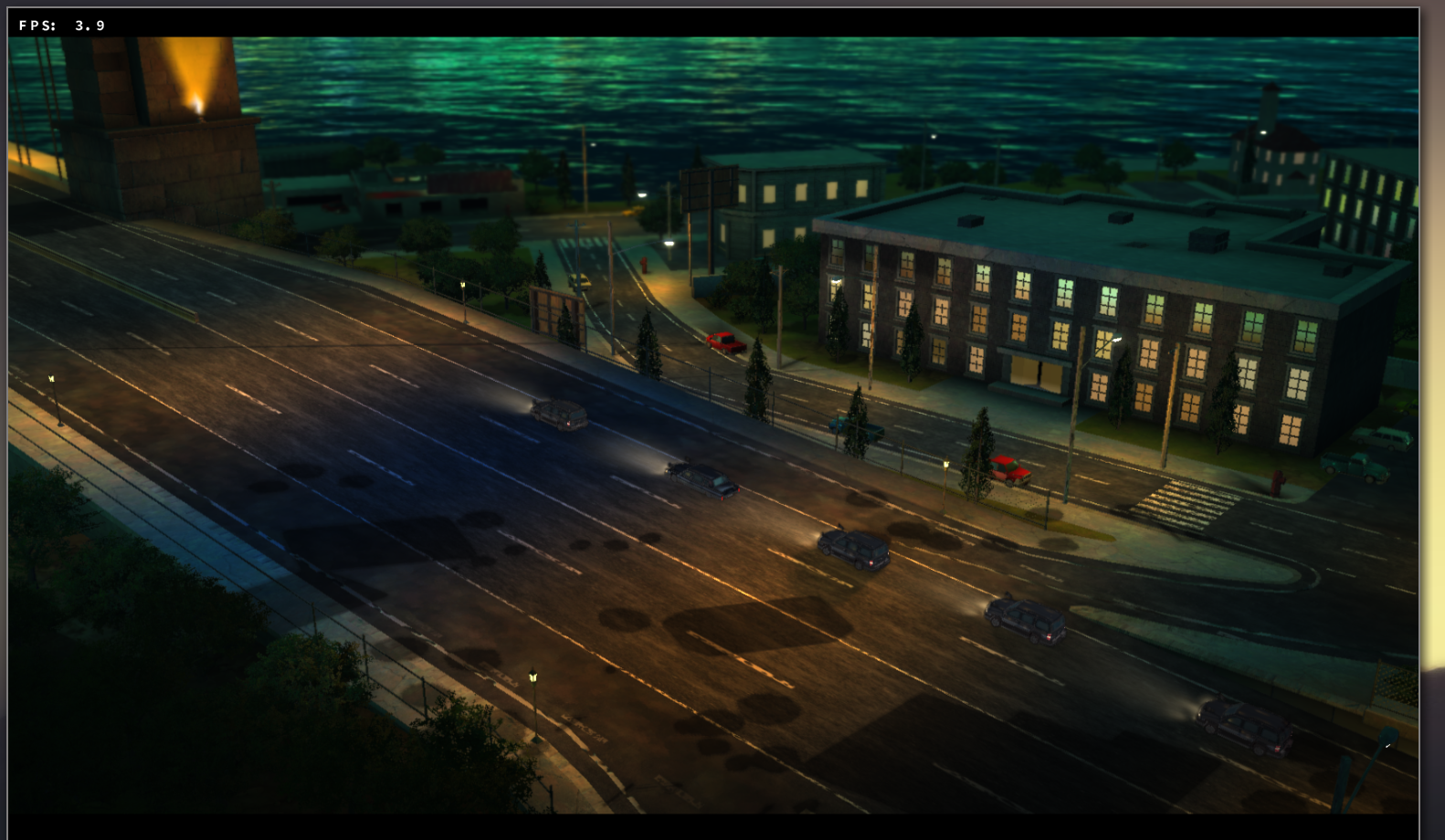
Without:
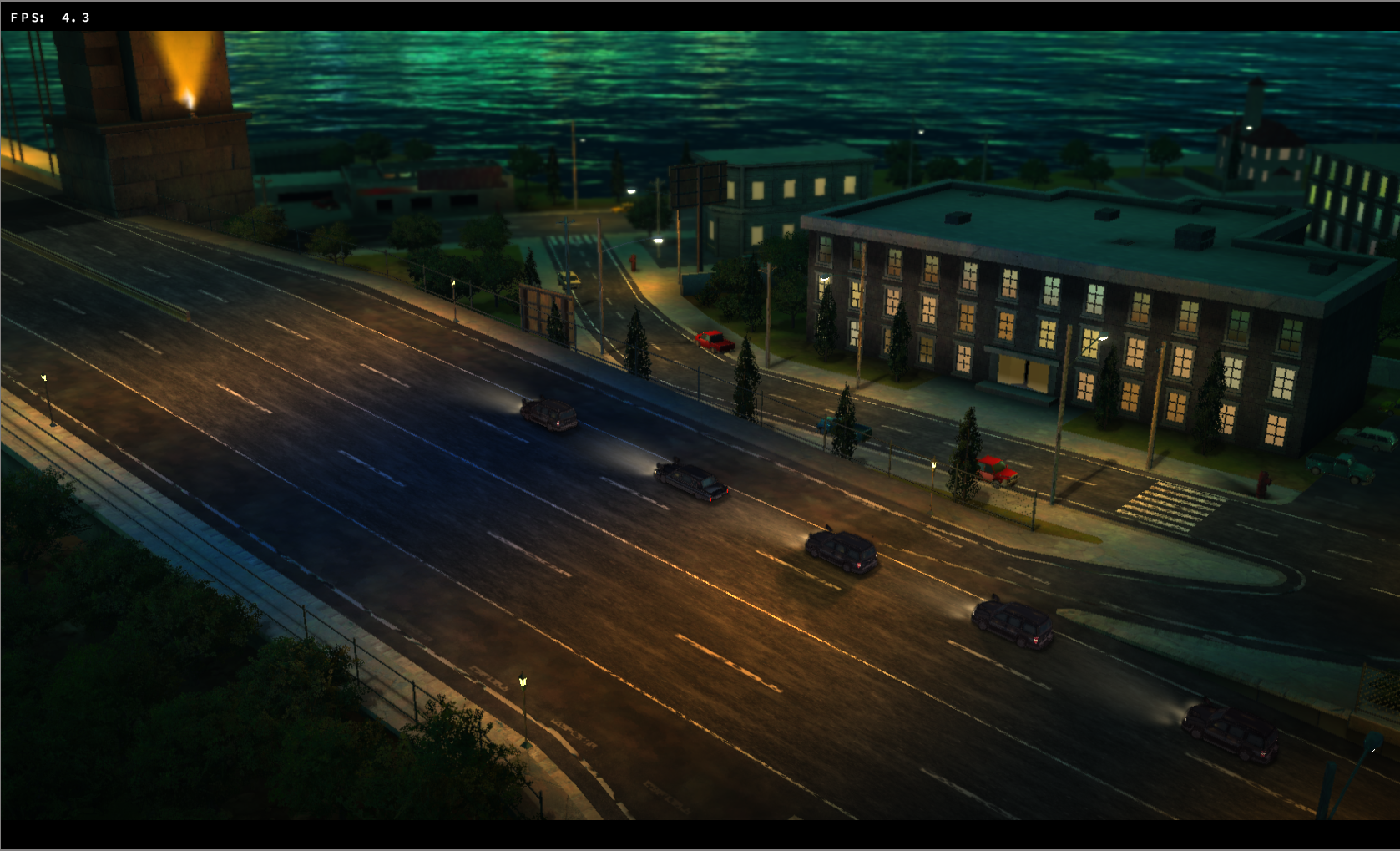
Related bug report: https://github.com/doitsujin/dxvk/issues/443
varris1
on 23 Jun 2018
@jeffbolznv (pinging you because of the Ni No Kuni 2 bug report)
Another compiler bug: This trace will hang and result in VK_ERROR_DEVICE_LOST errors. There are no validation errors preceding the VK_ error, so @doitsujin doesn't know what's wrong either.
Game: Crash Bandicoot N. Sane Trilogy.
https://drive.google.com/file/d/1JjKtJu0z2fNbF6UXW8NXMlXHK8b25DeP/view?usp=sharing
The old shader compiler (+ DXVK legacy branch) works for the most part (except a few failing shaders) and spirv-val doesn't detect anything as well.
RADV renders & works correctly.
There are some xids as well:
[ 9833.706948] NVRM: Xid (PCI:0000:09:00): 13, Graphics Exception: ESR 0x405848=0x80000000
[ 9833.706963] NVRM: Xid (PCI:0000:09:00): 13, Graphics Exception: Shader Program Header 8 Error
[ 9833.706966] NVRM: Xid (PCI:0000:09:00): 13, Graphics Exception: ESR 0x405840=0x90000100
[ 9833.706991] NVRM: Xid (PCI:0000:09:00): 13, Graphics Exception: ChID 0023, Class 0000b197, Offset 00001f04, Data 77330fff
[ 9877.459179] NVRM: Xid (PCI:0000:09:00): 13, Graphics Exception: ESR 0x405848=0x80000000
[ 9877.459199] NVRM: Xid (PCI:0000:09:00): 13, Graphics Exception: Shader Program Header 8 Error
[ 9877.459202] NVRM: Xid (PCI:0000:09:00): 13, Graphics Exception: ESR 0x405840=0x90000100
[ 9877.459227] NVRM: Xid (PCI:0000:09:00): 13, Graphics Exception: ChID 0023, Class 0000b197, Offset 00002398, Data 00000000
[10212.444806] NVRM: Xid (PCI:0000:09:00): 13, Graphics Exception: ESR 0x405848=0x80000000
[10212.444820] NVRM: Xid (PCI:0000:09:00): 13, Graphics Exception: Shader Program Header 8 Error
[10212.444823] NVRM: Xid (PCI:0000:09:00): 13, Graphics Exception: ESR 0x405840=0x90000100
[10212.444847] NVRM: Xid (PCI:0000:09:00): 13, Graphics Exception: ChID 0023, Class 0000b197, Offset 00002388, Data 01a60000
[10430.812613] NVRM: Xid (PCI:0000:09:00): 13, Graphics Exception: ESR 0x405848=0x80000000
[10430.812626] NVRM: Xid (PCI:0000:09:00): 13, Graphics Exception: Shader Program Header 8 Error
[10430.812628] NVRM: Xid (PCI:0000:09:00): 13, Graphics Exception: ESR 0x405840=0x90000100
[10430.812650] NVRM: Xid (PCI:0000:09:00): 13, Graphics Exception: ChID 0023, Class 0000b197, Offset 000011f0, Data 00000000
[11466.831162] NVRM: Xid (PCI:0000:09:00): 13, Graphics Exception: ESR 0x405848=0x80000000
[11466.831178] NVRM: Xid (PCI:0000:09:00): 13, Graphics Exception: Shader Program Header 8 Error
[11466.831182] NVRM: Xid (PCI:0000:09:00): 13, Graphics Exception: ESR 0x405840=0x90000100
[11466.831209] NVRM: Xid (PCI:0000:09:00): 13, Graphics Exception: ChID 0023, Class 0000b197, Offset 00001f04, Data 81430fff
varris1
on 30 Jun 2018
The Crash Bandicoot bug is caused by a shader violating this limit:
- [[features-limits-maxGeometryTotalOutputComponents]]
pname:maxGeometryTotalOutputComponents is the maximum total number of
components of output, across all emitted vertices, which can: be output
from the geometry shader stage.
The failing shader is GS_0f2f65484961e732ce0547d3a904fb6186dfc24e. It has 24 vertices (OpExecutionMode %main OutputVertices 24) and 48 output components per vertex (outputs o0-o10 and position, each is a vec4). Our maxGeometryTotalOutputComponents limit is 1024.
Disassembling the DX bytecode, it looks like the shader outputs are not supposed to all be vec4s:
dcl_output o0.xyzw
dcl_output o1.xy
dcl_output o2.xyzw
dcl_output o3.xyz
dcl_output o4.xyz
dcl_output o5.xyz
dcl_output o6.xyzw
dcl_output o7.xyzw
dcl_output o8.xyzw
dcl_output o9.xyz
dcl_output_siv o10.xyzw, position
This is 38 components per vertex, and would fit in our limit. It also seems like dxvk may be treating o10 as an unnecessary extra output, when it is really an alias for position? I don't look at dxbc very often, I may be misunderstanding.
FWIW, this didn't actually work in the old compiler, the shader fails to compile but never executes, so no device_lost exception.
jeffbolznv
on 1 Jul 2018
Thanks for looking into that.
I can try and respect the number of components declared for each input and output register, but we might end up violating Vulkan's shader interface matching rules if a game mixes shaders with incompatible input/output signatures. In theory this is undefined behaviour in D3D11 as well, but so far, relying on applications to do the right thing has always led to disappointment sooner or later.
doitsujin
on 1 Jul 2018
The dxbc-inout-components branch should fix this particular issue. The number of output components is now 42 per vertex since o10 is still treated as an output, and I'm not sure if it's safe to just eliminate it. Please let me know if there are issues.
doitsujin
on 1 Jul 2018
@jeffbolznv
We are having a GPU hang issue in DXVK with Dirt 2 which we are unable to identify what is actually causing the problem. The problem started with commit 84a62f where we implemented a function for mip map generation. The vulkan debug layers aren't outputting anything useful for this. Also, this code works fine on AMD cards and we are unsure if this is a driver bug. Could you guys please take a look at this when you can?
apitrace of the issue:
dirt2.trace
Tested with:
Driver: 396.24.02(Linux) and 397.96(Windows 10)
GPU: GTX 1080
DXVK: 87b516
NVRM: Xid (PCI:0000:01:00): 13, Graphics Exception on GPC 0: WIDTH CT Violation. Coordinates: (0x20, 0x0)
NVRM: Xid (PCI:0000:01:00): 13, Graphics Exception: ESR 0x500420=0x80000010 0x500434=0x20 0x500438=0x2000c00 0x50043c=0x0
NVRM: Xid (PCI:0000:01:00): 13, Graphics Exception on GPC 1: WIDTH CT Violation. Coordinates: (0x28, 0x0)
NVRM: Xid (PCI:0000:01:00): 13, Graphics Exception: ESR 0x508420=0x80000010 0x508434=0x28 0x508438=0x2000c00 0x50843c=0x0
NVRM: Xid (PCI:0000:01:00): 13, Graphics Exception on GPC 2: WIDTH CT Violation. Coordinates: (0x30, 0x0)
NVRM: Xid (PCI:0000:01:00): 13, Graphics Exception: ESR 0x510420=0x80000010 0x510434=0x30 0x510438=0x2000c00 0x51043c=0x0
NVRM: Xid (PCI:0000:01:00): 13, Graphics Exception on GPC 3: WIDTH CT Violation. Coordinates: (0x38, 0x0)
NVRM: Xid (PCI:0000:01:00): 13, Graphics Exception: ESR 0x518420=0x80000010 0x518434=0x38 0x518438=0x2000c00 0x51843c=0x0
NVRM: Xid (PCI:0000:01:00): 13, Graphics Exception: ChID 001e, Class 0000c197, Offset 00001614, Data 00000000
ZeroFault
on 9 Jul 2018
Yes, this is a driver bug, I will fix it.
jeffbolznv
on 10 Jul 2018
@jeffbolznv @pdaniell-nv @damienleone I know this isn't related to dxvk, but can you please take a look at this issue in recent nvidia drivers?
https://devtalk.nvidia.com/default/topic/1032120/rust-video-game-crashes-with-396-18-drivers/
https://www.reddit.com/r/playrust/comments/8kbkqn/problems_with_nvidiadrivers_v39624/
miegl
on 10 Jul 2018
@jeffbolznv @pdaniell-nv @damienleone
Also this.
Devs at Nvidia Devtalk seems uninterested.
 Leopard1907
on 11 Jul 2018
Leopard1907
on 11 Jul 2018
Does 396.45 contain the vulkan patches? Is it tesselation ready?
 ryanmusante
on 29 Jul 2018
ryanmusante
on 29 Jul 2018
@ryanmusante No and yes.
 Tk-Glitch
on 29 Jul 2018
Tk-Glitch
on 29 Jul 2018
@jeffbolznv , @pdaniell-nv
I want to come back to jeffbolz's offer to take a look, if we face any specific performance issues.
Right now dxvk is able to push many games into the gpu limit. Sadly the performance in the gpu limit on Nvidia partly is not what we would expect . This is especially true for Shadow Warrior 2 (~70% of native performance, on AMD doitsujin gets ~ 90%). Also Nier Automata seems to run very bad on Nvidia hardware compared to AMD.
As we don't have any tools at hand to analyse why the performance is much worse with nvidia, it would be fantastic if you could take a look and give a helping hand here.
Many thanks !
Christian
pingubot
on 4 Aug 2018
@pingubot
I wonder is this is the same regression I mentioned before https://github.com/doitsujin/dxvk/issues/267#issuecomment-392095114
Can you test 396.18.11 drivers?
Since those days DXVK have some improvements and numbers changed for me to 820/870(composition off) fps (recent drivers) vs ~1100-1200 fps (last time I checked 396.18.11), but still ~30% lost.
_Also, as I said before, I'm using an old d3d11-triangle test w/o mode changes and it runs with constant 98% GPU load. Launching it with wine d3d11-triangle.exe.old which display 1024x600 window (Buffer size: from log) , while wine d3d11-triangle.exe displays 632x453 window (noticed this too late and maybe mislead those trying to reproduce)._
UPD: to get this particular test you can do e.g.
cd /tmp
git clone https://github.com/doitsujin/dxvk
cd dxvk
git reset 533ce13956edecc12eccf87dcf09b8799a471c33
git checkout -- tests/d3d11/test_d3d11_triangle.cpp
than
- copy to your actual DXVK directory as
tests/d3d11/test_d3d11_triangle_simple.cpp - add this string to
tests/d3d11/meson.build:
executable('d3d11-triangle-simple'+exe_ext, files('test_d3d11_triangle_simple.cpp'), dependencies : test_d3d11_deps, install : true, override_options: ['cpp_std='+dxvk_cpp_std]) - build dxvk with tests enabled.
pchome
on 4 Aug 2018
The fix that @jeffbolznv mentioned here https://github.com/doitsujin/dxvk/issues/267#issuecomment-403679551 is available in both the 396.51 (http://www.nvidia.com/object/unix.html) and 396.51.02 (https://developer.nvidia.com/vulkan-driver) drivers.
pdaniell-nv
on 7 Aug 2018
Sadly the performance in the gpu limit on Nvidia partly is not what we would expect . This is especially true for Shadow Warrior 2 (~70% of native performance, on AMD doitsujin gets ~ 90%).
Somebody has looked at this app a little bit internally, and the initial triage is that there may be some kind of CPU-GPU sync in dxvk or in the app. I don't know how high our confidence is in this. But we did look at shader dumps and nothing looked really wrong there.
jeffbolznv
on 7 Aug 2018
@jeffbolznv
Thanks for the bug fixes.
Since a couple months ago we've been having an issue with a broken quad rendering with DXVK in Battlefield 1. The renderdoc trace of it didn't show any issues that we could see and also no vulkan debug layer errors.
This renders fine on AMD cards.
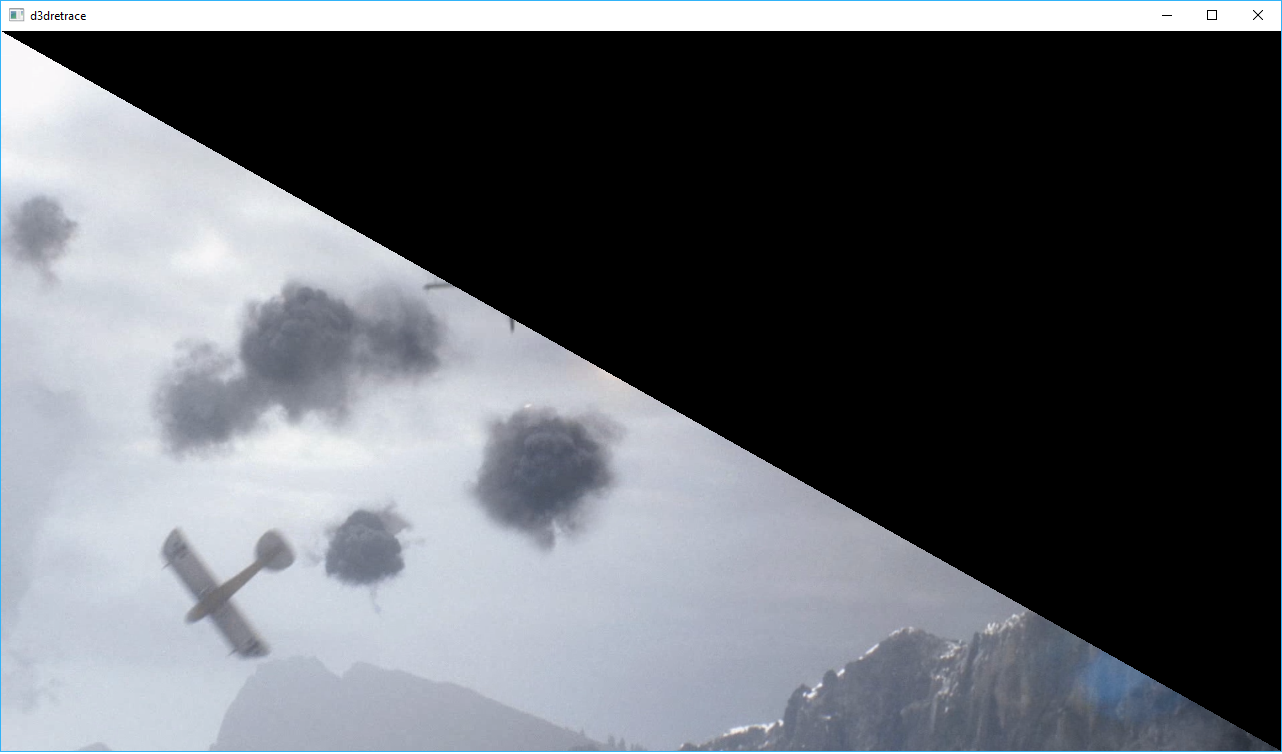
Apitrace: trace
You may need to use the DXVK_FEATURE_LEVEL=11_1 environment variable in order to replay the trace.
Tested with:
Driver: 398.91 (Windows). Should also happen on Linux drivers.
GPU: GTX 1080
DXVK version: v0.64
ZeroFault
on 8 Aug 2018
Hi @ZeroFault,
You said "Since a couple months ago...", do you know if this ever worked? Did it regress with a driver change or a dxvk change?
I've reproduced the corruption but don't have any leads on the cause yet.
jeffbolznv
on 9 Aug 2018
@jeffbolznv
It's been happening ever since we got Battlefield 1 running on DXVK. So, this has never worked before.
ZeroFault
on 9 Aug 2018
The Battlefield1 corruption is indeed an NVIDIA bug. We'll try to get a fix out soon.
jeffbolznv
on 14 Aug 2018
@jeffbolznv , @pdaniell-nv
We've got a nvidia-specific bug lately now that DXVK supports DX10 on Crysis (1) where vegetation will flicker, depending on camera angle. This is not happening on AMD hardware and @doitsujin doesn't see anything wrong on his side.
Screenshots of the issue :


Video of the issue :
Please let me know if you need anything else (a trace maybe ?). Thank you!
Edit : Trace available here : https://drive.google.com/file/d/1bPRNU9e4gcodzJaItk4m-h487HTl5F_a/view?usp=sharing
Tk-Glitch
on 17 Aug 2018
@Tk-Glitch what driver are you seeing this with? Have you tried any others?
pdaniell-nv
on 17 Aug 2018
fwiw, I seen flickering geometry on palms with latest stable driver 396.51 with a gtx 970, but it wasn't as bad as shown in the video. But i also didn't use that exact game spot.
pingubot
on 17 Aug 2018
Yes, please attach a trace. Thanks!
jeffbolznv
on 17 Aug 2018
@pdaniell-nv That was with 396.51.02. I will try with other drivers and attach a trace.
Tk-Glitch
on 17 Aug 2018
@pdaniell-nv , @jeffbolznv I've added a trace to my post above. I've tried 396.51 and 396.45 and got the same results as my previous tests with 396.51.02.
Tk-Glitch
on 18 Aug 2018
When I run the Crysis.trace, about 30 seconds in I get a crash compiling a SPIR-V shader that is invalid. There appears to be a missing OpFunctionEnd at the end of the ps_main function:
               OpStore %o0 %368
               OpReturn
        %369 = OpLabel
               OpBranch %72
         %72 = OpLabel
       %main = OpFunction %void None %13
The shader is:
%3 = OpString "PS_287aa49c4ebac9355d7c927be4ed13bff75f7214"
spirv-val reports: "error: 447: Cannot declare a function in a function body".
cc @doitsujin
No idea if this is related to the corruption...
jeffbolznv
on 18 Aug 2018
That's a tough one, since the shader doesn't have a ret instruction at the end of the function. Looks like I'll have to rewrite the part where function instructions are generated.
doitsujin
on 18 Aug 2018
@jeffbolznv
Nvidia 396.51 has that bug on Assasins Creed 1 ( DX 10 ) happens across various card.
My GTX 1050
Rotscha's GTX 680
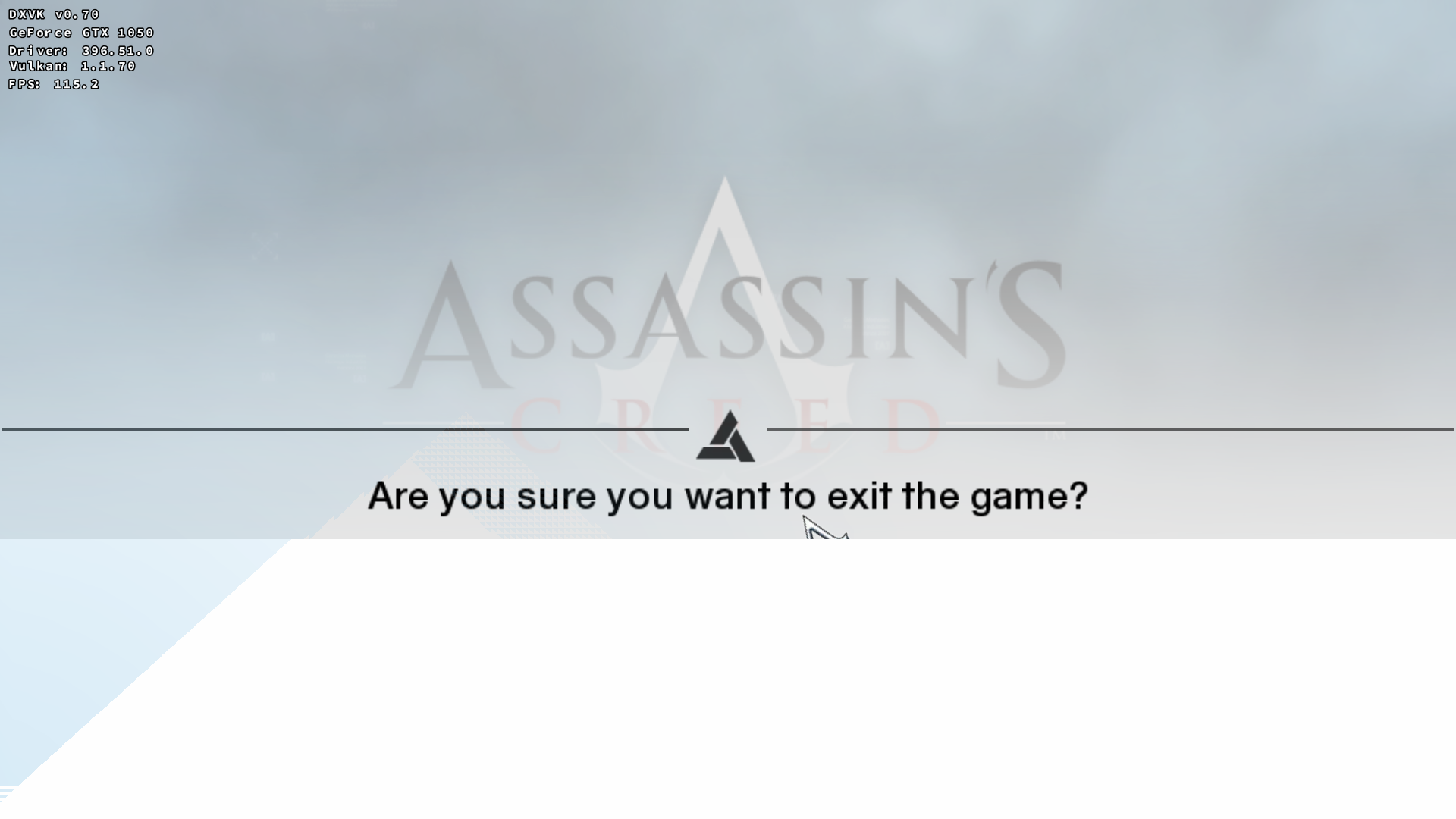
Doitsujin said that is working correctly on RADV , so seems like an Nvidia specific issue.
Also some writings in Animus device are looking cut-off sometimes. Top left side of Animus view , time counter.
Leopard1907
on 18 Aug 2018
I'll have to say I haven't done much debugging and validation on the DX10 titles so far (and right now I don't have access to my main development rig), so these may very well be my bugs. The Crysis one was a bit unexpected though.
doitsujin
on 18 Aug 2018
Well , but that also looks somewhat similar to that BF1 issue shared on few messages back.
Similar issue , only screen cut from half end horizontally , not vertical.
Leopard1907
on 18 Aug 2018
@Leopard1907
Similar issue , only screen cut from half end horizontally , not vertical.
For me it looks like one (transparent) window over another one, but shrunk.
Similar things my compositor (kwin) can do with wine virtual desktop windows, they are shrinking horizontally on game launch and I have to resize them back. Meanwhile content (Buffer size: 1920x1080) is unchanged while I dragging bottom-right corner.
Usually 1920x1080, not sure about other resolutions.
So it can be some kind of dxgi bug. In my case I blame compositor, and I'm don't really bothering about that. But I can be wrong.
pchome
on 19 Aug 2018
If somebody can generate a trace for the Assassin's Creed corruption, I can take a look at it. It would at least be easy for me to verify if it is related to the Battlefield1 corruption.
jeffbolznv
on 19 Aug 2018
@pchome
Virtual desktop is off on my prefix.
I'm playing games on fullscreen ( not borderless ) , my DE is Cinnamon but i don't know about my compositor really. Just basic Linux Mint 18.3 installation.
Leopard1907
on 19 Aug 2018
@jeffbolznv Sure, i'm trying to get one but seems like i can't.
I downloaded apitrace.dll's and put them in the game folder. Like said here.
https://github.com/doitsujin/dxvk/wiki/Common-issues
But x64 one gives no apitrace , x86 one on the other hand crashes the game at start but generates an apitrace file.
What should i do?
Leopard1907
on 19 Aug 2018
I've never used this tool to capture so don't have any advice. But it sounds like lots of folks on here have, so somebody should have some suggestions.
jeffbolznv
on 19 Aug 2018
@Rotscha
Maybe he can help.
Leopard1907
on 19 Aug 2018
@Leopard1907
From https://github.com/doitsujin/dxvk/blob/master/issue_template.md :
Important: When reporting an issue with a specific game or application, such as crashes or rendering issues, please include log files and a D3D11 Apitrace (see https://github.com/apitrace/apitrace) so that the issue can be reproduced. In order to create a trace, run wine apitrace.exe trace -a dxgi YOURGAME.exe. DO NOT use DXVK together with apitrace!
https://appdb.winehq.org/objectManager.php?sClass=application&iId=6807
So you must run trace in regular wine w/o DXVK enabled.
pchome
on 19 Aug 2018
@pchome
So i shouldn't try Pierre Loup's automated one? Because i disabled all DXVK related dll's but that method still cannot produce apitrace.
Downloading apitrace-msvc-latest now.
Leopard1907
on 19 Aug 2018
@jeffbolznv Monster Hunter World seems to trigger GPU hangs on 396.51:
https://github.com/ValveSoftware/Proton/issues/175#issuecomment-415262848
 libcg
on 23 Aug 2018
libcg
on 23 Aug 2018
@jeffbolznv The incorrect shader in Crysis 1 is fixed as of 01cc49555aac01607b31e71f9a3fa5b45460b043, but this reportedly doesn't fix the corruption. It looks like Z-fighting, so there might be some inaccurate math operation somewhere. I'll check the shaders at some point.
doitsujin
on 27 Aug 2018
Thanks, I will also take another look as soon as I can.
jeffbolznv
on 27 Aug 2018
I did some quick experiments and this does look like it's probably a zfighting issue. I found some old internal bug reports that suggested that Crysis has zfighting problems, so this is probably an app issue. I don't think I'll be able to spend more time on this in the near future.
jeffbolznv
on 27 Aug 2018
@jeffbolznv
There is a freeze and device lost error that I am getting in Unigine Valley benchmark on Windows with DXVK. This freeze is hard to reproduce on other systems since DXVK's flushing heuristic is partly based on time and the issue seems to be dependent on what was in the vulkan command buffer on submission.
I was able to record a vulkan trace using vktrace (from the Vulkan SDK) that will hopefully show the issue using vkreplay.
Vulkan debug layers didn't display anything useful when the freeze occurred with the benchmark itself. However, the debug layers showed this when replaying the vktrace
Validation(ERROR): msg_code: -1:  [ VUID_Undefined ]  [ VUID_Undefined ] Object: 0x30142b78 (Type = 17) | Invalid PipelineLayout Object 0x30142b78.
VUID_Undefined(ERROR / SPEC): msgNum: -1 - Invalid PipelineLayout Object 0x30144680
Tested with:
Driver: 398.91
GPU: GTX 1080
OS: Windows 10
vktrace (32 bit) from Vulkan SDK 1.1.82.0
ZeroFault
on 28 Aug 2018
@ZeroFault, I was able to repro the device_lost with the trace. The symptoms look like the app is overwriting command buffer memory before it has finished executing. I noticed that the error happens right around the same time the app starts calling vkDestroyCommandPool, and if I put a vkDeviceWaitIdle right before vkDestroyCommandPool then the error goes away.
So I think this should be debugged from the dxvk side.
jeffbolznv
on 28 Aug 2018
I don't really see how that can possibly happen in DXVK because all command buffers go through this code, which keeps the command buffer alive until a fence associated with it gets signaled.
doitsujin
on 28 Aug 2018
Hmm, I wonder if this was an artifact of the vktrace being captured on a system where the error occurred. vkreplay prints warnings that it expects device_lost because that's what it got during capture. If some vk command returned device_lost during capture, it might cause the command buffer to be freed before it was actually finished executing.
@ZeroFault can you try to capture the failure with apitrace? I can also try to run Valley natively (since it is free/easy to install).
jeffbolznv
on 28 Aug 2018
@jeffbolznv
I'm not sure if an apitrace will be able to reproduce the issue. I've already tried to record one in the place where it freezes running the benchmark normally, but wasn't able to get it to freeze. It may be best to try the benchmark natively with DXVK.
It usually freezes a few seconds after the benchmark loads and before it reaches the first tree.
I run these settings that reliably reproduce the issue ( on my system)
Resolution: 1920 x 1080 windowed mode
Quality: Ultra
Antialiasing: x8
Stereo 3D: disabled
ZeroFault
on 29 Aug 2018
I've been unable to reproduce the issue running Valley natively on Windows through dxvk.
jeffbolznv
on 29 Aug 2018
Yeah, it seems to be difficult to reproduce on different systems. I only know of one other who was able to reproduce it on Windows. I guess I will just have to keep looking to see what is causing it.
ZeroFault
on 29 Aug 2018
@ZeroFault we just released a new beta driver 396.54.02 that should resolve the issue you reported in https://github.com/doitsujin/dxvk/issues/267#issuecomment-411231670.
The Vulkan beta drivers can be found in the usual place: https://developer.nvidia.com/vulkan-driver
pdaniell-nv
on 31 Aug 2018
Hi @pdaniell-nv
Can you also look at that issue too?
https://github.com/doitsujin/dxvk/issues/267#issuecomment-414086512
It easily reproducable on 396.54 driver however i couldn't get an apitrace.
It happens on main menu.
Leopard1907
on 31 Aug 2018
@Leopard1907 it's possible 396.54.02 fixes that issue too. Would you mind checking? Thanks.
pdaniell-nv
on 31 Aug 2018
@pdaniell-nv Sure , if that appears on that ppa anytime soon i will check.
Leopard1907
on 31 Aug 2018
@pdaniell-nv
Yes, the new driver fixes the BF1 corruption issue for me. Thank you all for your hard work fixing these issues!
ZeroFault
on 31 Aug 2018
@jeffbolznv
It seems there is a z-fighting problem with Prey that only appears on nvidia, since doitsujin tested it on his hardware without any problem. Maybe its related to the crysis issue? This scene is right at the start of the game. If you need any further information I will try to supply it ASAP.
Hardware: GTX970
Driver: 396.54.02
Game: Prey Demo
Runtime: Steam Proton 3.7.5 Beta
Video of the issue: https://streamable.com/v36r9
 Riesi
on 6 Sep 2018
Riesi
on 6 Sep 2018
New nvidia driver released
396.54.05
https://developer.nvidia.com/vulkan-driver
September 10th, 2018 - Windows 399.28, Linux 396.54.05
New Extensions:
VK_KHR_vulkan_memory_model
VK_EXT_inline_uniform_block
 mrdeathjr28
on 10 Sep 2018
mrdeathjr28
on 10 Sep 2018
Note that the 396.54.05 driver has nothing else beyond 396.54.02 except those two new extensions: VK_KHR_vulkan_memory_model and VK_EXT_inline_uniform_block. We are still investigating the "z-fighting" issue and hope to deliver a solution soon.
pdaniell-nv
on 10 Sep 2018
@pchome
d3d11-triangle.exe
ok, now it's 2x higher ... , for both DXVK 0.71 and git versions :confused:
~2400/2600 fps
for git version and original (not modified) d3d11-triangle.exe test:
~3000/3500 fps (due to smaller window)
_using dxvk.conf:dxgi.syncInterval = 0_
prev values (~700-800 fps) reachable only when window maximized (Alt+F3, Maximize)
info:  DxgiVkPresenter: Recreating swap chain:
  Format:       VK_FORMAT_B8G8R8A8_SRGB
  Present mode: VK_PRESENT_MODE_IMMEDIATE_KHR
  Buffer size:  2560x1065
Nice.
EDIT:
Unigine Superposition: Avg:19-20/Max:20-25 fps (vs prev Avg:15-16/Max:18-20)
_I found my firs report for Unigine Superposition test and seems numbers are returned to their initial values (Min:11-15/Avg:18/Max:23-25 fps)._
Also performance drop on my system was noticed in Batman: Arkham Knight, but it currently not installed.
pchome
on 11 Sep 2018
Looks like Shadow of the Tomb Raider with DXVK 0.72 might be running into similar issues as Prey and Crysis 1. I'm having issues getting any of my usual set of debugging tools to work with that game because it's so big.
doitsujin
on 15 Sep 2018
We have a fix for the z-fighting issue and it will be included in the next Vulkan beta driver release, which should be next week.
pdaniell-nv
on 15 Sep 2018
We have posted a new 396.54.06 driver to https://developer.nvidia.com/vulkan-driver which should resolve the "z-fighting" corruption issues reported on this issue.
pdaniell-nv
on 19 Sep 2018
Please note that I was only actually able to verify the fix with the Crysis1 trace. I couldn't get Prey to run through DXVK, and the Shadow of the Tomb Raider report came after the change was done. So it would be helpful if somebody can verify the fix for those.
jeffbolznv
on 19 Sep 2018
Prey is fixed thanks!
Riesi
on 19 Sep 2018
Crysis is indeed fixed. From others feedback, Tomb Raider doesn't seem to be.
Tk-Glitch
on 19 Sep 2018
@pdaniell-nv
Great job!
Did a quick benchie, and for comparison this is what i came up with with Unigine Valley
(Using wine-staging-3.16)
DXVK 0.72 + nVidia 396.54.06
Fps: 101.3
Score: 4239
Min: 47.9
Max: 190.2
DXVK 0.72 + nVidia 396.54.02
Fps: 94.4
Score: 3950
Min: 46.4
Max: 172.2
That is a nice increase, so i guess there was some z-fighting issues in Unigine Valley even if it did not create any graphical corruptions?
"Free fps" is always nice! :)
SveSop
on 19 Sep 2018
@SveSop The performance improvements were already made in 396.54.05, unrelated to this release.
@jeffbolznv Thanks, unfortunately it appears that the new Tomb Raider game still has issues.
It also appears that adding an invariance decoration to all shader outputs does not fix that particular problem, so I'm starting to wonder what it is, and if this is something I can/should fix in DXVK.
doitsujin
on 19 Sep 2018
@doitsujin
I did not test 396.54.05 due to :
Note that the 396.54.05 driver has nothing else beyond 396.54.02 except those two new extensions: VK_KHR_vulkan_memory_model and VK_EXT_inline_uniform_block.
Will learn to test even the slightest "no change" driver-update from now on then!
SveSop
on 19 Sep 2018
There is still possibility to freeze a game when togging full screen / windowed mode if flipping is enabled; reproducible on Xfwm4, Openbox, i3, Marco WMs. Games having the problem:
- UE4 games like SAO FB,
- ROTR (DXVK (non-native); when switching exclusive<->non exclusive full screen),
- Witcher 3,
- possibly much more...
Driver: 410.57 (also 396.54)
GPU: GTX 1080
Steps to reproduce (Witcher 3 as example):
- set screen size to e.g. 3840x2160,
- run the game in 3840x2160,
- change between full screen and windowed mode (keep 3840x2160),
- freeze (I need to kill the game process before X11 freeze).
zaps166
on 21 Sep 2018
Did you try 396.54.06? I suspect that it has changes absent from 410.57 due to the Vulkan extensions in it being missing from the change log for 410.57.
 ryao
on 22 Sep 2018
ryao
on 22 Sep 2018
The same problem also happens on 396.54.06.
zaps166
on 22 Sep 2018
There is graphical corruption (skull looks like a black ball) and a few missing models (invisible player hands, invisible giant outside the window and invisible suit of armor) in Waltz of the Wizard. I observed the issues using Steam Proton 3.7-6 and Nvidia driver version 396.54.06 on the Linux 4.14.65-gentoo kernel built by Gentoo genkernel. My HMD broke, so it will be difficult for me to probe more deeply until I get my HMD fixed.
@jeffbolznv @pdaniell-nv @damienleone Would any of you be willing to use this issue as an opportunity to document how to do proper triage on VR titles? That way, users such as myself, would know how to determine when an issue report should be sent to you and how to file useful reports for you. I am making an effort to learn to do triage so that I can send useful reports, but there doesn't seem to be much (any?) documentation, so I am fumbling my way through it.
Also, Nvidia VR Funhouse is broken (as a "it won't launch" sort of thing). It might also be useful for documenting how to triage issues. It won't bother me if you were to poke the right people at Nvidia to do a proper native port though. ;)
ryao
on 23 Sep 2018
There is a specific example of a pattern that caused problems for the Intel SPIR-V compiler here:
https://github.com/doitsujin/dxvk/issues/514
http://jason-blog.jlekstrand.net/2018/09/optimizing-dxvk-apps.html
https://lists.freedesktop.org/archives/mesa-dev/2018-July/201137.html
Someone at Nvidia might want to check if there is an opportunity to do a similar optimization in the Nvidia SPIR-V compiler.
ryao
on 23 Sep 2018
@ryao Waltz of the Wizard is a Unity Engine game that requires Stream Output (#135). This is not an Nvidia issue.
Also, please refrain from unnecessarily pinging people, especially when you're not sure if they are actually the ones who should deal with this issue.
doitsujin
on 23 Sep 2018
@doitsujin Alright. I will make a separate issue requesting triage documentation.
ryao
on 23 Sep 2018
@Leopard1907 it's possible 396.54.02 fixes that issue too. Would you mind checking? Thanks.
A late reply but seems like that issue is gone , 396.54.05 driver.
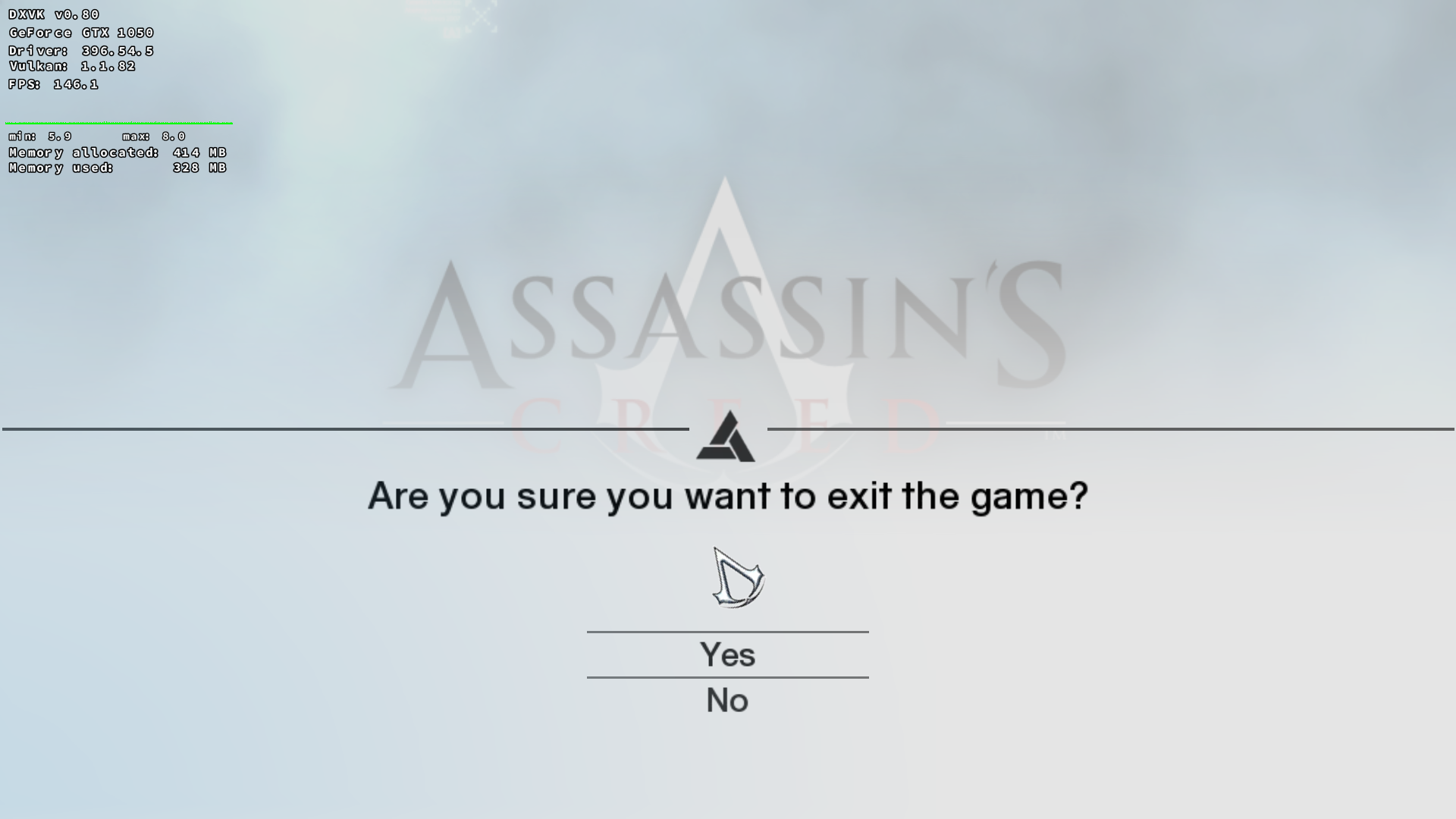
Leopard1907
on 24 Sep 2018
I am currently running WoW BFA with wine 3.17 dxvk 80 and nvidia 410.57. No issues and seems FPS is a little higher as well.
 SteveEbey73742
on 1 Oct 2018
SteveEbey73742
on 1 Oct 2018
@SteveEbey73742 How do you find that driver? If i go to https://www.nvidia.com/object/unix.html, its not there, and if i go to the https://www.nvidia.com/Download/driverResults.aspx/137276/en-us and search for "Linux64" its not listed...
Yet, https://www.nvidia.com/download/driverResults.aspx/138279/en-us There it is hehe
(And the "latest vulkan beta" link above, does not have it either).
I am probably not looking at the right spot.. I found it, cos i had the version of it, but well..
SveSop
on 1 Oct 2018
@SveSop https://www.nvidia.com/Download/driverResults.aspx/138279/en-us its there, you need to put the new 2000 series GPUs into the list to find it
xpander69
on 1 Oct 2018
@xpander69 Ah.. So instead of selecting my crap old 970, i select 2080.. :) Kinda think nVidia should fix that since the driver is compatible...
Thx tho :)
SveSop
on 1 Oct 2018
Here is the download link for the nvidia drivers. Scroll to bottom of page, is a long list of all the drivers ever released.
Here is the dev link for what is considered latest.
Hope this helps.
SteveEbey73742
on 1 Oct 2018
@SteveEbey73742
Been doing some testing, although not really able to do stable benchmarks in wow within the margin of error i guess.
Tested Unigine Valley and Heaven:
nVidia 410.57
Valley:  100.7 (4214) 45.0/191.5
Heaven:   95.4 (2404) 33.7/181.0
nVidia 396.54.06
Valley:  101.4 (4244) 45.9/195.0
Heaven:   96.2 (2423) 33.8/183.3
Nothing insane.. but still a slight regression with the latest 410 beta, atleast for me and my GTX970
SveSop
on 11 Oct 2018
@SveSop How do you read those results? Is it: avg-fps (frame-count) min-fps max-fps?
Then I see an improvement because it seams to provide more consistent frame-times: Both min and max have improved but avg was lowered which should mean a lowered std-deviation. Meh, if you read that correctly, no. You put the newer version on top. ;-)
But it could still be an improvement if frame-times are more consistent. Is there a way to get that from the benchmark? CPU usage at {min,max,avg}-fps would also be interesting.
 kakra
on 11 Oct 2018
kakra
on 11 Oct 2018
@kakra It has been benchmarked by other people already, on multiple games. 410.57 was consistently slower. Also, the min framerates on Heaven/Valley can't be relied on at all.
Tk-Glitch
on 11 Oct 2018
@SveSop 410.57 is not a Vulkan beta driver. The latest Vulkan beta driver is still 396.54.06. 410.57 hasn't regressed because in terms of Vulkan support, it is actually older, despite the larger version number suggesting otherwise.
ryao
on 12 Oct 2018
@kakra No way to do a reliable comparison of frame-dips/min/max vs. cpu usage that i know of. Some sort of profiling software perhaps? Have no clue...
Its: Avg fps (Score) min/max.
How the score is calculated i dunno.. Cos Heaven is a longer-lasting test than valley although the fps is a bit lower, the scores are almost half :)
SveSop
on 12 Oct 2018
@ryao What's the Vulkan beta driver equivalent to 410.57? For dxvk it's better stick to the final driver version or install the Vulkan beta?
 pedrofleck
on 13 Oct 2018
pedrofleck
on 13 Oct 2018
Release Updates
October 14th, 2018 - Windows 399.41, Linux 396.54.09
New Extensions:
VK_EXT_external_memory_host (Windows only)
VK_EXT_transform_feedback
 Stanzilla
on 13 Oct 2018
Stanzilla
on 13 Oct 2018
Does 396.54.09 fixes the black spots in Shadow of the Tomb Raider as shown here https://github.com/ValveSoftware/Proton/issues/1417#issuecomment-422817445 ?
 jp7677
on 13 Oct 2018
jp7677
on 13 Oct 2018
@pedrofleck As far as I know, the Vulkan beta driver improvements have not been merged into that branch by Nvidia.
ryao
on 15 Oct 2018
For Gentoo users, I've made an overlay for obtaining the correct driver:
https://github.com/kakra/nvidia-vulkan
kakra
on 15 Oct 2018
__GL_NextGenCompiler=1
works great on Quake Champions, DXVK 0.90 and nvidia-396.54.09.
 Bumbadawg
on 22 Oct 2018
Bumbadawg
on 22 Oct 2018
I thought __GL_NextGenCompiler=1 was the default for newer drivers? In that "if-not-otherwise-specified-it-will-use"?
SveSop
on 22 Oct 2018
I thought
__GL_NextGenCompiler=1was the default for newer drivers? In that "if-not-otherwise-specified-it-will-use"?
Correct
damienleone
on 22 Oct 2018
I thought
__GL_NextGenCompiler=1was the default for newer drivers? In that "if-not-otherwise-specified-it-will-use"?
Indeed, my bad.
https://www.gamingonlinux.com/articles/nvidia-39618-beta-driver-is-out-with-a-new-vulkan-spir-v-compiler-to-reduce-shader-compilation-time.11568
Bumbadawg
on 23 Oct 2018
Nvidia Drivers 410.73 Released
https://www.nvidia.com/download/driverResults.aspx/139110/en-us
Added support for the following GPUs:
Quadro RTX 6000
Quadro RTX 5000
Added a USB-C display connector type identifier, such that a display connected using Turing's USB-C connector will be named, e.g., "USB-C-0" rather than "DP-5".
Scripts and configuration files that use the DP identifier for this connector will be affected.
Fixed a bug that caused vkGetPhysicalDeviceDisplayPropertiesKHR() to occasionally return incorrect values for physicalResolution.
Added the synchronization state for PRIME Displays to nvidia-settings.
According nvidia_icd.json.template (unzipped run file)
This drivers come with vulkan 1.1.82
Turing based cards aka Geforce RTX dont can use trandform feedback until nvidia release driver with vulkan 1.1.88
mrdeathjr28
on 25 Oct 2018
@pdaniell-nv
There seems to be an issue with Overwatch, DXVK and Nvidia causing a weird effect with the shadows: (related bug report: #738)
https://streamable.com/l75oz
As I am unable to record a trace via apitrace, I had to resort to a renderdoc capture (recorded on a GTX 970 & 396.54.09 and Renderdoc v1.1)
https://mega.nz/#!O6RW0ShR!IiPHjjdm2J2D3WKRFUsW8aPlYThTSvkpZDR1Rdp7zJo
AMD users said that they haven't seen a bug like this, so it may be a bug in the Nvidia driver. Can you take a look at it?
EDIT: It seems that this issue starts to happen in EID 6499. The previous draw call (EID 6489) seems to be unaffected. The depth-only pass 4 may be of interest as well.
EDIT2: Doitsujin worked around the issue in the possible-ow-fix branch.
varris1
on 3 Nov 2018
@varris1
Would also like to add (stated on my issue of this), this only seems to happen on the nvidia-vulkan package for arch which is version 396. Using the latest 4XX on the nvidia master branch seems to fix this issue so it seems like an issue with the nvidia drivers relating to vulkan, vulkan itself, dxvk, or some weird combo with the entire program chain.
 linkjay
on 4 Nov 2018
linkjay
on 4 Nov 2018
You sure? I just tested 410.73 and it happened there as well.
varris1
on 4 Nov 2018
Similar effects can also be seen in The Witcher 3, it looks like you see outlines of lakes and water from inside of caves.
kakra
on 4 Nov 2018
@kakra can you make a screenshot of that + an apitrace?
 tannisroot
on 5 Nov 2018
tannisroot
on 5 Nov 2018
@tannisroot I can do a screenshot but not sure how to do an apitrace... I don't have a Windows machine here to do an apitrace. I think that's needed?
kakra
on 5 Nov 2018
@kakra you need to put the x64 dlls from here https://www.dropbox.com/sh/o769ius47wpu3pw/AABYFKQFFNsCsosXhl7_HReDa?dl=0
into the same directory as game's executable, disable DXVK, and add overrides in winecfg for d3d11, dxgi and dxgitrace set to native, builtin. Then launch a game and go to that problematic location. Try to do it quickly, the .trace will that will be generated after you do that and exit the game may get huge (several gigabytes) as it grows bigger the more time you spend in game.
tannisroot
on 5 Nov 2018
@kakra also, is there a specific spot where it happens?
tannisroot
on 5 Nov 2018
Also, what are your video settings?
tannisroot
on 5 Nov 2018
@tannisroot Yes, the spot is the first Elven cave you visit with Keira, near the exit. The exit points right onto a nice lake view to Fyke Island: https://witcher3map.com/v/#6/53.961/53.617
If I'd generate this apitrace, is there a way to redirect the file to another disk? If I'll spool multiple gigabytes within a few moments to the game disk, I guess that I'm going to have a hard time (it's on btrfs, it may choke when writing multi-GB while the game is running and reading files).
Video settings are maxed out, full-HD, hairworks on for all characters (AA-4).
kakra
on 5 Nov 2018
@kakra can you please upload a savegame in that location? Makes it easier to reproduce.
doitsujin
on 5 Nov 2018
I'll try to reproduce this evening. Have to head to work now. ;-)
kakra
on 5 Nov 2018
Okay, here's a screenshot, the effect is barely visible so I amended it with some green text. I also found that this exclusively occurs during bad weather. So it probably doesn't result from rendering outlines of lakes (and revisiting the issue, it also doesn't match the geometry of the lake):
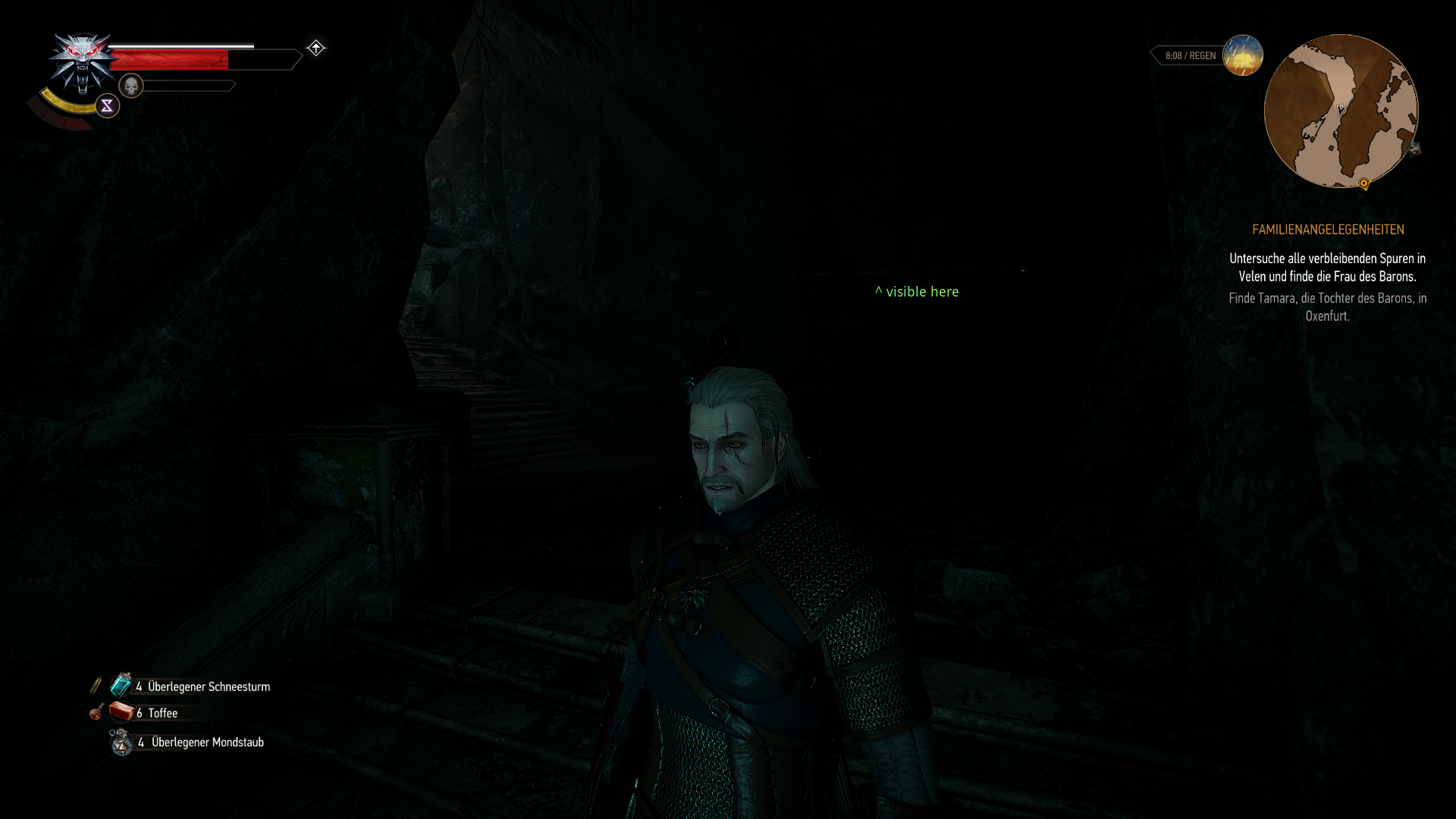
Saved game:
issue-267.zip
kakra
on 5 Nov 2018
Probably the same issue: while inside a building, sun rays can be seen through the closed door. But this depends on the distance, everything is normal while you staying close enough to the closed door.
Noticed in Toussaint.
pchome
on 6 Nov 2018
MTG Arena and Hearthstone both fail with GetThreadContext failed on 415.13-0ubuntu0~gpu18.04.1 (from Ubuntu's graphics-drivers ppa). Rollback to 410.73 makes them work again.
 infoman
on 14 Nov 2018
infoman
on 14 Nov 2018
MTG Arena and Hearthstone both fail with GetThreadContext failed on 415.13-0ubuntu0~gpu18.04.1 (from Ubuntu's graphics-drivers ppa). Rollback to 410.73 makes them work again.
I can duplicate this issue in Beat Saber and Cuphead - both Unity games, even when using the oldest versions of DXVK included with Proton. This is on Arch. I need to do some further testing later tonight but this also might be causing a failure to load in CryEngine games.
 Vash63
on 14 Nov 2018
Vash63
on 14 Nov 2018
The Overwatch mystery is solved, turned out to be a fragment shader that writes gl_FragDepth values greater than 1.0. AMD drivers clamp this to 1.0, Nvidia doesn't - I'm not sure which behaviour is correct of if both are allowed.
doitsujin
on 22 Nov 2018
And now 410 branch updated to 410.78 and also fails, there's an error window about dx11 failed to initialize with 0.92, and just a silent failure with 0.93
From MTGA_dxgi.log:
info:  Game: MTGA.exe
info:  DXVK: v0.93
warn:  OpenVR: Failed to locate module
info:  Required Vulkan extension VK_KHR_get_physical_device_properties2 not supported
info:  Required Vulkan extension VK_KHR_surface not supported
info:  Required Vulkan extension VK_KHR_win32_surface not supported
Maybe that's game specific? I just tested some games on 410.78, including Unity ones, last night and it was working fine with both 0.92 and 0.93.
Vash63
on 26 Nov 2018
hmm, apparently there's something with Vulkan suport in this update, as I even can't use vulkaninfo:
==========
VULKANINFO
==========

Vulkan Instance Version: 1.1.82

Cannot create Vulkan instance.
/build/vulkan-tools-WIuZIg/vulkan-tools-1.1.82.0+dfsg1/vulkaninfo/vulkaninfo.c:825: failed with VK_ERROR_INCOMPATIBLE_DRIVER
And fixed it by doing sudo apt install --reinstall libnvidia-gl-410 libnvidia-gl-410:i386, somehow nvidia_icd.json got missing on update, sorry everyone for unrelated messages
infoman
on 26 Nov 2018
Can confirm that with 415 Unity based Magic Arena crashes on start while works when reverting to 410.*
-info: Driver: 415.18.2
-info: Vulkan: 1.1.92
+info: Driver: 410.78.0
+info: Vulkan: 1.1.82
Any ideas on what might be causing that?
 theli-ua
on 3 Dec 2018
theli-ua
on 3 Dec 2018
@theli-ua
Are you using a Turing card? If answer is no ; there is no point in using 4xx series drivers. New driver line is a mess.
Just use 396.54.09
Leopard1907
on 3 Dec 2018
@theli-ua
Unity games stay affected in 415 series, in my case tested with cuphead
mrdeathjr28
on 3 Dec 2018
We posted a new 415.18.04 driver tohttps://developer.nvidia.com/vulkan-driver which should fix the issues you're seeing with Unity games. Let us know how it works out for you. Thanks.
pdaniell-nv
on 3 Dec 2018
Confirming. Subnautica works now again. Thank you for the driver update!
xpander69
on 3 Dec 2018
Can also confirm that WoW, Mist of Pandaria, which had low fps using DX12 vkd3d now has the same fps as the other expansions using this newer driver.
SteveEbey73742
on 3 Dec 2018
@pdaniell-nv do you plan to backport fixes to mainline driver?
tannisroot
on 3 Dec 2018
@tannisroot Yes, the fix will be in the next 415.xx mainline driver.
pdaniell-nv
on 3 Dec 2018
@pdaniell-nv do you know when Stream Output support will be implemented in mainline driver? Thank you :)
 mozo78
on 3 Dec 2018
mozo78
on 3 Dec 2018
For you Gentoo guys, here's an updated Portage Overlay including an updated ebuild to install the vulkan beta driver: https://github.com/kakra/nvidia-vulkan
kakra
on 4 Dec 2018
Was getting GetThreadContext with Hearthstone on 415, switched to 410, boom problem solved. As per @infoman 's earlier method.
WTF is going on? First Vulkan is broken with nVidia driver updates, now this? >:| AMD gon' git mah moneyz next upgrade.
 BloodyIron
on 6 Dec 2018
BloodyIron
on 6 Dec 2018
Was getting GetThreadContext with Hearthstone on 415, switched to 410, boom problem solved. As per @infoman 's earlier method.
WTF is going on? First Vulkan is broken with nVidia driver updates, now this? >:| AMD gon' git mah moneyz next upgrade.
This issue's been known for a while and was resolved in 415.18.04. Please read the post 7 posts above yours from an Nvidia employee linking to the fixed drivers.
Vash63
on 6 Dec 2018
Any reason it wasn't pushed to PPAs?
BloodyIron
on 6 Dec 2018
415.18.04 is a Vulkan Beta Driver, so depending on what PPA you subscribe to, the maintainer may have chosen to only update when Official Release Drivers are made available.
 liam-middlebrook
on 6 Dec 2018
liam-middlebrook
on 6 Dec 2018
This is unrelated to DXVK so excuse me and mark as Off-topic if you wish, but i have no idea how to give feedback directly to nvidia.
@pdaniell-nv new driver 415.18.04 introduced hangs/crashes in opengl games. I noticed this in both ETS2 and ATS. Reverting back to previous driver fixes the problem.
 BeerZ0rg
on 6 Dec 2018
BeerZ0rg
on 6 Dec 2018
@BeerZ0rg I believe Nvidia accepts bug reports here
Edit: for Vulkan Beta Driver though, the correct place is https://devtalk.nvidia.com as per this page
 omicron-b
on 6 Dec 2018
omicron-b
on 6 Dec 2018
@m-svo no, that one is for Windows. The linux forum is here: https://devtalk.nvidia.com/default/board/98/
tannisroot
on 6 Dec 2018
@BeerZ0rg Thanks for the heads up. What's the version number of the "previous driver" that fixes the problem?
pdaniell-nv
on 6 Dec 2018
@pdaniell-nv I reverted back to 415.18 but i believe .02 would work too. I don't have too much expertise in this, but it looks like it crashes during shader compilation.
BeerZ0rg
on 6 Dec 2018
I had a case where I needed to nuke all the shader caches and things started to work again. That is, I deleted the shader cache directory of Steam which included DXVK and NV shader caches. Apparently, deleting those prevented to track the exact problem down, so if you want to try this and help with such an issue, please take a backup first.
kakra
on 6 Dec 2018
Heads up to folks on this thread. We just released the 415.22 mainline driver at the usual place https://www.nvidia.com/object/unix.html. This contains a fix for Unity games running under Proton/Wine and also supports VK_EXT_transform_feedback. Enjoy.
pdaniell-nv
on 7 Dec 2018
This is great news!!!
mozo78
on 7 Dec 2018
Does this mean I can safely upgrade from the 396.54 drivers I'm currently using?
 lucifertdark
on 7 Dec 2018
lucifertdark
on 7 Dec 2018
Does this mean I can safely upgrade from the 396.54 drivers I'm currently using?
Once they hit ppa's/package repositories of whatever distro you're on (which can take a good few days before that happens).
 fls2018
on 7 Dec 2018
fls2018
on 7 Dec 2018
@pdaniell-nv do you plan to backport this bugfix:
Fixed an OpenGL driver bug that caused the upper bounds of floating-point viewports, specified through the ARB_viewport_array extension, to be clipped incorrectly.
from 415.13 to 410 LTS drivers? It fixes a bug in Wine (https://bugs.winehq.org/show_bug.cgi?id=45361) that was flagged as fixed upstream, but people with 410 drivers are still experiencing it.
tannisroot
on 8 Dec 2018
There's an issue with planetary terrain generation in Elite Dangerous with 415.18.04 that results in bases buried under it:
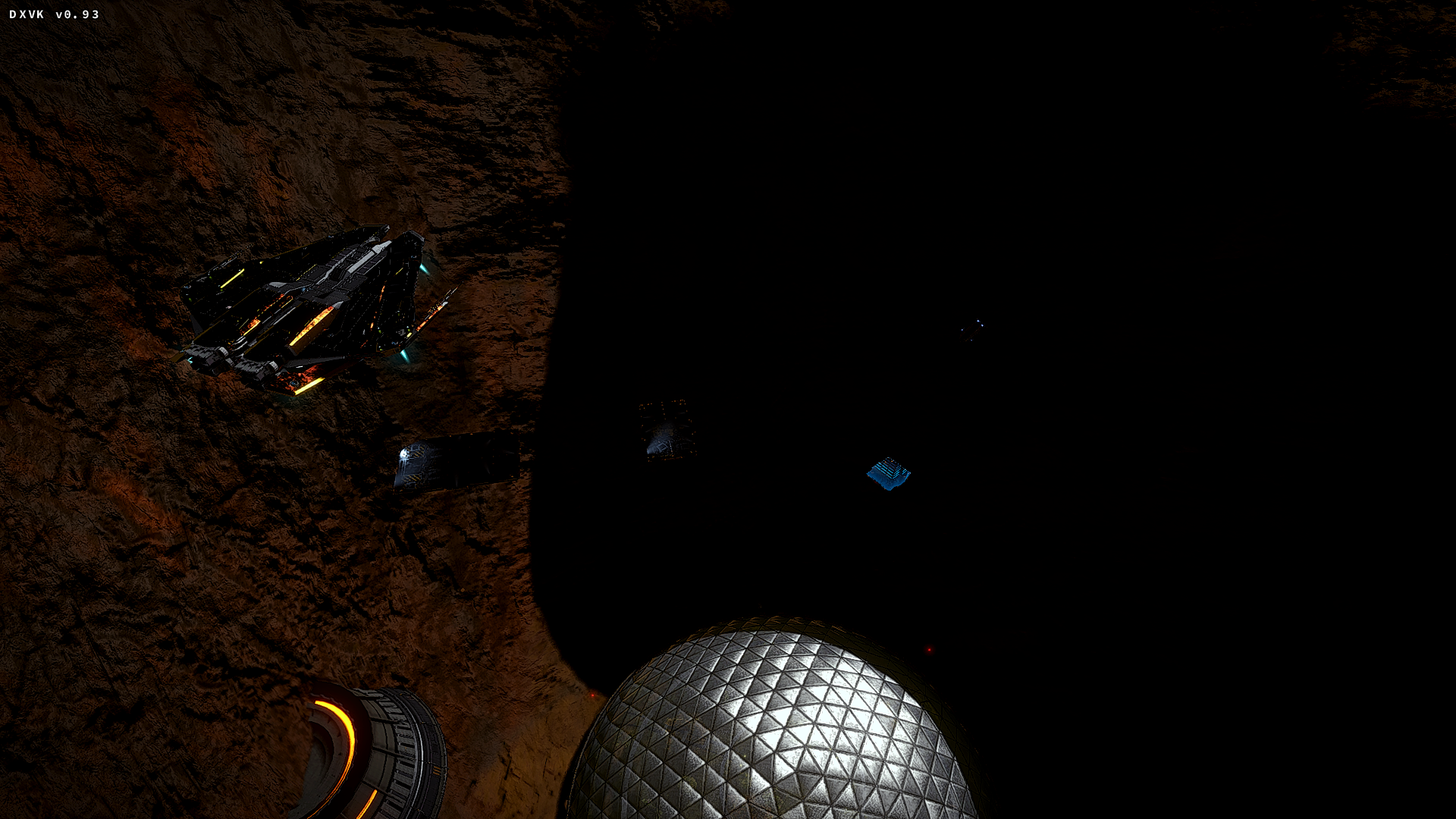
Downgrading back to 396.54.09 the terrain turns back to normal (same base):
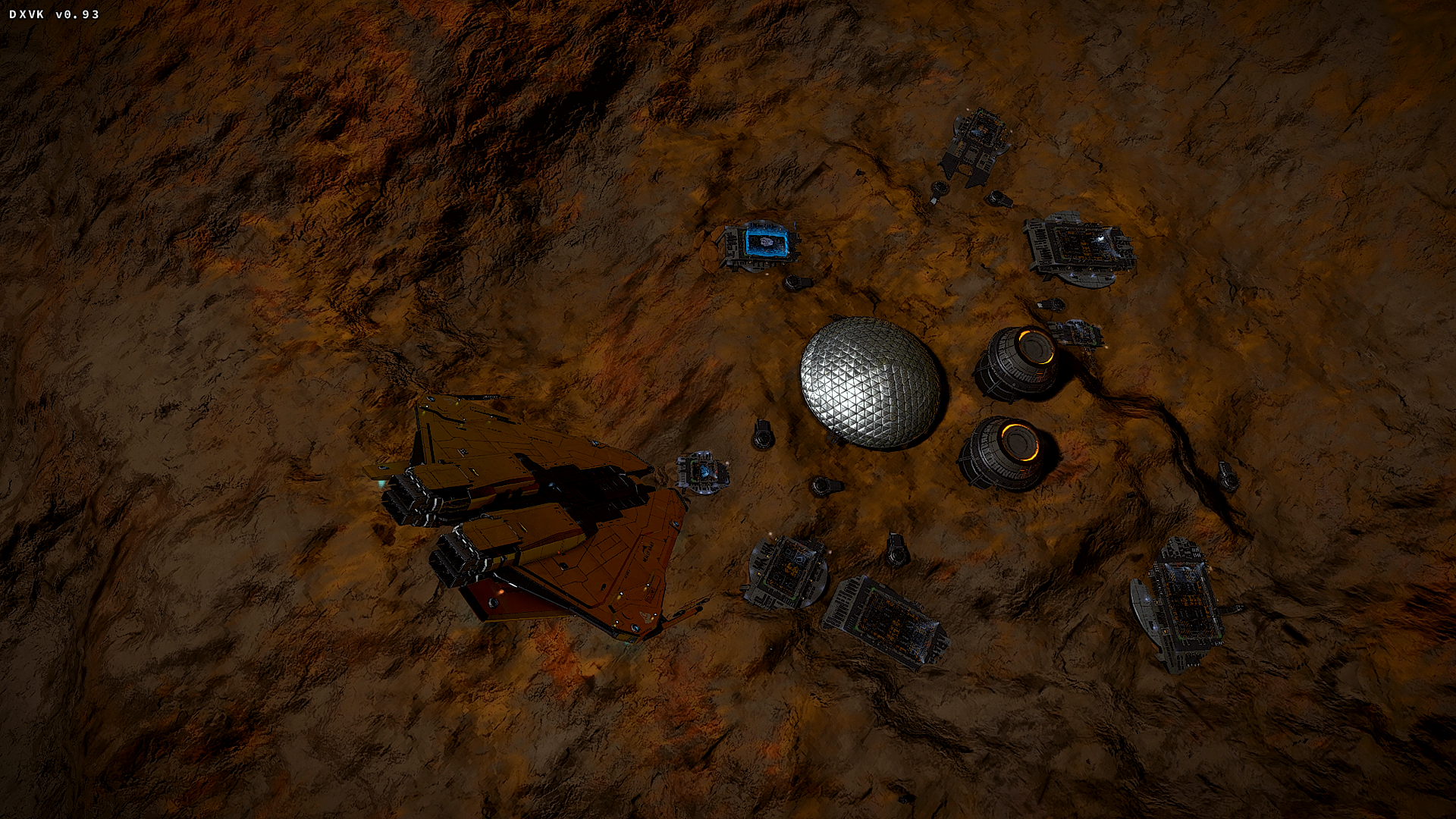
Issue discovered by an ED forum member here:
https://forums.frontier.co.uk/showthread.php/366894-How-to-install-ED-on-Linux-using-Wine-EXPERIMENTAL-NOT-OFFICIALLY-SUPPORTED?p=7232429&viewfull=1#post7232429
fls2018
on 10 Dec 2018
@fls2018 Do you know if the ED problem happens with the 415.22 mainline driver?
pdaniell-nv
on 10 Dec 2018
@BeerZ0rg we tried to reproduce the ATS problem you reported, but had no luck. Since this isn't dxvk related, would you mind filing an issue at https://devtalk.nvidia.com/default/board/98/ if you're still seeing a problem. Also try the recently released 415.22 mainline driver instead of the 415.18.04 Vulkan beta driver. Thanks.
pdaniell-nv
on 10 Dec 2018
@pdaniell-nv thanks for investigating this, i also posted on nvidia devtalk as suggested but in meantime 415.22 came out and it is not causing any trouble. I can confirm however, that installing 415.18.04 causes hangs in both games for one reason or another on my machine, since this is not DXVK related and newest mainline driver isn't affected, lets assume it is "beta" issue. I will report bugs properly next time though.
Thanks for your assistance!
BeerZ0rg
on 10 Dec 2018
@tannisroot We aren't planning to integrate the fix for the negative viewport coords bug back to the older 410 LTS branch because it has some risk. If you feel it should, would you mind stating your case here. Thanks.
pdaniell-nv
on 10 Dec 2018
@fls2018 Do you know if the ED problem happens with the 415.22 mainline driver?
The user that discovered it on the forums has stated they were running 415.22 and another user has stated they haven't noticed any visual oddities in the 410 branch.
Edit: Tested 415.22, 415.18.02 and 410.78 myself.
415 drivers have the terrain issue, 410.78 was normal.
fls2018
on 10 Dec 2018
I have a question about __GL_SHOW_GRAPHICS_OSD.
dxvk.conf:
dxgi.syncInterval = 1-- osd:27-30fpsdxgi.syncInterval = 2-- osd:55-60fps
Is it a bug or feature?
Actual fps don't doubled, in both cases there is no difference.
pchome
on 12 Dec 2018
With dxgi.syncInterval = 2, DXVK presents two frames instead of one to emulate this feature (basically render -> present -> present), so the Nvidia OSD is technically correct. The DXVK HUD should show the actual rendered frame rate.
doitsujin
on 12 Dec 2018
@pdaniell-nv Just to update with using 415.23 drivers, I'm still having the terrain issue with Elite Dangerous.
Here's 415.23 (notice crater as well as pixelated ground textures):
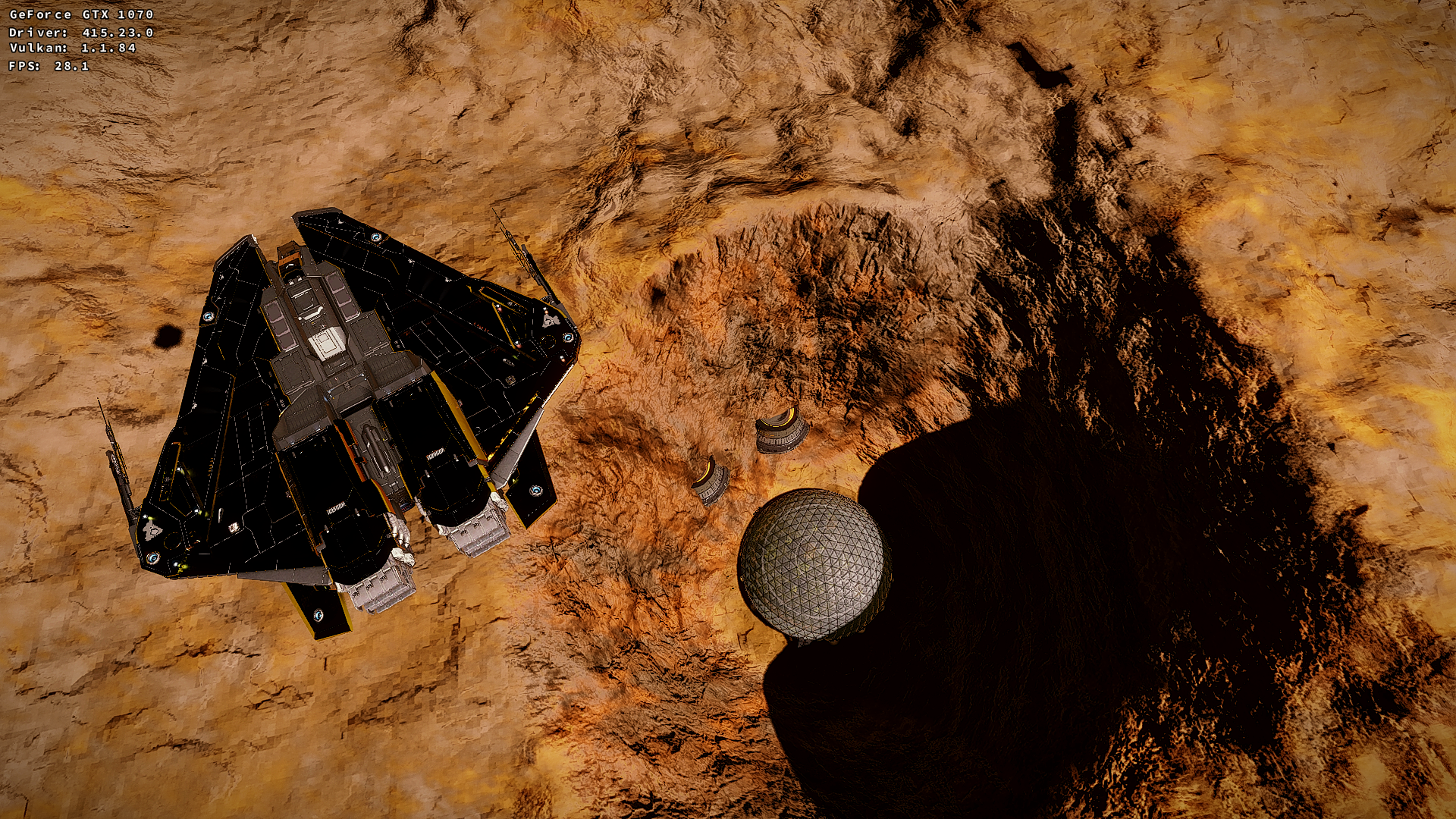
And here's how it should look (same location on 396.54.09):
fls2018
on 13 Dec 2018
@fls2018 Would you be able to provide us with an apitrace as described here?
liam-middlebrook
on 13 Dec 2018
@fls2018 Would you be able to provide us with an apitrace as described here?
@liam-middlebrook I can't do that exactly in that way, first issue is the game uses a 32 bit launcher and second is it won't apitrace without DXVK for some reason.
Managed to do an apitrace with the dll wrapper method but not sure whether it's any use: https://drive.google.com/file/d/1OQU7SU4ixWn8t-pmgCNPVwBg5l2cAO69/
fls2018
on 13 Dec 2018
NVIDIA 415.22.01 Released
https://developer.nvidia.com/vulkan-driver
December 14th, 2018
Windows 417.42, Linux 415.22.01
Improvements:
Expose two transfer queues on Pascal and above
Increase maximum point size to 2047
Increate maximum line width to 64
Fixes:
Fixed issue with vkCmdDrawIndirectCountKHR and
vkCmdDrawIndexedIndirectCountKHR and very
large counts.
Fixed issue with Sascha Willems "pushconstants"
example.
mrdeathjr28
on 15 Dec 2018
Just installed 415.23 and it solved the GetThreadContext error I was having with 415.18 on GRIS, which is a Unity based game
 MrGuiMan
on 16 Dec 2018
MrGuiMan
on 16 Dec 2018
415.25
The Witcher 3
During the Gwent card game I have noticed the Clear Weather card has strange (broken) effect -- flickering godrays. It happened twice in two different games, while NPC played this card. But looks OK third time, when I tried to play this card by myself.
I'm not sure how to reproduce this, so FYI.
pchome
on 22 Dec 2018
I have seen flickering in different games (mostly related to lighting effects) if vsync is off. It's probably a problem somewhere between dxvk and the graphics driver. So if you could test this and find a difference, it's probably some sort of bug or bad interaction which should be reported.
kakra
on 23 Dec 2018
Nvidia's HUD reporting Vsync is ON.
But I switched to 415.25 (from Vulkan Beta) to check another flickering problem -- fast F3/Esc/F4/Ctrl+O switching in mc causes "vertical line flickering". Currently I can't reproduce this on 415.25.
Also I'm on default Proton Beta 3.16 DXVK now (usually I'm using custom winelib build).
KDE / Compositor ON
pchome
on 23 Dec 2018
Well, I'm on my custom Proton build (including a winelib DXVK build) so I didn't report this as a problem. If you want, you could try my build from here: https://github.com/kakra/wine-proton (there's a binary download but it's not for Lutris but Proton). Hmm, new driver version available. I'm still 415.23. Will update asap. :-)
kakra
on 23 Dec 2018
If you want, you could try my build
So, maybe I can delegate you a part of my repo. I don't like to support things.
https://github.com/pchome/dxvk-gentoo-overlay
But I like updates.
pchome
on 23 Dec 2018
Some update on Elite Dangerous terrain issues with 415, it appears the driver bug also affects Windows (417.35) but on older generations of hardware than Maxwell.
But on Linux with DXVK it affects Pascal as well...
fls2018
on 10 Jan 2019
Found an issue with RiME that seems to only impact Nvidia, and only some model cards. I'm on a 2080 and able to duplicate the below (top image from Windows, bottom with DXVK). This is using the 415.22.05 drivers but I've also tested on 415.27. Doitsujin also played back my apitraces (linked below) and was unable to duplicate this on a Kepler card or on the RADV driver, so this may only impact Turing.
Two apitrace files that can duplicate the issue:
https://mega.nz/#!iOQgWKKb!vgD9eY7azSh50bDhfD3K_1xoxgtzAG2D9jbvHgkRlno
https://mega.nz/#!SX40kYAa!LJOlH_2t1QO2BgIoBgsSvNTlko6SYGJ2eMBAeRPfYHc
Vash63
on 23 Jan 2019
Overwatch performance is pretty bad when compared to Windows, especially in CPU bottlenecked scenarios:
Same scene on Windows would yield 300 FPS
All settings on low, 50% render scale to show CPU driver overhead (and prevent GPU bottleneck)
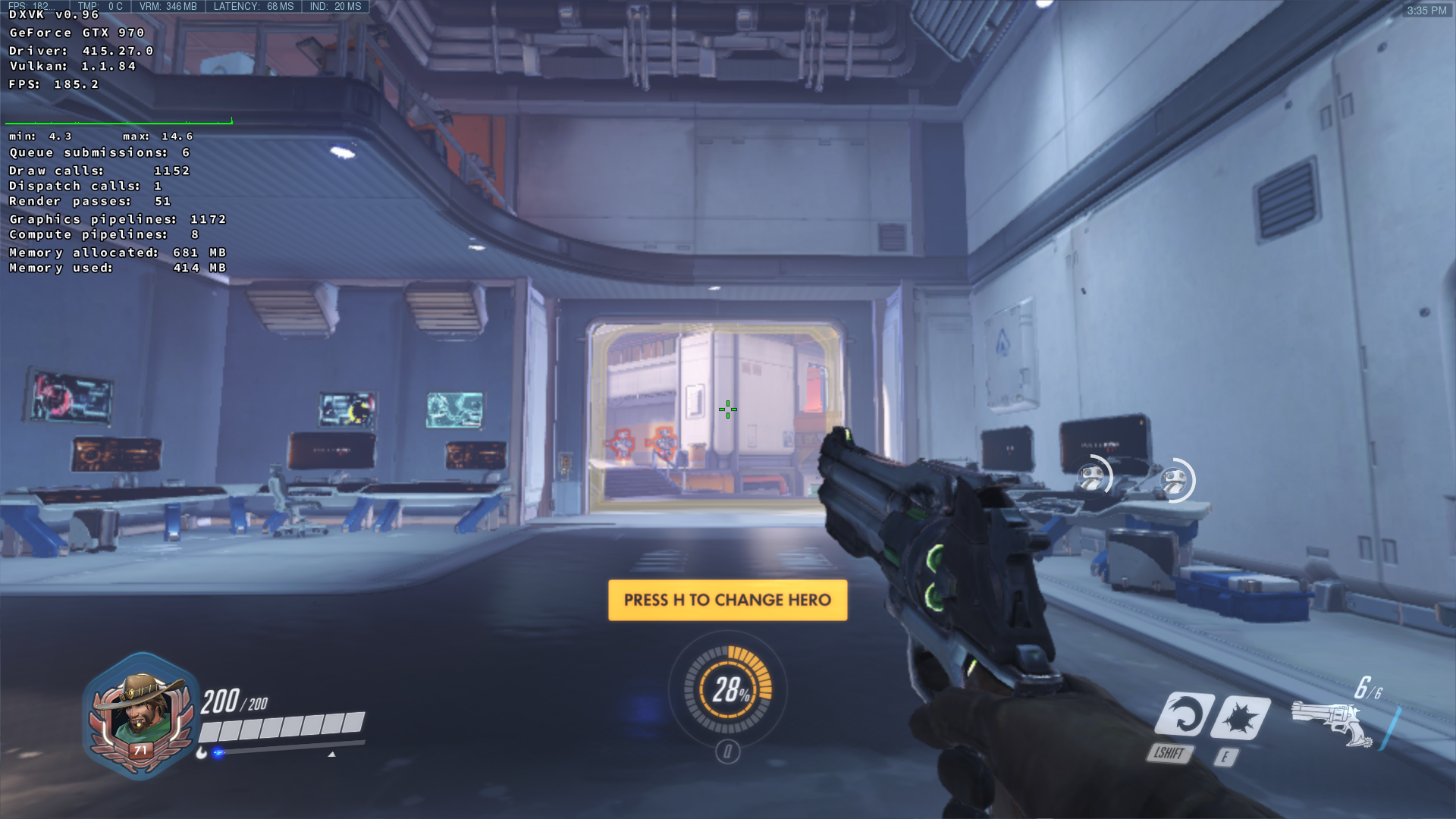
Just for comparison here's what an AMD HD7970 GHz does on the same settings:
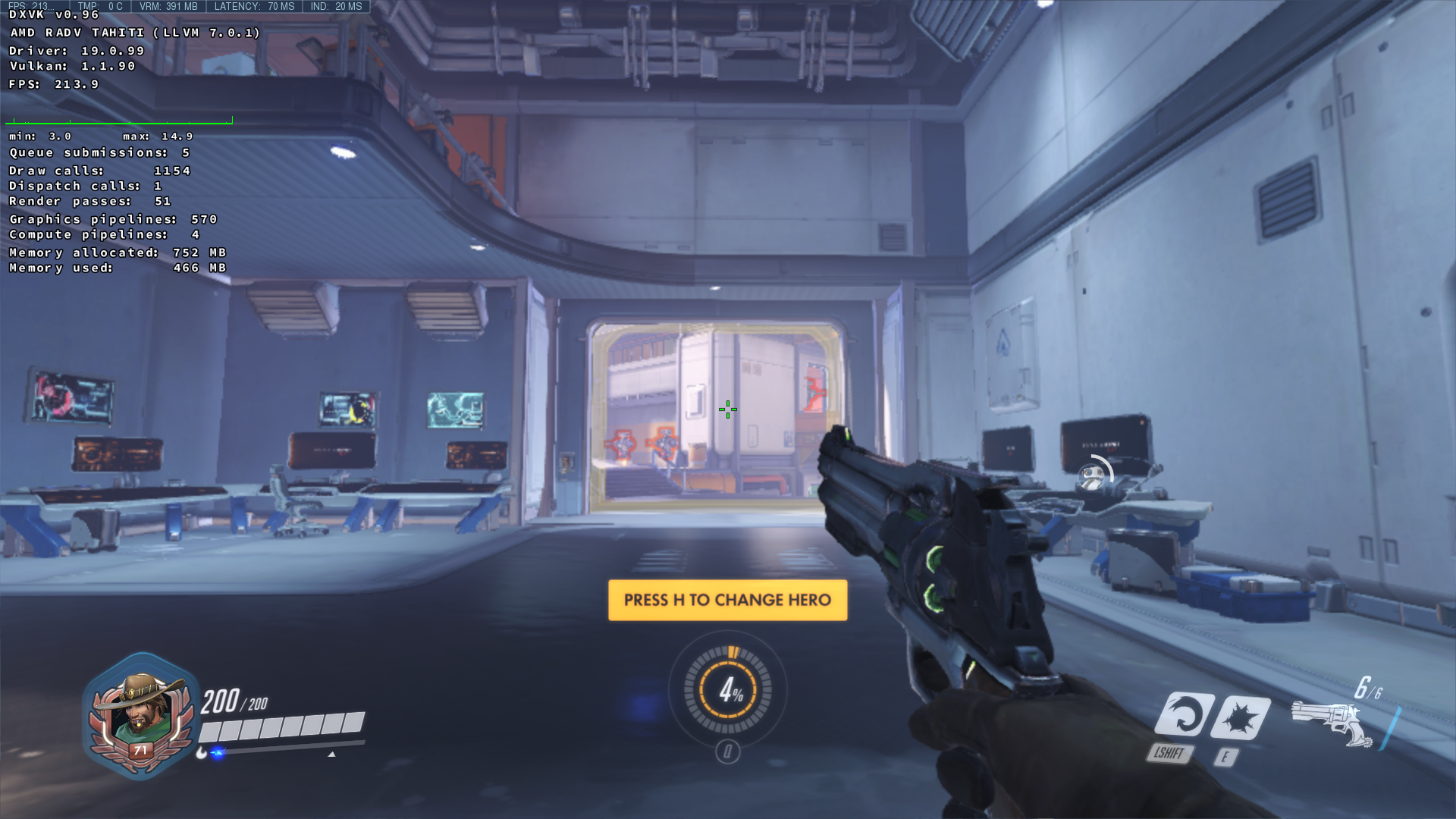
The HD7970 is indeed the bottleneck in this scenario, however the 970 is supposed to be more powerful than a HD7970 by miles, so technically should produce more frames.
On 75% render scale, the HD7970 is only 20 FPS slower than the GTX970 (obviously this shouldn't happen either).
 Anti-Ultimate
on 9 Feb 2019
Anti-Ultimate
on 9 Feb 2019
@jeffbolznv
Specs:
Proton 3.16-6 Beta
GPU: GTX 970
CPU: i7-6700k
Game: Ashes of the Singularity: Escalation (Steam-ID 507490)
Settings: High
Info:
I found a regression in the 415.x drivers (410 works fine), while testing the d3d11 version of Ashes of Singularity on proton.
When running the benchmark the space ships should be red and some parts of the ground brown, but both are green instead.
I recorded an apitrace on my windows laptop, but replaying it on my Linux machine with DXVK does not show the issue. This is why I also did a renderdoc capture with the broken driver in the hopes that it helps you guys.
Apitrace:
https://drive.google.com/open?id=13IQf-A5F25WrhXEHTTS_18Zre6CBgiZ_
Renderdoc:
https://drive.google.com/open?id=1JsjNwmQDgDo7tKpFyzVk1-T5NVXHoegf
Riesi
on 12 Feb 2019
We just released Vulkan Beta Driver 418.31.03
New extensions:
Fixes:
- Fixed a bug that would occasionally cause visual corruption on some Vulkan titles. This bug was particularly prevalent on DXVK titles.
- Total War Warhammer II (Feral Interactive port) crash or hang when using Alt-Tab
@fls2018 @Vash63 @Riesi Please check if this driver resolves the corruption issues you were facing.
liam-middlebrook
on 19 Feb 2019
The regression in Ashes of the Singularity: Escalation is fixed. Thanks!
Riesi
on 19 Feb 2019
We just released Vulkan Beta Driver 418.31.03
New extensions:
* [VK_NV_cooperative_matrix](https://www.khronos.org/registry/vulkan/specs/1.1-extensions/html/vkspec.html#VK_NV_cooperative_matrix)

* [VK_EXT_depth_clip_enable](https://www.khronos.org/registry/vulkan/specs/1.1-extensions/html/vkspec.html#VK_EXT_depth_clip_enable)
Fixes:
* Fixed a bug that would occasionally cause visual corruption on some Vulkan titles. This bug was particularly prevalent on DXVK titles.

* Total War Warhammer II (Feral Interactive port) crash or hang when using Alt-Tab
@fls2018 @Vash63 @Riesi Please check if this driver resolves the corruption issues you were facing.
Not sure if the corruption is fixed but got a crash almost immediately upon loading my test room save in libnvidia-glvkspirv.so.418.31.0
feb 19 21:38:01 vashnix steam.desktop[1334]: wine: Unhandled page fault on read access to 0x00000040 at address 0x7f92ed8e8a00 (thread 0052), starting debugger...
feb 19 21:38:01 vashnix steam.desktop[1334]: ERROR: ld.so: object '/home/vash/.local/share/Steam/ubuntu12_32/gameoverlayrenderer.so' from LD_PRELOAD cannot be preloade>
feb 19 21:38:01 vashnix steam.desktop[1334]: >>> Adding process 2759 for game ID 493200
feb 19 21:38:02 vashnix steam.desktop[1334]: Unhandled exception: page fault on read access to 0x00000040 in 64-bit code (0x00007f92ed8e8a00).
feb 19 21:38:02 vashnix steam.desktop[1334]: Register dump:
feb 19 21:38:02 vashnix steam.desktop[1334]:  rip:00007f92ed8e8a00 rsp:000000000e91d268 rbp:00007f92d423dfa0 eflags:00010202 (  R- --  I   - - - )
feb 19 21:38:02 vashnix steam.desktop[1334]:  rax:00007f92d40aae40 rbx:0000000000000000 rcx:00007f92ee1c5710 rdx:0000000000000000
feb 19 21:38:02 vashnix steam.desktop[1334]:  rsi:0000000000000000 rdi:0000000000000000  r8:000000000000002c  r9:000000000000003f r10:0000000000000fff
feb 19 21:38:02 vashnix steam.desktop[1334]:  r11:00007f92d4043b88 r12:00007f92d4069e30 r13:ffffffffffffffe8 r14:00007f92d420bbc8 r15:0000000000000000
feb 19 21:38:02 vashnix steam.desktop[1334]: Stack dump:
feb 19 21:38:02 vashnix steam.desktop[1334]: 0x000000000e91d268:  00007f92ed812d7c 01007f92d423e088
feb 19 21:38:02 vashnix steam.desktop[1334]: 0x000000000e91d278:  00007f92d4048420 000000000e91d2e0
feb 19 21:38:02 vashnix steam.desktop[1334]: 0x000000000e91d288:  000000000e91d2c0 00007f92d4433770
feb 19 21:38:02 vashnix steam.desktop[1334]: 0x000000000e91d298:  0000000000000000 00007f92d40aae40
feb 19 21:38:02 vashnix steam.desktop[1334]: 0x000000000e91d2a8:  00007f92ed94ff00 000000000e91d318
feb 19 21:38:02 vashnix steam.desktop[1334]: 0x000000000e91d2b8:  00007f92d43ccc70 00007f92d4037eb0
feb 19 21:38:02 vashnix steam.desktop[1334]: 0x000000000e91d2c8:  00007f92d40382b0 00007f92d40382b0
feb 19 21:38:02 vashnix steam.desktop[1334]: 0x000000000e91d2d8:  00007f92d40382b0 00007f92d4031050
feb 19 21:38:02 vashnix steam.desktop[1334]: 0x000000000e91d2e8:  00007f92d4048420 00007f92d4031050
feb 19 21:38:02 vashnix steam.desktop[1334]: 0x000000000e91d2f8:  00007f92d4048420 0000000000000000
feb 19 21:38:02 vashnix steam.desktop[1334]: 0x000000000e91d308:  0000000000000007 00007f92d423dfe0
feb 19 21:38:02 vashnix steam.desktop[1334]: 0x000000000e91d318:  00007f92ed951a5b 00007f92d423dfe0
feb 19 21:38:02 vashnix steam.desktop[1334]: Backtrace:
feb 19 21:38:02 vashnix steam.desktop[1334]: =>0 0x00007f92ed8e8a00 in libnvidia-glvkspirv.so.418.31.0 (+0x54ba00) (0x00007f92d423dfa0)
feb 19 21:38:02 vashnix steam.desktop[1334]:   1 0x00007f92ed812d7c in libnvidia-glvkspirv.so.418.31.0 (+0x475d7b) (0x00007f92d423dfa0)
feb 19 21:38:02 vashnix steam.desktop[1334]: 0x00007f92ed8e8a00: movq        0x0000000000000040(%rdi),%rax
Vash63
on 19 Feb 2019
@liam-middlebrook I can confirm from one planetary base the issue appears to be resolved.
I haven't tested other bases or ice planets yet but will update at a later time if it still occurs.
Thanks again for the time resolving this.
fls2018
on 20 Feb 2019
@liam-middlebrook Driver 418.31.03 appears to fix an issue, with large blueish squares appearing randomly in Fallout 4 (possibly mis-rendered god rays?) This was happening very regularly, so I'm 99% sure it's fixed now. Nice :-)
I was testing with Vulkan 1.1.99 and wine-4.2-26-g5e86cc0a8f37 (Staging)...
 bobwya
on 20 Feb 2019
bobwya
on 20 Feb 2019
@liam-middlebrook
Thanks for the update!
Vulkan apps with driver 418.31.03 are unable to work properly with any frame rate, i.e. if my monitor has 60Hz and application has framerate between 30FPS and 60 FPS I have only 30 FPS. With previous beta driver (415.22.05) it worked properly (flipping ON, vsync ON, 3 buffers). I hope this feature will be added again :)
zaps166
on 20 Feb 2019
@zaps166 What game are you running? Wine has to be modded, to ignore vsync, if and only if you are using vkd3d for DX12 to vulkan. If you use dxvk for DX11 to vulkan, it does follow the vsync setting. of the game.
SteveEbey73742
on 21 Feb 2019
@SteveEbey73742 Every Vulkan application when FPS is lower than screen refresh rate (games, benchmarks, samples, home made apps).
Just compare 418.31.03 vs 415.22.05 (GPU must limit the FPS, not CPU).
I tried Shadow of the Tomb Raider (3840x2160) and then https://github.com/SaschaWillems/Vulkan to be sure that it is a driver issue after upgrade.
On 418.31.03 I have constant 30 FPS due to vsync (~38 FPS w/o vsync), on 415.22.05 I have ~38 FPS in the same scene (vsync on, flipping enabled).
For me 415.22.05 behaves correctly (IIRC like Nvidia Windows drivers and Intel drivers on Linux). If in some scene in game I have 59.9 FPS there is nice to see much more than 30 FPS :)
zaps166
on 21 Feb 2019
If you have this FPS issue with triple buffering enabled, it's a bug.
Without triple buffering vsync drops to half the screen refresh rate and it's expected.
 mati865
on 21 Feb 2019
mati865
on 21 Feb 2019
I have tested the vulkan samples, and everyone of them shows I have vsync off, and I am getting 500+ FPS on 90 percent of the demos from the repo @zaps166 linked. I am running 418.31.03.
SteveEbey73742
on 21 Feb 2019
@mati865 IIRC apps use 3 buffers (min image count which is 2 + 1), I have Option "TripleBuffer" "On" (it is OpenGL option, I'll check later if Vulkan also uses it on 415.22.05). IIRC 415.22.05 with 2 buffers (source code modified manually) behaves drops to half the screen refresh rate (correct behavior). I'll check it again later to be sure.
@SteveEbey73742 You must enable vsync -vsync into command line argument. Also you must run sample which is heavy for GPU - e.g. terraintesselation on full screen, zoom out to see the entire screne, enable wireframe and set tesselation factor to achieve maximum number of vertices (it is easier to run as game via DXVK for testing :) ). On GTX 1080Ti it is also possible to drop below 60 FPS with 3840x2160 with terraintesselation.
zaps166
on 21 Feb 2019
@zaps166 Terraintesselation fullscreen vsync on, 38fps at factor 49.50 and te invocations of 20341253, same test, vsync disabled, same fps. screen resolution is 1680x1050. Gtx 970 4Gb DDR5 vram, AMD FX8350 8 core, clocked 4.1Ghz.
SteveEbey73742
on 21 Feb 2019
@SteveEbey73742
Thanks for the test. Please enable "Enable Graphics API Visual Indicator" in "NVIDIA X Server Settings", "OpenGL Settings" section. This allows you to check whether flipping is working (compositor and multi monitor setup can prevent flipping on full screen).
If flipping doesn't work (blit mode) the FPS is not limited to half refresh rate (as Yours results), but tearing can be visible (or annoying occasional stutter if compositor is enabled) + little slowdown (flip is faster).
I compared results for 415.22.05 and 418.31.03 many times (the same machine, test software, config, except driver version).
Option "TripleBuffer" "1" doesn't change anything for Vulkan on 415.22.05 and 418.31.03 (it's OpenGL option).
zaps166
on 21 Feb 2019
have the api info in the corner, so I can confirm with vkd3d that it uses vulkan. Blit is all that ever comes up, regardless of which api is present, VK or GL. Single monitor, single card, resolution on DVI is 1680x1050. Reran, with the criteria you requested, and still showing ~38FPS, zoomed out as far as I could go.
SteveEbey73742
on 21 Feb 2019
Blit is all that ever comes up (...)
On blit mode my issue is not reproducible.
Do you have compositor (compton, xcompmgr) / WM with compositor enabled by default (kwin, gnome3 wm, cinnamon wm, marco, xfwm4) / "Force composition pipeline", is your app running fullscreen? Try to disable compositor or just run on openbox (openbox --replace).
I tested GTX 1080 and GTX 960 a few weeks ago with various driver version and now GTX 1080Ti. My OS is Manjaro (Arch), recent updates, unstable branch + nvidia drivers installed manually, display (3840x2160) connected to DisplayPort, 60Hz. Only on 415.22.05 and IIRC 415.22.01 triple-buffer works properly when flipping is used.
I don't use compositor, because every compositor on X11 causes little slowdown, random occasional stutter (also on 60fps movie playback), animations/shadows under windows are annoying, unwanted input lag when operating on regular applications/moving windows, etc.
zaps166
on 21 Feb 2019
composition pipelines are not used. enabled flipping, saved settings, no difference, still shows blit when it runs, with or without vsync, I get ~38fps
SteveEbey73742
on 21 Feb 2019
@SteveEbey73742 Weird that you always have blit mode.
My video files: test-videos.zip
zaps166
on 21 Feb 2019
I've noticed 418.31.03 have slightly lower performance (1-2%) than 415.22.05.
Not really a update to the "triple-buffer vsync" issue from the latest comments, but nevertheless inline with the thread topic of nvidia driver discussion.
SveSop
on 22 Feb 2019
In what game, @SveSop ?
tannisroot
on 23 Feb 2019
My last issue with Elite Dangerous was fixed, however a separate performance issue I'm having with volumetric effects from what I understand from the responses in this thread may also have something to do with the driver/compiler or just how it all handles inefficient shader code.
I'll leave an apitrace here also on the off chance there may be some possible driver optimizations that may help with this in future:
https://drive.google.com/file/d/19xS5pSpz0StlTOSvcA9yw6NC1myJFJBh/view
fls2018
on 23 Feb 2019
@tannisroot I would like to say "all of them", but what i have tested is mostly unigine benchmarks and World of Warcraft, and eg. Unigine Valley is 102 -> 100'ish fps, and WoW "in the crowd" is 74-75 -> 68-70 fps.
If OpenGL is up performancewise i have no idea, but i kind of would think since DXVK's d3d11 -> Vulkan, and vkd3d's D3D12 -> Vulkan performance is down in the 2-3 games i have tested, it is somewhat related to Vulkan.
SveSop
on 23 Feb 2019
Installed 418.43, just released. WoW seems a little faster. Also updated vulkan-layers from git, no new changes to vkd3d since yesterday. My wine is self compiled, current version is wine-4.2-159-gb3c5b7da94 (Staging). Video card is GTX 970.
SteveEbey73742
on 23 Feb 2019
@Vash63 The segfault issue you reported is specific to the 418.31.03 release. You should be able to use the 418.43 release which contains the fix for the corruption issue and doesn't contain the bug which caused the segfault you're experiencing.
liam-middlebrook
on 25 Feb 2019
@liam-middlebrook
Hi Liam. Is there any news on that issue?
It affects DXVK titles , a weird issue.
Leopard1907
on 25 Feb 2019
@Vash63 The segfault issue you reported is specific to the 418.31.03 release. You should be able to use the 418.43 release which contains the fix for the corruption issue and doesn't contain the bug which caused the segfault you're experiencing.
Hi Liam, I can confirm that this release fixes both the broken shadows and the crashing. Seems to work fine now! Thanks.
Vash63
on 25 Feb 2019
FYI, there's a bug in DXVK ≤0.96 where invalid SPIR-V is generated for some rare instructions, which does cause 418.31.03 to crash, see #930. This will be fixed in the next DXVK release.
doitsujin
on 25 Feb 2019
418.42.02 - still no triple buffering.
zaps166
on 8 Mar 2019
For some weird reason, 915091b76b2de06d04a4de0b050001b8e7c88169 breaks the recent RE Engine games (Resident Evil 2 and Devil May Cry 5) on Nvidia, but it still works on all AMD drivers. Operands are non-negative, so SDiv should be equivalent to ShiftRightLogical, but even ShiftRightArithmetic reportedly breaks it.
I implemented a workaround for now to go back to the old behaviour.
doitsujin
on 10 Mar 2019
Hope it helps somehow, but just to point out that on 418.43 with dxvk 1.0 I've managed to run Steam's RE2 flawlessly by putting a few DLL's in the game root folder.
Did the same thing with a non-original copy of Devil May Cry 5 with no success. Keep receiving a:
0033:err:module:load_builtin_dll failed to load .so lib for builtin L"d3d12.dll": libvkd3d.so.1: cannot open shared object file: No such file or directory
 alcmoraes
on 14 Mar 2019
alcmoraes
on 14 Mar 2019
@alcmoraes
0033:err:module:load_builtin_dll failed to load .so lib for builtin L"d3d12.dll": libvkd3d.so.1: cannot open shared object file: No such file or directory
That kind of looks like you have a wine version compiled with vkd3d support, but do not actually have vkd3d installed in linux.
SveSop
on 14 Mar 2019
As I mentioned in another post I'm having these issues with bloom in Elite Dangerous, I've tried both older nvidia drivers and dxvk but the issue still remains.
fls2018
on 15 Mar 2019
Nvidia Drivers 418.49.04 Released
https://developer.nvidia.com/vulkan-driver
March 16th, 2019 - Windows 419.62, Linux 418.49.04
New:
VK_EXT_host_query_reset
VK_EXT_ycbcr_image_arrays
mrdeathjr28
on 17 Mar 2019
@jeffbolznv @pdaniell-nv
We have stumbled upon an issue affecting Nvidia (only) on at least Starpoint Gemini 2, though a very similar issue also affects World of Final Fantasy.
The issue was opened last August then forgotten until yesterday : https://github.com/doitsujin/dxvk/issues/597
It is still reproducible on the freshly released 418.49.04 driver. It renders reportedly fine on both RADV and AMDVLK.
I cannot provide a trace for World of Final Fantasy (the game crashes early on when attempting to trace it), but @varris1 provided one for Starpoint Gemini 2 in his issue linked above.
For reference, it looks like this (from varris1 issue) :

Tk-Glitch
on 20 Mar 2019
@Tk-Glitch @varris1 looking at the trace again, it seems like the game samples an MSAA texture through a regular sampler. This isn't a driver bug, and I really don't have the slightest idea why this even works on Windows, this should be undefined behaviour.
doitsujin
on 20 Mar 2019
That's.. Interestingly annoying.
Tk-Glitch
on 20 Mar 2019
418.56 released. https://devtalk.nvidia.com/default/topic/1048767
Fixed a bug which could sometimes cause Vulkan applications to lock up the GPU when freeing large chunks of memory on systems with PRIME enabled.
Perhaps interesting if #816 is memory related regardless of PRIME? Dunno...
SveSop
on 21 Mar 2019
We just released Vulkan Beta Driver 425.30 / 418.52.03
New extensions:
Fixes:
- Performance improvement for some content on Windows laptops
- Fix rare startup instability on Windows
liam-middlebrook
on 10 Apr 2019
Thanks for the driver update.
I have a question: is it any chance to have triple-buffering in nvidia+linux+vulkan+flipping mode (like in 415.22.05)? Thanks in advance.
zaps166
on 10 Apr 2019
StarCitizen 3.5 is on PTU for some days already and there is some issue, freezing the whole pc when using DXVK versions higher then 0.81.
As a fix, exporting __GL_NextGenCompiler=0 made it work again with the current dxvk versions, but it seems only on older Nvidia cards. We have a report from a 2070 user who is still freezing with this.
This only affects Nvidia users, AMD users dont have this issue.
The Nvidia drivers tested are 418.56, 418.49.04 and the current 418.52.03, they all freeze with the new compiler and a current DXVK so we need to set the old compiler manually to play the game.
Any ideas are welcome^^
This is with export __GL_NextGenCompiler=0
 rawfoxDE
on 13 Apr 2019
rawfoxDE
on 13 Apr 2019
@rawfoxDE is it possible to make an apitrace that shows the hang?
jeffbolznv
on 14 Apr 2019
I need to learn how to do that.
The game works actually best with the new compiler and a old DXVK-0.81 version.
Running it with the old compiler and a actual DXVK makes the game working clunky and unstable.
rawfoxDE
on 14 Apr 2019
Ive tried with the files available from here https://github.com/doitsujin/dxvk/wiki/Common-issues at the bottom. A tracefile is created, but the whole thing is just too slow, to connect to the live servers.
The error comes up, when we log into the public universe, short before or after login.
The pc is unresponsible, the gfx card does not send a signal to the monitor anymore, what goes idle due to that.
While i wrote this, it ran for about 3hrs already and then the connect happened, the pc froze and im back in now after another hard switch off.
I have a 900mb trace file now where the error should be in, what would you want me to do with that ?
rawfoxDE
on 14 Apr 2019
@jeffbolznv I took the liberty to make such a trace, reproducing consistently a hang (at least on my Maxwell v2 GPU).
The output is always as follows :
NVRM: Xid (PCI:0000:01:00): 13, Graphics Exception: ESR 0x405848=0x80000000
NVRM: Xid (PCI:0000:01:00): 13, Graphics Exception: Shader Program Header 8 Error
NVRM: Xid (PCI:0000:01:00): 13, Graphics Exception: ESR 0x405840=0x90000100
NVRM: Xid (PCI:0000:01:00): 13, Graphics Exception: ChID 0049, Class 0000b197, Offset 0000238c, Data 00000000
https://drive.google.com/file/d/1hlx63mCOHOGA_Oj5SN8sBSyNUVHb80nA/view?usp=sharing
Tk-Glitch
on 14 Apr 2019
Thanks, that log is useful. I think that error is related to violating the maxGeometryTotalOutputComponents limit.
@doitsujin I remember you fixing a similar issue about a year ago, where dxvk output more total components than the original dxbc shader did. It might have been related to using vec4s for everything? But I can't find it in my email or github searches.
I can try to extract the failing shader on Monday, if that would be helpful. If time allows, I can also add code to the validation layers to catch this (if it has come up twice now, we really need to validate it).
jeffbolznv
on 14 Apr 2019
DXVK no longer uses vec4 for everything. It may still consume more components because system values like Position are still duplicated: DXVK exports both gl_Position and one regular output varying, which some games unfortunately rely on.
doitsujin
on 14 Apr 2019
Hmm, I was unable to replay the trace, it fails with this error:
9 @0 IDXGIFactory5::EnumAdapters1(this = 0x239a177c690, Adapter = 1, ppAdapter = &0x239a1796870) = S_OK
9: warning: failed with 0x887a0002 (DXGI_ERROR_NOT_FOUND): The object was not found. If calling IDXGIFactory::EnumAdaptes, there is no adapter with the specified ordinal.
Does this mean the trace was captured on a multigpu system?
jeffbolznv
on 14 Apr 2019
Yes indeed. Sorry, I'm used to sending them to Doitsujin that way. Setting the (two I think?) calls to adapter 0 should work on a single GPU system.
Tk-Glitch
on 14 Apr 2019
Applying this patch to DXVK should help replaying apitraces like this. It usually works fine on my end because I have something like 5 different Vulkan drivers installed (glorious AMD driver mess).
adapter-hack.patch.txt
Here's a build in case you don't have a build system for DXVK set up:
dxvk-hack.tar.gz
doitsujin
on 15 Apr 2019
@jeffbolznv I think I found the problematic shader, there's one particular geometry shader with transform feedback that declares 128 output vertices (even though it only needs one). Not really sure what to do about it.
doitsujin
on 15 Apr 2019
@rawfoxDE @Tk-Glitch Can you try this branch? Should fix the problem.
Here's a build if needed:
dxvk-sc-fix.tar.gz
doitsujin
on 15 Apr 2019
I don't understand what the fundamental issue is here. Why does converting from DXBC to SPIR-V require more attributes? Where does the extra generic attribute come from?
jeffbolznv
on 15 Apr 2019
I can confirm the dxbc-xfb-no-rasterization branch fixed the hang with the trace for me, and I couldn't reproduce the issue ingame either.
Tk-Glitch
on 15 Apr 2019
@jeffbolznv basically, when a game declares stuff like:
dcl_output o0.xyzw
dcl_output_siv o1.xyzw, position
dxvk effectively translates that to
layout(location = 0) out vec4 o0;
layout(location = 1) out vec4 o1;
...
  o1 = something;
  gl_Position = o1;
...
Some games use this kind of output signature with a fragment shader that declares the following inputs:
dcl_input v0.xyzw
dcl_input v1.xyzw
where v1 isn't SV_POSITION. I think this is technically supposed to be undefined behaviour, but in practice it somehow isn't and they want to read the original value.
The fix in this particular case was to just disable the gl_Position export if rasterization is disabled for transform feedback shaders, since it's not used anyway.
doitsujin
on 15 Apr 2019
Yay!! You guys are legend, its fixed :100:
Awesome <3
rawfoxDE
on 15 Apr 2019
Perhaps some performance can be found by checking out Overwatch on DXVK?
Some time ago, Varris posted his Overwatch comparison while cpu bound between Nvidia and AMD in Discord. It shows a huge difference in fps. He never posted here about it in this thread, since it was just a short test, and he was not able to log more data then screenshots. I dug up those screenshots, and here they are:
_GTX970 - 184 fps_
_AMD590 - 300 fps_

The test was run on the same hardware, except for switching the GPU. The game was run with lowest settings, renderscale 75, on 1080p. The location is the spawn point in the training ground. With nvidia he was around 180 fps in training ground start location, with AMD he hit the 300 fps cap in Overwatch. But there is more, according to doitsujin, over nvidia users in the spawn location:
we've had various people with different gpus and cpus report pretty much exactly 180 fps there
Even though the screenshots are over a month old, the situation remains the same today. And since Overwatch can't be apitraced, and renderdoc only works "if the stars are aligned", we are hoping you folks at nvidia could find something.
 IngeniousDox
on 15 Apr 2019
IngeniousDox
on 15 Apr 2019
@jeffbolznv
We also have significant performance differences between D3D11 and DXVK in a couple of the gfxbench test benchmarks. Could you please take a look when you have the chance?
Alpha blending test:
96 FPS - Native D3D11
39 FPS - DXVK
DXVK is maxing out VRAM bandwidth usage here while native D3D11 is using around 40%
Fill Test:
44 FPS - Native D3D11
40 FPS - DXVK
The fill test has less of a performance difference, but VRAM bandwidth usage is at 51% on DXVK compared to the 1% usage on native D3D11.
Tested on:
RTX 2080ti
Windows 10
Driver: 425.30
frame captures of the tests
To use, just drop the DXVK DLL's next to the executables and also run the tests with -noreset command line argument.
ZeroFault
on 15 Apr 2019
@doitsujin I discussed this with a member of our D3D team, and he suggested that v1 might be hooked up to position via the ISGN and not directly in the dcl_input_siv instruction.
If there is undefined behavior as you describe, I can't figure out how it could possibly work on our D3D driver...
jeffbolznv
on 15 Apr 2019
Could it not mean that if it is not the SIV position, that it wants the float4 position that was exported from the VS rather than the float2 screenspace one?
 Joshua-Ashton
on 15 Apr 2019
Joshua-Ashton
on 15 Apr 2019
I made a pull request to the validation layers that should catch overflowing the maxGeometryTotalOutputComponents limit: https://github.com/KhronosGroup/Vulkan-ValidationLayers/pull/862
Regarding the other perf issues, I pointed the right people at them.
jeffbolznv
on 16 Apr 2019
@jeffbolznv I think this is probably the best place for this - I've discovered that with 418.52.03 and 418.52.05 I get hard locks when trying to run Beat Saber with DXVK (tested mostly on DXVK master / 1.1 but also some older versions). The Nvidia driver entirely locks up X11 (maybe all of DRM as I can't ctrl+alt+F5) and the logs have:
kernel: NVRM: GPU at PCI:0000:0b:00: GPU-747cbfbd-2267-78e7-788b-269e6bedfa87
kernel: NVRM: GPU Board Serial Number:
kernel: NVRM: Xid (PCI:0000:0b:00): 32, Channel ID 00000063 intr0 00040000
kernel: NVRM: Xid (PCI:0000:0b:00): 32, Channel ID 00000063 intr0 00040000
Downgrading to 418.56 resolves the crashing. Other VR games may be impacted also, this is just the first one I tried.
Vash63
on 20 Apr 2019
@vash63 is it possible to get an apitrace that reproduces the hang?
jeffbolznv
on 21 Apr 2019
I can try recording a D3D11 trace but I'm not confident it would reproduce the hang given that this only happens when in VR. Other Unity games run fine even through DXVK. The other difficulty is that sometimes it can take up to 10 minutes before crashing (usually within 5 though) so the trace would not be reasonably sized.
Vash63
on 21 Apr 2019
I see, that sounds like it's not going to be productive.
Can you check whether any of the older 418.xx.xx drivers at https://developer.nvidia.com/vulkan-driver work? It'll be easier to understand whether it's a recent regression if we can find where it regressed in the same branch.
Also, what GPU are you using?
jeffbolznv
on 21 Apr 2019
I'm unable to duplicate so far with 418.49.04, I'll try tomorrow to be extra sure but I think this driver is safe.
I'm on an RTX 2080.
Edit: Save to say 418.49.04 is good - spent over 30 minutes straight now and it was always crashing within 10 before (usually within 2-4 mins).
Vash63
on 21 Apr 2019
430.09 is also good - no crashes with Beat Saber. That might be expected as it seems to be an older Vulkan branch though probably before this issue was added.
Vash63
on 23 Apr 2019
Do new Nvidia drivers (430.09 or 418.52.02) address poor perfomance in Overwatch compared to AMD cards? And if those drivers don't have them, may I ask if there's any progress regarding that?
tannisroot
on 23 Apr 2019
Do the new 430.09 driver have the VK_EXT_host_query_reset extension?
I'm way too laidback to test...
SveSop
on 24 Apr 2019
Just had my first crash on 430.09 - different error though. This was also in SteamVR but was when initially launching Beat Saber, it barely had the window up and nothing in the headset yet, so very different symptoms than the 418 developer drivers. Might be related to the recent SteamVR updates.
kernel: NVRM: GPU at PCI:0000:0b:00: GPU-747cbfbd-2267-78e7-788b-269e6bedfa87
kernel: NVRM: GPU Board Serial Number:
kernel: NVRM: Xid (PCI:0000:0b:00): 13, Graphics Exception:  EXTRA_INLINE_DATA
kernel: NVRM: Xid (PCI:0000:0b:00): 13, Graphics Exception: ESR 0x404600=0x80000001
kernel: NVRM: Xid (PCI:0000:0b:00): 13, Graphics Exception: ChID 006b, Class 0000a140, Offset 00000000, Data 00000000
Edit: This is with dxvk-master and the most recent SteamVR beta. Not sure it's reproducible as I've been using this config for a bit, just more general stability issues with the recent driver betas.
Edit2: Can't duplicate it after well over an hour of gameplay, closing and starting the game multiple times. Not sure what caused this or if it's worth looking further into.
Vash63
on 1 May 2019
Hi Vash63,
I installed Beat Saber game on Ubuntu 18.04.1; installed driver 418.52.02 and 418.49.03 with GeForce GTX 1070 but not able to reproduce issue locally.
Can you please share nvidia bug report so that I can create similar setup and try repro again.
 amrit1711
on 8 May 2019
amrit1711
on 8 May 2019
Sure. Please note two changes since my earlier testing, I was testing with Arch's stock 5.0 kernel (currently using a custom build but I swapped to default Arch to rule that out) and I've upgraded to 430.09 since it doesn't have the Beat Saber issues for me. So, my current build when that bug report was made cannot duplicate the crash, but if I swap to 418.52.05 I can.
Vash63
on 8 May 2019
Do the new 430.09 driver have the
VK_EXT_host_query_resetextension?I'm way too laidback to test...
No, 418.52.05 seems to be the latest available driver with this extension
 Perlovka
on 14 May 2019
Perlovka
on 14 May 2019
430.14 seems to have improved my perf in a few test games so far. Still bugged with the black triangles in AC:Odyssey. Played Beat Saber for about an hour with perfect stability though so it seems they don't have the crashing issues from the 418.52.05 and prior dev driver.
Vash63
on 15 May 2019
430.14 seems to have improved my perf in a few test games so far. Still bugged with the black triangles in AC:Odyssey. Played Beat Saber for about an hour with perfect stability though so it seems they don't have the crashing issues from the 418.52.05 and prior dev driver.
If I understood correctly, you are not facing crash issues with driver 418.52.05. Please confirm on the same.
amrit1711
on 15 May 2019
430.14 seems to have improved my perf in a few test games so far. Still bugged with the black triangles in AC:Odyssey. Played Beat Saber for about an hour with perfect stability though so it seems they don't have the crashing issues from the 418.52.05 and prior dev driver.
If I understood correctly, you are not facing crash issues with driver 418.52.05. Please confirm on the same.
No, that was the driver I was reporting crashing on 3 weeks ago. I'm saying that I am not facing the issue with 430.14.
Vash63
on 15 May 2019
@jeffbolznv Performance on NV has gone up in latest master. Two improvements in the past 2 weeks have really helped. Firstly a slightly better flush heuristic, and 2ndnly the following commit: https://github.com/doitsujin/dxvk/commit/8e9e7963a2cbac5a6a457f80d787008d6354e7d3. This has to do with a difference between AMD and NVidia that Philip and/or Rhedox is better able to explain, so I'll leave it up to them to explain this further.
I don't know if this will explain the full difference between the 300 fps on AMD and the 180 fps on Nvidia, but it certainly helps close gap. This last https://github.com/doitsujin/dxvk/commit/8e9e7963a2cbac5a6a457f80d787008d6354e7d3 seems to have removed a bottleneck for sure.
IngeniousDox
on 17 May 2019
Basically, the issue was that we were stalling on a staging image, which on Nvidia goes through an extra buffer since LINEAR tiling isn't supported for the given format/usage combination. The commit that @IngeniousDox mentioned addresses that issue, sorry for not noticing that earlier.
doitsujin
on 18 May 2019
Would it be faster if we were able to support LINEAR for some kind of image? What kind of image is it?
jeffbolznv
on 18 May 2019
Apparently it's a small 1D R32_SFLOAT image that has the color attachment usage bit set (not needed by the game itself, but DXVK does this to implement D32<->R32 copies); there aren't going to be any significant performance advantages on the table. For the most part, this issue boils down to DXVK not being particularly smart about handling staging images.
doitsujin
on 19 May 2019
Nvidia Drivers 418.52.07 Released
https://developer.nvidia.com/vulkan-driver
May 22nd, 2019 - Windows 425.58, Linux 418.52.07
New:
VK_KHR_uniform_buffer_standard_layout
VK_EXT_separate_stencil_usage
mrdeathjr28
on 22 May 2019
@jeffbolznv
Are the minStorageBufferOffsetAlignment, minTexelBufferOffsetAlignment, and minUniformBufferOffsetAlignment limits set for performance reasons on Nvidia? Are there any other side effects if we were to violate those limits?
ZeroFault
on 4 Jun 2019
What limits do you want/need?
minStorageBufferOffsetAlignment is currently 32 but really ought to be 16. I can change that if it helps.
minTexelBufferOffsetAlignment is currently 16 (except on Kepler). I think it could be as low as 1 texel on Kepler or maybe as low as 1 byte on Maxwell+. I'd have to test it.
minUniformBufferOffsetAlignment is 64B on Turing and 256B on everything older. This is as low as it can go.
If you violate any of these, it just won't work. Which ones are important to change?
jeffbolznv
on 4 Jun 2019
@jeffbolznv The main issue is that D3D11 buffer views have very relaxed alignment requirements:
- for raw buffers, 16 bytes
- for structured buffers, one element (can be as low as 4 bytes)
- for typed buffers, one texel
Raw and structured buffers are currently implemented using storage buffers on hardware which has a minStorageBufferOffsetAlignment ≤4, and as an R32_UINT texel buffer otherwise so that we don't violate the alignment requirement. However it turns out we're potentially violating minTexelBufferOffsetAlignment instead (especially on Kepler), with no reasonable way to match D3D11 behaviour.
The texel buffer approach also ruins performance in some games, so I'd like to be able to use storage buffers more aggressively; having a minStorageBufferOffsetAlignment of 16 bytes would help with that already (for both raw buffers and most structured buffers).
doitsujin
on 5 Jun 2019
Looking at our docs again, I think we require texel alignment for texel buffers on newer HW as well.
I will change storage buffer alignment to 16B and try to change texel buffer alignment to one texel, but that technically needs a spec change and may take a bit longer.
jeffbolznv
on 5 Jun 2019
I've made the change to use 16B alignment (not in released drivers yet). @doitsujin I just want to double-check, is 16B really good enough for raw buffers? I'm having trouble finding good documentation on the D3D alignment requirements.
For uniform/storage texel buffers, I'm working on an extension to relax the alignment requirements. I can confirm that NVIDIA's HW only needs single texel alignment.
jeffbolznv
on 10 Jun 2019
@jeffbolznv
Not to try to hijack this thread in any way, but if a new vulkan beta driver is headed our way, would it perhaps be possible to make it compile on 5.1.7+ kernel? Chances are those that tests beta drivers might not run stock kernel either :)
https://devtalk.nvidia.com/default/topic/1054971/vulkan-beta-driver-418-52-don-t-build-from-linux-kernel-5-0-7/?offset=2
SveSop
on 10 Jun 2019
@jeffbolznv from the spec:
"When a UAV or SRV is Raw, the FirstElement parameter (defining the start of the view) must result in a 128bit aligned offset"
doitsujin
on 11 Jun 2019
@doitsujin, thanks, I totally missed that. Does that mean you can change this to 16B?
= (devInfo.core.properties.limits.minStorageBufferOffsetAlignment <= sizeof(uint32_t));
@SveSop. the Vulkan developer branch doesn’t always pick up the latest kernel compatibility changes. We’ll investigate whether it’s easy to backport these.
jeffbolznv
on 11 Jun 2019
@jeffbolznv I have a branch here which decides on a per-resource basis what to use; it still needs some more testing but it does definitely improve things.
For structured buffers (with a stride that isn't a multiple of 16) we still have to use texel buffers though. This is rare, but a somewhat common use case would be generating indirect draw commands in a compute shader (which have a 20 byte size).
Unfortunately this optimization also kind of relies on applications not doing anything stupid, such as specifying an incorrect ByteStride during buffer creation and thus potentially violating the alignment requirements anyway, but I have yet to see a game do that.
doitsujin
on 11 Jun 2019
We've released a couple extensions this week. VK_EXT_texel_buffer_alignment (see https://github.com/KhronosGroup/Vulkan-Docs/issues/989) lets us advertise single-texel alignment for uniform and storage texel buffers, which addresses the recent discussion about buffer alignments.
VK_EXT_shader_demote_to_helper_invocation (see https://github.com/KhronosGroup/Vulkan-Docs/issues/990) adds support for a SPIR-V instruction that is a better match for HLSL's discard than OpKill is, which should allow dxvk to skip the workaround that keeps killed pixels alive until a whole quad has been discarded.
We'll be posting a new NVIDIA Vulkan developer driver with these in the next day or so (and I'll push out most of the rest of the specs and tooling). @SveSop I think this driver is also supposed to get some Linux kernel compatibility fixes.
jeffbolznv
on 30 Jun 2019
New nvidia driver released
https://developer.nvidia.com/vulkan-driver
July 1st, 2019 - Windows 425.89, Linux 418.52.14
New:
VK_EXT_calibrated_timestamps (Linux)
VK_EXT_full_screen_exclusive
VK_EXT_shader_demote_to_helper_invocation
VK_EXT_texel_buffer_alignment
Fixes:
Improved compatibility with recently released Linux kernels
mrdeathjr28
on 1 Jul 2019
[Feature request] for _NVIDIA Vulkan developer driver_ ™
Could you please change the Vulkan extension links on https://developer.nvidia.com/vulkan-driver page from vkspec.html to chap44.html. The whole spec single page definitely too heavy for browsers.
pchome
on 1 Jul 2019
@pchome Good suggestion. Try it now.
pdaniell-nv
on 1 Jul 2019
I put up an experimental dxbc-demote-to-helper-invocation branch which makes use of VK_EXT_shader_demote_to_helper_invocation on the new driver. Note that this also requires a winevulkan update on Linux.
doitsujin
on 3 Jul 2019
For some reason, driver 418.52.14 causes issues in Overwatch. Specifically, it makes it freeze at launch and eventually crash the GPU if you have Shadows option set to OFF. Setting that option to Low (or higher) stops it from freezing. 430.26 driver doesn't have such issue.
tannisroot
on 3 Jul 2019
@tannisroot Do you know if a previous 418.52.xx driver worked okay with Overwatch? Thanks.
pdaniell-nv
on 3 Jul 2019
We just released Vulkan Beta Driver Linux: 418.52.16 Windows: 425.94
New extensions:
liam-middlebrook
on 8 Jul 2019
@pdaniell-nv Sorry it took so long to respond, but it looks like this issue affects mainline 418 driver too.
tannisroot
on 12 Jul 2019
@tannisroot I believe he's talking about previous vulkan dev drivers, not mainline, such as 418.52.10 and prior.
Vash63
on 12 Jul 2019
True but I just think that since the bug is present in both mainline and vulkan dev drivers (which have the same major version number), it never actually regressed in one of the vulkan dev drivers and was there all this time.
tannisroot
on 12 Jul 2019
Is vulkan vsync broken on the nvidia drivers? I get horrible stuttering whenever I enable it.
Even small vulkan demos like vkcube cause my entire system to stutter every second or so.
Edit: After spending the past day testing different driver settings I finally figured it out and now I feel a bit stupid. I'm using a little script to tweak my GPU fan curve since the normal curve causes fans to spin up and stop constantly at idle. This is the script that i'm using: https://github.com/FedoraTipper/Nvidia-Fan-Curve-Linux
Stopping the script also stopped the stuttering.
I still don't understand why it only causes stuttering when running a vulkan application with vsync on.
 ritalat
on 14 Jul 2019
ritalat
on 14 Jul 2019
Same here. I have to disable Vsync for almost every game from the game's options but if the game doesn't have such setting I'm stuck...
mozo78
on 14 Jul 2019
We just released Vulkan Beta Driver Linux: 418.52.17
Fixes:
- Fixed a bug that could cause
heapUsagevalues reported by VK_EXT_memory_budget to not immediately update aftervkFreeMemorywas called
liam-middlebrook
on 17 Jul 2019
New nvidia vulkan driver released
https://developer.nvidia.com/vulkan-driver
July 29th, 2019 - Windows 426.02, Linux 418.52.18
New:
VK_EXT_index_type_uint8
VK_EXT_line_rasterization
VK_EXT_subgroup_size_control
mrdeathjr28
on 29 Jul 2019
@mrdeathjr28 I know you love posting random screenshots in just about every place you can find, but could you please refrain from doing so on issues that aren't even remotely related to what's in your screenshot?
doitsujin
on 29 Jul 2019
@mrdeathjr28 I know you love posting random screenshots in just about every place you can find, but could you please refrain from doing so on issues that aren't even remotely related to what's in your screenshot?
for see driver working with d9vk and also show vulkan version too
mrdeathjr28
on 29 Jul 2019
@mrdeathjr28 I know you love posting random screenshots in just about every place you can find, but could you please refrain from doing so on issues that aren't even remotely related to what's in your screenshot?
for see driver working with d9vk and also show vulkan version too
It's an issue tracker not a working tracker :stuck_out_tongue:
Joshua-Ashton
on 29 Jul 2019
@mrdeathjr28 I know you love posting random screenshots in just about every place you can find, but could you please refrain from doing so on issues that aren't even remotely related to what's in your screenshot?
for see driver working with d9vk and also show vulkan version too
It's an issue tracker not a working tracker
yeah but only happen when nvidia launch new vulkan driver with new extensions
mrdeathjr28
on 29 Jul 2019
What only happens?
Joshua-Ashton
on 29 Jul 2019
To post a screenshot :D
mozo78
on 29 Jul 2019
solved issue on discord
mrdeathjr28
on 29 Jul 2019
Nvidia Dev Vulkan Drivers 418.52.20 Released
https://developer.nvidia.com/vulkan-driver
August 12th, 2019 - Windows 426.06, Linux 418.52.20
New: VK_KHR_pipeline_executable_properties
Fixes:
Improved reporting of Xid errors to include the process ID (PID) of the process responsible for the error
mrdeathjr28
on 12 Aug 2019
We've just released the 435.17 beta driver:
https://devtalk.nvidia.com/default/topic/1060977/announcements-and-news/-linux-solaris-and-freebsd-driver-435-17-beta-release-/
liam-middlebrook
on 13 Aug 2019
We've just released the 435.17 beta driver:
https://devtalk.nvidia.com/default/topic/1060977/announcements-and-news/-linux-solaris-and-freebsd-driver-435-17-beta-release-/
Will this contain rebased vulkan changes from 418.52.x driver series, i.e. is this a vulkan beta driver?
kakra
on 13 Aug 2019
No, this is not a Vulkan Developer Driver. This is the beta driver for our 435 driver series.
liam-middlebrook
on 13 Aug 2019
No, this is not a Vulkan Developer Driver. This is the beta driver for our 435 driver series.
Any chance we're going to see an updated Vulkan dev driver soon? And which driver would you recommend using with DXVK currently?
kakra
on 13 Aug 2019
For those curious, there is a new rebased Vulkan beta driver available version 435.19.02, which can be found in the usual place: https://developer.nvidia.com/vulkan-driver. This has all the goodness that went into 435.17, and all the extra Vulkan stuff that was in the old 418.52.xx driver series.
pdaniell-nv
on 29 Aug 2019
For those curious, there is a new rebased Vulkan beta driver available version 435.19.02, which can be found in the usual place: https://developer.nvidia.com/vulkan-driver. This has all the goodness that went into 435.17, and all the extra Vulkan stuff that was in the old 418.52.xx driver series.
I had a small issue after installing this in TW3 where hairworks didn't appear to be working but after manually wiping the shader cache the hair came back.
Edit: This new dev driver definitely breaks hairworks. First run it renders correctly but upon reloading the shaders it doesn't:

I didn't have this issue with 435.17, haven't tried 435.21 yet.
Edit again: I've resolved the issue with DXVK_STATE_CACHE=0 so maybe @doitsujin can take a look at it although it only seems to affect the 435.19.02 driver.
fls2018
on 29 Aug 2019
We just released Vulkan Beta Driver Linux: 435.19.03
Fixes:
- Fixed a bug which caused corruption in the following DXVK titles:
- Saints Row IV
- Saints Row: The Third
- Fall back to system memory when video memory is full for some driver-internal allocations. This can help fix Xid 13 and Xid 31 cases when video memory is full.
liam-middlebrook
on 7 Sep 2019
@liam-middlebrook
Tested the following with this new 435.19.03 driver:
Clear ~./nv/ folder of any cache data (eg. cd ./nv/ rm -rf *). Delete the game.dxvk-cache files (eg. /drive_c/Program Files (x86)/Unigine/Valley Benchmark 1.0/bin/Valley.dxvk-cache)
Run a few rounds of Unigine Valley - OK
Open in the SAME wine-prefix: Unigine Valley - 1600x900 windowed + Unigine Heaven - 1600x900 windowed.
Result:
NVRM: GPU at PCI:0000:01:00: GPU-49e16335-552c-8128-77c9-81cbe8aed6bf
NVRM: GPU Board Serial Number:
NVRM: Xid (PCI:0000:01:00): 32, pid=1124, Channel ID 00000023 intr0 00040000
NVRM: Xid (PCI:0000:01:00): 32, pid=25970, Channel ID 00000023 intr0 00040000
NVRM: Xid (PCI:0000:01:00): 31, pid=25970, Ch 00000023, intr 00000000. MMU Fault: ENGINE HOST0 HUBCLIENT_HOST_CPU faulted @ 0x1_2004c000. Fault is of type FAULT_PDE ACCESS_TYPE_VIRT_READ
NVRM: Xid (PCI:0000:01:00): 31, pid=25970, Ch 00000024, intr 00000000. MMU Fault: ENGINE CE3 HUBCLIENT_CE1 faulted @ 0x1_1ca80000. Fault is of type FAULT_PTE ACCESS_TYPE_VIRT_READ
PID:1124 is nvidia-persistenced, 25970 is Unigine Heaven.
Fiddling with these caches does sometimes produce these results, and did also with the new 435.19.03 driver. Now, one can argue that "there is no need to touch that", but the facts are that whenever something changes - be it wine, dxvk or driver version - the caches ARE being rebuilt, and imo these unexpected results seem to pop up out of the blue.
I will keep testing more tho. And it might just aswell be 2 different bugs here, and that the 435.19.03 driver fixes memory allocations that the #1100 thread is about. Lets hope so :)
Thanks for working on this problem!
SveSop
on 7 Sep 2019
For: 435.19.03
Saints Row IV
Still glitching like hell, seems even more bugs was introduced since last time I checked, but runs w/o __GL_NextGenCompiler=0.
Saints Row: The Third
I'll check eventually, don't want to do this right now, should be the same as Saints Row IV.
Jotun: Valhalla Edition
Forced Proton, just side-check after I remove __GL_NextGenCompiler everywhere. For both DXVK/D9VK:
[  295.687624] NVRM: GPU at PCI:0000:01:00: GPU-106440f5-fdea-afa0-176b-9611e38e703c
[  295.687629] NVRM: Xid (PCI:0000:01:00): 13, pid=884, Graphics Exception: Shader Program Header 9 Error
[  295.687632] NVRM: Xid (PCI:0000:01:00): 13, pid=884, Graphics Exception: ESR 0x405840=0x82000200
[  295.687765] NVRM: Xid (PCI:0000:01:00): 13, pid=884, Graphics Exception: ChID 0044, Class 0000b097, Offset 0000238c, Data 00005700

[  488.599790] NVRM: Xid (PCI:0000:01:00): 13, pid=4897, Graphics Exception: Shader Program Header 9 Error
[  488.599800] NVRM: Xid (PCI:0000:01:00): 13, pid=4897, Graphics Exception: ESR 0x405840=0x82000200
[  488.599974] NVRM: Xid (PCI:0000:01:00): 13, pid=4897, Graphics Exception: ChID 0044, Class 0000b097, Offset 00001614, Data 00000000
Same as prev. driver versions.
pchome
on 7 Sep 2019
@pchome did you try deleting your Nvidia shader cache? Apparently some people are having issues that it doesn't always get invalidated properly after a driver update, although I'm not sure if there's anything to it.
doitsujin
on 7 Sep 2019
@doitsujin
Ok, I dropped all caches and settings (except winetricks vd=1280x720), and now everything looks good on default "Ultra" preset. Except the character still flicker sometimes.

pchome
on 7 Sep 2019
Shader dump and debug logs for Jotun: Valhalla Edition: Jotun.zip
pchome
on 17 Sep 2019
... character still flicker sometimes.
Happened to me several times in Mad Max (linux vulkan branch). So it's not DXVK issue.
pchome
on 2 Oct 2019
@pchome the fact that 2 completely different games have _visually_ similar issues does not prove that it's not a DXVK issue.
tannisroot
on 2 Oct 2019
@tannisroot
the fact that 2 completely different games have visually similar issues does not prove that it's not a DXVK issue.
That's true. Let's say, it's very likely not DXVK issue. Because:
- it was in native linux port of Mad Max game (not Wine/DXVK)
- it was very similar, visually (usually happen in cutscenes or right after, temporary disappearing parts of closes/equipment, depend on point of view)
This thing is very random, very hard to "catch". I just can't spend the whole day in "apitrace" mode, hunting it. If there are other methods I can use to help with this, I'll happily use them.
pchome
on 2 Oct 2019
@pchome "native linux ports" often are not authentic native ports: They are usually derived from the Win32 code base by using wrappers similar or based off wine. You can see that from the console output of some native ports when comparing error messages to wine logs: They look exactly the same. This is also true for Feral ports: While they don't seem to use a simple EXE wrapper but instead a native compile output, they still use wrappers around the original code base which works much like DXVK or wine - with the difference being optimized exactly for the game. It may even share the same ideas and thus produce similar bugs to wine/DXVK. In fact, such bugs may actually be in Direct3D - and the game working around it will then see a bug in the port. Feral ports may have the benefit of instead wrapping the Direct3D calls, they may actually swap the graphics engine to a native Linux version, then apply their wrapper patches on top. This still may show similar bugs.
BTW: I didn't see any graphical issues in the Mad Max port, neither with the OpenGL nor with the Vulkan beta.
kakra
on 2 Oct 2019
@kakra
BTW: I didn't see any graphical issues in the Mad Max port, neither with the OpenGL nor with the Vulkan beta.
It appears nobody can reproduce this, could be setup (or hardware) problem. I do have some custom settings. In case it can help with the issue, here they are:
xorg.conf.d/70-device.conf , "Device" section:
# reduces window lag, default 0x3 (?)
Option "RegistryDwords" "OGL_MaxFramesAllowed=0x1"

# for >= 375.10 and ForceFullCompositionPipeline
Option "ForceCompositionPipeline" "true"

# fix CompositionPipeline GPU usage for >= 390.25
Option "UseNvKmsCompositionPipeline" "false"
The first one was there for testing purposes, and forgotten. I'm not sure it changes anything, copy/pasted from internet. The other two are for Vsync OFF options. The last one was a "hot-fix", but I didn't checked if something changed since 390.x version.
I have Vsync OFF everywhere (KWin compositor/Nvidia settings/game), also Flipping disabled in Nvidia settings. KWin compositor always ON, while I playing a game in windowed mode. Finally some Nvidia specific environment variables are set in .profile:
export __GL_SHADER_DISK_CACHE_PATH=$XDG_CACHE_HOME/nv
export CUDA_CACHE_PATH=$XDG_CACHE_HOME/nvCUDA
to move the .nv directory from user's home root directory.
In addition, __GL_SHOW_GRAPHICS_OSD=1 and __GL_SHADER_DISK_CACHE_PATH=/path/to/game/root are usually set for each game individually.
pchome
on 2 Oct 2019
@pchome These are a lot of settings, and some of those you seem to have for quite a long time. I can only tell you that I neither need nor use any of those. I've set kwin to always use vsync here because otherwise I'd see tearing in videos played on Youtube. For the rest of the window system it doesn't seem to matter what vsync mode kwin is using. Instead I allowed fullscreen windows to disable compositing, I think my Proton patch for that has been ported also to Lutris.
Of course, this won't work properly if you force a composition pipeline through the driver. The driver will always force scaling and vsync in the last instance. I tried "ForceCompositionPipeline" once and I had bad performance effects due to this. I reverted that change. This setting does not work well if anything else tries vsync.
I also allow flipping because in theory it allows higher performance: Swapping back buffers won't be a blitter operation then but just a page flip (the GPU doesn't have to copy video memory around). This only works properly with single monitor or when using clone mode. Otherwise the driver will force blitting anyways.
I'm also not sure if it is wise to force a maximum frame count because some graphics stacks need at least 3 frames to work properly, especially if you're using a composition pipeline.
Regarding your environment vars: The path vars should be safe tho I don't see a point in micromanaging this.
Have you ever tried with reverting any of those Xorg settings to default? This combination of settings may actually make a difference for stability, I think. Also, on my machine, these are not needed for tear-free, stutter-free, and low-lag gaming. And I'm pretty confident that using "ForceCompositionPipeline" is the wrong flag to fix any of the tear/lag/stutter problems: That option is made for a different purpose, and some of its "positive" effects are just side-effects.
kakra
on 3 Oct 2019
@kakra
Have you ever tried with reverting any of those Xorg settings to default?
Yes, I even tried to set up triple-buffering, and it works flawlessly, but for a very few games.
I have two problems with this: weak hardware and ultra-wide monitor. For the first case, it's very hard to reach stable 60fps, and for the second, many games in my library are not designed for other then 16:9 monitor resolutions. So, this setup is ok for me, when I usually play games in 16:9 window, and I'm fine to loose 10-15fps (due to KWin compositor and a composition pipeline) to have stable ~30fps and similar behavior in most cases. In addition, I able to observe a game/system behavior via Conky monitors on left and right desktop sides. That's why I don't like if something trying to force full-screen mode and disable composition.
pchome
on 3 Oct 2019
There is a problem with shader creation with StarCitizen.
I dont know, where to show that problem, so im doing here, best pool i know for gfx issues with Linux/Wine.
There is a new SC update incoming and while we first saw some issues with the hairwork.
We then missed whole heads or issue of all game toons (add 1) until the recent update completely made our screens dark (add3) as a couple shaders do not work because they are only 20bytes and did not get created properly.
This is, what the directory looks like:
`[rawfox@operator CGCShaders]$ ll
insgesamt 412
-rwxrwxr-x 1 rawfox rawfox 49158 11. Okt 02:06 [email protected]
-rwxrwxr-x 1 rawfox rawfox 48506 11. Okt 02:06 [email protected]
-rwxrwxr-x 1 rawfox rawfox 42426 11. Okt 02:06 [email protected]
-rwxrwxr-x 1 rawfox rawfox 61551 11. Okt 02:06 [email protected]
-rwxrwxr-x 1 rawfox rawfox 69863 11. Okt 02:06 [email protected]
-rwxrwxr-x 1 rawfox rawfox 20 11. Okt 02:07 GpuSkinning@Deformer_BShapes_DQSkinning.fxcb
-rwxrwxr-x 1 rawfox rawfox 20 11. Okt 02:07 [email protected]
-rwxrwxr-x 1 rawfox rawfox 28166 11. Okt 02:06 [email protected]
-rwxrwxr-x 1 rawfox rawfox 33196 11. Okt 02:06 [email protected]
-rwxrwxr-x 1 rawfox rawfox 20 11. Okt 02:06 [email protected]
-rwxrwxr-x 1 rawfox rawfox 20 11. Okt 02:06 [email protected]
-rwxrwxr-x 1 rawfox rawfox 20 11. Okt 02:06 [email protected]
`
When we copy the already created shaders from a Windows installation of the game, everything under Linux is going ok, until the game creates new shaders were some are 20bytes/broken as well, so we (#LUG Linux Users Group at CIG) think, there is a problem with the shader creation under wine. We suspect missing functions in wine again and we are also hard at debugging atm, but im here now for more input, info's, just a salvage strategy.
What would you say ?
add1:

add2:

add 3:

rawfoxDE
on 11 Oct 2019
There is a problem with shader creation with StarCitizen.
I dont know, where to show that problem, so im doing here, best pool i know for gfx issues with Linux/Wine.There is a new SC update incoming and while we first saw some issues with the hairwork.
We then missed whole heads or issue of all game toons (add 1) until the recent update completely made our screens dark (add3) as a couple shaders do not work because they are only 20bytes and did not get created properly.This is, what the directory looks like:
`[rawfox@operator CGCShaders]$ ll
insgesamt 412
-rwxrwxr-x 1 rawfox rawfox 49158 11. Okt 02:06 [email protected]
-rwxrwxr-x 1 rawfox rawfox 48506 11. Okt 02:06 [email protected]
-rwxrwxr-x 1 rawfox rawfox 42426 11. Okt 02:06 [email protected]
-rwxrwxr-x 1 rawfox rawfox 61551 11. Okt 02:06 [email protected]
-rwxrwxr-x 1 rawfox rawfox 69863 11. Okt 02:06 [email protected]
-rwxrwxr-x 1 rawfox rawfox 20 11. Okt 02:07 GpuSkinning@Deformer_BShapes_DQSkinning.fxcb
-rwxrwxr-x 1 rawfox rawfox 20 11. Okt 02:07 [email protected]
-rwxrwxr-x 1 rawfox rawfox 28166 11. Okt 02:06 [email protected]
-rwxrwxr-x 1 rawfox rawfox 33196 11. Okt 02:06 [email protected]
-rwxrwxr-x 1 rawfox rawfox 20 11. Okt 02:06 [email protected]
-rwxrwxr-x 1 rawfox rawfox 20 11. Okt 02:06 [email protected]
-rwxrwxr-x 1 rawfox rawfox 20 11. Okt 02:06 [email protected]
`When we copy the already created shaders from a Windows installation of the game, everything under Linux is going ok, until the game creates new shaders were some are 20bytes/broken as well, so we (#LUG Linux Users Group at CIG) think, there is a problem with the shader creation under wine. We suspect missing functions in wine again and we are also hard at debugging atm, but im here now for more input, info's, just a salvage strategy.
What would you say ?
add1:
add2:
add 3:
I noticed shadercache creation issues since 435.19.02 on the vulkan beta branch exclusively in both Witcher 3 (as reported above) and FO76.
Swapping back to non developer branches gets rid of it, that said I haven't tested Star Citizen or later dev branches myself.
fls2018
on 11 Oct 2019
Thanks for reply, but this happens on AMD users as well, so this is rather offtopic and while im really sorry about abusing this thread, i just cant find a better place as people here in this thread are specialized on such issues.
Its a wine problem and doitsujin as well as daniell may have a good insight, how shaders are created under wine, so i hope to get some input here :)
rawfoxDE
on 11 Oct 2019
It turned out that just vcrun2017 was missing in the wine prefix.
Sorry for rubbing this thread /wave
rawfoxDE
on 12 Oct 2019
Witcher 3 with new driver 440.31 keeps stuttering. Do you have same experience ? I use Fedora 31 + drivers from rpmfusion repo. Game settings: DXVK 1.4.4, Esync ON, wine: lutris-nofshack-4.19 (other lutris default, no special options)
 xPakrikx
on 13 Nov 2019
xPakrikx
on 13 Nov 2019
Does the stutter go away after playing for a while/restarting the game?
Joshua-Ashton
on 13 Nov 2019
looks like its better in windowed borderless mode :) interesting
xPakrikx
on 13 Nov 2019
@liam-middlebrook
I'm working on reshade effects in my post processing vulkan layer.(https://github.com/DadSchoorse/vkBasalt/issues/45) However there seems to be an issue in games that run with proton on nvidia systems. Other games and applications aren't affected.
The bug causes a hang on vkCreateGraphicsPipelines for the pipelines that vkBasalt tries to create.
The driver I'm using for testing is 440.44.
Edit: I fixed the issue in https://github.com/DadSchoorse/vkBasalt/commit/8310fd6b70a51812df8fa7350f702609eee51044
That's not great because dxvk might run into the same issue someday.
 DadSchoorse
on 3 Jan 2020
DadSchoorse
on 3 Jan 2020
@pdaniell-nv
Not DXVK-related, but FYI. I noticed that on https://developer.nvidia.com/vulkan-driver page both GeForce GTX 750 Ti and GeForce GTX 750 GPUs are listed under Kepler GPU Architecture section, but known to be Maxwell 1 GPUs.
$ grep GM107 /var/log/Xorg.0.log
[ 183.696] (II) NVIDIA(0): NVIDIA GPU GeForce GTX 750 Ti (GM107-A) at PCI:1:0:0 (GPU-0)
@pchome Thanks for noticing and reported that issue. You have a sharp eye. Should be fixed in the next few minutes.
pdaniell-nv
on 24 Jan 2020
@pdaniell-nv
Hopefully this is not too much off-topic, but if it is, i apologize for that.
I am wondering something when it comes to nVidia's "driver branches" - as of now it is the "Current official release" and the "vulkan driver" branch. Does fixes from the "vulkan driver" branch get incorporated in the "official release", or are these somewhat more separate than that?
As of now, the "official release" driver is 440.59, where as the "vulkan driver" is 440.58.02, and my understanding is that this is "branch" 59 and 58 respectively. Thus the "release driver" is of a newer "version" than the vulkan one, but from what i understand this is just because of "different branches"? Or have i misunderstood?
So, if i have not misunderstood, am i right in thinking that "fixes" that happens in the same "branch" carry over, but not necessarily to the other branch?
eg. If a fix for DXVK happens in 440.43.02 it will carry over to 440.48.01 and subsequently over to 440.58.01? But not necessarily over to the "release branch" of 440.59?
I am aware that new bugs could be introduced, but atleast it would be easier to figure out, cos it seems as installing a newer "version" is not really the best bet when it comes to compatibility with vulkan/dxvk at times. I have had quite a few weird crashes with the 440.59 "release branch" that does not happen with the 440.43.02 driver.
If you say that all "fixes" introduced in the 440.43.02 "vulkan driver branch" is incorporated in the 440.59 "release branch", it means it would be a new bug vs. if those two driver "branches" not really have the same code-base it is somewhat harder to compare between those branches.
Hopefully you understand what i mean, and again sorry if this is too much off-topic.
SveSop
on 23 Feb 2020
Driver 440.59, and the rest of the Linux 440.xx drivers, come from the core "r440" release branch. Driver 440.58.02, and the other 440.xx.yy drivers found in the Vulkan beta driver page, come from a side-branch off the main r440 release banch, let's call it vk440. That side-branch has special Vulkan integrations from our "main" development branch, to get those changes out to the public sooner. Those changes are usually "beta" quality and would introduce too much risk going directly to the r440 release branch. Those changes will eventually land in some future release branch.
So, from your example, if a DXVK fix was integrated from main to vk440 and released in 440.43.02, then that same fix will also appear in later 440.xx.yy Vulkan beta drivers like 440.48.01 and 440.58.01. That fix may not land in the 440.xx general release drivers, like 440.59. The changelog should indicate what's new in each 440.xx general release driver.
If you're a bleeding-edge Vulkan developer the 440.xx.yy Vulkan beta drivers might be a good choice to get the very latest features and fixes for use during development. If you see regressions between Vulkan beta releases, please let us know.
For most people the 440.xx general release drivers are the best choice. Shipping products should only rely on the users having general release drivers.
pdaniell-nv
on 23 Feb 2020
@pdaniell-nv
It seems as there is some instability with the 440.58.0x set vs. the previous 440.48.0x and 440.43.0x set, as those are working fine. I also experience random crashes when playing WoW with release 440.59 drivers.
There is nothing suspicious logged in the dxvk logs, nor in syslog (no XID errors). When using DXVK World of Warcraft just crashes with a Error 132, (without that being very telling of anything) but there is a difference when using vkd3d. When using vkd3d and D3D12, WoW will hang for 3-5 seconds, then continue. The WoW logs sais something about reinitializing the driver when that happens.
I will check out the next vulkan driver when that gets posted and compare then, and if i still struggle i will delve more into trying to get some logging done. But it is a nut to crack, as it (as before) can crash 2 times in 30 minutes, or 0 times in 5 hours.
From the changelog of the 440.58.02 driver:
Fixed a visual glitch of Vulkan applications when falling out of flipping (such as when doing alt-tab) [Linux]
We are still investigating a glitch that reproduces with the GNOME desktop
I do alt-tab a bit when playing, as i usually have Chrome open on my second monitor... and i use a GNOME desktop.. so it could be related to something there.
SveSop
on 26 Feb 2020
Closing due to old age. Please open a new issue when encountering bugs.
doitsujin
on 31 Mar 2020
Related issues
 ghost
·
5Comments
ghost
·
5Comments
 index-0
·
3Comments
index-0
·
3Comments
 EnigmaRaptor
·
5Comments
EnigmaRaptor
·
5Comments
 arabcian
·
3Comments
arabcian
·
3Comments
 artivision
·
4Comments
artivision
·
4Comments
Most helpful comment
Heads up to folks on this thread. We just released the 415.22 mainline driver at the usual place https://www.nvidia.com/object/unix.html. This contains a fix for Unity games running under Proton/Wine and also supports VK_EXT_transform_feedback. Enjoy.