Downshift: itemToString returns null on react native 0.48.3
downshiftversion: 1.29.1react native: 0.48.3nodeversion: 9.3.0yarnversion: 1.3.2
Relevant code or config
https://snack.expo.io/BkVnOwpOM
What you did:
copied the sample code, and using it as a component.
What happened:
initially errors occured due to missing key.
add key to touchopacity in the component which fixed it (not sure if that is the best method)
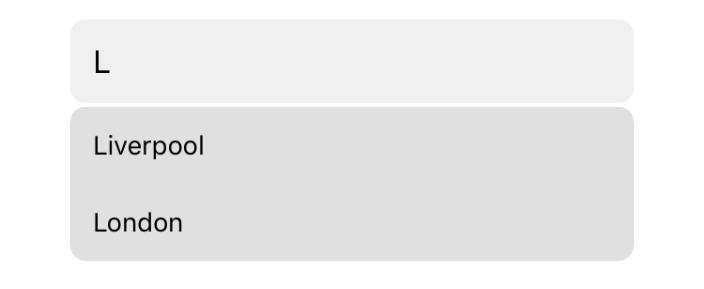
now i can search the cities with no problem but unfortunately the selection does not seem to work.
following the code it seems that itemToString is receiving a null variable. I dont understand why nor where i can start my search.
Reproduction repository:
https://snack.expo.io/BkVnOwpOM
 shaksi
All 9 comments
initially errors occured due to missing key.
Yup, the key is required here. When we add a proper example to the README, we should make sure that if you're using map instead of a <FlatList>, that the key is included.
unfortunately the selection does not seem to work
Using your example, selecting a city seems to work just fine for me. Do you have more information on how to reproduce this?
following the code it seems that itemToString is receiving a null variable. I dont understand why nor where i can start my search.
Can you capture a sequence of events that would repro this too?
 eliperkins
on 7 Mar 2018
eliperkins
on 7 Mar 2018
Using your example, selecting a city seems to work just fine for me.
Same here, the city selection example works fine for me.
In my case, I tried forking @donysukardi's example and replacing the map with a FlatList, which is what seemed to break things. onChange is no longer called, selectedItem is not updated, etc. and now this issue drew my attention to itemToString, which is indeed being called with null rather than the item (not sure if that's a symptom or the root cause, though).
FlatList Reproduction:
https://snack.expo.io/rJrev3aOz
 wKovacs64
on 7 Mar 2018
wKovacs64
on 7 Mar 2018
i was able to replicate my issue - it seems to stem from having component inside the scrollview.
shaksi
on 7 Mar 2018
That may line up with my situation, too. FlatList inherits ScrollView props (most of the time), so ScrollView may be the culprit, ultimately? Eli said they are using FlatList successfully, though. 😕
wKovacs64
on 7 Mar 2018
@eliperkins Do you know what you did differently that would enable FlatList to work for you vs. what @shaksi and I are doing? Our examples seem pretty vanilla. Thanks in advance.
wKovacs64
on 9 Mar 2018
In both of these examples, neither ScrollView has keyboardShouldPersistTaps set. This means that the TextInput will have focus/first responder, and not allow for Touchables to be interacted with.
This worked with the map examples because no ScrollView was involved.
By adding keyboardShouldPersistTaps="handled" to your ScrollViews, you should be all set!
eliperkins
on 9 Mar 2018
Thanks!
wKovacs64
on 10 Mar 2018
@eliperkins tried that, still not working - am I missing something simple. here is the updated snack: https://snack.expo.io/B1hEnc-KM
shaksi
on 10 Mar 2018
@shaksi Props are case-sensitive, it should be keyboardShouldPersistTaps
wKovacs64
on 10 Mar 2018
Related issues
 alexandernanberg
·
4Comments
alexandernanberg
·
4Comments
 emp823
·
4Comments
emp823
·
4Comments
 slavab89
·
3Comments
slavab89
·
3Comments
 the-simian
·
4Comments
the-simian
·
4Comments
 preraksola
·
4Comments
preraksola
·
4Comments
Most helpful comment
In both of these examples, neither
ScrollViewhaskeyboardShouldPersistTapsset. This means that theTextInputwill have focus/first responder, and not allow forTouchables to be interacted with.This worked with the
mapexamples because noScrollViewwas involved.By adding
keyboardShouldPersistTaps="handled"to yourScrollViews, you should be all set!