Dosbox-x: DOS version of DOSBox-X does not run in DOSBox-X
As a DOS emulator, DOSBox-X should be able to run its DOS version as well, but it turns out not to be the case. Tried bigger memory size (e.g. 64MB), UNIVBE to add VESA modes, and running in a DOS guest system (instead of the integrated DOS), neither will work - it will either crash or show a black screen with mouse depending on the HXGUIHLP.INI setting. Tried it in DOSBox ECE and dosbox-staging, they will not work either, but (unlike DOSBox-X) they are primarily for running DOS games. I believe the problem is likely related to the VESA code.
 Wengier
All 71 comments
Linux version works. No revelation.
It also works under dosbox-SVN and dosbox-staging.
Older version, because I'm lazy and unwilling to build a compiler newer than gcc-4.7.4 (its compatibility with -std=c++11 is not enough). No sound support, no mouse or anything else. So unnecessary for testing purposes.
memsize=63 should usually do.
dosbox-x.linux.zip
edit: I uploaded a new compilation is faster, the previous one was terribly slow.
dosbox-x.linux.zip
edit: One more version based on the latest code, built with gcc-6.5.0. Unfortunately, like the previous ones, it does not finish working properly. This can be checked under Linux with a framebuffer, for example a web one like JSLinux (SDL_NOMOUSE=1 ./dosbox-x).
dosbox-x.linux.zip
 grapeli
on 8 Sep 2020
grapeli
on 8 Sep 2020
I tried your package, and it works indeed. Thanks for this. But it is not the official DOS package I was talking about, and it uses a completely different approach by booting into Linux via LOADLIN, yet there is no way to boot back to DOS unless you completely restart DOSBox-X. It is mostly useful for demonstration purpose I guess.
Wengier
on 9 Sep 2020
Yes, this is a purely experimental version, probably with many bugs.
As for the dosbox-x version for HX-DOS. I was running it under Qemu and dosemu2 (it works). Under Qemu with freedos requires at least 87-90MB of memory (quite a lot) to run.
Under dosbox-x it starts to boot after changing core=normal and modifying the HXGUIHLP.INI file (change to 640x480x8) and seems to stop. Maybe it requires a higher resolution, although under qemu and dosemu2 this is fine.
grapeli
on 9 Sep 2020
@joncampbell123 I see the 0.83.6 release note currently says "hx-dos builds are not available due to symbols that do not exist when compiled for that target.". Which symbol(s) do not exist for HX-DOS? Perhaps I can fix it quickly.
Wengier
on 1 Oct 2020
tinyfd_MessageBox. I'll pull up the Windows XP VM and compile again to get the error message.
I am compiling MinGW builds now, try not to change code during this time please.
 joncampbell123
on 1 Oct 2020
joncampbell123
on 1 Oct 2020
Here you go.
Errors.txt
joncampbell123
on 1 Oct 2020
@joncampbell123 I think I know why. Not difficult to fix, but I will wait for you to finish the current compilation of course.
Wengier
on 1 Oct 2020
@joncampbell123 Please let me know when it is ready to push the code. There is only one file to be slightly changed.
Wengier
on 1 Oct 2020
@Wengier Fell asleep early, go ahead and push for HX-DOS. I'll upload MinGW64 and Mac OS X builds that finished last night.
joncampbell123
on 1 Oct 2020
@joncampbell123 I have already pushed the HX-DOS fix. Please check it out.
Wengier
on 1 Oct 2020
@Wengier That fixed it. Building now.
joncampbell123
on 1 Oct 2020
@grapeli The latest code already supports the x86 dynamic core (both 32-bit and 64-bit, with core=dynamic or core=dynamic_x86), so it will hopefully be noticeable faster than before. Also, there is now official support for Linux Flatpak, so Linux support is also improved. But I wonder if there is a way you can boot back to DOS once you start the DOSBox-X Linux version from DOS? Since the current HX-DOS package does not run inside DOSBox-X, I think the Linux approach can indeed be a pretty good alternative approach if major issues are solved. In any case, thanks for demonstrating that such a version does indeed work!
Wengier
on 28 Oct 2020
@Wengier
Before that, I was interested in the comparison with dosbox-SVN and staging (universal build). They cannot handle the keyboard on kernels newer than 2.4 (8042 auxiliary port). A serious limitation.
In general, under dosbox, it is only possible to boot the linux kernel under 386 architecture. On Linux, support for it was removed in 2013 (newer than 3.7 won't work).
https://kernelnewbies.org/Linux_3.8#Removal_of_support_for_386_processors
I will try to build the latest dosbox-x.
_edit: Linux kernel built for i486 and i586 (I checked it on 3.2.102) boots under the latest dosbox-x_
grapeli
on 28 Oct 2020
The latest dosbox-x with fluidsynth support.
I have configured the kernel with OSS sound support and additionally SDL, fluidsynth, but I can't get them to work.
edit: Soundblaster works under Linux. At least in that form: cat /root/.dosbox/dosbox-x.conf > /dev/dsp0
Unfortunately not in dosbox-x.
edit: Configuration error. Instead of SDL_AUDIODRIVER=dsp I used oss.
Now the sound works under silverball.
My expectations for fluidsynth service were excessive. Is there not enough CPU power? All you hear now is gurgling.
fluidsynth -m oss -a oss -l -i /etc/sf2/minipiano.sf2 /root/dos/DOSMID/12.mid
grapeli
on 28 Oct 2020
@grapeli Sure, you can check and compare these branches (you are apparently an experienced user). We are also trying to helping each other and several collective efforts are made as well. Recent examples include https://github.com/joncampbell123/dosbox-x/issues/1961 and https://github.com/joncampbell123/dosbox-x/issues/1964.
Back to topic - I have checked out the latest DOSBox-X Linux build you made. Thanks for making it, and it certainly runs successfully inside DOSBox-X itself. Since it appears to run better with more DOS file handles, I have now increased the default maximum DOS handles in the latest DOSBox-X code, although it is always customizable in the config file (in [config] section which tries to emulate DOS's CONFIG.SYS file).
The other issue was that there is no way to boot back to DOS once LOADLIN has started - even the menu items "Reset virtual machine" or "Reboot guest system" apparently did not work previously. So I have decided to fix the resetting function as well, and with the latest code I can now click the reboot menu option to boot back to DOS, at least with core=normal or core=auto. I do not know if there is a native way to exit from LOADLIN, but getting DOSBox-X's reboot function to work for LOADLIN (as already done) is certainly very helpful.
I think the biggest issue for now seems that there is no mouse support, so I cannot select the menu items from DOSBox-X running inside LOADLIN. Additionally, moving the mouse may sometimes cause DOSBox-X inside LOADLIN to freeze, although I can now select DOSBox-X's reboot function to restart LOADLIN. I wonder if there is a way to get the mouse to work?
I have also tried to play the /root/dos/DOSMID/12.mid file with DOSMID inside LOADLIN+DOSBox-X, and it does show the graphical interface and seem to be playing, but I did not hear sound yet. Perhaps there are some settings (or other adjustments) required to get the sound to work?
In any case, it is definitely getting better and better, and I highly appreciate your effort.
Wengier
on 29 Oct 2020
@Wengier
A fifo /dev/gpmdata was missing. Now the mouse works in the menu (as far as).
dosbox-x.linux.zip
Fluidsynth works properly under qemu only with kvm acceleration. With tcg, also not enough power. Switch to the second console (alt-f2) and run top.
qemu-system-x86_64 -machine pc,accel=kvm -cpu host -m 128 -net none
-device sb16,iobase=0x220,irq=7,dma=1,dma16=5
-kernel /tmp/dosbox-x/vmlinuz
-initrd /tmp/dosbox-x/dosbox.cfs
-append 'ramdisk_size=12288K root=/dev/ram0 rw vga=788 sb=0x220,7,1,5 dmabuf=1 quiet' -monitor stdio
Too bad dosbox-x doesn't work with the linux 8-bit framebuffer (vga=771). Framebuffer is generally slow with a 16-bit color palette much more.
https://www.systutorials.com/configuration-of-linux-kernel-video-mode/
grapeli
on 29 Oct 2020
@Wengier
Latest build containing this commit.
dosbox-x.linux.zip
Compiled with flags, among others -march=i386 -mtune=generic .
dosbox-x, running linux, top (busybox), ~10% CPU usage
qemu (accel=tcg), running linux, top (busybox), ~0.2% CPU usage
grapeli
on 29 Oct 2020
@grapeli Yes, I can now use the mouse to activate the menu with the new build, which is certainly a good progress, although the mouse operations may appear to be somewhat buggy. But I can open for example Configuration Tool and Mapper Editor from menu just fine, so the menu system is already starting to become useful.
Since I am primarily using Windows, kvm is not available for QEmu on Windows. I usually run Linux inside a VM, and apparently you cannot expect a good speed for this. When I run the Linux DOSBox-X inside Windows DOSBox-X Fluidsynth did not appear to work yet, but OPL3 did work so that "dosmid /opl 12.mid" will indeed play the music (although speed may be a concern).
For Linux 8-bit framebuffer support, I am not sure if there is an existing config option in DOSBox-X for this purpose. Perhaps @joncampbell123 knows more about this.
As for CPU usage, perhaps you can try DOSBox-X's built-in DOSIDLE program. Activating it may significantly reduce the CPU usage.
Once again, thanks for the improvement. I hope to further improve DOSBox-X's compatibility with LOADLIN as well.
Wengier
on 30 Oct 2020
@Wengier The way the code is written (and DOSBox SVN has the same limitation) makes it extremely unlikely DOSBox/DOSBox-X would ever support rendering to a 256-color display.
Most SVGA cards since the late 1990s have supported highcolor and truecolor modes.
joncampbell123
on 30 Oct 2020
@Wengier
Fluidsynth is currently not working.
fluisynth: error: Device </dev/dsp> could not be opened for writing: Device or resource busy
LOG: MIDI: fluidsynth: Can't create audio driver
Before it worked (or so I thought). Soundfont was also loaded (I saw it in the logs). I'll check it (I don't know what's going on). It works.
/bin/fluidsynth -m oss -a oss -l -i /etc/sf2/minipiano.sf2 /root/dos/DOSMID/12.mid
Starting the second fluidsynth fails (too few dsp devices).
As for the support of 256 colors. Maybe there is some incompatibility with the linux framebuffer (maybe it's SDL's fault). I checked an earlier HX-DOS version of dosbox-x and it worked fine in that color space.
I only treat it as a curiosity. I don't see any use in this.
edit: With OSS only one process can open a given sound device at one time. These limitations can only be overridden by using the sound server (esd).
grapeli
on 30 Oct 2020
@grapeli I see. It is certainly helpful to get Fluidsynth working again.
Meanwhile, I have tried to further improve compatibility with LOADLIN - now menu items such as "Show Sound Blaster configuration" and "Show MIDI device configuration" should work in the outside DOSBox-X that has LOADLIN running. Previously it did not appear to work at all and will likely cause a LOADLIN kernel panic message.
Wengier
on 30 Oct 2020
I see. It is certainly helpful to get Fluidsynth working again.
I can use ALSA. It can mix sound from multiple sources (dmix) when the sound card has no hardware mixer. The libasound library is linked in dosbox-x anyway. Useless. Although SDL and fluidsynth were built without alsa support, dosbox-x requires libasound for linking. Although it was configured with --disable-alsa-midi.
I wanted to simplify the configuration, minimize the size of the binary code.
I will build another toolchain based on uclibc-ng or musl-libc. Maybe it will be a better option. It certainly won't provide as good binary compatibility as this one (Linux 2.4.6).
edit: I compiled a working version of dosbox-x based on musl-libc (buildroot). Under kernel 3.2.102 it works (the size of vmlinuz increased 3 times). Dosbox-x exits correctly after the exit command. The mouse works, the sound - I don't know (setup requires effort).
grapeli
on 30 Oct 2020
New build. In one better, in another, weaker.
dosbox-x.linux.zip
The menu works correctly after clicking on Video>Toogle fullscreen.
The sound works. Fluidsynth too.
Framebuffer (vesafb) is slower. Much better under dosbox-x, s3fb does not work 100% correctly with dosbox on this kernel (I had to drop it).
Poweroff and reboot doesn't work. Busybox (default config) is very truncated. A few redundant libraries, pcre, glib2 (fluidsynth can be built without these dependencies).
Under qemu it runs at a speed a few percent slower than the native binary (maybe around 10%).
qemu-system-x86_64 -machine pc,accel=kvm -cpu host -m 128 -net none -device sb16,iobase=0x220,irq=7,dma=1,dma16=5 -kernel vmlinuz -initrd dosbox.cfs -append 'root=/dev/ram0 rw vga=788 ide-core.noprobe=0.0 ide-core.noprobe=0.1 ide-core.noprobe=1.0 ide-core.noprobe=1.1 quiet' -monitor stdio
I am impressed - Linux kernel 4.4.241 runs under DOSBox-X.
grapeli
on 31 Oct 2020
@grapeli Yes, the latest build of DOSBox-X Linux runs fine inside my latest DOSBox-X Windows with the settings memsize=63 and files=255. The menu works too (in full-screen mode as you mentioned). So it is already usable, and I can run the programs in the Linux directories.
For some reason mididevice=fluidsynth does not work here - when I click the menu "Show MIID device configuration" it says "MIDI device: None". But since it works on your system I guess it may be a configuration issue here.
Overall, it is pretty impressive, and thanks for the efforts! As I mentioned earlier it can be eventually offered as an alternative package considering that the HX-DOS package does not run in DOSBox-X.
Wengier
on 1 Nov 2020
@Wengier
Memory usage. The key is kernel configuration. The current one is underdeveloped (Is bad). The kernel boots at memsize=32 and with this initrd, it will be at 16-18. Counting down the memory needed for dosbox.cfs is too much.
The file system is read-only. You can modify the configuration file.
vi .dosboxrc
The whole thing is makeshift. To perfect it, you need to have knowledge, appropriate skills and a lot of time (I miss these three elements).
grapeli
on 1 Nov 2020
@grapeli I don't think there is actually a need to "perfect" it anyway. You can never expect any DOS version (HX-DOS or LOADLIN) of DOSBox-X to work the same way as if you are running the Windows or Linux version of DOSBox-X. In fact, many features have to be disabled in the HX-DOS build so that it will build successfully. However, since the main target users for the DOS package are DOS users (MS-DOS or FreeDOS users for example), they will definitely know even if the DOS version will run on their DOS systems, it cannot provide all features as in the other OSes.
Considering the above, I think the general expectation of any DOS version of DOSBox-X is basically this - it will launch reliably from a DOS environment (real DOS or inside DOSBox-X in the case of LOADLIN version), and from its shell users can run basic DOS commands and programs, and they can also use the major menu functions (Configuration Tool etc) or change the common config options (frequently-used machine types etc) and see the results. On the other hand, they cannot expect all menu functions/config options/features to work exactly the same way as in Windows or Linux version of DOSBox-X. If any DOS package can meet this expectation then I think it can be considered a functioning DOS package.
Wengier
on 2 Nov 2020
The HX-DOS package has the advantage that it is actually running in DOS in the whole time, and users can exit to DOS any time they want. On the other hand, the LOADLIN version cannot do this, but it can run in DOSBox-X itself. The HX-DOS package is a truer DOS package in this sense, but the LOADLIN version may be considered an alternative solution.
P.S. DOSBox-X version 0.83.7 was released. You can check it out.
Wengier
on 2 Nov 2020
@Wengier
New edition. I added s3fb (S3 Trio frame buffer). Its initialization slows down booting.
Its advantage is scaling.
There are problems with the menu, it works after selecting Video>Fit to aspect ratio.
Dosbox is launched after startup. It takes a while. dosbox.cfs is compressed.
I added two fixes from SDL-hg.
https://hg.libsdl.org/SDL/rev/6097967fb3b4
https://hg.libsdl.org/SDL/rev/3ec07fdf3267
grapeli
on 2 Nov 2020
@grapeli Thanks for the updates. I have tested it but I think this new version has display issues - when it runs the text on the screen may suddenly disappear from the Linux shell, and sometimes I simply got the following screen instead:
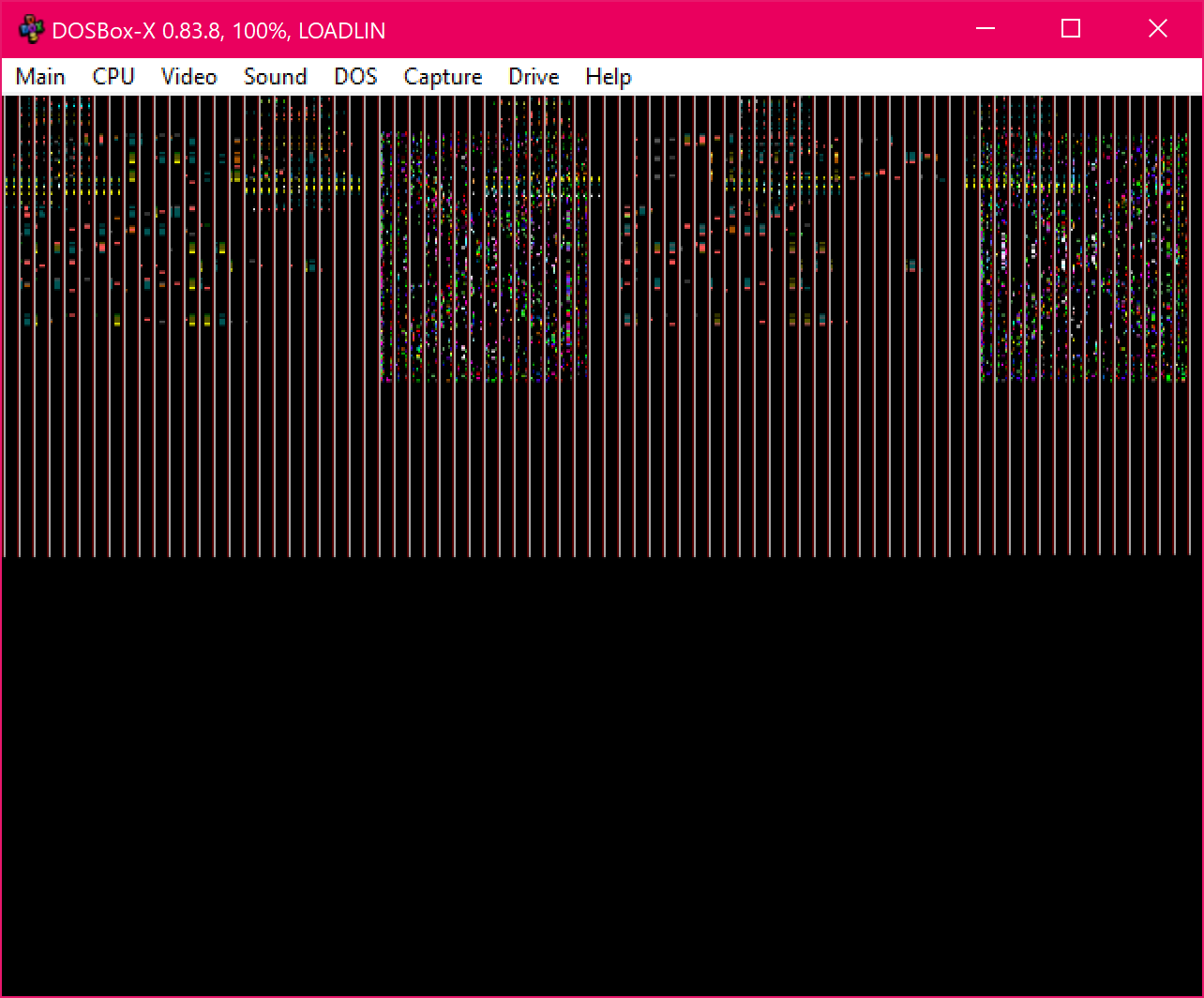
I run the outside DOSBox-X with -set memsize=63 -set files=255 -set aspect=true. On the other hand, previous editions did not seem to have this problem so that I could launch Linux DOSBox-X inside Windows DOSBox-X pretty reliably.
Wengier
on 3 Nov 2020
@Wengier
It works for me. Both in dosbox-x and in qemu (either directly or from freedos).
Copy the previous kernel (vmlinuz), and in linux.par change these two lines to.
vga=788
#video=s3fb
Edit: I went back to kernel 4.4.x, changed cramfs to squashfs. The uncompressed size of dosbox.sqf is 22MB, of which 10MB is occupied by the dosbox-x binary (not including the necessary dynamically loaded libraries).
dosbox-x.linux.zip
grapeli
on 3 Nov 2020
@grapeli Yes, I can get the latest binary working fine with memsize=127 for the outside DOSBox-X. No other settings are required, although it may work a little better in full-screen mode.
I think there is one thing that may be somewhat confusing - after I run LINUX.BAT it will show the message "dosbox-x login: " as if it requires the user to type the login information. But as I type any string the the screen text will soon automatically disappear and after a while the Linux DOSBox-X interface will show up. So why not change the message "dosbox-x login: " to something like "Loading DOSBox-X..." so that the user will know that DOSBox-X is actually being automatically loaded instead of thinking that they may need to type some information after the message?
Overall it is pretty impressive I think.
Wengier
on 4 Nov 2020
@grapeli The DOSBox-X DOS LOADLIN package is now available from:
It is based on your last build, but I renamed LINUX.BAT to DOSBOX-X.BAT and also added a README.TXT file, which says the following:
README for DOSBox-X DOS LOADLIN package
=======================================

This is the alternative DOS package for DOSBox-X 0.83.7 using the LOADLIN approach.
Instead of the official HX-DOS approach, you can also run DOSBox-X from a DOS environment using the LOADLIN approach.
This approach is made possible thanks to the work of grapeli.

With this alternative DOS package you can even run DOSBox-X right from DOSBox-X's DOS shell.
Start the outside DOSBox-X with the setting "memsize=127" (and perhaps also "fullscreen=true").
Go to the directory where the files are extracted and type "DOSBOX-X".
Then just wait for DOSBox-X to be automatically loaded within DOSBox-X.
I also added the information to the INSTALL page offering it as an alternative DOS package so that other users can use it if they want. Thanks a lot for your work, and feel free to let me know if you made any further improvements.
Wengier
on 4 Nov 2020
@Wengier
In my opinion, it's too early.
I quickly cleaned up the /etc/init.sh file (some nonsense). Now dosbox-x automatically loads the configuration file on startup after login (root).
Check if it works and repack it.
dosbox-x.linux.zip
grapeli
on 5 Nov 2020
@grapeli Sure, the new version works. The LOADLIN approach gives the possibility of running DOSBox-X inside DOSBox-X, so it is certainly useful and can coexist with the HX-DOS approach. I guess it is already in a usable state because of the recent improvements (both to the package itself and to DOSBox-X's LOADLIN compatibility). I have already repackaged it based on the new version (as dosbox-x-dos-0.83.7-loadlin.zip), but please feel free to make any further improvements, and I will repack them accordingly too. Thanks for the work!
Wengier
on 5 Nov 2020
@Wengier
This time I was compiling with PGO. Dosbox-x has a smaller size, runs faster, but starts much slower.
I will try FDO profiling (perf). Maybe it will give a better effect.
dosbox-x.linux.zip
I think there is one thing that may be somewhat confusing - after I run LINUX.BAT it will show the message "dosbox-x login: " as if it requires the user to type the login information.
I have no idea for a good solution to this yet.
grapeli
on 6 Nov 2020
@grapeli Thanks for the improvements. Yes it runs faster, but starts slower as you said. I hope to see it is becoming better too.
Meanwhile, a user asked a few questions for the posted LOADLIN DOSBox-X package in another forum (see here) . His questions are the following:
How do I mount disk drives in this version? It cannot access my DOS disks.
When I mounted the root I cannot see any /dev/sdx or hdx devices to mount.
What kernel does it use? Would work native with my SB Audigy?
Also it has some menu drawing problem that some block of menu background are drawn to the top of screen and doesn't cleared when menu is closed.
He is a real DOS (MS-DOS/FreeDOS) user trying to run this package. Do you happen to know the answers to his questions? (In particular, I think the ability to mount real disks from inside DOSBox-X in such cases is indeed helpful). Thanks!
Wengier
on 7 Nov 2020
@Wengier
I created this to test run DOSBox-X in DOSBox-X. I also check how it works in Qemu (basically mainly under it, a better build could be created strictly for it).
How do I mount disk drives in this version? It cannot access my DOS disks.
When I mounted the root I cannot see any /dev/sdx or hdx devices to mount.
What kernel does it use? Would work native with my SB Audigy?
Linux kernel 4.4.241 (longterm). Here is config. config.txt
Does not have built-in SATA/SCSI/USB etc. support.
Works under - processor family (486).
Has built-in support:
-generic ATA/ATAPI disk support
-IDE/ATAPI CDROM
-Intel PIIX/ICH chipsets support (ATA)
-ISA sound devices / Sound Blaster 16
File systems: Ext2, ISO 9660, MSDOS fs
Configure the kernel according to your needs and build it.
Also it has some menu drawing problem that some block of menu background are drawn to the top of screen and doesn't cleared when menu is closed.
This is the mouse cursor pointer.
grapeli
on 7 Nov 2020
@grapeli Thanks! I have already posted your reply there.
Wengier
on 8 Nov 2020
@Wengier
Disk Image support.
linux.par needs to be modified (do not blindly copy C/H/S):
...
ro
ide-core.chs=0.0:32,16,63
# ide-core.noprobe=0.0
# ide-core.noprobe=0.1
ide-core.noprobe=1.0
ide-core.noprobe=1.1
...
More information about ide-core.
dosbox-x (host) config:
[ide, primary]
enable = true
From dosbox-x
imgmount 2 /tmp/hda.img -t hdd -fs none
imgmount d c:\cdrom.iso -t iso -fs none
linux.bat
You should be patient when booting Linux. There is a 30 second pause (hda: lost interrupt).
[    0.550794] ide: forcing hda as a disk (32/16/63)
[    0.550794] Probing IDE interface ide0...
[    0.871103] hda: DOSBox IDE disk, ATA DISK drive
[    1.411157] hdb: DOSBox-X Virtual CD-ROM, ATAPI CD/DVD-ROM drive
[    1.431156] ide0 at 0x1f0-0x1f7,0x3f6 on irq 14
[    1.521755] ide: skipping probe for hdc
[    1.531175] ide: skipping probe for hdd
[    1.551157] ide1 at 0x170-0x177,0x376 on irq 15
[    1.551157] ide-gd driver 1.18
[    1.581203] hda: max request size: 128KiB
[    1.581203] hda: 32256 sectors (16 MB) w/2KiB Cache, CHS=32/16/63
[   31.671775] hda: lost interrupt
[   31.771756] ide-cd driver 5.00
[   31.821756] ide-cd: hdb: ATAPI 8X CD-ROM drive, 1536kB Cache
[   31.821756] cdrom: Uniform CD-ROM driver Revision: 3.20
From linux.
# dmesg
# mount /dev/hda /mnt
# mkdir /tmp/cdrom
# mount /dev/hdb /tmp/cdrom
Write-mounted filesystems must absolutely be unmounted before exiting dosbox-x (host).
grapeli
on 8 Nov 2020
@grapeli Thanks for the information! I saw he replied the following here to the previous reply:
OK, is there some reason why to use modern kernel but stripped by many necessary drivers like SATA and PCI audio subsystem?
If it would be intended for old computers with ATA and ISA sound they don't need DOS emulation and can run programs native...

I could recompile the kernel, I'm not familiar how the dosbox-x image is packed (DOSBOX-X.SQF)
if I could then simply replace the kernel. But currently not much time to play with, I can boot my linux and use dosbox without restrictions...
Perhaps things like SATA and PCI audio subsystems as he mentioned can be added and enabled by default for the package so that they can get these to work in DOS when using this approach? And is it possible to configure the disk support more easily (e.g. with an easy-to-use compile script provided if recompile is needed or make it work without the need to recompile if possible)?
Wengier
on 9 Nov 2020
@Wengier
The next person will ask for support for Gravis UltraSound, and another one for Aureal Vortex.
Suggest to install real Linux with Xorg, OpenGL, etc.
Compiling a kernel is very easy.
ARCH=x86 make menuconfig
ARCH=x86 make
cp arch/x86/boot/bzImage /tmp/dosbox-x/vmlinuz
edit:
Perhaps things like SATA and PCI audio subsystems as he mentioned can be added and enabled by default for the package so that they can get these to work in DOS when using this approach? And is it possible to configure the disk support more easily (e.g. with an easy-to-use compile script provided if recompile is needed or make it work without the need to recompile if possible)?
I do not know. Busybox is devoid of very useful functions. There is no udev or even mdev. There is only a static dev. Files were removed from /usr/share/alsa/cards, etc.
After all, this is only a sketch, template, suggestion, proposal for others to assemble a better version for their own needs.
Again, I advise against running this package as is anywhere except dosbox-x and qemu.
grapeli
on 9 Nov 2020
@grapeli I agree with you that this package is primarily recommended for running in DOSBox-X itself (or qemu as you stated). The official HX-DOS package will be recommended for real DOS systems. And thanks for posting the compiling steps! I have already posted your replies there.
Regarding the mouse cursor pointer issue, do you think it is a bug in the source code or it has something to do with the Linux package? (It does not seem to happen with the HX-DOS package for example)
Wengier
on 10 Nov 2020
Regarding the mouse cursor pointer issue, do you think it is a bug in the source code or it has something to do with the Linux package? (It does not seem to happen with the HX-DOS package for example)
I have no idea what is causing this. I am not a programmer, but a regular user. I noticed that these defects disappear when I choose Video> Fit to aspect ratio from the menu.
After you turn off doublescan (Video> Output> Doublescan), you can change scalers.
Fbdev is deprecated. The code has been frozen for years. New drivers are not added. It was needed for embedded. KMS replaced him. Its advantage is simplicity (similar to OSS in sound).
echo 0 > /sys/class/graphics/fbcon/cursor_blink
cat /dev/urandom > /dev/fb0
SDL2 does not have fbcon support directly (via directfb only).
VESA framebuffer has limitations. Screen resolution is rigid.
Qemu supports various frambuffers - vesafb, cirrusfb, aty128fb. In the latter two, dosbox-x adjusts its resolution on the fly. aty128fb is the fastest.
It's the same with real hardware (framebuffer drivers, better and worse).
Over the years I have used k6-2 350MHz with 3dfx Banshee on Linux. I only used the framebuffer (tdfxfb) to watch movies in mplayer. It had support from MTRR (Memory Type Range Register). Fastest video output (faster than xv). This crappy equipment played DVDs smoothly.
edit:
Short video showing dosbox-x start in qemu. On an old core i5-450M without even intel vt-d. It takes the same as natively.
https://drive.google.com/file/d/1UVO1ipbeqZrXYE-wN1KeI0_lImvq4qKF/view?usp=sharing
grapeli
on 10 Nov 2020
@grapeli You are right that choosing Fit to aspect ratio from the Video menu will make the defects disappear. In this case, why not make it the default setting for the LOADLIN package so that other users will not encounter this issue by default? It can be set with the config option "aspect=true" in the config file I believe. You can certainly change the default settings for options like doublescan from the config file too.
I have watched the short video showing dosbox-x start in qemu that you posted. It looks like it runs pretty smoothly there indeed.
Wengier
on 11 Nov 2020
Hi grapeli, that was me who asked on DOS ain't dead forum and tried your dosbox-x-linux (on a real HW i7-2600k). I can understand that you are just playing with it but why to strip all the working linux drivers and subsystems just to save some MBs of space? I'm not sure what would be a prefered target platform for it. It was proved it can run on old PC with ISA soundcard but it's too slow and useles. For running under QEMU? Why? Where is Qemu there can be run also Dosbox. I just wanted to use it on modern PC from plain DOS without needing to reboot to Windos or Linux so I liked the idea to make a compact dosbox package that can be started from DOS (even better if it can exit back to DOS) and that would emulate SB on my newer SB Audigy PCI (already supported in Linux Alsa).
 xrayer
on 12 Nov 2020
xrayer
on 12 Nov 2020
@xrayer
I was only curious if it is possible to run DOSBox-X in DOSBox-X (from linux). Only this. Nothing more. Nothing more.
Why was I also using qemu. Because qemu with kvm is over 100x faster. It is more flexible. Since the handling of disk images is more convenient (no C/H/S need to be specified). Because you can directly mount a directory from the host (-snapshot -drive file=fat:ro:/tmp/DOS,media=disk,format=raw). Because the operation of qemu with freedos leaves much to be desired. DOSBox-X is much better in compatibility with DOS.
Really don't use this outside of a virtual environment. Dosbox-x for dosbox-x was built for the 486 processor.
-march=i486 -mtune=generic -mno-mmx -mno-sse -mno-sse2 -mno-sse3 -mno-ssse3 -mno-sse4a -mno-sse4.1 -mno-sse4.2 -mno-sse4 -mno-avx -mno-avx2
Similarly, the entire buildroot (userland), additionally with the -Os optimization. It is slow. Therefore, the fluidsynth is slow and sluggish here.
Loadlin is the bootloader. Install linux (real) do not consider this package as an alternative.
grapeli
on 12 Nov 2020
OK, never mind, I just though there would be some use case for a few people who wants to run it from DOS.
I already have Linux and Windows installed in multiboot so I can run Dosbox for Linux/Windows, just having a DOS version (with modern soundcards support) would save a reboot...
I also use Qemu sometimes but it's not 100x faster for dos programs, even using HW virtualization the context switching from VM to hypervisor (VMEXIT), that occurs probably very often, takes thousand cycles that makes things much slower compared to V86 more.
xrayer
on 17 Nov 2020
@xrayer
I used qemu with kvm to test this package because it works over 100 times faster in it.
qemu (kvm) --> linux --> dosbox-x
dosbox-x --> linux --> dosbox-x
This absolutely doesn't mean qemu is 100x faster than dosbox-x in dos, because that's not true (for the x86). Even if it's faster, it's of little use because too many things don't work as well as they could (it has mainly games in mind).
Paolo Bonzini the main maintainer of the kvm subsystem in linux does not recommend running qemu with kvm for dos at all.
https://lwn.net/Articles/658747/
grapeli
on 17 Nov 2020
@grapeli DOSBox-X version 0.83.8 is now officially released. Could you make a DOS LOADLIN package for it? Thanks!
Wengier
on 1 Dec 2020
I will try to build. New dependencies are coming - freetype (it will take a while).
grapeli
on 1 Dec 2020
@Wengier
dosbox-x.linux.zip
I updated buildroot, kernel and DOSBox-X.
I haven't tested it very thoroughly. I checked it quickly under dosbox-x and qemu.
TTF output works.
Dosbox-x is not profiled with PGO (this gives about 8% performance gain). I will update later.
Edit:
Changing the font size from the menu does not work (Video-->Text-mode-->Decrease TTF font size).
F12+down is working.
VESA framebuffer cannot change the resolution on the fly.
This can only be done before running dosbox-x (fbset). You can also set it higher at startup, kernel parameter vga=791.
Edit2: Therefore there is a problem. When we set the output to TTF and the resolution is less than required, dosbox-x exits immediately.
LOG: SDL:TTF activated
LOG: E_Exit: SDL: Failed to create surface
This is the case with BlockOut (with a screen resolution of 800x600).
grapeli
on 1 Dec 2020
@grapeli Thanks for the updates. I have repacked it here:
https://github.com/joncampbell123/dosbox-x/files/5625195/dosbox-x-dos-0.83.8-loadlin.zip
Compared with the HX-DOS package for 0.83.8, this LOADLIN package supports the new TTF output, which is certainly a plus. Feel free to make further improvements to it. Thanks!
Wengier
on 1 Dec 2020
@Wengier
Commit to turn on automatic date/time synchronization with the host stops Linux booting from DOSBox-X.
Configuration is required:
[dosbox]
synchronize time = false
@grapeli The code seems to run fine in Windows, Linux and macOS, so I am not sure what happens with the LOADLIN package in this case. Perhaps you can just disable this option for this package for now, and I will see if there is anything I can do for it.
Wengier
on 14 Dec 2020
@Wengier
Linux booting stops at the earliest stage. earlyprintk=vga shows only up to this point.
...
...
[0.000000] Initmem setup node 0 [mem 0x0000000000001000-0x00000000057ffffff]
Next should be setting the clock source.
[0.000000] clocksource: refined-jiffies:..................
At first I thought the kernel configuration might have an effect. This one was built without CONFIG_RTC_DRV_CMOS. I've tried different variants already and somehow can't fix it from the linux configuration level.
The most important thing is that synchronization can be turned off from dosbox-x. Let's stay with it.
grapeli
on 14 Dec 2020
@grapeli Time synchronization is disabled by default as of the latest code.
Meanwhile, DOSBox-X version 0.83.9 is now released. Could you make a DOS LOADLIN package for it? Thanks!
Wengier
on 1 Jan 2021
@Wengier
I haven't tested too much.
dosbox-x.linux.zip
Changed the SquashFS and kernel image compression to zstd.
I added support for several sound cards and some sata/pata (libata) drivers to the kernel.
edit: Kernel and userland are built under ARCH=i586 (non-mmx).
edit2: I changed the kernel to lts 4.19.164. Now defacto is pentium-classic (RDTSC) compatible and, more importantly, is stable.
dosbox-x.linux.zip
grapeli
on 1 Jan 2021
@grapeli Thanks! I have repackaged it here:
dosbox-x-dos-0.83.9-loadlin.zip
I think the new package requires the settings "memsize=127" and "cputype=pentium" for the outside DOSBox-X in order to run.
Wengier
on 2 Jan 2021
Hi grapeli, thanks for including the drivers!
Now it detect my disks and SB Audigy. I had to do a trick after boot to make it working - switch to linux console and mount the real partition to /mnt because dosbox-x still cannot mount it - complains that cannot mount physFS, then I need to mount it in dosbox window e.g. "mount d /mnt". Also I had to run alsamixer to boost master volume that was 0 by default.
Could I make some changes permanent on booted system or do I need to mount DOSBOX-X.SQF in other linux and edit settings?
Then I could play games on my dos partition BUT when any game or my VESATEST tool try to switch in VESA LFB mode the whole thing hung - I mean also the host linux and I had to press reset button. Games like NFS1 that probably don't use LFB worked in SVGA mode.
xrayer
on 2 Jan 2021
@xrayer
You have to make these changes yourself. My test environment is limited to dosbox-x and qemu.
It is not difficult. Use some relatively recent Linux distribution. Install it anywhere, in a virtual machine, etc.
Install squashfs-tools with zstd support.
Unpack the rootfs:
unsquashfs dosbox.sqf
cd squashfs-root
Make the necessary changes. For example, the alsactl store or tinymix command is used to change the mixer settings.
Almost all configuration files are in /etc (/etc/inittab, /etc/init.sh, /etc/fstab). This Linux is simplified to the maximum.
Pack again.
mksquashfs squashfs-root /tmp/dosbox.sqf -comp zstd -b 256K -no-recovery -all-root -no-xattrs -not-reproducible -no-exports -all-time $(date +%s) -Xcompression-level 22
grapeli
on 2 Jan 2021
OK, I already tried under my not so updated Debian via mount command and it wrote that FS has unknown compression. I'll try to update some package and try your way.
I also found that in higher VESA mode 1280x1024 or 1600x1200 the Quake start in VESA mode but when switching to other modes the full freeze happens again.
BTW where is defines the resolution of Dosbox GUI? When I set FB to 1600x1200 the dosbox seems to use 800x600 (small in the middle of screen) but when start e.g. quake in 1024x768 dosbox window will resizes up.
Another issuse had with new win32 dosbox-x 0.83.9 that doesn't run under WinXP - PE header need to be fixed: OS version 6.0 -> 5.1 then it runs but when packed by UPX it again complains "invalid win32 app" but I could compress with pklite32w with worse compression ratio (7,5MB intead of 5,1MB)...
xrayer
on 2 Jan 2021
I got:
root@MR:/tmp/X# unsquashfs DOSBOX-X.SQF
Filesystem uses unknown compression, this is unsupported by this version
Decompressors available:
gzip
lzo
xz
Can I easily add your used compression method via APT? (Debian 8.11 jessie)
xrayer
on 2 Jan 2021
It is not difficult. Use some relatively recent Linux distribution.
@xrayer
Debian jessie does not fall into this category. It's an old, unsupported system.
I prepared you a version with gzip compression.
dosbox-x.linux.zip
DOS version of DOSBox-X does not run in DOSBox-X.
It doesn't do any more, and I don't generally provide any other support.
grapeli
on 2 Jan 2021
Thanks, in mean time I was able to update zstd and squashfs packages so I'm able to decompress/compress.
I already fixed mixer setting, changed some in dosbox.conf but I have problem with automounting. When I added into /etc/fstab lines like this
/dev/sdb9 /mnt/i msdos rw
It was not automounted on start and when I manualy type
mount /mnt/i
I got error: can't find /mnt/i in /etc/fstab
I could add mount commands in init.sh but why fstab way is not working?
I also found that reboot host os command in menu doesn't work, neither press CTRL+ALT+DEL in console do nothing, I have to type reboot command.
xrayer
on 2 Jan 2021
(the /mnt/i and other subdirs are created and exists, when I type mount /dev/sdb9 /mnt/i it gets mounted normally but mount -a ignore it)
xrayer
on 2 Jan 2021
@xrayer
In the /etc/inittab file you have an commented (disabled) function. Uncomment.
::ctrlaltdel:/sbin/reboot
As for the non-functioning fstab filesystem mount. I assure you that the correct entry will work. Yours is incomplete.
grapeli
on 3 Jan 2021
Oh I missed 0, 0 at end for backup and fsck...
Now automount works, also I enabled the CTRL+ALT+DEL reboot.
Now it's well setup for instant DOS usage :)
Except I worry about freezing during VESA modes change but I know it may be harder to debug...
xrayer
on 3 Jan 2021
@xrayer
The Linux VESA framebuffer has limitations. It has a fixed screen resolution. It can be changed at startup kernel parameter (linux.par) vga=791
vga=785  #640x480 16bit
vga=788  #800x600 16bit
vga=789  #800x600 24bit
vga=791  #1024x768 16bit
vga=794  #1280×1024 16bit
vga=795  #1280×1024 24bit
It should also be possible to change with the fbset command after booting (unfortunately it does not work). There should be the appropriate database in /etc/fb.modes.
https://linux.die.net/man/5/fb.modes
It can be generated under linux with the command gtf.
gtf 800 600 75 -f
or
gtf 800 600 75 -f > fb.modes
Coming back to the vesa framebuffer.
Dosbox-x running under it cannot smoothly adjust the required resolution. It only uses the one that was set earlier. Not less than 800x600. It is not perfect.
Say what graphics card you are using on this hardware. Maybe there is a better framebuffer than VESA for it.
grapeli
on 3 Jan 2021
I though that Linux FB resolution doesn't need to be changed and it already doesnt. I set e.g .795 and get Dosbox centered view, 800x600, when start quake with 1024x768 as default then Dosbox window will resize up but still keeps native res. 1280×1024 of the FB so I guess that Dosbox handle the transformation from guest to host some way and the modes that dosbox offers to quest are not linked with real VESA modes of host card. When I switch quake to lower or higher res. I would expect the dosbox window will resize but still keeps in same FB mode but it freeze instead. I don't know the internal graphics processing but it seems that some nasty things are going there when it can corrupt the linux behind - only the dosbox should crash if some problem...
I currently use nVidia GTX670 so alternative may be nouveau...
xrayer
on 5 Jan 2021
This kernel config is generic, tailored to the very small requirements of running DOSBox-X in DOSBox-X (qemu).
I think it completely does not use the potential of your equipment. I thought you might be running it on hardware older than 2002.
This package doesn't take advantage of your hardware, mainly your graphics card (cpu probably too).
Not using OpenGL!!!
If it suits you.
Run linux "live cd" (without GUI) and send the result of the lsmod command.
grapeli
on 5 Jan 2021
https://en.wikipedia.org/wiki/GeForce_600_series
Your graphics card is compatible with OpenGL 4.6 and Vulkan 1.1. My of 2.1. Vulkan does not support.
This package will not use it in any way. You can possibly use it to create a new one - SDL2 with the KMS-drm backend. He uses OpenGL (without installing Wayland or Xorg).
Install a full-fledged operating system there (Windows, linux or other) and run DOSBox-X on it.
grapeli
on 5 Jan 2021
Related issues
 whocares0101
·
15Comments
whocares0101
·
15Comments
 bob12111
·
17Comments
bob12111
·
17Comments
 kcgen
·
7Comments
kcgen
·
7Comments
 rangerxusa
·
13Comments
rangerxusa
·
13Comments
 almeath
·
18Comments
almeath
·
18Comments