Dosbox-x: GLSL shaders - aspect ratio not being enforced [in full-screen mode]
In macOS I can get any SVN compatible GLSL shader to work, but none of them will enforce a 4:3 aspect ratio.
In either windowed or full screen mode, in any resolution, setting aspect ratio to ‘true‘ is ignored, or is somehow being overridden.
If I then set the glshader to ‘none’, the 4:3 ratio will be enforced again.
I tried the pre-compiled 0.83.6 and compiled my own 0.83.7 with the same results, building with either SDL1 or 2.
 almeath
All 18 comments
I do not have macOS to test at this time, but in Windows at least setting the following does keep the aspect ratio:
dosbox-x -set aspect=true -set output=opengl -set glshader=sharp
 Wengier
on 13 Oct 2020
Wengier
on 13 Oct 2020
I'm having the same issue on Linux.
Compiled my own 0.83.7 and in both SDL1 and 2 the 4:3 aspect ratio isn't enforced when using a GLSL shader.
Running dosbox-x -set aspect=true -set output=opengl -set glshader=sharp didn't work either.
 RuhtraX
on 19 Oct 2020
RuhtraX
on 19 Oct 2020
Below is the screenshot when I run dosbox-x -set output=opengl -set glshader=sharp -set aspect=true -set "title=Aspect ON" in Windows:

And the screenshot when I run dosbox-x -set output=opengl -set glshader=sharp -set aspect=false -set "title=Aspect OFF":
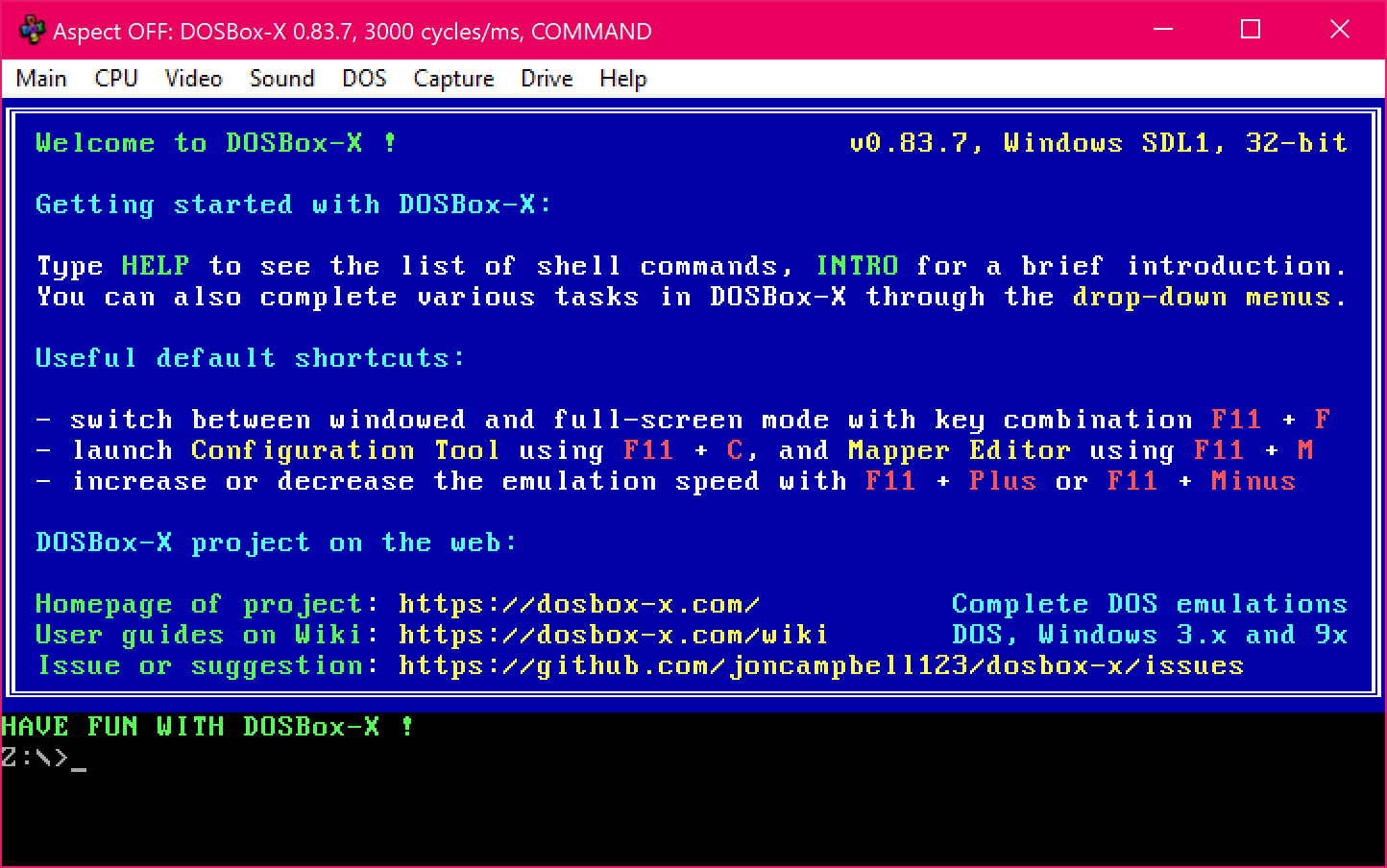
Not sure if the issue is platform-specific.
Wengier
on 20 Oct 2020
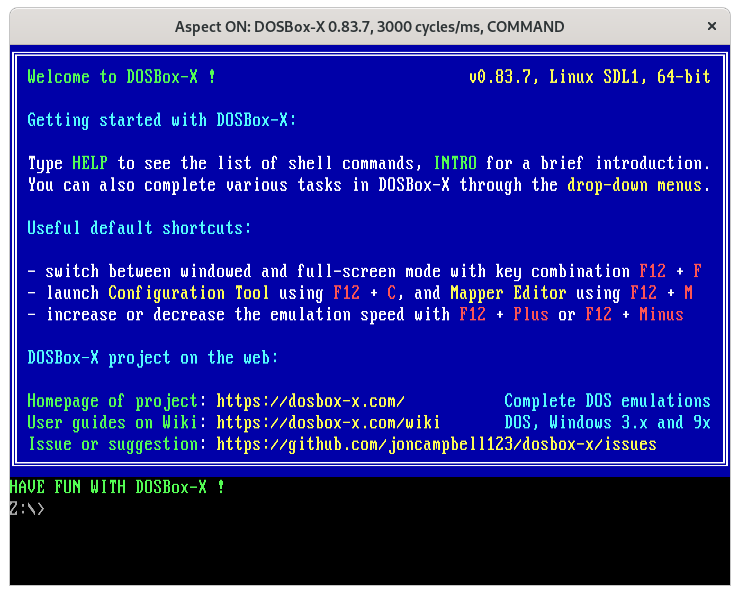
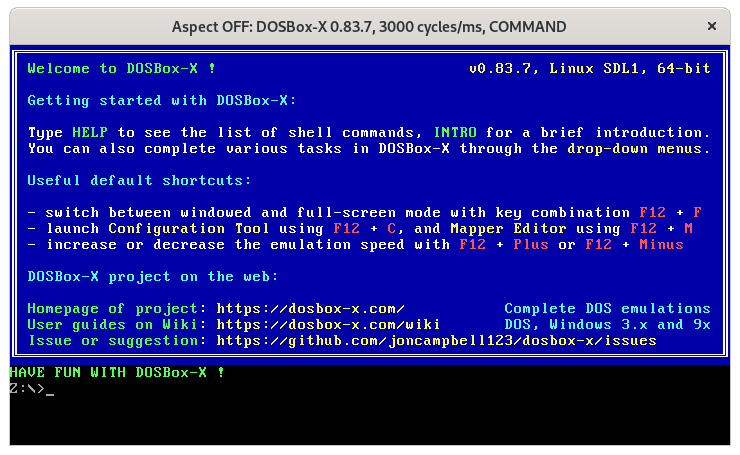
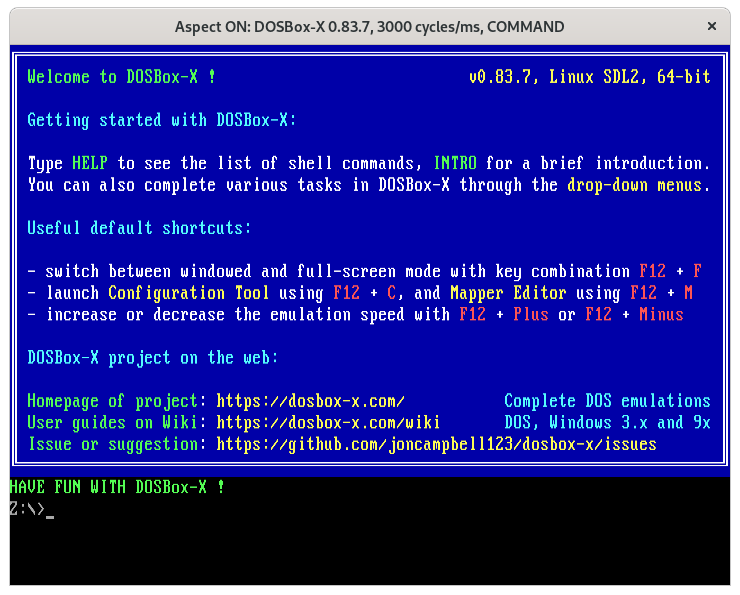
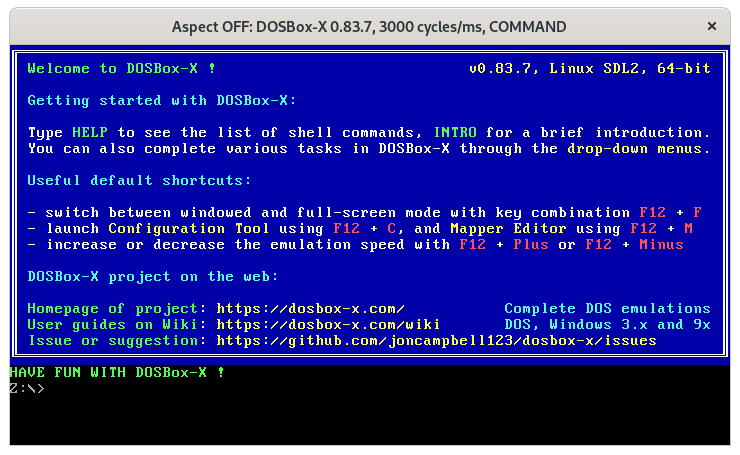
From Linux. Note the menu bar is missing when you use glshaders.
SDL1 dosbox-x -set output=opengl -set glshader=sharp -set aspect=true -set title="Aspect ON"
SDL1 dosbox-x -set output=opengl -set glshader=sharp -set aspect=false -set title="Aspect OFF"
SDL2 dosbox-x-sdl2 -set output=opengl -set glshader=sharp -set aspect=true -set title="Aspect ON"
SDL2 dosbox-x-sdl2 -set output=opengl -set glshader=sharp -set aspect=false -set title="Aspect OFF"
 rderooy
on 20 Oct 2020
rderooy
on 20 Oct 2020
Well, I just realized I didn't mention a very important information 😅
This problem happens when going fullscreen.
RuhtraX
on 20 Oct 2020
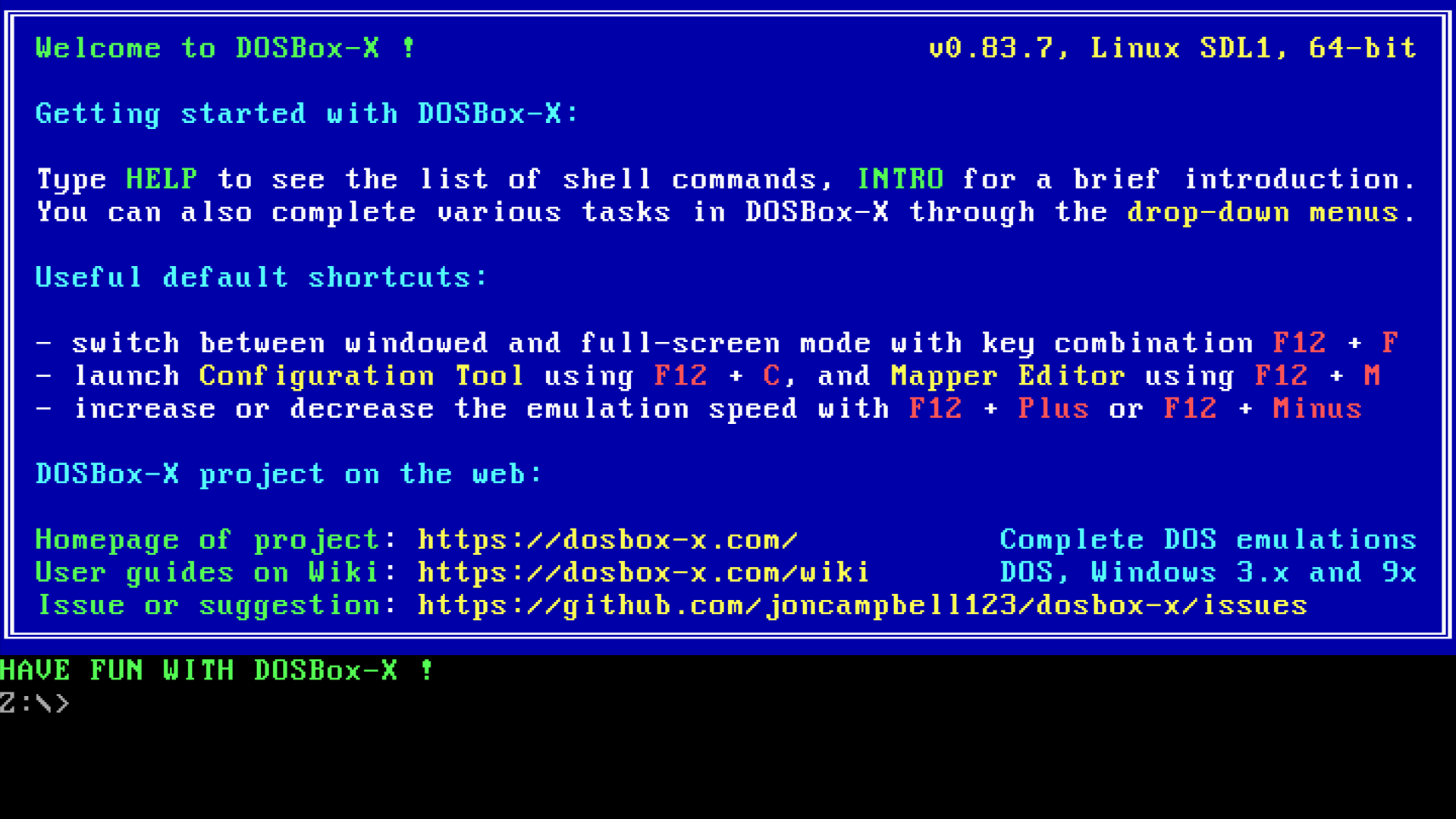
It seems you right, here is what I get on Linux Wayland with the SDL1 binary with aspect=true
dosbox-x -set output=opengl -set glshader=sharp -set aspect=true -set title="Aspect ON" -set fullscreen=true
dosbox-x -set output=opengl -set glshader=sharp -set aspect=false -set title="Aspect OFF" -set fullscreen=true
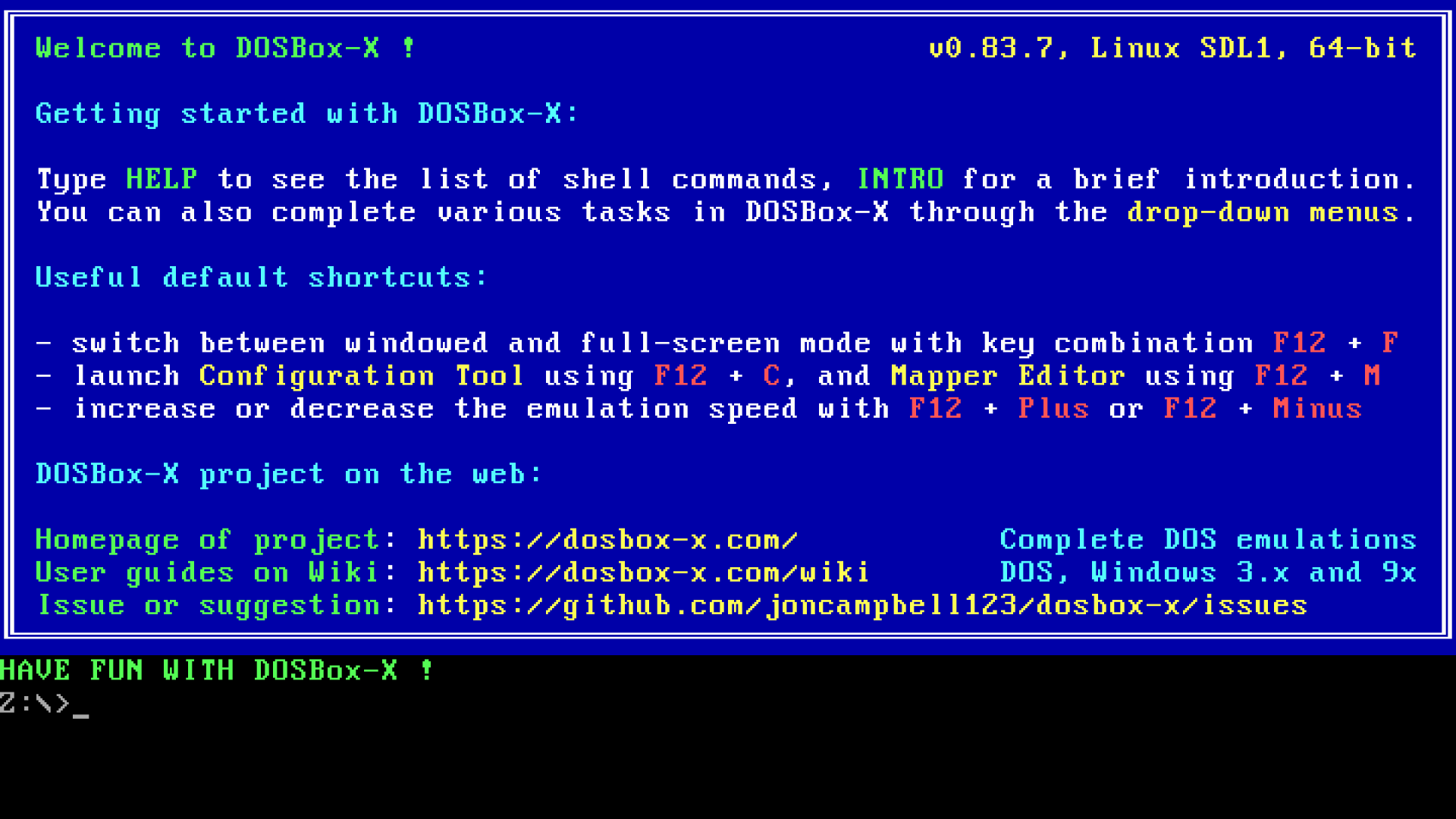
Basically the dosbox-x screen gets stretched to my host pc screen size, ignoring the aspect ratio.
In addition there is an input focus problem. My keyboard input is still going to the terminal from where I launched dosbox-x. So I cannot type anything in dosbox-x. Pressing Ctrl-C will terminate dosbox-x, since input was still at the terminal.
If I start the SDL1 binary in windowed mode (-set fullscreen=false), I can type just fine. But the moment I press the hotkey to switch to fullscreen, my focus is again at the originating terminal.
SDL2
With the SDL2 binary, things are not better. When starting dosbox-x in fullscreen, I get a momentary flash, which I think is supposed to be the dosbox-x loading animation, but not recognisable. And after that, all I get is a black screen. Ctrl-C will not kill the process, but I can Alt-Tab to another window. dosbox-x is really hanging at this point, as even at the originating console, pressing CTRL-C (SIGTERM) does nothing. Sending a SIGKILL however does the trick.
This SDL2 issue only happens if I start with -set fullscreen=true, if I start in windowed mode and then switch to fullscreen, it works fine.
rderooy
on 20 Oct 2020
In macOS the 4:3 ratio will be enforced in windowed mode. It is only in fullscreen that -set aspect=true has no effect.
almeath
on 20 Oct 2020
I am having other problems with SDL though. My desktop resolution is 5120x2880. My configuration is:
-set fullscreen=true
-set aspect=true
-set output=openglnb
-set glshader=sharp
As mentioned above, setting aspect to either true or false has no effect when using a shader setting other than none.
Despite my native desktop resolution, I see the following in the terminal output:
LOG: DOSBox-X version 0.83.6 (macOS SDL1)
LOG: macOS EXE path: /Users/almeath/Desktop/DOSBox-X wrapper.app/Contents/Resources/dosbox/DosBox
LOG: macOS Resource path:
LOG: macOS: NSTouchBar support detected in system
LOG: Host keyboard layout is now us (US English)
LOG: Mapper keyboard layout is now us (US English)
LOG: SDL1 auto-detected desktop as 2560 x 1440
LOG: The default output for the video system: opengl
Unable to obtain graphics context for NSWindow (Mojave behavior)
LOG: Screen report: Method 'CoreGraphics' (2560.000 x 1440.000 pixels) at (0.000 x 0.000) (599.300 x 340.242 mm) (23.594 x 13.395 in) (108.500 x 107.500 DPI)
LOG: ISA BCLK: 8333333.333Hz (25000000/3)
LOG: monopal: green,
LOG: Active save slot: 1 [Empty]
LOG: USING AVI+ZMBV
LOG: Max 3670016 sz 16384
LOG: Final 16384
LOG: MIDI:Opened device:coreaudio
LOG: Pentium CMPXCHG8B emulation is enabled
LOG: VOODOO LFB now at d0000000
LOG: MPU-401 Registering I/O ports as if IBM PC MPU-401 at base 330h
LOG: Screen report: Method 'CoreGraphics' (2560.000 x 1440.000 pixels) at (0.000 x 0.000) (599.300 x 340.242 mm) (23.594 x 13.395 in) (108.500 x 107.500 DPI)
LOG: Allocated APM BIOS pm entry point at f000:e86c
LOG: Writing code to fe86c
LOG: Screen report: Method 'CoreGraphics' (2560.000 x 1440.000 pixels) at (0.000 x 0.000) (599.300 x 340.242 mm) (23.594 x 13.395 in) (108.500 x 107.500 DPI)
LOG: ISA Plug & Play BIOS enabled
LOG: VGA ROM BIOS init callback
LOG: pixratio 1.000, dw false, dh false
LOG: Aspect ratio: 640 x 480  xToY=1.333 yToX=0.750
Unable to obtain graphics context for NSWindow (Mojave behavior)
LOG: Screen report: Method 'CoreGraphics' (2560.000 x 1440.000 pixels) at (0.000 x 0.000) (599.300 x 340.242 mm) (23.594 x 13.395 in) (108.500 x 107.500 DPI)
LOG: Screen report: Method 'CoreGraphics' (2560.000 x 1440.000 pixels) at (0.000 x 0.000) (599.300 x 340.242 mm) (23.594 x 13.395 in) (108.500 x 107.500 DPI)
LOG:    2863299 ERROR BIOS:Keyboard layout file auto not found
LOG:    2863299 ERROR BIOS:Keyboard layout file auto not found
LOG: XMS: 50 handles allocated for use by the DOS environment
LOG: EMS page frame at 0xe000-0xefff
LOG: COMMAND.COM env size:             720 bytes
LOG: COMMAND.COM environment block:    0x0701 sz=0x002d
LOG: COMMAND.COM main body (PSP):      0x072f sz=0x009a
LOG: COMMAND.COM stack:                0x0749
LOG: pixratio 1.350, dw false, dh false
LOG: Aspect ratio: 720 x 540  xToY=1.333 yToX=0.750
Unable to obtain graphics context for NSWindow (Mojave behavior)
LOG: Screen report: Method 'CoreGraphics' (2560.000 x 1440.000 pixels) at (0.000 x 0.000) (599.300 x 340.242 mm) (23.594 x 13.395 in) (108.500 x 107.500 DPI)
LOG: Screen report: Method 'CoreGraphics' (2560.000 x 1440.000 pixels) at (0.000 x 0.000) (599.300 x 340.242 mm) (23.594 x 13.395 in) (108.500 x 107.500 DPI)
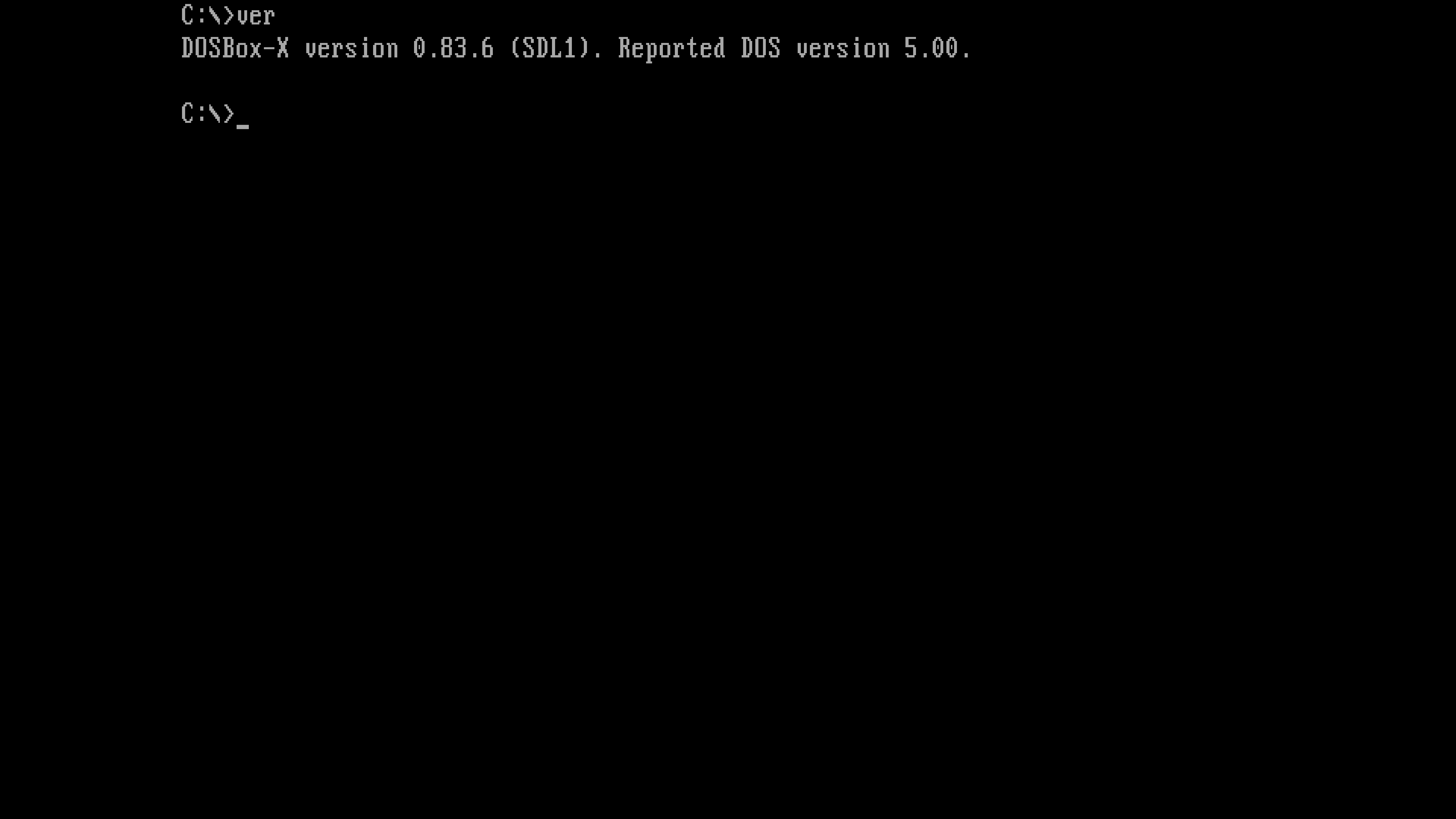
And the full screen output shows that the aspect ratio setting is not being respected:
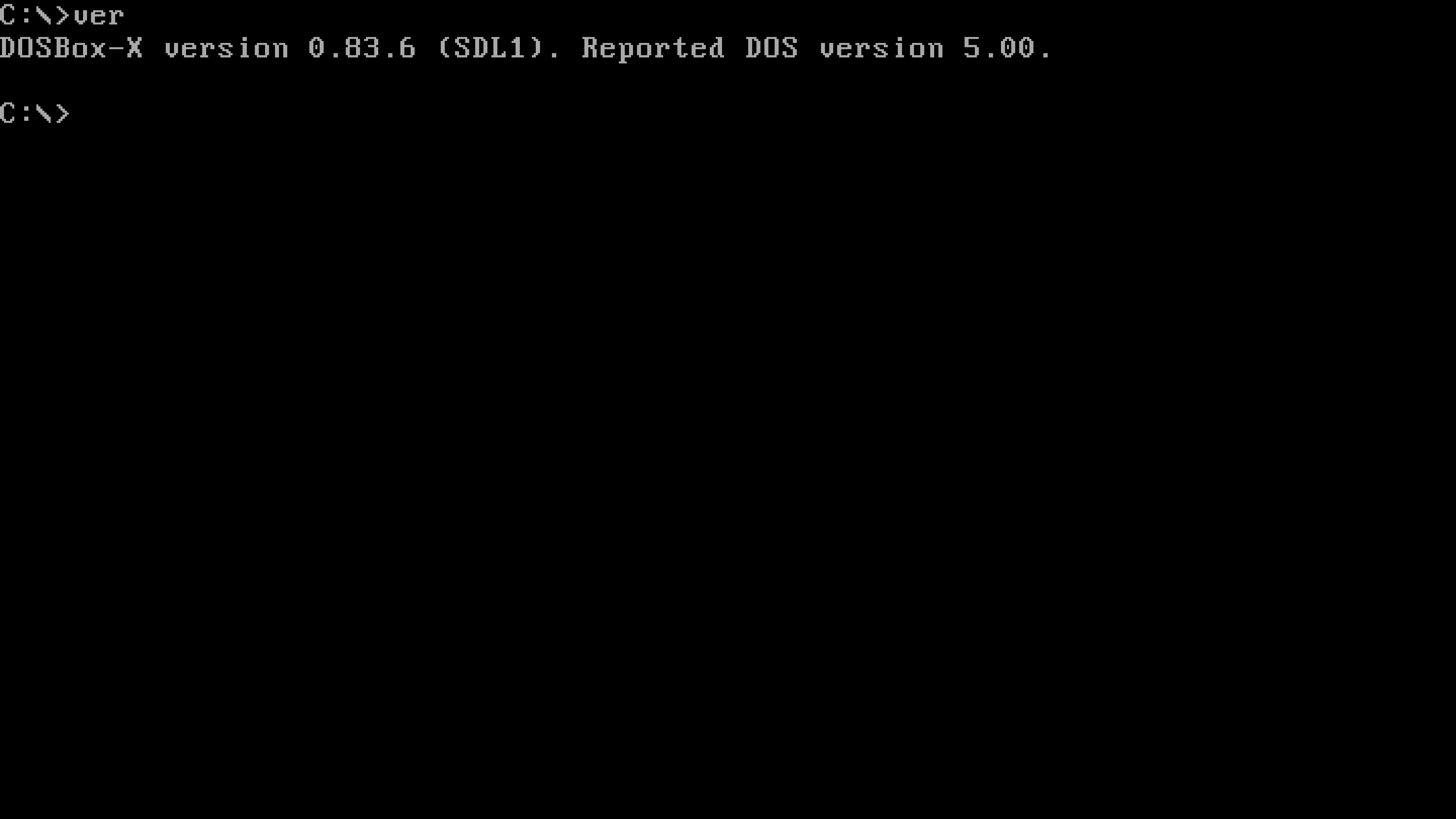
And after I use -set glshader=none:
almeath
on 20 Oct 2020
This should have nothing to do with the aspect ratio. But regarding the resolution, DOSBox-X is reporting half your true resolution. There are others that have reported DPI problems with macOS. There is a dpi aware setting that you may want to test with.
rderooy
on 20 Oct 2020
I think I can confirm the aspect ratio issue in full-screen mode. Will add it to todo list.
On the other hand, I cannot reproduce the input focus problem on my Windows machine or Linux VM so far, which I believe is likely unrelated to the aspect ratio issue by the way.
Wengier
on 21 Oct 2020
OK, I might lodge a separate report for the DPI issue. I tried changing dpi aware to on, off and auto, and every time I get the same output in macOS terminal that indicates only half my native resolution is being detected. I have not tested this in SDL2 yet.
almeath
on 21 Oct 2020
Getting the same issue here on latest Windows build - 1920x1080 desktop resolution, openglnb, fullscreen, apect=true.... screen is stretched horizontally. Not a Mac or Linux specific bug.
 psoma
on 23 Oct 2020
psoma
on 23 Oct 2020
@psoma Yes, I can confirm it in Windows too, but only in full-screen mode. The title has been updated accordingly to mention "in full-screen mode".
Wengier
on 23 Oct 2020
@almeath Sure, you can make a separate report for that issue.
Wengier
on 23 Oct 2020
I think it is hopefully fixed in the latest code. Thanks everyone for reporting it.
Wengier
on 26 Oct 2020
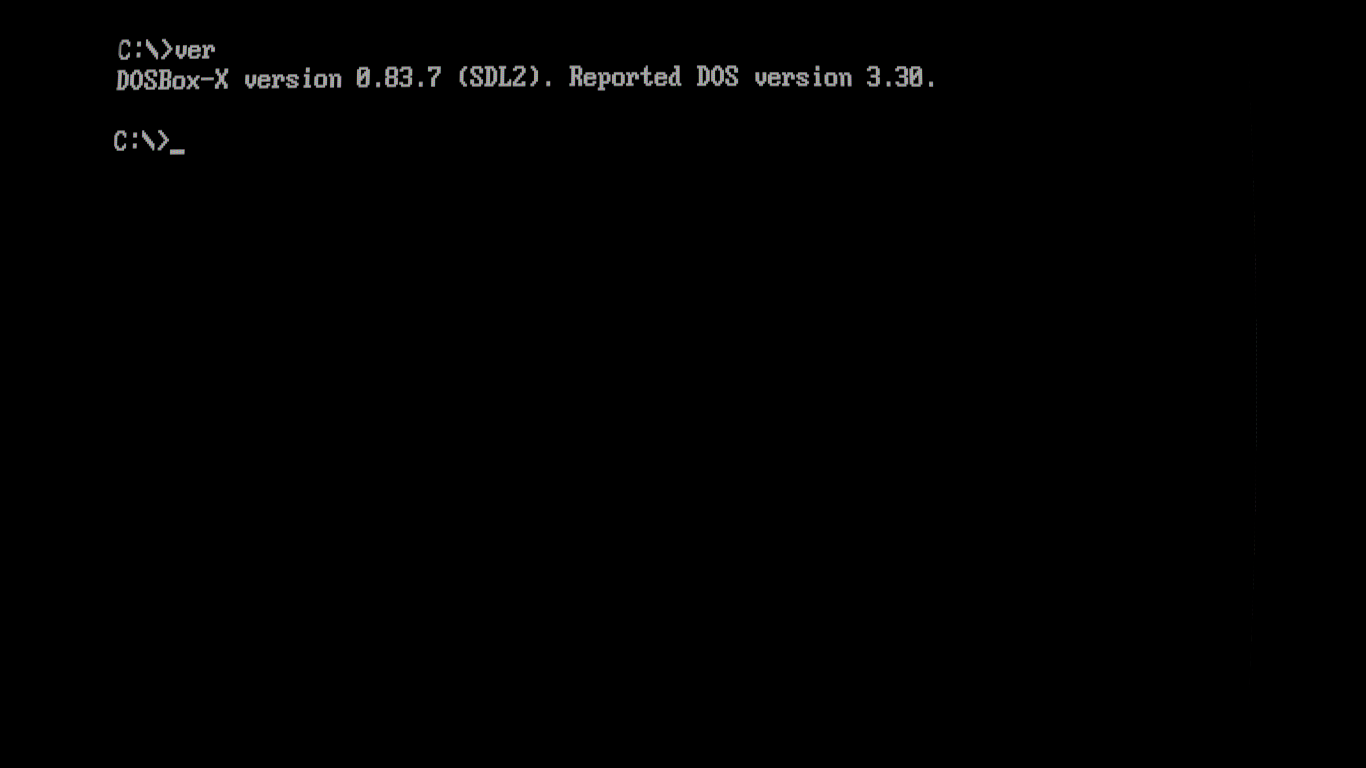
I can confirm it's working now.
Here's a screenshot on Linux SDL2
-set fullscreen=true
-set aspect=true
-set output=openglnb
-set glshader=crt-lottes-fast.subtle+gain
RuhtraX
on 26 Oct 2020
@RuhtraX I am glad to hear that.
Wengier
on 26 Oct 2020
Happy to report that it is also working properly in macOS, with both SDL1 and SDL2. Thanks @Wengier for your quick response.
almeath
on 27 Oct 2020
Related issues
 inukaze
·
8Comments
inukaze
·
8Comments
 sduensin
·
7Comments
sduensin
·
7Comments
 joncampbell123
·
14Comments
joncampbell123
·
14Comments
 kcgen
·
7Comments
kcgen
·
7Comments
 bob12111
·
17Comments
bob12111
·
17Comments