Docz: Order doesn't work as expected with menu
I have a list of pages with the following headers:
name: Introduction
route: /
order: 100
menu: Getting Started
name: Check Server Status
route: /check-server-status
order: 99
menu: Getting Started
name: Login
route: /login
order: 86
menu: Authentication
name: Update User
route: /user-update
order: 5
menu: User
(it's just a part of the list)
The groups are shown as follows: Authentication > Getting Started > User. How do i order them with Getting Started as the first element (without using subfolders as in docz-website)?
 alexandru-cazacu
All 5 comments
By now you can just set the order of documents, not for menus. But I think that I can create some menuOrder to fix that. I'll put release some new version with this!
 pedronauck
on 17 Jun 2018
pedronauck
on 17 Jun 2018
I also have a request related to the menus, it would be nice that when one arrives on a page of a menu directly from the url the menu is unfolded.
Thank you anyway, good job !
 valentinloiseau
on 17 Jun 2018
valentinloiseau
on 17 Jun 2018
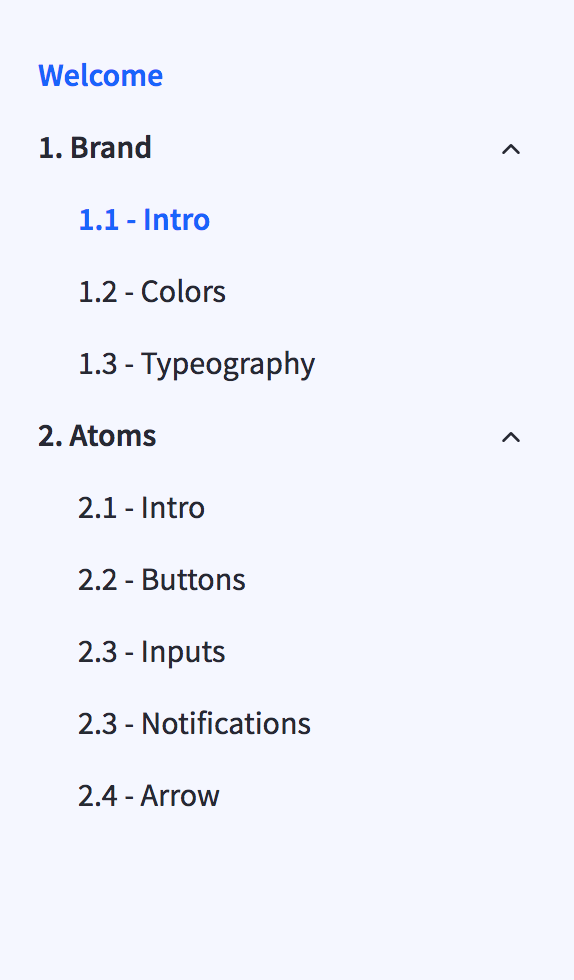
I had this issue so just prepended a number on the start to force ordering
 Swapnull
on 18 Jun 2018
Swapnull
on 18 Jun 2018
I was facing the same here. Would be good to insert in the documentation this limitation
 rafaelmotta
on 19 Jun 2018
rafaelmotta
on 19 Jun 2018
To facilitate user feedbacks and make a really good roadmap, now we're using Canny as a tool to create our roadmap 😍
We think that is better keep Github issues only for bugs and other issues! 🐞
This issue is already on our roadmap, so I'll close this issue in favor of it!
👉🏻 Check this issue on roadmap
pedronauck
on 27 Jun 2018
Related issues
 wldcordeiro
·
3Comments
wldcordeiro
·
3Comments
 ssylvia
·
3Comments
ssylvia
·
3Comments
 albinekb
·
3Comments
albinekb
·
3Comments
 YardWill
·
3Comments
YardWill
·
3Comments
 fenbka
·
3Comments
fenbka
·
3Comments
Most helpful comment
I had this issue so just prepended a number on the start to force ordering
