Devextreme-reactive: Filter input loses focus on typing a character
I was searching for the issue and found a similar topic that was closed without a solution:
https://github.com/DevExpress/devextreme-reactive/issues/1977
What's missing in the linked example (https://codesandbox.io/s/1075zr955j) is a customized cell component (for hiding disabled filters for example).
If you add
<TableFilterRow
   cellComponent={FilterCell}
/>
and
const FilterCell = (props) => {
  return <TableFilterRow.Cell {...props} />;
};
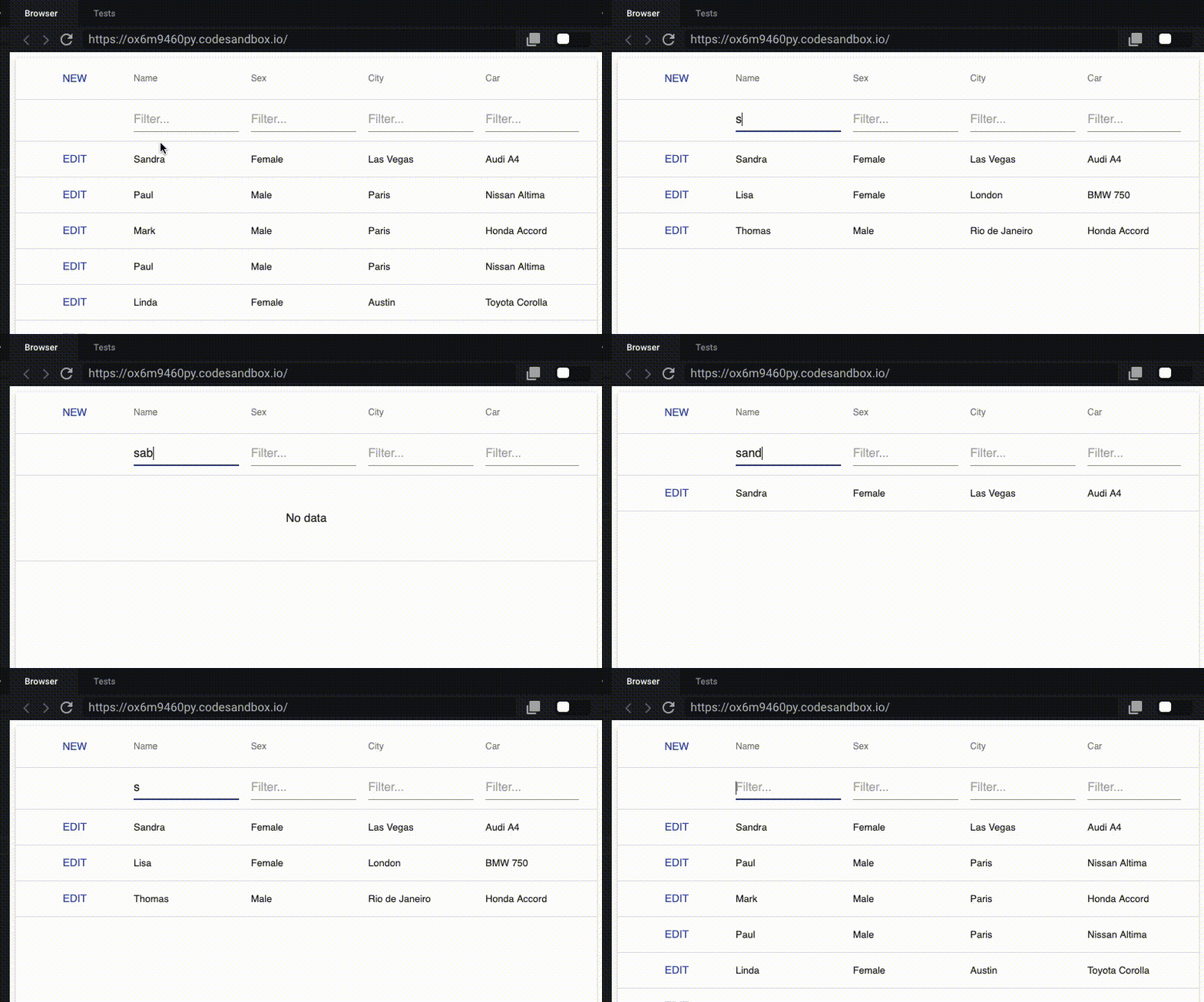
then the input field loses the focus after every change.
Would be nice to have a fix / workaround for that.
Greets!
 tazomazo
All 6 comments
 MaximKudriavtsev
on 13 May 2019
MaximKudriavtsev
on 13 May 2019
Hi @MaximKudriavtsev,
you didn't add the custom cell component to TableFilterRow.
I updated your example:
https://codesandbox.io/s/9yo00kp50y
tazomazo
on 13 May 2019
@tazomazo,
No, I added a custom cell and defined this component before defining a class. You should avoid defining components inside render methods. Please follow this guide for more information.
The updated example.
MaximKudriavtsev
on 13 May 2019
@MaximKudriavtsev
I somehow read over "You should avoid defining components inside render methods"... moved my custom cell component outside the render function and it worked :)
Thank you for the quick support!
tazomazo
on 13 May 2019
@tazomazo,
You are welcome!
MaximKudriavtsev
on 13 May 2019
This thread has been automatically locked since it is closed and there has not been any recent activity. Please open a new issue for related bugs or feature requests.
![lock[bot] picture](https://avatars.githubusercontent.com/in/6672?v=4&s=40) lock[bot]
on 14 Jun 2019
lock[bot]
on 14 Jun 2019
Related issues
 linuxhype
·
3Comments
linuxhype
·
3Comments
 bloolizard
·
3Comments
bloolizard
·
3Comments
 stclairdaniel
·
3Comments
stclairdaniel
·
3Comments
 jesusgp22
·
3Comments
jesusgp22
·
3Comments
 SferaDev
·
3Comments
SferaDev
·
3Comments
Most helpful comment
@MaximKudriavtsev
I somehow read over "You should avoid defining components inside render methods"... moved my custom cell component outside the render function and it worked :)
Thank you for the quick support!