Desktopeditors: Bad display performance (Debian 9) *bug*
Hi,
just found Onlyoffice DesktopEditors - looks great!
Now I made the following installation on Debian 9.7 (Kernel 4.9.130-2, amd64) with lightdm 1.18.3 and/or Cinnamon 3.2.7:
DesktopEditors 5.2.83.480 (I'm aware, this version is released for Debian 8, but I tried :))
Current behaviour / step-by-step:
- Starting DesktopEditors (through terminal) as non-administrative user
- It starts and I can open files - in my case a docx-file.
- But once I opened a file and maximized the window, scrolling is not fluent at all and the screen is hopping all the time. Also opening the menu looks horrible (see screenshot). Plus I have no access to my fonts (stored at ~/.fonts).

- When the window is not maximized, the performance is better and workable with...
- There are no error messages given at the terminal.
Behaviour when starting DesktopEditors as root:
- Meant before, it is a permissions problem - but now after some minutes working with DesktopEditors as root, display performance got bad too...
- When starting as root in terminal, I get the following error:
QStandardPaths: XDG_RUNTIME_DIR not set, defaulting to '/tmp/runtime-root' - But I do have all my fonts available. :)
About my display settings:
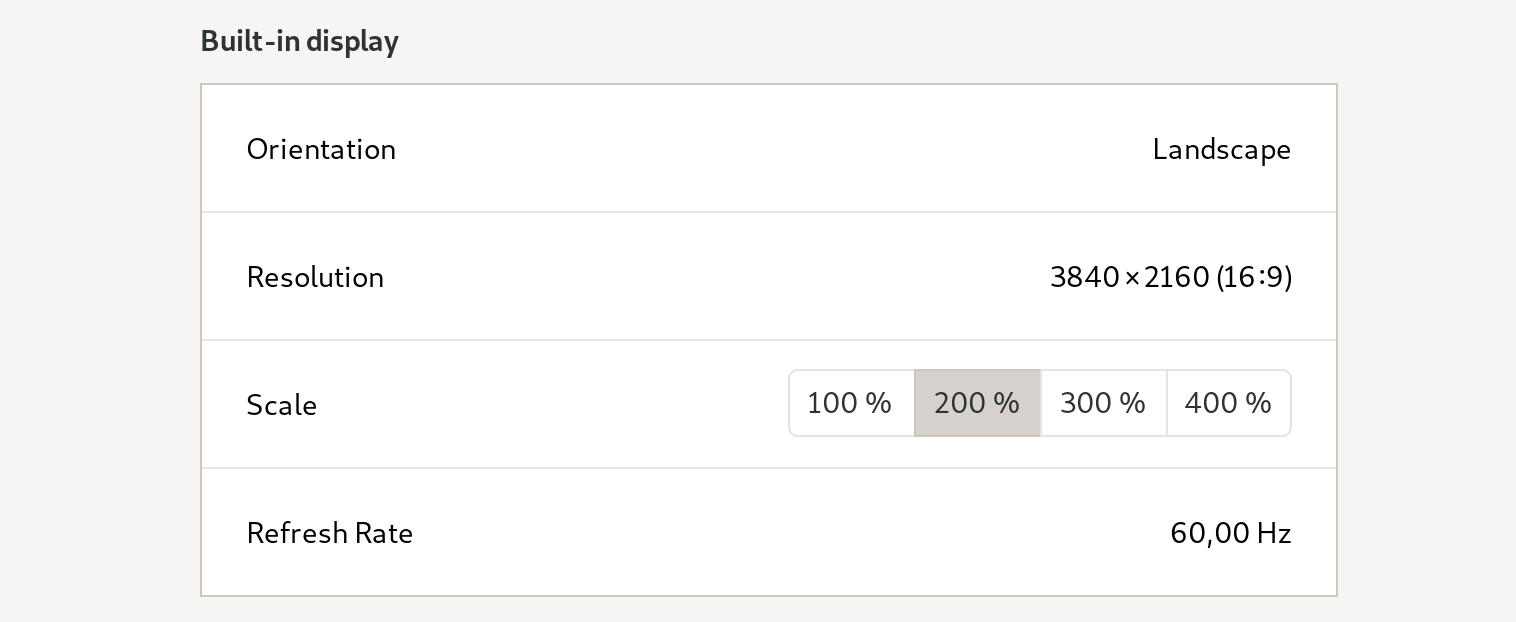
3840 x 2160 resolution, UI-scaling 2x (Hi-DPI, doesn't change if I set it to 1x)
Thanks for your work - and maybe for any hint on me doing something wrong...!
lorny
 l0rn0r
All 10 comments
Hi, this is known bug 40526 and currently we don't know reason of this behaviour (we don't think it's * XDG_RUNTIME_DIR related)
 ShockwaveNN
on 11 Feb 2019
ShockwaveNN
on 11 Feb 2019
Sorry, I did not see bug 40526 - so feel free to close this issue!
Thanks for working on it!
l0rn0r
on 11 Feb 2019
@l0rn0r No. Sorry, I forgot to mention that 40526 is issue in our internal tracker, I leave your bug open until issue is resolved.
ShockwaveNN
on 11 Feb 2019
I'm experiencing the same issue:
white flickering elements/zones when doing sth.
When i make the window smaller, it gets better.
My system specs:
inxi -CGS
System:    Host: whobert Kernel: 4.19.0-4-amd64 x86_64 bits: 64 Desktop: Gnome 3.30.2 Distro: Debian GNU/Linux buster/sid
CPU:       Topology: Quad Core model: Intel Core i7-8550U bits: 64 type: MT MCP L2 cache: 8192 KiB
           Speed: 700 MHz min/max: 400/4000 MHz Core speeds (MHz): 1: 700 2: 700 3: 700 4: 700 5: 700 6: 700 7: 700 8: 700
Graphics:  Device-1: Intel UHD Graphics 620 driver: i915 v: kernel
           Display: wayland server: X.Org 1.20.4 driver: i915 resolution: 3840x2160~60Hz
           OpenGL: renderer: Mesa DRI Intel UHD Graphics 620 (Kabylake GT2) v: 4.5 Mesa 18.3.6
gnome display settings:
Screen recording (webm):
https://cloud.notice.at/s/rZ5pZzXp3Cmd8Hm
 rponline
on 11 Apr 2019
rponline
on 11 Apr 2019
Same problem here on debian 10 with a 4k display and a 200% scaling.
I tested with both wayland and xorg and the problem is the same.
 parrenin
on 4 Dec 2019
parrenin
on 4 Dec 2019
I too still have the issue even on the latest release. Changing scaling did not help either.
 Coffeetron
on 6 Jan 2020
Coffeetron
on 6 Jan 2020
I'm experiencing exactly the same issue with Manjaro (GNOME). If I run Onlyoffice maximised, the screen flickers every time I type something or start a new paragraph. When the window is smaller this behaviour dissappears and all is stable
 cortopy
on 22 Feb 2020
cortopy
on 22 Feb 2020
We think this issue is fixed (as far as I remember - this is issue from ChromiumEmbeddedFramework) and fixed by update of cef
We'll release update with v5.5.0 (currently no ETA of release)
ShockwaveNN
on 22 Feb 2020
@ShockwaveNN
Hi,
I updated to 5.5.1.78 and can confirm that this issue is fixed for me. (Arch, Linux)
Many thanks, that was an annoying bug in combination with tiling :smile:
Coffeetron
on 11 Apr 2020
@Coffeetron glad to hear.
I'll close this issue, but feel free to report if something similar occured
ShockwaveNN
on 13 Apr 2020
Related issues
 roydenyates
·
4Comments
roydenyates
·
4Comments
 nathanael-h
·
5Comments
nathanael-h
·
5Comments
 Yorper
·
4Comments
Yorper
·
4Comments
 PrzemekSkw
·
4Comments
PrzemekSkw
·
4Comments
 EliteTK
·
6Comments
EliteTK
·
6Comments
Most helpful comment
I'm experiencing the same issue:
white flickering elements/zones when doing sth.
When i make the window smaller, it gets better.
My system specs:
gnome display settings:

Screen recording (webm):
https://cloud.notice.at/s/rZ5pZzXp3Cmd8Hm