Desktop: Too Many Shortcuts In Windows File Explorer!
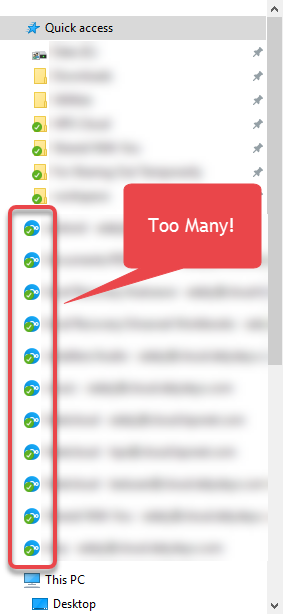
While I appreciate this feature to show Nextcloud folder syncs like Dropbox or OneDrive in the left pane of Windows File Explorer, on one of my machines I'm logged into multiple accounts each with multiple folder sync connections (not just the entire folder). For each sync connection, I have another drive shortcut in Windows Explorer. I would prefer to disable these or at least have the option to turn them off, since they take up a majority of the "quick access" area. I'm happy to completely disable it, but if there's a way to enable/disable per sync connection that's even better.
 linucksrox
All 3 comments
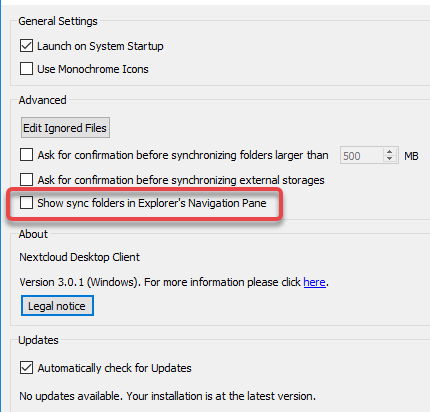
To disable the explorer integration completely you can go to the settings, and disable the marked option:

 Id3aFly
on 18 Sep 2020
Id3aFly
on 18 Sep 2020
Thanks! I didn't see that option was added, but that's exactly what I need. In case anyone wants to see it in English, here's what mine looks like:
linucksrox
on 18 Sep 2020
Glad I could help!
Id3aFly
on 18 Sep 2020
Related issues
 kaysond
·
3Comments
kaysond
·
3Comments
 rguenther-dz
·
3Comments
rguenther-dz
·
3Comments
 RobertZenz
·
3Comments
RobertZenz
·
3Comments
 nilsbecker
·
3Comments
nilsbecker
·
3Comments
 putt1ck
·
4Comments
putt1ck
·
4Comments