Desktop: Red badge on taskbar and tray icon
I confirm (by marking "x" in the [ ] below: [x]):
- [ ] This is not a troubleshooting question. Troubleshooting questions go here: http://www.mattermost.org/troubleshoot/.
- [x] This doesn't reproduce on web browsers (such as in Chrome). If it does, issue reports go to the Mattermost Server repository.
- [x] I have read contributing guidelines.
Summary
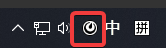
I can't see red badge on taskbar and tray icon when I received new message.
Environment
- Operating System: Windows 10 x64 1909
- Mattermost Desktop App version: 4.4.0
- Mattermost Server version: 5.20.1
Steps to reproduce
Run Mattermost Application and receive a new message.
Expected behavior
Show red badge on taskbar and tray icon when I set red badge setting.
Observed behavior
I can't see red badge on taskbar and tray icon when I received new message.

 JinZhuXing
All 14 comments
I have a same problem.
 ShenYa2018
on 1 Mar 2020
ShenYa2018
on 1 Mar 2020
Same problem here.
 luk4sk
on 1 Mar 2020
luk4sk
on 1 Mar 2020
@JinZhuXing Do you see a blue badge when you receive a message that isn't a mention? Or do you see no badge at all?
 devinbinnie
on 2 Mar 2020
devinbinnie
on 2 Mar 2020
Sometimes it works well, so I can see the red badge on tray icon.
But when this problem occurs, I can't see any badge(red, blue).
JinZhuXing
on 2 Mar 2020
I'm seeing this too. Also, there are times when there are no notification indicators displaying in the sidebar for channels along with no badges on the taskbar/system tray icons. I've noticed that sometimes, if I'm currently in a channel, I'll not receive any notifications of any activity, direct notifications or otherwise. I'm only seeing this on the 4.4 desktop client, As far as I can tell it works as intended if I run the 4.3.2 client and I think thru the web interface, although I've not done a lot of testing on this.
 cbrand-ludlums
on 2 Mar 2020
cbrand-ludlums
on 2 Mar 2020
@devinbinnie Since lot of users are seeing this, do you feel we can we open a ticket to investigate this?
 amyblais
on 4 Mar 2020
amyblais
on 4 Mar 2020
@devinbinnie Since lot of users are seeing this, do you feel we can we open a ticket to investigate this?
Absolutely. Would be interested to see if I can reproduce this myself though, since I've never seen this before personally.
devinbinnie
on 5 Mar 2020
@devinbinnie I think you can reproduce this problem with below steps.
First, open the mattermost program with double clicking tray icon.
And chat with someone. (for example named "John")
After finish chatting, close the window.
So, at this time, your selected person is "John", and John also selected you (not changed person).
After that, you can not receive any notification of new message from "John".
But you can get notification of new message from others.
Before you close windows, if you select other (not "John"), you can receive notification from "John".
JinZhuXing
on 6 Mar 2020
@JinZhuXing so I opened a DM with another account, I had the 2 accounts talk to each other, then I closed the desktop window and I had the other account message the account running desktop. I received a notification from that account and the badge appeared.
Is there anything else I can do to make this happen?
devinbinnie
on 6 Mar 2020
@devinbinnie Open windows with double clicking tray icon.
And then, chat with only one account in "Direct Message". (for example named "John")
Also John must chat with only you in "Direct Message".
After finish chatting, you and john close the mattermost window.
So at this moment, John and you does not select other account. John selected you, and you selected John.
After closing window, John reopen window with double clicking tray icon.
And send new message to you without selecting other account.
But you can not receive notification and badge does not appear.
PS. You and John must use in same environment.
Operating System: Windows 10 x64 1909
Mattermost Desktop App version: 4.4.0
Mattermost Server version: 5.20.1
Thank you.
JinZhuXing
on 7 Mar 2020
@JinZhuXing Okay so that confirms the process I took before, but to further confirm are you running 2 instances of the desktop app on one machine (one with you signed in and the other with 'John')? If not, can you clarify what you mean by 'use in same environment'?
Thanks a bunch!
devinbinnie
on 9 Mar 2020
@devinbinnie Running 2 apps on separated machines.
'Same environment' means OS, Mattermost Server and Desktop App versions of two machines are same.
Operating System: Windows 10 x64 1909
Mattermost Desktop App version: 4.4.0
Mattermost Server version: 5.20.1
Thank you.
JinZhuXing
on 9 Mar 2020
same issue here, hope to see it fixed soon
 maxmukhin88
on 12 Mar 2020
maxmukhin88
on 12 Mar 2020
Thanks.
This issue was fixed.
JinZhuXing
on 11 Aug 2020
Related issues
 JtheBAB
·
5Comments
JtheBAB
·
5Comments
 nerfologist
·
7Comments
nerfologist
·
7Comments
 zetaab
·
5Comments
zetaab
·
5Comments
 NeroBurner
·
4Comments
NeroBurner
·
4Comments
 fmp777
·
6Comments
fmp777
·
6Comments