Desktop: Login prompt broken broken on macOS since release 2.6.3
Installed Registration Wizard 2.6.3, build 2020217 on MacOS, tried to register a second account.
Expected behaviour
After filling in the url of my owncloud server, I expect the login page to appear in the registration wizard.
Actual behaviour
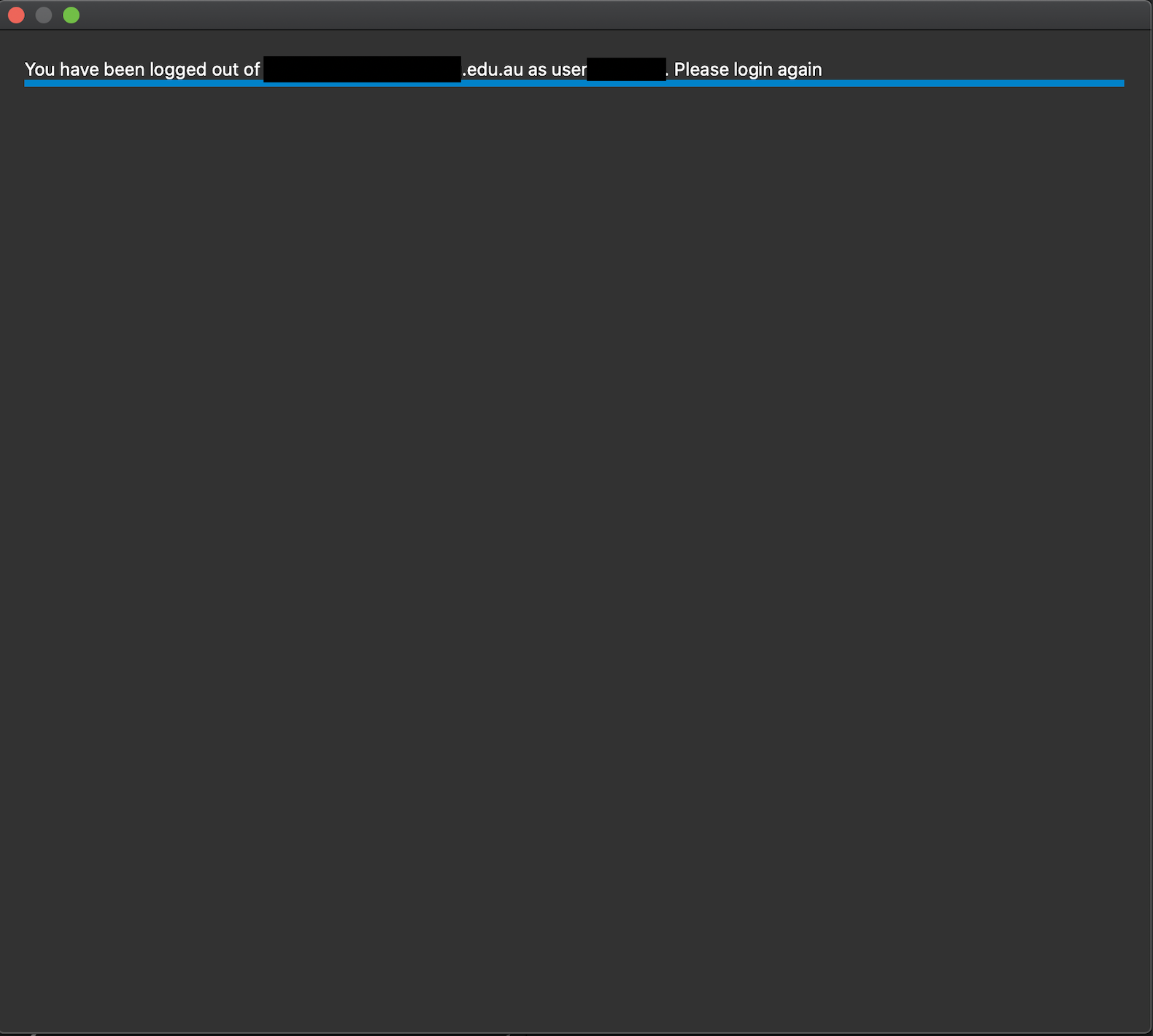
The login page loads (I checked that my server serves it), the wizard blinks the login page briefly, but then collapses it into a 4 pixel high blue bar at the top of the window, making all the UI components invisible and unusable.
Steps to reproduce
- Install Sync Client 2.6.3 build 20200217 on MacOS 10.15.3 Catalina
- Open Sync client
- Click on "Account" top right, and select "Add new"
- Fill in the server url, click next.
- A window with an embedded browser appears, but the browser immediately collapses to a bar at the top of the window.
Client configuration
Client version: 2.6.3 build 20200217 64 bit for MacOS
Operating system: MacOS 10.15.3 Catalina
OS language: English
Qt version used by client package (Linux only, see also Settings dialog): n/a
Client package (From Nextcloud or distro) (Linux only): n/a
Installation path of client: Applications folder
Server configuration
NextCloud 15.0.14, updated today. Older Sync Client did succesfully display the login page
 realrolfje
All 24 comments
Expected behaviour
After filling in the url of my owncloud server, I expect the login page to appear in the registration wizard.
Server configuration
NextCloud 15.0.14, updated today. Older Sync Client did succesfully display the login page
To clarify: Are you using ownCloud or Nextcloud server?
 misch7
on 18 Feb 2020
misch7
on 18 Feb 2020
Sorry for the typo. It is a NextCloud 15.0.14. (Force of habbit; I used to run an OwnCloud server years ago)
realrolfje
on 18 Feb 2020
Hi,
I confirmed that I could not connect. I will experience the same symptoms as reported in this issue.
With the same desktop client configuration, I could not connect to Nextcloud 14.0.7, but it worked fine with Nextcloud 17.0.2. From the situation, I guessed that the connection status was different depending on the Nextcloud version. Is Nextcloud 15 or below no longer supported?
- Client version: 2.6.3 (build 20200217)
- Operating system: MacOS 10.15.3 Catalina
 devi69
on 3 Mar 2020
devi69
on 3 Mar 2020
exactly the same issue here!
- client version: Version 2.6.4stable (build 20200303)
- operating system: MacOS 10.15.3
 mitsol
on 4 Mar 2020
mitsol
on 4 Mar 2020
Realizing this issue now, which I apparently duplicated in #1888, let me point out the _workaround_ described there that works: Install the client in version 2.6.2, authorize, then upgrade to 2.6.4 again.
Also, see #1888 for further details, also about more versions including 2.7. betas, and screenshots.
Client versions
- not working (described buggy behavior): 2.6.3, 2.6.4, 2.7.0-beta1
- working: 2.6.1, 2.6.2
There's also a client logfile at https://github.com/nextcloud/desktop/files/4364970/nextcloud.log and a screenshot 
 jokuha
on 16 Apr 2020
jokuha
on 16 Apr 2020
I added labels and edited the title to outline the problem better. I hope I got it right and #1888 is a duplicate of this.
 claell
on 16 Apr 2020
claell
on 16 Apr 2020
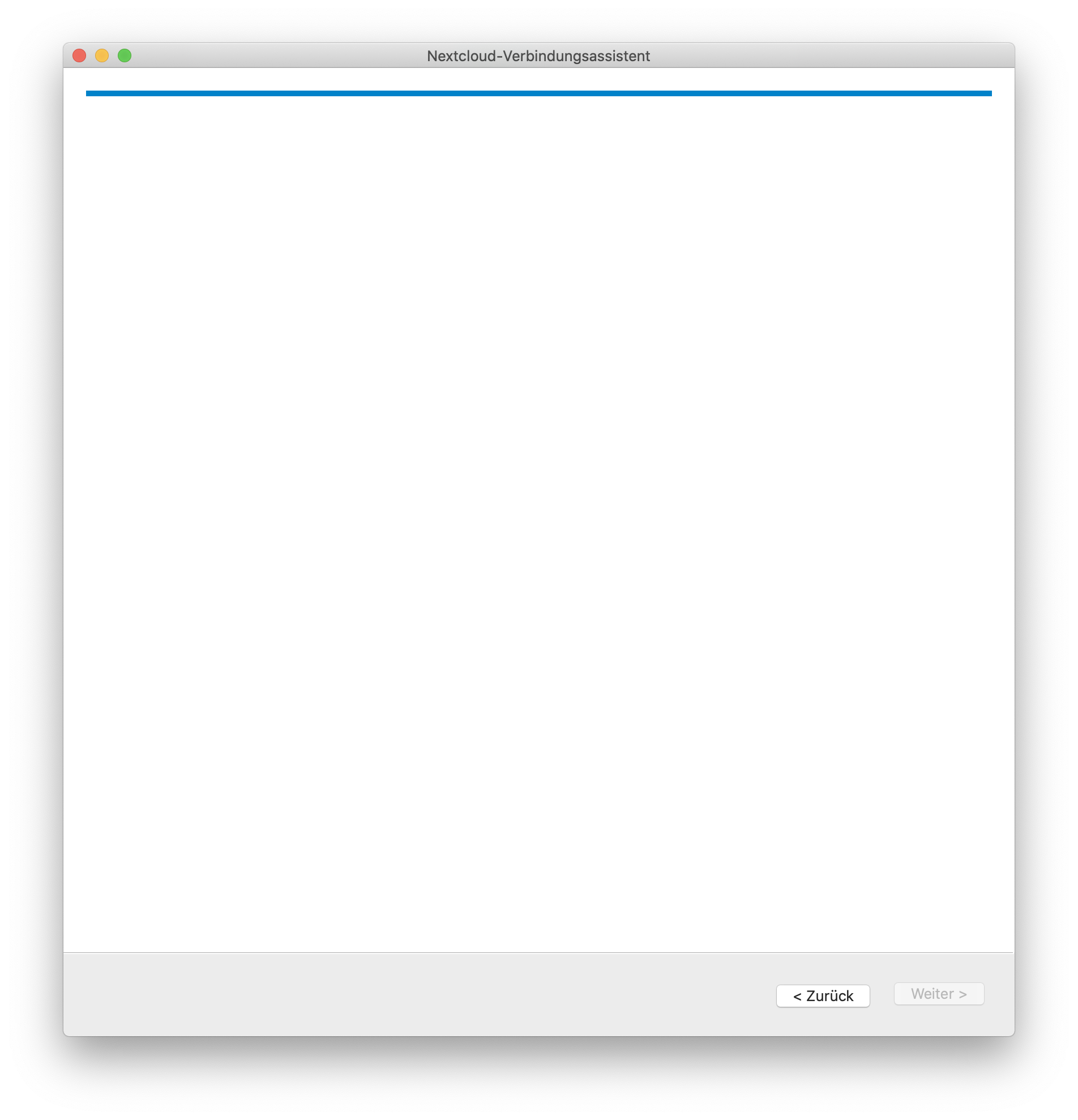
Got the same problem! 10.15.4 on MacBook Pro 13" in German lang.
 wilhelm10405
on 4 May 2020
wilhelm10405
on 4 May 2020
Hi. I have the same issue. Any chance to get a solution soon?
 psoluch
on 28 May 2020
psoluch
on 28 May 2020
Any chance to get a solution soon?
see workaround above
jokuha
on 28 May 2020
Same problem here with 2.6.4stable (build 20200303) installed on macOS Catalina. I had previously been using Nextcloud successfully, but today I was logged out of the NextCloud app, and now can't log back in with the same issue as the users with a new install. I will downgrade for the moment I guess.
 jaseeverett
on 11 Jun 2020
jaseeverett
on 11 Jun 2020
As @jokuha said, install version 2.6.2, log in to your account(s) and then upgrade to latest version.
Version 2.6.2 that works can be downloaded fro here:
https://download.nextcloud.com/desktop/releases/Mac/Installer/
Enjoy :)
 frederic-bonjour
on 8 Jul 2020
frederic-bonjour
on 8 Jul 2020
Same problem with 2.7beta3 on macOS 10.15.6
 tumkir
on 21 Jul 2020
tumkir
on 21 Jul 2020
Can also confirm on 2.6.5, collapses into a small bar at the top
 liz3
on 2 Aug 2020
liz3
on 2 Aug 2020
Same problem here
 milkomeda
on 7 Aug 2020
milkomeda
on 7 Aug 2020
Hi All, could you share your logs? Run the client with --logdebug.
https://docs.nextcloud.com/desktop/2.6/troubleshooting.html#log-files
thanks!
 camilasan
on 7 Aug 2020
camilasan
on 7 Aug 2020
Sure.
NC-no-login-log.txt
 scgu0003
on 15 Aug 2020
jokuha
on 15 Aug 2020
scgu0003
on 15 Aug 2020
jokuha
on 15 Aug 2020
The same problem persists on 3.0.1, at least for me.
 pugnari
on 5 Sep 2020
pugnari
on 5 Sep 2020
Hi All, could you try https://download.nextcloud.com/desktop/daily/Mac/Installer/Nextcloud-qt5.12.9-3.1.0.20200915daily.pkg and let me know if you still have the issue?
Thanks!
camilasan
on 15 Sep 2020
Hi @camilasan
No it doesn't fix it for me. It looks nice when I first install but if I log out and try and log back in, I get the same screen with the login window a few pixels high. I'm on macOS Catalina Version 10.15.6 (19G2021)
Back to the 2.6.2 for me....
jaseeverett
on 16 Sep 2020
I have not tried this special version, but I could login when I upgraded to regular 3.0 as it directed me to the browser, authenticated there, then the client run.
jokuha
on 16 Sep 2020
Thank you @camilasan. I tried this version, but it still suffers from the same phenomenon.
Is it related to the preference files of older versions?

Hi All, could you try https://download.nextcloud.com/desktop/daily/Mac/Installer/Nextcloud-qt5.12.9-3.1.0.20200915daily.pkg and let me know if you still have the issue?
Thanks!
pugnari
on 17 Sep 2020
@pugnari @camilasan I just tried completely removing all previous versions of NextCloud (including prefs etc) using AppCleaner. Restarted and reinstalled NextCloud but it still goes straight to the same blue line for the login window.
jaseeverett
on 17 Sep 2020
We have fixed it:
https://download.nextcloud.com/desktop/daily/Mac/Installer/Nextcloud-qt5.12.9-3.1.0.20200918daily.pkg
This is just a daily build but the fix will be included in the 3.0.2 release next week.
camilasan
on 18 Sep 2020
Related issues
 andresantacruz
·
3Comments
andresantacruz
·
3Comments
 DBLouis
·
3Comments
DBLouis
·
3Comments
 Ackis
·
4Comments
Ackis
·
4Comments
 jospoortvliet
·
4Comments
jospoortvliet
·
4Comments
 steven-omaha
·
3Comments
steven-omaha
·
3Comments
Most helpful comment
Got the same problem! 10.15.4 on MacBook Pro 13" in German lang.