Desktop: Don't blink the Mattermost menu bar icon continuously when one of the servers is disconnected
- [x] This is not a troubleshooting question. Troubleshooting questions go here: http://www.mattermost.org/troubleshoot/.
- [x] This doesn't reproduce on web browsers (such as in Chrome). If it does, issue reports go to the Mattermost Server repository.
- [x] I have read contributing guidelines.
Jira ticket: https://mattermost.atlassian.net/browse/MM-14091
Summary
I would like to be able to disable a server when running the application. This would mean Mattermost client will not try to connect to this server.
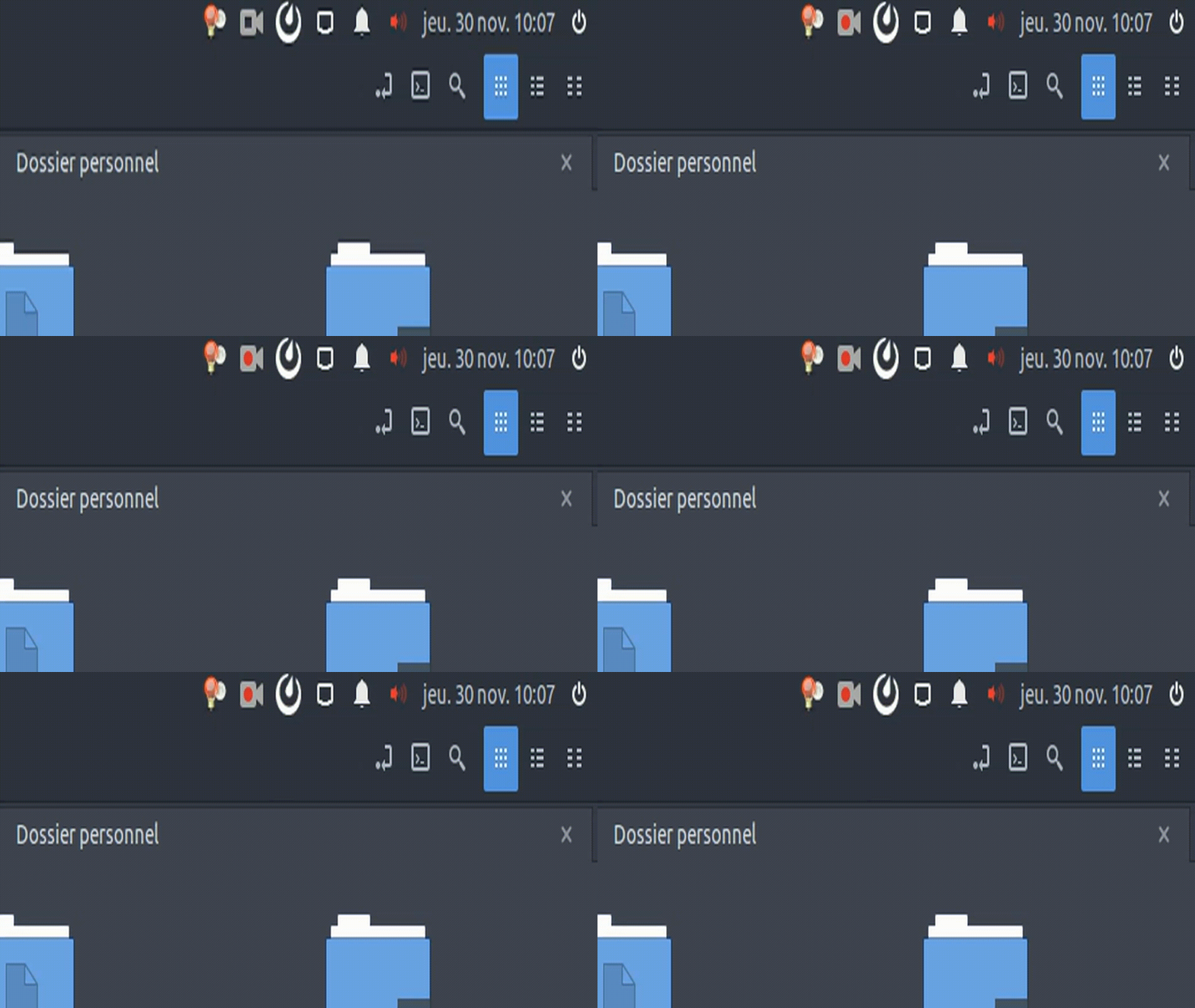
If I have two servers configured and one of them is not available (eg: because it is a local server and I am not on it's network), the indicator will blink trying to connect to the server again and again.
Steps to reproduce
- Operating System: Ubuntu 16.04
- Mattermost Desktop App version: 3.7.1
- Mattermost Server version: 4.3.0 (dev-arm-tag4.3.0)
How to reproduce
- Install Mattermost on 2 local servers
- Configure the Mattermost servers on your desktop client
- Disconnect / stop one of the servers
- Launch Mattermost desktop client and look at the indicator blinking when Mattermost tries to connect to the un-available server.
Expected behavior
The client should only try to connect to servers enabled in the servers list (the enable/disable option does not exist yet)
Observed behavior
The client tries to connect to all servers resulting in the indicator flashing if one of them (or more) is not available.
Possible fixes
No idea
 VictorLamoine
All 8 comments
Thanks @VictorLamoine for the report!
Can you share a screenshot of the indicator you're describing?
resulting in the indicator flashing if one of them (or more) is not available.
 jasonblais
on 29 Nov 2017
jasonblais
on 29 Nov 2017
@jasonblais I will do a GIF tomorrow!
VictorLamoine
on 29 Nov 2017
Closed by mistake!
VictorLamoine
on 30 Nov 2017
@VictorLamoine If we stopped the blinking, would that cover your issue? Might be simpler than offering the ability to disable/enable servers
jasonblais
on 30 Nov 2017
I guess it blinks because the application is trying to connect to the server periodically in the background (I might be wrong).
If it just stopped blinking the problem would be solved, it's happening at ~1Hz so the "connecting" function probably has a very small CPU footprint.
VictorLamoine
on 30 Nov 2017
Thoughts @yuya-oc? Would it be feasible to stop the blinking in this case?
jasonblais
on 30 Nov 2017
Probably yes. The blinking happens at about 1Hz, so I guess it's related to unread count rather than reconnecting (it happens every 30 seconds). Probably there is the case where the icon is refreshed even when no count changes.
 yuya-oc
on 30 Nov 2017
yuya-oc
on 30 Nov 2017
Jira ticket for tracking: https://mattermost.atlassian.net/browse/MM-14091
 amyblais
on 11 Feb 2019
amyblais
on 11 Feb 2019
Related issues
 zetaab
·
5Comments
zetaab
·
5Comments
 mcfedr
·
3Comments
mcfedr
·
3Comments
 attzonko
·
5Comments
attzonko
·
5Comments
 fmp777
·
6Comments
fmp777
·
6Comments
 mcarthur-cpt
·
6Comments
mcarthur-cpt
·
6Comments