Depthai: Getting started: python3 install_requirements.py Error preventing demo
console output here
host: ubuntu 18.04 (tegra/jetson) fresh install
Installing collected packages: zipp, numpy, importlib-metadata, requests, pyyaml, opencv-python, depthai, argcomplete
  WARNING: The scripts f2py, f2py3 and f2py3.6 are installed in '/home/toaster/.local/bin' which is not on PATH.
  Consider adding this directory to PATH or, if you prefer to suppress this warning, use --no-warn-script-location.
ERROR: pip's dependency resolver does not currently take into account all the packages that are installed. This behavio                                           ur is the source of the following dependency conflicts.
uff 0.6.9 requires protobuf>=3.3.0, but you have protobuf 3.0.0 which is incompatible.
Once this completes, attempting to run python3 depthai_demo.py causes
Illegal instruction (core dumped)
 eric-schleicher
All 23 comments
Thanks. Wondering if this is related, actually: https://discuss.luxonis.com/d/91-oak-d-on-raspberry-pi-zero-version-not-satisfied-open3d-0-10-0-0/4
Asking team. We have some Jetson we can try reproducing on.
 Luxonis-Brandon
on 19 Jan 2021
Luxonis-Brandon
on 19 Jan 2021
I did remove the open3d dependency, having made the the assumption that was optional. I ultimately sorted out how to update the protobuf to a suitable version using pip and had to:
python3 -m pip uninstall -r requirements.txt and reinstall with --no-cache-dir to rebuild the wheel(s)
Unfortunately still getting the Seg Fault with launching depthai_demo. in researching, I'm also noticing that the device is being recognized as 480 not 5000 megabit usb devices.
This is with a OCVAI kickstarter unit.
I confirmed that on different ports and with different cables 5000mbps devices are negotiating correctly. most likely not related.
eric-schleicher
on 19 Jan 2021
Thanks. We'll see if we can reproduce. So are other OS/platform still working for you OK? Just seeing this on Jetson?
Sorry for the trouble here.
Luxonis-Brandon
on 19 Jan 2021
Illegal instruction (core dumped)
Can you verify that your opencv installation works? :
python3 -c "import cv2; import numpy as np; blank_image = np.zeros((500,500,3), np.uint8); cv2.imshow('s', blank_image); cv2.waitKey(0)"
 szabi-luxonis
on 19 Jan 2021
szabi-luxonis
on 19 Jan 2021
i can confirm now that on any fresh new jetpack 4.4 jetson that
python3 -c "import cv2; import numpy as np; blank_image = np.zeros((500,500,3), np.uint8); cv2.imshow('s', blank_image); cv2.waitKey(0)"
produces:
Illegal instruction (core dumped)
may be related to: #311
I'm going to build opencv on the host(s) and retry re-confirm
eric-schleicher
on 20 Jan 2021

perhaps this gdb output is helpful?
https://gist.github.com/eric-schleicher/705b204af73e3d86c83364825e7c2206
i couldn't get py-gb to tracktrace output because i don't know how to do that (yet)
eric-schleicher
on 20 Jan 2021
It's weird, the base Jetson OpenCV has always worked for me. This is just a standard Jetson install and OpenCV is not working?
Luxonis-Brandon
on 20 Jan 2021
I will reconfirm again tomorrow morning, but it appears that virgin 4.4 jetpack produced this seg fault on both nano and nx (which are same version, but different binary images)
eric-schleicher
on 22 Jan 2021
Confirmed. Jetson (nx) with OOB image, then completing the instructions from getting started results in seg fault. so for the timebeing, "modern" Jetpacks are not usable. just downloaded latest 4.5 just released will try again
eric-schleicher
on 24 Jan 2021
Thanks for the confirmation.
Luxonis-Brandon
on 24 Jan 2021
RPi Zero blank image (using VNC):

 potto
on 27 Jan 2021
potto
on 27 Jan 2021
Thanks for confirming. I just got my adapter cable for the my Pi Zero (I had 2 before, but apparently lost them). I'm going to try this on my Pi Zero today.
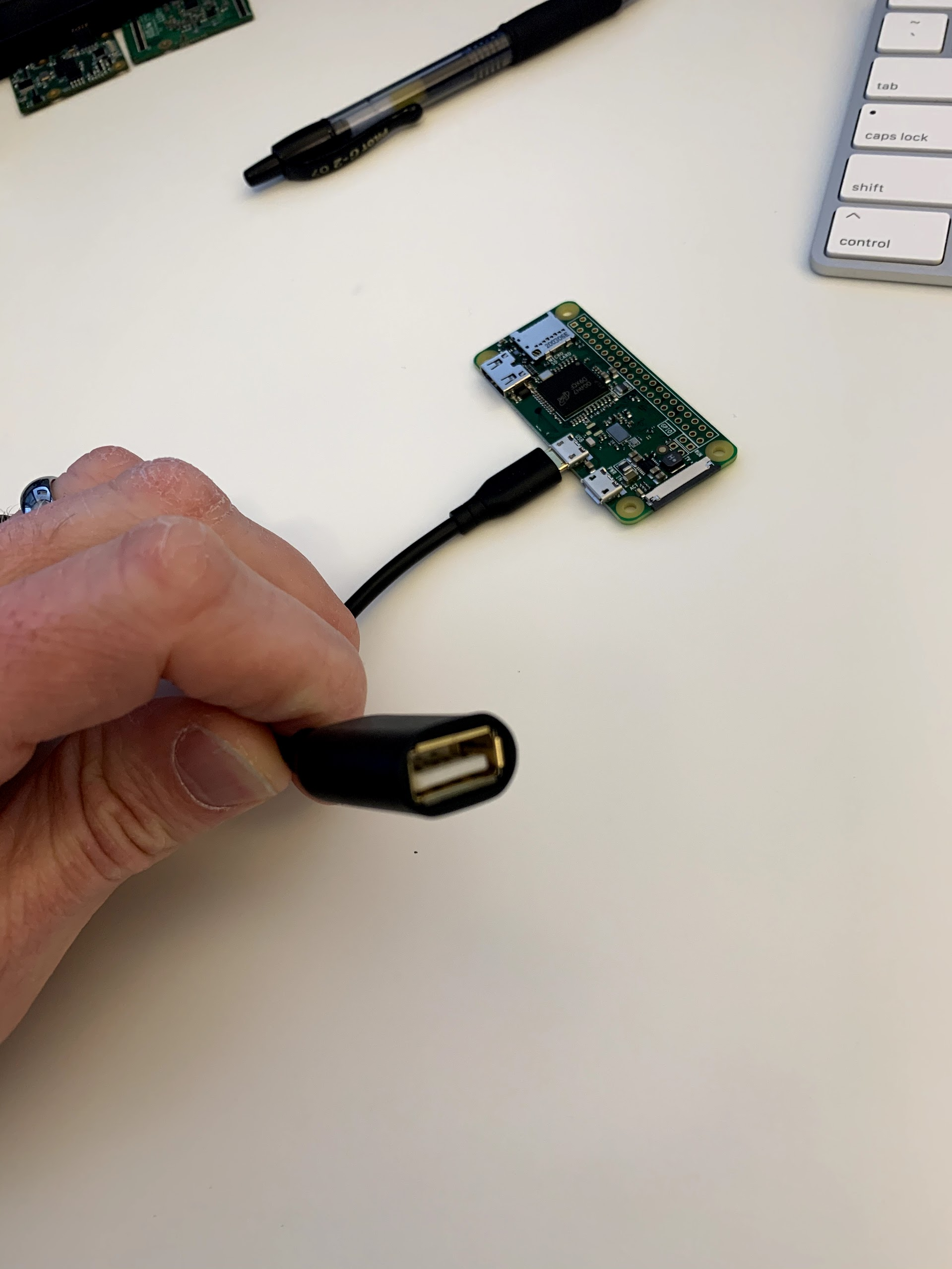
Sorry about the trouble here. Hopefully we'll get these fixed soon.
Luxonis-Brandon
on 27 Jan 2021
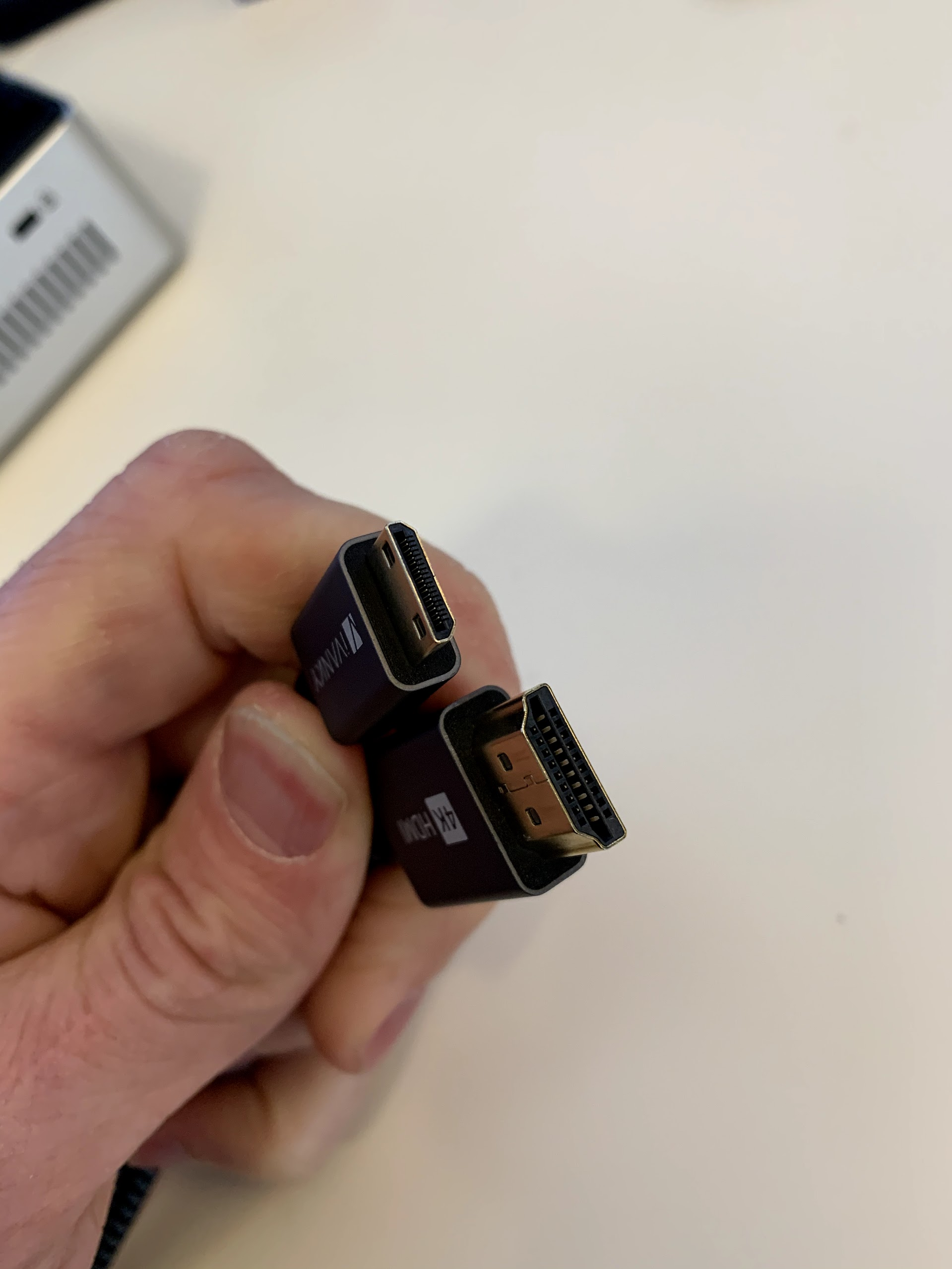
Now I just need to find the darn mini-HDMI cable...
Luxonis-Brandon
on 27 Jan 2021
Found it!
Luxonis-Brandon
on 27 Jan 2021
Imaged the uSD and it boots!
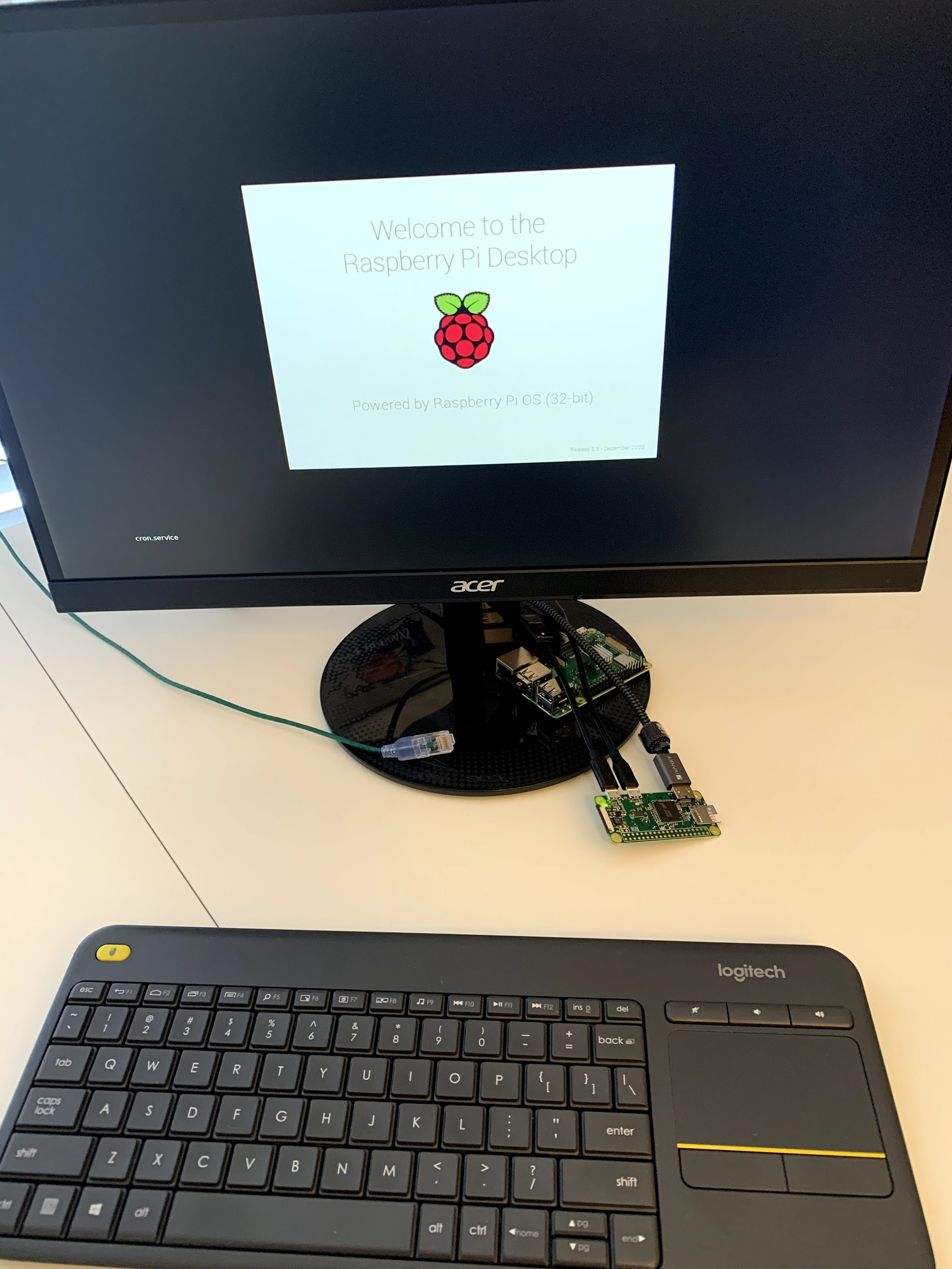
And I'm now following this video on the Pi Zero:
https://youtu.be/BpUMT-xqwqE
Luxonis-Brandon
on 27 Jan 2021
Yes, I can confirm that this illegal instruction happens on the Pi Zero.

The exact same instructions on a Pi 3B+ do not have this problem. So this is definitely specific to OpenCV on the Pi Zero. (And there is also some OpenCV issue on Jetson as well, as @eric-schleicher found).
Luxonis-Brandon
on 27 Jan 2021
I'm trying again on the Pi 3B+ to re-verify that it does not have this problem.
Luxonis-Brandon
on 27 Jan 2021
Here is Pi 3B+ with the exact same SD-Card:
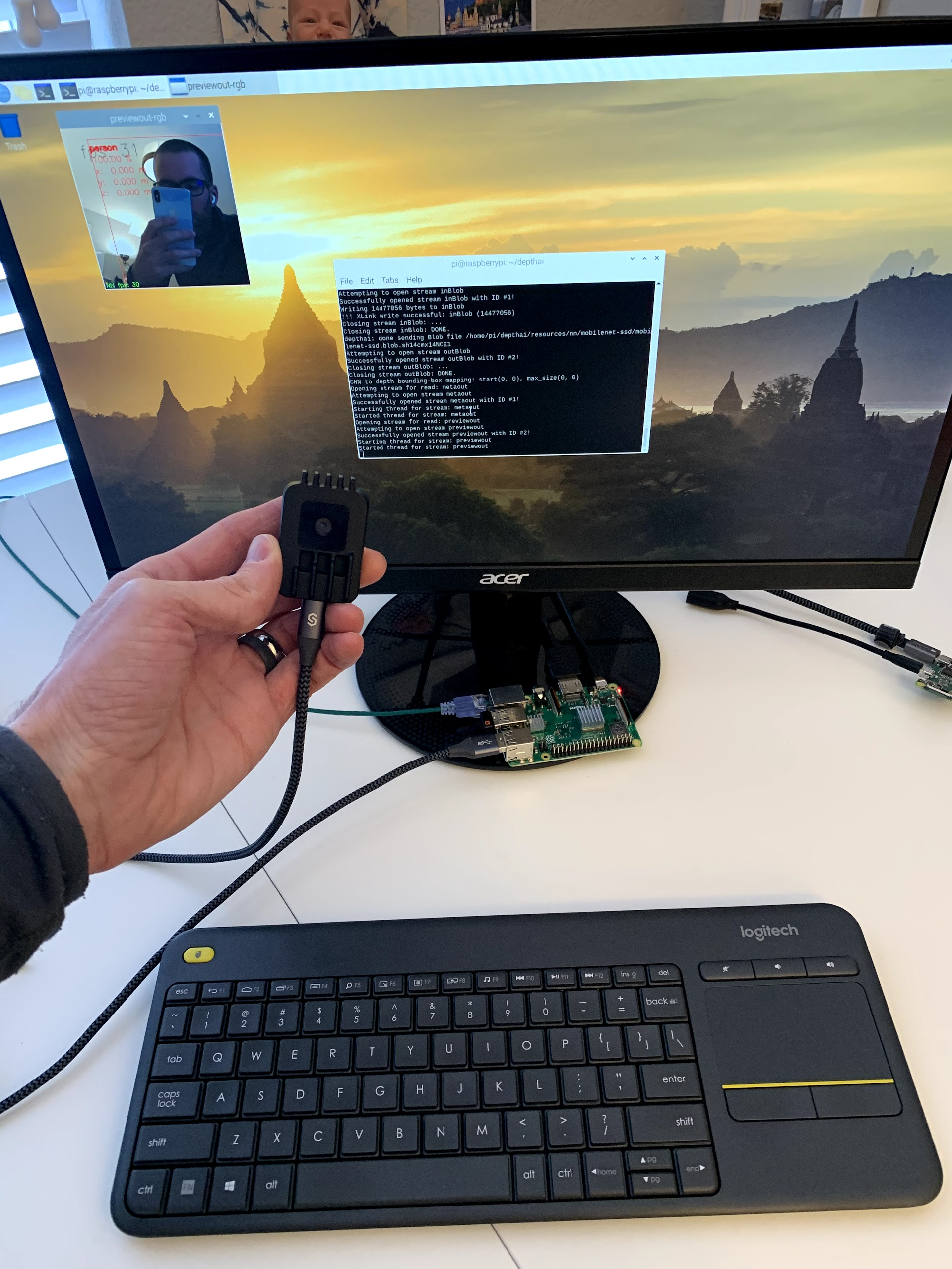
And this looks quite relevant:
https://www.raspberrypi.org/forums/viewtopic.php?t=145406
We are setting up teamviewer now for Szabi to investigate what is happening here on the Pi Zero with OpenCV.
Luxonis-Brandon
on 27 Jan 2021
Ok so i'm also working this. I started with fresh jetpack 4.5 (latest on 1/27/2021)
Using the opencv test commandline on the completely fresh system, I got the black box.
E.G: python3 -c "import cv2; import numpy as np; blank_image = np.zeros((500,500,3), np.uint8); cv2.imshow('s', blank_image); cv2.waitKey(0)"
Conclusion: OpenCV is working out of the box from python3 on jetson
HOWEVER: (steps to reproduce issue on jetson)
After running :
sudo wget -qO- http://docs.luxonis.com/_static/install_dependencies.sh | bash
and
git clone https://github.com/luxonis/depthai.git
cd depthai
python3 install_requirements.py
produced some errors:
- regarding protobuf version, which on jetson is apparently 3.0.0.
- no open3d for arm64
so removing open3d from requirement.txt and running an uninstall on the install requirements with
python3 -m pip uninstall -r requirements.txt (and accepting the deletions)
Followed by an update to protobuf
python3 -m pip install protobuf==3.3.0 (the min version requested in the stdout
and then rerunning with no pip caching
python3 -m pip install -r requirements.txt --no-cache-dir
the install completes successful (all run as a USER level installation)
however when running the simple python test for openCV,
python3 -c "import cv2; import numpy as np; blank_image = np.zeros((500,500,3), np.uint8); cv2.imshow('s', blank_image); cv2.waitKey(0)"
produces output:
toaster@the-host:~/depthai$ python3 -c "import cv2; import numpy as np; blank_image = np.zeros((500,500,3), np.uint8); cv2.imshow('s', blank_image); cv2.waitKey(0)"
Illegal instruction (core dumped)
we then have a issue which did not exist previously.
Conclusion: the install process breaks the python bindings for OpenCV
thoughts?
--
output from the 'second' installation of requirements:
toaster@the-host:~/depthai$ python3 -m pip install  -r requirements.txt --no-cache-dir
Defaulting to user installation because normal site-packages is not writeable
Collecting numpy==1.19.5
  Downloading numpy-1.19.5-cp36-cp36m-manylinux2014_aarch64.whl (12.4 MB)
     |████████████████████████████████| 12.4 MB 2.7 MB/s
Collecting opencv-python==4.5.1.48
  Downloading opencv_python-4.5.1.48-cp36-cp36m-manylinux2014_aarch64.whl (34.5 MB)
     |████████████████████████████████| 34.5 MB 1.7 MB/s
Collecting requests==2.24.0
  Downloading requests-2.24.0-py2.py3-none-any.whl (61 kB)
     |████████████████████████████████| 61 kB 2.4 MB/s
Collecting argcomplete==1.12.1
  Downloading argcomplete-1.12.1-py2.py3-none-any.whl (38 kB)
Collecting pyyaml==5.3.1
  Downloading PyYAML-5.3.1.tar.gz (269 kB)
     |████████████████████████████████| 269 kB 3.8 MB/s
Collecting depthai==0.4.1.1
  Downloading depthai-0.4.1.1.tar.gz (84 kB)
     |████████████████████████████████| 84 kB 3.1 MB/s
  Installing build dependencies ... done
  Getting requirements to build wheel ... done
    Preparing wheel metadata ... done
Requirement already satisfied: importlib-metadata<3,>=0.23 in /home/toaster/.local/lib/python3.6/site-packages (from argcomplete==1.12.1->-r requirements.txt (line 4)) (2.1.1)
Requirement already satisfied: idna<3,>=2.5 in /usr/lib/python3/dist-packages (from requests==2.24.0->-r requirements.txt (line 3)) (2.6)
Requirement already satisfied: urllib3!=1.25.0,!=1.25.1,<1.26,>=1.21.1 in /usr/lib/python3/dist-packages (from requests==2.24.0->-r requirements.txt (line 3)) (1.22)
Requirement already satisfied: chardet<4,>=3.0.2 in /usr/lib/python3/dist-packages (from requests==2.24.0->-r requirements.txt (line 3)) (3.0.4)
Requirement already satisfied: certifi>=2017.4.17 in /usr/lib/python3/dist-packages (from requests==2.24.0->-r requirements.txt (line 3)) (2018.1.18)
Requirement already satisfied: zipp>=0.5 in /home/toaster/.local/lib/python3.6/site-packages (from importlib-metadata<3,>=0.23->argcomplete==1.12.1->-r requirements.txt (line 4)) (3.4.0)
Building wheels for collected packages: depthai, pyyaml
  Building wheel for depthai (PEP 517) ... done
  Created wheel for depthai: filename=depthai-0.4.1.1-cp36-cp36m-linux_aarch64.whl size=2845108 sha256=b976b4f6a94916f2c4d15db76a117e4300399f48a226055e201457d76fb3d9a2
  Stored in directory: /tmp/pip-ephem-wheel-cache-h1ifbsdv/wheels/e6/aa/01/05043de179f82f3500d7f56e244655b56442b7ae80d8efd49a
  Building wheel for pyyaml (setup.py) ... done
  Created wheel for pyyaml: filename=PyYAML-5.3.1-cp36-cp36m-linux_aarch64.whl size=45919 sha256=e4627529ae3826573287bcc5bbcc4214466d29868b1344085706b2c23365aedd
  Stored in directory: /tmp/pip-ephem-wheel-cache-h1ifbsdv/wheels/e5/9d/ad/2ee53cf262cba1ffd8afe1487eef788ea3f260b7e6232a80fc
Successfully built depthai pyyaml
Installing collected packages: numpy, requests, pyyaml, opencv-python, depthai, argcomplete
Successfully installed argcomplete-1.12.1 depthai-0.4.1.1 numpy-1.19.5 opencv-python-4.5.1.48 pyyaml-5.3.1 requests-2.24.0
Yes, so @eric-schleicher - I would not use those instructions on Jetson. I was trying to mention that earlier in Discord but I think it got lost.
For Jetson, the instructions will likely change system packages that will cause problems. From my testing, DepthAI just works on a jetson, I didn't have to install any dependencies really, except enabling the USB device. Will circle back.
Luxonis-Brandon
on 27 Jan 2021
OK. FWIW running python3 -m pip uninstall -r requirements.txt -y gets the opencv test working again.
I'll reach out on discord.
eric-schleicher
on 27 Jan 2021
Thanks. So we'd like to get TeamViewer access to fix as well. So will put you in touch with engineers there. Our Jetson Tx2 is working, so we'll leave it as is and then work on Jetsons that are seeing the problem.
Luxonis-Brandon
on 27 Jan 2021
Closing and referencing #324 to address specific issue with Pi Zero. this should not be an issue on armv8 (aka arm64; aka aarch64)
eric-schleicher
on 27 Jan 2021
Related issues
 domef
·
3Comments
Luxonis-Brandon
·
4Comments
domef
·
3Comments
Luxonis-Brandon
·
4Comments
 JimXu1989
·
4Comments
JimXu1989
·
4Comments
 wureka
·
8Comments
wureka
·
8Comments
 geaxgx
·
3Comments
geaxgx
·
3Comments