Deno: Writing to non-existent directories does not throw error
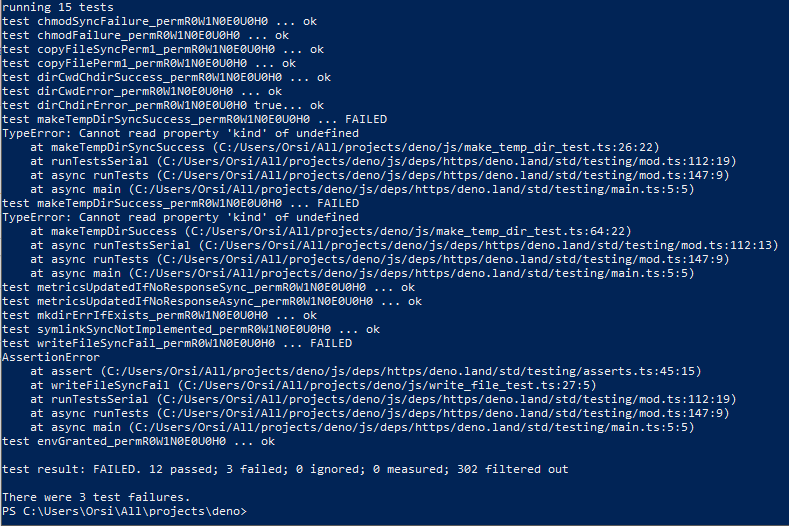
Failing:
- makeTempDirSyncSuccess_permR0W1N0E0U0H0
- makeTempDirSuccess_permR0W1N0E0U0H0
- writeFileSyncFail_permR0W1N0E0U0H0
Tests expect an error to be thrown because of writing to a bad directory, but no error is thrown. This is on Windows 10, latest master - c8db224.
 orsi
orsi
All 13 comments
Could you provide your code please? I'll take a look at it.
 zekth
on 24 Apr 2019
zekth
on 24 Apr 2019
This was on master - c8db224 - with no code changes after running setup.py/build.py. These are standard tests from unit_tests.ts.
orsi
on 25 Apr 2019
I used to have some flaky tests like this on my windows env, only on Unit Tests but the CI does not seem to be impacted. i'll do a couple runs to monitor this.
zekth
on 25 Apr 2019
I'll run them again later this evening with a more recent build and see if there's any change. I do know the tests were running perfectly a week or so ago though.
orsi
on 25 Apr 2019
@jorsi are you still experiencing this problem?
 bartlomieju
on 8 May 2019
bartlomieju
on 8 May 2019
Still failing @ ec9080f
orsi
on 9 May 2019
@jorsi could you try runing it in c:/temp for example and not in the USERS path? Also could you try using prompt with admin perm? i think it might be related.
zekth
on 9 May 2019
Just pulled and built up to 2edee33.
- running in Users dir - failed
- running in C:\temp - failed
Powershell is running in Administrator perms.
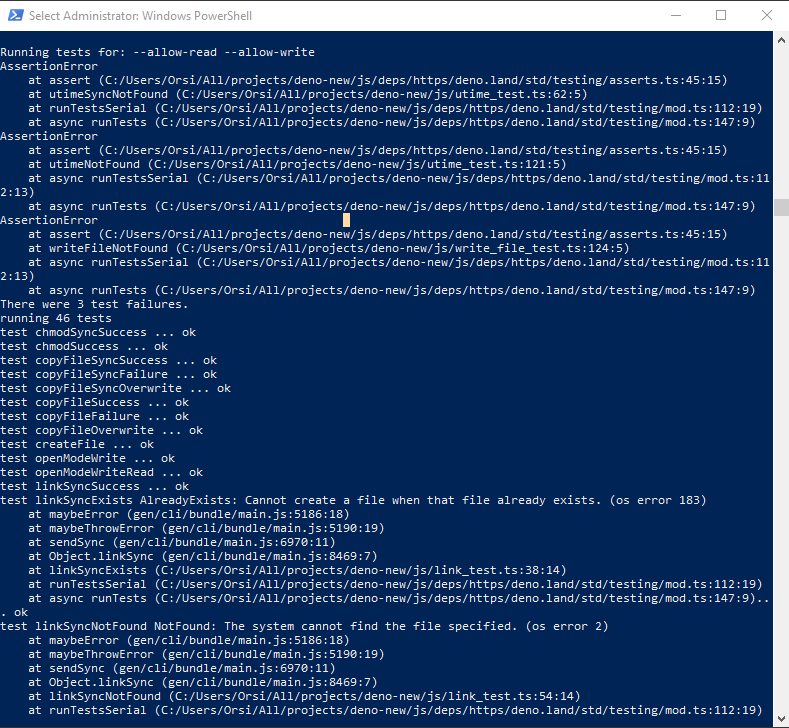
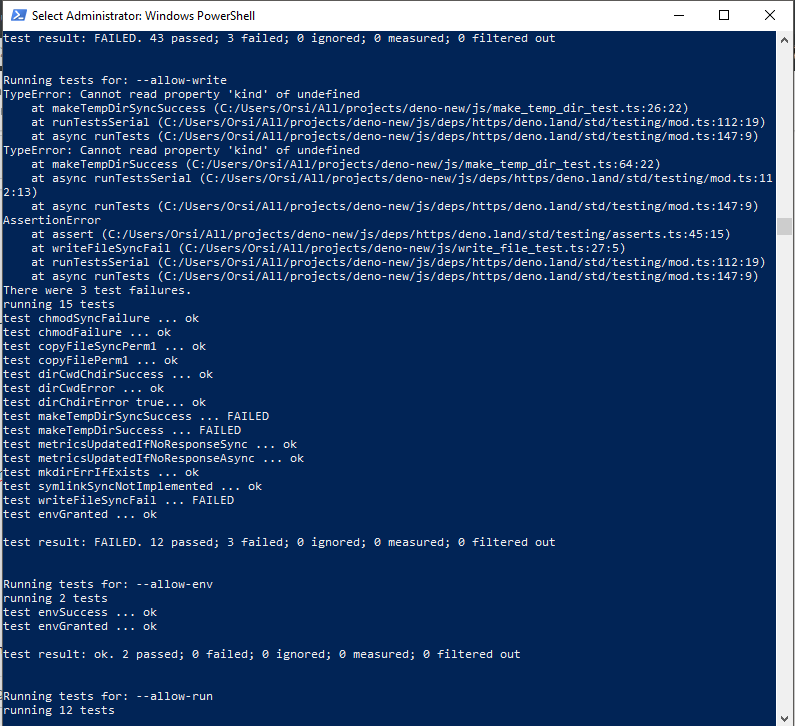
Output seems jumbled in some of these images:
--allow-read --allow-write
utimeSyncNotFound
utimeNotFound
writeFileNotFound
linkSyncExists
linkSyncNotFound
--allow-write
makeTempDirSyncSuccess
makeTempDirSuccess
writeFileSyncFail
orsi
on 9 May 2019
@orsi Is this still failing?
 lucacasonato
on 13 Aug 2020
lucacasonato
on 13 Aug 2020
I moved over to a macbook so I cannot confirm if this is still an issue :P
orsi
on 31 Aug 2020
@orsi Can you give me a test case? I'll check.
 nayeemrmn
on 31 Aug 2020
nayeemrmn
on 31 Aug 2020
There wasn't a lot to setup other than just running the tests on a Windows 10 laptop.
orsi
on 31 Aug 2020
Okay it passes for me. Well, it always passed on CI so probably an environmental fluke. This can be be closed.
nayeemrmn
on 31 Aug 2020
Related issues
 CruxCv
·
3Comments
CruxCv
·
3Comments
 zugende
·
3Comments
zugende
·
3Comments
 somombo
·
3Comments
somombo
·
3Comments
 ry
·
3Comments
ry
·
3Comments
ry
·
3Comments
ry
·
3Comments