Deltachat-android: 'Login to your server' view not in dark mode
with theme dark set the registration view still is in light mode
- Platform (android/blackberry/anbox): Android
- Device: BLU
- Delta Chat Version: 0.200.0
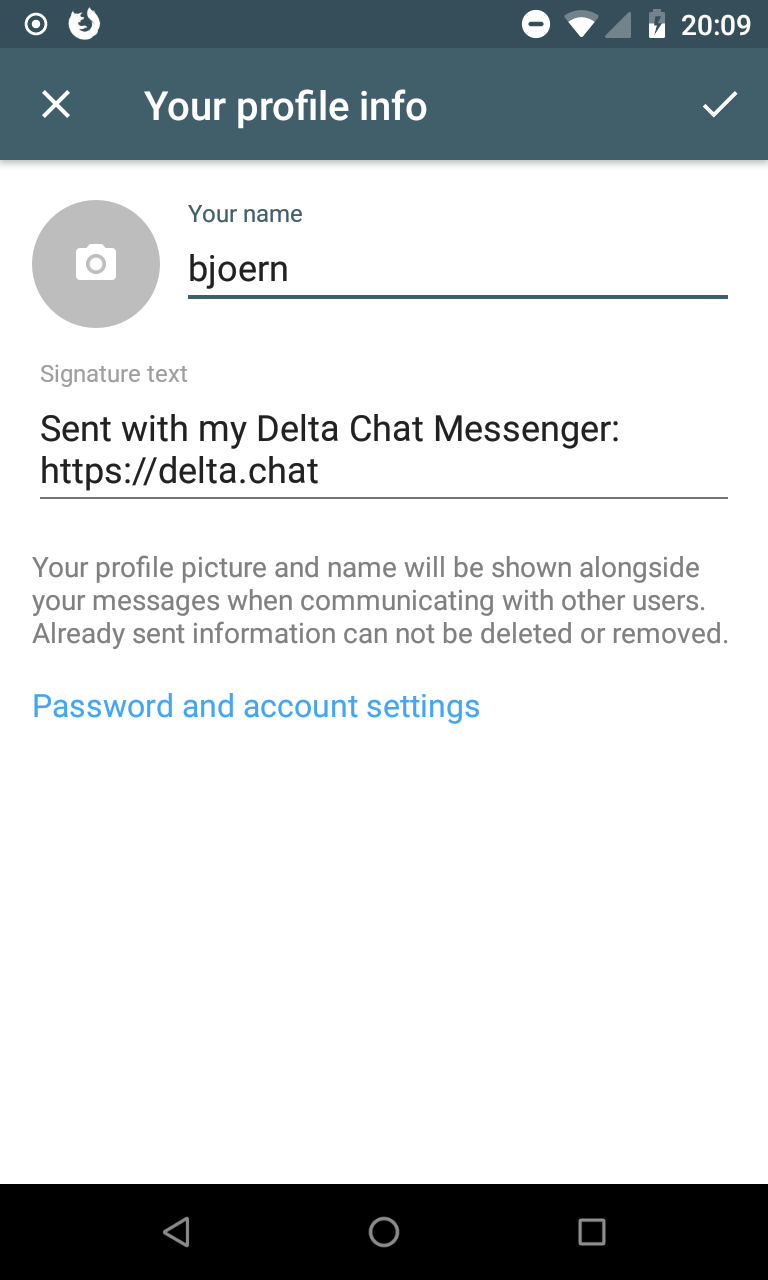
- Steps to reproduce the problem: set theme to dark, go to your profile settings, tap in "password and account settings"(which is a bit hidden because the keyboard is shown by default in this view)
 adbenitez
All 5 comments
well, the "real" login view is never in dark mode because the user just does not have an option to switch to dark mode before logging in.
however, when changing the account data later, dark mode should be regarded.
which is a bit hidden because the keyboard is shown by default in this view
the keyboard is no longer shown by default and _this_ dialog is tweaked a bit:
 r10s
on 1 Apr 2019
r10s
on 1 Apr 2019
i think when targeting this issue, on can also have a look at https://github.com/deltachat/deltachat-android/issues/439
r10s
on 1 Apr 2019
well, the "real" login view is never in dark mode because the user just does not have an option to switch to dark mode before logging in.
yes, sorry I didn't know how to call it but I was referring two this one, that is why I said: " go to your profile settings, tap in "password and account settings""
adbenitez
on 1 Apr 2019
@adbenitez sure - thank you for the report :)
r10s
on 2 Apr 2019
fixed by #811
r10s
on 4 Apr 2019
Related issues
 Almtesh
·
4Comments
Almtesh
·
4Comments
 escoand
·
4Comments
r10s
·
4Comments
escoand
·
4Comments
r10s
·
4Comments
 gitkald
·
5Comments
gitkald
·
5Comments
 travisfw
·
5Comments
travisfw
·
5Comments