Deeplabcut: Issue when using lasso function with the refine tracklet function.
Hello,
I am using maDLC 2.2b7 on windows 7.
I am trying to correct the identities swaps but the lasso does not work apparently.
I select lasso, I circle an entire animal so that I select all its bp, and then I click on the legend of the other animal I want to give him its right identity but nothing happens.
Here a concrete illustration ( I would like that the shaved mouse is labelled in blue and not in yellow)>
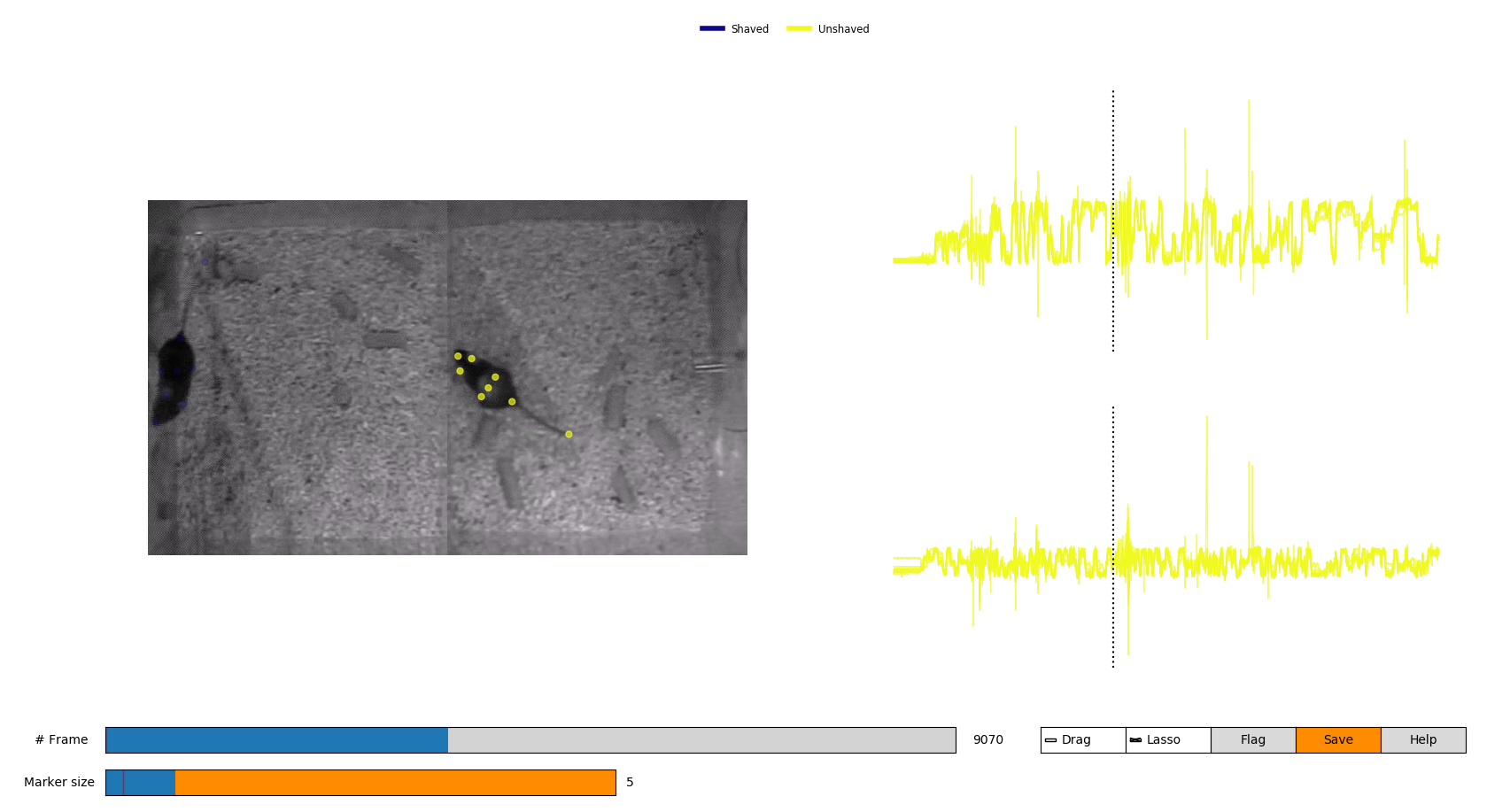
Have you some suggestion to fix this issue?
Thank you,
Best
Dorian
 DorianBattivelli
All 38 comments
Hello @DorianBattivelli, you should flag the first and last frames (hitting the X key) to tell the GUI you want the swap to happen between these 2 bounds. Clicking on the legend should then work fine.
 jeylau
on 21 Aug 2020
jeylau
on 21 Aug 2020
@DorianBattivelli @jeylau I'm having the same issue (also maDLC 2.2b7, Windows), even after flagging first and last frames. I tried both the hot keys as well as buttons and legend on the GUI. It only ever lets me switch individual body parts.
 lnbeloate
on 21 Aug 2020
lnbeloate
on 21 Aug 2020
Hello @jeylau,
thank you for the feedback, I tried as you told me but it is still not working.
I am in the same situation than @lnbeloate ,
I will try to switch on mac to see if it solves the problem,
Please let me know if you have other suggestions to fixe the bug,
Thanks,
best
Dorian
DorianBattivelli
on 24 Aug 2020
Hello again,
I loaded my project on mac, but it is actually worst. A lot of frames are not labeled anymore. And when I tried the lasso function on a sequence of labeled frames it did not work neither,
Best,
Dorian
DorianBattivelli
on 24 Aug 2020
@DorianBattivelli, are you sure the defaults remained the same? I do not see why you'd lose labels unless settings changed.
jeylau
on 24 Aug 2020
Buy the way, we are working on 15 min videos which are composed of 22499 frames. By using the upper lateral bar to scroll all along the frames, we are not able to access specific frames, for example we jump from frame 5015 to 5039 to 5062. And we cannot access to the intermediate frames.
Is there a way to access frames in a continuous way?
Thank you
DorianBattivelli
on 24 Aug 2020
N or right arrow (B or left arrow) to move to the next (previous) frame.
jeylau
on 24 Aug 2020
Well, I confirm the parameters are the same on my mac and my windows, but the same frame results labeled on the PC but unlabeled on the mac.
Moreover, concerning the arrow navigation:
- on mac it works, but not the 'n' key
- on windows none of them works
DorianBattivelli
on 24 Aug 2020
I can confirm that N/B keys and L/R arrows are not functional on Windows for me either.
lnbeloate
on 24 Aug 2020
Well, I confirm the parameters are the same on my mac and my windows, but the same frame results labeled on the PC but unlabeled on the mac.
Can you show me this? I cannot reproduce this behavior. It's the identical project, identical GUI setting, identical inference settings?
 MMathisLab
on 24 Aug 2020
MMathisLab
on 24 Aug 2020
Hi @MMathisLab ,
Thank you for replying.
I actually fixed the problem.
I was using b5 version on mac and b7 on windows, and the refine tracklet GUI interface was different for these two versions, so maybe the parameters were different.
In any case, lasso function is also not working on mac.
Would you have please some suggestion to go ahead?
Thanks,
Best,
Dorian
DorianBattivelli
on 25 Aug 2020
HI Dorian, if you search within the github you'll find the solution, namely MacOS required pythonw not ipython
so just run pythonw -m deeplabcut after you activate the environment.
MMathisLab
on 25 Aug 2020
Thank you @MMathisLab , it is actually how I fixed the problem :)
DorianBattivelli
on 25 Aug 2020
Great!
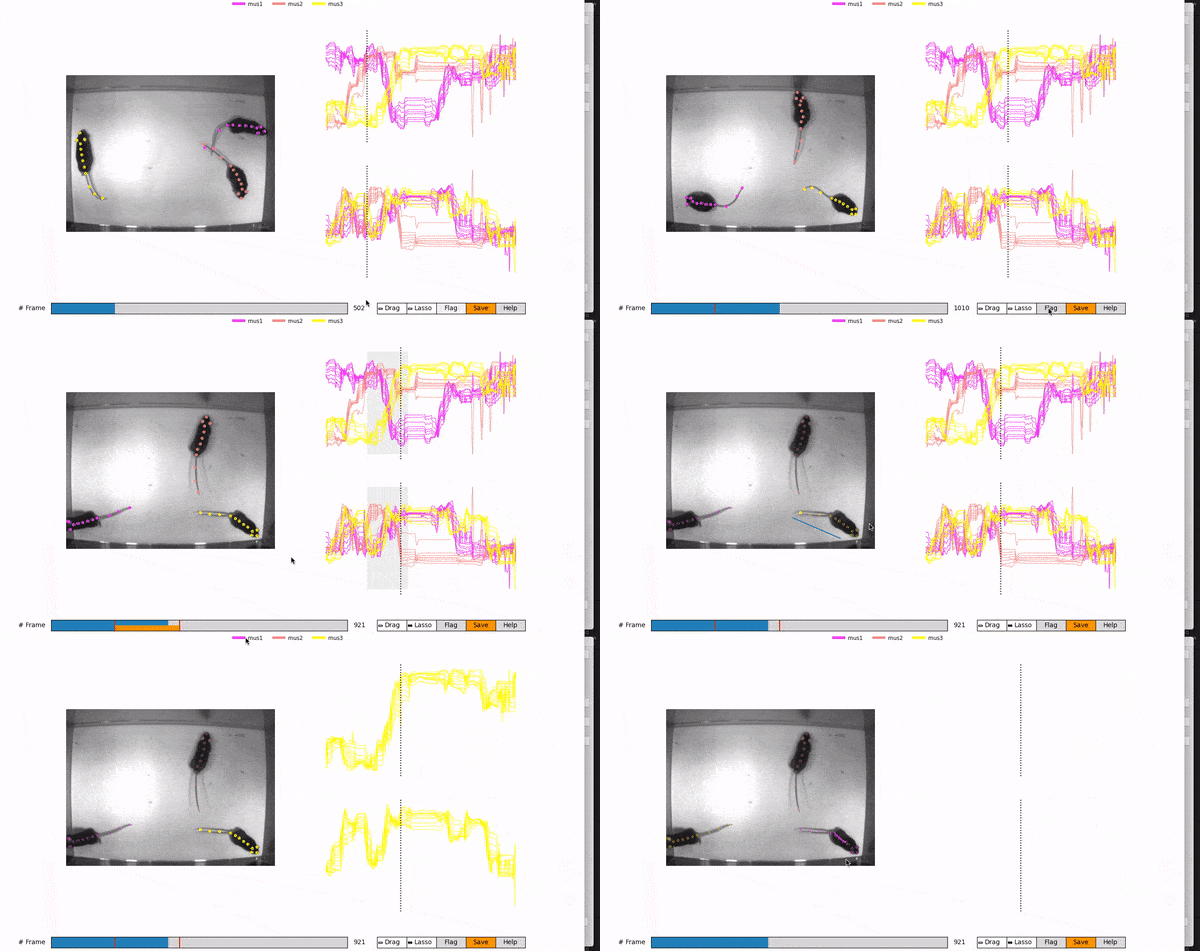
the lasso functions work for me. You need to flag a start frame, then go > 1 frame into the future, and lasso all the points (ignore my jump, I dont have a mouse with me ;). then click the other individual name, then unclick lasso.
MMathisLab
on 25 Aug 2020
@MMathisLab ,
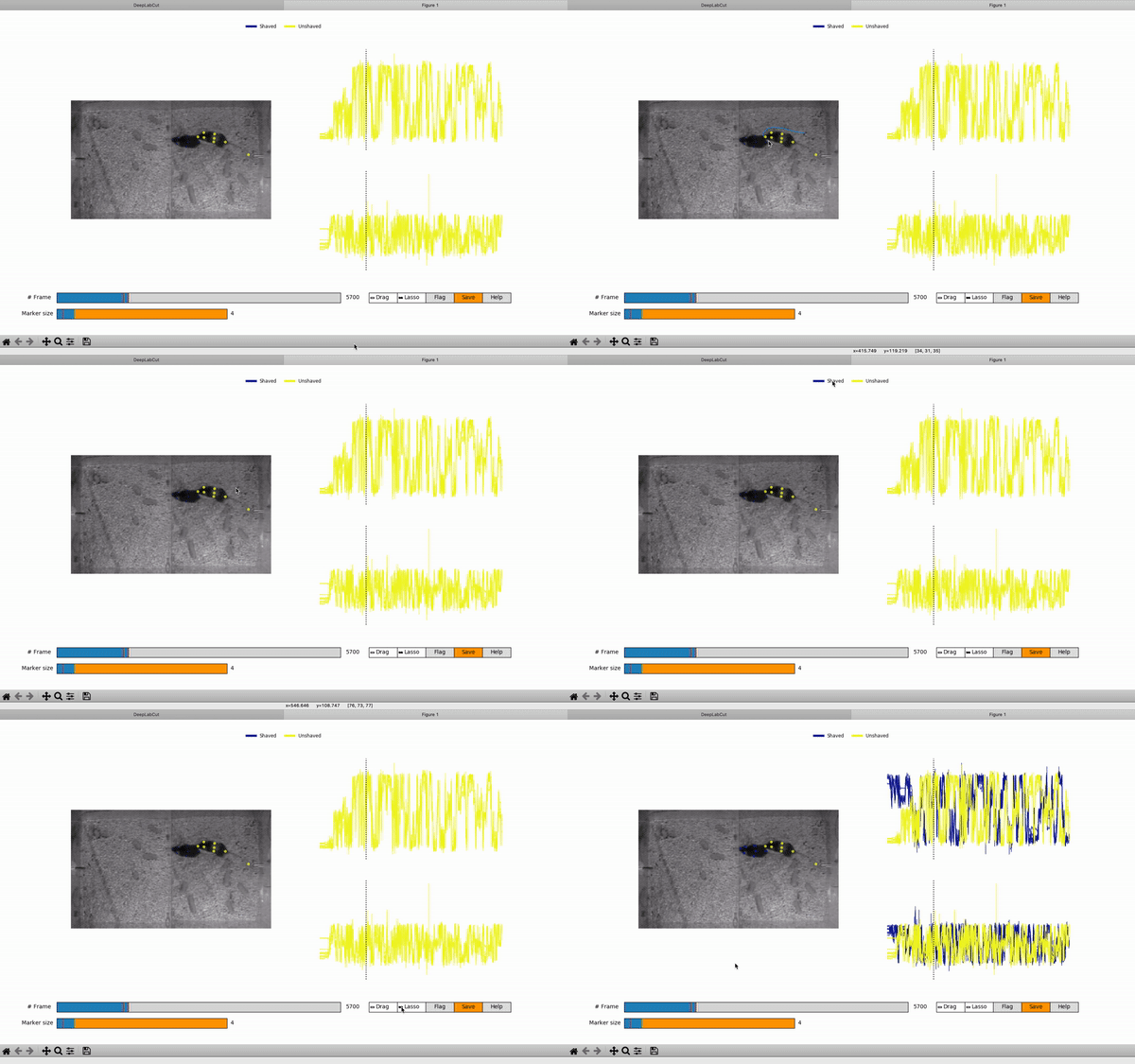
I procede as described on your tuto and as you gently remind bellow, but it is not working:
DorianBattivelli
on 25 Aug 2020
sorry, what is happening, you can't close the loop?
MMathisLab
on 25 Aug 2020
@MMathisLab ,
Yes I can, but as you can see on the gif, once the body parts are selected, when I click the other individual name, nothing happens.
DorianBattivelli
on 25 Aug 2020
you need to be sure you are on a frame that is within the period you select, i.e. click in between the two read marks, then try left and right click. let me know if that solves it.
MMathisLab
on 25 Aug 2020
Actually it is what I did on another frame (not the one shown on my gif). I selected a frame within the marked period, but it still does not work, neither with right nor left clicking.
DorianBattivelli
on 25 Aug 2020
Hello,
@lnbeloate , have you finally been able to use the lasso function?
@MMathisLab , would you have some suggestion to help me fixing that bug? I am stuck at this stage and cannot switch to SimBA until I won't solve the swap identities issue,
Please, let me know,
Thank you,
Best,
Dorian
DorianBattivelli
on 27 Aug 2020
the only thing I can recommend is not using windows 7; we have never supported it and have no way to test it.
I would also say though that you don't need maDLC for your project, and it is actually worse. If you have a mouse that you can identify by eye, i.e.m shaved vs not, then that is not multiple IDENTICAL looking animals, and normal DLC is the ideal path forward.
MMathisLab
on 27 Aug 2020
Hi @MMathisLab ,
Indeed it works on Windows 10 but not on Mac. Moreover, as referred by @lnbeloate and @imgross, unfortunately the arrow navigation does not work on Windows 10.
Thank you for the help,
Best,
Dorian
DorianBattivelli
on 27 Aug 2020
👍🏻 My issue is we have no windows computers easily accessible right now, but if you can help trouble shoot the issue that’s great. Otherwise, click and drag works on the bar as far as I can tell. We will look into the arrow hotkeys in the near future.
MMathisLab
on 27 Aug 2020
See #810 for windows 10 for alternatives to the arrow keys and tab. Works on my Windows 10 machine.
 backyardbiomech
on 27 Aug 2020
backyardbiomech
on 27 Aug 2020
@DorianBattivelli I re-downloaded my DLC-CPU conda env and the refine tracklet GUI is overall working faster/better (still same Windows laptop). The lasso function is now working by using the L and R click buttons at the top of the mouse pad (I stupidly didn't try this before) and I am just playing/pausing with the space bar. Being able to use the arrows to navigate through individual frames would be much better, but this way is working just fine for me now.
lnbeloate
on 31 Aug 2020
@DorianBattivelli 'n' and 'b' are now working for next/back frames ( #873 )
lnbeloate
on 31 Aug 2020
@lnbeloate what do you mean by I re downloaded my DLC-CPU Honda env? Re re did the installation from scratch?
@MMathisLab @jeylau I actually upgraded my lab computer to switch on windows 10. But the lasso function still does not work.
The only computer on which it works is the one on which I did the labelling (that is also windows 10). So the problem does not seem to be the Windows version, rather the fact to change computer for labeling and then refining tracklets.
Could that be a problem?
Thank you,
Best,
Dorian
DorianBattivelli
on 3 Sep 2020
@DorianBattivelli Sorry, that wasn't clear. I'm working in the Anaconda environment (DLC-CPU) provided in github. That probably was not the issue, but I re-downloaded it just in case and am working in the new environment.
@MMathisLab @jeylau I now seem to be having issues with the 'save' button in the Refine Tracklet GUI. I am able to make changes and playing them back to make sure they're there but the sk.pickle file is not updating, and if I close it out and try to work on it again, my changes are not saved. Is there a hot key for saving my refinements or is it another file that is actually updating?
lnbeloate
on 4 Sep 2020
@lnbeloate, upon saving, data are dumped into a h5 file (with the same name as the pickle, just ending with .h5). If you reload this one, you'll see all the corrections you made 😊.
jeylau
on 4 Sep 2020
Got it. Thank you @jeylau !
lnbeloate
on 4 Sep 2020
@lnbeloate Ok that's clear now, thank you for the feedback 🙂
@jeylau @MMathisLab Have you some suggestion concerning the issue I have to make the refine tracklet work on the windows 10 I just installed? Do you think that doing the labelling and the refining on two different computers can generate a conflict for the lasso function?
Thank you,
Best
Dorian
DorianBattivelli
on 4 Sep 2020
Do you think that doing the labelling and the refining on two different computers can generate a conflict for the lasso function?
are they the same operating system?
MMathisLab
on 8 Sep 2020
These two computers work on Windows 10
DorianBattivelli
on 9 Sep 2020
Ulterior precision: the computer on which I did the labelling run on python 3.7.6, while the computer on which I faile using the lasso function uses the 3.8.3 version. Could that explain the bug?
DorianBattivelli
on 11 Sep 2020
yes, please use the environments we provide with 3.7 for now, thanks!
MMathisLab
on 16 Sep 2020
Hello,
Unfortunately, even with python 3.7 on the other computer it is still not working.
DorianBattivelli
on 19 Sep 2020
I finally fixed it. One computer was running on the version 2.2b6 while the other was using the 2.2b7. Thank you again for your help :)
DorianBattivelli
on 19 Sep 2020
I would recommend updating to 2.2b8, important bug fixes. maDLC is in beta mode, thus those using it currently should not expect a stable release yet. So it will be important to update regularly. :)
MMathisLab
on 19 Sep 2020
Related issues
 phcao101
·
4Comments
phcao101
·
4Comments
 cvKDean
·
4Comments
cvKDean
·
4Comments
 ForgottenOneNyx
·
4Comments
ForgottenOneNyx
·
4Comments
 WernTanj
·
3Comments
WernTanj
·
3Comments
 Charly77220
·
3Comments
Charly77220
·
3Comments
Most helpful comment
See #810 for windows 10 for alternatives to the arrow keys and tab. Works on my Windows 10 machine.